-
[Released] RSSY Character And Material Conversion Bundle Genesis 8 to Genesis 9 [Commercial]
eric.schwandt said:
Before pulling the trigger on purchasing this, I asked a friend to test this on a few of my custom characters I had created using quite a few merchant resource body and face morphs (nothing too extreme) that I had baked into single full character morphs. The first two attempts had weird, wrinkled results with the problem morph being the main character morph. Then, on a third character, it worked well. The difference was that the first two characters had had slightly different heights from the default G8F, and had required adjusting rigging to shape with the joint editor and an ERC freeze. If we reimported my original obj for these characters and saved it as a new G8F morph asset without fixing the joints, then saved that as a new G8F character preset and used the RSSY script to convert that - then it worked well. It is an extra step, and many of my custom characters have non-default heights or dimensions, but any rigging/joint(posing issues I assume can be corrected with the joint editor and an ERC freeze after the conversion.
Thanks for sharing Eric.
[Released] RSSY Character And Material Conversion Bundle Genesis 8 to Genesis 9 [Commercial]marth_e said:
Is it possible to transfer also custom JCMs?
No, it is not. JCMs are the definition of little morphs changing a small area of the body. They would cause so many "wrinkles" that are bothering people that I shudder in horror.
 [Released] RSSY Character And Material Conversion Bundle Genesis 8 to Genesis 9 [Commercial]
carlosgimpera said:
I'm getting mixed results and I appreciate the tip of deleting the created morphs that didn'd work.Looks like some HD morphs are getting in the way or they are applied several times. I'm not asking for a refund as I'm sure they will be fixed.
I'm having better results with core characters - obviously - but I also converted a MSO character and went OK. Not that lucky with bluejaunte (sadface). I realized my converted character was Size=106% while the eyes were 100% and as soon as I fixed the value the eyes looked much better without having to run the eye script (wich is also helpful)
I've been converting my characters to G9 since the beginning of the G9 era (Thanks, Jay) and I stopped doing it because of the time I lost fixing eyes. This tool is god send for me.
Wanted to share my first babies with this tool: First is Millawa (9) wearing 8K Kala 9 Mats. The second is a quick head morph Julia 9 HD + JS Fanny 9 HD wearing Arcadia's 8.1 Material suit.And Arcadia morph all the way for the body.
Thank you for this tool, Riversoft Art, Sickleyield. I was awaiting for it!
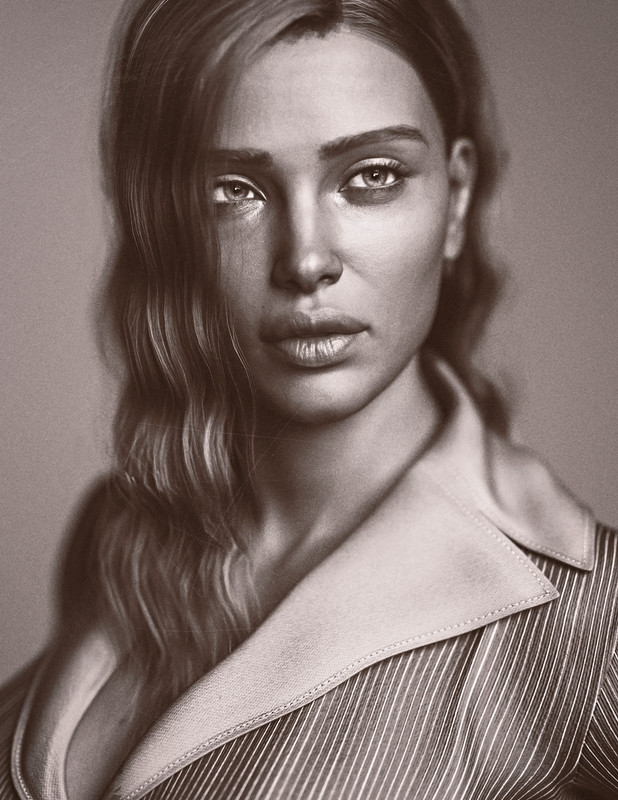

Awesome! And thanks for sharing.
[Released] RSSY Character And Material Conversion Bundle Genesis 8 to Genesis 9 [Commercial]HoMart said:
RiverSoftArt said:
@mfrank01328_e9ea05b22a, @HoMart, @cridgit
The Converted Character’s Body is wrinkled. Because of the way that morphs must be converted, a morph that on Genesis 8 appears to only touch a small part of the head can affect the whole body on Genesis 9. You need to show Currently Used parameters to show all morphs on the converted character. Then, one by one, dial in the morphs to find the offending morph(s). Once you find them, delete the morphs from your hard drive (click the Gear icon, Parameter Settings, and look at File Path for the asset to figure out where the morph is and what it is called). You should also resave the character with the offending morph(s) dialed out (set to 0).
Thanks @Karen too for answering.
So this morph is on BOTH male AND female? As for the female I had checked the currenly used and there was nothing dialed in exept the character?
I am not sure I understand the question. You load in the G9 converted character (whether female looking or male looking) and search for the offending morph.
[Released] RSSY Character And Material Conversion Bundle Genesis 8 to Genesis 9 [Commercial]HoMart said:
Karen said:
Had also some problems with the character conversion. I found, that the errors or "wrinkled looks" were caused by certain morphs (f.e. there was a Nail Morph in one character - so look for currently used parameters and try one by one). Removed them, and saved the file as Scene Subset et voila: the conversion looked really good. Some issues with the lashes in some cases. Deleting the material suit and using G9 lashes instead, solved the problem.
Right now I am not willing to search my 14666 installed products for one morph.
You don't look in your 15K products for a morph. You load the converted character and look for the offending converted morph. Most converted characters are actually very few morphs. It is very quick to find the offending morph in a character.
[Released] RSSY Character And Material Conversion Bundle Genesis 8 to Genesis 9 [Commercial]RiverSoftArt said:
@mfrank01328_e9ea05b22a, @HoMart, @cridgit
The Converted Character’s Body is wrinkled. Because of the way that morphs must be converted, a morph that on Genesis 8 appears to only touch a small part of the head can affect the whole body on Genesis 9. You need to show Currently Used parameters to show all morphs on the converted character. Then, one by one, dial in the morphs to find the offending morph(s). Once you find them, delete the morphs from your hard drive (click the Gear icon, Parameter Settings, and look at File Path for the asset to figure out where the morph is and what it is called). You should also resave the character with the offending morph(s) dialed out (set to 0).
Thanks @Karen too for answering.
What if you can't figure out which morph it is? I.E, all the morphs seem to do the same thing to your wrinkled monstrosity.
[Released] RSSY Character And Material Conversion Bundle Genesis 8 to Genesis 9 [Commercial]mgessat_f159911d19 said:
Sorry it is not working... yet. There should not be a pop up about zero figure or duplicate formulas.
Recommendation: until you get a hang of it, I would delete the converted morphs in My Library\data\DAZ 3D\Genesis 9\Base\Morphs after a conversion and try the next one. Experiment and learn. When morphs start combining there can be weird issues. Don't convert the same character twice without deleting until you understand for sure it will work.
I know this is painful, but this conversion script was the most painful one to write ever. Because of the changes in G9, the conversion process had to be a specific way which unfortunately is unforgiving of errors.
Honestly, I would have be very surprised if it would have worked just out of the box - I manually converted already some G8 characters to G9 following the Sickleyield method and know it is tricky. And the results are far away from perfect - loss of HD morphs and details, distorsions in some body parts (armpits) etc.
I will wait some time for improvements - never give up hope
 ... Or in the worst case, ask for a refund.
 Please do. I only want happy customers
So, I did a new experiment. First I deleted the morphs from my first attempt. Then I tried to convert Braylee 8.1. Of course, the "duplicate formular" warning/popup and the question "zero or restore" came again, so the script stops at these moments. (See screenshot; I guess the "zero or restore" question is a new feature in the Daz Studio beta...) After about 50 minutes the script was finished - and the result was much better that the first time now. (see screenshot...) As you see there is a distorsion in the body, but after I dialed out a "disturbing morph" which was in the Genesis 8 character already (EnsleyHDLv2 - it's the well known problem that some vendors forget to zero their morphs and they become default; but the bigger problem is that these morphs are NOT shown under "currently used"...) and had been transferred, too - the result was quite nice.
Ack! I hate when Daz Studio changes the default implementation of a function! Argh, sorry about the "Zero or restore" message.
I had transfered the character manually already with the Sickleyield method and attach some screenshots to let you compare my manual result with the result from the script.
So, my new conclusion for now is: The product works - but as RiverSoftArt already mentioned, it is endangered by all errors and evil morphs most of us will have in their database.
I am so glad you got it working!
Perhaps a solution would be to create a fresh database only with G8 and G9 essentials, the script and the characters you would like to convert. And afterwards you could copy the results in the main database - if you know what you are doing
...By the way - I am not sure whether G9 is really a progress at all; as I mentioned already in an other thread most of the female G9 characters/faces look flat and somehow creepy in my view. Interestingly, the male characters are much better.
 AIUTO...CHI CONOSCE L’ITALIANO? PARTE TREDICI
Il geograpth è tuo.. è fatto con la tua geometria, devi solo riuscire ad attaccare la testa al corpo del tuo genesis. Stessa cosa per la coda.
Inoltre puoi anche riggare a piacere la testa (mettento i rig per occhi e bocca).Se invece rendi la testa un prop (tipo un cappello) hai il problema dei morph: ogni volta che applichi un morph alla faccia del tuo Genesis, esso si proietta sulla testa se ha il Fit To... se lo imparenti semplicemente non hai questa cosa ma hai il problema dell'attacco del collo.
[Released] RSSY Character And Material Conversion Bundle Genesis 8 to Genesis 9 [Commercial]Karen said:
Had also some problems with the character conversion. I found, that the errors or "wrinkled looks" were caused by certain morphs (f.e. there was a Nail Morph in one character - so look for currently used parameters and try one by one). Removed them, and saved the file as Scene Subset et voila: the conversion looked really good. Some issues with the lashes in some cases. Deleting the material suit and using G9 lashes instead, solved the problem.
Have to add: This is such a complex product. I am overwhelmed by the fact, that it even exists. I bow in awe. Of course, if there are improvements that would be great, but I'm happy for the price and performance so far.
Thanks for the encouraging words. The support thread can be discouraging sometimes
This product was the hardest thing I have ever done in Daz Studio. I have been working on it SINCE GENESIS 9 CAME OUT. I have tried and discarded so many ways of converting the morphs because of issues. With Sickleyield's amazing help, we came up with this. Not perfect, but better than anything out there.[Released] RSSY Character And Material Conversion Bundle Genesis 8 to Genesis 9 [Commercial]GRFK DSGN Unlimited said:
Question: Why is it that if the only thing that is being morphed on Genesis 8 Female, the body of Genesis 9 ends up with a Genesis 8 Female body? I'm only wanting to transfer the head morph but keep the Genesis 9 body.
In order to transfer morphs from one generation to another, you need the two characters to match in shape, height, and pose as closely as possible. The script modifies G9's shape to the default G8 shape (using the included "Genesis 8 Female" or "Genesis 8 Male" clone morphs), and poses G9 to the default G8 pose. Once they match, the transfer utility transfers over the morphs and you can save them. However, what transferring means is that the changes between the current G9 shape/height/pose and the morph's shape/height/pose on G8 are what are transferred over as a morph. Because G9 has been changed, the converted morph will "remember" the change in shape, height, and pose as well as the shape changes of the original morph, which can cause problems. This is why, even if the original morph only changed fingernail length or something like that, a converted morph changes the whole body on G9. The script is smart enough to only save the head of a head morph but saves the whole body or figure for all other morphs. This is why small, benign morphs on G8 can cause problems on G9.
[Released] RSSY Character And Material Conversion Bundle Genesis 8 to Genesis 9 [Commercial]Before pulling the trigger on purchasing this, I asked a friend to test this on a few of my custom characters I had created using quite a few merchant resource body and face morphs (nothing too extreme) that I had baked into single full character morphs. The first two attempts had weird, wrinkled results with the problem morph being the main character morph. Then, on a third character, it worked well. The difference was that the first two characters had had slightly different heights from the default G8F, and had required adjusting rigging to shape with the joint editor and an ERC freeze. If we reimported my original obj for these characters and saved it as a new G8F morph asset without fixing the joints, then saved that as a new G8F character preset and used the RSSY script to convert that - then it worked well. It is an extra step, and many of my custom characters have non-default heights or dimensions, but any rigging/joint(posing issues I assume can be corrected with the joint editor and an ERC freeze after the conversion.
edit: added a screenshot - my original custom G8F character converted on the left, then the same character but with its morph re-made not including adjusted joints and ERC freeze (which for G8 poses causes some really weird stuff) on the right. Oddly enough, the properly converted G9 character poses just fine and doesn't seem to require any rigging adjustment or ERC freeze.
[Released] RSSY Character And Material Conversion Bundle Genesis 8 to Genesis 9 [Commercial]Is it possible to transfer also custom JCMs?
[Released] RSSY Character And Material Conversion Bundle Genesis 8 to Genesis 9 [Commercial]I'm getting mixed results and I appreciate the tip of deleting the created morphs that didn'd work.Looks like some HD morphs are getting in the way or they are applied several times. I'm not asking for a refund as I'm sure they will be fixed.
I'm having better results with core characters - obviously - but I also converted a MSO character and went OK. ***Not that lucky with bluejaunte [ EDIT: FIXED! ]*** I realized my converted character was Size=106% while the eyes were 100% and as soon as I fixed the value the eyes looked much better without having to run the eye script (wich is also helpful)
I've been converting my characters to G9 since the beginning of the G9 era (Thanks, Jay) and I stopped doing it because of the time I lost fixing eyes. This tool is god send for me.
Wanted to share my first babies with this tool: First is Millawa (9) wearing 8K Kala 9 Mats. The second is a quick head morph Julia 9 HD + JS Fanny 9 HD wearing Arcadia's 8.1 Material suit.And Arcadia morph all the way for the body.
Thank you for this tool, Riversoft Art, Sickleyield. I was awaiting for it!
[Released] RSSY Character And Material Conversion Bundle Genesis 8 to Genesis 9 [Commercial]RiverSoftArt said:
@mfrank01328_e9ea05b22a, @HoMart, @cridgit
The Converted Character’s Body is wrinkled. Because of the way that morphs must be converted, a morph that on Genesis 8 appears to only touch a small part of the head can affect the whole body on Genesis 9. You need to show Currently Used parameters to show all morphs on the converted character. Then, one by one, dial in the morphs to find the offending morph(s). Once you find them, delete the morphs from your hard drive (click the Gear icon, Parameter Settings, and look at File Path for the asset to figure out where the morph is and what it is called). You should also resave the character with the offending morph(s) dialed out (set to 0).
Thanks @Karen too for answering.
So this morph is on BOTH male AND female? As for the female I had checked the currenly used and there was nothing dialed in exept the character?
[Released] RSSY Character And Material Conversion Bundle Genesis 8 to Genesis 9 [Commercial]Karen said:
Had also some problems with the character conversion. I found, that the errors or "wrinkled looks" were caused by certain morphs (f.e. there was a Nail Morph in one character - so look for currently used parameters and try one by one). Removed them, and saved the file as Scene Subset et voila: the conversion looked really good. Some issues with the lashes in some cases. Deleting the material suit and using G9 lashes instead, solved the problem.
Right now I am not willing to search my 14666 installed products for one morph.
[Released] RSSY Character And Material Conversion Bundle Genesis 8 to Genesis 9 [Commercial]Sorry it is not working... yet. There should not be a pop up about zero figure or duplicate formulas.
Recommendation: until you get a hang of it, I would delete the converted morphs in My Library\data\DAZ 3D\Genesis 9\Base\Morphs after a conversion and try the next one. Experiment and learn. When morphs start combining there can be weird issues. Don't convert the same character twice without deleting until you understand for sure it will work.
I know this is painful, but this conversion script was the most painful one to write ever. Because of the changes in G9, the conversion process had to be a specific way which unfortunately is unforgiving of errors.
Honestly, I would have be very surprised if it would have worked just out of the box - I manually converted already some G8 characters to G9 following the Sickleyield method and know it is tricky. And the results are far away from perfect - loss of HD morphs and details, distorsions in some body parts (armpits) etc.
I will wait some time for improvements - never give up hope
... Or in the worst case, ask for a refund. Please do. I only want happy customers
So, I did a new experiment. First I deleted the morphs from my first attempt. Then I tried to convert Braylee 8.1. Of course, the "duplicate formular" warning/popup and the question "zero or restore" came again, so the script stops at these moments. (See screenshot; I guess the "zero or restore" question is a new feature in the Daz Studio beta...) After about 50 minutes the script was finished - and the result was much better that the first time now. (see screenshot...) As you see there is a distorsion in the body, but after I dialed out a "disturbing morph" which was in the Genesis 8 character already (EnsleyHDLv2 - it's the well known problem that some vendors forget to zero their morphs and they become default; but the bigger problem is that these morphs are NOT shown under "currently used"...) and had been transferred, too - the result was quite nice.
I had transfered the character manually already with the Sickleyield method and attach some screenshots to let you compare my manual result with the result from the script.
So, my new conclusion for now is: The product works - but as RiverSoftArt already mentioned, it is endangered by all errors and evil morphs most of us will have in their database.
Perhaps a solution would be to create a fresh database only with G8 and G9 essentials, the script and the characters you would like to convert. And afterwards you could copy the results in the main database - if you know what you are doing
...By the way - I am not sure whether G9 is really a progress at all; as I mentioned already in an other thread most of the female G9 characters/faces look flat and somehow creepy in my view. Interestingly, the male characters are much better.
[Released] RSSY Character And Material Conversion Bundle Genesis 8 to Genesis 9 [Commercial]@mfrank01328_e9ea05b22a, @HoMart, @cridgit
The Converted Character’s Body is wrinkled. Because of the way that morphs must be converted, a morph that on Genesis 8 appears to only touch a small part of the head can affect the whole body on Genesis 9. You need to show Currently Used parameters to show all morphs on the converted character. Then, one by one, dial in the morphs to find the offending morph(s). Once you find them, delete the morphs from your hard drive (click the Gear icon, Parameter Settings, and look at File Path for the asset to figure out where the morph is and what it is called). You should also resave the character with the offending morph(s) dialed out (set to 0).
Thanks @Karen too for answering.
[Released] RSSY Character And Material Conversion Bundle Genesis 8 to Genesis 9 [Commercial]Had also some problems with the character conversion. I found, that the errors or "wrinkled looks" were caused by certain morphs (f.e. there was a Nail Morph in one character - so look for currently used parameters and try one by one). Removed them, and saved the file as Scene Subset et voila: the conversion looked really good. Some issues with the lashes in some cases. Deleting the material suit and using G9 lashes instead, solved the problem.
Have to add: This is such a complex product. I am overwhelmed by the fact, that it even exists. I bow in awe. Of course, if there are improvements that would be great, but I'm happy for the price and performance so far.
Inserting a prop's shape into a garmentAnd yeah, I actually tried SimTenaro's Shape Projector some weeks back.... and it didn't give ANY visble results when I tried using it for this. Specifically mentioned this near the end of the original post here, in fact.
Not sure how to apply Gescon for something like this, either.
As for trying to create an actual morph... I'm not even sure if that would be practical for what I'm trying to do, since what I NEED is something to move around and expand in size inside a garment, over a series of frames of a comicbook-narrative.
AIUTO...CHI CONOSCE L’ITALIANO? PARTE TREDICIKainjy said:
@Crios
Dipende cosa vuoi fare con il personaggio.
L'altra volta ti avevo fatto il morph per G8F che ti dava la forma del corpo.. rimaneva il problema della testa che le orecchie sono posizionate diversamente da quelle originali e gli occhi. Però almeno potevi usare tutta la libreria G8F per vestirla.
Se fai una nuova figura (cambiando rigging o anche solo i Surface) devi creare poi un intero guardaroba... l'autofit va ma solo con vestiti relativamente semplici.
L'idea era di usare la mesh base per i vari morph, tipo apri la bocca, chiudi gli occhi etc. L'idea migliore sarebbe geograftare la testa, ma anche lì si perderebbe la mesh, per trasferire i morph. E poi con il GeoGraftsono bisticciato a morte,non mi riesce mai di farlo. Magari la soluzione forse è usare la testa come un prop, come con Melody 2. Anche perché con il GeoGraft dovrei chiedere alla DAZ se posso redistribuirlo,in quanto userei qualche pezzo di Genesis o altri.
Daz 3D is part of

Connect
DAZ Productions, Inc.
7533 S Center View Ct #4664
West Jordan, UT 84084Licensing Agreement | Terms of Service | Privacy Policy | EULA
© 2026 Daz Productions Inc. All Rights Reserved.