-
make a fitted item follow bone sizes but not morphs.
PS: If you want the character figure itself (e.g a G9) 'ignore' any existing / installed non-Base shaping morph (just like that Midnight Skeleton) but only follows bone sizing and posing, a simple way is to: Save it as a Figure/Prop asset of your own, with unchecking 'Write Parameter Definitions'. Then no existing morph will be shown after loading the figure (a pure clean figure but still compatible with the G9 Base) and then you can make unique morphs to the figure if needed...
Need help with a control propertyRichard Haseltine said:
If it's a morph you could add an identically named (but inert) morph with AutoFollow on to the base figure, when it is set the morph on the eye will follow.
I don't know how to do that.

You mean just add a property and use the name of the morph?How do I get it to follow the Ollie 9 slider?
So many questions...lol
Need help with a control propertyIf it's a morph you could add an identically named (but inert) morph with AutoFollow on to the base figure, when it is set the morph on the eye will follow.
Need help with a control propertySpecifically...I need to control an eye morph on G9 when I enable the character's slider. Since the figure and the eyes are two different meshes, I have no idea how to do this ;). Any help would be greatly appreciated.
Thanks!
Laurie
make a fitted item follow bone sizes but not morphs.lilweep said:
Rigidity Group may work
yes, I know about rigidity groups but, I won't want to waste a lot of time on a maybe, especially since I have never used them and again waste a lot of time on tutorials only to find they don't work. I'll just use a work around, I have a figure but, it's for G8f when I need G8m adding conversion just distorts it too much and if that alone distorts it then adding any morph will absolutely distort it. It's not worth the work if something simple won't fix it. Thanks though.
make a fitted item follow bone sizes but not morphs.felis said:
You could dial the projected morph out.
isn't that like answering, 'I want to make a cake but, I'm allergic to eggs, what can I do?' with 'just leave out the eggs'.
[Released] RSSY Character And Material Conversion Bundle Genesis 8 to Genesis 9 [Commercial]Ok, I've been using this for a couple days and I have one criticisim: after conversion, the converted figure has markedly exaggerated and slanted brows. I've been able to minimize this with a morph, but it's something that I DON'T get when transferring a character manually. Just thought I might mention it ;) I must also mention that a manually converted character looks MUCH better, though albeit a LOT more work. LOL
Laurie
Getting on the 9 train, or notFSMCDesigns said:
ainm.sloinneadh said:
Charlie Judge said:
With all the new characters coming out I wonder whether or not there will be a MetaMixer Toolkit for G9 ???
I've been wondering the same thing recently. MetaMixer is a good concept and how blending character morphs should work, imo. The problem with G8 version was needing to buy add-ons for each character and the low number of characters available. A MetaMixer Toolkit where you could create your own character plugins from those you own - or just use the characters out of the box - would be excellent. I think locking the character plugins to the store was a massive mistake that hampers an excellent tool.
I've been doing something similar to MetaMixer recently that's horribly manual, creating dFormer masks and using those to blend in a nose from this character, jaw shape from another etc. That's fraught with frustration and, often, the need to bring the models into Blender for tweaks, but I suspect MetaMixer is largely similar under the hood and it's just so much easier to use. I wish they'd unlock it so we can use it to its potential.
I have never understood why people use metamixer when there are other tools that mix morphs to create unque characters much easier (and cheaper). For G9 check out the Simtemero rendomizers and Zevos Shape Gen plus
I have both of those and - just my opinion - they're completely different to the concept of mixing parts of characters together. The morphs in partial packs, while good for meticulous work, suffer from a lack of distinctive options at the feature level (you can have an eagle nose or a Roman nose or an upturned nose to varying degrees, but it's fiddly to bring variety within those feature areas). The randomiser just randomises your morphs, and while I've used it to create some great characters, it doesn't exactly allow you to create a character towards your vision.
Characters, on the other hand, tend to be where the greatest variety within a specific facial feature can be found, but the way morphs work in Daz Studio makes them a hassle to blend. MetaMixer addresses that (to an extent - you may have to do some work to blend out features you don't want after you've created your morph). But it's quick and I like it as a tool alongside those others.
[Released] RSSY Character And Material Conversion Bundle Genesis 8 to Genesis 9 [Commercial]RiverSoftArt said:
3DRT said:
I'm using the G8M converter on a custom character and it seems like it's applying the G8M clone to every converted morph which stacks on the G9 figure when I mix and match producing rather horrendous results. Dialing in just one is fine. Is there a way to prevent the G8M clone from being applied multiple times?
Applying the clone is part of the process to get the figures to match before transferring morphs, so every converted morph will have the G8M clone in it for males.
Does this mean that I can't use the converted morphs in a mix-and-match way because right now it seems if I convert a character composed of multiple body and head morphs, the result is that the G8M clone is baked into every converted morph and applied multiple times to G9 which messes up the results. For custom characters, I would need to combine all the morphs into a single character morph by exporting as obj and reimporting for it to work properly? Can't we instead just have a link to the G8M clone that is included in G9 in the output morphs?
[Released] RSSY Character And Material Conversion Bundle Genesis 8 to Genesis 9 [Commercial]carlosgimpera said:
nomadraccoon said:
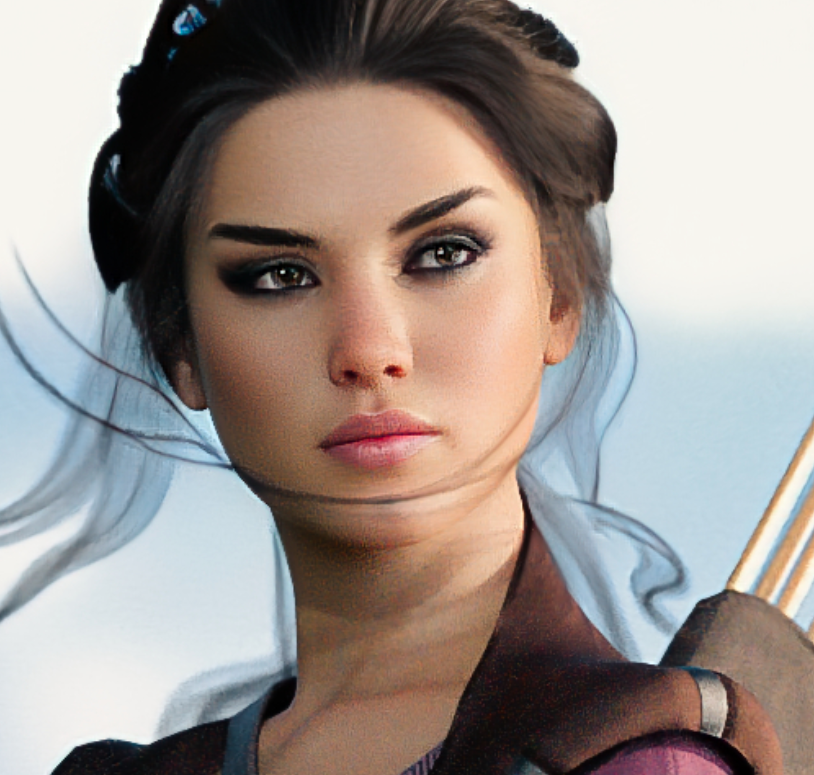
Aurore looks great in theory, but do all characters have these horrible SEAMS between head and chest?
And I imagine they have the same seams between middle of the head and back of the head? + shoulders etc.
Is this supposed to be a "good" conversion with this product?
All custom examples I've seen had either anatomic materials on their faces as the BODY surface is slapped on their face, either horrible seams in the places I've mentioned, or both of these problems. Some pictures here look good, but only on old daz originals with the lightweight looking texture design from G8, nothing from G8.1. Someone already mentioned they can't convert Bluejaunte stuff, this confirms what I have heard as well.
Please, do not mistake my bad lighting (shadows of light props fighting with each other on a quick setup) with a problem with the product that simply is not there. Cheers.
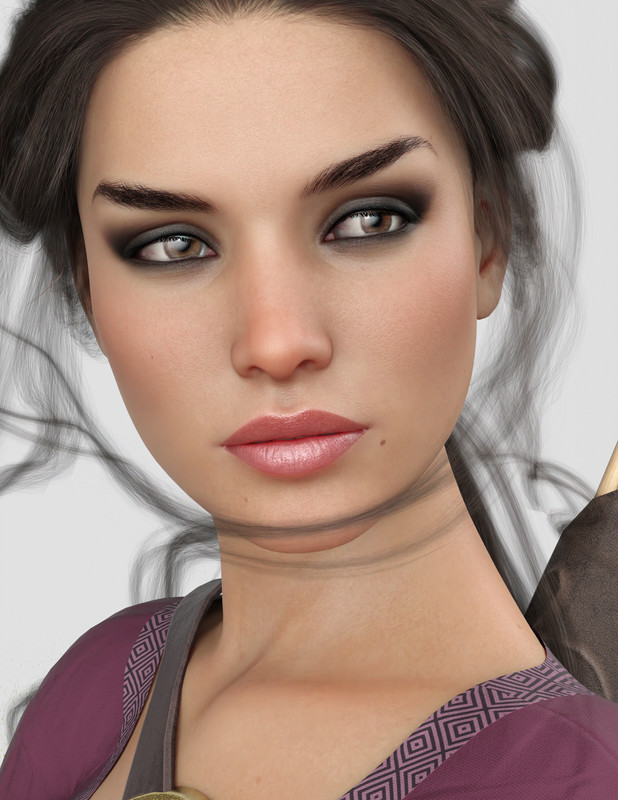
As for the back of the head and shoulders - even if not shown - (after removing G9 Tear getting on the way)
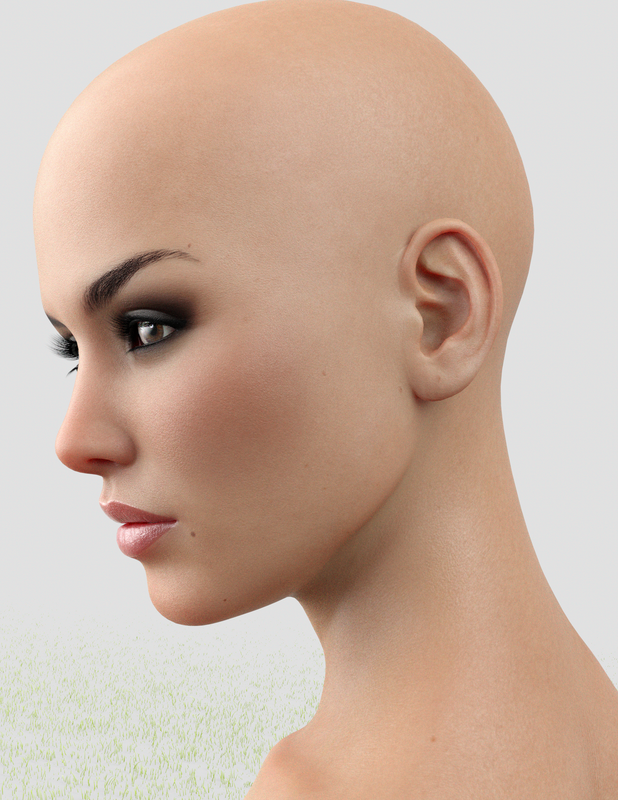
Also works on Bluejaunte's characters: My very first attempt with this tool was BJ Noemi, and I got that wrinkled output so I made that comment I'm editing right now. But once stablished that turning down the main character dial and dialing up just head and body morph the conversion works fine, no troubles. Here is a recent conversion of BJ Imoen 8.1 using G9 BJ Giana's materials.And yes, I have some poke through going on

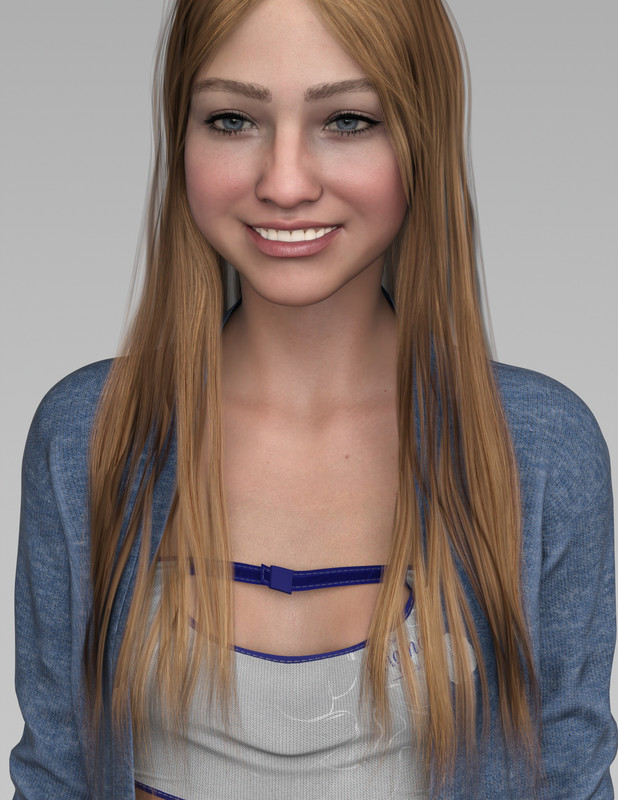
I agree the useful thing about this product is to make use of the new G9 HD textures on older characters, but it is also cool to have the opportunity to use old /original textures trough the Material Suit if needed.
Thanks for the pics, they were really helpful.
make a fitted item follow bone sizes but not morphs.Fitted or conformed item just FOLLOWS a bone's size and pose change as default. If you want the fitted item to 'ignore' the shaping morphs dialed on the character, technically it's doable though I'm not sure of your purpose of doing so... Select the item, Show Hidden Properties in Parameters pane, switch to Edit mode, select the related hidden morph dials in Currently Used..., RMB menu - AutoFollow - Disable AutoFollow... But, in this way, the fitted item will look like 'unffited' and 'in a mess'...
Then if you wanna reset the AutoFollow, delete the item and reload it...
[Released] RSSY Character And Material Conversion Bundle Genesis 8 to Genesis 9 [Commercial]RiverSoftArt said:
HoMart said:
Renamed the "modifiers" to FBM_... and FHM_.... in the character file and renamed the morph accordingly
This is what I get. There must be something else.
Giving up on that character
You are showing hidden properties to make sure you see all morphs? I would have to see log to see what morphs were converted.
Yes, I´m showing the hidden properties - or what do you think the "greyed-out" (is this an englisch word?) are.
For the log.
log_1.txt is with renaming the morphs to FBM_.. and FHM_... and renaming the "modifiers" in the character file.
log_2.txt is without renaming
make a fitted item follow bone sizes but not morphs.You could dial the projected morph out.
[Released] RSSY Character And Material Conversion Bundle Genesis 8 to Genesis 9 [Commercial]RiverSoftArt said:
@mfrank01328_e9ea05b22a, @HoMart, @cridgit
The Converted Character’s Body is wrinkled. Because of the way that morphs must be converted, a morph that on Genesis 8 appears to only touch a small part of the head can affect the whole body on Genesis 9. You need to show Currently Used parameters to show all morphs on the converted character. Then, one by one, dial in the morphs to find the offending morph(s). Once you find them, delete the morphs from your hard drive (click the Gear icon, Parameter Settings, and look at File Path for the asset to figure out where the morph is and what it is called). You should also resave the character with the offending morph(s) dialed out (set to 0).
Please clarify instructions:
- Convert G8 to G9
- Select G9 then show hidden parameters and select currently used
- Dial out currently used parameters one by one until the deformation disappears -> that is the corrupted parameter
- Delete corrupted parameter from G9 folder on my hard drive
Is this correct?
how to tell a characters skin is HD?It isn't the skin that is HD in HD characters, as FSMCDesigns says it is the morph (shape).
[Released] RSSY Character And Material Conversion Bundle Genesis 8 to Genesis 9 [Commercial]kervala said:
RiverSoftArt said:
kervala said:
I just tried to convert Gia 8 (official character preset, without HD). The converted Gia 9 is on the left and the original Gia 8 on the right on my screenshot.
Almost was correctly converted, however I noticed there are slightly deformations on the shoulders compared to the original one
Are any other morphs engaged? I seem to remember the shoulder deformation but cannot remember what was the cause. I would convert the standard Gia, not the HD Gia.
Thanks for your reply :) I checked and only Gia 8 Head, Gia 8 Body and Gia 8 character are at 100%, it's the Gia 8 character without HD morphs that was used :)
But since deformations are really minor, I think I could fix them directly using Blender :)
Ok, thanks for checking. Yes, if those are the only morphs engaged, it is just the transfer utility's fault and there is nothing the script can do. I am glad you have blender ability to fix it how you want.
[Released] RSSY Character And Material Conversion Bundle Genesis 8 to Genesis 9 [Commercial]kervala said:
RiverSoftArt said:
kervala said:
The conversion scripts works great, great job and thanks a lot for this wonderful product :) It also corrects the Height difference between G8 and G9.
However the script to fix the eyes doesn't work as intended, the Translate X/Y/Z sliders are only setting the same values for the eyes and it also rotates the eyes. To really translate the different eyes, you have to change the X/Y/Z translate of Eyes from the G9 character (scale works for both the eyes and the character):)
When I manually converted my characters from G8F to G9, I scaled/translated the eyes, exported them to OBJ, reset all translations/scalings of the eyes, created a morph from the Eyes OBJ with my Character (or Head) morph name. So the morph was applied directly when enabling the character :)
That is what the script is doing, creating an eye morph (for the translation/scaling) of the same name for the head morph. A little warning: if you try to convernt/move the eyes twice for a head morph, things go wrong if you don't delete the eye morph FIRST before converting again.
Ah sorry, I understand my mistake :) I selected the Eyes prop before running the script, but when selecting the character, it's instead working :) I'm really sorry and great job :)
No problem! I am glad you figured it out.
Thank you for the kind words. We tried really hard to make this script easy to use but there are so many moving parts it is easy to make it go off the rails, which is discouraging for the users and for me
[Released] RSSY Character And Material Conversion Bundle Genesis 8 to Genesis 9 [Commercial]RiverSoftArt said:
kervala said:
The conversion scripts works great, great job and thanks a lot for this wonderful product :) It also corrects the Height difference between G8 and G9.
However the script to fix the eyes doesn't work as intended, the Translate X/Y/Z sliders are only setting the same values for the eyes and it also rotates the eyes. To really translate the different eyes, you have to change the X/Y/Z translate of Eyes from the G9 character (scale works for both the eyes and the character):)
When I manually converted my characters from G8F to G9, I scaled/translated the eyes, exported them to OBJ, reset all translations/scalings of the eyes, created a morph from the Eyes OBJ with my Character (or Head) morph name. So the morph was applied directly when enabling the character :)
That is what the script is doing, creating an eye morph (for the translation/scaling) of the same name for the head morph. A little warning: if you try to convernt/move the eyes twice for a head morph, things go wrong if you don't delete the eye morph FIRST before converting again.
Ah sorry, I understand my mistake :) I selected the Eyes prop before running the script, but when selecting the character, it's instead working :) I'm really sorry and great job :)
[Released] RSSY Character And Material Conversion Bundle Genesis 8 to Genesis 9 [Commercial]kervala said:
The conversion scripts works great, great job and thanks a lot for this wonderful product :) It also corrects the Height difference between G8 and G9.
However the script to fix the eyes doesn't work as intended, the Translate X/Y/Z sliders are only setting the same values for the eyes and it also rotates the eyes. To really translate the different eyes, you have to change the X/Y/Z translate of Eyes from the G9 character (scale works for both the eyes and the character):)
When I manually converted my characters from G8F to G9, I scaled/translated the eyes, exported them to OBJ, reset all translations/scalings of the eyes, created a morph from the Eyes OBJ with my Character (or Head) morph name. So the morph was applied directly when enabling the character :)
That is what the script is doing, creating an eye morph (for the translation/scaling) of the same name for the head morph. A little warning: if you try to convernt/move the eyes twice for a head morph, things go wrong if you don't delete the eye morph FIRST before converting again.
[Released] RSSY Character And Material Conversion Bundle Genesis 8 to Genesis 9 [Commercial]carlosgimpera said:
nomadraccoon said:
Aurore looks great in theory, but do all characters have these horrible SEAMS between head and chest?
And I imagine they have the same seams between middle of the head and back of the head? + shoulders etc.
Is this supposed to be a "good" conversion with this product?
All custom examples I've seen had either anatomic materials on their faces as the BODY surface is slapped on their face, either horrible seams in the places I've mentioned, or both of these problems. Some pictures here look good, but only on old daz originals with the lightweight looking texture design from G8, nothing from G8.1. Someone already mentioned they can't convert Bluejaunte stuff, this confirms what I have heard as well.
Please, do not mistake my bad lighting (shadows of light props fighting with each other on a quick setup) with a problem with the product that simply is not there. Cheers.
As for the back of the head and shoulders - even if not shown - (after removing G9 Tear getting on the way)
Also works on Bluejaunte's characters: My very first attempt with this tool was BJ Noemi, and I got that wrinkled output so I made that comment I'm editing right now. But once stablished that turning down the main character dial and dialing up just head and body morph the conversion works fine, no troubles. Here is a recent conversion of BJ Imoen 8.1 using G9 BJ Giana's materials.And yes, I have some poke through going on
I agree the useful thing about this product is to make use of the new G9 HD textures on older characters, but it is also cool to have the opportunity to use old /original textures trough the Material Suit if needed.
Thank you for clarifying the shadows and sharing the Blue Jaunte conversion.
I am glad the product is working for you.
Daz 3D is part of

Connect
DAZ Productions, Inc.
7533 S Center View Ct #4664
West Jordan, UT 84084Licensing Agreement | Terms of Service | Privacy Policy | EULA
© 2026 Daz Productions Inc. All Rights Reserved.