-
Dracorn's Render Thread
Character Reboot - Savatar
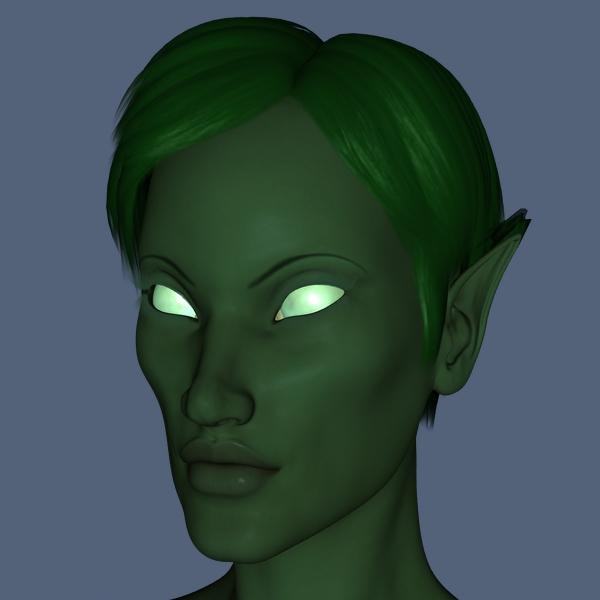
Here is my Genesis 1 original in 3Delight. I couldn't stand the hair, but that's the best short hair I had at the time. The one on the right is another 3DL rendition with longer hair and AoA's Subsurface shaders: (I was such a noob at the time that she has the dreaded elf ear effect going on in her hair that I didn't know how to fix).
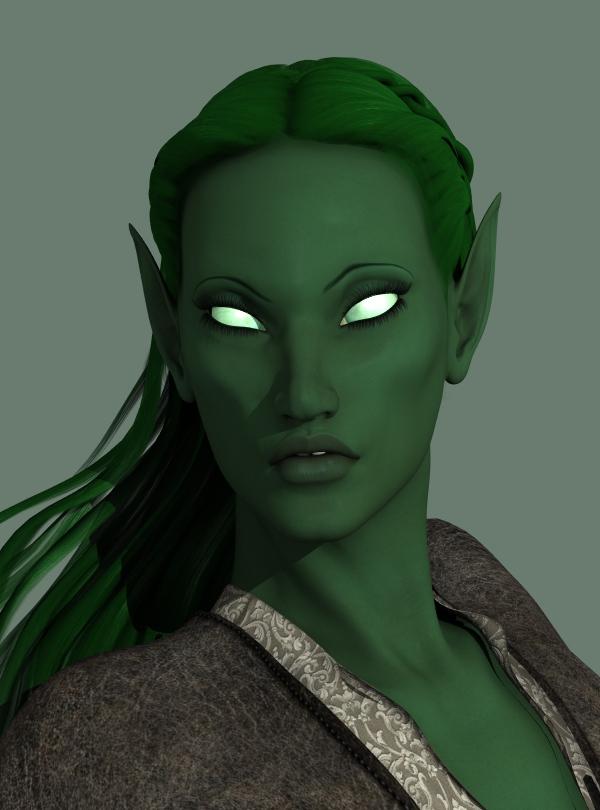
Here she is in Arki's Rune Armor. I had added a little more green.

To begin the reboot, I used G8 and the character Aurelia. I removed her face morph and added two morphs converted from G1 using GenX2 and SingularBlues' script: Victoria 5 and Branwen (love her lips!). I used a combination of morphs from Zev0's 200 Plus Face Morphs and RareStone's Face Morphs. The ears came from converted morphs from DD Resource Ears for G1. There's one morph which creates a curve in the ears that I absolutely love. To make her face long, I lowered her jaw, then lowered her mouth and nose.
The next step was to remove her eyebrows using Brow Remover and add G8F's brows. I used Arki's EYEdeas for the eyebrows and used the morphs to make them slanted, something I had not been able to do with G1. I colored her skin with a bluish green on Base Color and a neutraled yellow green for Translucency Color. Aurelia's translucency maps had red noses and ears which didn't look good with the green, so I replaced those maps with the main skin tone map.
For the eyes, I added a green emissive shader to the cornea and eye moisture surfaces while keeping the maps. I toned down the lumens, but the cornea was still too bright.
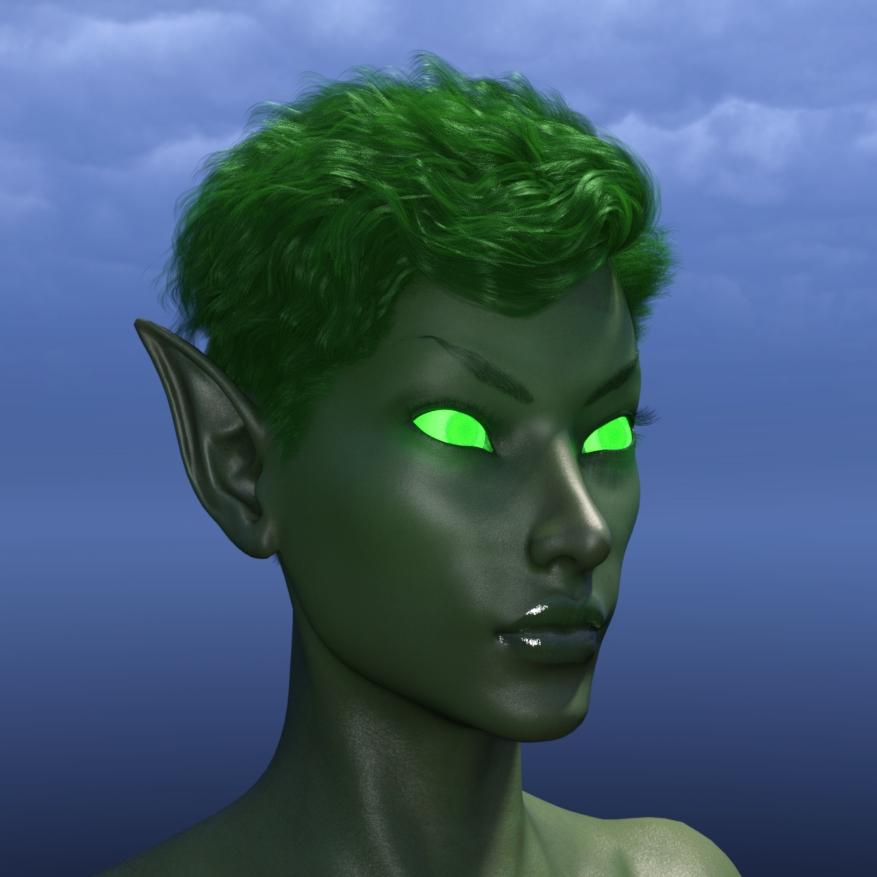
I replaced the iris maps with my own rendition of a blind (no iris or pupil) texture. Now you can barely see the iris/pupil underneath the glow, which is the effect I wanted. She is wearing Morley Hair.
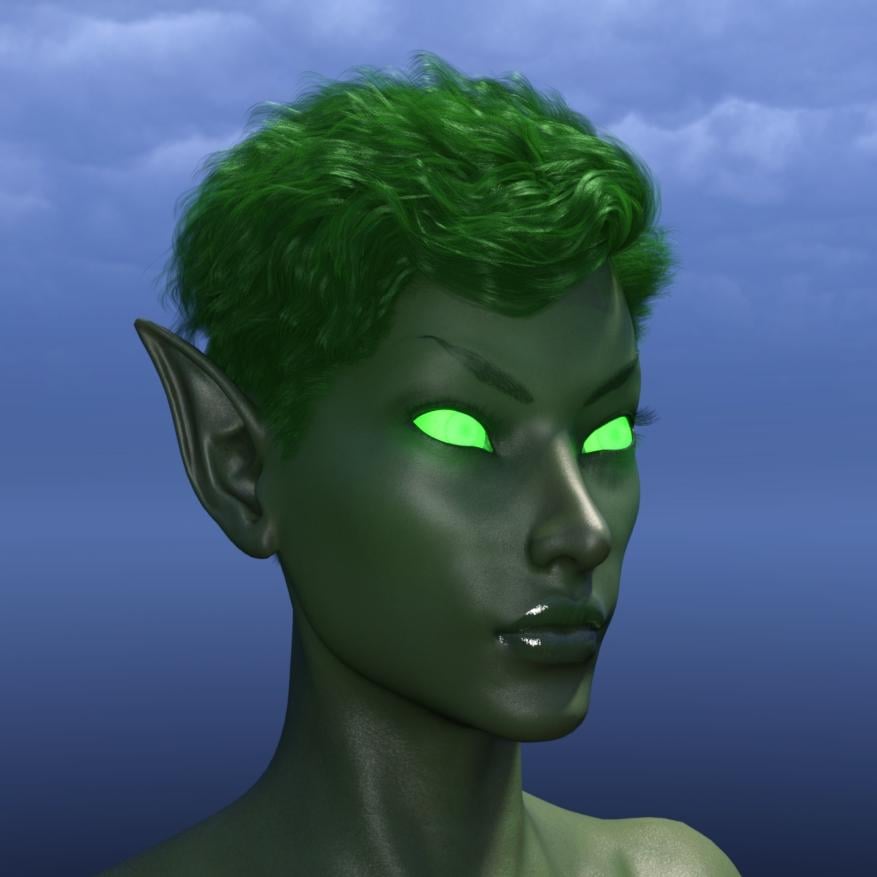 Bblythe Hair for Genesis 8
Victoria 8 and TJ8 for sure. Others might be a mix of them.
Vendor earnings.Well personally, my ambition is to earn enough to get rid of the day job; I don't need a fortune. Although a forune would be most welcome!

If you are good and consistant at making poses then you should do fairly well. Dont worry about the overlap. It really cannot be avoided with poses. Just do what you like and go with it. Start with your strong points and when you have built up enough of a back catalog, you can start looking to other areas if you wish. If you are not making poses for a specific character such as Aiko or one of the teens then I would simply suggest that you stick with the base shape and Victoria/Michael.
Something we all must learn to do with any product we want to sell, is to decide when its done. We all have to fight off the "thinking like a customer" where having a 1000+ options would be so cool but you have to consider your time and the return you want for the product. Some things that have taken little time have sold well and some things that have taken quite a while have not sold well. But that can go either way.
GENERAL FREEBIE REQUESTS Part 2I tried searching for a safari outfit and pith hat for the Victoria 4 figure yesterday, and couldn't find anything. Are there any free versions available?
There are some V4 shoes, shorts, and long pants that might work for you at http://mamomamo.candypop.jp/Freestuff/CCP012.html
Karth's Mountie jacket for M4 http://www.sharecg.com/v/42635/browse/11/Poser/Mountie-Set-for-M4 could be fitted to V4.
I forgot to specify, I would prefer khaki shorts. I don't know if the shorts on the above link are the khaki type.
The pith hat in the post above is, however, interesting.
WTF? For khaki, just change the color of the texture file.
I strongly suggest for your next request that you post pictures of what you want.
Daz Freezing UpI need Help !!! Please could someone tell me what would cause DS to lock up when I try to delete a Genesis based charater G1, G2, G3 or G8. victoria 4 STAR Cookie none of the legacy figures cause DS to lock up. I also cannot perform a "Select All" or do a " Fit To" operation on any Genesis base characters. I have tried to reinstall DS 10 and have tried to reinstall the genesis characters and it still freezes. Anybody.......Please! Thanks!!!
Kwan
GENERAL FREEBIE REQUESTS Part 2I tried searching for a safari outfit and pith hat for the Victoria 4 figure yesterday, and couldn't find anything. Are there any free versions available?
There are some V4 shoes, shorts, and long pants that might work for you at http://mamomamo.candypop.jp/Freestuff/CCP012.html
Karth's Mountie jacket for M4 http://www.sharecg.com/v/42635/browse/11/Poser/Mountie-Set-for-M4 could be fitted to V4.
I forgot to specify, I would prefer khaki shorts. I don't know if the shorts on the above link are the khaki type.
The pith hat in the post above is, however, interesting.
GENERAL FREEBIE REQUESTS Part 2I tried searching for a safari outfit and pith hat for the Victoria 4 figure yesterday, and couldn't find anything. Are there any free versions available?
There are some V4 shoes, shorts, and long pants that might work for you at http://mamomamo.candypop.jp/Freestuff/CCP012.html
Karth's Mountie jacket for M4 http://www.sharecg.com/v/42635/browse/11/Poser/Mountie-Set-for-M4 could be fitted to V4.
GENERAL FREEBIE REQUESTS Part 2I tried searching for a safari outfit and pith hat for the Victoria 4 figure yesterday, and couldn't find anything. Are there any free versions available?
ZDG random Daz Studio discoveries and questions.I know I've been absent on the forum for a few days, I've been looking into a lot of stuff, and rolling ideas around and playing geometric puzzles, in the midst of it all, I got a bit of important info from a friend. So I have a lot to go over, from lipstick modifications to difficulties with windows10 and GIMP to bookshelf speaker ideas and Cap mods for High Power stuff. First off.
Yes, this year, finals will not be preventing him from going, as in years past.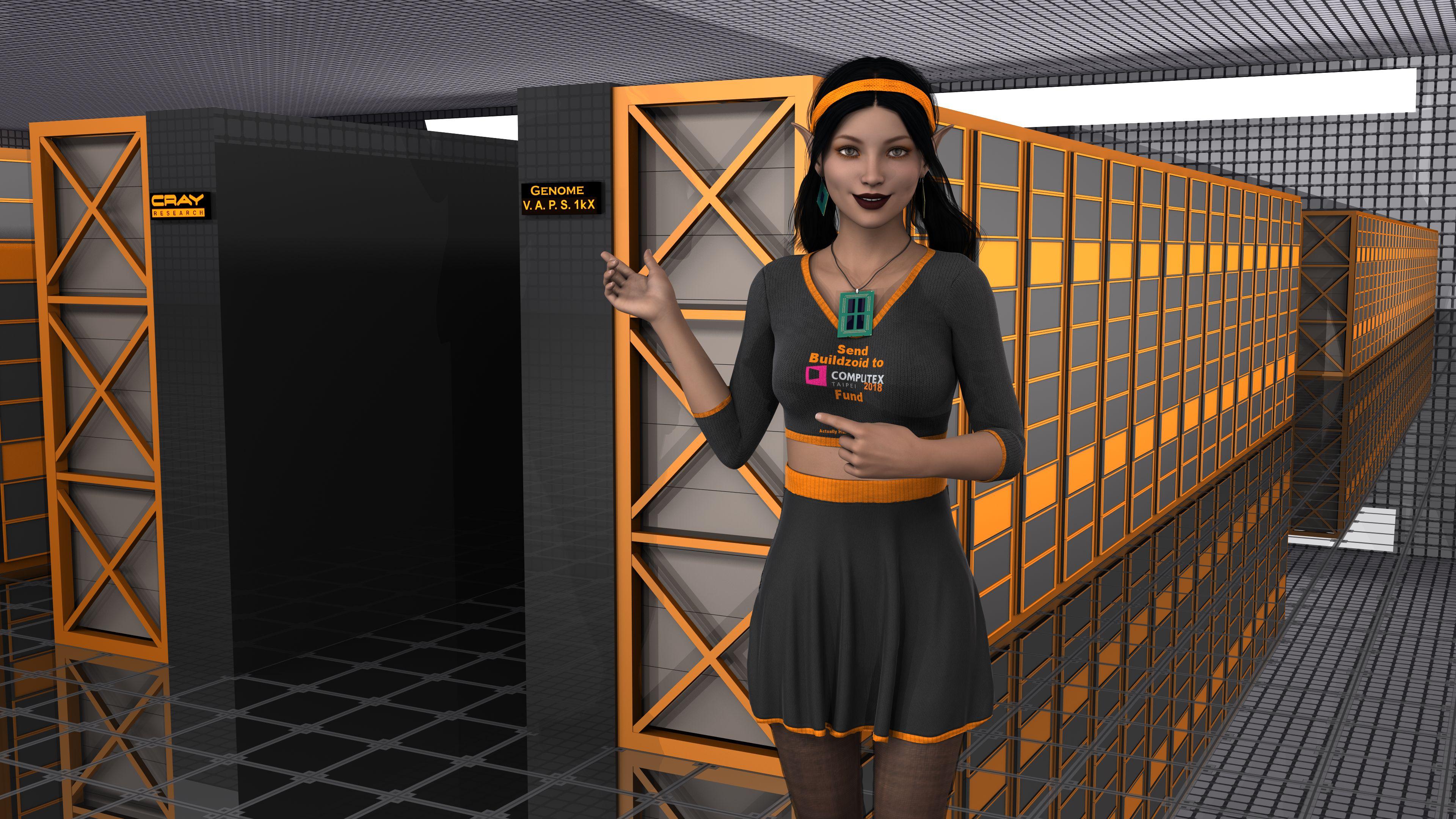
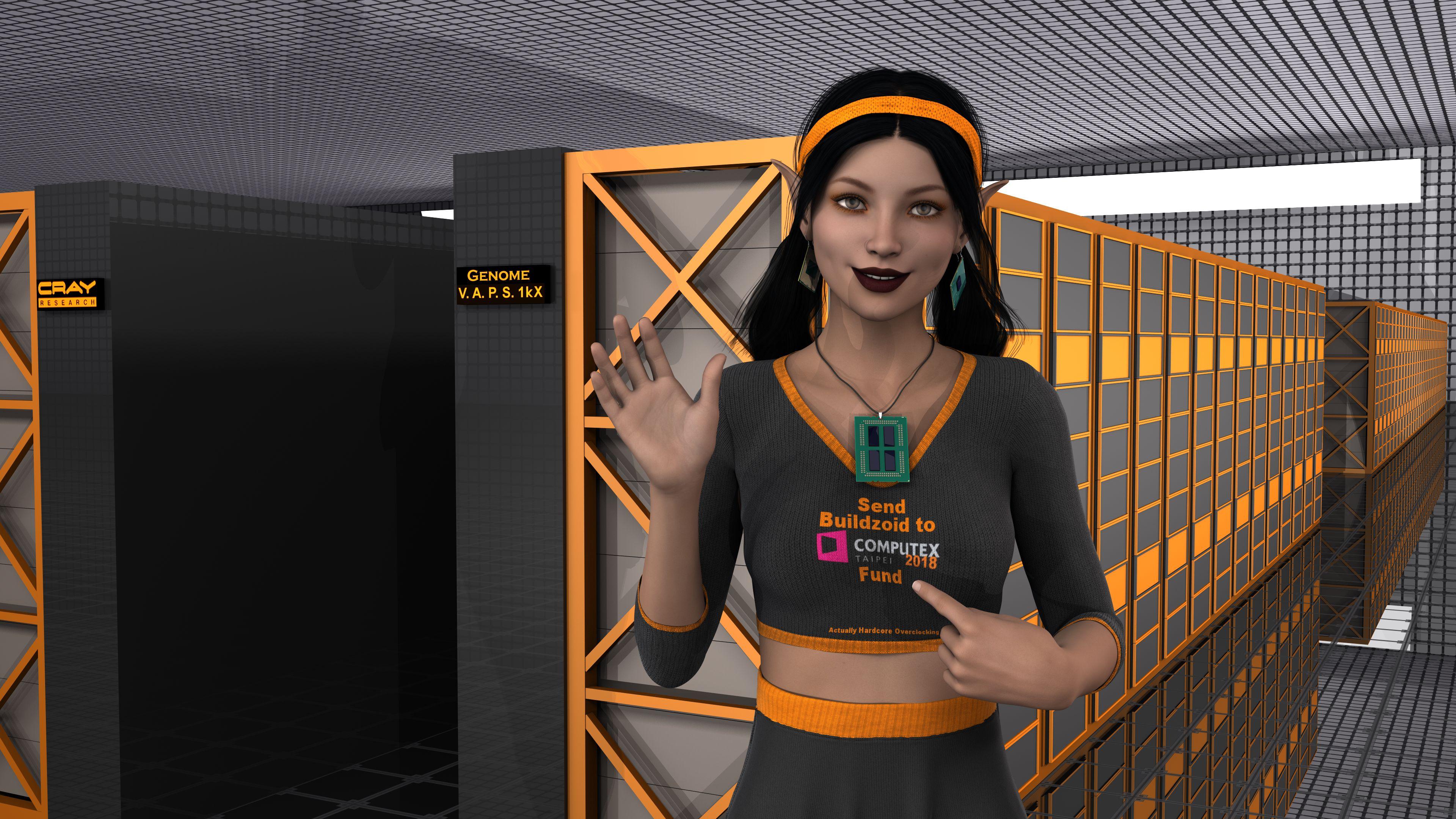
It's down to funding. I and a few others really do want to see Buildzoid go to Computex, and I got distracted the past few days trying to come up with some cool renders for that. June 5 to 9 is a bit off, tho his patreon funding alone will not cover the Buildzoid vs Computex Expedition alone, as that is a rather small channel. He talks about it in the last 5 min of this vid, a good vid on cooling limitations. One reason I do like Buildzoid's views, is he doesn’t need to worry about saying the truth about bad stuff a sponsor has on display, he can speak his mind on stuff, lol. That also means there is no Sponsor to help pay for the trip.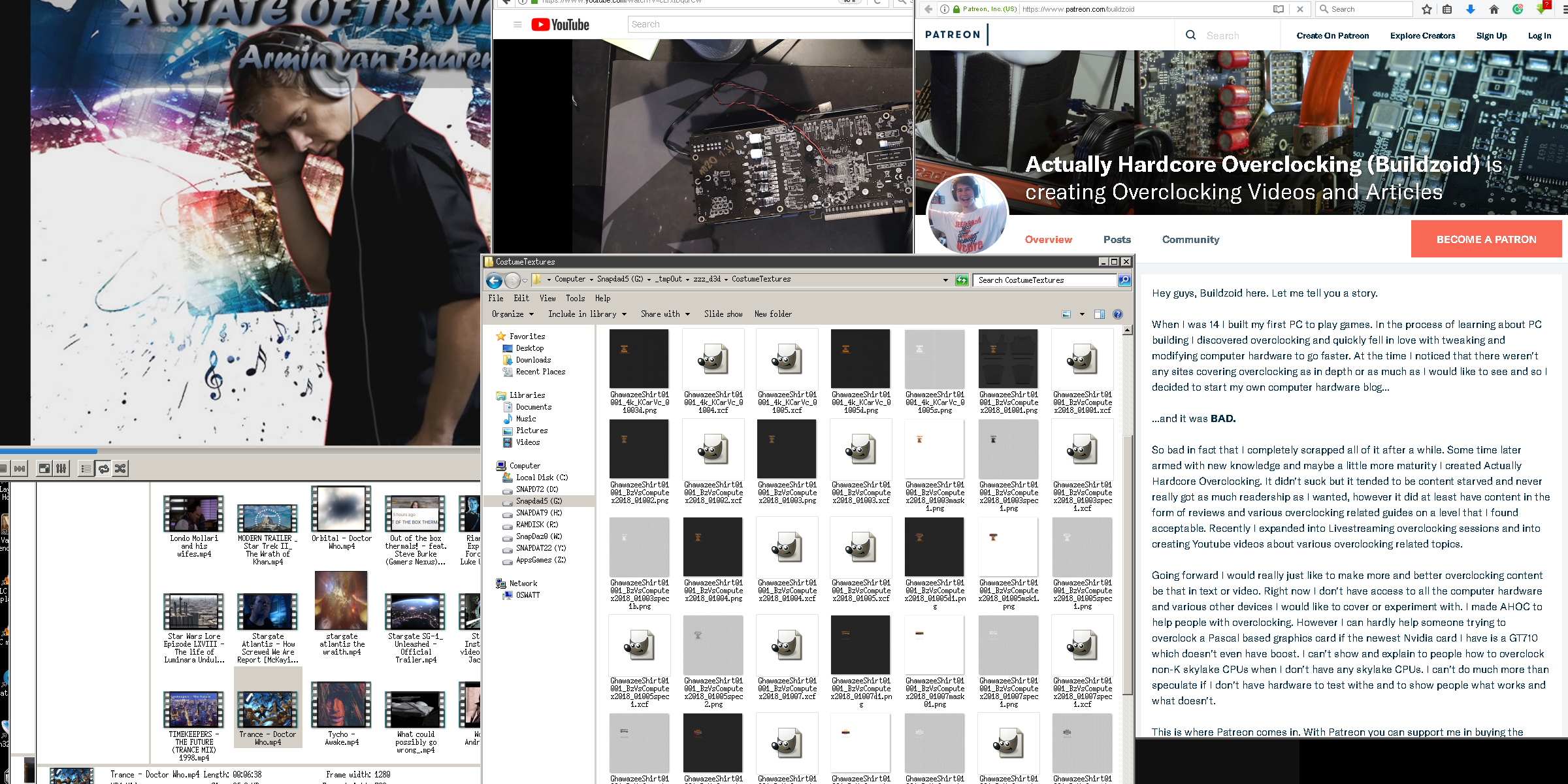
When I first heard him say he wanted to go, I timidly made a few shirt designs for the unofficial AHOC fan-girl (FWSA Sandi was honestly a random dice roll for testing the shirt on) and was cautiously not saying much as I did not know if it was funding or other Life-related things that would be a challenge for Buildzoid getting to Computex. Knowing it was just the funding side of things, I spent the past day, fussing with a random makeup idea that turned out to be more tedious than I thought it would be, lol.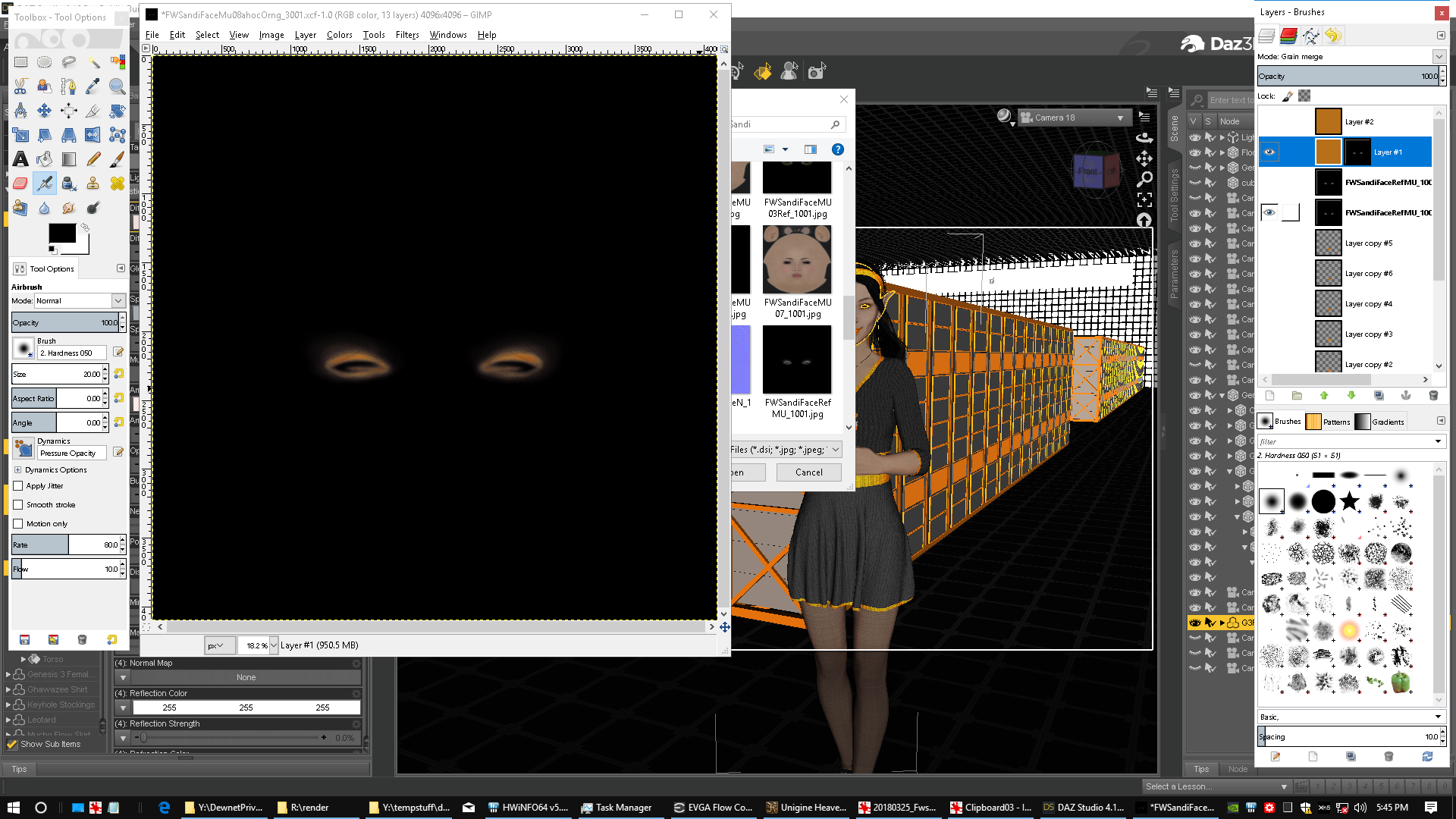
Yes, the gran-merge with the stock diffuse map is not shown for TOS reasons, as the rest of that is Fred's and Sabby's work. I took the eye makeup reflection map, and turned it into an opacity map for an orange layer and grain merged that over the diffuse map to get some cool AHOC orange eyeliner of a sorts.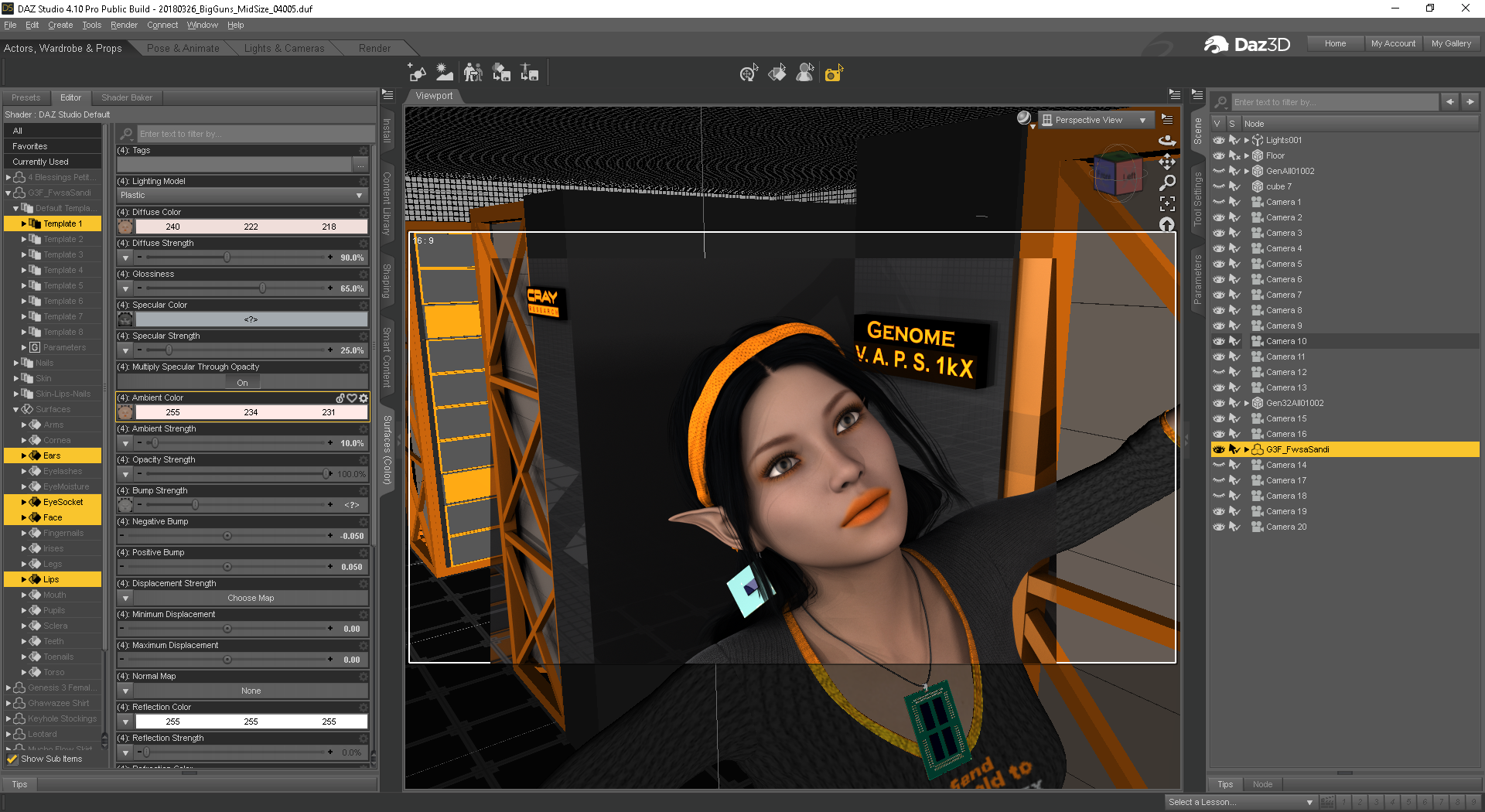
That came out ok, I then gave lipstick a try, and my lipstick drawing skills in GIMP are no better than the resulting fluorescent orange soda stain looks in the spot render, lol. I wasted a day trying various shades of orange and darkens values, and it just didn't look good at all, lol. Fred and Sabby's original dark red really looks the best for some reason. I do like that orange-tinted Eyeliner, so I may try something like that later on, tho that will be a long day of bouncing between GIMP and spot-rendering in Daz Studio, and I have other things to do. And that is a good segue into the other thing, GIMP and windows 10 vs Daz Studio. Ugh Why! ... TBC. (1 of 3)[Solved] wet skin problemhi
i have this problem when im using https://www.daz3d.com/skin-doctor-wet-wild-for-genesis-8-and-3-female-s on my genesis 3 female character it doesnt apply on the characters new genitalia for victoria 7. it becomes grey. does anyone know what to do?
Skin doctor always goes grey on skin that dosent apply. So Victoria 7 is not compatible in that case
Star Trek Builders Unite 7: The Continuing Mission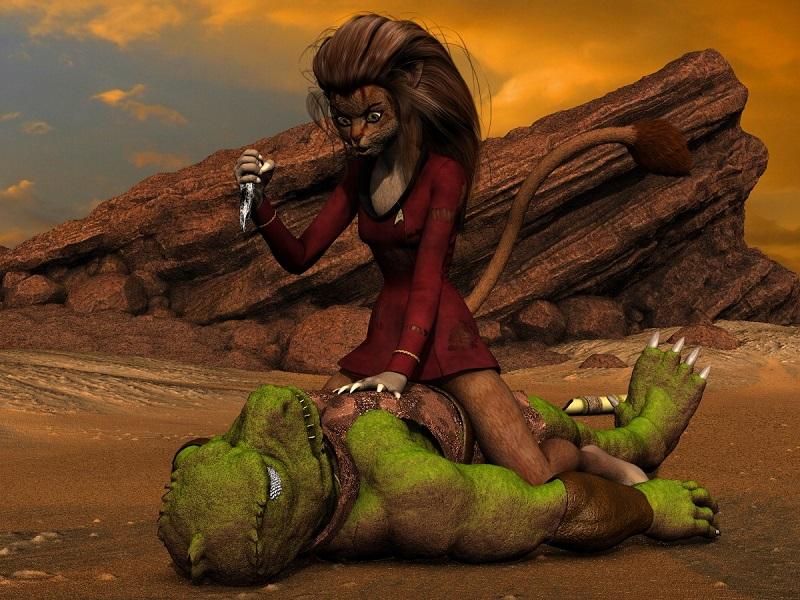
Inspired by a silly and "saucy" 4 panel comics by Drake Fenwick, I tried to create (or maybe the better word is "interpret") his admittedly rather dramatic first panel in which Lt. M'Ress rather than Kirk confronts the dreaded Gorn of "Arena".
Credits
Lt. M'Ress
Aiko 3...DAZ
Body textures...Daio
Body B-maps...Verge Visible
Face and body morphs...Beth Capsces
"Paw" morphs...JENelson (aka Achronicity)
Tail prop...Little Dragon
Mane (Hr-086)...Ali (new rigging...Oshikai/Idelacio)
Uniform...Oshikai/IdelacioGorn
Michael 2...DAZ
Tunic...Olympian Conforming Clothing for Victoria & Michael
Feet...Creech (supplied with Poser)
Gorn head...XCalProEnvironment & Props
"Gorn" Rock (based upon the Vasquez Rock formation)...Laticis (DA member)
Obsidian dagger...Fantasy Crystal 2 by Laticis (DA member)
Terrain..."New Colony" by Petipet
Bamboo cannon...Redfern (me)Sincerely,
Bill
Great work!
Hey Bill, do you have links for those morphs? I tried looking for the paw morph you listed by jenelson and/or archanisity, but nothing's coming up.here or Rendo.
I do wish there was a three-digit option paw morph to get closer to the animated drawings...hell, at this point, I'd even be happy with a decent four-digit cat's paw--
I'm sure you know how hard it is to parent the DAZ Big Cat 2 to a person's arm and still make it look decent during posing!
 Photo-real characters. A different approach.
I really think it is the eyes that kill the photo realism most of the time. After studying a bunch of close ups of real eyes on a Google search I came to the conclussion that transition from the face (lids) to the eyes is way too abrubt. Here is a list of factors I believe are causing this in a lot of the renders I see. 1) The whites of the eyes are often way too white/bright. 2) The transition "line" between lid and eyeball is way too sharp. 3) In the photos of real eyes, they tend to have a lot more moisture, specifically right above the lower lid. In a lot of renders I've seen you don't really see this moisture line.
I've attempted to correct these issues in the attached sample. 1) I toned down the white/bright in the eyes a lot in Daz. 2) In Photoshop post work I added some "noise" to the line between the lower lid and the eyeball so it wasn't a perfect razor thin transition. I also used the blur tool to help ease the transistion. 3) This is the most important one I think; In postwork I added a white "moisture" line between the lower lid and the eyeball. Basically I just drew in a white line right above the lid, then turned down the opacity and blurred it a bit.
The eyes are the only thing I did postwork on. Additionally to help attempt with photo realism I made some features asymetrical. I also used the Victoria 7 ultra displacement maps at level four to give more detail. I didn't mess with the skin shaders at all though. That's just the Victoria 7 skin. The morph is 50% Victoria 7 and 50% someone else I can't remember off the top of my head. Oh, I also did a simple "sharpen" to the whole image in Photoshop.
Anyways, this is my attempt. It would fool me if I didn't know better. It kinda looks like a high school yearbook type photo (minus the fact that she has no clothes.)Oh, and the lighting/background is just one of the newer studio HDRIs from hdrihaven.com.

They are, but by the time I was studying the eyes (less than a second), I'd already noticed the hair as being 'off'.
Photo-real characters. A different approach.I really think it is the eyes that kill the photo realism most of the time. After studying a bunch of close ups of real eyes on a Google search I came to the conclussion that transition from the face (lids) to the eyes is way too abrubt. Here is a list of factors I believe are causing this in a lot of the renders I see. 1) The whites of the eyes are often way too white/bright. 2) The transition "line" between lid and eyeball is way too sharp. 3) In the photos of real eyes, they tend to have a lot more moisture, specifically right above the lower lid. In a lot of renders I've seen you don't really see this moisture line.
I've attempted to correct these issues in the attached sample. 1) I toned down the white/bright in the eyes a lot in Daz. 2) In Photoshop post work I added some "noise" to the line between the lower lid and the eyeball so it wasn't a perfect razor thin transition. I also used the blur tool to help ease the transistion. 3) This is the most important one I think; In postwork I added a white "moisture" line between the lower lid and the eyeball. Basically I just drew in a white line right above the lid, then turned down the opacity and blurred it a bit.
The eyes are the only thing I did postwork on. Additionally to help attempt with photo realism I made some features asymetrical. I also used the Victoria 7 ultra displacement maps at level four to give more detail. I didn't mess with the skin shaders at all though. That's just the Victoria 7 skin. The morph is 50% Victoria 7 and 50% someone else I can't remember off the top of my head. Oh, I also did a simple "sharpen" to the whole image in Photoshop.
Anyways, this is my attempt. It would fool me if I didn't know better. It kinda looks like a high school yearbook type photo (minus the fact that she has no clothes.)Oh, and the lighting/background is just one of the newer studio HDRIs from hdrihaven.com.
Two Pro Bundles in One Month!I haven't been keeping close track since Genesis 8 first dropped, but it has felt like we've had 'major character drops' every two weeks along with associated bundles. I seem to remember that a couple of those had lighter bundles than the 'pro/starter' we are used to, but nonetheless they were bundled with a few other items.
I think there may have been a bit of overlap with a couple of 'latecomer' Genesis 3 pro bundles in June-July (Centaur 7 Female maybe?).
Looking at the store real quick...I see 16 pro bundles for Genesis 8 characters. Genesis 8 dropped in mid(?) June, so That's just a bit shy of the 18-20-ish pro bundles one might expect for 9 months of Genesis 8.
I almost missed Aiko 8 and Ollie 8 in my bundle search, as they are on sale right now, and hence discounted/farther down the list in my price high-low Genesis 8 bundle search.
Daz's strategy of bundling the pro bundles early on with 3-4 pro bundles from earlier generations (or crediting you for those with additional discounts if you already had them) certainly helped encourage early adoption of Genesis 8. My Genesis 8 library is certainly much larger than I would have expected it to be at this point, as I'm quite content with Genesis 2-3 even though 8 brings a few new tweaks to the table.
Of course, now they aren't currently doing the 'get 3-4 previous pro bundles, or extra discount credits for the ones you already have' as they've no doubt managed to get a LOT of us on the Genesis 8 train already, and hence longer feel as compelled to 'convince us' to grab the latest pro bundle.
The Aiko 8/Ollie 8 discount strategy is an interesting one, but as I commented recently in another thread, a few of the products felt like they simply 'peeled off' the extra textures for a few things into separate product instead of including them. It certainly drops the price a bit, but it's not the same as getting 36-44 or so items for the price of say 20-26 items you may have ended up with in the last couple of sales (there's still been a singlular bundle offering if you max stack your discounts)... Although YMMV, as it often ended up being a significantly less number of items if you already owned a number of the pro bundle items from previous generations.
For newbies without a lot of pro bundles, the initial pro bundle sales (Victoria 8, etc.) were godsends which helped fill in our libraries significantly, but for seasoned customers (those that have been buying Daz3D stuff for a few years now) well they weren't quite as attractive, although the extra 10% discount for every pro bundle you already had was still an enticement.
Also keep in mind that you DON'T have to buy every pro bundle character that hits the store. I've passed on a handful of them, although overall Daz's strategy worked pretty well on me up to this point. It's your budget that you have to meet, so you do the best you can with the money you have available.
Those are my thoughts on the subject.
Most of the gen 3 pro bundles in the last couple of years were once a month blitz day for me. I looked forward to it once I figured out how to stack the sales. When I first started I did not know how to do that and passed on a lot of the pro bundles. I had no idea that people would build characters that used the pro bundles as a base and that I would woefully regret not buying the pro bundles while they were majorly discounted. Which is why I try to buy them all now. However moving them up to every two week releases since the start of gen 8 has caused me to start rethinking my strategy. I have a lot going on in my personal life, bought a house that needs to be worked on so two mortages until we get moved and the other house sold, lost overtime, etc. I know that I'm not the only one that has lots of things going on in their lives too. So I'm feeling the pinch and I figure others are too.
Ollie was just too good to pass up. I HAD to own him. Aiko 8 was disapointing. Not because it was a bad character but because I really hoped for the great eyes of aiko 6. I've tried recreating them but without much luck, despite tons of morphs from both daz and rendo. However I have considered starting to pass on one of the pro bundles every month. Especially of the ones that do not wow me with such amazing morphs that I know I need to have them so that I can dial in some great variations to my existing characters.
Yes those extra pro bundles were the worm on the hook for most people but the posing ability of g8 is what brought me over. I knew as soon as I messed with her I had to have them all and that I would be mostly abandoning my earlier generations. That did not turn out to be true but mainly because I love some of the earlier generations clothing and it's easier to use the figure it was designed for.When I started this post I genuinly did not know if it was the norm or not, but in tracking back, I think g8 has amped up the pro bundles to twice a month. I'm just grateful that they discount it so much at the outset.
Ollie 8?I don't mind if Daz does different things, and Ollie certainly is different. But these sort of characters should be much later down the pipe. Where on earth are the Asian characters? And don't anyone even dare say Aiko has anything to do with Asian.This...^ But this is an example of priorities...
I think both rendo and Daz have had a lot of individual Asian characters and morphs hit the market. It would be awesome to see pro bundles of other nationalities, Asian, middle eastern, Russian, etc. until then I use the g2 and g3 versions. And quite by accident I’ve recently become enamored with v4 because she fills gaps that g8 hasn’t touched yet.
Its more about representation. The Daz Original line is their premiere lineup and always gets top billing for a full two weeks. And they frequently get featured for years on end in other promotions. Not seeing other ethnicity in these lineups is getting old. Waiting until the second half of Genesis 8's life cycle for these characters is not cool, not cool at all. And its a bit degrading to have some sprinkled as "add on" products for other 8 characters. IMO, that's effectively like having the token ethnic side character in other media. Instead, we get Ollie. And sure, I'm fine with Ollie existing. But before Mei Lin or Lee??? Or what about a more Latino character? Come on. What kind of signal does that send?My guess is that Daz's priorities are already set with market conventions, much like the majority of tech/geek culture/entertainment...Their primary demographics are not the black and brown ethnicities, as they are mostly secondary, much like it is with television/movies if it were not for push back against under/misrepresentation of ethnics there would not be any as there are simply not enough black and brown people as PAs/customers...But that is changing thanks to millenials!
That's how this nation has always been...Asians are fortunate enough as they have already represented themselves well enough in their own countries within tech/geek culture; which is why there's not as loud a protest as much as there are for blacks as they historically had a much more shadowed past with this nation...
The only solution for now is to look to PAs as they are the ones who actually do a much better job at representation, so I would not rely on daz for this, but to be fair they're trying as they've been much better than in the past as the 5th generation has really been the one where they started to develop different ethnicities...But yeah, your concerns are valid and you should always communicate them!
My thoughts exactly. Daz has gotten better insofar as representation goes... but that's not really saying much, since they started to do an awesome job with Genesis 3 and then have fallen hard off the wagon with Genesis 8 thus far. No, Aiko and Sakura don't count.
The best advice is to support the PAs that actually go the distance and make diverse characters, and ones that aren't Michael and Victoria with a light spray tan.
That said... why they couldn't put a non-white character in the Ollie bundle is beyond me, but they've been pretty bad with that the last couple of bundles. XP
Novica & Forum Members Tips & Product Reviews Pt 10Do you have to load V4 in first and then dial in Aiko 4, or is there a way to load Aiko 4 as a preset first without the extra steps?
Those Generation 4 characters are difficult to figure out.From the readme
Aiko 4 comes with a new CR2 file located in the DAZ People folder. This is a new version of the Victoria 4.2 CR2 file that automatically injects the Aiko morphs and dials the base morph. Restoring or resetting the morphs on the Aiko 4 figure will restore to the Aiko base morph being on. This will not happen if you load the Aiko morphs on the Victoria 4.2 CR2 separately.
In my Content Library I don't have a CR2 file for Aiko 4 in People, or in Daz People.
I've got a folder My Daz Library\People\Aiko 4\ that has a bunch of Aiko 4 characters - but not Aiko 4 herself.
I can't find her anywhere in my Poser runtime either.
But I own her.
This is kind of what I'm talking about...Two Pro Bundles in One Month!I haven't been keeping close track since Genesis 8 first dropped, but it has felt like we've had 'major character drops' every two weeks along with associated bundles. I seem to remember that a couple of those had lighter bundles than the 'pro/starter' we are used to, but nonetheless they were bundled with a few other items.
I think there may have been a bit of overlap with a couple of 'latecomer' Genesis 3 pro bundles in June-July (Centaur 7 Female maybe?).
Looking at the store real quick...I see 16 pro bundles for Genesis 8 characters. Genesis 8 dropped in mid(?) June, so That's just a bit shy of the 18-20-ish pro bundles one might expect for 9 months of Genesis 8.
I almost missed Aiko 8 and Ollie 8 in my bundle search, as they are on sale right now, and hence discounted/farther down the list in my price high-low Genesis 8 bundle search.
Daz's strategy of bundling the pro bundles early on with 3-4 pro bundles from earlier generations (or crediting you for those with additional discounts if you already had them) certainly helped encourage early adoption of Genesis 8. My Genesis 8 library is certainly much larger than I would have expected it to be at this point, as I'm quite content with Genesis 2-3 even though 8 brings a few new tweaks to the table.
Of course, now they aren't currently doing the 'get 3-4 previous pro bundles, or extra discount credits for the ones you already have' as they've no doubt managed to get a LOT of us on the Genesis 8 train already, and hence longer feel as compelled to 'convince us' to grab the latest pro bundle.
The Aiko 8/Ollie 8 discount strategy is an interesting one, but as I commented recently in another thread, a few of the products felt like they simply 'peeled off' the extra textures for a few things into separate product instead of including them. It certainly drops the price a bit, but it's not the same as getting 36-44 or so items for the price of say 20-26 items you may have ended up with in the last couple of sales (there's still been a singlular bundle offering if you max stack your discounts)... Although YMMV, as it often ended up being a significantly less number of items if you already owned a number of the pro bundle items from previous generations.
For newbies without a lot of pro bundles, the initial pro bundle sales (Victoria 8, etc.) were godsends which helped fill in our libraries significantly, but for seasoned customers (those that have been buying Daz3D stuff for a few years now) well they weren't quite as attractive, although the extra 10% discount for every pro bundle you already had was still an enticement.
Also keep in mind that you DON'T have to buy every pro bundle character that hits the store. I've passed on a handful of them, although overall Daz's strategy worked pretty well on me up to this point. It's your budget that you have to meet, so you do the best you can with the money you have available.
Those are my thoughts on the subject.
Novica & Forum Members Tips & Product Reviews Pt 10Do you have to load V4 in first and then dial in Aiko 4, or is there a way to load Aiko 4 as a preset first without the extra steps?
Those Generation 4 characters are difficult to figure out.From the readme
Aiko 4 comes with a new CR2 file located in the DAZ People folder. This is a new version of the Victoria 4.2 CR2 file that automatically injects the Aiko morphs and dials the base morph. Restoring or resetting the morphs on the Aiko 4 figure will restore to the Aiko base morph being on. This will not happen if you load the Aiko morphs on the Victoria 4.2 CR2 separately.
Anyone know what morphs was used for this character?She looks like an aging Victoria 8 so I assume she has some component of Victoria 8.
Good luck
"Get Them While You Can!" If Not… Well… "There's Always Another Sale™"In my Pose directory I have a folder called !Daz's Skeleton which contains materials and transperency settings for the M4 skeleton and V4 skeleton prop.
So... where would the actual SKELETON object be?
In "Figures\Daz Skeleton".
I don't know for sure if I actually have any figures in the Pose library, or the Materials library. I don't completely understand the archane and mystical reasons why some content was put in some places at some time in the legacy of Poser and DAZ development that got us to where we are today. If I knew for sure that things were in a certain place, I wouldn't be ranting like this. I just sacrifice a chicken under a full moon and then click blindly in my content library and then render whatever shows up in my Viewport.
Or you know, doing what @Divamakeup taught me to do... spending hours creating a Favorites database where I've manually organized the Pose\!Daz's Skeleton and Figures\Daz Skeleton directories into a folder structure Figures\M4\Anatomy and Figures\V4\Anatomy...
On ReadMes... who knows if a readme is actually part of the installed files? Look at Installed files and scroll through a list looking for the one file that has .pdf, .html or .txt after it...
I just dug through my DIM Installed Files lists for 10 minutes before I found content that includes a readme...
NGS Anagenessis 2, which includes:
"\ReadMe's\35273_n.g.s.-anagenessis-2-revolution-user-guide.pdf"
Maybe there is a Read Me file... and maybe I just have to click the "i" information icon in DIM, and maybe I can launch the documentation right from within DAZ3d, or maybe those options will generate a "page not found" or placeholder that no documentation exists, or it is a WIP, depending on when the content was made... and that is just for DAZ3D store content. If it is a freebie or content from one of the other stores... well... that might be in Documents, or Dokument, or Read ME or read_me or docs or...
http://docs.daz3d.com/doku.php/public/read_me/index/12276/start
Just... for example...Well, the skeleton is old - but I think there were a few Daz main items which did the !Daz thing (not sure Victoria 4 and Michael 4 didn't too). However, for the most part they don't and certainly shouldn't on anything at all recent (files may have the !, or leading numbers, to promote them within a folder).
Nowadyas the readmes are online, accessed via the i in DIM or right-click in DS, but when they were part of the isntall package the main read me had a name derived from the product and all documentation would be in readme's or a subfolder (and that apostrofly made me twitch every time).
Daz 3D is part of

Connect
DAZ Productions, Inc.
7533 S Center View Ct #4664
West Jordan, UT 84084Licensing Agreement | Terms of Service | Privacy Policy | EULA
© 2026 Daz Productions Inc. All Rights Reserved.