-
Genesis Morphs to G8 - is this possible?
I realise I may be being a bit hopeful here, but perhaps someone could offer a suggestion.
I have not been doing much 3d stuff for the past few years, and just got back into it again - with a vengeance, my poor aching wallet.
Back when Genesis first came out, I bought a LOT of stuff. I have tons of great morphs for it. Especially lots of cool creature-making morphs such as Anubis, demon bits and animals.
Is there anyway I can use these with later figures, ideally G8? Whether using some sort of process, or buying some sort of product.
I bought the SY Victoria 4 and Michael 4 Clones for Genesis 8 and am thrilled to be able to use my lovely old Vicky clothes. And the autofit for Genesis stuff works very well in general - if only it were easier to find them in Smart Content, of course.
Now if only I could reuse all those lovely morphs....
Welcome to Hatsune Miku Anime Manga Cafe ☕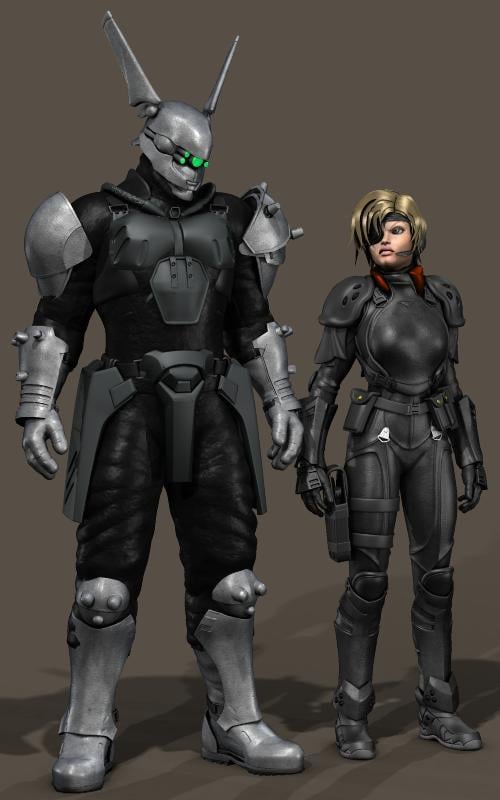
Deunan Knute (using A3, of course) and Briareos (Michael 4) from Shirow Masamune's "Appleseed". Almost all the clothing and prop elements are by Royloo, inclusing Briareos' distinctive cyborg helmet.
Sincerely,
Bill
Missing Clones, and other disappeared functionsThese will get you there:
Clones and UVs:
Victoria 4 for Genesis 2 Female
Michael 4 for Genesis 2 MaleOne shot, no save:
V4 Skins Auto Converter for Genesis 2 Female(s)
Michael 4 Skins Auto Converter For Genesis 2 Male(s)For many:
Victoria 4 Skins Batch Converter to Genesis 2 Female(s)
Michael 4 Skins Batch Converter to Genesis 2 Male(s)[Released] RSSY Clothing Converter from Michael 4 to Genesis 8 Male [Commercial]OK, here's a weird one. I kinew it would be a challenge, but I've got no idea what's going on. I purchased Major Cache For Michael 4 because, why the heck not.
Initially there was some weird geometry, especially in the legs, but I got rid of that by turning off smoothing and collisions, and eventually removed the smoothing modifier altogether. In the preview window all is fine.
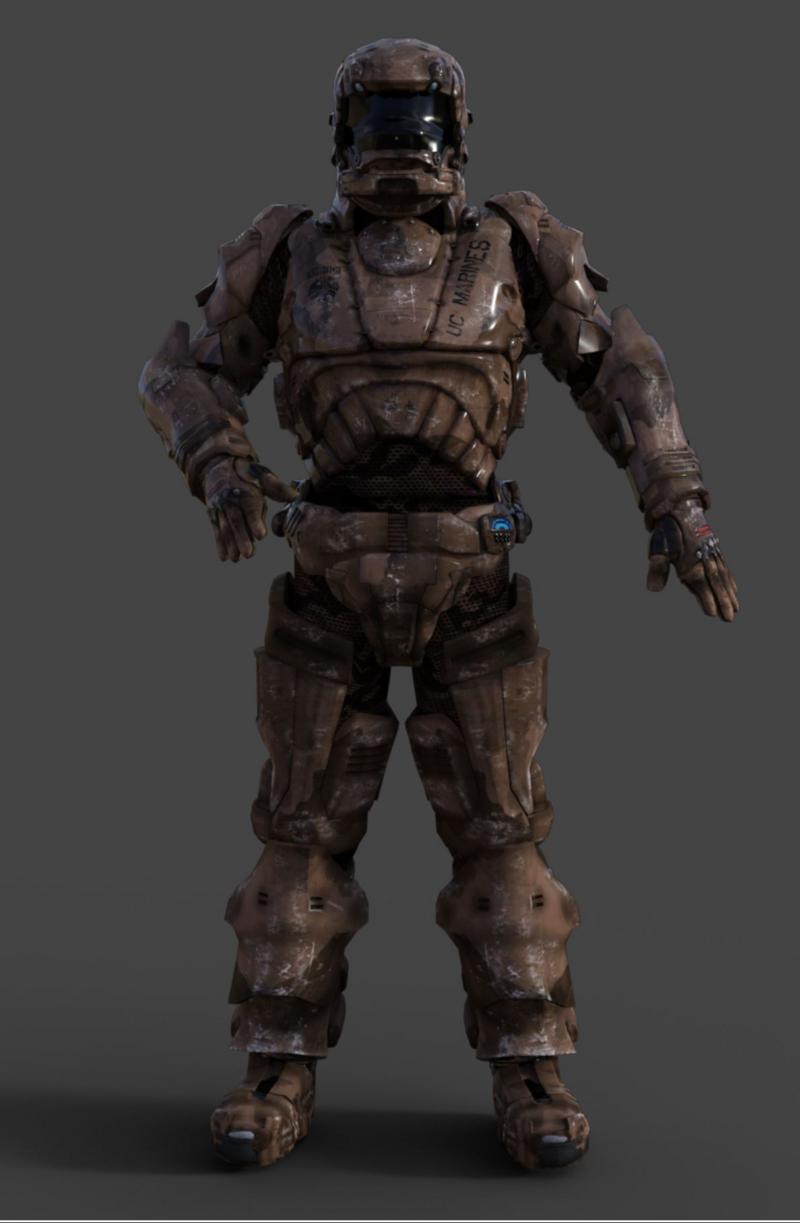
In the render, what the heck!
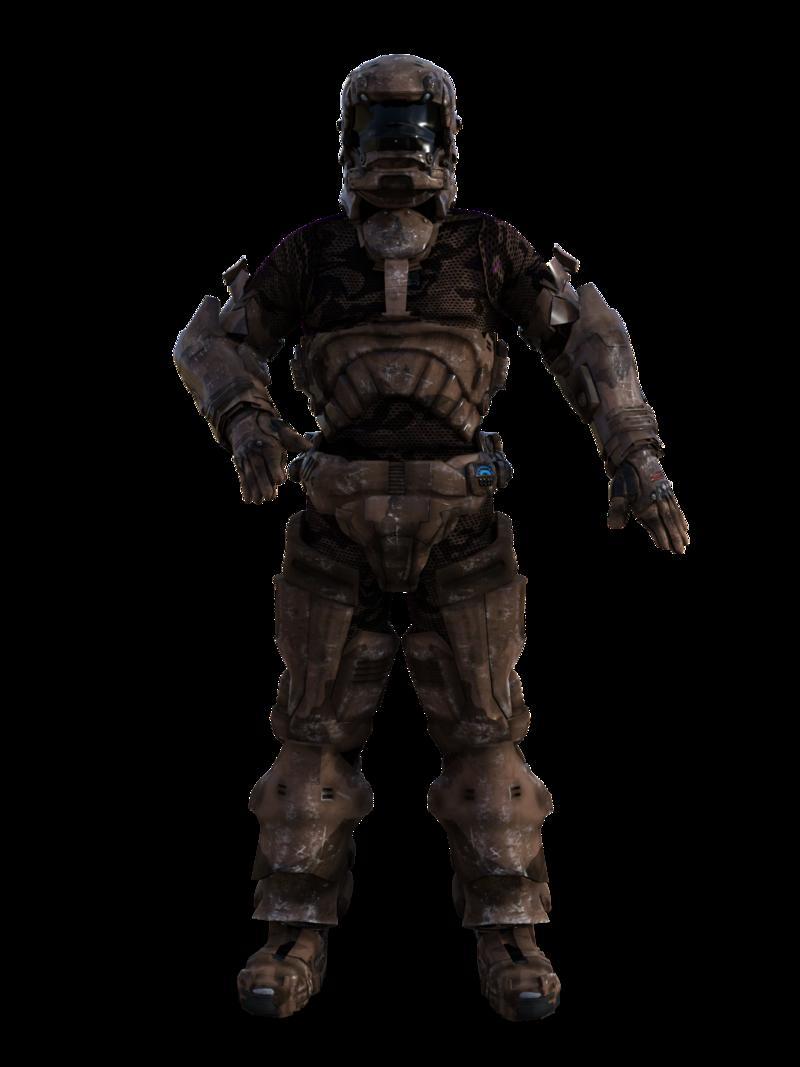
Any suggestions? I have no idea what's going on here. Once I've rendered, even the preview is wrong and I have to force a redraw to get things to revert.
I'm sorry, I don't know. Looks like a transparency problem of some sort.
[Released] RSSY Clothing Converter from Michael 4 to Genesis 8 Male [Commercial]OK, here's a weird one. I kinew it would be a challenge, but I've got no idea what's going on. I purchased Major Cache For Michael 4 because, why the heck not.
Initially there was some weird geometry, especially in the legs, but I got rid of that by turning off smoothing and collisions, and eventually removed the smoothing modifier altogether. In the preview window all is fine.
In the render, what the heck!
Any suggestions? I have no idea what's going on here. Once I've rendered, even the preview is wrong and I have to force a redraw to get things to revert.
[Released] RSSY Clothing Converter from Michael 4 to Genesis 8 Male [Commercial]so, in short, if i just want the easy way without having stuff double i can continue using SY Victoria 4 and Michael 4 Clones for Genesis 8 - if the item doesn't fit so well simply with the inbuilt G8 autofollow - but if i want new wardrobe items that fit at once, or if SY Victoria 4 and Michael 4 Clones for Genesis 8 doesn't bring good results, this would be the best option? is there a big quality difference in the final result between those 2 products (not counting the creation of new clothing obviously), i mean, can the difference be clearly seen once put on G8M?
except that there's no V4 option in this here, sadly ~
i wish more converters would cross gender, clones as well as UV tools (like i have awesome V4 textures i'd wish on G8M, but only the M4->G8M UV product...)Yes, there is a difference but I don't know if it is huge difference. I don't have the clones (before my time) to say more. I do know that Sickleyield thinks this conversion process is magical
 [Released] RSSY Clothing Converter from Michael 4 to Genesis 8 Male [Commercial]
so, in short, if i just want the easy way without having stuff double i can continue using SY Victoria 4 and Michael 4 Clones for Genesis 8 - if the item doesn't fit so well simply with the inbuilt G8 autofollow - but if i want new wardrobe items that fit at once, or if SY Victoria 4 and Michael 4 Clones for Genesis 8 doesn't bring good results, this would be the best option? is there a big quality difference in the final result between those 2 products (not counting the creation of new clothing obviously), i mean, can the difference be clearly seen once put on G8M?
except that there's no V4 option in this here, sadly ~
i wish more converters would cross gender, clones as well as UV tools (like i have awesome V4 textures i'd wish on G8M, but only the M4->G8M UV product...)Clothing ConverterMichael 4 to Genesis 8 Male is here !
More Non-photorealisitic Renders (NPR II)Carrara Job
reworking an old render
Carrara native coverage pass for the pencil work
Daz horse, m4, carrara hair
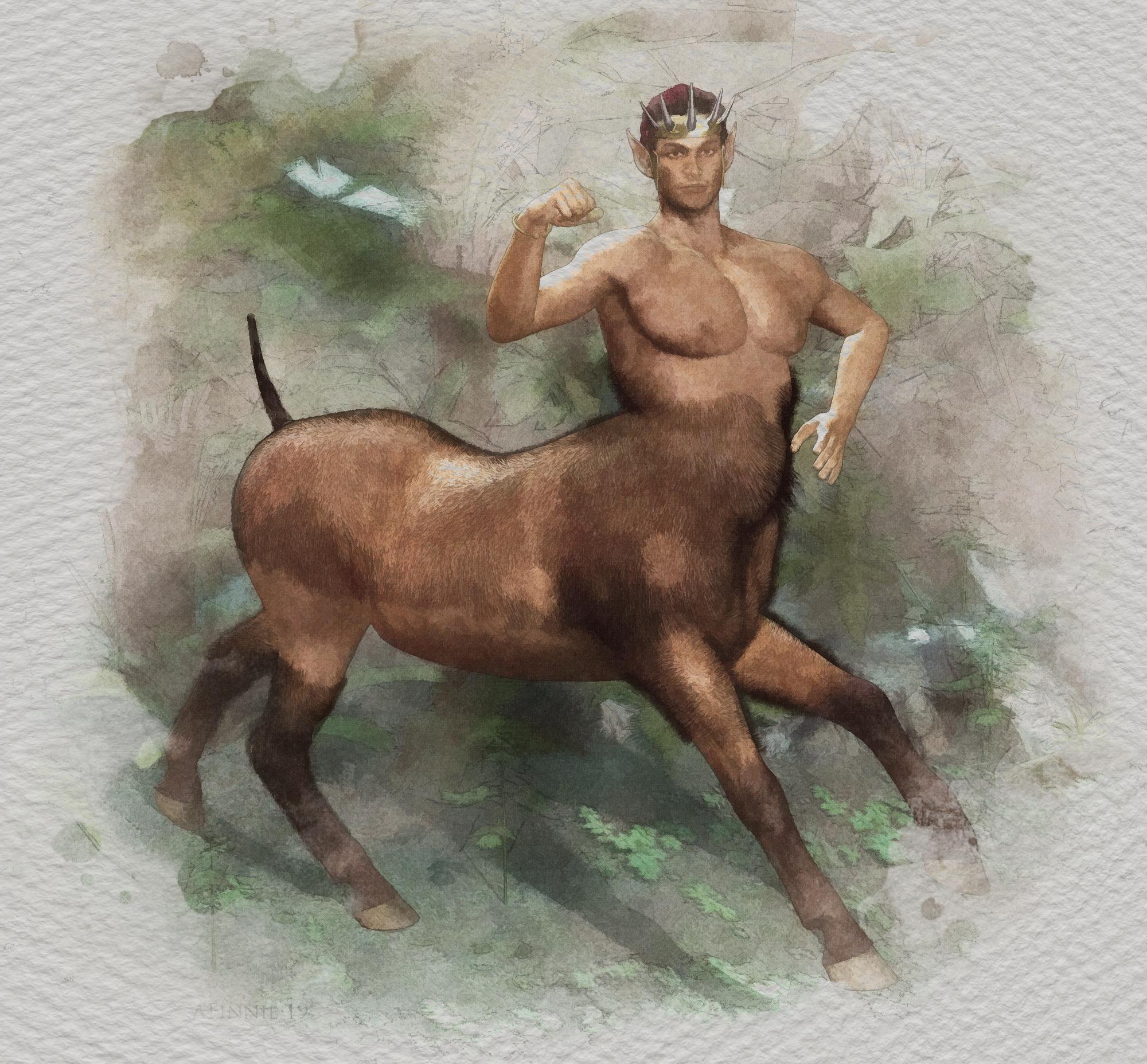
Very nice. This has a watercolor look that could easily pass for something handrawn. Honestly, the only thing that would make me suspicisous that this is 3D is that the Michael 4 anatomy (particularly the way the pec flows up into the arm) just looks so familair to me. Absolutely NOTHING wrong here, but it's just that I've seen that particular muscule configuration so many times in my own work that it just resonates in my memory. Man, you really have achieved a great style here! Please share more often.
[Released] RSSY Clothing Converter from Michael 4 to Genesis 8 Male [Commercial]Ooooohhhhhhh...
Do you happen to know whether this product can deal with Touchdown Star, particularly the shoulders?
I'm currently using SY's M4/V4 clones, but the shoulders just never look quite right...
I don't have Touchdown Star, but I am pretty sure the shoulders are not going to be right. They will follow the arms. Sorry.
[Released] RSSY Clothing Converter from Michael 4 to Genesis 8 Male [Commercial]Ooooohhhhhhh...
Do you happen to know whether this product can deal with Touchdown Star, particularly the shoulders?
I'm currently using SY's M4/V4 clones, but the shoulders just never look quite right...
off topic threadoh cool Poser11pro fitting room weightmapped clothing works on Michael 4 in Carrara
One of my outfits I made for Genesis 3 shaped using the clone and exported as an obj then fitted in Poser
Carrara Octane render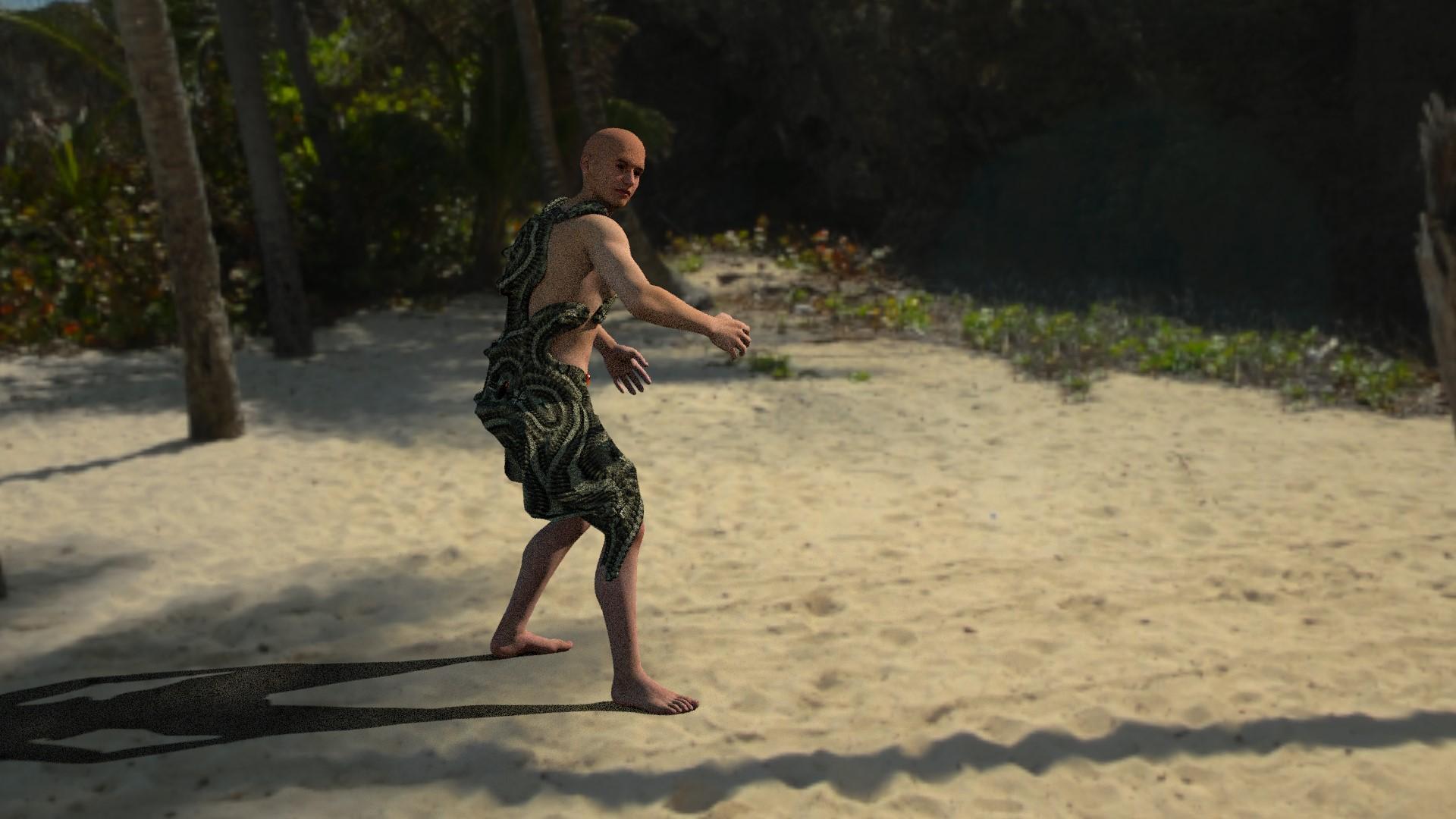
 [Released] RSSY Clothing Converter from Michael 4 to Genesis 8 Male [Commercial]
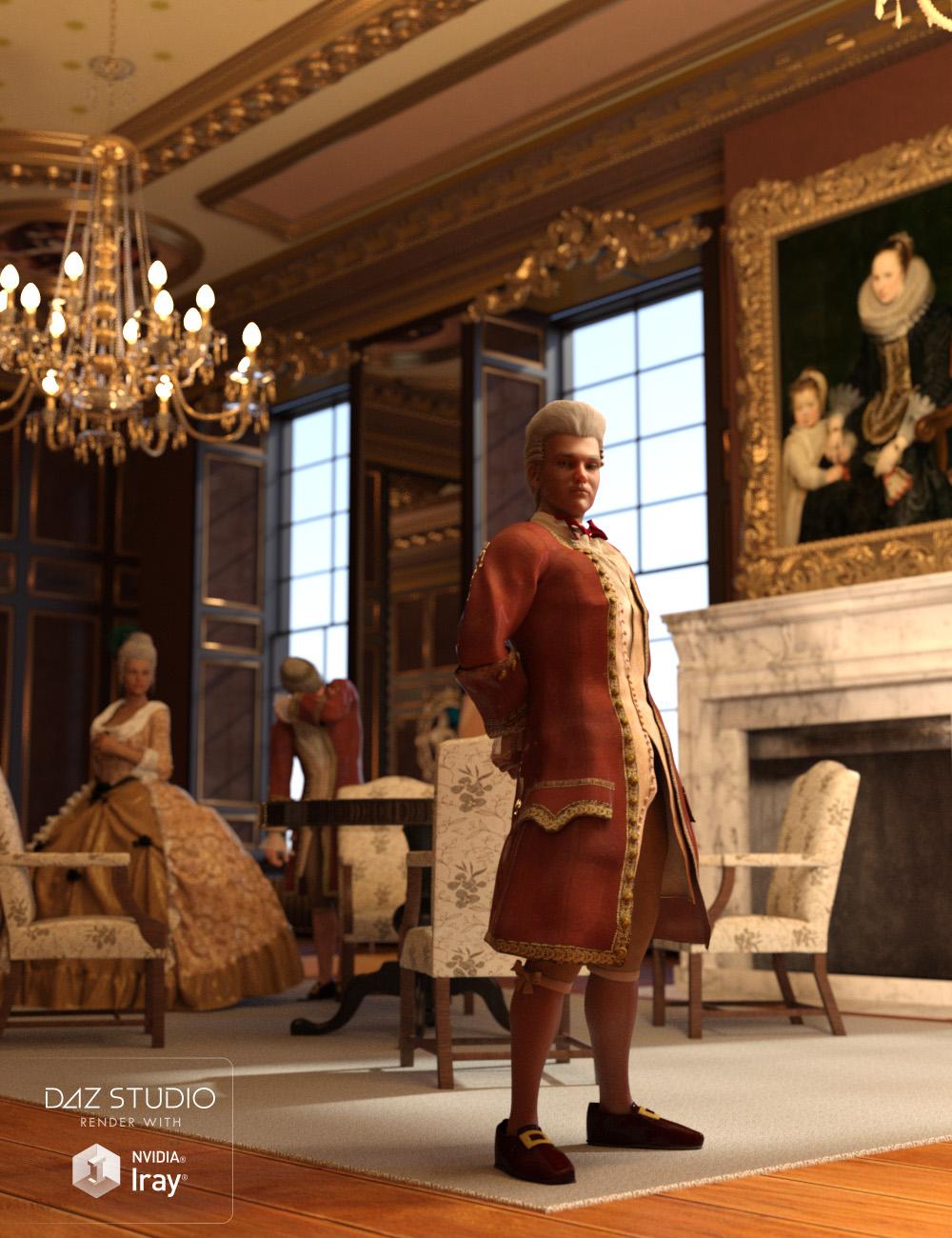 RiverSoft Art and Sickleyield are proud to present the RSSY Clothing Converter from Michael 4 (M4) to Genesis 8 Male! Finally, use your Michael 4 clothing with your Genesis 8 Male characters! Convert almost your entire wardrobe of clothes and many accessories using the new Clothing Converter from M4 to Genesis 8 Male! The Clothing Converter scripts provide batch execution for converting your Michael 4 clothing to Genesis 8 Male clothing in your library! The RSSY Clothing Converter from Michael 4 to Genesis 8 Male has been carefully crafted to handle the different rigging and shapes between Michael 4 and Genesis 8 Male, even adding special rigs for loincloths, capes and a special dress/tunic rig that adds pose bones to avoid that "sticking to the legs" effect.
The Clothing Converter script provides batch execution for converting your Michael 4 clothing to Genesis 8 Male clothing in your Library. Easily select the wardrobe items in your Library, select an output directory and execute the script. Even better, icons and categories are copied from your Michael 4 clothing to the new Genesis 8 Male clothing items. IMPORTANT: Due to a limitation in the Daz Studio scripting interface, this script requires a manual step when converting each clothing item. A dialogue will pop up during conversion and it's as easy as two button clicks!
Your new Genesis 8 Male wardrobe is completely Smart Content aware! They will show up when you select a Genesis 8 Male. Plus, all materials shown in Smart Content for your Michael 4 item will show for your converted Genesis 8 Male item. Converted clothing, instead of using Auto-Fit, produces vastly less distorted results, especially with high-heels!
The Clothing Converter script does not work with props (e.g., swords, wands, etc) and wearables (e.g., outfits). Items without metadata can be converted but will not show up in Smart Content. They may also need to be converted using a Force Convert Item(s) button. It may also not work as well with high-heeled shoes because of problems with positioning the feet without turning on the Use Foot Dialog option during conversion.
- Convert Michael 4 Clothing items for use by Genesis 8 Male
- Convert Dresses/Tunics, Pants, Shirts, Skirts, Shoes, Loincloths, Capes, Coats etc.
- Copies icons from Michael 4 clothing to Genesis 8 Male clothing for a professional look.
- Automatically convert your entire wardrobe with one operation!
Features
- RSSY Clothing Converter from Michael 4 to Genesis 8 Male:
- Clothing Converter Script (.DSE)
- Foot Poser Script (.DSE)
- Clothing Converter Manual (.PDF, .DSA)
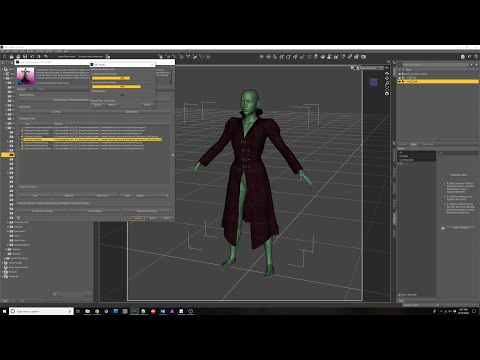
Promotional video describing all the options and features of the Clothing Converter line of products
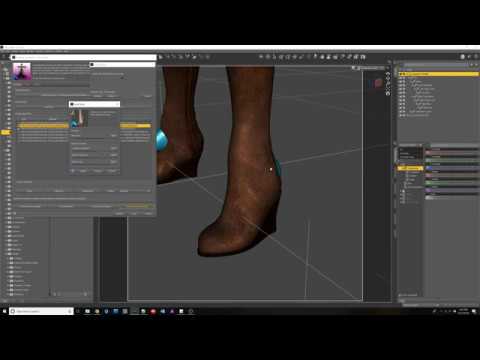
How to convert Footwear with Clothing Converter products
 LIE presets for G8M Hair / Beard?
I don't know the G3M product you are referring to but it should work on G8M.
Okay, what if the product is for Michael 4? Would that still work for G8M?
Depends on the product and how it is made. Generally a LIE preset if just a texture and is usually used for makeups and special effects on the skin, so in effect, if this product is really just an M4 LIE preset it probably won't work on G8 because of the UV differences.
Are you looking for an actual beard/hair product
LIE presets for G8M Hair / Beard?I don't know the G3M product you are referring to but it should work on G8M.
Okay, what if the product is for Michael 4? Would that still work for G8M?
Michael 3 in Daz Studio 4.10Sorry I have not kept up with this software for many years, thus I have no idea what the genesis (pun intended) is for the figures. I've come back to the software because I have something simple I'd like to do with content I already own and I'm having a lot of trouble doing that simple thing. I do also have Michael 4 and Victoria 4 but not the muscle maps for Mike, so that's a dead end.
Essentially I want to import my Michael 3 and Victoria 3 models into Daz studio, apply poses I own (including the default T Pose) and apply the muscle maps I already own to these figures.
I can import the model for Michael 3, but I get an error about out of bounds and choosing either option to remove or keep limits creates the same end result.
The model does import, and I can apply the muscle texture map, but the T-Pose is not correct. The legs are slightly bent at the knees and hips and it seems that the head is slightly forward and back slightly curved as well.
Is there any way I can fix this to a regular more "flat" T-Pose for the Michael 3 figure?
Lastly, I realize there are new muscle maps for Gen 3/8 (was there a Gen 4-7?), but I'm not particularly interested in spending $22 for a texture that is a non essential upgrade for maps I've previously purchased, in some case multiple times. This is just to play around with some basic drawing references.
Michael 4 SkeletonI need a skeleton for art reference and cannot find anything in the DAZ Shop that supports Genesis 8.
So the two options seem to be Midnight Skeleton, which comes with Genesis 3 poses.
And Michael 4 Skeleton which is much more realistic looking to me than Midnight Skeleton, but I am not sure if it's a normal figure to load in DAZ (.duf file) because it only lists these:
What's Included and Features
Features
- 2 Skeletons for M4 (.CR2 and .OBJ)
- 1 DAZ Studio Skeleton
- 1 Poser Skeleton
Does anyone know if the Michael 4 Skeleton will load up like other figures, and if I can use either G3 or G8 poses on it?
Usually, figures, at least G3 and G8 figures, list a .DUF file in the Features section of the product. So this is confusing me.
Thanks for any help you can provide.
3D Art Freebie Challenge-February 2019-"Strange Love" -Main Thread OnlyAre following products no-counts?
https://www.daz3d.com/200-plus-head-and-face-morphs-for-genesis-8-female-s
https://www.daz3d.com/fit-control-for-genesis-8-female-s
https://www.daz3d.com/sy-victoria-4-and-michael-4-clones-for-genesis-8These are "Paid For"items @Hylas
Migrated files, now have some weird bugs.I DO NOT want things installed to my C: drive.
I would like DIM to handle installation of assets.
I set DIM to install files to my mechanical drive.
I open DAZ. Go to Preferences, and change the path for the Content Library to the same folder that DIM installed it to.
DAZ SEES NOTHING INSTALLED.
I reset the Database, as suggested. NO CHANGE.
My hatred for install managers only grows. However, without DIM, I can't seem to install Victoria 4.2, Michael 4, Aiko 4, Freak 4. Sure, I don't use them as often. Sure, I'm mostly doing stuff with GEN8. But that's besides the point. I do use these models occasionally, and I've picked up quite a bit of content for them through freebies.
Sure, I have space on my Solid State Drive to fit everything. For now. I have a lot more space on the 3 TB mechanical drive. I load custom content from it just fine.
From what I can tell, DIM installs a vastly different folder structure than DAZ internal. Now, I have installed on a different computer, entirely through DIM, but that computer only has one drive. It also proved to be too slow to work on. I had hoped to set up a render-only machine with it, but that's besides the point. On that machine, I didn't change any paths.
I just want DAZ to see the damn content that DIM installed. Is that too much to ask? After searching forums, I see several posts on this subject. Hasn't anyone figured out the solution to this yet?
Michael 4 BaseI tried but the figure of Michael 4 does not appear in the people panel of the My Daz 3D Library. It's really all so absurd.
Daz 3D is part of

Connect
DAZ Productions, Inc.
7533 S Center View Ct #4664
West Jordan, UT 84084Licensing Agreement | Terms of Service | Privacy Policy | EULA
© 2026 Daz Productions Inc. All Rights Reserved.