-
Urgent help needed - All base figures distorted!
SofaCitizen said:
mwasielewski1990 said:
Also, if you have DS opened, could you duplicate the shown pose and make a screenshot? These are the Left Thigh Bend settings:
I have now fired up Daz and put these settings in and get the same result as you - poor G8F looks very messed up! I still retain the belief that this is a very un-natural pose and so it is understandable that it would look wrong. However, I guess the parameter limits do not work in tandom and thus each limit is acceptable when considered independantly (for a human way more flexible than me) but when all three are maxxed out in that combination it equates to ripping the thigh out of the socket.
Thanks so much! That rules out that something is wrong on my side. I still however think that an additional correction morph should be done for this pose, or maybe the default limits should be set differently.
OK - back to the program after some long yearsYes, you'll need Poser 11 (still sold, with NeoWin currently offering the best price at $80) for the DSON plugin. It won't work in Poser 12 or 13, as version 12 moved from Python 2 to Python 3. Nor can you effectively DSON into Poser 11, save the file, and then open it in Poser 12 - that's kind-of-fine if you don't want to move anything... but you get a weird doubling and tearing when anything moves. Better to just morph / cloth / pose and then take it out from Daz Studio in a static form (.OBJ etc).
If you can get it the plugin easily brings Genesis 1 and 2 into Poser, and in a way where the clothed and morphed figures can still be re-posed. Especially useful for G1 'monster people' made with many excellent morphs created for that purpose. However, the DSON plugin is now currently completely unavailable, unless you have - as Richard usefully notes - it stashed deep down in your Store purchases library. The last stash was a GitHub repository with the installers, but now that's gone.
Urgent help needed - All base figures distorted!PerttiA said:
To fix any ill-behaving (non-zero default value) morphs, do as follows; (I used G8F as a sample, same method works with other figures as well)
1. Open DS and load "Genesis 8 Basic Female" (to an empty scene)
2. Right Click at Parameters Tab->Preferences->Choose "Show Hidden Properties" (part 3 zeroes only 'visible' dials)
3. Right Click at Parameters Tab->Zero->Zero Figure (Zeroes the value of all the 'visible' dials)
4. Right Click at Parameters Tab->Memorize->Memorize Figure (Sets the current value of all the dials as their default value)
5. Edit->Save As->Support Asset->Save Modified Assets (Writes the changed default value to the morph files that were changed)When saving "Modified Assets" DS shows a dialog and asks for confirmation;
"The following file(s) will be permanently modified:" - "Accept/Cancel" - Choose "Accept"Thanks for the suggestion, tried it right now and still the problem persists - also, there was no "The following [...]" message. Also, if you have DS opened, could you duplicate the shown pose and make a screenshot? These are the Left Thigh Bend settings:
Urgent help needed - All base figures distorted!To fix any ill-behaving (non-zero default value) morphs, do as follows; (I used G8F as a sample, same method works with other figures as well)
1. Open DS and load "Genesis 8 Basic Female" (to an empty scene)
2. Right Click at Parameters Tab->Preferences->Choose "Show Hidden Properties" (part 3 zeroes only 'visible' dials)
3. Right Click at Parameters Tab->Zero->Zero Figure (Zeroes the value of all the 'visible' dials)
4. Right Click at Parameters Tab->Memorize->Memorize Figure (Sets the current value of all the dials as their default value)
5. Edit->Save As->Support Asset->Save Modified Assets (Writes the changed default value to the morph files that were changed)When saving "Modified Assets" DS shows a dialog and asks for confirmation;
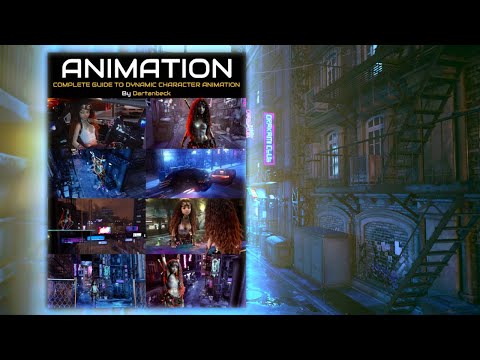
"The following file(s) will be permanently modified:" - "Accept/Cancel" - Choose "Accept"Dartanbeck's Journey - CG FilmmakingIn the meantime, I'm also finally getting the opportunity to show the full story of how I'm actually animating in Daz Studio after being in Carrara for so long. Carrara is born to animate and loves to help the user in every way possible. Going from that to Daz Studio was really quite difficult.
I've used Daz Studio all along, but for different things - character, mesh, morph and animation prep sort of things.
Using what I've learned from the Content Creation Tools in Studio, I've developed a new way to animate in Studio. What's really cool is that the process I employ gets saved to the base figure, so it also works in Carrara or anything else that can maintain the figure's rig.
Thanks to Digital Art Live and Daz 3d, the full course is coming and I'm hard at work on the next one - creating custom clothing for your heroes, which will come in the future.
 Urgent help needed - All base figures distorted!
PerttiA said:
You have some morph that is saved with non-zero default value - Those do not show in "Currently used" because they are at their default value, thus not "used".
Zero the figure and then look at the currently used list and the rogue morph should have it's value shown in white "0"
Bingo! I found some morphs as you described. But how to change this? I can't actually just uninstall them because I need them.
EDIT: Ok, but on the other hand... If I remove all content libraries and just keep the "clean" G8, there are no such morphs. Interesting.
EDIT 2: I just checked and same happens to Genesis 3. Also, on the machine with the fresh DAZ install.
This is how this atrocity looks from the backside:
 Urgent help needed - All base figures distorted!
You have some morph that is saved with non-zero default value - Those do not show in "Currently used" because they are at their default value, thus not "used".
Zero the figure and then look at the currently used list and the rogue morph should have it's value shown in white "0"
How to create new conforming accessories for G8/9If you use transfer rigging on your armband with the character as source, then it will default autofollow if your character is morphed.
It might cause some unwanted distortions, if the armband is intended as a hard object, which can be minimized by set (part of) the armband as rigid.
Freebie Challenge JUN/JUL 2023 - Holes, Gaps, Caves, Tunnels - Main ThreadSpace At The Beach
A couple goes to a beach that has a beach house on it. To their surprise there is an astronaut cutout prop to take pics in.
Freebies used in this are:
1. Primitive w a round hole primitive: https://www.renderosity.com/freestuff/items/84484/plane-with-a-round-hole-primitive
2. Smartphone prop: https://www.renderosity.com/freestuff/items/87343/smartphone-prop
3.Round Windows Minikit: https://www.renderosity.com/freestuff/items/88401/round-windows-minikit-dufobj
4.Boyifier Face morph from Sy's 200 Free Morphs: https://sharecg.com/v/99782/browse/21/DAZ-Studio/SY-200-Free-Morphs-Merchant-Resource-G9
5. Astronaut Image: https://image.freepik.com/free-vector/hand-drawn-astronaut-character-space_23-2147923607.jpg
Recommended laptop specs for scene creation only
The scenes will be created on the laptop, saved on a cloud storage like OneDrive, then render previewed and rendered on the remote desktop. The only delay is saving the scene to the cloud storage and having to reopen it on DAZ on the remote desktop's end. I don't know why you think this is a bad idea. You'll be able to see exactly how the render looks when previewing it remotely, and any fixes can be done via the remote desktop's DAZ. Even the entire setting up of the scene can be done remotely, therefore removing that delay of having to save a scene done on a laptop and reopening it in remote DAZ, BUT remote scene controls can be laggy and the viewport navigation can be a little problematic, plus it's always good to have a backup option if I'm taking long trips (my eventual aim). The scenario I described is optimal - if you can, do all DAZ work directly from a laptop to prevent any bugs and hiccups when using remote DAZ for scene creation, then leave the only necessary remote work like rendering to the remote desktop. And oh, why do I have three instances? Simple, to do three stories all at once. While render one, do scene creation on another, if that one needs props or clothing conversion, the third instance helps. You probably are unaware of this, so it's something you'd want to consider.TimberWolf said:I'm not sure this is really viable.
From a technical point of view it's perfectly possible and so far we've got two interpretations of how to do this, but is it really worthwhile?
1 - @RobertDy - Create the scenes using Daz resources stored on a laptop without using Iray. He'll upload the finished scenes to his home PC and render them there, using some remote desktop software. That laptop will need a lot of drive space for the models and a fair chunk of RAM to run three instances of Studio. I don't know why he uses 3 instances of Studio that but that's his workflow. 32GB minimum. Enough storage for the assets he wants to use.
Without using Iray to preview the scenes you will not get an accurate depiction of the final results. Pokethrough, lighting, nada. I fail to see the point of this as you will essentially be using your main PC, sight unseen, to render an image and you have no idea how it will turn out. You can always correct minor errors with spot rendering but how on earth will you know how the lighting will pan out?
The only way this is viable is with either a very, very fast CPU for CPU preview rendering or a gaming GPU to preview Iray which is something he doesn't want. Both are not cheap. Impasse.
2 - @thistledownsname - all you want is a remote desktop. You'll need Windows 10/11 Pro (or alternative remote desktop software) for the host and the fastest wifi/LAN connection you can buy. This is the option that is more usable in my opinion as a relatively low spec laptop could be used. However, the latency between the client and the host will likely prove infuriating.
How do I know? We've tried it. A commercial mobiles games company. You can do it, but it's a pain. Try repositioning a figure, tweaking a pose...good luck! Perhaps you have better internet infrastructure than we do, faster speed etc., but if you have romantic ideas of creating a scene whilst sitting in first class on a train... think again!
My opinion is dialling it in from a low-spec machine is not an option. The only solution that works for us is a powerhouse of a laptop that can preview scenes you've made *on that laptop* and you then transfer them to your rendering PC.
[Released] RSSY Character And Material Conversion Bundle Genesis 8 to Genesis 9 [Commercial]rorronline said:
so came across a weird issue. Batch Converter.
Miriam Convertion results were: Head Morph dial, Body Morph dial, Master dial for both.
using the master dial works great, however using the independant dials the morphs are burger meat.A little confused on why, and why it is such a rampant issue with the convertions.
I have way more morphs that are borked than are not. Weather i use custom converter or the batch process.
Master Dial Works Fine:

Independant Dials are Burger meat:

I am a little concerned on both because it seems to indicate you have 2 head morphs and 2 body morphs on both. They could be compounding your problems.
From the manual:
The Converted Character’s Body is wrinkled. Because of the way that morphs must be converted, a morph that on Genesis 8 appears to only touch a small part of the head can affect the whole body on Genesis 9. You need to show Currently Used parameters to show all morphs on the converted character. Then, one by one, dial in the morphs to find the offending morph(s). Once you find them, delete the morphs from your HD (click the Gear icon, Parameter Settings, and look at File Path for the asset to figure out where the morph is and what it is called). You should also resave the character with the offending morph(s) dialed out (set to 0).
[Released] RSSY Hair Converter from Genesis 8 to Genesis 9 [Commercial]RexRed said:

Yes, that is a crack in the skull cap traversing from one side to the other of the top of the head and the beard would not even convert.
All of the RSSY converted mustaches come in covering their mouth in the wrong place. It is like the geometry is wrong in the converters.
The reason why I bought this product was in hope that it might fix the "hair in the face" problem. It won't even convert those assets.
No idea why you have a crack in the head. When you dial in the Converter Morph, does the crack appear or is it already there? Though beards can be converted by the script, because of limitations in the conversion process, open mouth expressions can possibly tear on the facial hair. If the hair converter does not work for you, please return it.
[Released] RSSY Hair Converter from Genesis 8 to Genesis 9 [Commercial]RexRed said:

What am I doing wrong? All of my beards have come out in pieces and mangeled and none of the body hair is even close to where it is supposed to be.
Do I have the wrong conformer selected for body hair or something? I just used the default values.
None of the morphs or hidden morphs come close to correctring these issues.
The auto fit is far from perfect but it does work in a few cases.
For the conformer, definitely change it to the Beard one if it isn't automatically selected. Dialing back the Converter Morph can change the height of the beard. Though beards can be converted by the script, because of limitations in the conversion process, open mouth expressions can possibly tear on the facial hair.
Starting
Hmmm, I understood. In Daz I want to create just the avatar without this limitation. That avatar I said the IG like example was made in Daz.Catherine3678ab said:douglasamorimofc said:
Catherine3678ab said:
If you have a decent size photo of your face, hair off the face, no glasses on, no smile, you can use the Face Transfer inside Daz Studio to put your face on the model too. The texture will need some additional work but it's a fun thing to try if you want to. Face Transfer only works on Windows Computers though last I checked.
Wow I checked a little about it. 3 free tries hahaha
I'll try this. I hope great results to start this project haha
Thaaanks ♥♥♥
You're welcome.
By the by, you can use the rendered images, still or animations, generally speaking, as you please {there are a couple of exceptions for a very few products and would be noted on the product pages}.
However the actual models themselves have to stay on your computer, we do not redistribute those over to other websites etc.
Urgent help needed - All base figures distorted!Hey everybody!
I have a pretty beefy content library, and recently I noticed something weird. I always used G8 exclusively, but now I added G8.1 to my workflow.
I have a problem where in some places, ALL figures (both base G8 and G8.1, and all figures based on them) have weird distortions on the legs, arms, etc.
I know it might be a conflict between morphs, so here is what I've done:
1) Go to Edit - Preferences - Content and un-plug ALL content libraries, so DAZ Studio is essentially blank
2) I re-downloaded "Genesis 8 Starter Essentials"
3) Created a new folder, unpacked the starter essentials to it
4) Go to Edit - Preferences - Content again an plug just this folder as a library - With the starter essentials and NOTHING else in it
5) The distortions are still there...
6) The screenshot shows what JCM's are active in Parameters -> HIDDEN. Only the base correctives are active, no morph conflicts...
What on earth is happening?
 Starting
douglasamorimofc said:
Catherine3678ab said:
If you have a decent size photo of your face, hair off the face, no glasses on, no smile, you can use the Face Transfer inside Daz Studio to put your face on the model too. The texture will need some additional work but it's a fun thing to try if you want to. Face Transfer only works on Windows Computers though last I checked.
Wow I checked a little about it. 3 free tries hahaha
I'll try this. I hope great results to start this project haha
Thaaanks ♥♥♥
You're welcome.
By the by, you can use the rendered images, still or animations, generally speaking, as you please {there are a couple of exceptions for a very few products and would be noted on the product pages}.
However the actual models themselves have to stay on your computer, we do not redistribute those over to other websites etc.
StartingCatherine3678ab said:
If you have a decent size photo of your face, hair off the face, no glasses on, no smile, you can use the Face Transfer inside Daz Studio to put your face on the model too. The texture will need some additional work but it's a fun thing to try if you want to. Face Transfer only works on Windows Computers though last I checked.
Wow I checked a little about it. 3 free tries hahaha
I'll try this. I hope great results to start this project haha
Thaaanks ♥♥♥
StartingIf you have a decent size photo of your face, hair off the face, no glasses on, no smile, you can use the Face Transfer inside Daz Studio to put your face on the model too. The texture will need some additional work but it's a fun thing to try if you want to. Face Transfer only works on Windows 64bit computers.
StartingCatherine3678ab said:
Since all the Genesis editions are free with the program, I would suggest loading them into a scene, one at a time, and see which one you prefer.
Then focus on that figure to make any additional purchases if seeking then a particular character [n.b. these are usually morphs and skins only, no clothing or hair unless otherwise stated]. There are also morph collections that can be purchased for the figures so one can dial in their preferences to whichever percentage they want -- in effect making one's own character. [save out as a shaping preset then].
Keep an eye on the sales, like the grab bag atm which has some lovely characters in it, as well as some pose sets -- for the Genesis 3 figures. {remember to apply the coupon to get the sale price}
Whether you choose to go for a realistic or toon-type character is totally up to you. Even with realistic props, they can be rendered with toon rendering options so everything can go together in a scene.
If you see an outfit that is similar to clothing you want on the figure, esp. if it's on sale, you can purchase that. Take a photograph of your own clothing to get a fabric swatch ... then use that in an image editor along with the clothing's template {often found in the Product Library as a separate download - or - one can use another program or take a screen shot of the uvview in D/S [just keep the images square] and somehow apply your fabric image to the template [go over the seams at least a couple of pixels so that the seams won't show when rendered in D/S].
You will see in the forums people talking about converting clothing and poses, and while all this is possible, it is a lot easier to start off with using stuff that was made for the figure one wants to use.
And have fun! :-)
OMG Thank you so much for all tips!
I had a lot of doubts about the genesis version because I see we have low quantity of morphs assets to Genesis 9.
My intention is to make myself an avatar to use in photos of places I go and for posing with clothes I make hahaha
My inspiration is https://www.instagram.com/aria.phenix/
And I want it to me hahahaha
Because is something that I thought a lot but I didn't know how start but I discovered Daz3D and I want to try make it real ♥
StartingSince all the Genesis editions are free with the program, I would suggest loading them into a scene, one at a time, and see which one you prefer.
Then focus on that figure to make any additional purchases if seeking then a particular character [n.b. these are usually morphs and skins only, no clothing or hair unless otherwise stated]. There are also morph collections that can be purchased for the figures so one can dial in their preferences to whichever percentage they want -- in effect making one's own character. [save out as a shaping preset then].
Keep an eye on the sales, like the grab bag atm which has some lovely characters in it, as well as some pose sets -- for the Genesis 3 figures. {remember to apply the coupon to get the sale price}
Whether you choose to go for a realistic or toon-type character is totally up to you. Even with realistic props, they can be rendered with toon rendering options so everything can go together in a scene.
If you see an outfit that is similar to clothing you want on the figure, esp. if it's on sale, you can purchase that. Take a photograph of your own clothing to get a fabric swatch ... then use that in an image editor along with the clothing's template {often found in the Product Library as a separate download - or - one can use another program or take a screen shot of the uvview in D/S [just keep the images square] and somehow apply your fabric image to the template [go over the seams at least a couple of pixels so that the seams won't show when rendered in D/S].
You will see in the forums people talking about converting clothing and poses, and while all this is possible, it is a lot easier to start off with using stuff that was made for the figure one wants to use.
And have fun! :-)
Daz 3D is part of

Connect
DAZ Productions, Inc.
7533 S Center View Ct #4664
West Jordan, UT 84084Licensing Agreement | Terms of Service | Privacy Policy | EULA
© 2026 Daz Productions Inc. All Rights Reserved.