-
separating objects from a scene when the entire scene is loaded as onePersonally I export an object, delete the bits I don't want and then re-import the bit I do want and copy the material across. Geometry editor, really, just done with a program better suited to modelling. Regards, Richard.Aligning normals via reimport instead of manually
Hi folks,
I got an asset (3rd party) that is absolutely beatiful in Filatoon, but the creator left the normals a mess. In case you didn't know, flipped normals case the Toon Outline to project internally instead of externally.
Can one of the the import functions (morph loader, UV Set, etc) be used to update JUST the normals of the asset so I don't have to flip them manually in Daz? C4D has a some very powerful normal tools that would make a lot of hand work instant.
The KindredArts Free Resource RepoFreebie Repo!
Hello there chums Both myself and my captors run the monthly freebie competition right here on these very boards, and it would be nice to have a lovely list of freebie resources that is (mostly) up to date. I will add my own entries, or any other resources that should be safe for the freebie competition. If you have a wicked resource for freebies (that isn't dodgy), please shoot me a PM, and i'll add it here.
Thanks Pals!
Websites:
Polyhaven - Using any individual models, textures, or HDRIs from these sites will count as a freebie, and they do stack. If the competition requires 3 freebies, and you use 3 models, you're golden.
Renderhub - Not sure if these are rotational. It's probably fine.
Daz3D Freebies - Yes, Daz freebies.
Renderosity - Rendo, up to date, decent stuff.
3Dassets.one - Lots of textures, models and HDRIs. Not daz ready, but takes minimal effort to import.
Wilmap - Sight for older genesis clothing, but still a great repo.
sdeBStore - Lots of good quality modern G8/9 clothing.
3dShards - @FrankTheTank submitted this, looks good.
Cgbytes - The family friendly area.
Destroy! - A pack of props and crowd generator tools submitted by @FrankTheTank
Carrara:
Carrara Freebie Index - Submitted by @Stezza
KA Freebies:

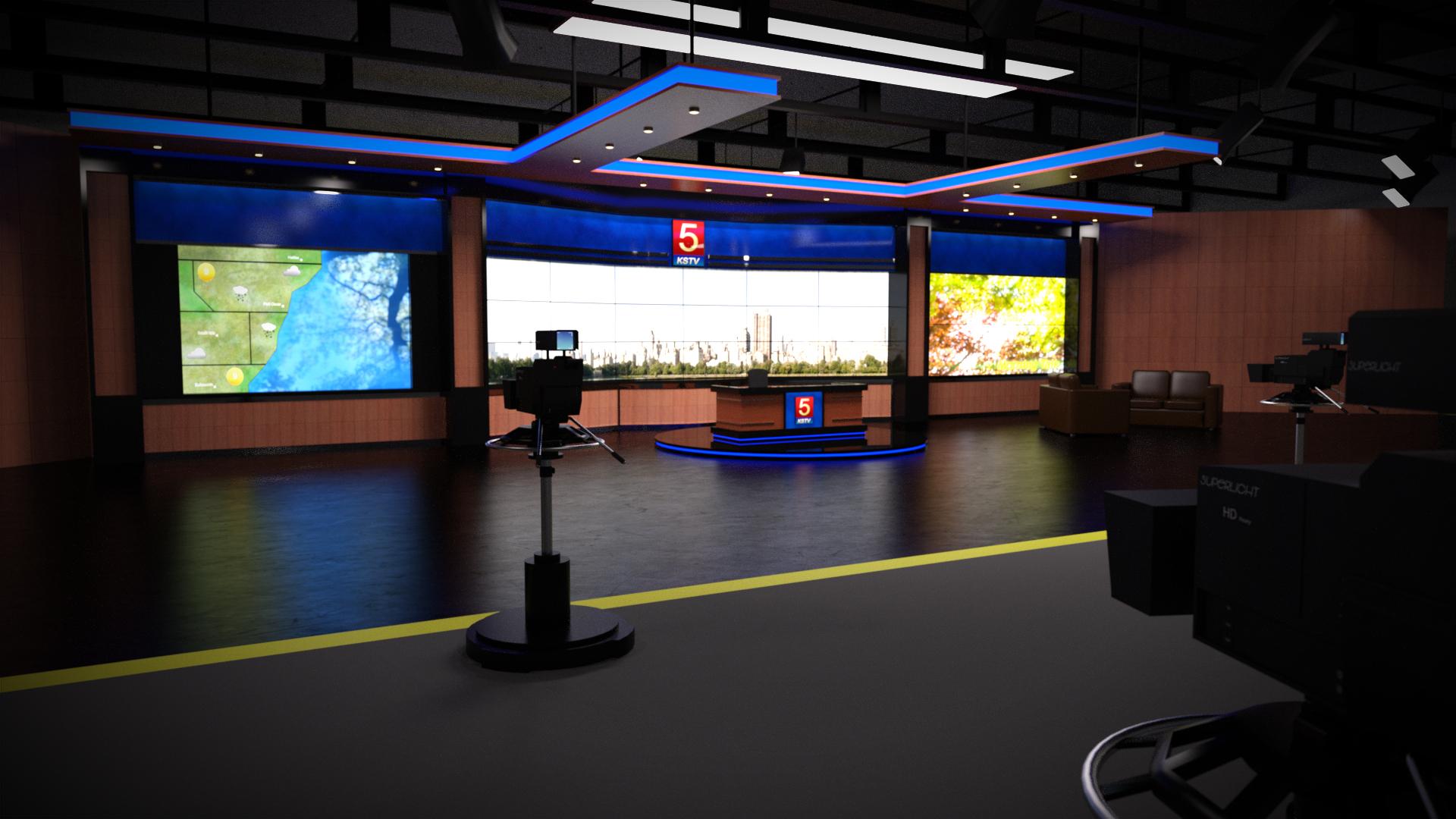
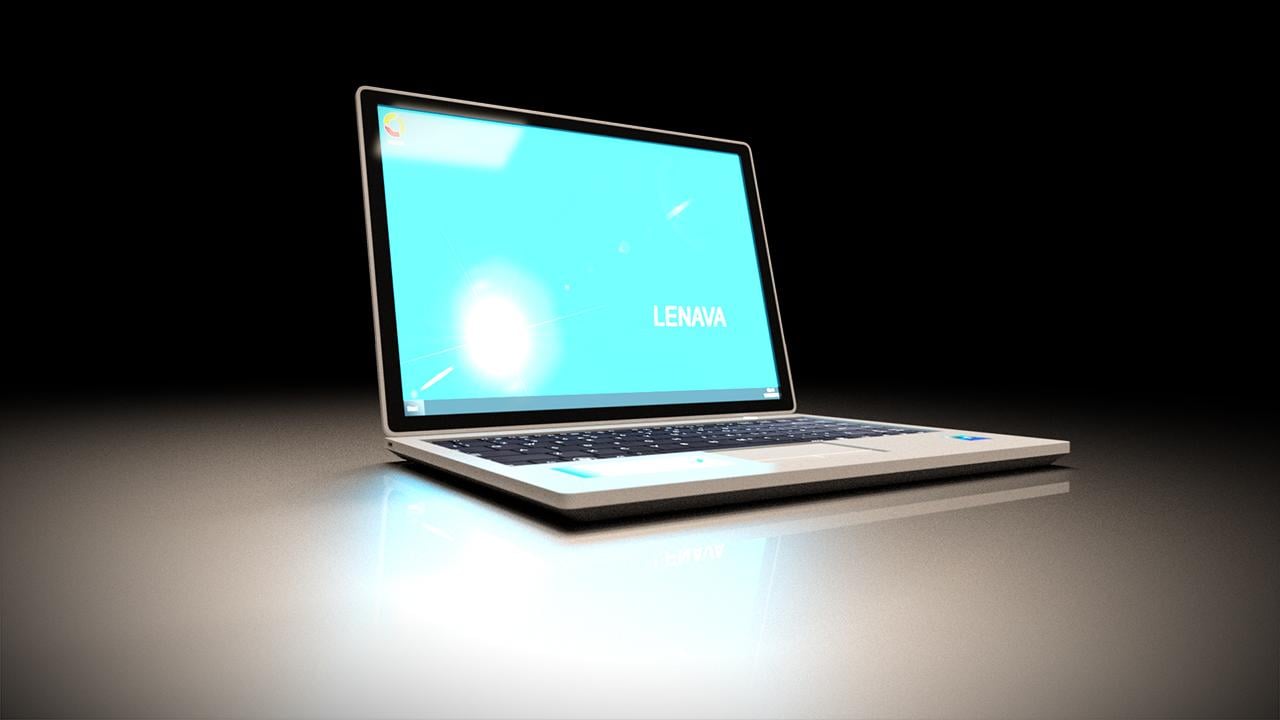
Polyhaven Bundle:
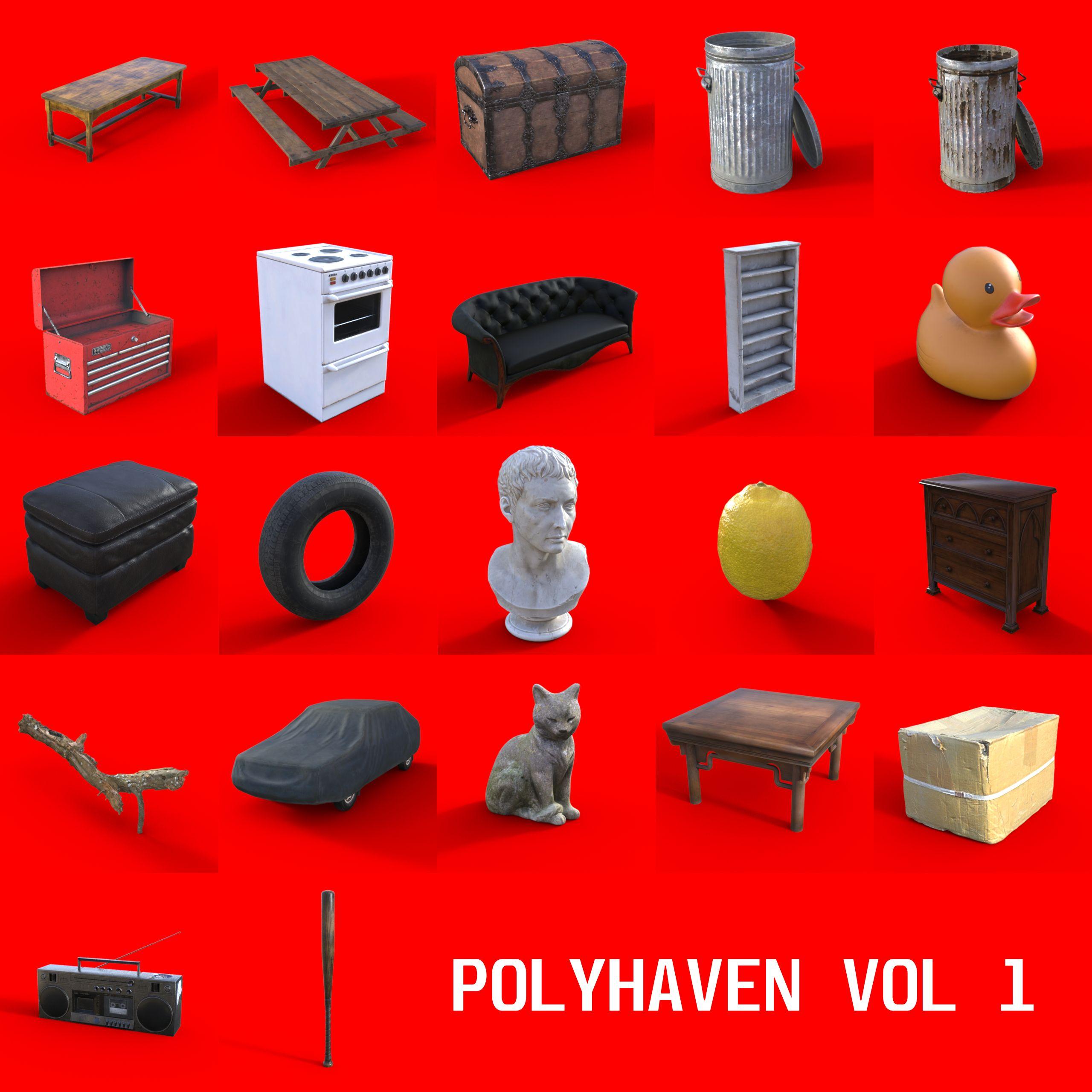
Polyhaven Vol 1 (These models are from the good folks at polyhaven. I have simply repacked them for daz, with data/runtime paths.)
...Again, please reach out to me if you have more current freebie resources.
KA
Daz Studio 6 Beta - version 6.26.2026.26903! (Updated September 29, 2026)System used:
MacBook Pro, Apple M4 Pro; 48 GB RAM; macOS: 15.3 (24D60)
Daz Studio 2025 ALPHA - version 6.25.2025.27507 (Updated October 2, 2025)
Computer was rebooted, then DAZ Studio loaded fresh.
Created a file with three Genesis 9 figures (with hair and clothing) on a Vanishingpoint starship bridge.
Scene set up to render a Filatoon animation.
Applied multiple lip sync poses between the three characters ending up with 842 frames (@ 24 fps).
Unable to import an audio file, same as last version of DAZ Studio.
Rendered to movie.
At the end of the render, warning box came up saying it couldn't save the file:
All 842 individual frames were saved in the temp folder, so I could salvage the animation but on looking at the frames I can see that my old friend, "removed the skin from my victims" has returned.
Frame r081 everything's fine.
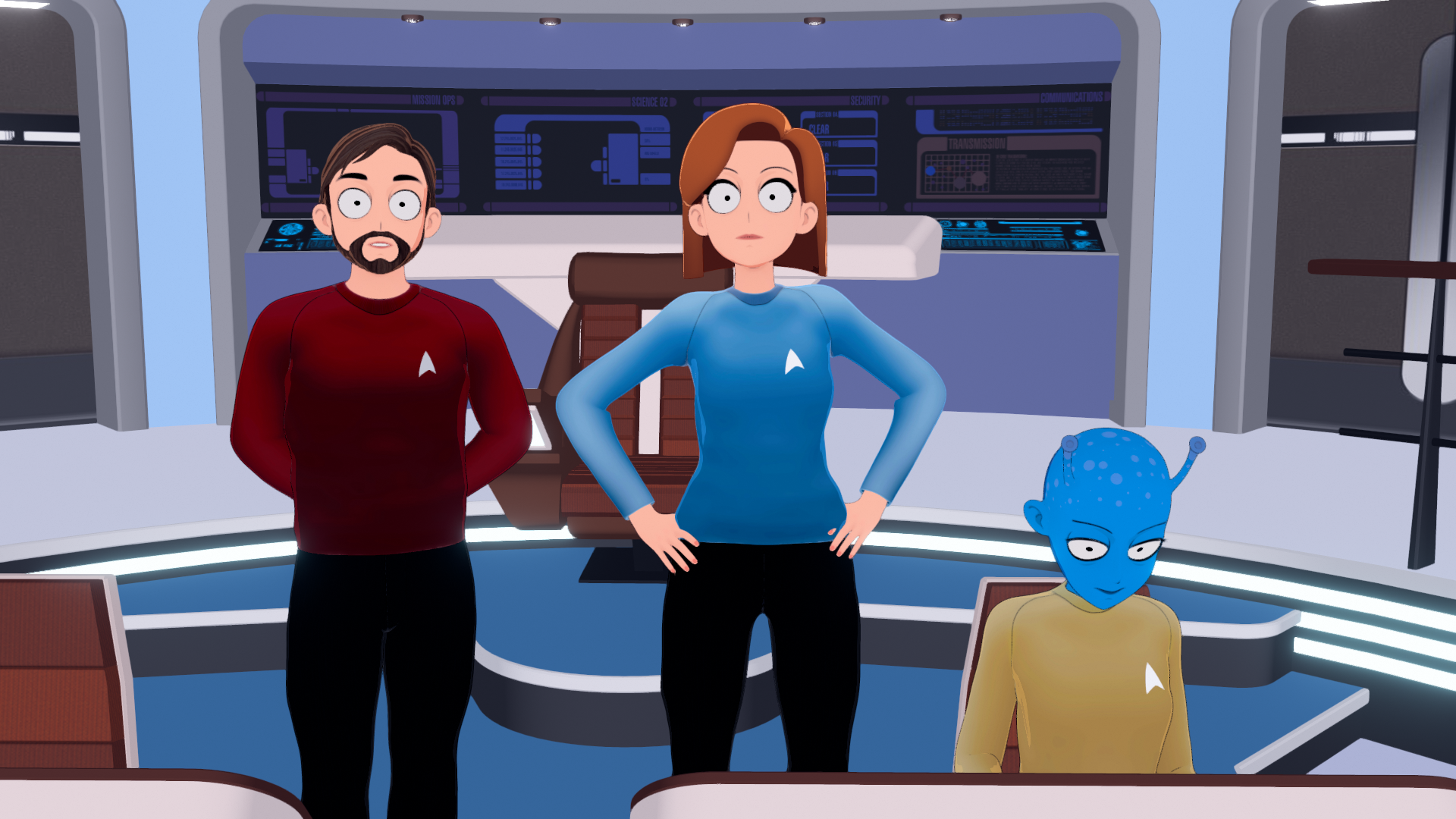
Frame r082 the characters' skins have disappeared. Only the characters' skins, never their clothing, their hair nor any add-ons like eyebrows, mouths, etc.. Nothing else ever vanishes.
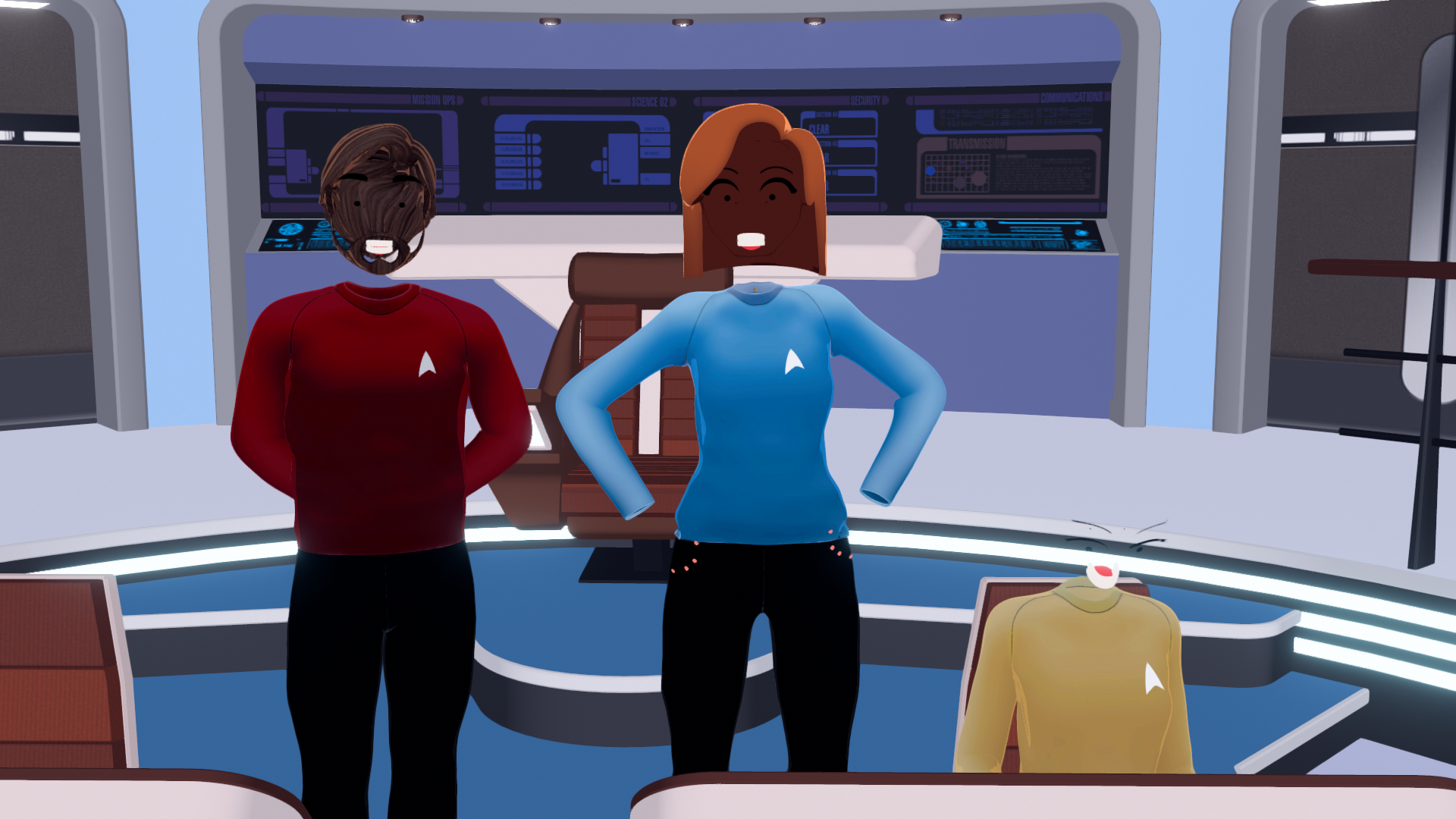
At this point, memory usage shows DAZStudio using 192.97 GB.

I checked the log and there's no warnings or errors when those frames are rendered:
2025-10-03 13:49:46.771 [INFO] :: Saved image: /Users/waltsterdan/Library/Application Support/DAZ 3D/Studio6 Public Build/temp/render/r080.png
2025-10-03 13:49:51.060 [INFO] :: Saved image: /Users/waltsterdan/Library/Application Support/DAZ 3D/Studio6 Public Build/temp/render/r081.png
2025-10-03 13:49:55.354 [INFO] :: Saved image: /Users/waltsterdan/Library/Application Support/DAZ 3D/Studio6 Public Build/temp/render/r082.png
2025-10-03 13:49:59.654 [INFO] :: Saved image: /Users/waltsterdan/Library/Application Support/DAZ 3D/Studio6 Public Build/temp/render/r083.pngI used the "New…" menu to close the scene and opened a new one. After 10 minutes on no activity, the memory has not been cleared.
I quit DAZ Studio and restared DAZ Studio and the memory was cleared.
Between creating the file, applying all of the lip syncs, adding a little secondary character animation and rendering the file out I worked with DAZ Studio for a little over two hours; I had no crashes or "working" issues other than not being able to save a movie file. I am able to use the temporary frames generated (or could, if they'd kept their skin on) and I'm able to render individual images and save them without issue.
I quit and uninstalled DAZ, re-installing version 6.25.2025.21707 (August 5, 2025) as I found it works best for me; I opened the saved file with the lip syncs still applied, added an audio file and rendered the movie again. At the end of the render the .mov file saves without issue and no one loses their skin.
During the final render, the memory usage spiked up to 112.21 GB; it should be noted that the "Memory Pressure" window at the bottom of the Activity Monitor stayed a sold green in both cases (green indicating efficient use, yellow suggesting potential need for more RAM, and red showing that your Mac needs more RAM).
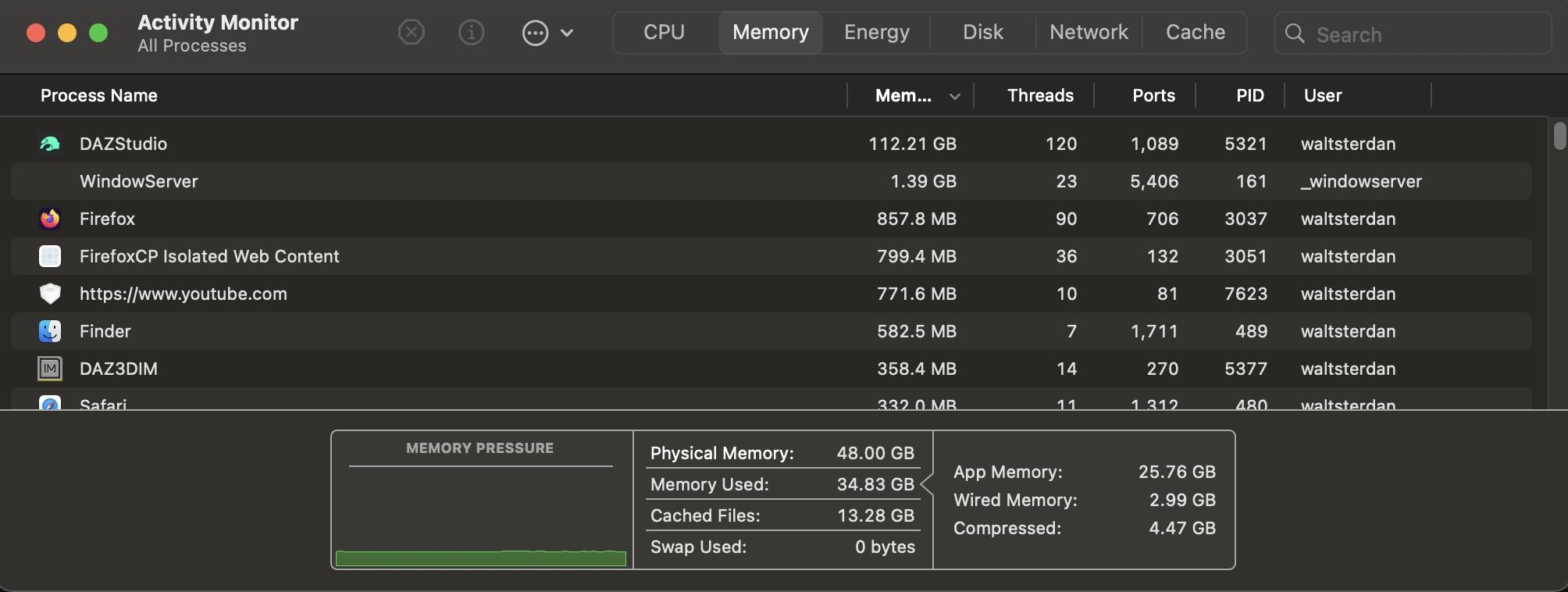
The scene, when not rendering, had DAZ Studio using under 14 GB of memory. Memory usage in the older versions of DAZ Studio drops back to this amount once the rendering has been done and saved.
Daz Studio 6 Beta - version 6.26.2026.26903! (Updated September 29, 2026)Okay, I took a shot and "updated" my DAZ Studio. They still haven't fixed the audio import, at least on the Mac side. I'm not sure what they were improving where the impact was removing the Mac ability to import audio but hopefully they'll return the capabiltiy sooner rather then later. I'll work with the new version to see if there's anything else that broke, then go back to the August 14 version, the last one that let me both import Audio *and* where the keyframes worked in the previously normal manner.
Daz animated figures to TwinmotionI never saw it, Twinmotion now has FBX import
back then an AVI alpha on a plane was the way I used to do it
pity their video no longer available
Using Genesis 9 Skin on Genesis 8 Figurescrosswind said:
Just in case, I recorded the full process as a video tutorial, in here: https://mega.nz/file/XexUzYAL#LAM74H8iQ_qWK_dLo1Q35QrRYRTxAm8TYn5xxQYG0mE
It's depend on what you have installed on your machine, but on mine, when I want to easily get back to Genesis 3, 8 or 9 to set them as Compatibilities in the metadata editor, I type 'Starter': in my case, the first product is the Genesis 9 Starter Essentials, which is two products below all the Genesis compatibility base roots.
Non-DAZ products need a large disclaimer (read: I'm an idiot)greywolf said:
WendyLuvsCatz said:
oh by the way, one thing to bear in mind, while DAZ studio is faster when everything fits on your GPU
Carrara is considerably faster than D|S if it does not
which for me is often the case with those big Howie Farkes scenes
coupla questions:
* Can one import a ds scene into Carrara?
* Is Carrara slated for discontinuation (thus its currently very low price)?no longer in development but yes it loads duf files with some caveates
Genesis 3, 8 & 8.5 crash it due to a mismatched typo in the several bone/node namings
Genesis 9 needs conversion to blended weight and resaving as a new character preset as does all the clothing
Strandbased hair won't import as mesh only useless lines
but Carrara has dynamic hair of its own
dforce doesn't import you can use dforce2morph though to create and save matching cloth poses
many props need to have the U on the UV map tiling unchecked
however Sparrowhawk made a plugin to do this
those are some main ones
the CPU based render engine is not bad, it's better than 3Delight but not as good as iray but if you don't have a Nvidia card it is much faster than iray CPU
you can always just use it to render backgrounds
Non-DAZ products need a large disclaimer (read: I'm an idiot)WendyLuvsCatz said:
oh by the way, one thing to bear in mind, while DAZ studio is faster when everything fits on your GPU
Carrara is considerably faster than D|S if it does not
which for me is often the case with those big Howie Farkes scenes
coupla questions:
* Can one import a ds scene into Carrara?
* Is Carrara slated for discontinuation (thus its currently very low price)?Daz Studio 6 Beta - version 6.26.2026.26903! (Updated September 29, 2026)itinerant said:
wsterdan said:
itinerant said:
There is a serious problem with the Oct 2 update on a mac. After a few 3-4 minutes, the memory usage grows so large that the application memory of the computer is filled and the program has to be shut down (over 100GB). This happened a handful of times, each time with only one or two G9 characters in the scene -- no clothing and no environments. All I was doing was changing hair and skin textures to find the one I liked best.
What type of Mac are you running? If you can let me know if you are able to import an audio, I'll update and check with my system to see if I get the same problem you're seeing (m4 Pro). If audio still can't be imported, I'll hold off until the next update.
I am on a 2020 Mac Mini (M1). I don't know how to mess with audio, but this issue is far greater than the audio issue. I would recommend skipping this update if you are on a Mac. You can't work more than 5 minutes at a time without Force Quitting the application. The last time I was testing it, I spent more time waiting for the scene to save than I did working in the scene (I was saving after every change that I wanted to keep).
Understood, thanks. I'm still willing to give it a shot, just to give DAZ extra feedback with a different processor and system but only if I can import audio. I don't mind fighting with it for a few hours to see what I can do or not do and then regressing, but without an audio import it's a no-go.
Daz Studio 6 Beta - version 6.26.2026.26903! (Updated September 29, 2026)wsterdan said:
itinerant said:
There is a serious problem with the Oct 2 update on a mac. After a few 3-4 minutes, the memory usage grows so large that the application memory of the computer is filled and the program has to be shut down (over 100GB). This happened a handful of times, each time with only one or two G9 characters in the scene -- no clothing and no environments. All I was doing was changing hair and skin textures to find the one I liked best.
What type of Mac are you running? If you can let me know if you are able to import an audio, I'll update and check with my system to see if I get the same problem you're seeing (m4 Pro). If audio still can't be imported, I'll hold off until the next update.
I am on a 2020 Mac Mini (M1). I don't know how to mess with audio, but this issue is far greater than the audio issue. I would recommend skipping this update if you are on a Mac. You can't work more than 5 minutes at a time without Force Quitting the application. The last time I was testing it, I spent more time waiting for the scene to save than I did working in the scene (I was saving after every change that I wanted to keep).
Daz Studio 6 Beta - version 6.26.2026.26903! (Updated September 29, 2026)itinerant said:
There is a serious problem with the Oct 2 update on a mac. After a few 3-4 minutes, the memory usage grows so large that the application memory of the computer is filled and the program has to be shut down (over 100GB). This happened a handful of times, each time with only one or two G9 characters in the scene -- no clothing and no environments. All I was doing was changing hair and skin textures to find the one I liked best.
What type of Mac are you running? If you can let me know if you are able to import an audio, I'll update and check with my system to see if I get the same problem you're seeing (m4 Pro). If audio still can't be imported, I'll hold off until the next update.
Daz Studio 6 Beta - version 6.26.2026.26903! (Updated September 29, 2026)DoctorJellybean said:
wsterdan said:
I'd mentioned that the latest version won't let me insert an audio file, something I've been doing a lot of since the Alpha was first released. Could at least one other Windows and Mac user take 20-30 seconds and see if they're able to insert an audio file using the Edit/Audio menu option so I'll know if it's an acutal bug or just something happening to me that I can try and sort out?
As mentioned, for me all of the files are greyed out.
It does appear to be the case, but could you please post a screenshot of what you get\see. Thanks.
I don't see anything about fixing the audio import in the change logs specifically; if you've installed the October 1st update could you take a minute to test it and let me know if it's been fixed? It's crucial to what I'm working on right now and if it's not fixed, I'd rather not update, then revert a minute later for nothing.
Thanks.
DAZ3D 4.24 - Genesis 9 Starter Essentials - "Update failed"Right-click on the product icon that shows the Update icon and select Uninstall, that will leave you working solely with the DIM files.
Thank you very much. This particular hint solved the issue for me.
In more detail - re-installing in DIM was not sufficient, but when it "uninstalled" in Studio and went to DIM, it still showed G9 Starter Essentials as installed, so I "re-imported Metadata" in DIM. After that, the "update" button in Studio was gone, problem solved.
Using Genesis 9 Skin on Genesis 8 Figurescrosswind said:
Yeah, we can just made it work by ourselves. How to do it:
1. Load a G9 Dev Load into the scene, Show Hidden Properties... in Parameters pane, under Hidden > Clones, dial Genesis 8 Male, dial it. (ss1)
2. Select Left Thigh of G9, dial Side-Side to 6.0, then Right Thigh > Side-Side to -6.0. Not it's a genuine G8M Clone. (ss2)
3. Set G9's Resolution Level to Base. Export it to OBJ file (File > Export...), with the file name as G9 MaterialSuit. (ss3)
4. Delete G9, Load a G8.1M Dev Load. Import OBJ file (File > Import...) into the scene. Rig OBJ file to G8M with Transfer Utility (Edit > Figure > Transfer Utility...). (ss4)
5. Select G8.1M, switch to Geometry Editor, in Tool Settings pane, under Surfaces, click + sign on surfaces of Arms, Body, Ears, Face, Fingernails, Head, Legs, Lips, Mouth, Teeth and Toenails. Only lead Eyes related surfaces. (ss5)
6. Right-click in Viewport, Geometry Assignment > Set Auto-Hide Faces for Attachment... Select G9 MaterialSuit in pop-up. Accept. (ss6)
7. Alt Shift + U. Select G9 MaterialSuit node. Right-click > Fit "G9 MaterialSuit" to... , then select None. (ss7) Then do it again, select Genesis 8.1 Male to fit the suit on G8.1M again. You'll see G8.1M is hidden.
8. Select G9 MaterialSuit node, Edit > Figure > Scene Identification.., change Node Name to Genesis9, Compatibility Base and Preferred Base to Genesis 9/Base. (ss8)
9. Now you can apply a G9 Material Preset to Material Suit. Then apply a G8M Material Preset to G8.1M to give Eyes textures... as needed. (ss9)Finally save the Material Suit as a Wearable Preset or Figure Asset.
Hi again, I did it. That was a real learning experience! The only thing I didn't understand was your instruction #5 where it says "Only lead Eyes related surfaces." I didn't know what that meant, or where "lead" eyes was located, and it doesn't appear on the screencapture for that instruction. So I ended up with the Genesis 8.1 character with the Genesis 9 textures successfully applied, but the eyeballs part of the figure are invisible. Maybe if you ould clarify that one point, I'll try it again and see if I can get the eyes to appear.
Thanks for your help!
Compatibilities vs CompatibilityBaseOmniflux said:
Not sure why you would want only the default compatibility bases instead of the existing ones...
There is a sample script List Compatibility Bases to get the existing ones.
The default Compatibility Bases can be found by reading
App.getResourcesPath() / CompatibilityBases.txtDefault Categories can be found by calling DzAssetMgr::getDefaultCategoryPaths(...)
Or reading
App.getResourcesPath() / RootCategories.txtfor the Default Default Categories (as opposed to categories just named Default/*...)This was mentioned by Richard at https://www.daz3d.com/forums/discussion/comment/9034131/#Comment_9034131
and is available online at http://docs.daz3d.com/doku.php/public/dson_spec/format_description/metadata/categories/
The previous version
Categories.txtwas documented in the DAZ Studio 3 User GuideExisting Content Types can be found by calling DzAssetMgr::getTypes()
Default Content Types can be found by reading
App.getResourcesPath() / ContentTypes.txtand is available online at http://docs.daz3d.com/doku.php/public/dson_spec/format_description/metadata/content_types/
It was also previously documented in the DAZ Studio 3 User Guide
My bad, I should say "Existing", not "Default", I will have a look at your references, thanks!
But what about ObjectCompatibilities where it will be used?, how we can set in in UI?Using Genesis 9 Skin on Genesis 8 Figurescrosswind said:
Yeah, we can just made it work by ourselves. How to do it:
1. Load a G9 Dev Load into the scene, Show Hidden Properties... in Parameters pane, under Hidden > Clones, dial Genesis 8 Male, dial it. (ss1)
2. Select Left Thigh of G9, dial Side-Side to 6.0, then Right Thigh > Side-Side to -6.0. Not it's a genuine G8M Clone. (ss2)
3. Set G9's Resolution Level to Base. Export it to OBJ file (File > Export...), with the file name as G9 MaterialSuit. (ss3)
4. Delete G9, Load a G8.1M Dev Load. Import OBJ file (File > Import...) into the scene. Rig OBJ file to G8M with Transfer Utility (Edit > Figure > Transfer Utility...). (ss4)
5. Select G8.1M, switch to Geometry Editor, in Tool Settings pane, under Surfaces, click + sign on surfaces of Arms, Body, Ears, Face, Fingernails, Head, Legs, Lips, Mouth, Teeth and Toenails. Only lead Eyes related surfaces. (ss5)
6. Right-click in Viewport, Geometry Assignment > Set Auto-Hide Faces for Attachment... Select G9 MaterialSuit in pop-up. Accept. (ss6)
7. Alt Shift + U. Select G9 MaterialSuit node. Right-click > Fit "G9 MaterialSuit" to... , then select None. (ss7) Then do it again, select Genesis 8.1 Male to fit the suit on G8.1M again. You'll see G8.1M is hidden.
8. Select G9 MaterialSuit node, Edit > Figure > Scene Identification.., change Node Name to Genesis9, Compatibility Base and Preferred Base to Genesis 9/Base. (ss8)
9. Now you can apply a G9 Material Preset to Material Suit. Then apply a G8M Material Preset to G8.1M to give Eyes textures... as needed. (ss9)Finally save the Material Suit as a Wearable Preset or Figure Asset.
Wow, thank you so much for all the information and images. I'll try it. I'll have to save this for future reference. I would never have been able to figure all this out myself.
Thanks!
Using Genesis 9 Skin on Genesis 8 FiguresYeah, we can just made it work by ourselves. How to do it:
1. Load a G9 Dev Load into the scene, Show Hidden Properties... in Parameters pane, under Hidden > Clones, dial Genesis 8 Male. (ss1)
2. Select Left Thigh of G9, dial Side-Side to 6.0, then Right Thigh > Side-Side to -6.0. Now it's a genuine G8M Clone. (ss2)
3. Set G9's Resolution Level to Base. Export it to OBJ file (File > Export...), with the file name as G9 MaterialSuit. (ss3)
4. Delete G9, Load a G8.1M Dev Load. Import OBJ file (File > Import...) into the scene. Rig G9 MaterialSuit object to G8M with Transfer Utility (Edit > Figure > Transfer Utility...). (ss4)
5. Select G8.1M, switch to Geometry Editor, in Tool Settings pane, under Surfaces, click + sign on surfaces of Arms, Body, Ears, Face, Fingernails, Head, Legs, Lips, Mouth, Teeth and Toenails. Only leave Eyes related surfaces unselected! (ss5)
6. Right-click in Viewport, Geometry Assignment > Set Auto-Hide Faces for Attachment... Select G9 MaterialSuit in pop-up. Accept. (ss6)
7. Alt Shift + U. Select G9 MaterialSuit node. Right-click > Fit "G9 MaterialSuit" to... , select None. (ss7) Then do it again, Fit the MaterialSuit to G8.1M again. You'll see G8.1M is hidden.
8. Select G9 MaterialSuit node, Edit > Figure > Scene Identification.., change Node Name to Genesis9, set Compatibility Base to /Genesis 9/Base. (ss8)
9. Now you can apply a G9 Material Preset to Material Suit. Then apply a G8M Material Preset to G8.1M to give Eyes textures... as needed. (ss9)Finally save the Material Suit as a Wearable Preset or Figure Asset.
Compatibilities vs CompatibilityBaseNot sure why you would want only the default compatibility bases instead of the existing ones...
There is a sample script List Compatibility Bases to get the existing ones.
The default Compatibility Bases can be found by reading
App.getResourcesPath() / CompatibilityBases.txtDefault Categories can be found by calling DzAssetMgr::getDefaultCategoryPaths(...)
Or reading
App.getResourcesPath() / RootCategories.txtfor the Default Default Categories (as opposed to categories just named Default/*...)This was mentioned by Richard at https://www.daz3d.com/forums/discussion/comment/9034131/#Comment_9034131
and is available online at http://docs.daz3d.com/doku.php/public/dson_spec/format_description/metadata/categories/
The previous version
Categories.txtwas documented in the DAZ Studio 3 User GuideExisting Content Types can be found by calling DzAssetMgr::getTypes()
Default Content Types can be found by reading
App.getResourcesPath() / ContentTypes.txtand is available online at http://docs.daz3d.com/doku.php/public/dson_spec/format_description/metadata/content_types/
It was also previously documented in the DAZ Studio 3 User Guide
[Solved for G9] Strandbased Very Short Pixie hair not following the head of some charactersYou're welcome !
Yea, OBJ file size was around 28MB... but it took less than 30 seconds to finish the import on my side. Not sure why it takes so long on your side... IIRC, Mac ?
Daz 3D is part of

Connect
DAZ Productions, Inc.
7533 S Center View Ct #4664
West Jordan, UT 84084Licensing Agreement | Terms of Service | Privacy Policy | EULA
© 2026 Daz Productions Inc. All Rights Reserved.