-
Anime Toons and Filatoon Shader Q&A
I am still trying to achieve larger and smoother outlines with FilaToon.
I'm not sure if it reapplies the default line width, but it likely does. One thing that can help with the jaggy lies though is to select the Filament Draw Options node in the Scene Tab and then in the Parameters Tab select "Anti-Aliasing" and increase the sample count. I bump it up to around 75 for mine and it helps smooth the outline.
FilaToon / Cell shaded rendering with FilamentI took a scene that I rendered a while back
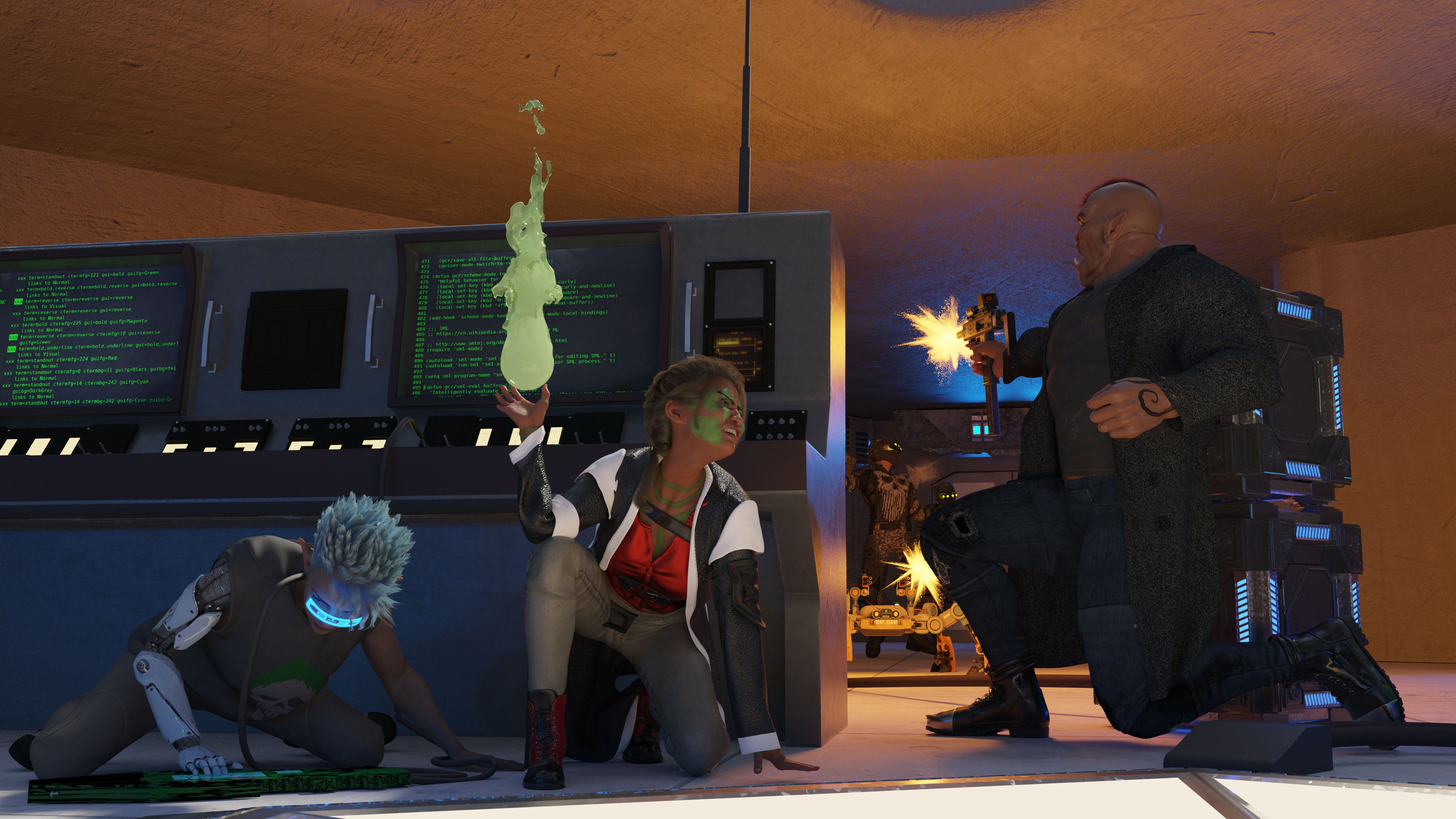
and tooned it.

Since I only briefly dabbled with Filament before FilaToon was released, I don't know if the emissives not actually casting light onto anything is a limitation of Filament, Daz's implementation of Filament, or FilaToon itself.
New Free Digital Art Live seriesDemonstrating cool new ways to use the new Filament beyond just FilaToon (or course, we'll look at FilaToon Too), Creature Transformation, the new Premier Geometry Sculptor (methods also work using Mesh Grabber), Imaginative use of HDR domes, of course some Fun with Legacy content as always, and also as always - a Whole Lot More!!!

The episode also includes the custom Dartanbeck's Filament Lighting Preset A as a free download - I'll be demonstrating its use throughout the show
Anime Toons and Filatoon Shader Q&AMarcCCTx said:
Working on some old figures. Can anyone confirm is you reapply a shader, does it resize the black line? I was changing to filadtoon-base to the skin or the hair and it seemed to change the toon-outline's mesh offset to .10 (too small to show.)
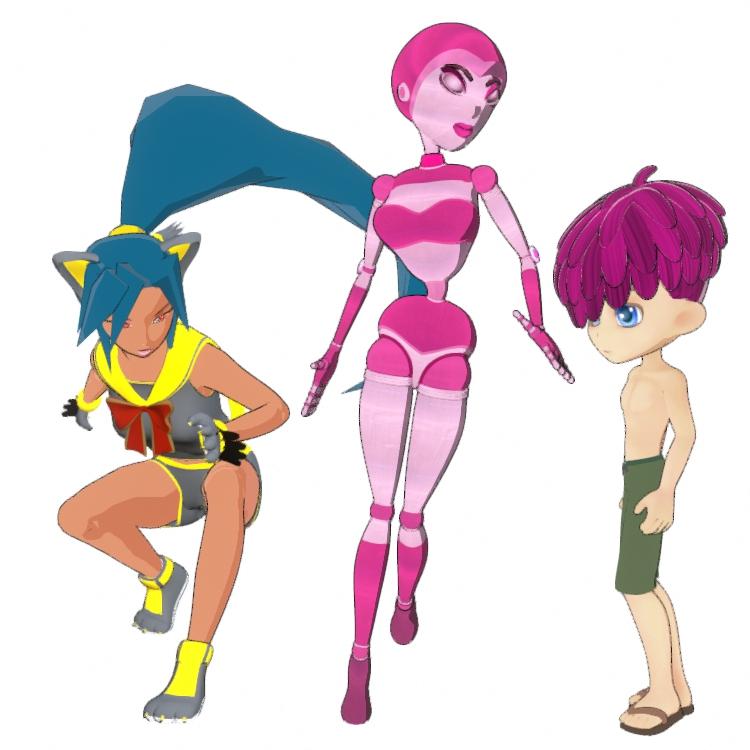
I'm not sure if it reapplies the default line width, but it likely does. One thing that can help with the jaggy lies though is to select the Filament Draw Options node in the Scene Tab and then in the Parameters Tab select "Anti-Aliasing" and increase the sample count. I bump it up to around 75 for mine and it helps smooth the outline.
FilaToon / Cell shaded rendering with Filament
Thanks Mada.Mada said:noshobawolf_f994bf986d said:
Dartanbeck said:
noshobawolf_f994bf986d said:
Definitely need some tuts on filament lol. But the first go.
Awesome!
As for the tutorials - I have to say, Jay's MasterClass is an Excellent way to learn a whole lot in no time - though Filament has just switched gears in a Big way since then
Thanks for the tip. Might have to get texture happy to adjust for the Iray. Look like you used a picture vs the toon look. One thing I want to know how is to adjust the outline width.
First post in this thread covers a lot of that info :)
https://www.daz3d.com/forums/discussion/704951/anime-toons-and-filatoon-shader-q-a/p1FilaToon / Cell shaded rendering with Filamentnoshobawolf_f994bf986d said:
Dartanbeck said:
noshobawolf_f994bf986d said:
Definitely need some tuts on filament lol. But the first go.
Awesome!
As for the tutorials - I have to say, Jay's MasterClass is an Excellent way to learn a whole lot in no time - though Filament has just switched gears in a Big way since then
Thanks for the tip. Might have to get texture happy to adjust for the Iray. Look like you used a picture vs the toon look. One thing I want to know how is to adjust the outline width.
First post in this thread covers a lot of that info :)
https://www.daz3d.com/forums/discussion/704951/anime-toons-and-filatoon-shader-q-a/p1FilaToon / Cell shaded rendering with Filament
Thanks for the tip. Might have to get texture happy to adjust for the Iray. Look like you used a picture vs the toon look. One thing I want to know how is to adjust the outline width.Dartanbeck said:noshobawolf_f994bf986d said:
Definitely need some tuts on filament lol. But the first go.
Awesome!
As for the tutorials - I have to say, Jay's MasterClass is an Excellent way to learn a whole lot in no time - though Filament has just switched gears in a Big way since then
How to get Filatoon shader?Filament is not yet available for Mac. Rumor has it that they're working on it behind the scenes, but we have no solid information, and at Daz, "coming soon" can sometimes be measured in years.
FilaToon / Cell shaded rendering with Filamentnoshobawolf_f994bf986d said:
Definitely need some tuts on filament lol. But the first go.
Awesome!
As for the tutorials - I have to say, Jay's MasterClass is an Excellent way to learn a whole lot in no time - though Filament has just switched gears in a Big way since then
FilaToon / Cell shaded rendering with FilamentDefinitely need some tuts on filament lol. But the first go.FilaToon / Cell shaded rendering with FilamentHere's my first try at this, now that my library is redownloaded. Just need to learn how to work with lighting in Filament, and how best to convert various materials.
AIUTO...CHI CONOSCE L’ITALIANO? PARTE QUATTORDICIImago said:
Kainjy said:
Imago said:
Kainjy said:
Non voglio l'HDRI come sfondo ma una semplice bitmap. Come ho fatto con l'immagine sotto
Nel senso che vuoi usare una immagine al posto del HDR nel Dome o che posizioni un plane, un cube o una sphere con applicata una texture e lo usi come sfondo?
Voglio che il Backdrop di Daz funzioni.. va con Iray ma con Filament no... Inoltre se uso piani ecc.. poi devo sempre controllare che:
- il piano sia inclinato verso la camera (se ne ho 3-4 camere è una rottura..)
- il piano abbia le stesse proporzioni dell'immagine sennò viene stretchiata.In più poi il piano riceve ombre e effetti di luce.. invece lo preferisco neutro e pulito (come nell'immagine sopra dove ho messo solo la nebbia a coprire i piedi per non avere problemi)
Allora una un billboard automatico, ne trovi un pò in giro gratuiti.
Altrimenti utilizzi un plane imparentato alla telecamera. Io lo faccio spesso è una buona soluzione anche per certi effetti speciali
A questo punto faccio prima a renderizzare con la trasparenza e appiccicarlo con photoshop... se devo fare tutti sti giri.
E poi il piano mi riceve/proietta ombre e devo settare bene il materiale per non avere riflessi o altri effetti indesiderati. In più se uso 3-4 camere devo fare 3-4 piani diversi.AIUTO...CHI CONOSCE L’ITALIANO? PARTE QUATTORDICIKainjy said:
Imago said:
Kainjy said:
Non voglio l'HDRI come sfondo ma una semplice bitmap. Come ho fatto con l'immagine sotto
Nel senso che vuoi usare una immagine al posto del HDR nel Dome o che posizioni un plane, un cube o una sphere con applicata una texture e lo usi come sfondo?
Voglio che il Backdrop di Daz funzioni.. va con Iray ma con Filament no... Inoltre se uso piani ecc.. poi devo sempre controllare che:
- il piano sia inclinato verso la camera (se ne ho 3-4 camere è una rottura..)
- il piano abbia le stesse proporzioni dell'immagine sennò viene stretchiata.In più poi il piano riceve ombre e effetti di luce.. invece lo preferisco neutro e pulito (come nell'immagine sopra dove ho messo solo la nebbia a coprire i piedi per non avere problemi)
Allora una un billboard automatico, ne trovi un pò in giro gratuiti.
Altrimenti utilizzi un plane imparentato alla telecamera. Io lo faccio spesso è una buona soluzione anche per certi effetti speciali
AIUTO...CHI CONOSCE L’ITALIANO? PARTE QUATTORDICIImago said:
Kainjy said:
Non voglio l'HDRI come sfondo ma una semplice bitmap. Come ho fatto con l'immagine sotto
Nel senso che vuoi usare una immagine al posto del HDR nel Dome o che posizioni un plane, un cube o una sphere con applicata una texture e lo usi come sfondo?
Voglio che il Backdrop di Daz funzioni.. va con Iray ma con Filament no... Inoltre se uso piani ecc.. poi devo sempre controllare che:
- il piano sia inclinato verso la camera (se ne ho 3-4 camere è una rottura..)
- il piano abbia le stesse proporzioni dell'immagine sennò viene stretchiata.In più poi il piano riceve ombre e effetti di luce.. invece lo preferisco neutro e pulito (come nell'immagine sopra dove ho messo solo la nebbia a coprire i piedi per non avere problemi)
Anime Toons and Filatoon Shader Q&AWendyLuvsCatz said:
MarcCCTx said:
How do I set the lens distortion type to cylindrical or spherical when rendering VR images with FilaToon?
There's a problem that this is a single image. There are no objects to outline, for the toon effect. You can attach the image to a sphere and make the it a filatoon, but it is still a background image.
I think they mean why can't they render a spherical lens scene
short answer that's iray only
I had the same frustration with 3Delight too when I wanted to do one, the preview window which Filament uses still does spherical in iray
So it is only iRay?
I would like to see the ability to use VR spherical distortion lenses in Filament as well.
As a visual for animation and games, I am sure it can do many interesting things.AIUTO...CHI CONOSCE L’ITALIANO? PARTE QUATTORDICIImago said:
Kainjy said:
Almeno mettessero una funzione per avere lo sfondo in Filament...
Una roba strana tipo "Draw Dome" nelle opzioni di Filament...?

Hai provato a creare il nodo Filament Draw Style?
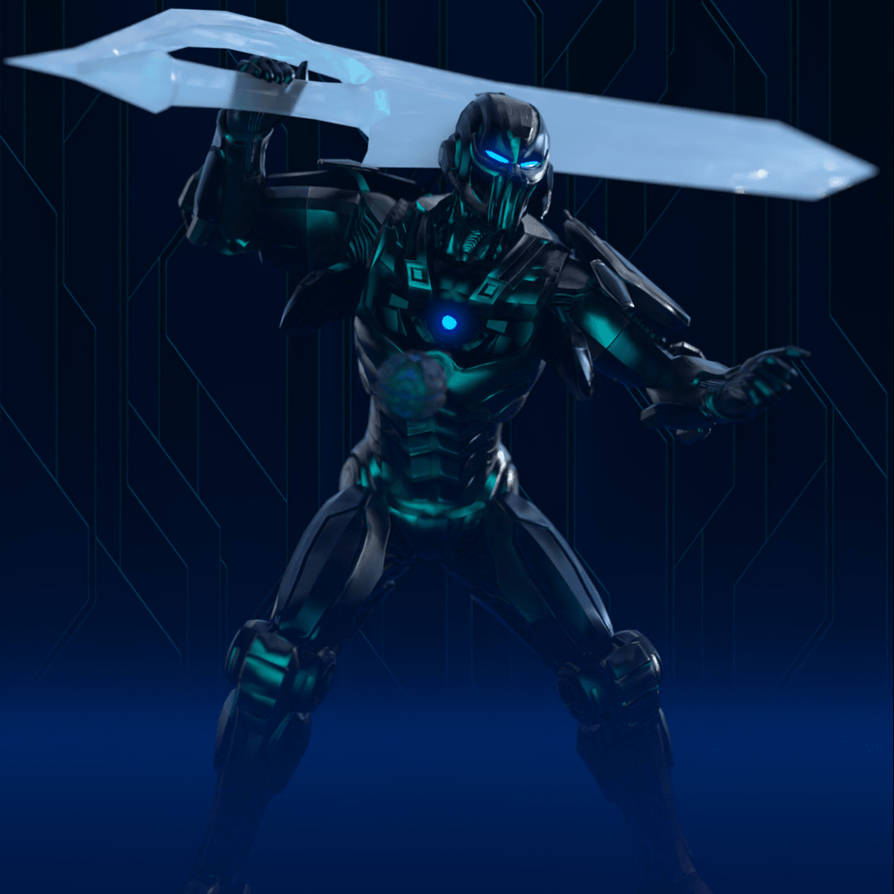
Non voglio l'HDRI come sfondo ma una semplice bitmap. Come ho fatto con l'immagine sotto
 Anime Toons and Filatoon Shader Q&A
MarcCCTx said:
How do I set the lens distortion type to cylindrical or spherical when rendering VR images with FilaToon?
There's a problem that this is a single image. There are no objects to outline, for the toon effect. You can attach the image to a sphere and make the it a filatoon, but it is still a background image.
I think they mean why can't they render a spherical lens scene
short answer that's iray only
I had the same frustration with 3Delight too when I wanted to do one, the preview window which Filament uses still does spherical in iray
FilaToon / Cell shaded rendering with FilamentPax Asteriae said:
ainm.sloinneadh said:
Pax Asteriae said:
WendyLuvsCatz said:
Pax Asteriae said:
Rendered out this as a video to see how it was going and... well...
https://youtube.com/shorts/nMsdT9K-zSU
I suppose it's one way to fix pokethrough. Not quite sure why Filament decided he and his pants needed to vanish, but it definitely gave me a laugh.
it does that in animation sometimes if you have geografts, reloading the scene and rendering sometimes fixes it
There's no geografts though.
 It just decides it's had enough. It did also did it twice in viewport (well, the render's just the viewport anyway, so...) when I was fiddling around with the camera. I never know what it's going to hide either; the first time, the top and his body went and just left his pants, and the second time it was everything but eyes, teeth and hair. It just amused me that it was halfway through the video and suddenly he became The Amazing Dancing Teeth.
I saw similar issues when I left the animation rendering in the background while I browsed. Another one I had while browsing was the animation was sliced in two vertically, with the top half on the bottom and the bottom have on the top. I don't know if switching to another task is the cause, but there is a pop-up warning that tells you not to block the viewport while rendering an animation using filament.
Haha, not that either: it was the main app with nothing obscuring the viewport, and Windows knows better than to go to sleep (after severe words previously). I had it rendering on my render PC while I was working on a different one, so I could keep an eye on it. It's just a weird Filament bug. It's nice that it's not persistent though, so even if you save after it's happened, it reloads just fine. It's just the funniest DS bug I've encountered in a while, and Filament renders video so quickly that it's not a problem to redo it. (This video is ~361 frames and even though it's pretty basic, it rendered to video in around 10 minutes.)
Right. Luckily, even if we save the scene while in this state we can restart Studio and render, and it will work.
It's a known issue that they're working on.
For some crazy reason, working for a long time on animations does this - and working for a long time on animations is what I do! LOL
So I work everything out and, when that happens, I save. If the animation is otherwise ready to render, I just restart Studio, load the scene and render it right away.
They'll fix it. I know they will. These developers are absolutely amazing! Love 'em!
AIUTO...CHI CONOSCE L’ITALIANO? PARTE QUATTORDICIKainjy said:
Almeno mettessero una funzione per avere lo sfondo in Filament...
Una roba strana tipo "Draw Dome" nelle opzioni di Filament...?
Hai provato a creare il nodo Filament Draw Style?
There's Always Another Sale Thread -- Discussions Only Pt 3I like the filament toon stuff for the reason that it provides another art style for folk to enjoy. It's not my thing, but it's cool when more people are invited to the party.
So far I haven't spent a blessed cent on this sale. At this rate, I'm holding out hope there will be something special for Halloween itself -- and that the monthly coupons don't deactivate early if that's the case.
Betting that Nov 1-2-3 will be a surprise extension "final-final-no-really-we-mean-it-this-time-final weekend" catch up sale.
Daz 3D is part of

Connect
DAZ Productions, Inc.
7533 S Center View Ct #4664
West Jordan, UT 84084Licensing Agreement | Terms of Service | Privacy Policy | EULA
© 2026 Daz Productions Inc. All Rights Reserved.