-
Filament gpu requirements?
Filament does use the GPU of course, as it is a viewport engine. Any GPU is supported, as far as the drivers and chipset are recent enough. I can use filament both with my AMD Vega 8 and with my GTX 1060. To select the card in windows 10 go to graphics settings, where you can set the card to use for each application.
Filament bring out the Rendersare new Filament options to explore besides toon
there is Bloom and lens flares
and the Filatoon shader includes ambience you can add to flames

only used Bloom not lens flares here
my old scenes missing many things from the drive that died including M3 second skins I polypainted in Zbrush, just tiled fabric shaders for now
Premier QuestionsIs it actually part of the Premier subscription that the right of return is cancelled? I want to return the Vicky 9 Character Bundle and have been waiting for a response and refund since Friday, even though I've only had the best experiences with the sales department so far.
No, DazTafi, I'm not changing my mind. If you don't tell your customers that filament is not suitable for MacOS, don't be surprised if the stuff is returned.
Anime Toons and Filatoon Shader Q&AI think that's a general limitation of Filament. Emissives seem to only generate bloom, not light, so you'll have to use some point lights to compensate.
Filament gpu requirements?Oh? Huh. So it probably uses cpu. If so which is better fast cpu speed or more cores? If it's using CPU not gpu my gaming laptop probably will be my go to for filament toon renders. The cpu has a decent boost clock speed and 10 cores I forget how many of them are p cores and how many are e cores. It a 12 gen i7 laptop cpu
Filament gpu requirements?I could be wrong, but I don't think Filament uses the GPU.
Filament gpu requirements?What are the minimum requirements for filament rendering engine? I want to make use of the new g9 toon features.
FilaToon / Cell shaded rendering with FilamentI played with it for about two hours-not too bad. I will have to re-read the threads here and mada's post and go over some of Jay's filament settings. I love the tooning. (I got the extra filament options in the store also a couple of days ago too) :P
Anime Toons and Filatoon Shader Q&AI took a scene that I rendered a while back
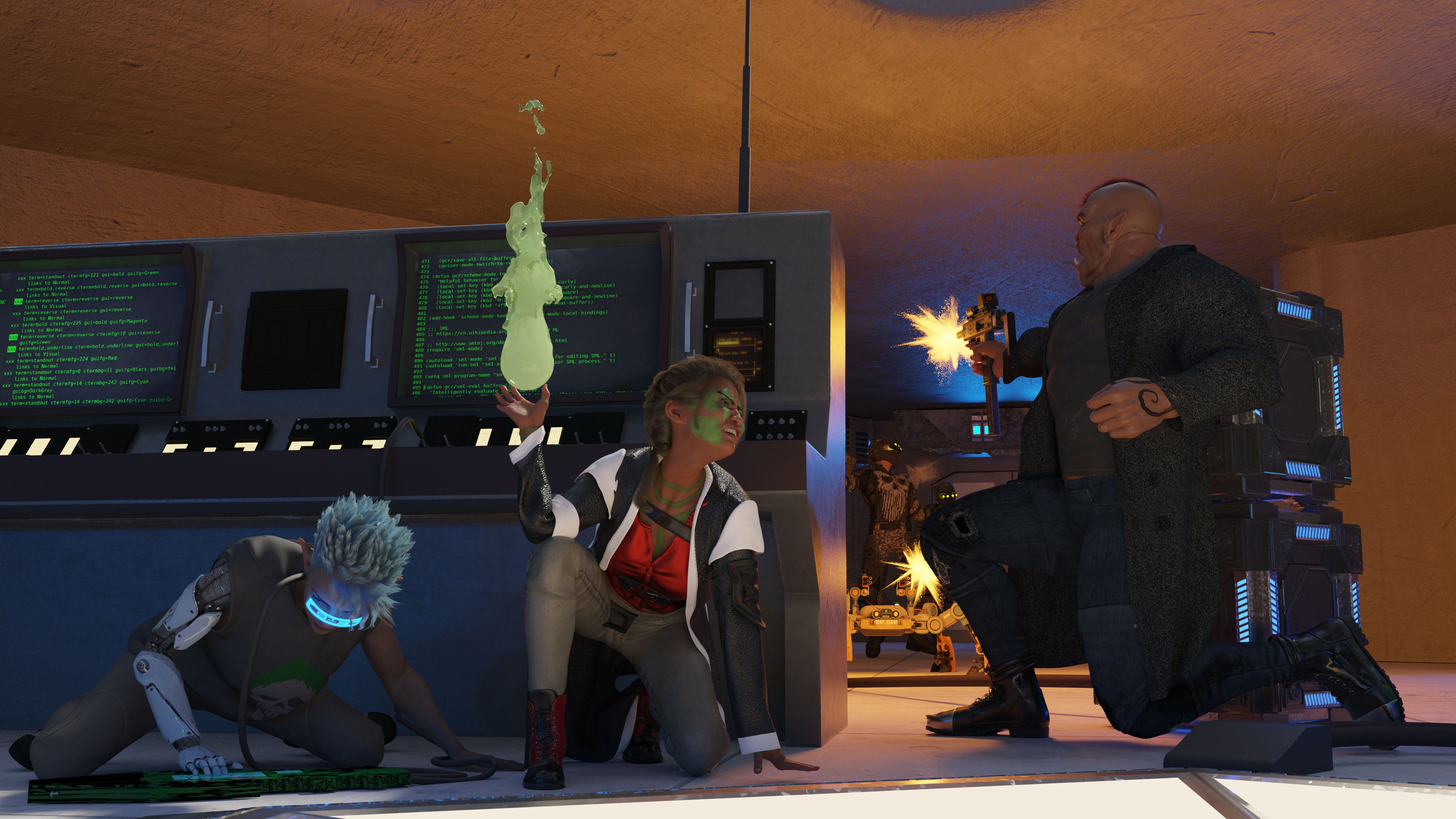
and tooned it.

Since I only briefly dabbled with Filament before FilaToon was released, I don't know if the emissives not actually casting light onto anything is a limitation of Filament, Daz's implementation of Filament, or FilaToon itself.
Filament rendering option disappearedmartinclement said:
barbult said:
To render in Filament, you put the viewport into Filament mode and then select the Viewport render engine in the Render Settings drop down. There is no Filament render engine, per se.
Wow thank you for the tip, even though my thanks come in late. Was trying to find a way to work with these new animé characters then I realized it would be much better in Filament and realized there's no Filament on Daz anymore (yeah Daz loves trying to fix things that aren't broken instead of actually fix the things that are). At least I can now work with second best, as it is not really a Filament rendering but an indirect recording of my screenshot, but oh well...
Filament iss till in daz Studio and has never gone away - on Windows, mac users will have to wait for DS 5 (I believe the issue is the version of the Qt application framework required). It is actually a compi;er issue - using one that can handle Filament would entail recompiling the whole Qt library, and that would break plug-ins
Anime Toons and Filatoon Shader Q&AMarcCCTx said:
I am still trying to achieve larger and smoother outlines with FilaToon.
I'm not sure if it reapplies the default line width, but it likely does. One thing that can help with the jaggy lies though is to select the Filament Draw Options node in the Scene Tab and then in the Parameters Tab select "Anti-Aliasing" and increase the sample count. I bump it up to around 75 for mine and it helps smooth the outline.
Thanks, I have bumped Anti-Aliasing to 75 and tested it on Chip:
 How to get Filatoon shader?
a_gus said:
What a drag to be on a Mac when you want to do 3D!
These machines are as powerful as PCs (an old debate), but software publishers don't make much effort to port their software to platforms other than Windows.
If I had to buy a machine just for software, I'd be very sad to have to leave the Mac environment for that. For the moment, I'm resisting the idea.
As for virtualization solutions, I've tried a lot of them (Parallels, Wine, Bootcamp...) but none has given me complete satisfaction in terms of ergonomics.
Or I'd have to run 2 machines in parallel connected to a screen and only use a PC for the necessary applications, but that's a bit cumbersome and I don't want to get bogged down in over-technical issues.murgatroyd314 said:
Filament is not yet available for Mac. Rumor has it that they're working on it behind the scenes, but we have no solid information, and at Daz, "coming soon" can sometimes be measured in years.
I am told that https://symless.com/synergy works for handling mutliple systems.
So... Aiko 9...benniewoodell said:
I downloaded Aiko and tried to put iray character materials on her and nothing worked, she just stayed as a clay character. Then I went to dial her in to another G9 character to try that way, and she didn't show up in the shape tab. Can we not mix these premier only characters into others? Can we put regular skins on them?
I don't have Premier so can't answer your questions, but I've had a Iray surfaces display bug in the viewport during Studio sessions that included earlier Filament renders. Can't say if that's the cause and I don't know if you're seeing something similar on your machine, but it's not a problem with the scene and a restart restores normal viewport behaviour. Probably worth a go.
How to get Filatoon shader?What a drag to be on a Mac when you want to do 3D!
These machines are as powerful as PCs (an old debate), but software publishers don't make much effort to port their software to platforms other than Windows.
If I had to buy a machine just for software, I'd be very sad to have to leave the Mac environment for that. For the moment, I'm resisting the idea.
As for virtualization solutions, I've tried a lot of them (Parallels, Wine, Bootcamp...) but none has given me complete satisfaction in terms of ergonomics.
Or I'd have to run 2 machines in parallel connected to a screen and only use a PC for the necessary applications, but that's a bit cumbersome and I don't want to get bogged down in over-technical issues.murgatroyd314 said:
Filament is not yet available for Mac. Rumor has it that they're working on it behind the scenes, but we have no solid information, and at Daz, "coming soon" can sometimes be measured in years.
Using the New Filament Draw OptionsThis is freaking Filament!!!
 Is Filament's Hair Issue Fixed?
Maybe I got lucky, but I was just messing around with a Filament render, and it seems like the transparency issues with hair is fixed. I'm assuming it has something to do with the lastest update. Was just wondering if anyone else noticed this?
Filament rendering option disappearedbarbult said:
To render in Filament, you put the viewport into Filament mode and then select the Viewport render engine in the Render Settings drop down. There is no Filament render engine, per se.
Wow thank you for the tip, even though my thanks come in late. Was trying to find a way to work with these new animé characters then I realized it would be much better in Filament and realized there's no Filament on Daz anymore (yeah Daz loves trying to fix things that aren't broken instead of actually fix the things that are). At least I can now work with second best, as it is not really a Filament rendering but an indirect recording of my screenshot, but oh well...
Using the New Filament Draw OptionsHey there, this is Dartanbeck.
Say, I've been working away at the next Creative Cart episode and wanted to utilize the new Filament Draw Options in Daz Studio. I used Filament last time (The Tribute to Jack Tomalin) and it really worked well - and that was the 'then' Filament Options.
The reason being that the Iray viewport, which I don't really notice while I'm busily recording my work session, flashes bright white between refreshes. It never really hit me at first - but I thought I'd try Filament and do a little extra work to make it look better on screen than something else, like Texture Shaded, for example. Though I've tried others too.
With a big sigh of relief after (finally) completing the promo video for this month's Halloween Special, I loaded my favorite character, Rosie 8.24, and decided to see if i could create a new version of her that's optimized for Filament - and vice versa.
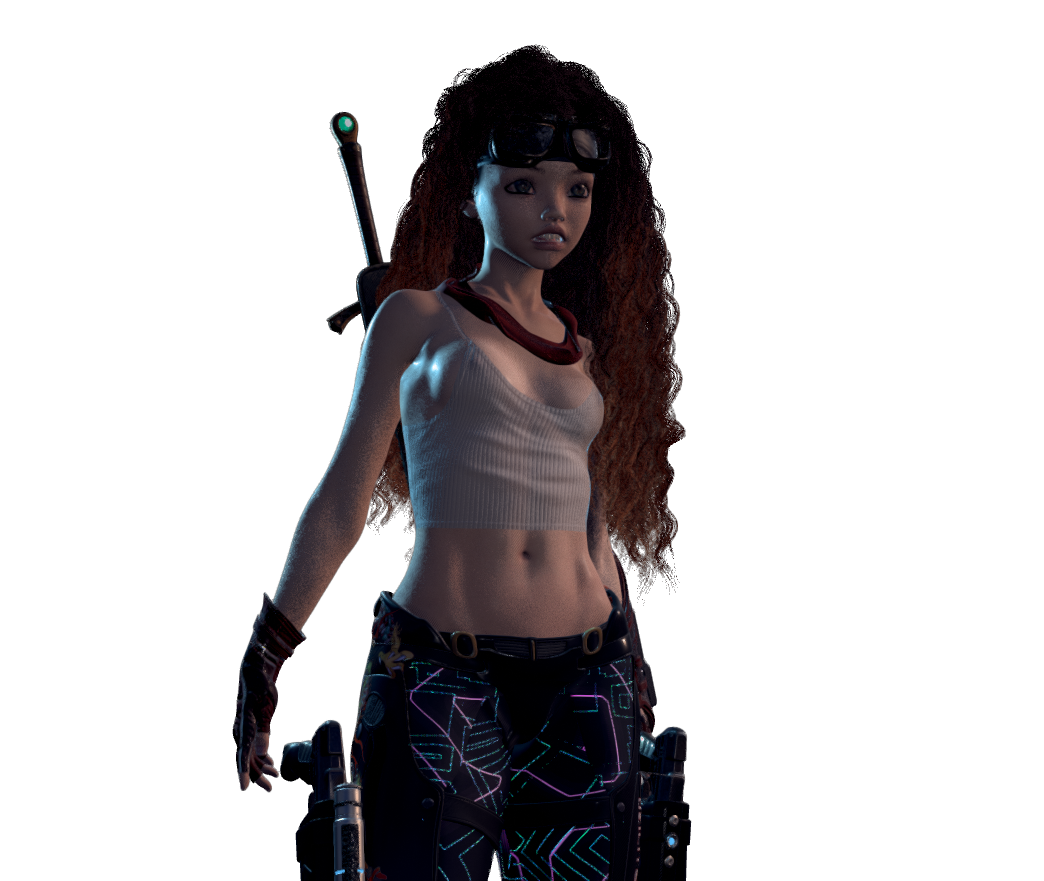
This is not meant to be a brightly lit scene - she'll be in a shady back alley
This all came from the idea that was born in getting things set up for the upcoming show - a Filament Lighting Rig preset with a Distant, a Key, Rim and Fill Light - each with their own swivel around point zero (for individually rotating the chosen light around the center of the scene) which are all housed in a single rig located at the same spot - the point blank zero location that marks where everything loads.
So as long as I'm using this setup and Filament during the show, I thought - hey, why not give this to everyone so I can show them how it works during the show?!!!
So there's now a free light rig on my website - made to supplement the Daz 3D - Daz Studio Creative Cart show.
The post for that particular episode is HERE
Never heard of it?
The Creative Cart is a Free, Live Webinar event that we hold every month - showcasing Daz 3D content and creative ways to get it out of the My Daz 3D Library and into a rendered image folder so we can share something cool with the world.
There are often upgrades you can buy instead of just the free course, and in case you miss one or want to collect them for your own keeping, they're sold later on here at Daz 3D.
The cool part about attending the actual webinar is that I pause from my presentation throughout each show to see if anyone has any questions. At some point during each show Paul, of Digital Art Live and Daz 3D, asks the audience if anyone wants to share their screen - show some art that pertains to the episode. It's really cool.
The cool part about having it as a recording is that we can pause - even change the speed (I know my video player can) at certain points if we want.
You see, I record myself working most of the show ahead of time and edit out the boring, long waits - loading, rendering, simulating, etc., - which makes it possible for me to cover a lot more cool stuff in each webisode than what would be possible otherwise - which is why I never sleep! LOL
Why am I explaining the show in this thread?
Because I'll be demonstrating some cool things in this one that pertains directly to utilizing these amazing new Filament Draw Options for our every day work - and rendering too!
Dartanbeck's Journey - CG FilmmakingThis is a Filament render of the WIP Rosie 8.24 Filament.The only FilaToon shader conversions are her hair (Yes! I've discovered a Great way to utilize transparecies!!!) and the jewel in her Legend Sword.
She's using Dartanbeck's Filament Lighting Preset, which is available Free on the Creative Cart Episode 008 page at Dartanbeck.com
I'll be demonstrating how I use it during that Free Webinar! October 26, Saturday 2024
Hope to see you there - it's a Blast! I love being around you folks! :)
There's Always Another Sale Thread -- Discussions Only Pt 3WinterMoon said:
Unfiltered opinion: I'm not crazy about all this toon stuff that's all the rage. This is a 3D program.

I kind of agree, mostly because so many of the samples look so oversaturated and not ot my taste. Yet it solves a long-running DS problem of how to get a cel-shaded look quickly and easily. The last really good cel-shader was PWToon and that's kind of a hassle to use (material setup, etc) and (IIRC) not even available any more. So, as one more tool in the toolbox and maybe as a step forward for much-neglected Filament renderer, it's a good thing.
Daz 3D is part of

Connect
DAZ Productions, Inc.
7533 S Center View Ct #4664
West Jordan, UT 84084Licensing Agreement | Terms of Service | Privacy Policy | EULA
© 2026 Daz Productions Inc. All Rights Reserved.