-
Carrara Non Photo Realistic Works 2
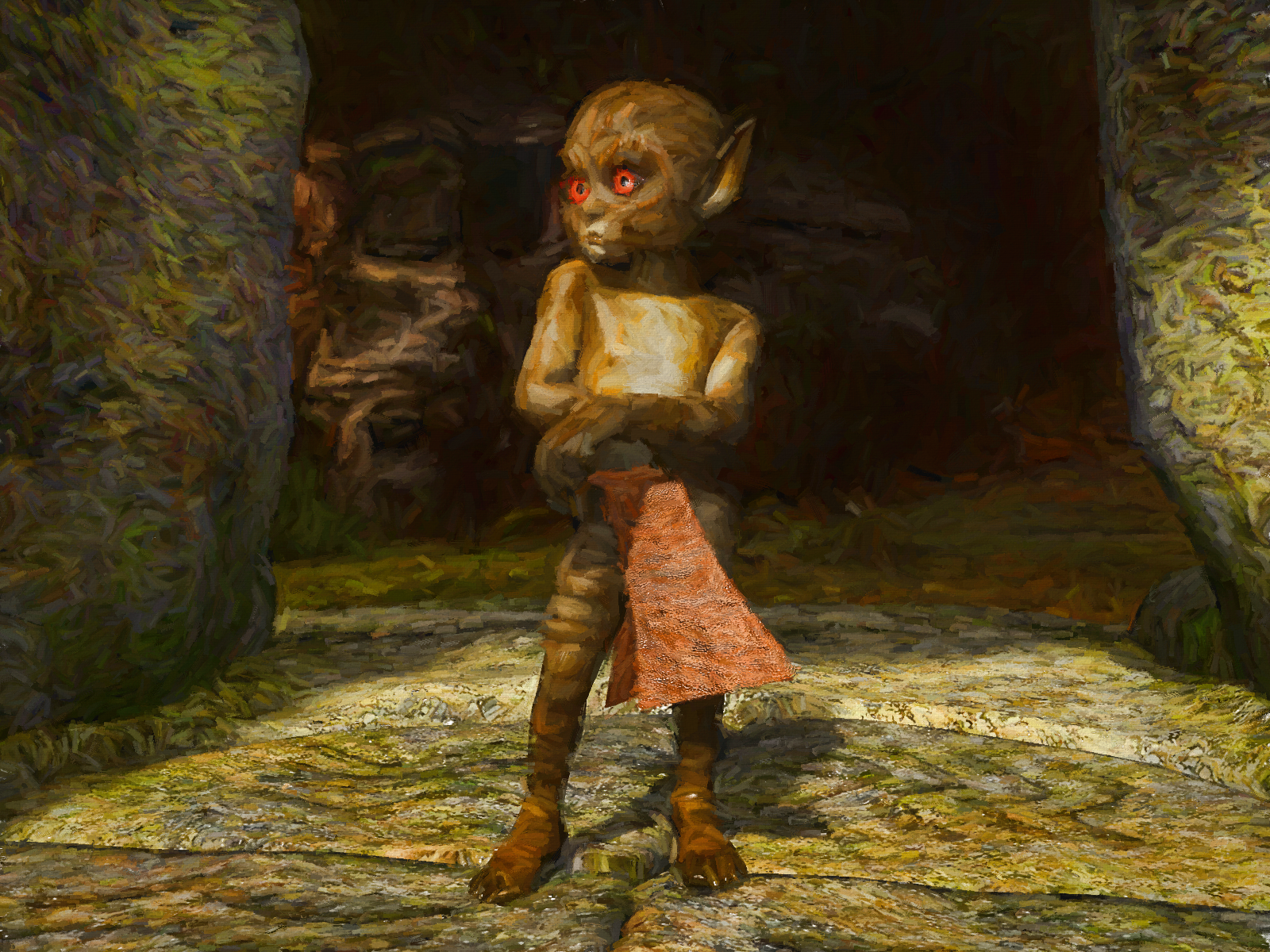
K4 Gremlin - head morph did not work so dialled in a few different head morphs.
 How to. Custom G8 morph to G9 morph help
If it's just a body morph, more or less it should be fine, maybe just check fingernails and toenails to see if there's any tiny distortion. But potential issues of using Clones for converting head morphs would be some distortion on eyeballs, irises, mouth cavity, etc. depending on different custom figures... and expressions as well like Eye Blink... for the eyelids cannot be 100% well closed in nearly 95+% conversion cases...
DAZ Horse 2 Anatomical Elementscontedesfees said:
DAZ Horse 2 displays a black "blob" where the genitalia is expected. The "Gelding" morph removes the "blob," but that does not solve the problem. Is it therefore necessary to buy another asset? Thanks to one and all.
As far as i know, DAZ doesn't offer private parts for the horse 2. Try renderotica and look for meipe
Struggling with Weight Mapping for rigged ArtStation clothing [solved]lilweep said:
Tighter outfit that hugs figure more closely will give a better result from the auto weighting of Transfer Utility.
The armpit and crotch on clothing are the areas that usually need a lot of tweaking with weight mapping and pJCM to fix them.
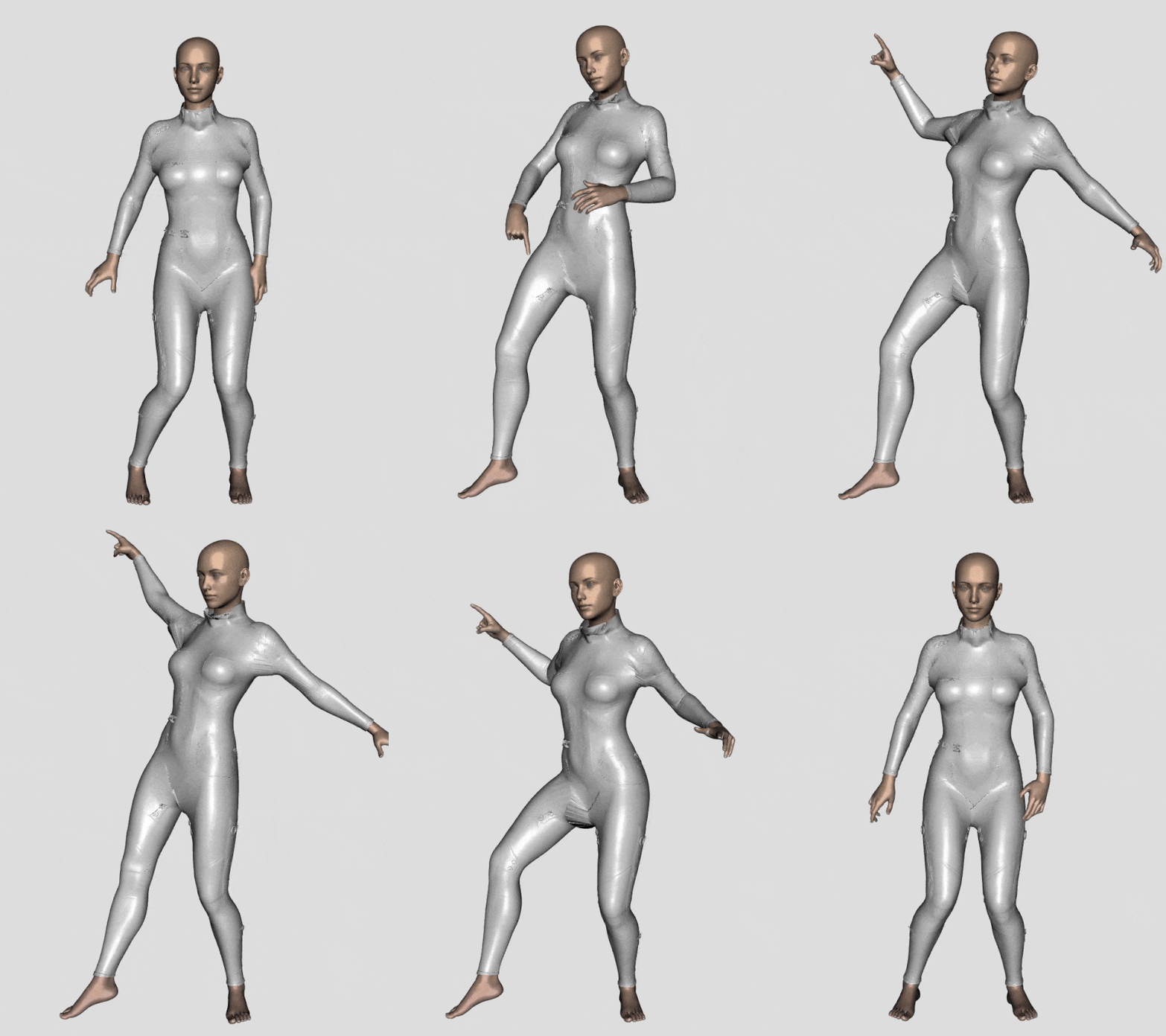
Yeah, the armpits and crotch are problematic.
I came across a pJCM tutorial on here a while back - I will do some addtl research into how to fix those.
Thanks again for your help.
Need help. Head for Genesis 8 Male is stock with a weird Morph and i can't fix it.for some reason. everytime i use Genesis 8 Male. the head always looks like this and the other morphs only screw it more up. any help?
Struggling with Weight Mapping for rigged ArtStation clothing [solved]Tighter outfit that hugs figure more closely will give a better result from the auto weighting of Transfer Utility.
You can replace the geoemtry with a better drape after Transfer Utility has given you the weight mapping.
to do a 'tight' version of outfit, you can put a negative pressure value on pattern peices so that they hug the figure more closely. Alternatively, change Warp/Weft to smaller value does the same thing to make a tight outfit.
The armpit and crotch on clothing are the areas that usually need a lot of tweaking with weight mapping and pJCM to fix them.
no thumbnail, not able to load content *FIXED*Richard Haseltine said:
Something in the transfer to the new store software broke the order date info (it failed at that time without any change in DS) and the issue still hasn't been resolved - it is very annoying.
Ah ok. Then it is not a "user error". Thanks for solving that mystery :)
Celebrity Look-a-Likes for 3D figures part 3Zicon said:
Pugwash_3769741927 said:
Needing a heads-up or at least a direction to take.
Going through today's Daz+ sale and have found a swimsuit collab by Nikisatez, Sade and Moonscape Graphics. Not of particular interest to this thread in itself. But the Promo image has definite Bryce Dallas Howard overtones.
Does anyone recognise the figure ?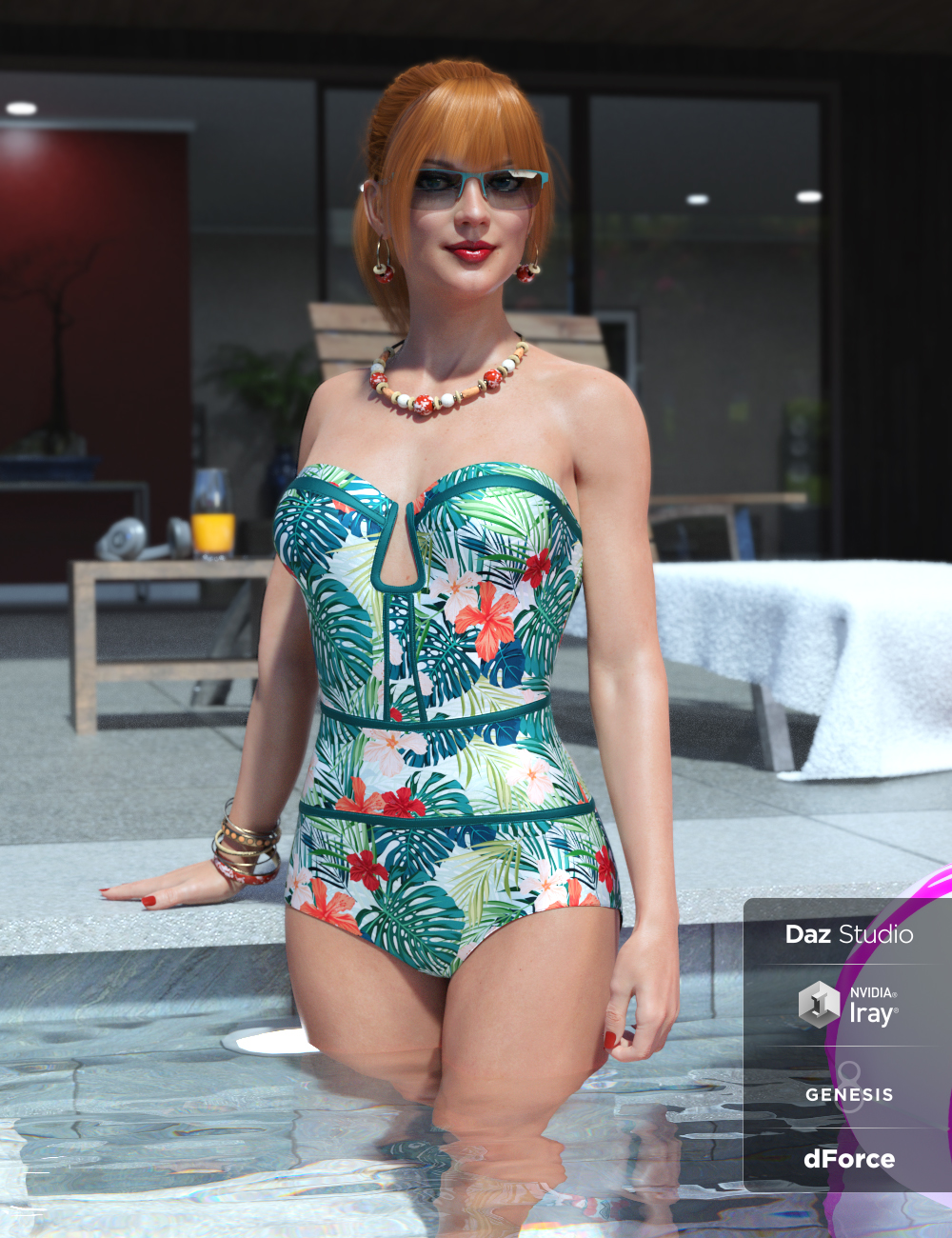
https://www.daz3d.com/sophisticated-swimsuit-for-genesis-8-femalesThat's Zelara 8.
Many thanks Zicon. There wasn't a character set or texture set mentioned and I couldn't guess just on the morphs used. Appreciate the help.
Any chance you might also know about a Chris Pratt head morph as well ? :P Thinking about a sweet follow-on from their Dino journies. Sort of Jurassic Park meets X-Files meets Twilight Zone. That really would be a Disney Franchise to watch !! And Daz, Rawart and Josh Crockett are just a few that keep the beasties and nightmares rolling in so this may have mileage :)DAZ Horse 2 Anatomical Elements
DAZ Horse 2 displays a black "blob" where the genitalia is expected. The "Gelding" morph removes the "blob," but that does not solve the problem. Is it therefore necessary to buy another asset? Thanks to one and all.
Struggling with Weight Mapping for rigged ArtStation clothing [solved]lilweep said:
- Resimulate to correct Daz default pose by either
- (1) load avatar as morph target (your transition is likely small, so this is probably good option)
- (2) delete current avatar and load a short pose transition animation in alembic format (check out Sagan alembic exporter on forums for a good animation exporter for Daz Studio), recording the simulation in the Animation window
- Resimulate again so garment settles on new pose
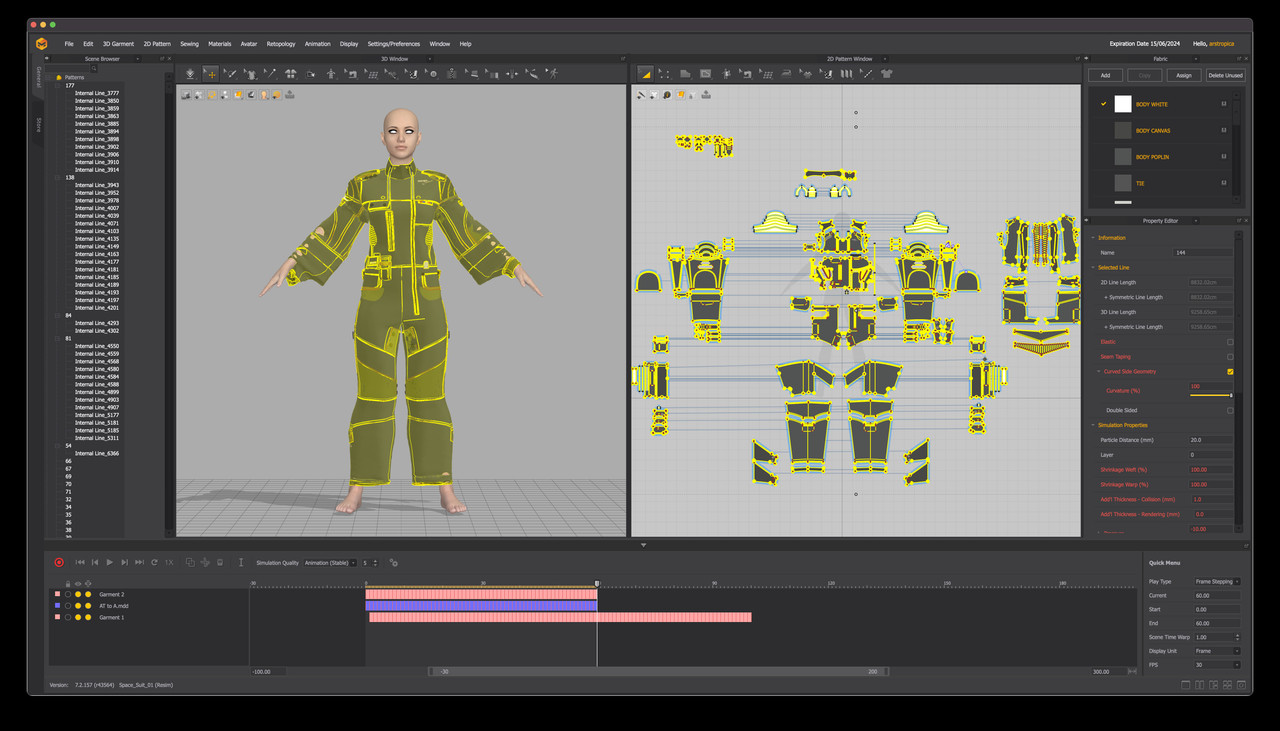
So I am clearly doing something wrong because when I resimulate the garment using an imported pose transition animation, this is what happens.
 Struggling with Weight Mapping for rigged ArtStation clothing [solved]
If go for resimulation in MD with a G8F default A-Pose , more or less is as above steps by using Morph Target. Then export the garment to obj, import into DAZ for fitting to the figure with Transfer Utility (no need to set Current / Reverse Deformations in this way) . Lots of tutorials could be found on youtube.
Well since you're familiar with Blender, you may export the garment (in Pic 2) to blender, smooth the armpits with smoothing brush, then export to obj file. In DS, use Edit - Figure -Geometry - Update Base Geometry to change the Vertex Positions with the obj file. Done ~ Most of the time I myselft go for this way as it's faster...
~ I simulated your case as below, the mechanism is almost the same ~
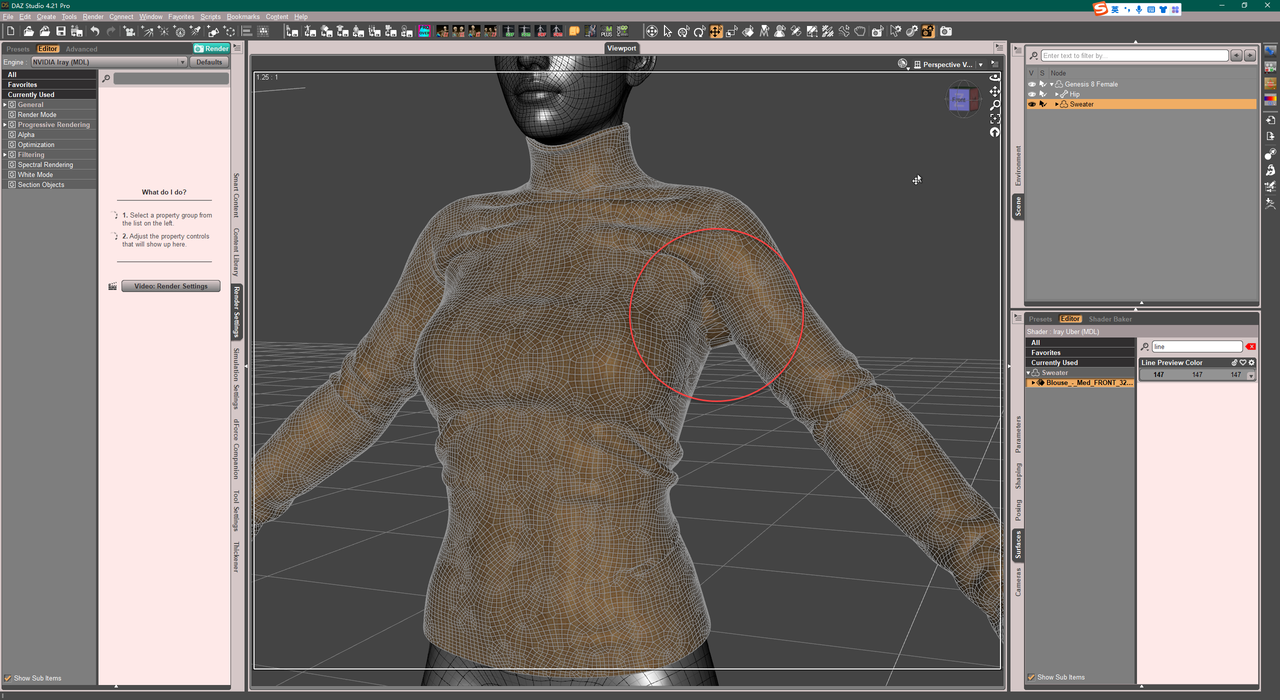
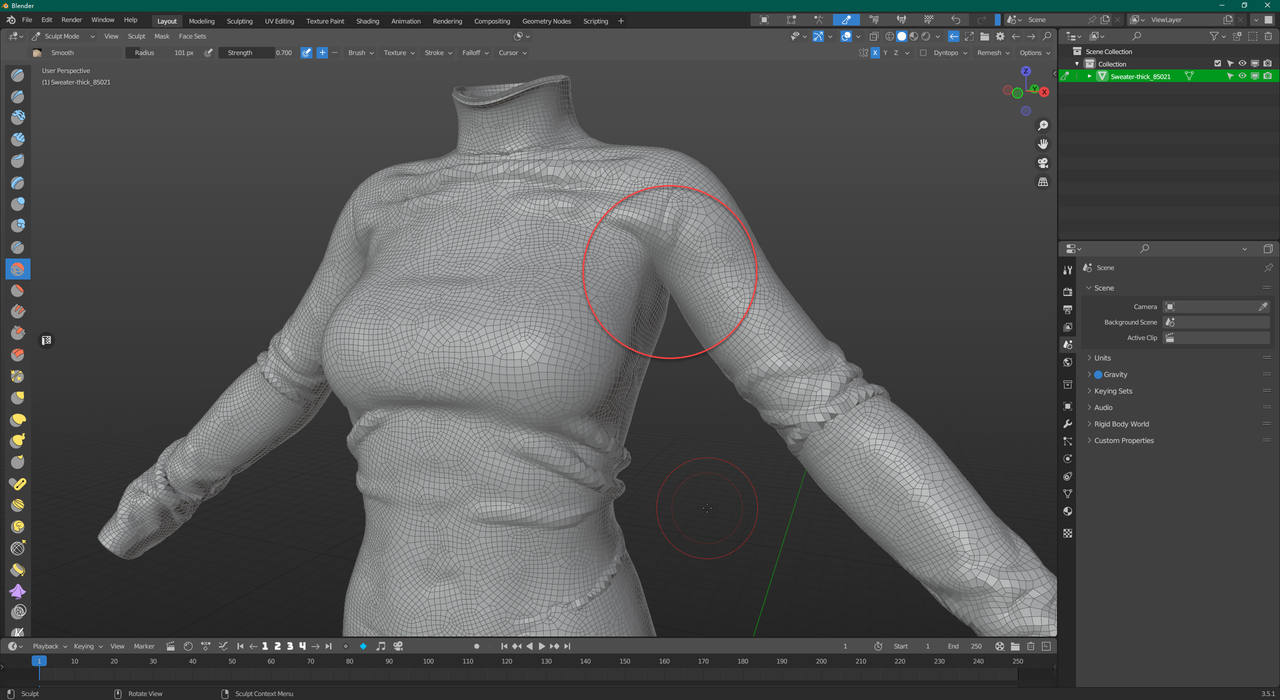
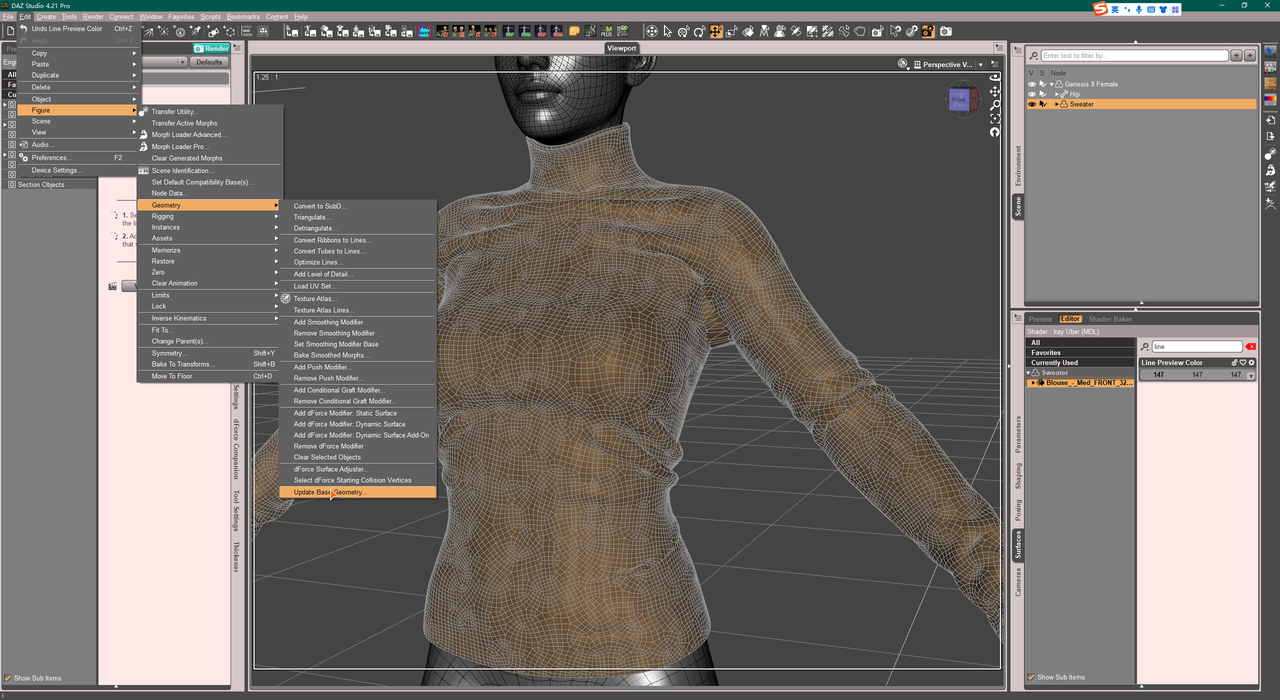
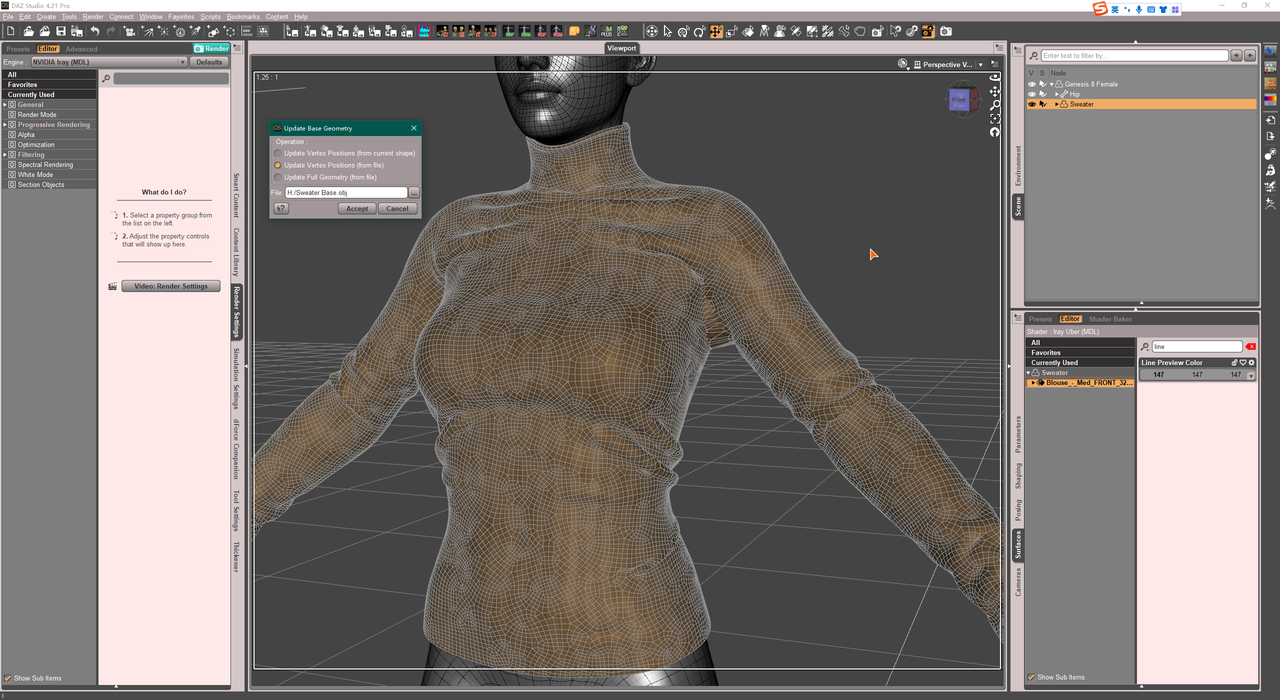
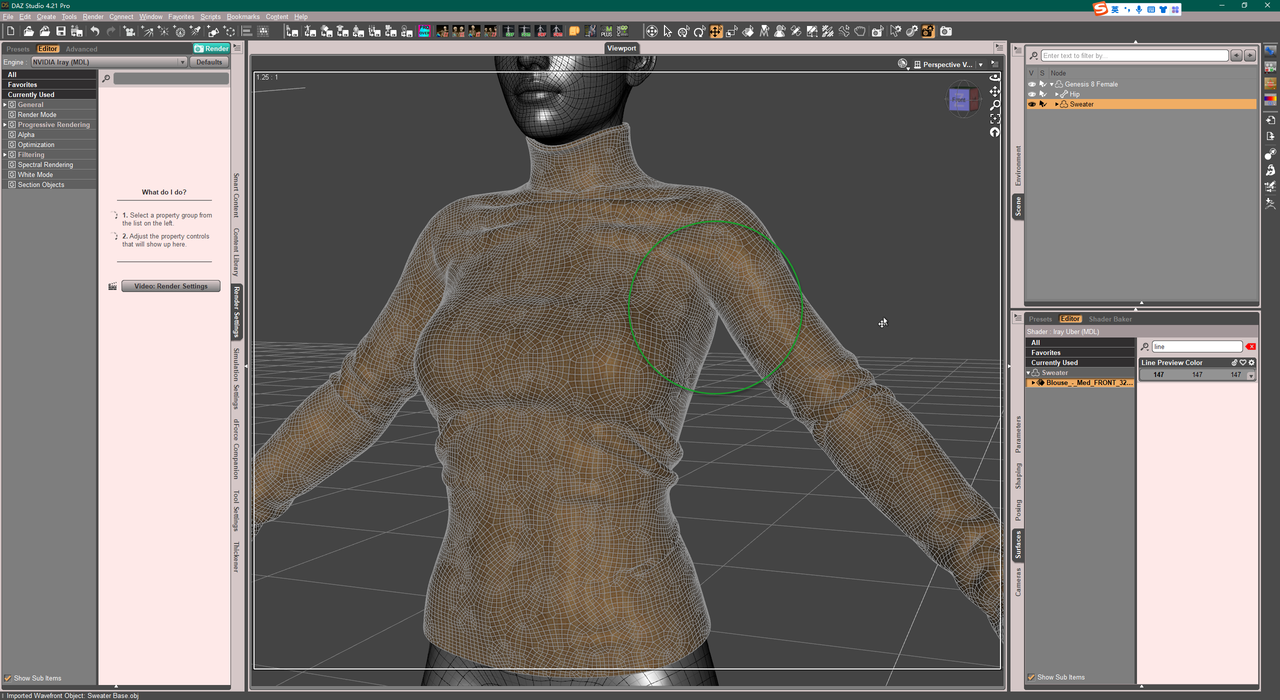
PS: You better do Quadrangulate in MD...
Struggling with Weight Mapping for rigged ArtStation clothing [solved]arstropica said:
For whatever reason, the suit does not retain its basic shape when simulated in marvelous designer with a correctly posed avatar. But TBH, having just gotten MD, I am not very knowledgeable with that software so I am not sure if this is due to a flaw in the clothing design, or if it's something else.
MD is a very basic program and easy to brush up on how to use it in a few hours.
It will probably give a petter result to just simulate in MD to the correct default pose than do anything else to get it into that pose.
The fille you purchased presumably comes with a .zprj file.
- Open that in MD.
- Select all pattern pieces in the 2D Viewport
- in the pattern properties window, put the Particle Density to something high, like 10 or 15 or 20 to start with. Having Particle Density too low is hard to simulate as too high poly. Highpoly (low Particle Density) should only be used for final simulation.
- Import/add obj of avatar with the pose that lines up with garment.
- Simulate so garment settles on avatar.
- Resimulate to correct Daz default pose by either
- (1) load avatar as morph target (your transition is likely small, so this is probably good option)
- (2) delete current avatar and load a short pose transition animation in alembic format (check out Sagan alembic exporter on forums for a good animation exporter for Daz Studio), recording the simulation in the Animation window
- Resimulate again so garment settles on new pose
- Change Particle Density of all pattern pieces again to desired poly count, maybe something like Particle Density = 10. Possibly need to go lower to something like PD = 5 for some parts. Do final sim.
- Select all pattern pieces and click Remesh, if you want better topology
- Select all pattern pieces and export as obj selected.
Important concepts when exportting:
- Fabric names become new Surfaces in Daz (anything after a space is ignored so a fabric named Fabric 1 and Fabric 2 will collapse into single Surface called Fabric)
- Checking Unified Coordinates will use the UV Mapping from the UV Editor window, while leaving it unchecked will use any repeating textures set up in MD
Mechasar's Characters Catalog: Who's next? (commercial)barbult said:
Thanks, I'll give it a try. Will that fix it for all the fruit shapes?
Thank YOU for reporting the problem. Anyway, the updated morph has been submitted, so you can find it in your library in the next days. Sure, that fix applies to all fruit shapes because it’s built on the base figure.
How to. Custom G8 morph to G9 morph helpOk, I have a body morph that I have been using since G3 (transferred over to G8 with a converter). It is a bunch of DAZ morphs combined with a single dial to control them all. I really want to transfer this morph over to G9 (for personal use), without using the Riversoft converter if possible. first off, how would I make it be seen as a single morph when it isn't? I did think about exporting it dialed full on and then importing as a single morph, but then I wouldn't know where to go next. How would I save it? What about the head? then how to get it into G9?
Any tutorials, videos, ideas, or walkthrus on how to do this or if it is even possible would be appreciated.
*** SOLVED*** Genesis 9 Open Mouth Morph???Melanie, don't feel bad. I couldn't find it either and was distressed after doing a search for mouth, lips, open --- and everything else I could think of. Maybe DAZ folks shouldn't change the name of one of the most commonly used morphs in the universe to something they've never even really had before. This is an oversight on DAZ's end rather than stupidity on the users end, if you know what I mean. Don't change things on us that aren't broken. Continuity is the key to development success I'd think. If I have to re-learn the system every time DAZ updates/upgrades, it starts to be detrimental to my desire to use their software and figures. Just my ten cents. It's cool to add new options and morphs, but why did they change the OPEN MOUTH morph name? Not a reason in the world other than somebody felt like it. Again, don't beat yourself up on that one.
Environment prop (car) morph issue - affecting pose controlsThat most likely means that the wheels were rotated on export - the morph will then move their points along a straight line between the base position and the rotated position, which if they were rotated 180 degrees would shrink them to a not on the axle and then grow them back to full size.
Environment prop (car) morph issue - affecting pose controlsOK I seem to have solved the problem of the doors opening and closing. I did this by setting all the pose control values to zero before I exported to .obj. I re-imported my morph and now the doors don't open and close when I adjust the morph percentage. The only thing left are the wheels. When I adjust the value of my morph, the wheels scale in size. The higher I set my morph, the smaller they get. There is a pose control that can be used to spin the wheels, and it's default value (clean import into a new scene) is -100.0%. I set this to zero as well before I exported, but the problem still remains.
Environment prop (car) morph issue - affecting pose controlsAre you sure the mesh you exported didn't have any of those in effect already?
When you say "in effect", are you referring to the value of a particular pose control value being set to something other than zero?
Have you use ERC Freeze on your morph, or another controller, to achieve the desired effect, or do you just set the morph directly with nothing else (intentionally) affected?
I'm not sure what ERC Freeze is (I will look it up), but to adjust the morph I made I select the vehicle in the scene outline, click on 'Morphts' in the parameters tab, then adjust the morph value slider. When I do, the wheels scale, the doors open, etc.
Environment prop (car) morph issue - affecting pose controlsPls try : Zero Figure Pose of the car before exporting to obj. When importing obj back with Morph Loader Pro, use Reverse Deformations + Delta Only and give a unique Name to the morph.
BTW, for such a case of 'moving shifter or sth.', better go for 'rigging' in DS other than 'morphing' outside though the latter works in most of the cases...
Struggling with Weight Mapping for rigged ArtStation clothing [solved]also was the pictures posted in OP after selecting the 'reverse source shape from target', or whatever the option is called, when doing transfer utility?
Daz 3D is part of

Connect
DAZ Productions, Inc.
7533 S Center View Ct #4664
West Jordan, UT 84084Licensing Agreement | Terms of Service | Privacy Policy | EULA
© 2026 Daz Productions Inc. All Rights Reserved.