-
Congrats to Dart for Animation Tutorial!
Thanks! Wow!
What all of the magic is came from the fact that, as a Carrara user, I just knew that animation is not something that Daz Studio is very friendly about. I've tippy-toed into it a few times to see if updates improved it, and they did in strange little ways. I mean, they have incorporated GraphMate into it, but instead of the easy interface it looked like GraphMate had, it's got those tiny, unfriendly little key frames. Trying to work out an animation like I present in the course would be an absolute Nightmare!
Well, what have I (we) always used Daz Studio for? Carrara's plugin.
In that, I've grown quite familiar with the content creation tools. When Carrara 8.5 Pro was in beta, I was in the new Daz Studio 4.0 playing with all of these tools that used to either be expensive or one had to buy Daz Studio Pro to get. Daz bought all of the tools and included them in the Free DS 4, which was a game changer for me.
mmoir did a fun little hair creation experiment, just conforming a sort of sphere-like glob onto the head of a figure. It wasn't even hollowed out. It just worked.
Anyways, Linday came out with the freaking dForce hair that I can no longer live without. Since then I've bought several more and love them all.
In order to animate in Daz Studio, I really needed to find a way to get myself away from that horrible graph editor. I really tried to get used to it - and I did. It just took forever and a day to get anything done - one axis of a single joint at a time.
So I started making Animation Control Dials for Genesis 8. Worked great but my early attempts... I was trying too hard. So when I made them for Genesis 3 (for Rosie 7, my hero!) I kept it very simple. Bam! That was the ticket!
Yes, we still use the timeline, but with almost no deleting of keys. We're basically using that to work with our own edits using the new dials and MorphForms. The new dials are MorphForms, but with a more specific purpose (that's the simplicity that I added to Genesis 3).
So when we make these control dials and save them as morph assets, they remain with the figure in any software that keeps the rigging and dial intact... like Carrara.
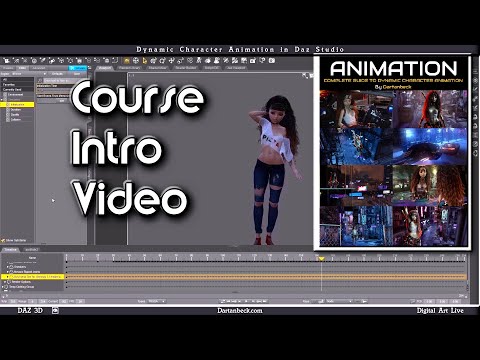
Here's the intro video from the course:
This is a whacky promo I made - no, I don't use the announcer voice At All in the course! LOL
One of the bonus videos is this slightly revisited version of the Rosie 7 Demo 2023A in 1080p HD
Another bonus feature is a pretty cool Behind the Scenes look at the car chase from that video. There's over one hundred people walking that Cyber City! The city is Massive! And then there's Rosie's Hair to deal with through all of that. I tried leaving her out of the car, but that just wasn't working.
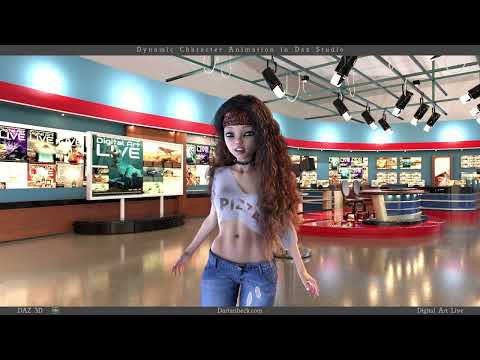
This isn't the bonus video, but just another promo for it.

Seriously though, when I first started trying to work with that amazing hair, all I ever felt like doing was to load an aniBlock and let it go however it turns out. That never really worked for any of my versions of Rosie. It's really hard to imagine how much I despised animating in Daz Studio, now that I'm having so much fun with it that I can't even break away to play Cyberpunk!!!
It really is that freaking fun!
Making these tools is fast and easy. Whenever I start using a new base figure, I quickly make the basics that I need in a single sitting - only a few minutes. Save as Morph Asset... good to go.
So now if I load that figure into Carrara, load in an aniBlock or build an animation from scratch, these tools are there to help perfect it into what I really want folks to see on the screen - which is pure magic!
In Part 1, the viewer just makes some tea and watches me work as I explain what I'm doing all the way through - even taking a little break here and there to show how to work in the timeline without pulling hair out.
I start with a T-pose and end in DaVinci Resolve's Fusion page, showing an very easy (and free) way to composite the character animation into the background or backplate (background in motion). In part 2 I show how I make my backplates to match the character's movements.
This is the end result from Part 1.
 Rogues HD for Genesis 9 (Commercial)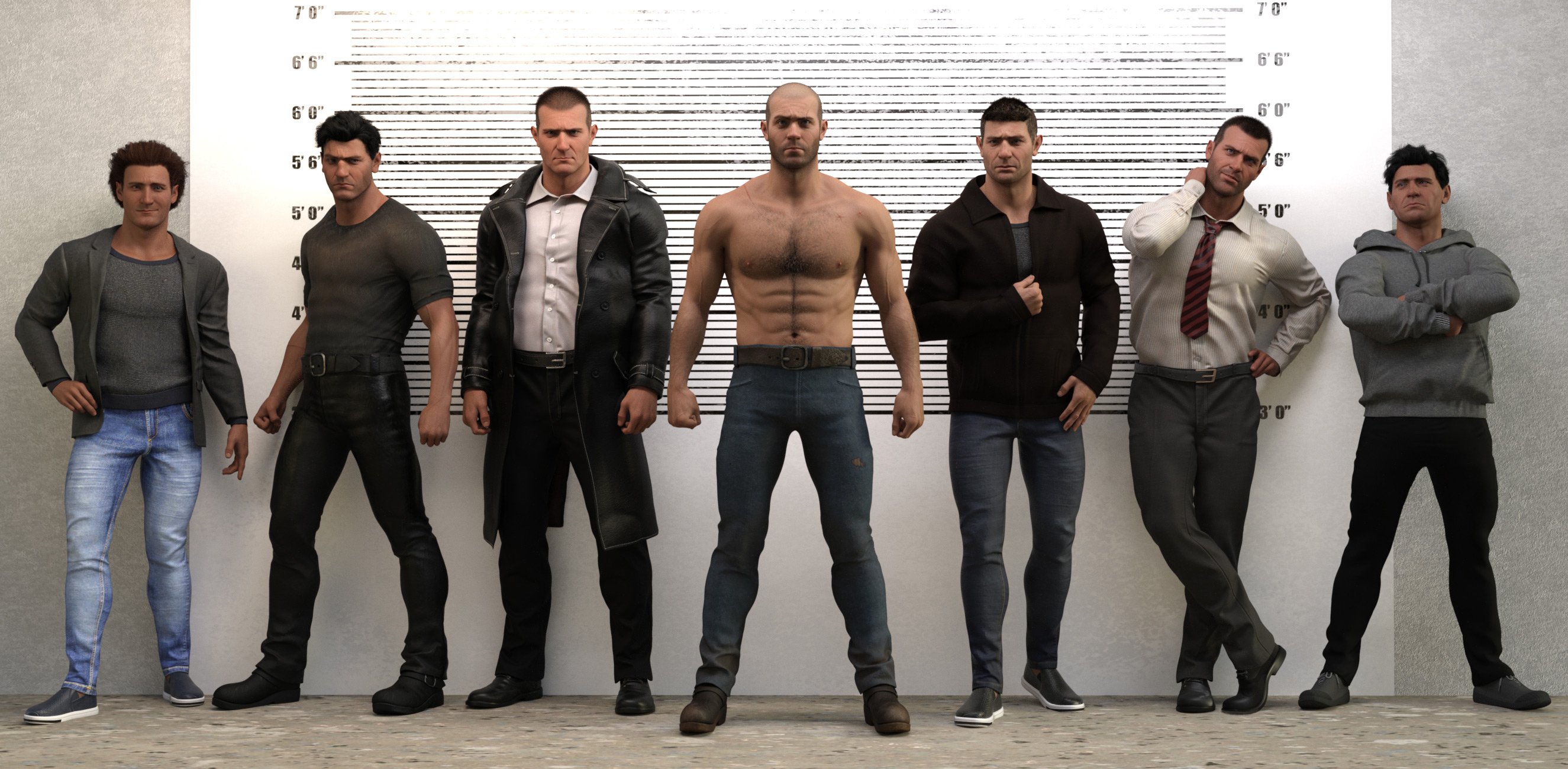
It has been a little while but I have a new set. https://www.daz3d.com/rogues-hd-for-genesis-9
He comes with multiple head morphs and a fully-detailed and hand-sculpted morph.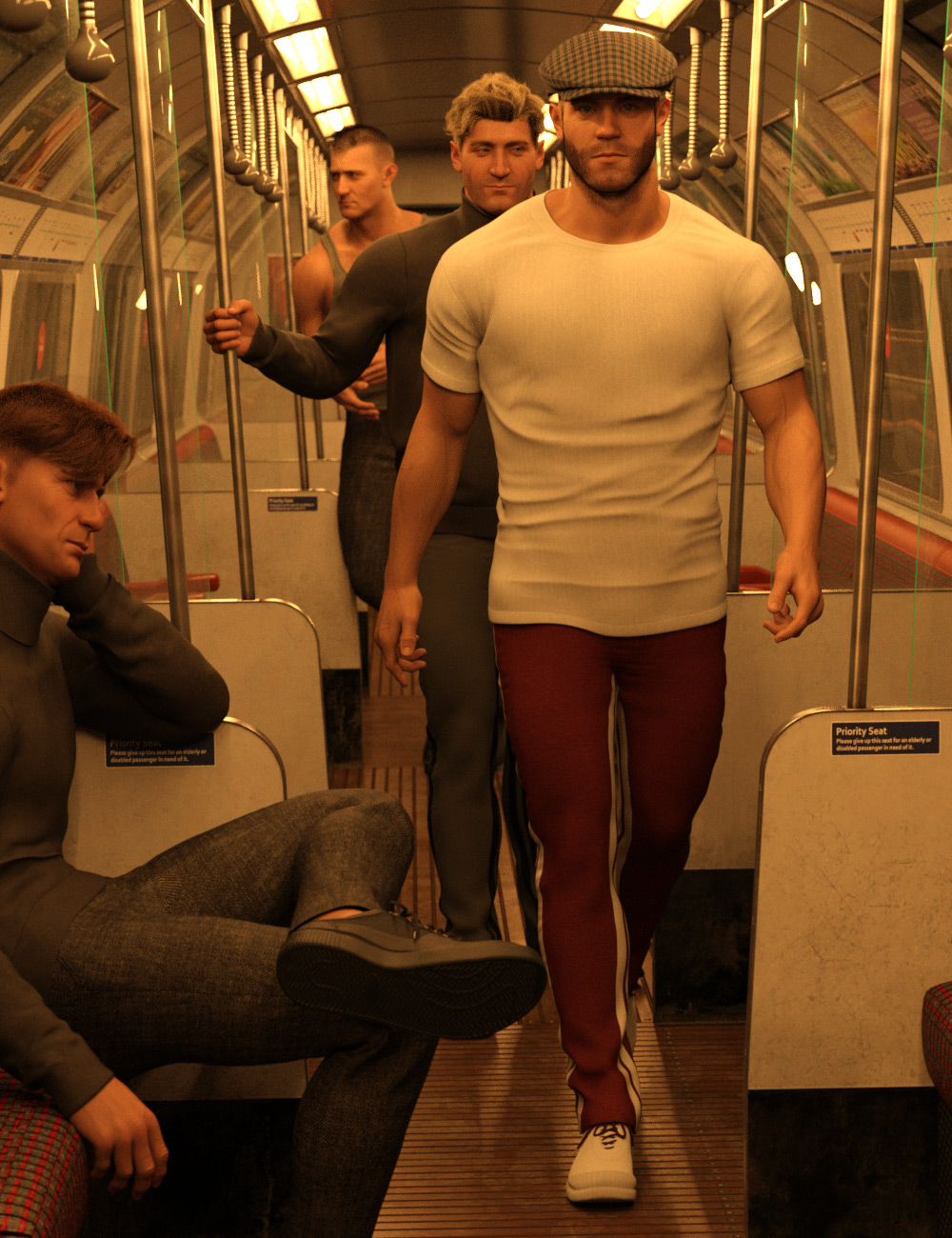 How to use morphs I purchased
If you load a figure that the morph bundle is for and select that figure in the scene tab after it loads then the individual morphs will exist as sliders within the Shaping tab (or the Actor section of the Parameters tab).
Celebrity Look-a-Likes for 3D figures Part 43DUK look-a-likes at Renderhub.
I ran across these when trying to find active links for look-a-likes. This is a prolific artist who creates game, comic book, fantasy and science fiction film characters and props. The name of the product is the name of character played by the actor. I cannot vouch for the quality. The artist adds a disclaimer about items being "boned", and if you don't like it, don't buy it. Maybe someone who knows this artist can comment on what that means.
Next week I will try going through look-a-likes Part 2, pages 51-100.
Anna Shaffer (Actress) Triss Merigold For G8F
Known for: The Witcher TV Series (2019– )
NOTE: The actress also appears in the Harry Potter filmsAnya Chalotra (Actress) Yennefer For G8F
Known for: The Witcher TV Series (2019– )Ben Affleck (Actor) DCEU Batman For G8M
Known for: Batman films (2016, 2017, 2021)
NOTE: DECU = DC Extended Universe; Includes BatmobileBonnie Wright (Actress) Ginny Weasley G8F
Known for: Harry Potter films (2009-11)
NOTE: Older age from later filmsCarrie Fisher (Actress) Leia For G8F
Star Wars filmsEllie Darcey-Alden (Actress) HP Lilly Potter For G8F
Known for: Harry Potter films (2009-11)
NOTE: Older age from later filmsEmma Watson (Actress) Hermione For G8F
Known for: Harry Potter films (2009-11)
NOTE: Older age from later filmsEvanna Lynch (Actress) HP Luna Lovegood For G8F
Known for: Harry Potter films (2009-11)
NOTE: Older age from later filmsFreya Allan (Actress) Ciri For G8F
Known for: The Witcher TV Series (2019– )Gal Godot (Actress) Wonder Woman JLA For G8F
Known for: Wonder Woman and Avenger filmsHarrison Ford (Actor) Han Solo For G8M
Known for: Star Wars films
NOTE: Includes Millenium Falcon; the artist also offers Chewbacca, C-3PO, R2-D2, Jabba the HutHelena Bonham Carter (Actress) Bellatrix Lestrange G8F
Known for: Harry Potter films (2007-11)Henry Cavill (Actor) DCEU Superman For G8M
Known for: Superman films (2013-21)
NOTE: DECU = DC Extended UniverseKeanu Reeves (Actor) John Wick For G8M
Known for: John Wick filmsLena Headey (Actress) Cersei Lannister G8F
Known for: Game of Thrones TV series (2011-19)Mark Hamilton (Actor) Luke Skywalker For G8M
Known for: Star Wars filmsRupert Grint (Actor) Ron Weasley G8M
Known for: Harry Potter films (2009-11)
NOTE: Older age from later filmsSasha Calle (Actress) DCEU Supergirl For G8F
Known for: Supergirl in The Flash (2023)
NOTE: DECU = DC Extended UniverseScarlett Johansson (Actress) MCU BlackWidow For G8F
Known for: Black Widow (2021)
NOTE: MCU = Marvel Comic UniverseSigourney Weaver (Actress) Ellen Ripley For G8F
Known for: Alien (1979)Stan Lee (Comic Artist) Stan Lee For G8M
Known for: Creator/co-Creator of The Flash, Spider-Man, The Avengers, X-Men and a lot moreSylvester Stalone (Actor) John Rambo For G8M
Known for: First Blood (1982)Zachary Levi (Actor) DCU Shazam G8M Double Feature
Known for: Shazam! films (2019, 2023)
NOTE: DCU = DC Comic Universe; Includes morph of Asher Angel who plays the young teen who transforms into an adult ShazamCelebrity Look-a-Likes for 3D figures Part 4ORPHAN CHARACTERS (G8) not on the Masterlists. From Part 2 of this thread set, pages 01-50. Continued...
Norman Reedus (Actor) Willis HD for Genesis 3 Male
by Kool (Store: DAZ)
Found by (nDelphi, Jan 2018)
Known for: The Walking Dead (2010-23)
NOTE: There is a "Willis Bundle" on DAZ which inclide hair and outfit
Olivia Munn (Actress) EJ Makenna For Genesis 8 Female
by EmmaAndJordi (Store: DAZ)
Found by (eyet33th, Oct 2018)
Known for: The Newsroom (2012-14)
NOTE: Reference photo ... https://i.pinimg.com/originals/bd/18/57/bd18573b7400de1be6f68f1be2dd18e8.jpg
Olsen Twins (Child Actresses) P3D Lorin HD for Aiko 7
by P3Design (Store: DAZ)
Found by (jenniferhughey, Nov 2017)
Known for: Shared role in Full House (1987-95)
Pam Grier (Actress) Sahana for Genesis 8 Female
by TwiztedMetal (Store: DAZ)
Found by (fmcha_7e102d02a2, Oct 2018)
Known for: Foxy Brown (1974); Sheba, Baby (1975)
NOTE: Might needs some nose tweaks (outrider42, Oct 2018)
Rebecca Ferguson (Actress) Gail for Genesis 8
by Mousso (Store: DAZ)
Found by (mistapropella, Sep 2018)
Known for: Mission: Impossible films (2015, 2018)
Rie Inō (Actress) Murakashi for Genesis 3 & 8 Female
by Leo Lee (Store: DAZ)
Found by (eyet33th, Jun 2019)
Known for: Ringu (1998)
NOTE: The film identified by eyet33th is correct, but the character is the ghost woman who crawls out of the well in Ringu.
Rihanna (Singer) P3D Latonya 8 Enhanced Morphs Package
by P3Design (Store: DAZ)
Found by (RKane_1, Sep 2018)
Known for: Top selling music albums
NOTE: See Louisa morph ... There are 4 other morphs in the Package
Rihanna (Singer) Trinity HD for Genesis 8 Female
by Mousso (Store: DAZ)
Found by (jestmart, Jul 2018)
Known for: Top selling music albums
Robert Pattinson (Actor) Dwight for Genesis 8 Male
by Vyusur (Store: RH WAS previously at DAZ)
Found by (JUJU, Jun 2018)
Known for: Twilight films (2008-12); Batman (2022)Celebrity Look-a-Likes for 3D figures Part 4ORPHAN CHARACTERS (G8) not on the Masterlists. From Part 2 of this thread set, pages 01-50. Continued...
Jeffrey Dean Morgan (Actor) Phx James for Michael 8
by Phoenix1966 (Store: RO)
Found by (nDelphi, Jan 2018)
Known for: John Winchester on TV series Supernatural (2005-20)
Jensen Ackles (Actor) Phx Dan for Michael 8
by Phoenix1966 (Store: RO)
Found by (nDelphi, Dec 2017)
Known for: Dean Winchester in Supernatural (2005-20)
Jessica Chastain (Actress) Suzy for Genesis 8 Female
by 3DSublimeProductions AND Vex (Store: DAZ)
Found by (nDelphi, Mar 2018)
Known for: Zero Dark Thirty (2012); Interstellar (2014)
Johnny Depp (Actor) Lucian 7 [GM2]
by Daz Originals (Store: DAZ)
Found by (ironclawxii, Oct 2018)
Known for: What's Eating Gilbert Grape (1993)
Jon Bernthal (Actor) Bernat for Genesis 8 Male
by sithlordsims (Store: RO)
Found by (nDelphi, June 2018)
Known for: The Walking Dead (2010-12); Frank Castle in Daredevil (2016) AND The Punisher (2017-19)
Jon Bernthal (Actor) Pete for Genesis 8 Male(s)
by RawArt (Store: DAZ)
Found by (ChangelingChick, June 2018
Known for: The Walking Dead (2010-12); Frank Castle in Daredevil (2016) AND The Punisher (2017-19)
Julia Garner (Actress) EA Free Faces for Genesis 8 & 3 Female #1
by EichhornArt (Store: FREE RO)
Found by (nDelphi, Mar 2019)
Known for: Ozark (2017-22); The Americans (2015-18)
NOTE: Head morph Only
Kate Beckinsale (Actress) XF Jane for Genesis 8 Female(s)
by xtrart-3d (Store: DAZ)
Found by (ironclawxii, Dec 2018)
Known for: Underworld films (2003-16)
Katie McGrath (Actress) VYK Meredith for Genesis 8 Female)
by vyktohria (Store: DAZ)
Found by (beowolf, Dec 2018)
Known for: Supergirl (2016-21)
Kelly MacDonald (Actress) Saffy for G8F
by Ceridwen (Store: RO)
Found by (jenniferhughey, Oct 2017)
Known for: No Country for Old Men (2007)Let's appreciate/discuss today's new releases - ongoing threadfelis said:
xyer0 said:
I wish dForce Sexy Suspender Outfit had a shirt closed morph. It's a great looking shirt. I guess I could put a t-shirt under it.
It is actually fairly tricky to make a close morph, as you need to have enough space between the shirt and the buttons to leave room for the other side of the shirt if it can be simulated. Else the user need to push the buttons out after simulation, but that might be acceptable.
I wonder if the suspenders do simulate, and if not how it looks on girls with a different size breasts.
My reaction on seeing it was pretty much "Oh for a version with a closed shrt" (as you say that isn't soemthing that could be done with a morph, though if there is enough fabric it might be doable with a dForce Addon with a low expand/contract value).
How to stop object deforming midway through morphOh okay, so a morph is basically for deforming a mesh and rigging would be for moving it. That makes a lot of sense now that its been pointed out lol.
Thanks for the responses, I sincerely appreciate the help
How to stop object deforming midway through morphWhen one makes a morph for an object, all of the vertices of the mesh are following a straight line from A to B (morph dial from 0% to 100%), that is why a morph is not good for opening a door.
Let's appreciate/discuss today's new releases - ongoing threadxyer0 said:
I wish dForce Sexy Suspender Outfit had a shirt closed morph. It's a great looking shirt. I guess I could put a t-shirt under it.
It is actually fairly tricky to make a close morph, as you need to have enough space between the shirt and the buttons to leave room for the other side of the shirt if it can be simulated. Else the user need to push the buttons out after simulation, but that might be acceptable.
I wonder if the suspenders do simulate, and if not how it looks on girls with a different size breasts.
Let's appreciate/discuss today's new releases - ongoing threadI wish dForce Sexy Suspender Outfit had a shirt closed morph. It's a great looking shirt. I guess I could put a t-shirt under it.
How to stop object deforming midway through morphSo I am trying to do seomthing I thought would be fairly simple, I am creating a scene that has a wall with a door in it and I want that door to be able to open and be set to varying degrees of openness. I have imported that wall and the door seperately as OBJs from Blender, and then exported a second OBJ of the door fully open, then loaded that into morph loader.
However, when I apply the morph it only looks right when at 100%, and with all the values in between the door is squashed looking which just dosent look great. Is there a way to load a second OBJ into the morph at like a halfway point? Or is there a way to lock the translation and scale so that only rotation is affected?
This is my first time trying to create a morph so I apologise if I am missing something fundamental, I know it is hard to see the distortion from the screenshots but it is definately noticeable
Edit: Screenshots dont seem to be uploading for some reason
AIUTO...CHI CONOSCE L’ITALIANO? PARTE QUATTORDICICrios said:
Ehm, For all proprio no, e vogliamo scordare V4/M4/G4/A4/H4/F4/V3/M3/Etc. Etc.
Per molti, ma non per tutti.
(Mi sa che questa è la dimostraizone che le persone sono ancora attaccate alle vecchie figure)
Una volta che hai il vestito adattato a Genesis, ti basta attivare uno dei vari cloni per V4,M4, V3,M3 e via dicendo che sono usciti per Genesis1, esportare il vestito e i suoi morph e poi applicarlo a V4,M4, V3,M3 e via dicendo tramite Transfer.

Ragazzo, basta leggere le istruzioni e ti si apre un intero mondo.
Con un pochino di pazienza riesci ad usare perfino i vestiti di Cookie e Chip su Genesis9!
 Confuse! My morph acts unexpectedly
James said:
are you starting with an Hijab that was modelled to the default shape of G9 first. Saved that first. Then doing all of the above?
Mmmm.... do you mean by default as the non gender G9 shape?
or as the feminim dial put to 100%?
I put the feminim dial to 100%
Then I modeled the hijab.
Save the hijab as wearable. Then put it on Helena.
Then... do all your steps before polishing. I haven't done any polishing. cos when do the morph loader pro, the lump still there.(I'll give you a video to reproduce the issue and show how to fix it...)
Pls check this and give it a try: https://mega.nz/file/XfoiDSYC#ILRBDD0LnIn30ts1BFvoZXAr8pbm9dZka-J5wa1jE60
And how to reverse Feminine Head Morph and Updating Base Geometry with Draping Result : https://mega.nz/file/qGAzwBQb#f1IeaSk2U81g2mRUeKI1HHz9L0Y_6e52ZeKvin9ivA0
Confuse! My morph acts unexpectedlyare you starting with an Hijab that was modelled to the default shape of G9 first. Saved that first. Then doing all of the above?
Mmmm.... do you mean by default as the non gender G9 shape?
or as the feminim dial put to 100%?
I put the feminim dial to 100%
Then I modeled the hijab.
Save the hijab as wearable. Then put it on Helena.
Then... do all your steps before polishing. I haven't done any polishing. cos when do the morph loader pro, the lump still there.Confuse! My morph acts unexpectedlyAnd are you starting with an Hijab that was modelled to the default shape of G9 first. Saved that first. Then doing all of the above?
I don't have https://www.daz3d.com/mw-helena-for-genesis-9 atm, so can't dial that in to see what's going on. Maybe there's some other control morph in play that's affecting the end result.
In which case, after polishing and saving what you have, simply make one more morph to dial in manually when putting the Hijab on this character. Many hairs and hats have additional fit adjustment morphs made to accomodate general adjustments.
Confuse! My morph acts unexpectedlyT_T I still got the lump.
The lump loves me.Here's what I did:
1. Select only the Hijab {remember mine was just made, with no attached dforce simulation things}.
Ok, I select the hijab. No dforce simulation. Cleared.2. On the Parameters Tab find the hidden used morph which is for the head.
{or if is only 1 shape that's fine, then select that one} It is a "generated morph." Zero it. {don't mind what it looks like now}
Ok, I went to the burger menu > preferences > Show Hidden Properties
I Found the head morph: MWHelena_head_bs_Head
I dialed to 0%3. Right-click on the dial and click on "Edit" to toggle on edit mode.
Ok. Did it.4. Click on the tog wheel and click on Parameters.
Ok. Did it
5. Find 'the name' and copy that info {might want to paste it into notepad}.
Ok, the name is MWHelena_head_bs_Head
I copied it to notepad
6. RENAME that generated morph. {I also rename the label so it's easy to identify later on}{Give it something sensible like "don't save" or "delete"}
Ok, rename the name and label to : del
7. Now bring in the new shape to make the morph.
Ok, I use morphloader pro.
8. Paste in the name or type it in "exactly" the same as the generated morph had been named.
Ok. Here's the pic: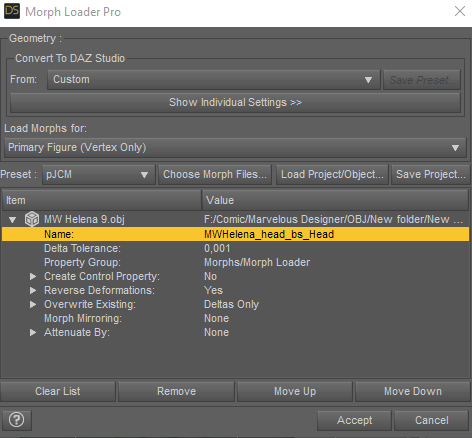
9. It should 'pop' to 100%, if it doesn't dial it in.
If it's a keeper, wonderful.
Ok, It's 'pop' to 100%
But still it has the same lump :(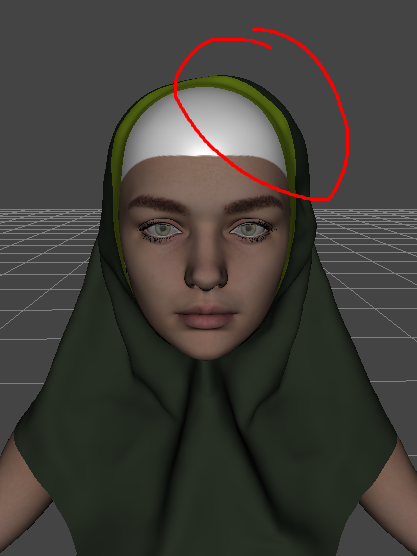
I'm pretty sure it has no lump on Blender
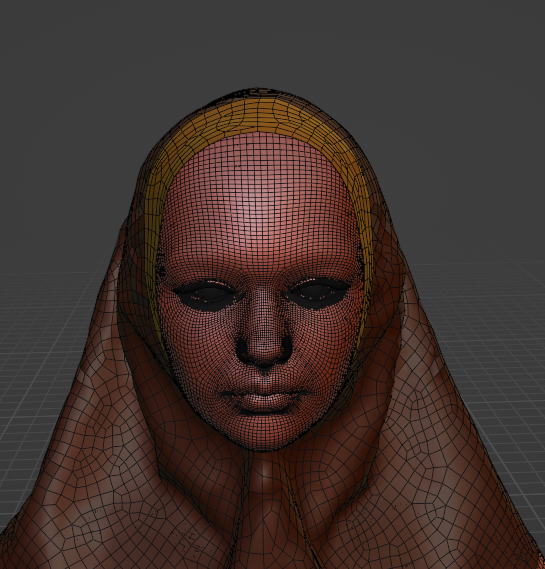
The back side that got fixed looks the same. Why only the top of the head that's so naughty.
The I Miss the Old Days Complaint Thread...yeah the Safeway a couple blocks form me used to sell it but then they started discontinuing items I liked and are often out if what I was going to shop for (even though their site says "in stock").
The management there isn't the best, but it's only a short walk instead of almost a mile to the Fred Meyer's which usually entails a transfer between the street tram and a bus as I'm not up to lugging two bags of groceries that far.
Arms (Armpits?)morrisonmp said:
lilweep said:
Wish people would post images with diagrams and arrows pointing out what their complaints are.
Also claim that there is some 'fundamental flaw in the G9 skeleton' is likely unfounded based on OP, as what is described (without pictures and evidence might i add) is a morph/sculpt issue, and JCM/CBS issue, not a G9 skeleton issue.
I recognise topology flow of G9 could be better, but that's not going to outright make *checks notes* the "arms just attach to the torso really oddly"
Cool. So, look at https://www.daz3d.com/koo-madee-hd-for-genesis-9 and check out the 5th and 6th promo pictures. That arm is a travesty. This is one of the most egregious but it's a problem with a lot of G9s. Some are better. But all have this issue to some extent.
Keep in mind that Madee is a Daz+ item selling to members for less than $5. Maybe the PA didn't spend a lot of time perfecting base corrective morphs (formerly JCMs). Or, as atated above, maybe the PA thought what you object to, was adquate.
Daz Character Setup for Artists Tutorials Gravity StudiosReview of Daz Character Setup for Artists Part 1
I purchased part 1 today through the DAZ Fast Grab promotion.
https://www.daz3d.com/daz-character-setup-for-artists-part-1
Tutorial Review:This tutorial seems marketed for someone who is very familiar with DAZ Studio and has decided that they want to make custom characters and/or modifications with an external modeling/sculpting software and they are already very familiar with the external software.
The author uses a conversational style and live workflow for instruction of the procedure, therefore you see the errors and are given the cautionaries as the author progresses through the steps.
The tutorial is presented in 8 videos using Genesis 8 Male as the demonstration subject. For the sixth video the author uses Blender 2.79 to demonstrate importing and combining the mapping of UVs. During the last video the author uses ZBrush to explain why sliding geometry (example moving the shoulders above the default location) can cause problems when re-importing the figure back to DAZ Studio. His advice keep geometry doing what it is doing. Keep geometry smooth. My understanding of his advice is either to "bake maps", which is what he demonstrates, or be a DAZ published artist to gain access the tools for creating DAZ HD morphs.
In addition, the author includes a Resources folder with the basic structure for creating your character personas for the Genesis 8 figure. Please note his instructions are valid for all figures from Genesis 1 to 8.
I found his speech clear and well articulated, although I did have to increase my computer's volume to hear him. His navigation of the software used was easy to follow.
This the instruction is a watch and learn approach, then go try this yourself in contrast to a step by step follow along process.
Tutorial Review notes:
The author refers to Morph Rigger Plus, which I own and also highly recommend.
It is now called Shape Rigger Plus (SKU 57621) by Josh Darling (Discobob) and Zev0.
https://www.daz3d.com/shape-rigger-plus
Daz 3D is part of

Connect
DAZ Productions, Inc.
7533 S Center View Ct #4664
West Jordan, UT 84084Licensing Agreement | Terms of Service | Privacy Policy | EULA
© 2026 Daz Productions Inc. All Rights Reserved.