-
New pwToon Cel Shader Presets
When you said "pwToon Resources" folder, do you mean the folder that has "Snazzy toon", "Classic cartoon", etc.? If so, I rendered and got no results - just the same 3D figure as I normaly would render.
I am pretty sure I installed properly, as I used Install Msnager. Can install manager sometimes make mistakes?
New pwToon Cel Shader PresetsThe location you put my presets is fine. All that matters is that they can find the pwToon shader definition.
1) What happens if you try to use one of the regular pwToon presets that are located in the "pwToon Resources" folder? If they also error out, then chances are the pwToon product wasn't installed properly.
2) Do you see a specific error message in the DS log file after you try to apply the preset? You can view your log file by going to Help: Troubleshooting: Log file.
New pwToon Cel Shader PresetsSo what folder would the shaders have to be placed in? I was informed that, when I checked "Public Documents\My Daz 3D Library\" I saw no "content" folder in my main folder. The read me file told me to place the shaders inside the content folder, but the content folder does not exist. As for pwToon, I did install the program correctly, as I used Install Manager to install pwToon after I purchased it. pwToon_DS4 and its corresponding shaders, are currently in the Shader Presets folder as I post this. Should any of them be in a different folder, and if so, where should they go?
New pwToon Cel Shader PresetsWhat happens if you try applying one of the pwToon shaders? My presets don't require any of the pwToon shaders to be applied first so I'm curious if the standard pwToon shaders work for you. If they don't, you may have installed pwToon incorrectly. Some of the files need to go directly into your DAZ Studio program, while the others need to be into your content directory.
New pwToon Cel Shader PresetsShader Presets will work with any surface (some better than others). Material Presets are meant for a specific item/figure. Occasionally you'll see a few Material Presets inside a set of Shader Presets, such as presets for a particular figure to save time (I put in a sample skin preset for G1, G2, and G3 in my set).
If you're using my shader presets for pwToon, you need to apply a color shader first, such as !Black or !White or any of the colors inside one of the subfolders then you can use the OutlineWidth to modify the line width. The OutlineWidth presets won't work with any surface presets except my presets within that .zip and most (if not all) of the pwToon shaders.
Cheers!
Non-photorealistic Renders (NPR)I've been following this thread for several weeks now and really enjoying what people are posting. I like the detailed, realistic capabilities of the rendering engines just fine, but it's always nice to see other creative uses of the tools, especially emulating more illustrative and painterly styles.
I've been easing back in after several years of not doing much of anything with Studio, and this thread has inspired me to go back and revisit older products and shaders I've worked with.
I've been working with pwToon again for a few weeks doing experiments, and got my first full render I'm happy with. Certainly going to keep trying new tricks, but I like the overall effect. Also glad that old shaders are still being supported in the latest versions of studio.
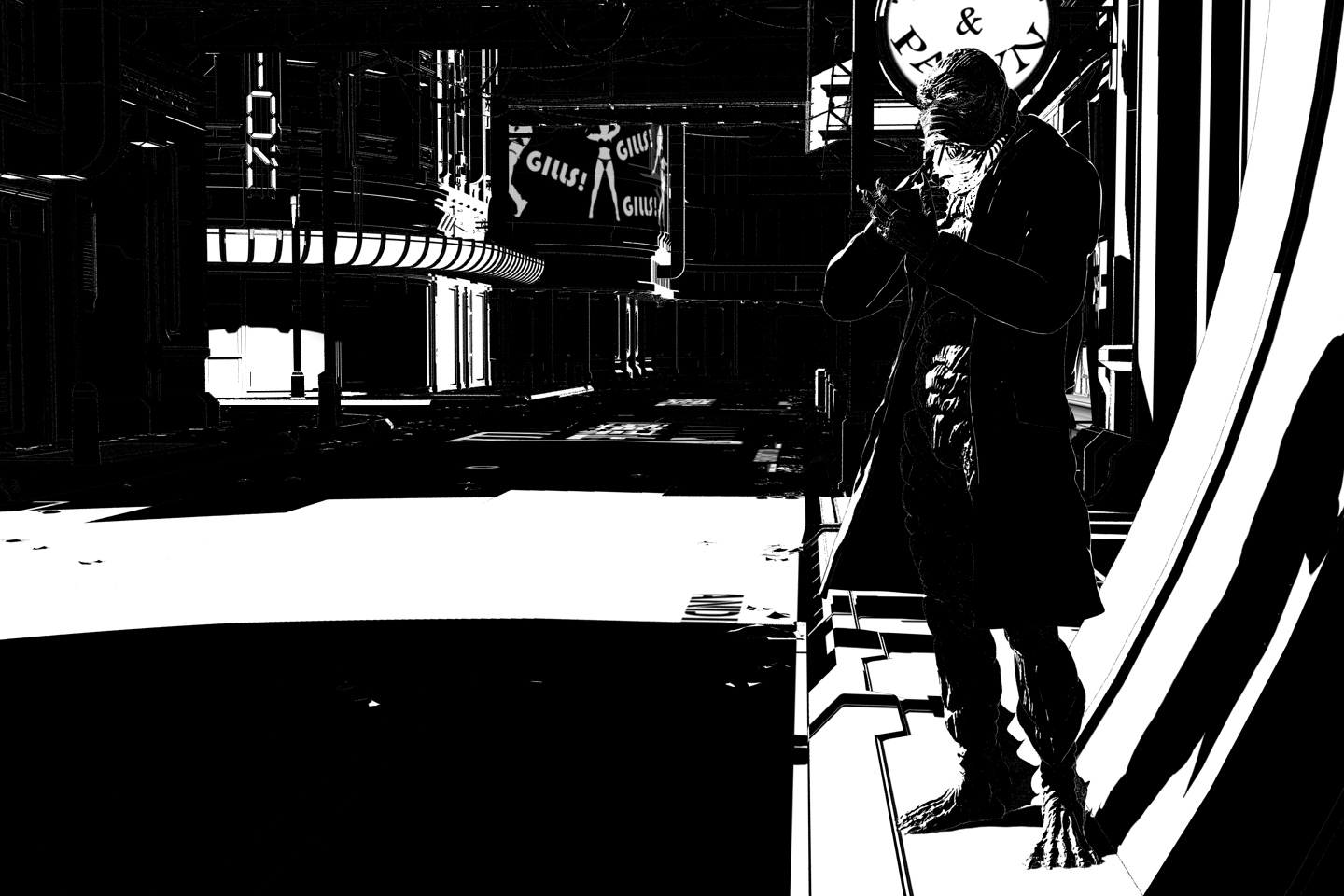
I can see why you're happy with this one. Strong noir feel, good composition. The character is striking and this whole thing has a very polished feel to it. I really love the curved shadow on the wall (I'm SO GOING TO USE THAT), and the humor with the "Gills Gills Gills" sign in the back! HAH!. I also like the cruve of the building and the top treatment -- it looks great in this stark-contrast image.
I'm really amazed that you got this done with PW Toon Shaders. I really need to pull those out again and see what I can do with them. My one real critique is that you need stronger white lines to define his jacked and separate a few other items in the scene. That's something I struggle with in my own noir work.
Speaking of which, this might be of interest to you (or possibly not since it's about using Poser), but I'm working on a long tutorial about creating Noir Comic Illustrations. You can find it at my blog here: http://mikemitchellonline.blogspot.com/search/label/Anomaly%20Method Sorry that it loads in reverse order. When it FINALLY finishes (the last two "instructional" pieces will run this week on Wed. & Fri., and I will have two "Summary Posts" next week, and then I'm FINALLY done with it). The "reverse order" loading problem will be addressed in the final post on Friday, Sept. 22, 2017. In that post, I will create a Table of Contents for the series. If you get a chance, swing by and take a look at it. I would be interested in your thoughts, especially since you're working toward a similar look that I'm working with.
New pwToon Cel Shader PresetsI just bought pwToon, and it seems like a very interesting plugin. However, I cannot seem to find what shader I would have to use in order to add outlines. Are there any simple tutorials on how to use the pwToon shaders?
I double-clicked Outline Width, but I got a message saying "An error occurred while reading the file". I currently use Victoria 4.2 and Genesis 3 Female. Is pwToon compatible with Victoria 4.2?
Non-photorealistic Renders (NPR)I've been following this thread for several weeks now and really enjoying what people are posting. I like the detailed, realistic capabilities of the rendering engines just fine, but it's always nice to see other creative uses of the tools, especially emulating more illustrative and painterly styles.
I've been easing back in after several years of not doing much of anything with Studio, and this thread has inspired me to go back and revisit older products and shaders I've worked with.
I've been working with pwToon again for a few weeks doing experiments, and got my first full render I'm happy with. Certainly going to keep trying new tricks, but I like the overall effect. Also glad that old shaders are still being supported in the latest versions of studio.
Nice one Almighty
 , lookin forward to see what you come up with!Non-photorealistic Renders (NPR)
I've been following this thread for several weeks now and really enjoying what people are posting. I like the detailed, realistic capabilities of the rendering engines just fine, but it's always nice to see other creative uses of the tools, especially emulating more illustrative and painterly styles.
I've been easing back in after several years of not doing much of anything with Studio, and this thread has inspired me to go back and revisit older products and shaders I've worked with.
I've been working with pwToon again for a few weeks doing experiments, and got my first full render I'm happy with. Certainly going to keep trying new tricks, but I like the overall effect. Also glad that old shaders are still being supported in the latest versions of studio.
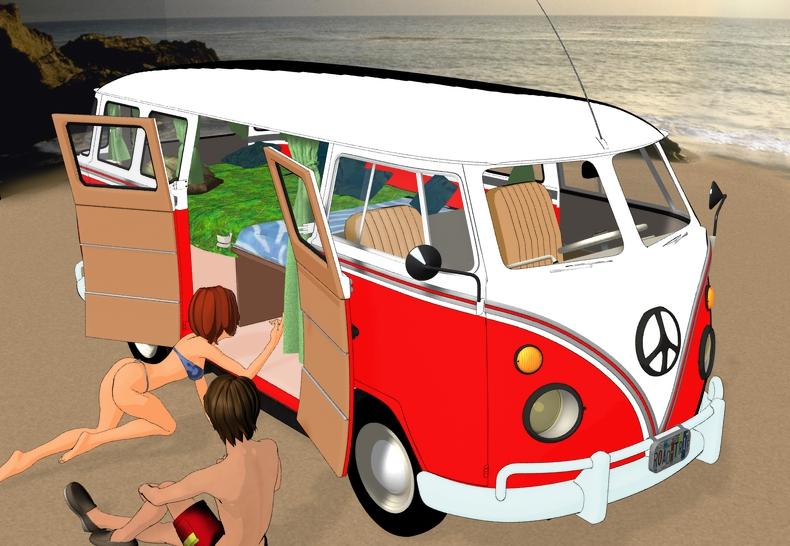
Anyone one else having issues with the new Road Trip Hippy Van?I don't know, it may have a little learning curve, but it's still a sweet van.
(Note to convert the chrome to toon, you have to convert it to iray then toon otherwise the chrome bits disappear)
W.I.P. using the new pwToon CelShaders
 Anyone else sad so many items are now only iRay?
I've mostly jumped to Iray now - I only use 3DL for my toons (pwToon especially is great) - but for that I don't need advanced 3DL settings so a simple conversion is fine. I know the 3DL and Iray surfaces tabs well enough now (still learning some stuff on Iray, but getting there).
New pwToon Cel Shader Presetshttp://outpostecho.com/downloads/pwToon_CelShaders_r2.zip
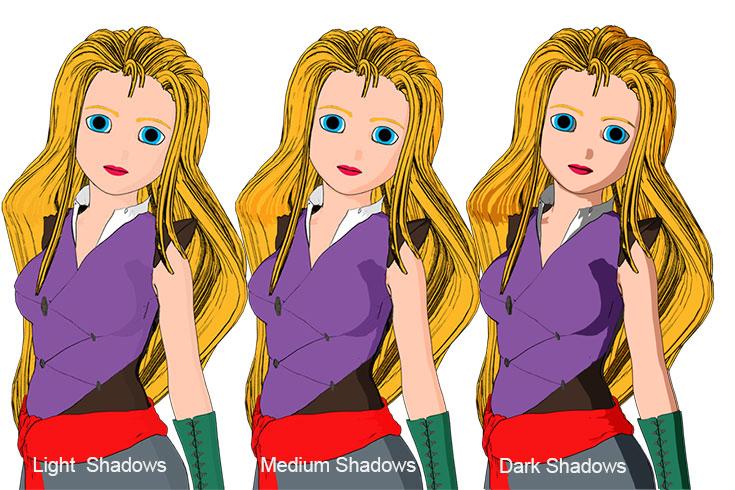
I've redone my old pwToon cel shader presets, adding a lot more colors, shadow options and line width choices. As with the original set, you're welcome to redistribute them for free so long as I get credit for them. You must own pwToons for this to work: https://www.daz3d.com/pwtoon
Cheers!
Sketchy - Toon and Art Style Shaders for Iray [Commercial]Are there advantages of using this, over say, PwToon?
Usiong daz to create a graphic novel? Any way to generate comic-style characters?If you are looking for a more comic book style and use Iray, LineRender9000 may be helpfull If you use 3Delight, then pwToon might be of use.
ComicsSo, I checked the first pages of this (very long but very good) thread, and I see that ToonyCam Pro and PWToon were both recommended. When I look at the previews PW seems better and more varied, but TCP is a camera and therefore can also be used in 3D animations right ?
Which of the 2 (or any other more recent product) would you recommend for renders of a Comics style ?
pw Toon can be used to create animations & it renders fast
ComicsSo, I checked the first pages of this (very long but very good) thread, and I see that ToonyCam Pro and PWToon were both recommended. When I look at the previews PW seems better and more varied, but TCP is a camera and therefore can also be used in 3D animations right ?
Which of the 2 (or any other more recent product) would you recommend for renders of a Comics style ?
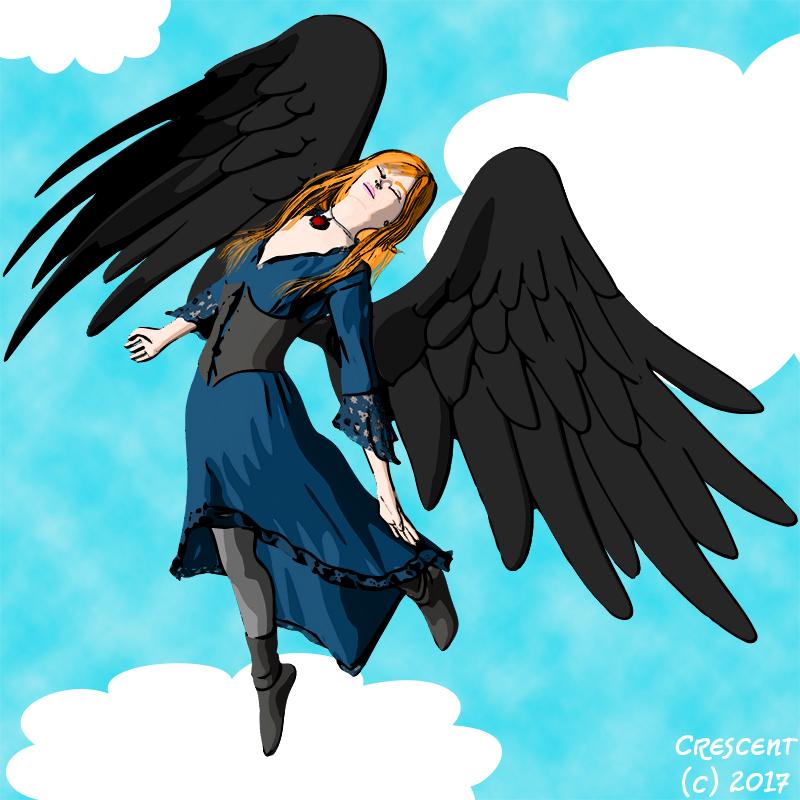
ComicsThe cel shading I'm using in the image is the shader set plus actions I posted a Christmas or two back. As much as I like the pwToon shaders, I like doing two renders with my own - one in color and the other in B&W so I can more easily tweak the shading in Photoshop. I can also "cheat" and send the outlines to Illustrator so I can get thicker lines in some areas. Here's another image using the same process plus a very quick and cheesy background.

great image and effect - I especially like how you've gotten the cel 'inking' edges to look hand-inked and 'traditional'.
Poking around, I believe the above-mentioned (generous) freebie is at:
https://www.daz3d.com/forums/discussion/comment/966880/#Comment_966880
I just grabbed it, so I have some rading to do. Thanks Crescent!
--ms
ComicsThanks to Richard for reposting my image. I was trying to nuke the thumbnail at the bottom and killed the main pic as well.
Here's my version of comics shading - my own DS flat cel shader plus some Photoshop actions. (The image is a quick test of lines and color.) I think I'm finally satisfied enough with the results to restart my comic.
I can't see the image you mention above. I'd love to see what finally met your standards!
Are the mentioned flat cel shaders the ones you graciously (re)posted at sharecg?, or a newer pesonal set?
I have, love, and thank you for your repost of those DAZ/pwtoon cel shaders.
(To those that don't know of them: http://www.sharecg.com/v/69733/favorite/21/DAZ-Studio/Crescents-pwToon-Cel-Shaders)
thanks again!,
--ms
The cel shading I'm using in the image is the shader set plus actions I posted a Christmas or two back. As much as I like the pwToon shaders, I like doing two renders with my own - one in color and the other in B&W so I can more easily tweak the shading in Photoshop. I can also "cheat" and send the outlines to Illustrator so I can get thicker lines in some areas. Here's another image using the same process plus a very quick and cheesy background.
Blender character to Daz 3d?I've branched off into the world of Blender now I want to return with my charcters so I can use pwtoon and other Daz tools. but I get a taffy result when I import. I've imported the way you should and I can get her in if I don't select the bone in Blender and import her in as a prop but she loses all her bone skinning. I've tried fbx and dae with similar reults. What do people use to make characters? Don't tell me hexagon cause that's so buggy that it's almost unsuable. Do you have to use rigging tools to do so? Where did they go? I used to use daz3 so daz 4.9 is alien to me but im willing to give it a go.
Thanks for reading and have a great day
 Comics
Here's my version of comics shading - my own DS flat cel shader plus some Photoshop actions. (The image is a quick test of lines and color.) I think I'm finally satisfied enough with the results to restart my comic.
I can't see the image you mention above. I'd love to see what finally met your standards!
Are the mentioned flat cel shaders the ones you graciously (re)posted at sharecg?, or a newer pesonal set?
I have, love, and thank you for your repost of those DAZ/pwtoon cel shaders.
(To those that don't know of them: http://www.sharecg.com/v/69733/favorite/21/DAZ-Studio/Crescents-pwToon-Cel-Shaders)
thanks again!,
--ms
Daz 3D is part of

Connect
DAZ Productions, Inc.
7533 S Center View Ct #4664
West Jordan, UT 84084Licensing Agreement | Terms of Service | Privacy Policy | EULA
© 2026 Daz Productions Inc. All Rights Reserved.