-
[Released] RSSY Character And Material Conversion Bundle Genesis 8 to Genesis 9 [Commercial]
RiverSoftArt said:
Eboshijaana said:
RiverSoftArt said:
Eboshijaana said:
RiverSoftArt said:
Eboshijaana said:
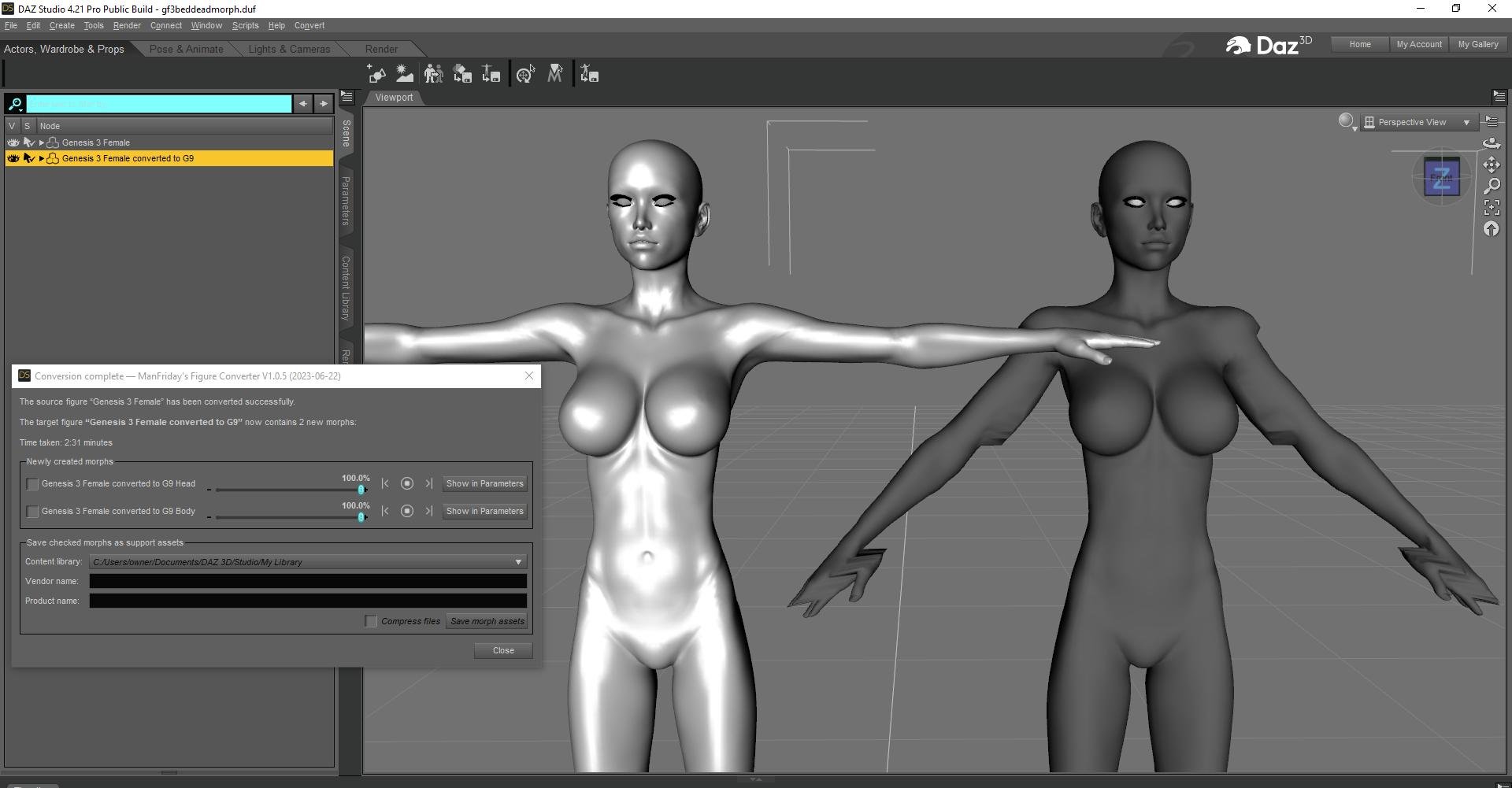
I feel this script needs a bit more work. I've been using Riversoft and Sickleyield's converters for a good while now and only had minor issues with extreme shapes. But for whatever reason, this script bugs out more often than not and in ways that the other scripts don't. Why I bring this up, is due to the non-script converting method giving better results.
I've attached image examples. Please note I'm NOT returning this product, I know it can grow and evolve. I just want to be frank about things.
In both cases, Oso Bear Hands was the ONLY morph used.This script was the hardest one I have ever done for DS. G9 changed too much from G8 and caused endless problems. What you are showing though is the transfer part, which is pure DS. I am confused why they should be so different.
BTW, in data/RiverSoft Art/Common/RSG8G9CharacterConstants.dsa, there is a variable:
// "LOAD CHARACTER", "MORPH LIST", "REMOVE EYEMORPHS", "SETUP CLONE", "TRANSFER MORPHS", "CONVERT MORPHS"
// "CONVERT MORPHS AND ERC FREEZE", "CHARACTER PROPERTY", "MORPHS SAVED", "MATERIALS COPIED"
var BREAK_POINT = "";If you edit the file in a text editor and put one of the strings in BREAK_POINT, the script will stop during conversion, you can see what it did until that point. For example,
var BREAK_POINT = "SETUP CLONE";
The script will stop during conversion after setting up the clone. You could see what the script is doing and it might even help in a manual process.
First of all, there is no CharacterConstraints, there however IS Constants that has the right code.
CONVERT MORPHS is where the stuff starts looking awful, it first looks just fine, but then when I turn the morph on from the parameters it is messed up. It also randomly affects the whole body, something the manual conversion doesn't do.
Once more, I do not blame you for this, just reporting what I can.Try doing up to SETUP CLONE, then doing the transfer utility yourself manually. If you can get the transfer to work differently, maybe there is something I can do in script.
Did it and there was SOME deformation but otherwise looked perfect.
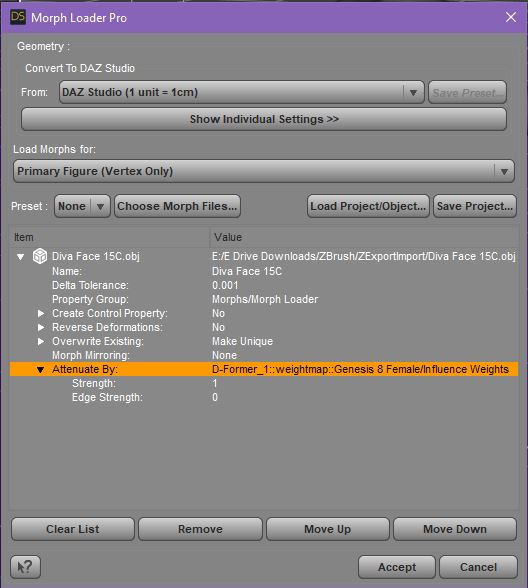
I used the settings attached when converting.Well done! Looking at your settings, there is not a lot different. You explicitly set Adaptive Tolerance seems to be the biggest thing. I will look into it.
No problem! ^^
The cleanest conversion from 8 to 9 so far has been the 'morph the autofitted clone'-method, from my experience. Though that IS of course only skin-wrapping and does not do any underlying setting adaptation.
You two are doing a great job, don't give up.[Released] RSSY Character And Material Conversion Bundle Genesis 8 to Genesis 9 [Commercial]Keiron said:
Hi
After some messing around there seems to be a common factor for distorted models
I have deleted the morphs in Genesis 9 folder as recommended re email
I also uninstalled and reinstalled all the genesis 9 , 8 and 8.1 actors
I then re ran the script for genesis females on around 20 actors
It is important to note that I have a script that prevents loading all the morphs. I reconfigured this to load all morphs as it affected the outcome
With this script active, even though Daz Studio said there were missing files. if I loaded min set or all or none, I got the same issue, it didnt load the morphs as expected??
I found that some of the actors didnt get transfered at all
Some looked OK and when compared they looked OK as well, found a couple with missing eyebrows and some 8.1 textures were missing on the top of the head and a few had broken seams
It was recommeneded to look through all the morphs and dial out any that caused an issue, with out the morph loader script working there were many
The ones that were deformed a large number of them were caused by nail morphs
Adalina A&AB nails morph causing issue
Also A&A nails
Also CB nails square
Also Acrilic nails
Also Cynder81 nails
Also Cynder _long nails
DT Beautiful nails
DT Farah Nails
DT nails
Kayleyes square nails
Delano suare nails morphLong nails by FWArt
Mousso nails
Ozi nails
Square nails by FWArt
Demon nails fix and Hd dial out the body morph
Siletto nails
MSO_G9_nails are OK
All the nail morphs are present from a number of actors all of these caused distorted actors, but were OK when dialed out
It was adviced to delete the offending ones and save the change
However a few that were at also at 100% were the actual actor, dialing these out is dialing out the morph of the actor
I'll keep playing around to see what works OK
Update 1
Same issue different way, but solvable
I loaded the same 8 - 8.1 actor with the gen 9 to compare
tried dialing the gen 9 to any morph body shape, result figure distorted
Solution, dial out the converted gen 8 body shape on the gen 9 figure
update 2
Head misformed, not checked all the models as yet but I found one was very distorted, the only dials were infact the actors head and it's HD dial the HD dial caused the problem
Thanks for sharing your investigation.
[Released] RSSY Character And Material Conversion Bundle Genesis 8 to Genesis 9 [Commercial]meaznet said:
RiverSoftArt said:
Laurita said:
Not exactly a great success. Neither on a stock Aurore 8 (left) nor on a custom character.

The Converted Character’s Body is wrinkled. Because of the way that morphs must be converted, a morph that on Genesis 8 appears to only touch a small part of the head can affect the whole body on Genesis 9. You need to show Currently Used parameters to show all morphs on the converted character. Then, one by one, dial in the morphs to find the offending morph(s). Once you find them, delete the morphs from your HD (click the Gear icon, Parameter Settings, and look at File Path for the asset to figure out where the morph is and what it is called). You should also resave the character with the offending morph(s) dialed out (set to 0).
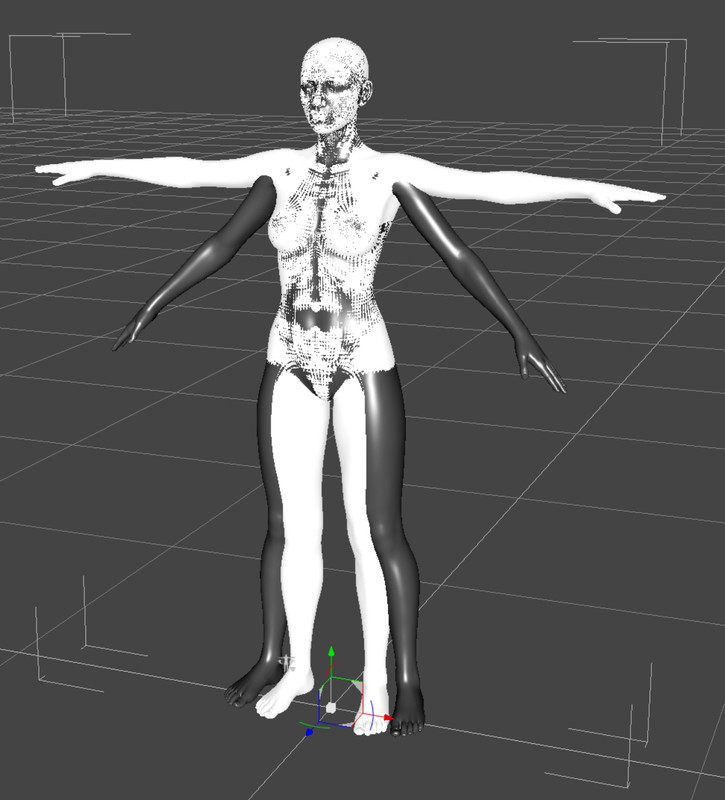
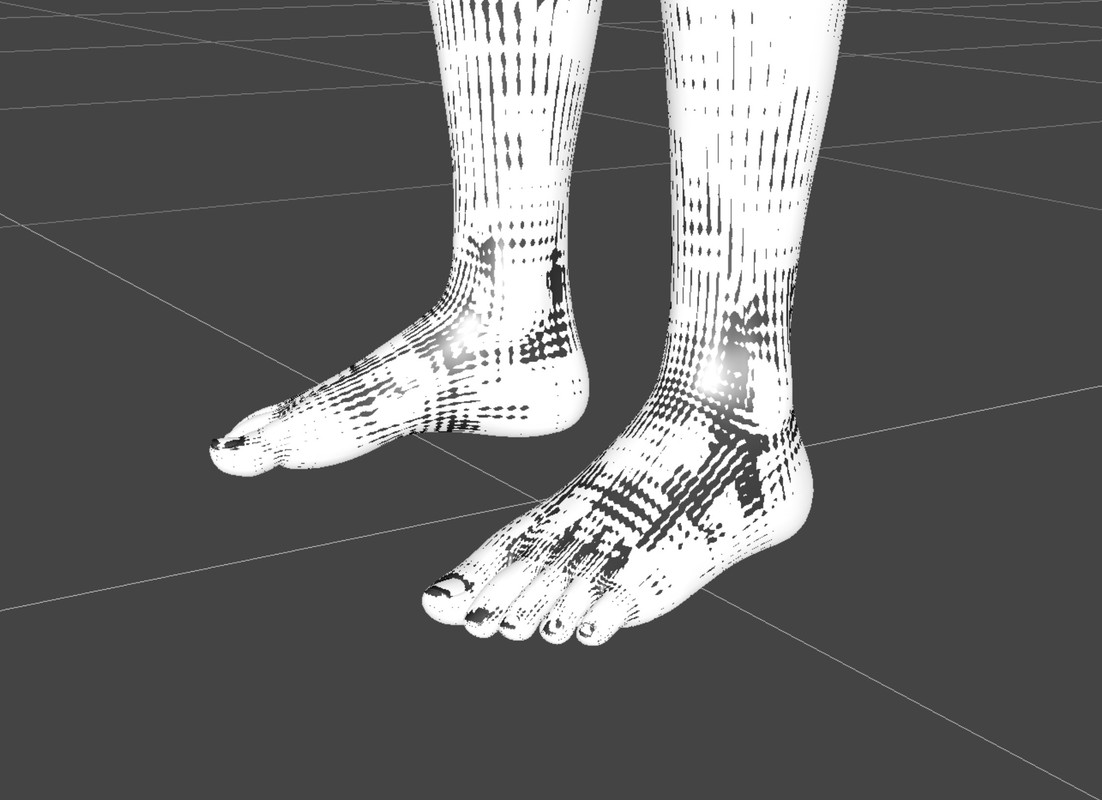
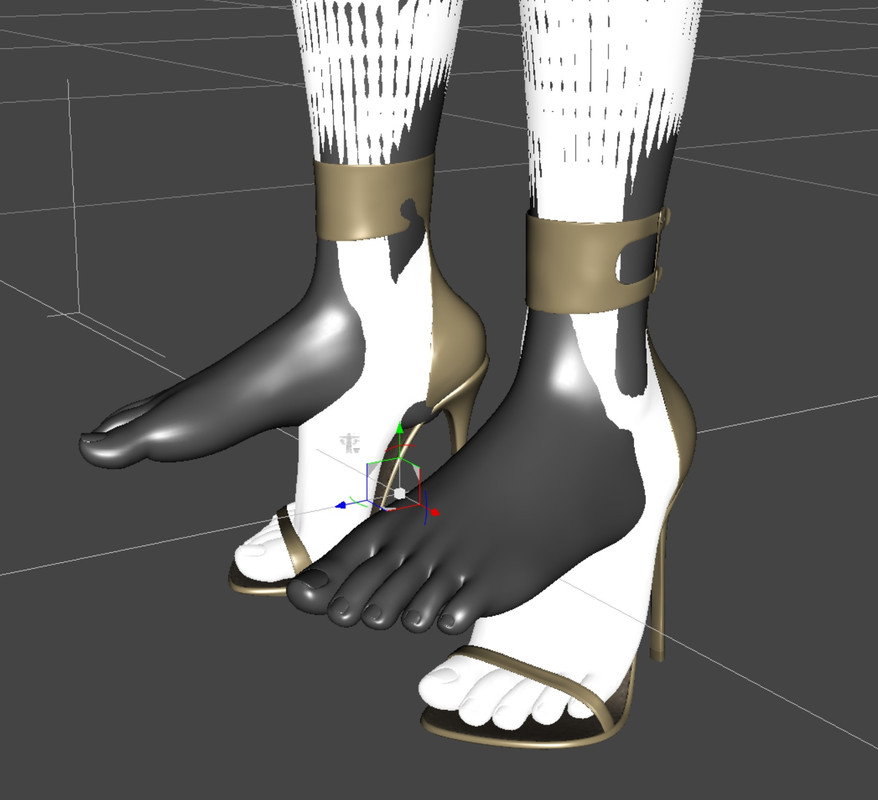
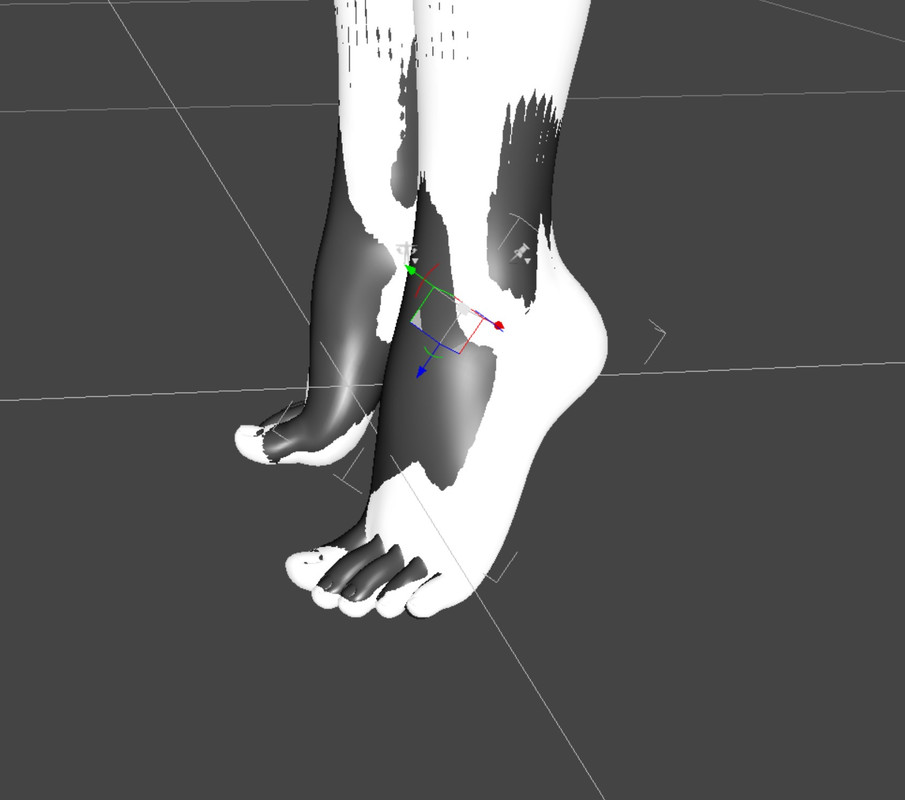
I've had a couple of these conversions turn out this way as well. But even when they seem to have been successful there is one thing I notice is the foot specifically. I was able to capture this on a conversion of Sydney. I caught it while the Sydney 8 and the Genesis 9 were both in place.
Hmmm. I am trying some new settings suggested by Eboshijaana, maybe that will help when I get an update out.
[Released] RSSY Character And Material Conversion Bundle Genesis 8 to Genesis 9 [Commercial]Eboshijaana said:
RiverSoftArt said:
Eboshijaana said:
RiverSoftArt said:
Eboshijaana said:
I feel this script needs a bit more work. I've been using Riversoft and Sickleyield's converters for a good while now and only had minor issues with extreme shapes. But for whatever reason, this script bugs out more often than not and in ways that the other scripts don't. Why I bring this up, is due to the non-script converting method giving better results.
I've attached image examples. Please note I'm NOT returning this product, I know it can grow and evolve. I just want to be frank about things.
In both cases, Oso Bear Hands was the ONLY morph used.This script was the hardest one I have ever done for DS. G9 changed too much from G8 and caused endless problems. What you are showing though is the transfer part, which is pure DS. I am confused why they should be so different.
BTW, in data/RiverSoft Art/Common/RSG8G9CharacterConstants.dsa, there is a variable:
// "LOAD CHARACTER", "MORPH LIST", "REMOVE EYEMORPHS", "SETUP CLONE", "TRANSFER MORPHS", "CONVERT MORPHS"
// "CONVERT MORPHS AND ERC FREEZE", "CHARACTER PROPERTY", "MORPHS SAVED", "MATERIALS COPIED"
var BREAK_POINT = "";If you edit the file in a text editor and put one of the strings in BREAK_POINT, the script will stop during conversion, you can see what it did until that point. For example,
var BREAK_POINT = "SETUP CLONE";
The script will stop during conversion after setting up the clone. You could see what the script is doing and it might even help in a manual process.
First of all, there is no CharacterConstraints, there however IS Constants that has the right code.
CONVERT MORPHS is where the stuff starts looking awful, it first looks just fine, but then when I turn the morph on from the parameters it is messed up. It also randomly affects the whole body, something the manual conversion doesn't do.
Once more, I do not blame you for this, just reporting what I can.Try doing up to SETUP CLONE, then doing the transfer utility yourself manually. If you can get the transfer to work differently, maybe there is something I can do in script.
Did it and there was SOME deformation but otherwise looked perfect.
I used the settings attached when converting.Well done! Looking at your settings, there is not a lot different. You explicitly set Adaptive Tolerance seems to be the biggest thing. I will look into it.
[Released] RSSY Character And Material Conversion Bundle Genesis 8 to Genesis 9 [Commercial]Here is the latest update
Hi
After some messing around there seems to be a common factor for distorted models
I have deleted the morphs in Genesis 9 folder as recommended re email
I also uninstalled and reinstalled all the genesis 9 , 8 and 8.1 actors
I then re ran the script for genesis females on around 20 actors
It is important to note that I have a script that prevents loading all the morphs. I reconfigured this to load all morphs as it affected the outcome
With this script active, even though Daz Studio said there were missing files. if I loaded min set or all or none, I got the same issue, it didnt load the morphs as expected??
I found that some of the actors didnt get transfered at all
Some looked OK and when compared they looked OK as well, found a couple with missing eyebrows and some 8.1 textures were missing on the top of the head and a few had broken seams
It was recommeneded to look through all the morphs and dial out any that caused an issue, with out the morph loader script working there were many
The ones that were deformed a large number of them were caused by nail morphs
Adalina A&AB nails morph causing issue
Also A&A nails
Also CB nails square
Also Acrilic nails
Also Cynder81 nails
Also Cynder _long nails
DT Beautiful nails
DT Farah Nails
DT nails
Kayleyes square nails
Delano suare nails morphLong nails by FWArt
Mousso nails
Ozi nails
Square nails by FWArt
Demon nails fix and Hd dial out the body morph
Siletto nails
MSO_G9_nails are OK
All the nail morphs are present from a number of actors all of these caused distorted actors, but were OK when dialed out
It was adviced to delete the offending ones and save the change
However a few that were at also at 100% were the actual actor, dialing these out is dialing out the morph of the actor
I'll keep playing around to see what works OK
Update 1
Same issue different way, but solvable
I loaded the same 8 - 8.1 actor with the gen 9 to compare
tried dialing the gen 9 to any morph body shape, result figure distorted
Solution, dial out the converted gen 8 body shape on the gen 9 figure
update 2
Head misformed, not checked all the models as yet but I found one was very distorted, the only dials were infact the actors head and it's HD dial the HD dial caused the problem
[Released] RSSY Character And Material Conversion Bundle Genesis 8 to Genesis 9 [Commercial]ArtofGohan said:
Here's the Screenshot.
Yup, that is what I meant by wrinkled, but yours looks way more extreme
Please do:The Converted Character’s Body is wrinkled. Because of the way that morphs must be converted, a morph that on Genesis 8 appears to only touch a small part of the head can affect the whole body on Genesis 9. You need to show Currently Used parameters to show all morphs on the converted character. Then, one by one, dial in the morphs to find the offending morph(s). Once you find them, delete the morphs from your HD (click the Gear icon, Parameter Settings, and look at File Path for the asset to figure out where the morph is and what it is called). You should also resave the character with the offending morph(s) dialed out (set to 0).
Changing the "Path" of AddonsAlthough there're some editor applications having 'batch replace' function..., a better way in DS is to use Edit mode in Parameters Pane... select all properties and batch change the 'Path', then save Morph Assets...
Pls be noted that if there's any product update from DIM or direct dumping to the library, these files will be overwritten, so you'll have to redo these steps....
[Released] RSSY Character And Material Conversion Bundle Genesis 8 to Genesis 9 [Commercial]Hi
After some messing around there seems to be a common factor for distorted models
I have deleted the morphs in Genesis 9 folder as recommended re email
I also uninstalled and reinstalled all the genesis 9 , 8 and 8.1 actors
I then re ran the script for genesis females on around 20 actors
It is important to note that I have a script that prevents loading all the morphs. I reconfigured this to load all morphs as it affected the outcome
With this script active, even though Daz Studio said there were missing files. if I loaded min set or all or none, I got the same issue, it didnt load the morphs as expected??
I found that some of the actors didnt get transfered at all
Some looked OK and when compared they looked OK as well, found a couple with missing eyebrows and some 8.1 textures were missing on the top of the head and a few had broken seams
It was recommeneded to look through all the morphs and dial out any that caused an issue, with out the morph loader script working there were many
The ones that were deformed a large number of them were caused by nail morphs
Adalina A&AB nails morph causing issue
Also A&A nails
Also CB nails square
Also Acrilic nails
Also Cynder81 nails
Also Cynder _long nails
DT Beautiful nails
DT Farah Nails
DT nails
Kayleyes square nails
Delano suare nails morphLong nails by FWArt
Mousso nails
Ozi nails
Square nails by FWArt
Demon nails fix and Hd dial out the body morph
Siletto nails
MSO_G9_nails are OK
All the nail morphs are present from a number of actors all of these caused distorted actors, but were OK when dialed out
It was adviced to delete the offending ones and save the change
However a few that were at also at 100% were the actual actor, dialing these out is dialing out the morph of the actor
I'll keep playing around to see what works OK
Update 1
Same issue different way, but solvable
I loaded the same 8 - 8.1 actor with the gen 9 to compare
tried dialing the gen 9 to any morph body shape, result figure distorted
Solution, dial out the converted gen 8 body shape on the gen 9 figure
update 2
Head misformed, not checked all the models as yet but I found one was very distorted, the only dials were infact the actors head and it's HD dial the HD dial caused the problem
Extending dForce Simulation?Technically you can export the simulated result as an obj file and import it as a delta morph with Morph Loader Pro, then dial it and simulate from current status. But usually we don't do that, for instance, if we find the clothing does not drape well, we may add some Initialization Time or tweak dynamic surface a bit, etc...
Getting on the 9 train, or notThis is Torian 8 on Genesis 9. It's a manual conversion and was quite a bit of work and the eyes were a nightmare, mostly because I'm not clear on how to slave the morph for the eyes to the character slider. The textures are not the original 8 ones, but Genesis 9 textures and he's borrowing HD morphs from Michael 9 and Nikolai 9 ;) I'll try to bring over some of my favorite Genesis 8 characters manually, but it will take forever...lol. But the result is so much superior than a converter.
Laurie
Freebie Challenge May 2023 - "Sweet Music" - Main ThreadFae3D said:
An Elvish Lullaby
An elvish bard sings softly to his daughter as she starts to fall asleep.

Freebies:
Walther G8M (Materials Only) - https://sharecg.com/v/92848/favorite/21/DAZ-Studio/G8M-Walther
Charming Outfit - https://www.renderosity.com/mod/freestuff/charming-for-g8m/83939
G8M Bracelet - https://www.daz3d.com/forums/discussion/559311/g8m-bracelet/p1
Freebie Mr. Gibbs Set (Boots Only) - https://www.renderosity.com/freestuff/items/91448/freebie-mr-gibbs
SY Hair Pack 01 - https://sharecg.com/v/97201/favorite/21/DAZ-Studio/SY-Hair-Pack-01-Genesis-8
SY 200 Morphs Genesis 8 - https://sharecg.com/v/91888/favorite/21/DAZ-Studio/SY-200-Morphs-for-Genesis-8-Head-and-Body
LD Paul (Ears Morph Only) - https://www.renderosity.com/freestuff/items/77776/paul-for-genesis-8m
Dante DMC5 Free Eyebrows for Genesis 8 Male - https://sharecg.com/v/94753/favorite/21/DAZ-Studio/Dante-DMC5-Free-Eyebrows-for-Genesis-8-Male
El Mariachi Guitar - https://www.renderosity.com/freestuff/items/93700/el-mariachi-guitar-part-1 https://www.renderosity.com/freestuff/items/93701/el-mariachi-guitar-part-2
Medieval Hovel - https://www.renderosity.com/freestuff/items/85194/medieval-hovel
Shimmery Sheer Fabrics II Shaders - https://sharecg.com/v/95898/favorite/21/DAZ-Studio/Shimmery-Sheer-Fabrics-II
Gray Pier HDRI - https://polyhaven.com/a/gray_pier
HF3D Sylkie for Genesis 8.1 (Head Morph at 50% and Ear Morphs and Materials) - https://www.renderosity.com/freestuff/items/94867/hf3d-sylkie-for-genesis-81-part-1 https://www.renderosity.com/freestuff/items/94868/hf3d-sylkie-for-genesis-81-part-2
Leanna morphs for Genesis 8F (Kid Morph) - https://www.renderosity.com/freestuff/items/83924/leanna-morphs-for-genesis-8f
Dashiki Dress G8F FREE - https://www.sdebstore.com/products/dashiki-dress-g8f_free
Candy Braids Hair for Genesis 8 Female(s) - https://www.renderosity.com/rr/mod/freestuff/candy-braids-hair-for-genesis-8-female-s-/88062
Genesis 8 Young Child Pose 2-22 - https://www.renderosity.com/freestuff/items/82244/genesis-8-young-child-pose-2-22
Morphing Flame for Iray - https://www.renderosity.com/mod/freestuff/morphing-flame-for-iray---100-free/76201
Wolf Pelt - https://sharecg.com/v/77872/browse/21/DAZ-Studio/Wolf-Pelt
Morphing Shelf - https://sharecg.com/v/77543/favorite/21/DAZ-Studio/Morphing-Shelf
Wooden Horse - https://www.cgtrader.com/free-3d-models/sports/toy/wooden-horse--2
Faberge Egg- https://3dshards.com/product/faberge-egg/
Asian Tea Set - https://3dshards.com/product/asian-tea-set-for-daz-studio/
Hourglass Timer Prop - http://www.digi-dotz.com/index.php/free-poses/props/231-hourglass-timer-prop-for-daz-studio?highlight=WyJob3VyZ2xhc3MiXQ==
Old Book - https://www.renderosity.com/freestuff/items/88625/old-book
Wooden Ship Toy 9 - https://www.cgtrader.com/free-3d-models/vehicle/other/wooden-ship-toy-9
Glamor Ball - https://www.renderosity.com/freestuff/items/90865/glamor-ball
Bottle 04 - https://www.renderosity.com/freestuff/items/84007/bottle-04
Iray Jewelry Shaders - https://sharecg.com/v/95893/favorite/21/DAZ-Studio/Iray-Jewelry-Shaders
No Count:
Genesis 8 Female Expressions
Plane Primitive (Bed Sheet)
Paid:
None, I was determined to make an image with no counted paid items
I tweaked the materials, the lighting and the poses. Set up and rendered within Daz Studio Iray. Postwork in Pixelmator. I’ve attached the before post render (the one that says Render) and the finished image file.
the hourglass link gives me an error,
all other freebies are checked, please move to Entries
Freebie Challenge May 2023 - "Sweet Music" - Main ThreadAn Elvish Lullaby
An elvish bard sings softly to his daughter as she starts to fall asleep.

Freebies:
Walther G8M (Materials Only) - https://sharecg.com/v/92848/favorite/21/DAZ-Studio/G8M-Walther
Charming Outfit - https://www.renderosity.com/mod/freestuff/charming-for-g8m/83939
G8M Bracelet - https://www.daz3d.com/forums/discussion/559311/g8m-bracelet/p1
Freebie Mr. Gibbs Set (Boots Only) - https://www.renderosity.com/freestuff/items/91448/freebie-mr-gibbs
SY Hair Pack 01 - https://sharecg.com/v/97201/favorite/21/DAZ-Studio/SY-Hair-Pack-01-Genesis-8
SY 200 Morphs Genesis 8 - https://sharecg.com/v/91888/favorite/21/DAZ-Studio/SY-200-Morphs-for-Genesis-8-Head-and-Body
LD Paul (Ears Morph Only) - https://www.renderosity.com/freestuff/items/77776/paul-for-genesis-8m
Dante DMC5 Free Eyebrows for Genesis 8 Male - https://sharecg.com/v/94753/favorite/21/DAZ-Studio/Dante-DMC5-Free-Eyebrows-for-Genesis-8-Male
El Mariachi Guitar - https://www.renderosity.com/freestuff/items/93700/el-mariachi-guitar-part-1 https://www.renderosity.com/freestuff/items/93701/el-mariachi-guitar-part-2
Medieval Hovel - https://www.renderosity.com/freestuff/items/85194/medieval-hovel
Shimmery Sheer Fabrics II Shaders - https://sharecg.com/v/95898/favorite/21/DAZ-Studio/Shimmery-Sheer-Fabrics-II
Gray Pier HDRI - https://polyhaven.com/a/gray_pier
HF3D Sylkie for Genesis 8.1 (Head Morph at 50% and Ear Morphs and Materials) - https://www.renderosity.com/freestuff/items/94867/hf3d-sylkie-for-genesis-81-part-1 https://www.renderosity.com/freestuff/items/94868/hf3d-sylkie-for-genesis-81-part-2
Leanna morphs for Genesis 8F (Kid Morph) - https://www.renderosity.com/freestuff/items/83924/leanna-morphs-for-genesis-8f
Dashiki Dress G8F FREE - https://www.sdebstore.com/products/dashiki-dress-g8f_free
Candy Braids Hair for Genesis 8 Female(s) - https://www.renderosity.com/rr/mod/freestuff/candy-braids-hair-for-genesis-8-female-s-/88062
Genesis 8 Young Child Pose 2-22 - https://www.renderosity.com/freestuff/items/82244/genesis-8-young-child-pose-2-22
Morphing Flame for Iray - https://www.renderosity.com/mod/freestuff/morphing-flame-for-iray---100-free/76201
Wolf Pelt - https://sharecg.com/v/77872/browse/21/DAZ-Studio/Wolf-Pelt
Morphing Shelf - https://sharecg.com/v/77543/favorite/21/DAZ-Studio/Morphing-Shelf
Wooden Horse - https://www.cgtrader.com/free-3d-models/sports/toy/wooden-horse--2
Faberge Egg- https://3dshards.com/product/faberge-egg/
Asian Tea Set - https://3dshards.com/product/asian-tea-set-for-daz-studio/
Hourglass Timer Prop - http://www.digi-dotz.com/index.php/free-poses/props/231-hourglass-timer-prop-for-daz-studio?highlight=WyJob3VyZ2xhc3MiXQ==
Old Book - https://www.renderosity.com/freestuff/items/88625/old-book
Wooden Ship Toy 9 - https://www.cgtrader.com/free-3d-models/vehicle/other/wooden-ship-toy-9
Glamor Ball - https://www.renderosity.com/freestuff/items/90865/glamor-ball
Bottle 04 - https://www.renderosity.com/freestuff/items/84007/bottle-04
Iray Jewelry Shaders - https://sharecg.com/v/95893/favorite/21/DAZ-Studio/Iray-Jewelry-Shaders
No Count:
Genesis 8 Female Expressions
Plane Primitive (Bed Sheet)
Paid:
None, I was determined to make an image with no counted paid items
I tweaked the materials, the lighting and the poses. Set up and rendered within Daz Studio Iray. Postwork in Pixelmator. I’ve attached the before post render (the one that says Render) and the finished image file.
Alvin Bemar's Gescon: Very close but not usable :(Dolce Saito said:
function said:
Dolce Saito said:
I hope Alvin Bemar can hear this out;
... Close... Very close! But not exactly what I've been looking for. Can you help me out?
For years, I've been trying to come up with a script which creates wound effects on objects/figures. Long story short, decals doesn't do the job. The closest realism I can get is to use mCasual's mTailorChalk script to create a displacement map to "emulate" wounds. Unfortunately, displacement maps has two serious limitations: First, they can only imitate depth 90 degrees of the surface, and second, they are very time consuming to create. I have been looking something like "tunneling" effect with angles. I even had loooOOooOOoong chats with mCasual himself.
... And the day came where I discovered "gescon" product. Directly purchased it without even blinking an eye. It "has" exactly what I want: (the "difference" feature), but only on a limited level. This product can be a game changer, but, unfortunately it has a very serious missing feature: It doesn't work on the original object! Is it possible to apply "difference" without creating a new object ? (I.e: Can it modify the existing object?). Also, like tailorChalk, can it work only on selected bones' geometry, so it won't take ancient time?
Gescon is very close to what I need, but with the way it currently works can't be used in animations... Any ideas? Or product revisions? Or is there a product I am unaware of which does this?
what wounds you want, a real 3D cutting wound? If so, I thought you could first prepare a '>' like 3D prop as the open wound, with meat and blood inside. Then I would recommend you to use the Cutout Opacity method, you can use one freebie I posted before to make the cutout map, and put your 3D prop in the same area. This means, the cutout map cut the body surface, and the 3D prop fill the blank.
https://www.daz3d.com/forums/discussion/540946/introduce-my-digipad-easier-than-lie
I have already been doing something similar, with mcTailorChalk and displacement maps. But, they have their own limitations. The decals won't work in any way, because they tend to "slip" around, even though they are parented to the correct limb. Difference is what I really need. Boolean difference on figures are really one pinky finger space ahead with gescon. But it has a few things that prevents it from becoming so. I already had a friendly chat with the owner. I am waiting on those.
yes, slip is a problem, I tried rigid method before, also has a little bit slip problem. But the cutout map will not slip, so how about put a bloody cylinder ( '>' cutted) inside the limb?
geograft I never used, but yesterday I saw a thread talked about this, here: https://zonegfx.com/forums/topic/any-good-tutorials-for-geografts/
they also talked about Mesh grabber, I thought this is an idea, maybe you can try to modify the limb by Mesh grabber, then save as a custom morph.
Adding a morphI created a morph as a object file then added it to my model.
As part of the process I also Aligned all the bones after I applied the morph.
The image is the result. (see attached image file)
Is ths normal?
i
Morphs not loading into new scenes (old scenes fine)Hi all.
I was wondering if I may get some advice please?
I have recently returned to DAZ3d after a few weeks and something strange is happening. Most of my morphs for Genesis 8 (male and female) are not loading in. When I load an old character, all the morphs they currently have applied appear on the sliders, but all the other ones (apart from the basics) do not.
When I load an old scene, all the morph sliders are there as normal. However when I save a character and load into a new scene, they have all gone. I've even tried saving the old scene with a new file name, however when I open it back up all the morphs are gone again!
I've checked and all my morph files are there (C:\Daz 3D\Applications\Data\DAZ 3D\My DAZ 3D Library\Content\data\DAZ 3D\Genesis 8\Male\Morphs).
I've checked the content directory manager and they are linked.
I've ran a scan of my drive to locate files in case it wasn't linking them and it says nothing new found.
II've cleared the DSOL cache.
I've reinstalled DAZ3D.
Not sure what else to try. Any advice would be greatly appreciated!
Thank you
OK, fine, I guess I'll make some DAZ stuff after all.Dodger said:
OK now getting the DAZ rigging done.
I have to learn DAZ JCMs apparently because no amount of futzing with the transfered weight mapping is helping on the elbow.
If you're making items with the aim to sell in the Daz store then yes you have to learn how to create JCMs (or CBS for Gen 9). Daz Studio uses reverse deformation when you import a JCM (and since the JCM already exists in the figure you can just replace it and don't need to create a new one). That means you can pose the figure - fix the poke through in a modeler and then import your morph with reverse deformation which will recreate the exact same look as in your modeler.
Using a push modifier is not a great workaround, as soon as the user fills the modfier with zero weightmap its gone. The push modifiers are useful for when you have a dforce item with a bit of poke through, users can then go and paint the poke throughs away after simulation, same with general poke throughs when posing. A better solution would be to either fix with a JCM when the elbow bends, or to update your base mesh with that area moved outwards, same effect as what you get with the push modifier added but users can't accidentally remove it.
[Released] RSSY Character And Material Conversion Bundle Genesis 8 to Genesis 9 [Commercial]RiverSoftArt said:
Laurita said:
Not exactly a great success. Neither on a stock Aurore 8 (left) nor on a custom character.

The Converted Character’s Body is wrinkled. Because of the way that morphs must be converted, a morph that on Genesis 8 appears to only touch a small part of the head can affect the whole body on Genesis 9. You need to show Currently Used parameters to show all morphs on the converted character. Then, one by one, dial in the morphs to find the offending morph(s). Once you find them, delete the morphs from your HD (click the Gear icon, Parameter Settings, and look at File Path for the asset to figure out where the morph is and what it is called). You should also resave the character with the offending morph(s) dialed out (set to 0).
I've had a couple of these conversions turn out this way as well. But even when they seem to have been successful there is one thing I notice is the foot specifically. I was able to capture this on a conversion of Sydney. I caught it while the Sydney 8 and the Genesis 9 were both in place.
Morphs Loading when I load Basic MaleIf a morph is saved with a non-zero value it will load that way. Check for product updates on the characters. If there are no updates, you can fix it, as long as you don't install your content through Daz Studio itself (which won't let you update the files), like this
- Load the Dev Load figure
- Edit>Figuer>Zero>Zero Figure Shape
- Edit>Figure>Memorise>Memorise Figure Shape
- File>Save As>Support Assets>Save Modified Assets
The list of shapes in the last step will tell you what is actually triggering this. It may be a shape control you created yourself, for example, certainly Tyler is not listed as having any issues.
Smooting modifier...If you are familiar with deformers, they do affect geoshells separately from the base figure, but you can't create a morph for the geoshell, so your deformer has to stay attached to continue to work.
Character IDI know these are tedious and that she might be a custom morph but... just in case...
Can anyone identify the character used in all the promos for this outfit?
https://www.daz3d.com/dforce-gi-outfit-for-genesis-8-and-81-females
Thanks in advance.