-
Non-photorealistic Renders (NPR)
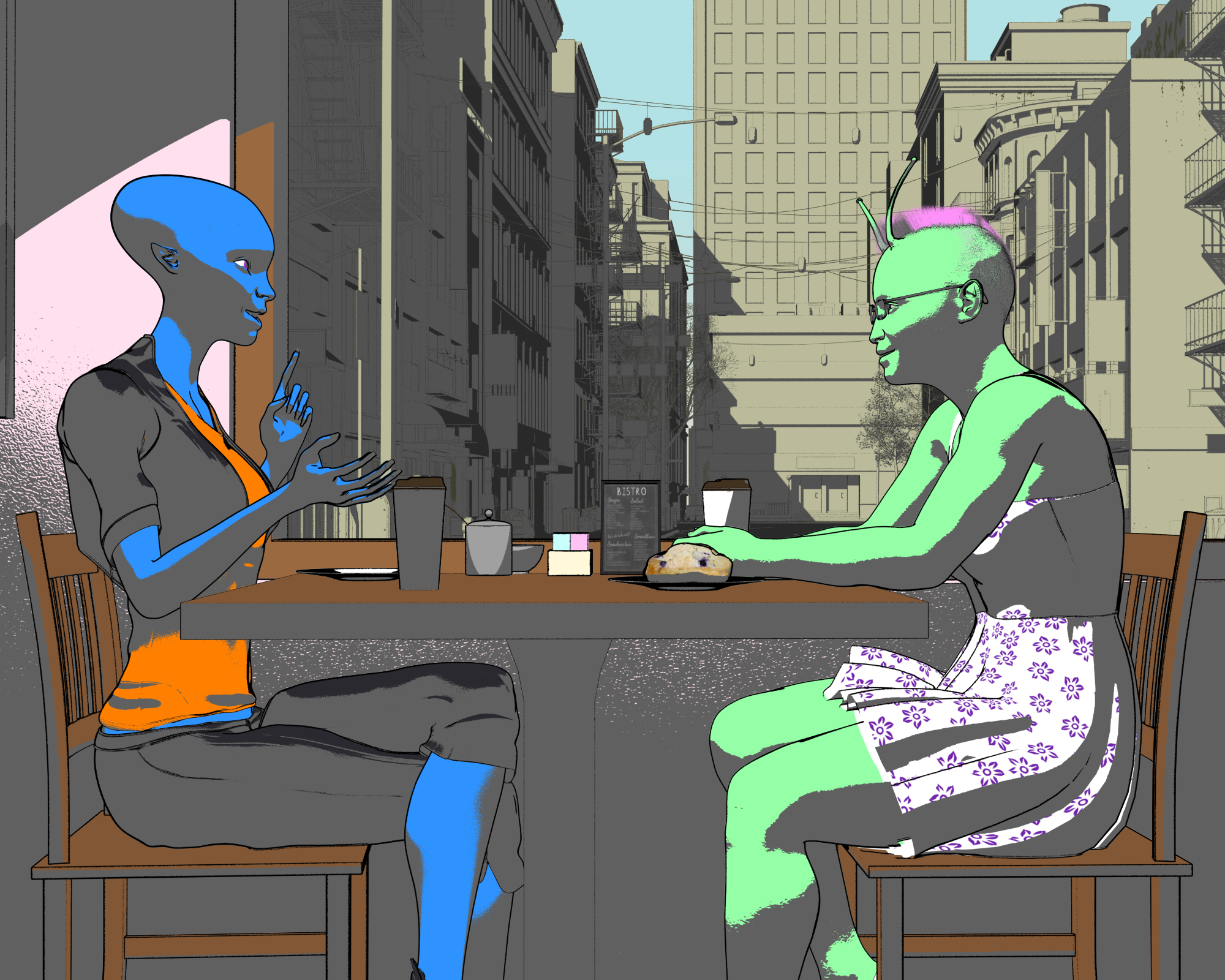
Ok, something different from the last one, but similar principles and use of pwtoon. (A lot more work compositing the final image though than the last one) Still may work on the colors a bit, but I know I could keep adjusting the colors forever and need to make decisions at some point
 .
.
oooh! I like this! :D
Non-photorealistic Renders (NPR)Ok, something different from the last one, but similar principles and use of pwtoon. (A lot more work compositing the final image though than the last one) Still may work on the colors a bit, but I know I could keep adjusting the colors forever and need to make decisions at some point
.I like it (and completely understand the need to just move on and get something done -- I'm always struggling with that). My one suggestion would be to use black shadows on the figures and the foreground, as that would enhance the sense of depth (or flip it and go gray on them but black for the background). Right now it's a little too much gray on gray. And I really like the character designs.
Non-photorealistic Renders (NPR)Ok, something different from the last one, but similar principles and use of pwtoon. (A lot more work compositing the final image though than the last one) Still may work on the colors a bit, but I know I could keep adjusting the colors forever and need to make decisions at some point
.MANGA STYLE & VISUAL STYLE topic - Update Sept 23rd 2017: Fixed Dropbox links! [Commercial]@Mardook Unfortunately pwToon isn't my product (my products are Visual Style and Manga Style), so I don't think I can be much help. I have absolutely no idea why pwToon is doing that. What's especially weird is that it doesn't seem to be the normal type of transparency (where you can see the eyeballs and the inside of the mouth through the head), but instead it seems to be the more advanced ghost effect that you'd get with pwGhost. Do you have pwGhost installed? Maybe there's some sort of conflict with the two shaders?
I've never considered that... will give it a try. I haven't tried VIsual Style to see if it has a similar issues. Will check though. : )
MANGA STYLE & VISUAL STYLE topic - Update Sept 23rd 2017: Fixed Dropbox links! [Commercial]@Wistfultiger I'm not 100% sure what you're trying to do, but most shaders in Daz Studio don't support transparency in PNGs by default. It's usually expected for you to use a seperate Opacity Map if you want something to be transparent. Maybe you could try editing the PNG so it has an opaque white background and then using that instead. Could you show us a picture of your work, so we could see the error?
@Mardook Unfortunately pwToon isn't my product (my products are Visual Style and Manga Style), so I don't think I can be much help. I have absolutely no idea why pwToon is doing that. What's especially weird is that it doesn't seem to be the normal type of transparency (where you can see the eyeballs and the inside of the mouth through the head), but instead it seems to be the more advanced ghost effect that you'd get with pwGhost. Do you have pwGhost installed? Maybe there's some sort of conflict with the two shaders?
MANGA STYLE & VISUAL STYLE topic - Update Sept 23rd 2017: Fixed Dropbox links! [Commercial]Thought I'd give pwToon shader a crack... I haven't used in a year or two. Anyway, I've been having problems rendering some clothing items and especially hair applied to the G3F figure "I haven't yet tried other figures".
I got the clothes to work but the hair is another matter, it doesn't matter what hair it is... the result is always the same. It makes the figure's skin, et all, faint while all the items applied to the figure render fine with the pwToon shader.
I thought maybe the version of DAZ Studio (4.9.1.117 or something something) that I had installed was the culprit so I uninstalled it and installed the latest version (4.9.4.122). Nope, its still there.
Anyway, I am stumped but if anyone has any ideas what it could be... please let me know. Also, I've noticed that some lights will trigger the problem whether the hair is present too.
Question about pwToon ShadingYou know, some of those 'dark edges' you are fighting may be OK to leave. They look like shaded inking in many cases and may sometimes enhance the comic effect. Cetainly being able to control them is worth the research and experimentation, but if you stand-back a bit, you might find them useful. I like your results so far. Just an opinion...
View the hair in wireframe or untextured shaded mode in the viewport and you'll know right-away how the hair was modelled.
most non-dynamic non-strand hairs look like banana-peels or potato-chips on the head, where the strand-based hairs look like ... strands and from normal viewing distances are pretty much black due to the zillions of wireframe outlines in the viewport. non-strand hair uses transparency and alpha masks, but given the right shaders, can be made to outline the image edges, rather than (banana-peel) polygon edges.
Also, you can mix your shaders, so that not all of your surfaces are using pwtoon - if that works for you. Just select those you wish to change/experiment with and apply other shaders!
FWIW, I've toyed with taking my various hair color maps into photoshop/PSP/gimp and cartoonizing them there (outlines/contrast, etc.) and re-applying those maps to the hair, rather than trusting/forcing the render engine to do it. I'm certain it would work (not enough hours in a day). I believe it was @3DOutlaw that did some similar tweaking with clothing to get some great results in concert with the render techniques being used. I think you'd like his results (look around in these forums, and find his web-page to check his stuff out too. good stuff, and very helpful).
nice job on the skin tweaks!
cheers,
--ms
Question about pwToon ShadingI have rendered this image, and I'd like to ask, what would I have to do in order to eliminate the white patches on the skin?

Also, in these two images..


How do I get rid of the unnecessary black shading, as shown in the legs in the second of the three images I posted?
Also, how do I create a thicker black outline on the blonde hair?
It's pretty good that I am on the right track regarding toon shading and making it look more like a 2D cartoon.
Non-photorealistic Renders (NPR)Here's a detail of the expression I was working on.
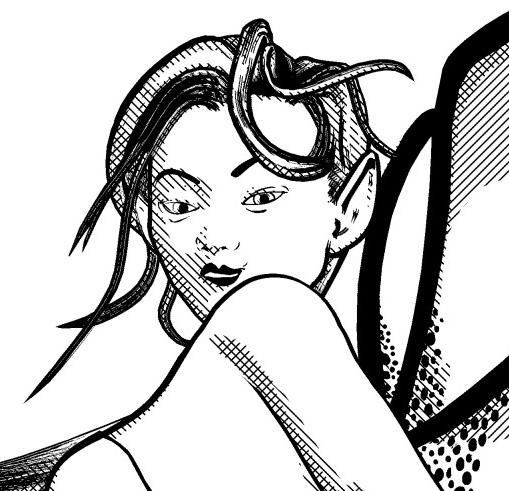
I know I've already talked about the tutorial a bit, but just wanted to add another thank you for posting the details on this one. The multiple tone layers look really cool, and between your tutorial and this image gives me ideas of ways to use the pwtoon presets I've got to create layer masks toward a similar effect. Adds a lot of options to show have contrasting textures in a black and white image.
Thanks again! You know, I hadn't really thought of it that way before, but you're right. The tutorial does explain how to layer different tones and treatments to get a new effect. I would love to see what you do with PW Toon; I have that product but have only used it a little bit. Maybe next year I can experiment with it more – I would love to be able to bring part of my workflow back into Daz Studio.
Non-photorealistic Renders (NPR)Picked up some older Unicorn Stuff in the special promotion during the sale while grabbing Linday's new character Syble (my first G8 character). Oh noes . . . I broke the seal! lol
Finally grabbed M-65 American Icon, too, which I've wanted for some time now. It's got to be one of the most realistic pieces of clothing I've seen in the store. Should look great on Syble. Anyway, here are the 2 unicorns:
https://www.daz3d.com/tumbleweed-the-toon-horse
https://www.daz3d.com/da-unicorn-for-daz-horse-2
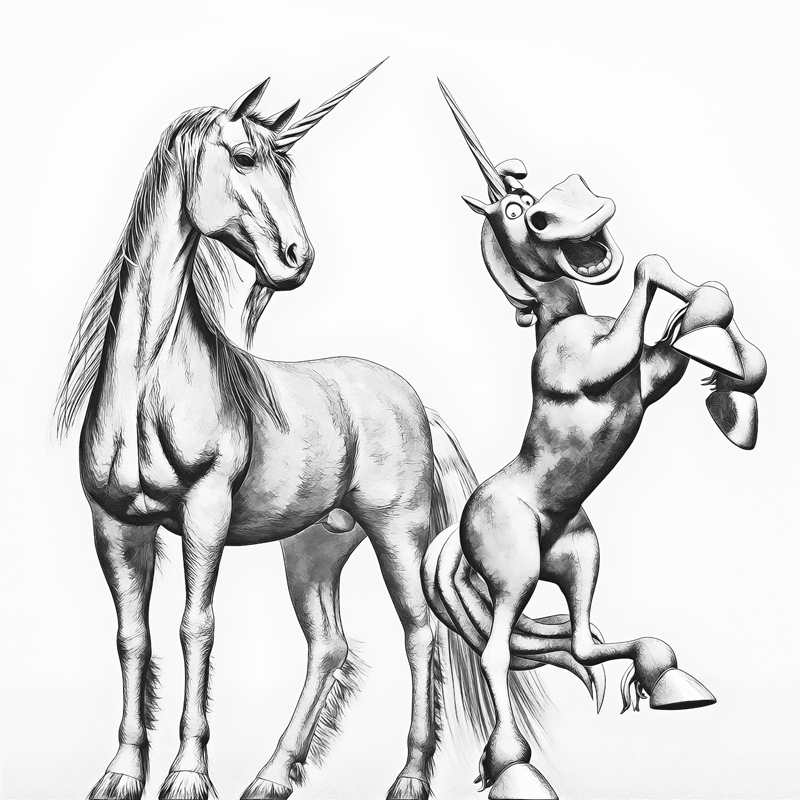
Tumbleweed rendered fine in my algos, but the DAZ Horse 2 unicorn needs some work. After looking at the output a little closer, the hair on his hooves seems abrupt, and his eyes are too dark as well (IRay mat conversion). Not bad for pretty much straight out of the box.
Am I the only one that hears Eddie Murphy's voice in my head when I look at Tumble Weed? Maybe it's the grin? 3DUs creations always have so much character. The more dignified DAZ Horse 2 seems a little annoyed by his counterpart's exuberance.
- Greg
Without the context of the thread here, I would have definitely thought that was a pencil rendering. Excellent effect, very well done. And interesting that the shading on the two has a different effect int he way the fur texture looks, not sure how much of that is from the underlying image maps or deliberate in the process. I appreciate the post about the process and technique as well.
Redid a couple of processes in photoshop, any critique would be much appreciated.
Additional samples, let me know what you think?
How much control does your process give you on the line thickness and quality? If I had a thought on something I might try to tweak, it would be the outline on the first one to help separate out the elements. The saturation and overall effect of the outfit I really like, and the second set of images show much bolder outlines without overwhelming the figure. Overall a cool effect, would like to see more.
One more with another filter from PD Howler.
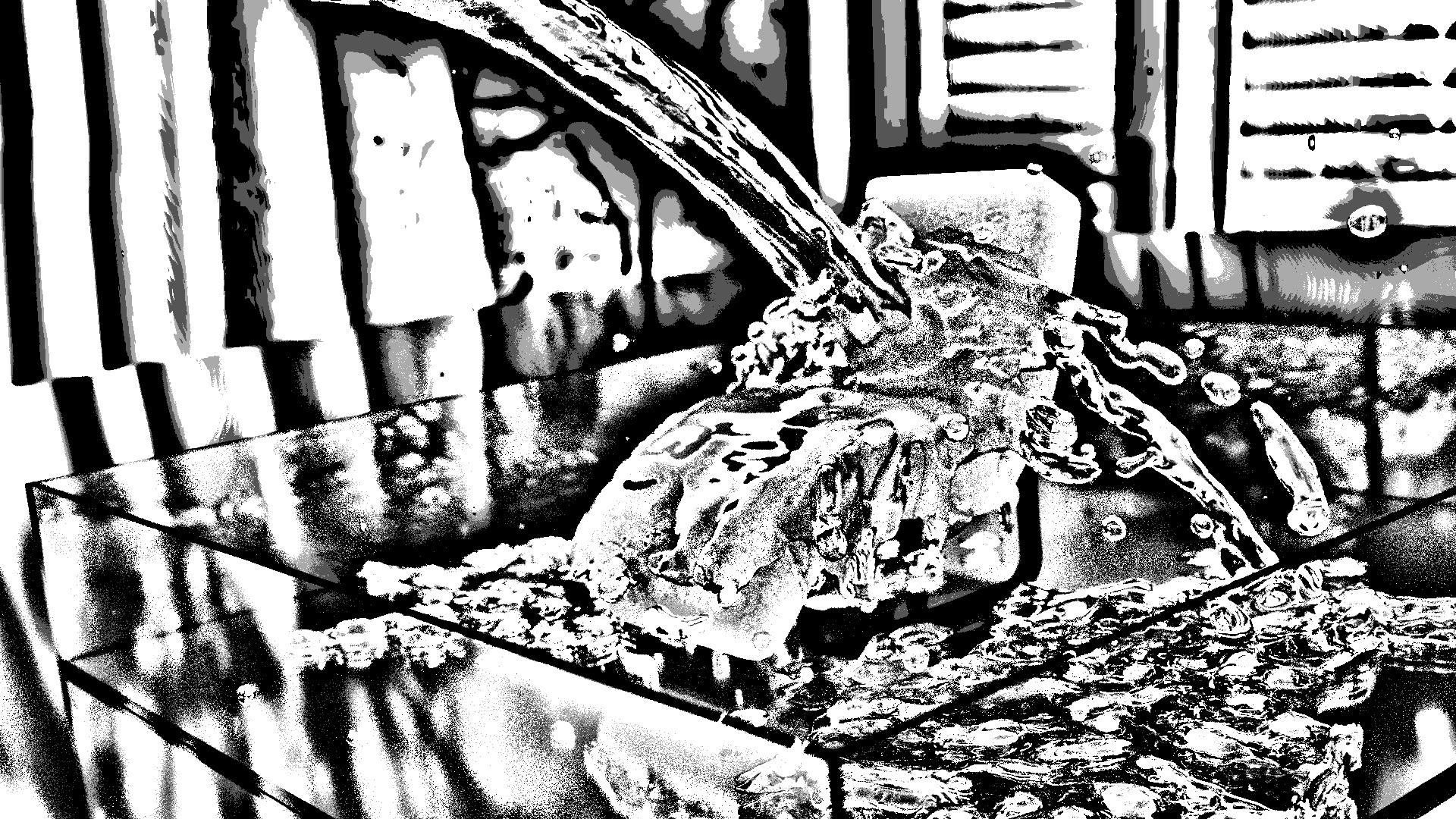
I'm not very familiar with PD and all of its effects, but it looks like it has some very cool illustrative opportunities. This one in particular stuck out to me (I guess I gravitate to a certain visual look
)Here's a detail of the expression I was working on.
I know I've already talked about the tutorial a bit, but just wanted to add another thank you for posting the details on this one. The multiple tone layers look really cool, and between your tutorial and this image gives me ideas of ways to use the pwtoon presets I've got to create layer masks toward a similar effect. Adds a lot of options to show have contrasting textures in a black and white image.
ComicsOk. Well I'm still unsure which olne to get between Line Render, Sketchy, ToonyCam and PWToon, for 2D rendering and animations.
Line Render does look nice.
Not sure if they all work with Iray either...
Line render says it works with any render engine
I have sketchy and have been using it recently which it is Iray only (just very basically, but still looks pretty good. I'm sure it could look even better with messing around with different shaders and settings that come with it.)
PwToon is 3dlight only I believe
Toony cam looks real nice but it doesn't say and I don't have it so I have no idea
Thank you. I think the final choice will be between Sketchy and Line Render, they seem to be the best-looking ones from the promo art. Line Render first I think.
ComicsOk. Well I'm still unsure which olne to get between Line Render, Sketchy, ToonyCam and PWToon, for 2D rendering and animations.
Line Render does look nice.
Not sure if they all work with Iray either...
Line render says it works with any render engine
I have sketchy and have been using it recently which it is Iray only (just very basically, but still looks pretty good. I'm sure it could look even better with messing around with different shaders and settings that come with it.)
PwToon is 3dlight only I believe
Toony cam looks real nice but it doesn't say and I don't have it so I have no idea
ComicsOk. Well I'm still unsure which olne to get between Line Render, Sketchy, ToonyCam and PWToon, for 2D rendering and animations.
Line Render does look nice.
Not sure if they all work with Iray either...
I don't have the shaders you mentioned but I have a lot of others. I have Photoshop and Manga Studio to do post work. So far Visual Style Shaders is still my favorite, but it is 3Delight and the skin shaders don't include eye brows. Now you can convert the shaders to IRAY, but they lose their MANGA line and shading properties. They still look toon though in IRAY. As far as eyebrows, you can either draw your own or buy brows for G1, G3F, and now G8M/G8F. Problem is the brows are not toon style. You can use them as a guide and draw over them. Or you can use a toon shader and leave them be. Now, I recently bought the IRAY toon shaders (skin, brows, eyes) for G2, but I haven't tested them yet. Also, there is a new IRAY toon shader released recently that I have my eye on, but haven't bought yet. I'm waiting for it to go back on sale: https://www.daz3d.com/v176-toon-textures
ComicsOk. Well I'm still unsure which olne to get between Line Render, Sketchy, ToonyCam and PWToon, for 2D rendering and animations.
Line Render does look nice.
Not sure if they all work with Iray either...
Mystery VanShowing off my latest render in pwToon:

The hairstyle is as close to Velma I can get.
New pwToon Cel Shader PresetsI had a hard time using the updated shaders, but the good news is, I did successfully create my first toon render in pwToon.
But I do have one problem. The hair is supposed to be blonde (appearing yellow as in cartoons), but instead it is black. How do I make it blonde?

I am thinking the strands in the hair are pretty narrow.
New pwToon Cel Shader PresetsYou need to apply the base pwToon preset with the model and the surfaces selected. Content Library pane Daz Studio Formats>My Daz 3D Library>Shader Presets>pwToon_DS4 if you installed pwToon to My Daz 3d Library
New pwToon Cel Shader PresetsWhen you said "pwToon Resources" folder, do you mean the folder that has "Snazzy toon", "Classic cartoon", etc.? If so, I rendered and got no results - just the same 3D figure as I normaly would render.
I am pretty sure I installed properly, as I used Install Msnager. Can install manager sometimes make mistakes?
Your render engine is set to 3Delight, not Iray? Editor or Advanced tab of the Render Settings pane.
If you are using the right engine, with the surface selected in the Surfaces pane look at top-left in the Editor tab - what shader does it say is applied?
In the Surfaces pane, the shader displays as DAZ Studio Default. How do I change it to pwToon?
New pwToon Cel Shader PresetsYeah, pwToon is pretty sternly limited to 3Delight renders.
Maybe one day we'll have a toon shader that renders in both.
New pwToon Cel Shader PresetsWhen you said "pwToon Resources" folder, do you mean the folder that has "Snazzy toon", "Classic cartoon", etc.? If so, I rendered and got no results - just the same 3D figure as I normaly would render.
I am pretty sure I installed properly, as I used Install Msnager. Can install manager sometimes make mistakes?
Your render engine is set to 3Delight, not Iray? Editor or Advanced tab of the Render Settings pane.
If you are using the right engine, with the surface selected in the Surfaces pane look at top-left in the Editor tab - what shader does it say is applied?
Daz 3D is part of

Connect
DAZ Productions, Inc.
7533 S Center View Ct #4664
West Jordan, UT 84084Licensing Agreement | Terms of Service | Privacy Policy | EULA
© 2026 Daz Productions Inc. All Rights Reserved.