-
Map Manager [Commercial]
I figure this will be the case, but for the map management tools, these will work with any shaders to be able to transfer maps from one channel to another? Because if so, copying or moving bump to displacement and moving the diffuse to diffuse shading for the pwToon shaders is something that can be very time consuming for me, so that alone makes this sound like a great utility.
Superheroes Rebooted - Ready to Rrrrrender?Playing a bit with xtart-3D's FastHero outfit, I wanted to give it more traditional old-school comic coloring. Done with pwToon.
Another Question About Unnecessary Blackness with pwToon ShaderIt may not be anything wrong with the transparency maps itself but pwToon does not always play well with transparency, if you look at the red dress you already have a transparency for the bottom of the dress that is still visible in the render (specularity ?), and the black parts on the arms has an edge just where some transparency map would end if it was there, so yes it look like transparency related, if you have specular strength on the dress try to set it to zero and see if that help, specularity on transparent surfaces can cause problems especially if you don't use a specularity map.
Another Question About Unnecessary Blackness with pwToon ShaderAs is illustrated in the image in the link below, within the green circles there is blackness that should not be there.
What do I have to do in order to get rid of it?
Non-photorealistic Renders (NPR)Just to try and avoid confusion:
Manga Style is a pack of shaders that aims to recreate the look of classic black and white manga. The standard shaders use the traditional edge_blend/fresnel method of generating toon outlines. The problem with this method is that the width of the line changes depending on how curved the surface is, and it doesn't work well on surfaces with hard edges (such as a sword, or a cube).
Manga Style also came with a bonus Geometry Shell Outline (GSO) shader, which is based off the videogame method of using an inverted duplicate of the mesh to render an outline. The amazing @GiGi_7 found out how to get the effect working in Daz Studio and kindly shared their knowledge with me, allowing me to include the shader in Manga Style as a little bonus in the hopes of making rendering clean outlines easier.
After the release of Manga Style however, I realised the GSO could do with some additional improvements. On top of that, I realised that the GSO works well with pretty much every toon shader out there (Manga Style, Visual Style, pwToon, daz toon, etc) and even characters using normal shaders like UberSurface, so I decided to release the updated version for free. The free version of the GSO shader is the most up-to-date version.
Anyways, I hope that clears up any confusion. :)
Saving 32-Bit DAZ scene File without Glossiness, etc. when opening in 64-bit?Is there any way I can save a DAZ scene in the 32-bit version without glossiness, etc. and keeping the shader settings status quo when I open it in the 64-bit version?
Also, is there a pwToon shader for 32-bit DAZ Studio?
Sakura 8noshobawolf_f994bf986d said:
Looks good . How did you get the toon affect?
PWToon (shader) for the area around her. Her skin and hair are using the visual shaders with my own settings for a more cel look. I have hair settings on sharecg if you're interested in finding them. I put the camera on depth of field so make the background softer, and created my own sky texture using the backdrop feature under the environment/scene tab.
[Released] IBL Master - Image Based Lighting control for both renderers & a new IBL for 3DelightLAMH and PWtoon are the two things that keep me coming back to 3DL.
Why PhotorealismWell I go for iRay which unless I do a closeup of human skin invariable winds up looking like a detailed painting more than photorealism. It's more impatience to get a good result with my super slow computer and lack of shader knowlege and texture creature cameras and editing software though than a preference for iRay. Although looking at much of the old 3DL ad copy in the DAZ Store it's quite clear that even the people that are selling the 3DL products to us aren't 3DL experts. iRay is much easier than that.
Truthfully I'd love if there was a fast easy to edit render style I could do quickly, render quickly (pwToon) & that I've liked. I've tried a few and they have been close but no cigar, That's one of my goals though is to do a few pwToon animations this year.
I also have interest in realistic renders too and not just realistic renders of human skin. So if you are paying attention in the DAZ 3D gallery it is the attempts at realistic renders that get posted far more often then the toon and non-realistic renders.
Also, you have to consider what DAZ 3D and the 3D industry & art community as a whole have to strive for in designing new art - realistic is tangible and evident while more abstract styles are gambles that aren't likely to pan out. Those that do do get represented in the DAZ Store, see Sakura 8, Girl 7 & Guy 7, Morpheus, and Toon Generations 2.
Faster Video Rendering?I am using the 3Delight rendering engine, with pwToon shaders. I did have no problem rendering in 3Delight, and with the pwToon shaders, but I agree, lighting is likely the issue with the slower renders.
I do remember rendering a video with an underwater setting using lighting in renders using the 3Delight engine and pwToon, and it likely rendered quicker without the lighting (there were two lights - including sunlight).
It could also be that one of my props may not have been set to pwToon shaders, so that may also have an impact too.
Sakura 8Here's Sakura at about 40%, skin, G8F -> G3M morph, Toon Generation 2 hair, Arashi eyes, and a bunch of other stuff.
If I were going to do a more pure toon look I'd probably go with PWToon + LineRender9k
He looks great, Will! :D
Sakura 8Another render of Sakura 8, this time in colour. This was originally supposed to be just a quick test trying out Sakura 8's facial rigging, but it kinda got out of hand.
Postwork was done to combine the LineRender9000 passes with the main render, remove some rendering artifacts, and to add the background and effects. The background and effects come with Clip Paint Studio.
P.S The pose in my last render was a reference to the game Doki Doki Literature Club. It's the same pose Sayori has in the promotional art.
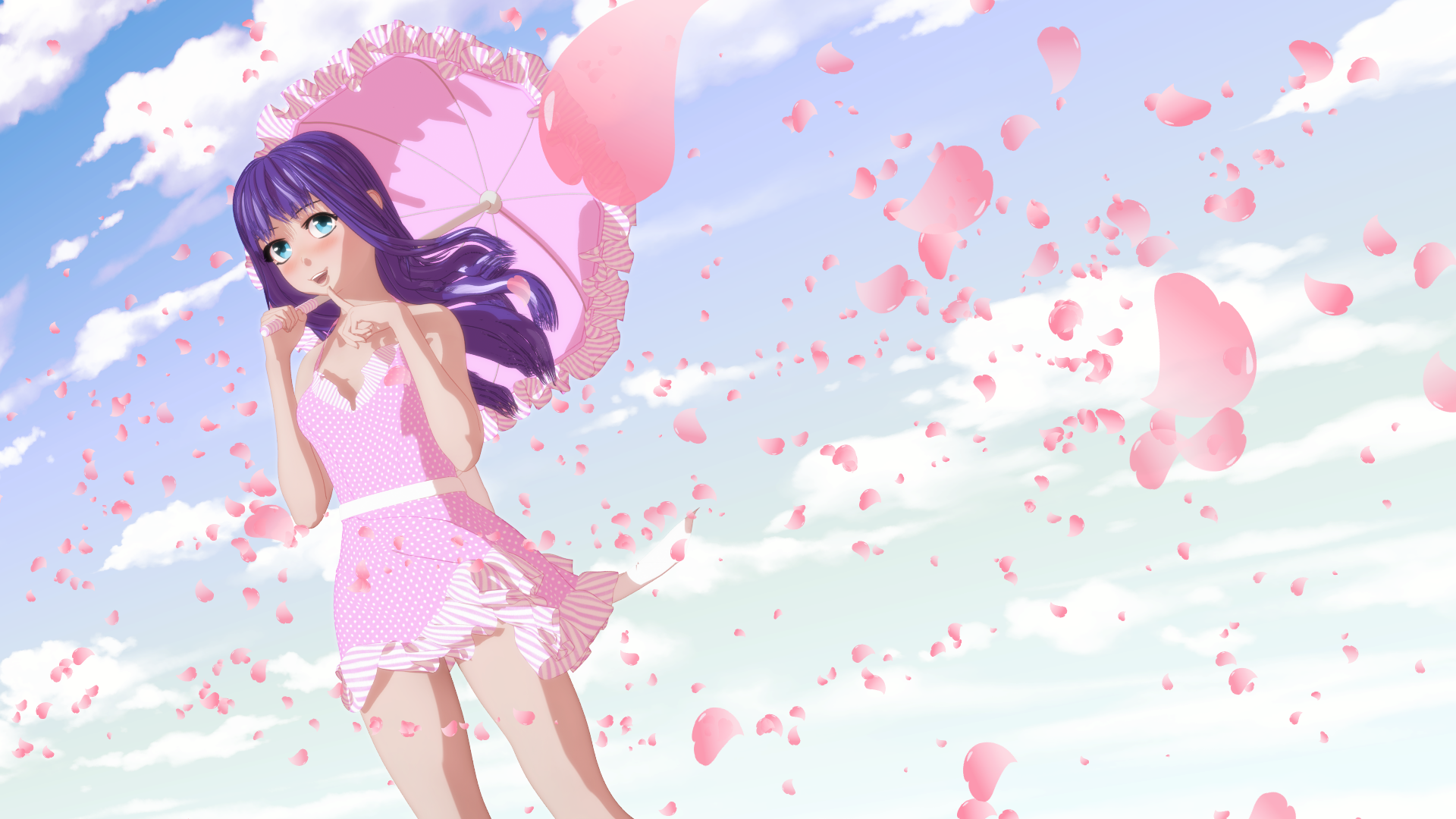
Nice work! The shaders work really well in this image — nailed it :)
WOw this render is just superb and i hadn't heard of that linerender9000 either... pwToon hasn't worked for me in ages and i don't know what works for Iray anymore but thats adorb!
Sakura 8Here's Sakura at about 40%, skin, G8F -> G3M morph, Toon Generation 2 hair, Arashi eyes, and a bunch of other stuff.
If I were going to do a more pure toon look I'd probably go with PWToon + LineRender9k
Lol I like the background action more
 Sakura 8
Here's Sakura at about 40%, skin, G8F -> G3M morph, Toon Generation 2 hair, Arashi eyes, and a bunch of other stuff.
If I were going to do a more pure toon look I'd probably go with PWToon + LineRender9k
Michael and Friends Appreciation Association [Lots of images, please.]I was originally going to avoid cross posting with the It's Raining Men contest thread until the contest was over, but looks like it's ok. Have been reading and enjoying the thread but not contributing, so though I'd post something.
One of the nice things about using heavily stylized shaders like this (pwToon) is that I can use M4 and his various clothes with G3M and his clothes, and it won't look like there is a huge difference between them from the geometry and maps.
Late Night at the Office
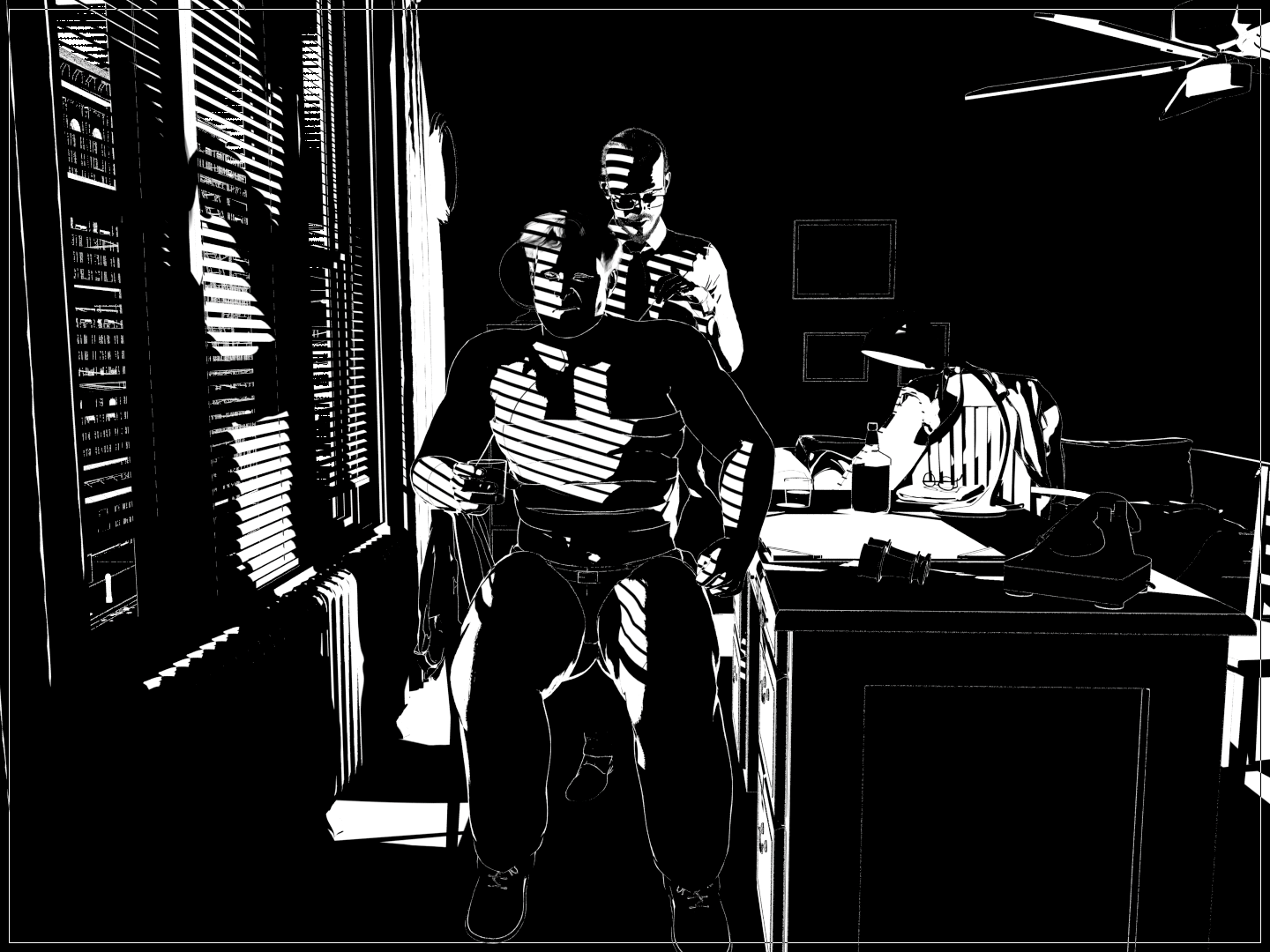
Better line quality and detail in the full sized image.
New pwToon Cel Shader PresetsThe easiest place, IMO, is in the same folder as the pwToon presets: [Content Directory]\Shader Presets\pwToon_DS4
Cheers!
New pwToon Cel Shader Presetshttp://outpostecho.com/downloads/pwToon_CelShaders_r2.zip
I've redone my old pwToon cel shader presets, adding a lot more colors, shadow options and line width choices. As with the original set, you're welcome to redistribute them for free so long as I get credit for them. You must own pwToons for this to work: https://www.daz3d.com/pwtoon
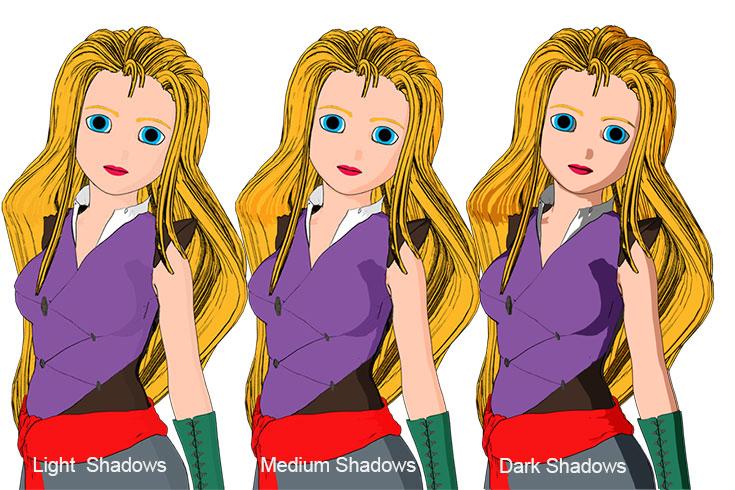
Cheers!
Thank you! going to use it today! I just need to figure out how to install...any tips?
3Delight Laboratory Thread: tips, questions, experimentsAnother bundle or maybe one product on sale: "pwSurface 2" and "pw Shaders Bundle."pwSurface2 can give you some interesting NPR looks. It can also be used for "realistic" renders, but UberSurface2 wins in that regard - it's the only store shader that attenuates specular which is quite important.
pwSurface can do surface-based indirect diffuse or simple AO - which may be more efficient than using UE on the whole scene. I think MattyManx used to swear by pwSurface back then.
Other pw shaders - pwEffect, pwToon, pwGhost - also give interesting NPR looks. pwGhost and pwEffect can also be used in "realistic" renders for magic and other special FX.
In my signature there's a link to my freebie thread, check it out, maybe you'll find something useful =)
Comic Book style renderingI have personally used pwToon and I like it and I can render in 3DL or iRay with it and it looks good because since it's a toon style minimal calculations are done to render a scene.
The free built-in DAZ Toon style is also good but requires more surfaces setup work than pwToon - although pwToon does require surfaces setup too so far I like the pwToon results better.
Really? I haven't used it for a while, but I know it predates iRay, so I thought it would be all messed up
Yes, it looked fine but not as good as 3DL as they looked plasticine. They are autoconverted, but I was wrong about the render being fast although it's faster than if I'd kept the original PBR settings; however choosing 3Delight as the renderer makes the render almost instantaneously fast (well not really, but compared to realistic renders).
The attached renders are made with
pwToon (aa Cartoon Classic, ab Toon Noir, ac --Neutral--, ad Striking Outline, ae Technical Drawing)
DS Defaults (af DS Defaults - Toon) - free with DAZ Studio
Crescent Toon (ag - Crescent Soft Shaders Thin, ah Crescent Cel Shaders Thick) - free from Crescent (she posted earlier at sharecg.com)
Key thing to remember is DS Defaults and Crescent Presets overwrite & erase any texture maps present while pwToon does not. You can always type <Control>-LMB on the toon shader preset and DAZ Studio will show a popup & on that for the images dropdown choose ignore and than the images on that surface won't be overwritten.
You can and should select each surface that is defined to apply a toon shader preset to. You can turn on the Geometry Editor and combine that with the Face Group and Surfaces Editor to define new surfaces to get your toon renders more details if you need too.
The renders altogether took less than 5 minutes, all 8 of them and I rushed to change the shader presets on them & made no adjustments so what you see is very fast to set up and can be improved to your personal tastes if you like.
Attached Left to Right: aa - ah as written above.
EDIT: I left an important preset style off the list & point out I did not do all the preset styles available for those products.
pwToon (ai - Comic Book Light B+W)
I believe there is a product in the DAZ Store that does comic book style color halftone dithering but I don't own that product to show you an example.
@nonesuch00, thanks a bunch for that comparison series. It captures the general flavor of each tool quite well.
That said, as I've explored these tools, it's worth noting that *each* of these tools has a good number of adjustments that can be made that can dramatically change the result. Most have adjustments for light and shdow colors, as well as how sharp the transition is between that light and dark edge. In addition, changing the lighting (e.g. from a soft-light HDR to a distant-light like the sun) may completely alter the nature of the shadow edges in most of these packages. Further, some toon shaders don't even respond to lights at all and will render wonderfully *without lights* using ambient settings. Some of these tools have outline features that relate to camera angles/normals relative to that target, and others outline objects and their separate parts using 'IDs' or identfier tagging techniques.
It's a bit of a trick to get all of them under control, but the common themes start to bubble up, and pretty soon you're controlling it... sort of.
Bottom line - although there are a collection of great comparison samples above - they are a great way to get a feel for the various tools presented, but... I would bet that someone else would come up with an equally useful, but very different set of renders from the exact same tools using their own way of setting them up. It would be simply impossible to render/demo them all (nonesuch00's series are decent representative presets - beyond that you could render your life away playing with the settings and lighting options...)
As mentioned above, browse the active comic/NPR threads and you can gather huge amounts of insights from these masters - and you might find that one of the tools used to make a render up above that you don't like is the very tool being used by some else to achieve exactly the look you do want. It's worth mentioning that the term 'comic style renders' has as much variation as there are styles of coffee. Perhaps a post of the style you are liking may draw specific tool and setup recommendations from the fine folks in here. There are some amazingly clever and generous folks in these parts. Some spend most of their posting over at deviant art, and a simple toon/DAZ search will likely yield a wealth of iamges, tips, advice, and tutorials.
Personally, I'm working with pwtoon and Visual-Style for figures, and the toony-cam-pro for backgrounds. I haven't gotten to the post-work options, but really like the results I'm seeing from a few folks here. There's some absolutely brilliant illustrative stuff going on in a Carrara NPR thread that blows my mind.
Cheers, (and let us know how it goes!)
--ms
Comic Book style renderingI have personally used pwToon and I like it and I can render in 3DL or iRay with it and it looks good because since it's a toon style minimal calculations are done to render a scene.
The free built-in DAZ Toon style is also good but requires more surfaces setup work than pwToon - although pwToon does require surfaces setup too so far I like the pwToon results better.
Really? I haven't used it for a while, but I know it predates iRay, so I thought it would be all messed up
Yes, it looked fine but not as good as 3DL as they looked plasticine. They are autoconverted, but I was wrong about the render being fast although it's faster than if I'd kept the original PBR settings; however choosing 3Delight as the renderer makes the render almost instantaneously fast (well not really, but compared to realistic renders).
The attached renders are made with
pwToon (aa Cartoon Classic, ab Toon Noir, ac --Neutral--, ad Striking Outline, ae Technical Drawing)
DS Defaults (af DS Defaults - Toon) - free with DAZ Studio
Crescent Toon (ag - Crescent Soft Shaders Thin, ah Crescent Cel Shaders Thick) - free from Crescent (she posted earlier at sharecg.com)
Key thing to remember is DS Defaults and Crescent Presets overwrite & erase any texture maps present while pwToon does not. You can always type <Control>-LMB on the toon shader preset and DAZ Studio will show a popup & on that for the images dropdown choose ignore and than the images on that surface won't be overwritten.
You can and should select each surface that is defined to apply a toon shader preset to. You can turn on the Geometry Editor and combine that with the Face Group and Surfaces Editor to define new surfaces to get your toon renders more details if you need too.
The renders altogether took less than 5 minutes, all 8 of them and I rushed to change the shader presets on them & made no adjustments so what you see is very fast to set up and can be improved to your personal tastes if you like.
Attached Left to Right: aa - ah as written above.
EDIT: I left an important preset style off the list & point out I did not do all the preset styles available for those products.
pwToon (ai - Comic Book Light B+W)
I believe there is a product in the DAZ Store that does comic book style color halftone dithering but I don't own that product to show you an example.
Daz 3D is part of

Connect
DAZ Productions, Inc.
7533 S Center View Ct #4664
West Jordan, UT 84084Licensing Agreement | Terms of Service | Privacy Policy | EULA
© 2026 Daz Productions Inc. All Rights Reserved.