-
Custom Morph Question : Dialed Morphs for character preset, etc…
Well you didn't post the full list of morphs, but judging from the few lines you posted above you used at least some "Evolution Head" morphs, which are from this product: https://www.daz3d.com/genesis-2-female-head-morphs (also part of the bundle)
Did you morph just the head or also the body? If so then you most likely used the body morphs product you linked to.
It would probably be better to say that it requires both the head and body morphs products rather than the bundle, as some people might have purchased them separately. (In this case it doesn't make much difference as there's no extra content in the bundle, ).
Anyone know this character?bjr21185 said:
Hi Crosswind, thanks for seeing this, and good to know. Yes, I have two different face and body custom morphing add-ons for Daz that I have used to create my own characters from stock ones using the various dials, but it can be hard to recreate an exact look from an existing set of photos.
Could you ask your PA friend if they'd be willing to send me the custom character? I'd be more than happy to pay for it. She's so lovely I just have to have her!
I'm sorry they would not do that as per users' requests. I would suggest use 200 Plus, Shape Shift, HSTW Morph Kits, etc.. We usually use these packages to heavily shape our characters (plus sculpting if needed)... For this character, it'll be really customizable.
How to update my product location files?You should've saved figure assets and/or morph assets to the new location rather than directly moving the relevant 'data folders'...
- Move them back, load figure and save to new... then delete old.
- or, directly edit duf file of the figure (modify the path of data folder), but not recommended...Is there any need for classic Hollywood G9 head morphs?I am remaking Vivien Leigh (Scarlett G9) and she will be part of the bundle. Sophia Loren will remain separate. I am also doing a Clark Gable head morph. No points for guesing what his head morph will be named.
 Fixing hip distortion on pelvis / thigh bends
Actually that's 'normal' ... especially when you bend figure's Pelvis + Abdomen Lower to an extreme extent (and thighs bend + side-side make it worse...), while default pJCMs cannot well fix the partial morphs, even if you use Bend Control. So ~
- try to avoid bending those joints together with high degrees..
- try not to make your figure too thin. The more it's thinner, the more 'distorted' it's gonna be...
- zev0 developed another product to fix similar issues on the abdomen to some extent, you may take a look at: https://www.daz3d.com/body-mixer-for-genesis-3-and-8-female.. (but it's not all mighty.)
- check if you use some unique partial body morph or character... some will aggravate the issue..
- the best way is to fix them with scultping software, e.g. Blender or ZB... (so far I've not seen a product can 100% fix such an issue 'cause that really depends on your figure's shape and poses...)Fixing hip distortion on pelvis / thigh bendsAny morph packs for the figure - it does not have to be one that is in use, the issue would be that the correction (to make the bends look better when the morph was applied) was in effect regardless.
GENESIS 9 - MORPH LOADER PRO [PROBLEM MORPHS]Almost certainly you used a different preset on the OBJ export and the Morph Loader Pro import - OBJ has no inherent sale, or orientation, so the presets tell Daz how the values should convert for the OBJ. Using the same preset ensures that the process is properly reversed. Try an OBJ export (of anything) and note which preset is used, then cancel and redo your morph import setting the same preset.
GENESIS 9 - MORPH LOADER PRO [PROBLEM MORPHS]Can anyone tell me why a morph created with blender sculptiong also changes my character scale when I load it with morph loader pro? I did not use genesis 9 base avatar
Face transfer so much bettertsroemi said:
paulawp (marahzen) said:
Here's another one I posted on my gallery and thought was worth sharing here.
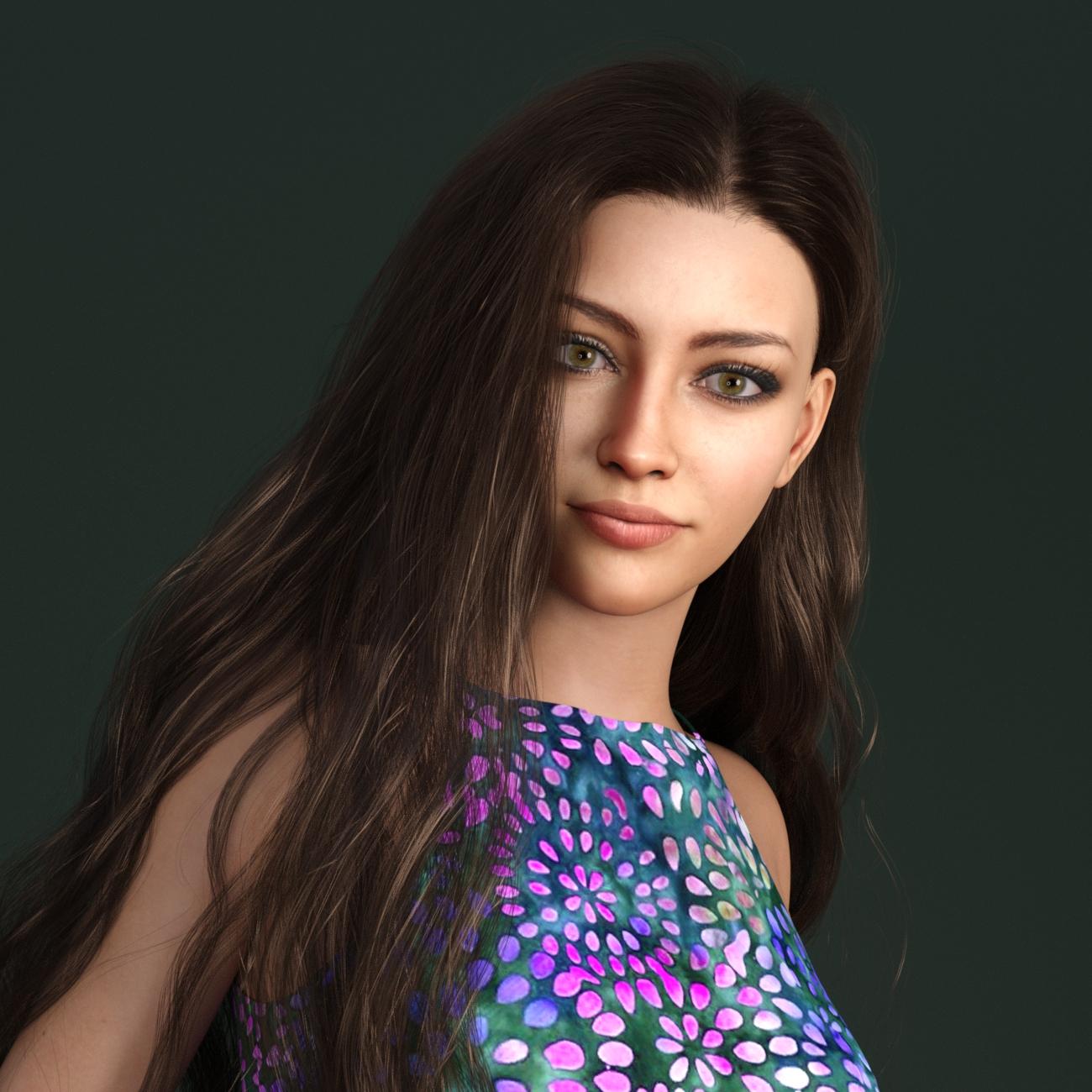
Wow, lovely characters (and renders) you're creating with FG! I'm on the fence about buying it, as I'm mainly looking to recreate people from old online photos which are usually not that good in quality and/or not in a full frontal pose. Would you happen to have any advice on this? I'm not interested in the textures (the old photos are usually black and white anyway), only the morphs. Would you think FG was a good starting point, combined with the PhilC add-on?
Hi there! Always glad to chat about creating characters, one of my favorite 3d art subjects and the literal reason why I started using Daz a couple of years ago.
I have tried all of the comparable products that I know of (including one available elsewhere) and for now, I find that I am using Face Transfer (with Face Transfer Shapes) to create shapes and of late, have been experimenting with the latest version of FaceGen to create textures from the same source images. I prefer FT shapes but FG definitely appears to be more forgiving of source image blemishes and problems, like shadows and highlights. (That wouldn't be relevant to you, if you're using old B/W photos, but just saying.)
Most of my recent characters have been complicated Franken-figures that are the result of FT -> G8.1, converted to G9, with FG textures. The latest FaceGen release creates textures for any of the Genesis versions through G9, and after some initial experimentation with manual conversion of G8 -> G9, I've moved to using the ManFriday product. That's totally a WIP; I'm still refining the process for all of that from one figure test to the next.
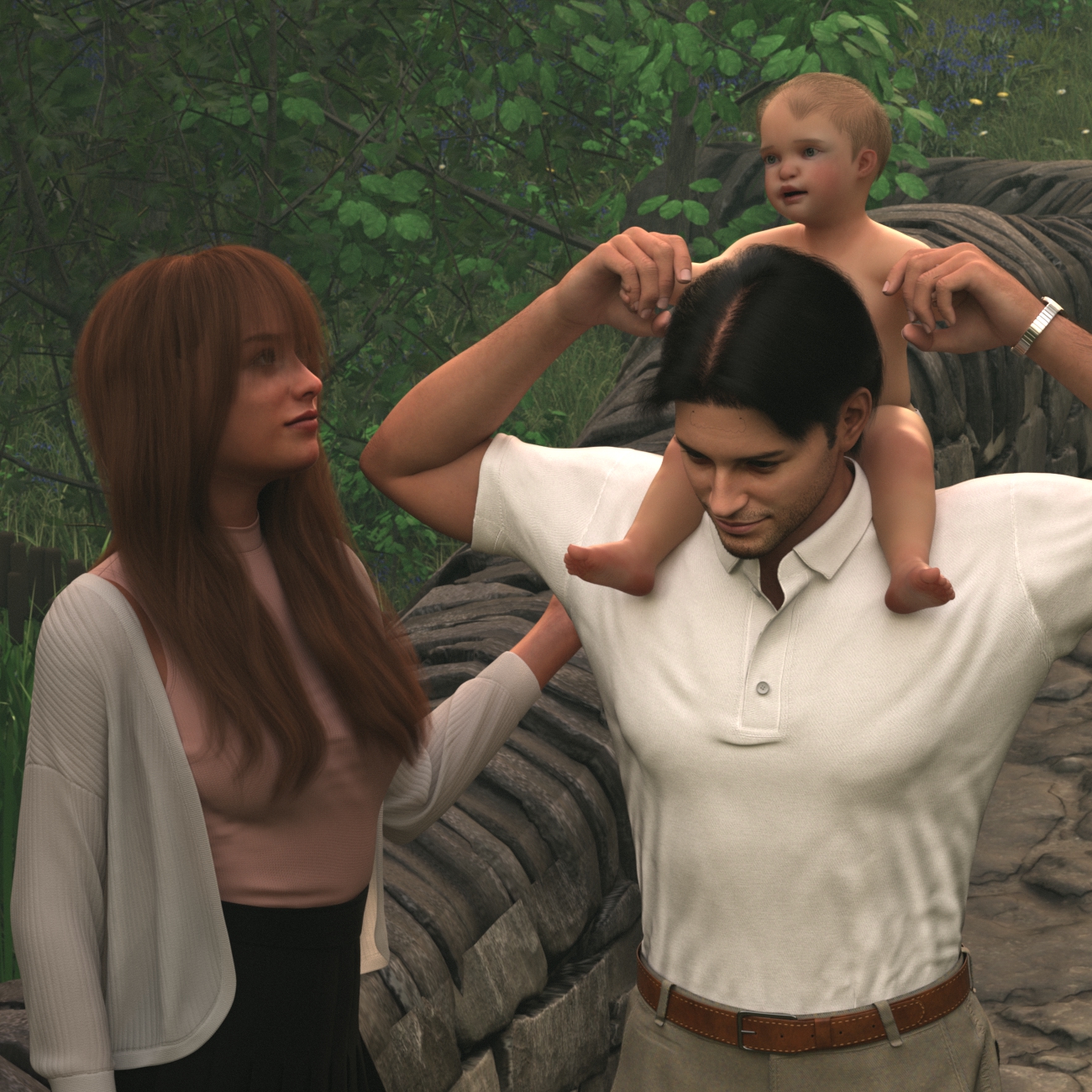
This is one I just posted in my gallery. Of course the baby is not FT - this is one of several I did to test out the new Mechasar Mega bundle stuff for Tobyn and Caryn - but the parents are G8.1 FT characters that I'm using for my current round of new product testing.
Check out my gallery, also linked in my signature:
https://www.daz3d.com/gallery/user/6088047653289984#gallery=newest&page=1
Also, there's lots of commentary on these other recent threads, worth checking out if you're interested in the subject:
https://www.daz3d.com/forums/discussion/597876/face-transfer-on-genesis-9#latest
https://www.daz3d.com/forums/discussion/621496/face-transfer-unlimited-g8-expressions-morphs#latest
Custom Morph Question : Dialed Morphs for character preset, etc…Finished asset load (open): 0m 10.403s - /Scenes/new_char.duf
Processing morph projection queue: Genesis 2 Female << ActualHair2
/data/DAZ 3D/Genesis 2/Female/Morphs/DAZ 3D/Evolution Head/PHMTemplesDefineR.dsf
/data/DAZ 3D/Genesis 2/Female/Morphs/DAZ 3D/Evolution Head/PHMTemplesDefineL.dsf
/data/DAZ 3D/Genesis 2/Female/Morphs/DAZ 3D/Evolution Head/PHMJawSizeR.dsf
and so on EDITED BECAUSE RED CLOUDE didn't like the postHELP Richard Haseltine!
Fixing hip distortion on pelvis / thigh bendsThank you for the response Richard! Would you mind elaborating a bit? What should I be checking for updates? Gen 8? The morph packs I'm using? Daz Studio?
How do you get Leony onto Genesis 9?vickjkollamane said:
I'll try this, but Leony has unique eyes called "Look At Me" (LAM) eyes for Genesis 8, that require a morph injection, they're their own geometry mesh, is there a way to get those onto Genesis 9?
Probably not. If there is anything special/unique then it's probably not covered by a converter. Is there a reason you cannot just use the figure in it's original G8 form? If you have to convert the figure to G9 then you may have to compromise unfortunately. Outside of the Daz Originals I don't think most PAs tend to re-do earlier characters in later generations.
export Posecontrols as blendshapesPose Controls may well drive rotations, morphs can move the geometry only in straight lines. You need a way to link one property (the control slider) to others rather than trying to bake to a morph.
How do you get Leony onto Genesis 9?SofaCitizen said:
This should do what you want: RSSY Character and Material Conversion Genesis 8 to Genesis 9 Bundle
I'll try this, but Leony has unique eyes called "Look At Me" (LAM) eyes for Genesis 8, that require a morph injection, they're their own geometry mesh, is there a way to get those onto Genesis 9?
Custom Morph QuestionBoth in order to guard against license infringement, should you wish to share the morph, and for straightforward use you should import your modified shape with the reverse deformation option, then use ERC Freeze to link your morph to the originals as a controller so that dialling it up with set all of the required shapes and enable any corrective links.
Shape Splitter - Divide, Combine and Save (The new version is already available. 1.2.1)[Commercial]Found this video:
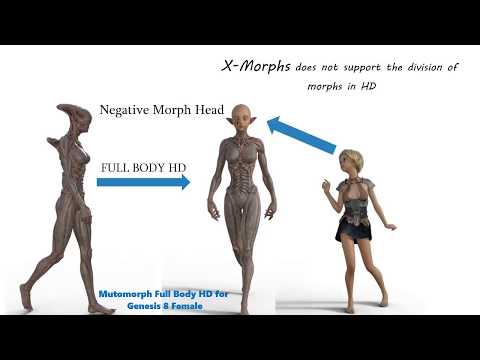
Ok, the morph must be saved in Step 5 before it appears in the DS Parameters tab.
But, setting -100% to this SS morph removes the entire morph, not just the nose, and crushes the face.
So, first try didn't work.In the video tutorial, they use the "Calculate" button, but this button is not mentioned in the "Negative Morphs" SS help docs. Is this button used in all cases, before saving the SS morph? Tried using it, didn't help.
Can someone just post a screenshot of Ollie's head morph without his nose, as proof that it works?
Shape Splitter - Divide, Combine and Save (The new version is already available. 1.2.1)[Commercial]Ok, I read a SS help docs section called "Negative Morphs". It says to set Limit Min Morph to -100%, and click Save Setting.
But I don't understand how "Shape Splitter" appears in the Parameters tab under Genesis 8 Male -> Actor (help docs screenshot). When and how does this happen? Is the SS script still running? How do you go from using the SS script back to the Daz Studio parameters tab?
Custom Morph Question : Dialed Morphs for character preset, etc…as a BAD example if i used any of these:
https://www.daz3d.com/200-plus-head-face-morphs-for-genesis-3-male-s
in order for my morph to work on your computer you would have to own this.
(BAD example) because this is 'Merchant resource' so i can include/embed the morphs with my morph, correct???
nice price[9-4-2023 -70% -> $5.39]
and no i did use, or own the above package.Shape Splitter - Divide, Combine and Save (The new version is already available. 1.2.1)[Commercial]Thanks for the reply, but where/what is that nose value, -100%, which step (1-5) ?
Step 1: Select Regions, Nose.
Step 2: Select Ollie 8 Head, morph strength: 100%.
Step 3: n/a?
Step 4: n/a
Step 5: n/aCustom Morph QuestionNah, neither of them... It seems that you just wanna have a single dial of the morph you customized. If so, you should zero figure before importing obj file.
Daz 3D is part of

Connect
DAZ Productions, Inc.
7533 S Center View Ct #4664
West Jordan, UT 84084Licensing Agreement | Terms of Service | Privacy Policy | EULA
© 2026 Daz Productions Inc. All Rights Reserved.











