-
more....Wacky Modelling ~ In Carrara ~
therixx said:
Dartanbeck said:
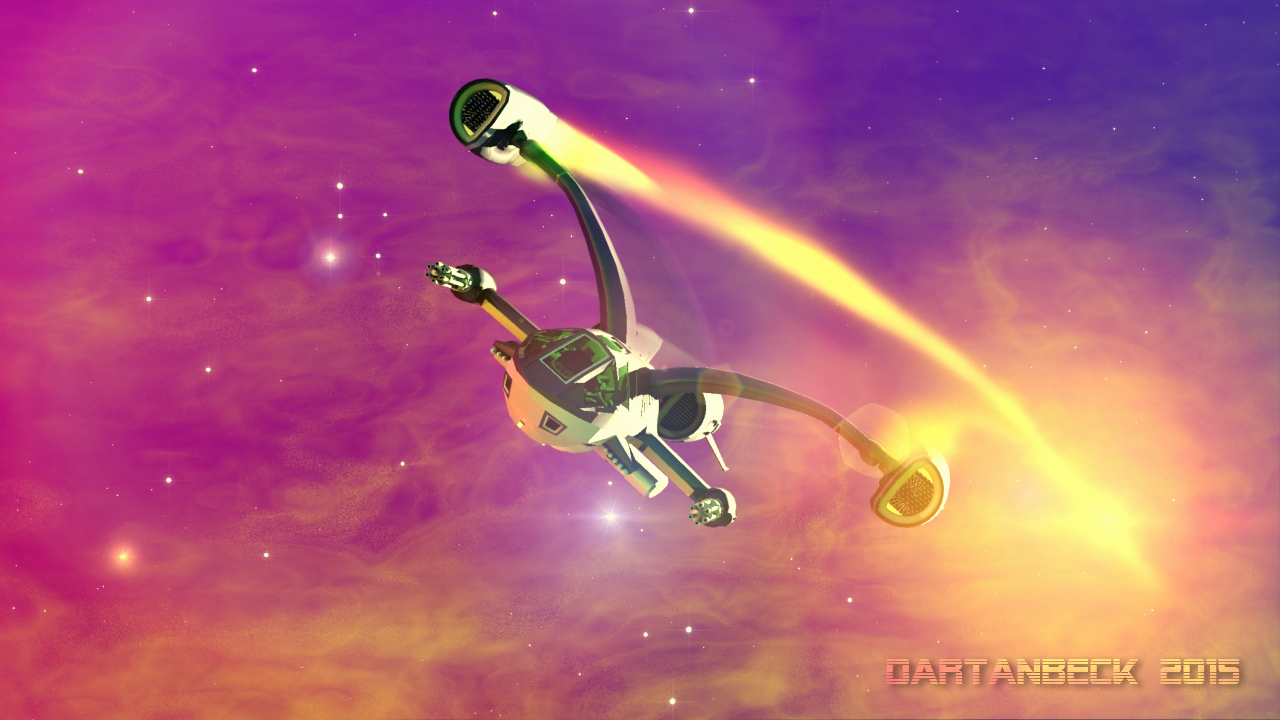
To include some animation examples with the upcoming Starry Sky Iray, I built a little star ship quickly using primitives and shaders (DS).
After watching it back, I'm thinking... Oh no. The last thing I want is to have an Editorial License slapped on it just for a simple demo!
So on Wednesday, I slapped a Saturday Sphere into Carrara's vertex room and made me a nice little ship, I think! LOL
Dart, you went from Enterprise to Batwing, in my opinion :-)
Yeah - when I went into Carrara to make the second one, I was simply trying to make something that didn't look very recognizeable - and I did it all very quickly! LOL
It's horrible! LOL But when I threw it into space, it just started cruisin' along. So....
Dartanbeck's Journey - CG FilmmakingMajor Cache (Uzelite), Star Ship Command (PerspectX) and Starry Sky Iray (Dartanbeck)
 Dartanbeck's Journey - CG Filmmaking
Inspired
My daughter got me a subscription to Paramount + so that I could get my Star Trek on whenever I want. Well I've discovered a really cool show - "Halo".
I've never played the game.
- I'm not really much of a gamer.
- When I do play games, FPS truly is Not my thing - but I love to watch others do it.
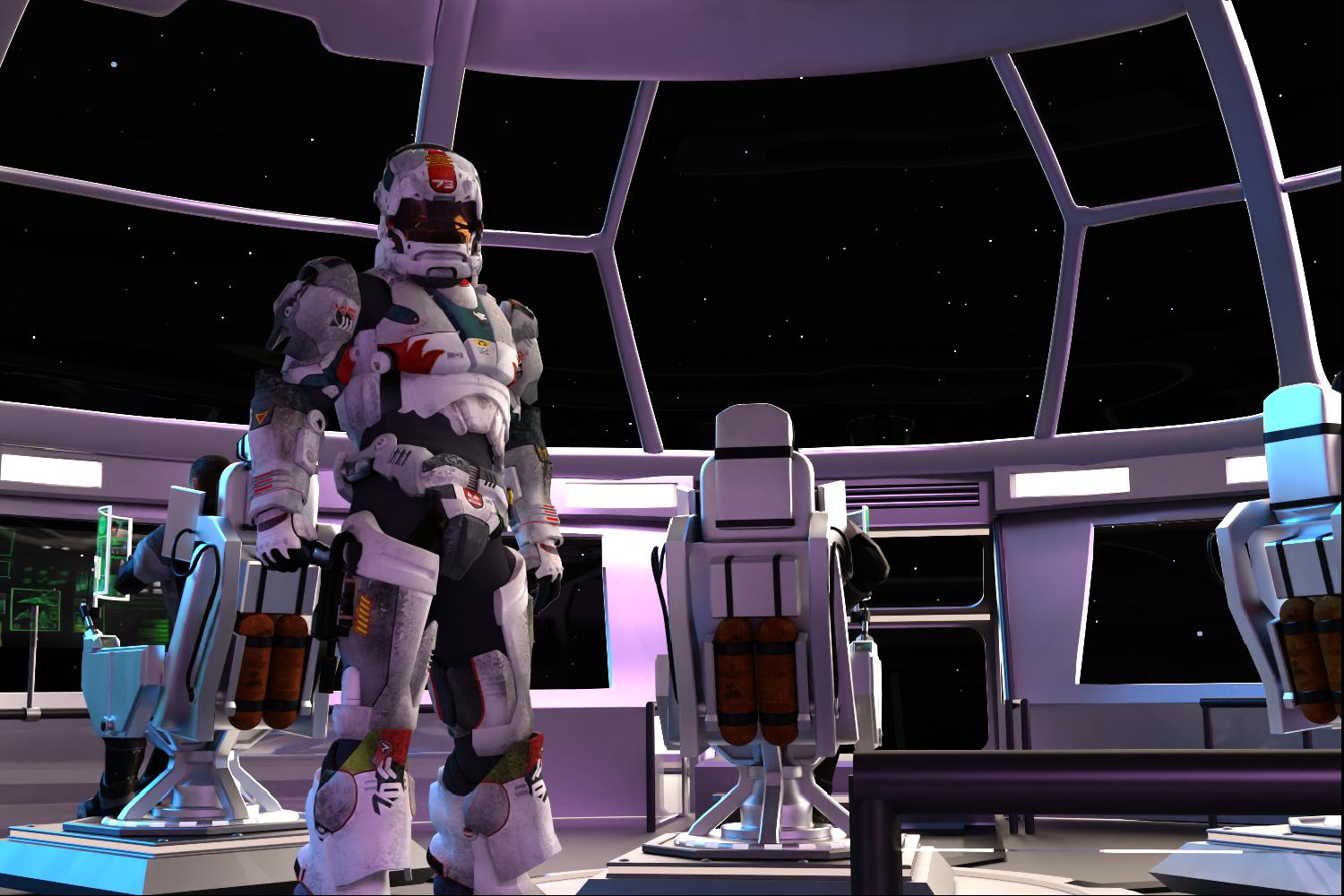
I've seen at least two of the animated movies made for Halo - and I enjoyed them - but this thing is... well... let's just say that "Wow!!!" is a total understatement!
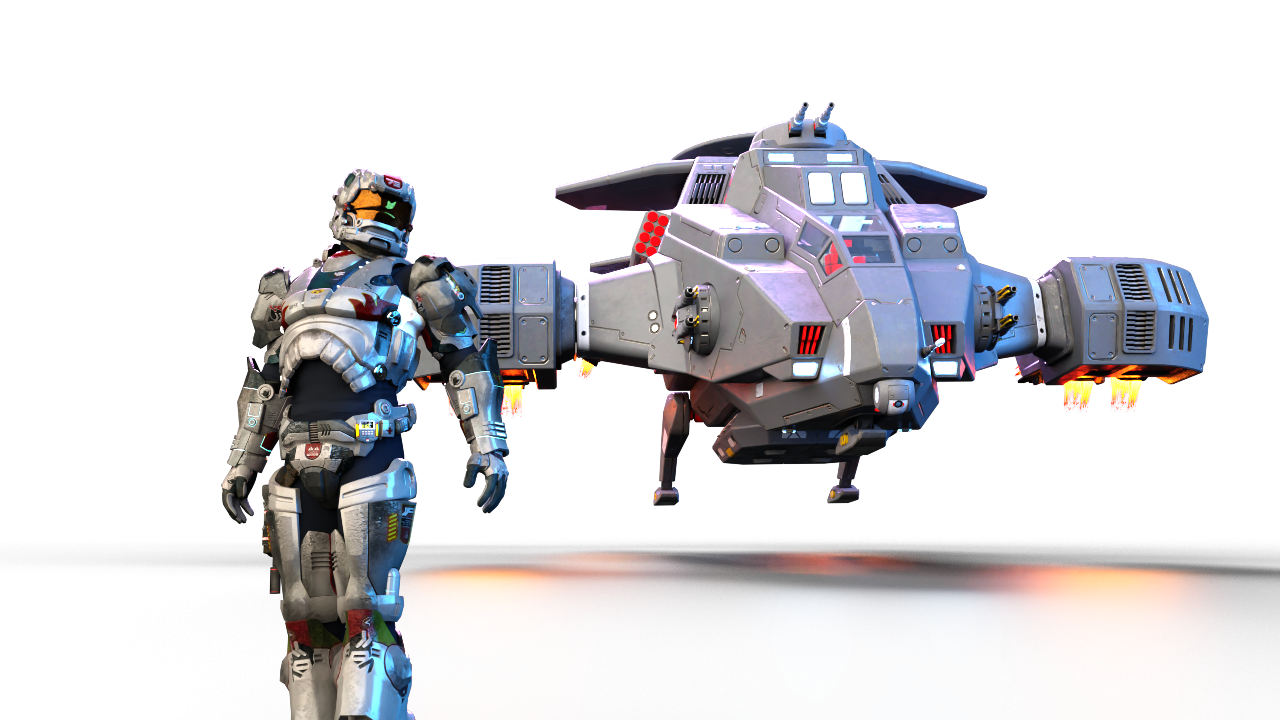
So in my making of animations that I'll use to help demonstrate Starry Sky Iray, this sequence just kind of... happened. The actual animation looks pretty cool, I think!
 Hot New (Northern) Season, New Sales Thread: Report Issues Here "Reporting Only"
Leana said:
Helene said:
Leana said:
Helene said:
Leana said:
Xellosz said:
So what is free? Daz+ Orcish Behavior e-mail has huge errors.

The Daz+ weekly freebie is this one according to Daz+ membership page: https://www.daz3d.com/spring-flowers--wood-anenome
The DAZ + page quit showing me the freebies months ago. Thank you for the link!
They're not directly visible on the page anymore, you have to open the "free weekly content and more" section to see them.
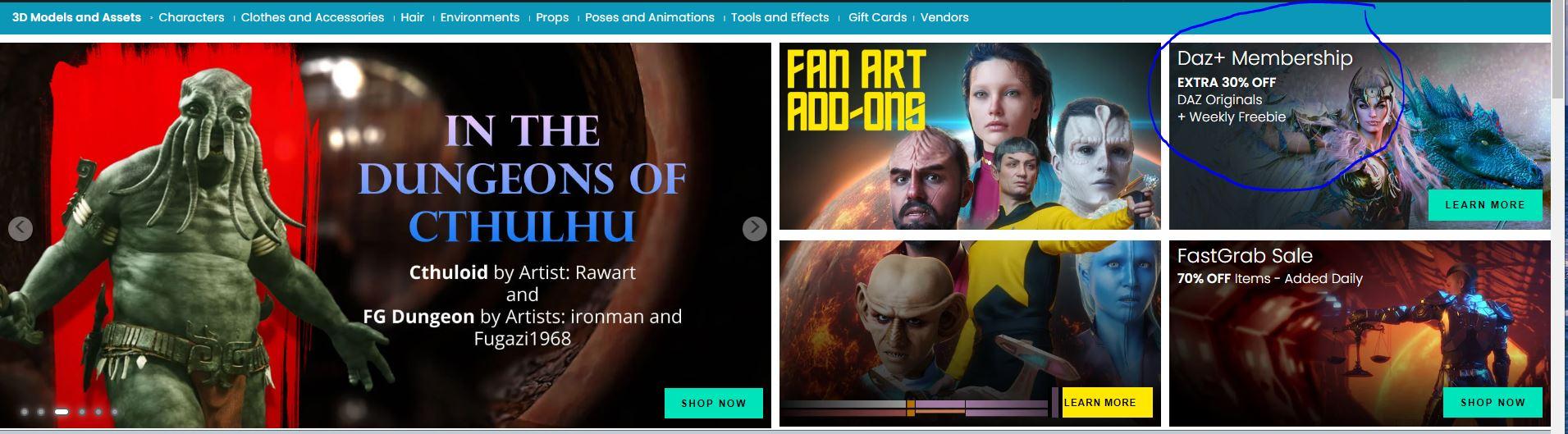
I don't see "free weekly content and more" . Is it supposed to be one of the sliding tiles? (not there - lightning deals is at the end) or one of the static tiles? I have 2 tiles for Star Trek fan art, Daz + and Fast Grab
It's a section on the "Daz+ membership" page:

You can find them here too: https://www.daz3d.com/platinum-club-freebies
Yes, that is the current weekly freebie for PC+. Honesty the easiest way to see and get all the freebies offered is to go to the main store page and filter by "Price Low-High". It will give you all the freebies on the site. AT least I'm fairly sure that's all of them.
Hot New (Northern) Season, New Sales Thread: Report Issues Here "Reporting Only"Helene said:
Leana said:
Helene said:
Leana said:
Xellosz said:
So what is free? Daz+ Orcish Behavior e-mail has huge errors.
The Daz+ weekly freebie is this one according to Daz+ membership page: https://www.daz3d.com/spring-flowers--wood-anenome
The DAZ + page quit showing me the freebies months ago. Thank you for the link!
They're not directly visible on the page anymore, you have to open the "free weekly content and more" section to see them.
I don't see "free weekly content and more" . Is it supposed to be one of the sliding tiles? (not there - lightning deals is at the end) or one of the static tiles? I have 2 tiles for Star Trek fan art, Daz + and Fast Grab
It's a section on the "Daz+ membership" page:
You can find them here too: https://www.daz3d.com/platinum-club-freebies
Hot New (Northern) Season, New Sales Thread: Report Issues Here "Reporting Only"Helene said:
Leana said:
Helene said:
Leana said:
Xellosz said:
So what is free? Daz+ Orcish Behavior e-mail has huge errors.
The Daz+ weekly freebie is this one according to Daz+ membership page: https://www.daz3d.com/spring-flowers--wood-anenome
The DAZ + page quit showing me the freebies months ago. Thank you for the link!
They're not directly visible on the page anymore, you have to open the "free weekly content and more" section to see them.
I don't see "free weekly content and more" . Is it supposed to be one of the sliding tiles? (not there - lightning deals is at the end) or one of the static tiles? I have 2 tiles for Star Trek fan art, Daz + and Fast Grab
If you're meaning the PC+ freebies they are here on the far right side. It's easy to miss cause of the small type. You can also select the "3D Model" button in the header then select "Free 3D Models"and that will take you to all the DO freebies
 Hot New (Northern) Season, New Sales Thread: Report Issues Here "Reporting Only"
Leana said:
Helene said:
Leana said:
Xellosz said:
So what is free? Daz+ Orcish Behavior e-mail has huge errors.
The Daz+ weekly freebie is this one according to Daz+ membership page: https://www.daz3d.com/spring-flowers--wood-anenome
The DAZ + page quit showing me the freebies months ago. Thank you for the link!
They're not directly visible on the page anymore, you have to open the "free weekly content and more" section to see them.
I don't see "free weekly content and more" . Is it supposed to be one of the sliding tiles? (not there - lightning deals is at the end) or one of the static tiles? I have 2 tiles for Star Trek fan art, Daz + and Fast Grab
more....Wacky Modelling ~ In Carrara ~Dartanbeck said:
To include some animation examples with the upcoming Starry Sky Iray, I built a little star ship quickly using primitives and shaders (DS).
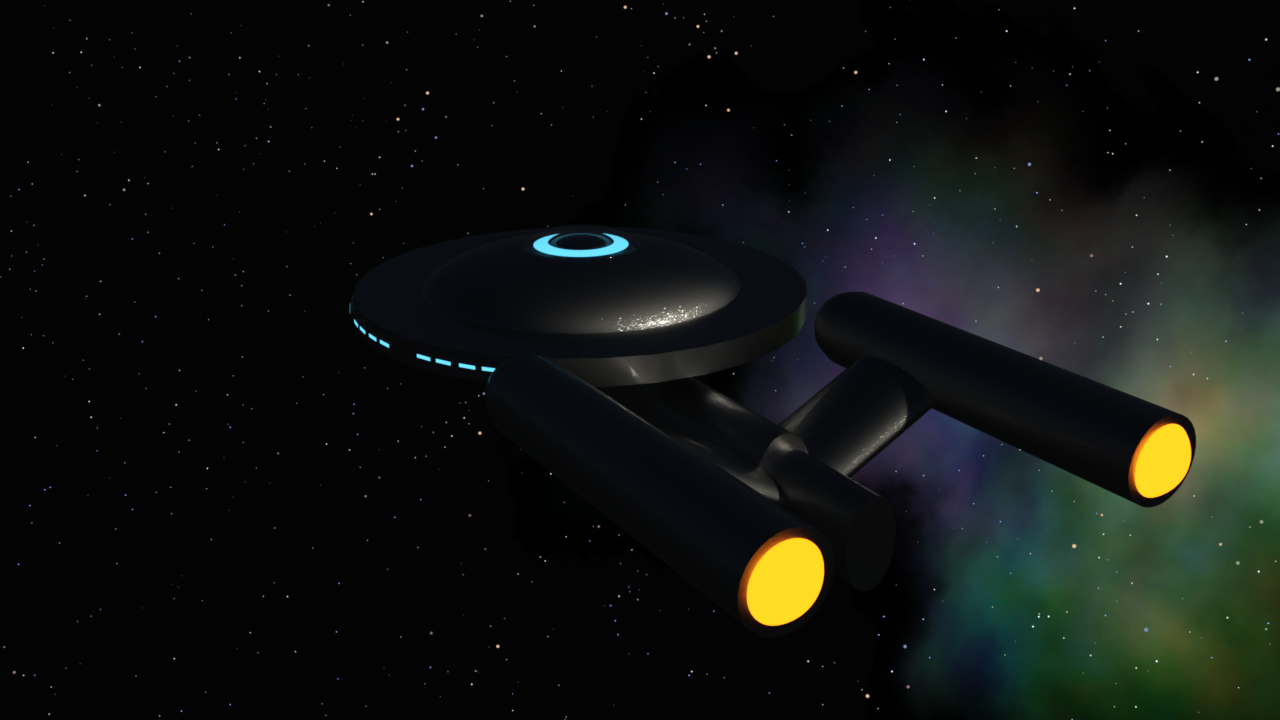
After watching it back, I'm thinking... Oh no. The last thing I want is to have an Editorial License slapped on it just for a simple demo!
So on Wednesday, I slapped a Saturday Sphere into Carrara's vertex room and made me a nice little ship, I think! LOL
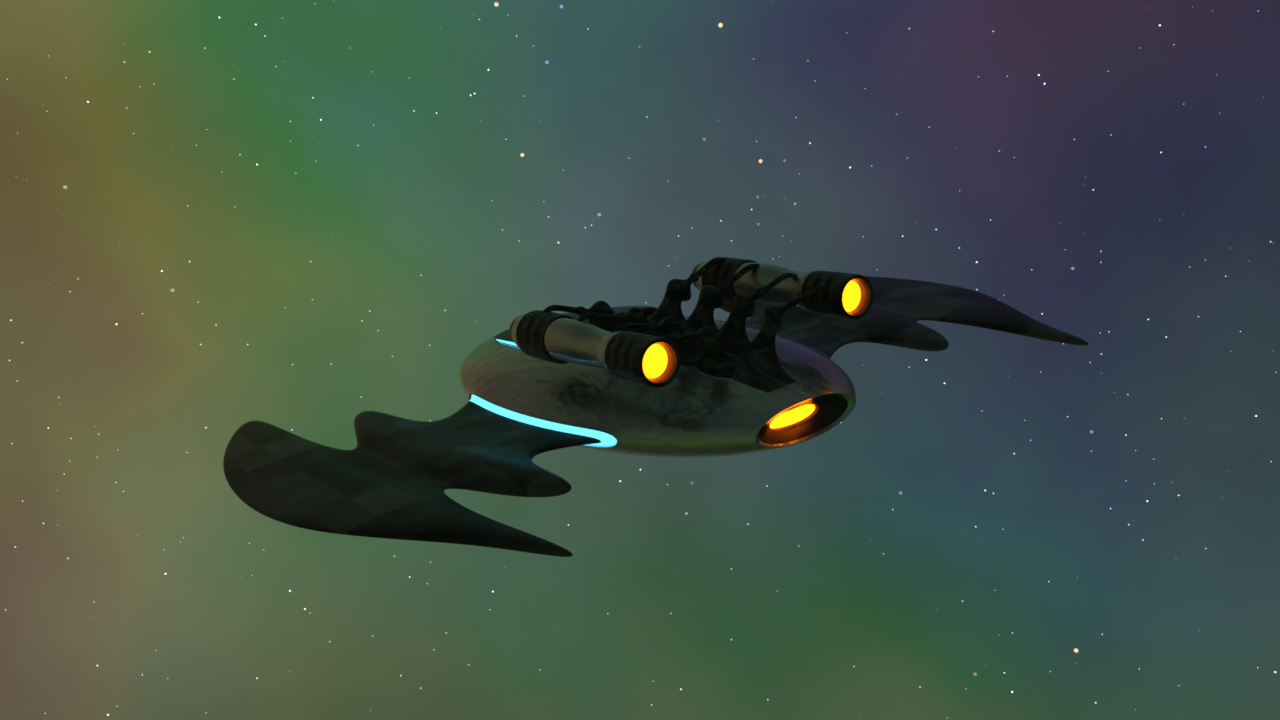
Dart, you went from Enterprise to Batwing, in my opinion :-)
Celebrity Look-a-Likes for 3D figures Part 4Would anyone happen to know of any lookalike morphs of Claudia Christian (Susan Ivanova, Babylon 5) and Jennifer Lien (Kes, Star Trek: Voyager)? Preferably for G8.1F/G8F, but G9 is fine, too. I know I'm reaching here with somewhat niche mid-90s celebrities. :D
Looking for a couple specific morphs--G8F or G9I hope this is the right place. I haven't been here in ages. I'm looking for a lookalike face morph of mid-90s Claudia Christian and mid-90s Jennifer Lien (with or without the Ocampa ears). I'd prefer G8.1F but G9 is fine, too. I've tried googling but found nothing. Thanks!
Star Trek Builders Unite 8: THE REBOOTFleetAdmiral01 said:
Also it should be worth noting that Renderhub had done a few of the characters from the Star Trek Fleet Command collection that I was too afraid to try. Quark and Rom for example. I saw that they had Shran up briefly. That was another one I hesitated on because the Andorian Antdid you do\any of the enterprise series figures enae has bones. Anyone have a tutorial on how to get an attachment that has bones of it's own onto a Daz figure?
did you do any of the enterprise figures,i find myself in need at archer and trip
Carrara Non Photo Realistic Works 2Diomede said:
Bunyip - Enjoying your recent updates. See the Klingon ship. Do you have any insights on Daz3D's recent 'fanart' limited license products, like some of the cars and the Star Trek themed content?
Hello Diomede
Thanks for the comment about enjoying the updates !!!
Insights on 'fanart' - hmmmm ..... As a general rule I don't buy Editorial Licence items, unless it's a must have for something I am working on. I did buy the Morphs (which are HD) & Skins from the Star Trek content. I prefer that Editorial Content is a freebie, with the resulting commercial use not allowed. While I do the occasional 'fanart' render it is in moderation as I don't do bulk renders with them, and only as non-commercial usage. No money/income is earned in any way from them, and are there to be enjoyed freely by the viewing audience.
Carrara Non Photo Realistic Works 2Bunyip - Enjoying your recent updates. See the Klingon ship. Do you have any insights on Daz3D's recent 'fanart' limited license products, like some of the cars and the Star Trek themed content?
Carrara can empower 3D hobbyists way way fasterCarrara certainly is a Gem!
Especially regarding the title of the thread! Carrara ROCKS for home or office CG!
The smooth workings between it and anything Genesis 2 and earlier as far as off-the-shelf compatibility - for the most part, but far beyond figure compatibility, 8.5's new Shader and Sequencer tools make this puppy really sing - not to mentiontion everything else it has going for it.
As far as PBR, I think it would be cool if OTOY would come up with a free version for Carrara like they do Studio... that would be Killer! And would solve the PBR thing. If you've never tried Octane, try it in DS following these simple videos (All Free) - but if one can afford the OctaneRender subscription... hey!
When I'm in Carrara, I really enjoy using it's powerhouse render engine - the thing is so fun to set up in different ways to get the visuals I want.
As far as VFX goes, Carrara can render Beautiful FX shots already produced with a nice Alpha channel along with a plethors of other, easy to set up multipass options that make post work a Lot of fun and flexibility!
Man, I've seen some of the onboard FX primitives get ridiculed, but are they ever cool for making things like this! I mean... the fog primitive animates in So Many Ways, with just the flick of some dials and picks from the color picker... Bam! The Fire can be all kinds of things and - if we were with this all long enough where we got our hands on Inagoni's plugins... Yikes!!! PrimiVol still makes the best CG Sci-Fi Star Ship engine flames!!!
I also love how easy it is to just quickly build a 3D object - however we decide to cerate it. Heck... it could be a circle, for all that matters, add some rigging to it, perhaps a modifier or three... we can make such cool things that can be animated into special FX!
Just using Carrara to create VFX as 3D animation elements should be a big draw right there - and we're not even close to one one-quadra-bazillionth of what we can do in this thing! :)
I'm surprised that it's not popular enough to warrant development. Maybe that's not it at all and something else (like Genesis 3+ compatibility) is throwing a Monkey Wrench into the works.... ?
With GenX2, I can reliably get Genesis 3, 2 and Generation 4 and 3 morphs onto Genesis 1 - which is a great figure to work with, I think. Genesis 2, even, if you like that generation better. I still use all of the generations except for Genesis 9, which crashes my machine as does Genesis 8.1 Female, and it's really rare for me to go back to 1 and 2 since Genesis came out.
The volumetric cone lighting alone makes for excellent CG alpha shots for VFX, and we can render to alpha lens flares accurate to the placement of the camera. That's Sweet!
Speaking of plugins, we have PyCloid and our particles emitters! Haven't tried PyCloid, but it looks cool! I did try FractalDimensia's Flocking, which was a Lot of Fun!!!
All of the flexibility that with have with file handling and shader creation - especially if we add the overflowing wealth of plugins we can add for that! Sheeesh!
Did you know that we can load in an avi and render it to sequenced images and vice versa? Even render to (but not open) animated GIF!!! Just open the thing in the Render Room and Save As... whatever!
Built-in entirely flexible shadow catching capabilities are great for creating masks for VFX Elements that cast shadows. Get the dimensions of the room and what's in it and recreate that with primitives with shadow catcher shader... Bam!!! Even animated!
I absolutely LOVE how we can drag a selection around ANY (even All) key frames in the sequencer, and it's now (8.5) got a little ghost box around it. Drag the top of the box up or down to increase or decrease the values controlled by those frames. Side-to-side for stretching of constricting... very handy!!!
I could never use the linear lights until 8.5's enhanced light avatars. Now I use them All the Time!!! I mean... they mimic tube lighting pretty well!
I got absolutely addicted to making simple models and painting them in 3D Paint and/or shaping them in a very similar way using the paint deform in vertex modeling - so cool!!!
With the addition of just a few, simple bones, I made a sci-fi computer console that we could make into endless shapes with simply because I didn't enforce a single limit on any of the rigging bones! So any bone could be scaled, moved, and rotated with ease - making sci-fi decorations a breeze! The controls and buttons, etc., were all just simple models, also made in Carrara, that were parented to the face of the console, so they would follow the vertices as I's shape the rig - without deforming the actual controls or buttons. etc.,, which have Very Nice shaders! Translucent, and some transparent buttons that could illuminate or dim with the simple dial of the Glow channel which, like pretty much Everything in Carrara, can be animated. We can even control shader aspects with videos or sequenced images! So Cool!!!
FluidOs for Carrara is Killer... and it's Free!!! What? Yeah... I know!
Well, I could keep going but it's time for this one to get some shut-eye! ;)
Looking for Carrara Plugins? Look No Further!
To see what I have for free Carrara stuff, check navgation bar at the top of my website and go through Gallery > Downloads. That opens up to a few different places.
That navigation bar also makes it a lot easier to find your way around the many Carrara sections. If you can't seem to find what you're looking for, maybe try looking into the various CG Workshop categories, which is where a bunch of my Character Development, Animation and other articles are - it's just the flow that works best for me is all.
Let me know if you need any help with something.
Using StarBright with Carra Pro 8.5Wow. I started a bit of a babble. After submitting it I thought it just looked like a great big chunk of words, so I started editing it. I guess I may have gotten a bit carried away?
DCG's StarBright works! It makes stars in many ways. PD Howler also has a really nifty star-making render that can also be animated. So we have plenty of cool options!
I Like them all!
Using StarBright with Carra Pro 8.5Currently rendering tons of promo images for Starry Sky Iray for DAZ Studio.
Once I get the main product finished and all of the promo and instructional work completed, I'll load it into Carrara and see what I can do about making a Carrara adaptation for it - should just load and work though, with a touch of Shader tweaks.
Either way, the original Starry Sky for Carrara works really well, I think. Especially when animating space scenes - I think that having 3D stars blows away anything we can get with projected images of space.
To help keep space from being completely black - as it is in Starry Sky for Carrara - unless we put it in a scene with an atmosphere or other sort of background scenery, the new one has a nebula prop with a few material presets (Iray) that I could easily transfer to Carrara shader presets if anyone's interested. There's also an add-on - Nebulous Wonders, which uses the Outer Space Globe*and/or the Iray Environment (HDRI) Dome as a variety of surrounding nebulosity effects, that turned out looking really cool!!!
There are presets for loading the various effects either to the Outer Space Globe or the HDRI Dome as well as presets that load Starry Sky Iray with the effects loaded into both the render environment dome as well as the Outer Space Globe, as well as presets that load the dome effect leaving the Outer Sapce Globe dark and refractive, for a really cool Dark Space effect, but with that touch of nebula effect peaking through the darkness.
* The Outer Space Globe is for darkening a scene that is otherwise not dark. It uses refraction to allow HDRI light through, but filtered. So we adjust the intensity of either this globe or the output of the HRDI for different lighting effects.
The Current presets load the same effect onto the globe as the dome - when both are used for the effects, but using the individual Outer Space Globe and Render Dome presets, we can mix and match for a massive variety of nebulous looks - and the Outer Space Globe is within the Starry Sky Iray group and is fully animatable in all ways - as is the nebula prop, which also has a few subtle morph dials.
One of the Starry Sky Nebulous Wonders presets looking straight ahead through a 65mm camera - but the nebula surrounds the entire scene - looks Really Cool (I think)

The Outer Space Globe and Nebula Prop are part of Starry Sky Iray, whereas the Nebulosity Effects are the Nebulous Wonders Add on.
The original Starry Sky for Carrara was made when I was still brand new to Carrara - so I did a bit of over-thinking. For the brighter stars, I added lights to them - which is what gives them the starry glare effect when we load that. But when not using that effect, I actually delete all of those lights (look for stars that have a hierarchy - which is a parented light). For the glare effect, I select all of those star lights and reduce the distance effect of all the lights waaaaay down so they don't actually light anything.
Again, I was over-thinking it - but having them there if we need them, and deleting them if we don't is still much easier than Not having them, and then deciding that we need them. So I never saved it without the lights as an update. I'd just rather have them there and tweak or delete them than to not have them at all.
In both Iray and Carrara, there are a few things that I like about this system far beyond using images of space as a background or surround:
A - Parallax
Even if only slight, having a touch of parallax during space travel makes a Huge difference in the outcome of the animation! Even more so, Not having parallax sells itself as a stagnant image.
B - The Twinkle Effect
How long we let the render engine work for each frame determines how many of the smaller, most distant stars show up in the render. Low (fast) render settings will have much more twinkle during animations than High (Slow) render settings, but we always see at least a little bit of natural star twinkle. In reality star twinkle is cause by atmospheric quality as well as darker matter or other visual phenomenon from keeping the light from being in focus each time our eyes adjust - causing a twinkle. In our renders, it's caused from tiny spheres being far away from the camera, which causes render glitches that work in our favor - as they truly happen in very much the same sort of visual response - and was actually quite unexpected when I started working on the initial Carrara version years ago, but my beta tester and I liked it, so I made sure to keep a bunch of stars (Outer Star Field) toward the limits of the camera's ability to render minute detail.
(Early WIP of Starry Sky Iray)

C - Sharpness
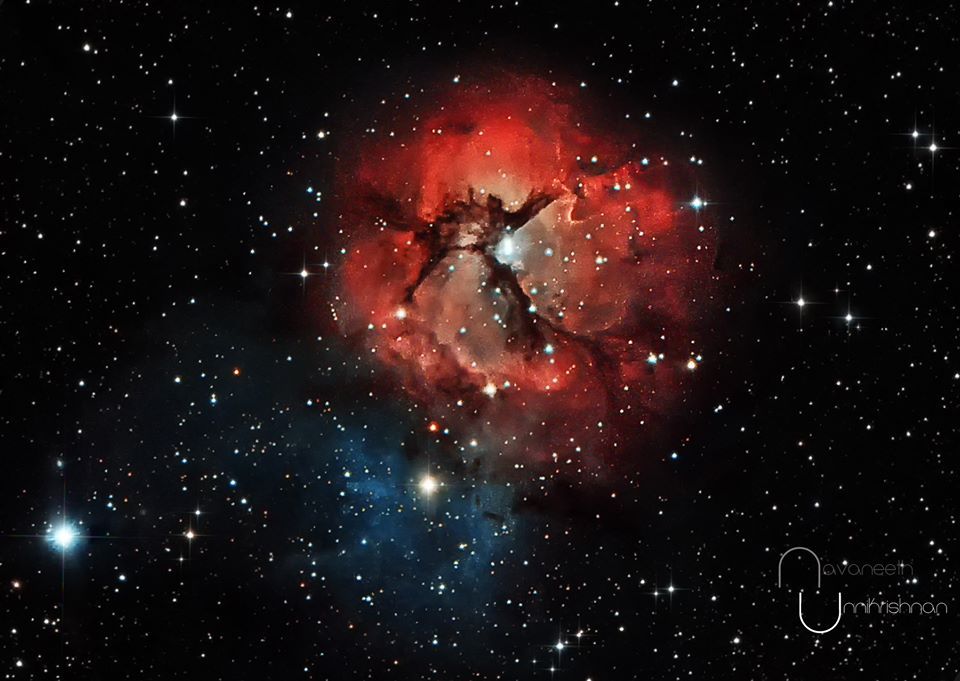
Unless otherwise obscured by clouds or other phenomenon, stars in the sky appear as sharp points of light. Stars twinkle, planets don't - unless obscured. Using space images as backdrops and/or surrounds can have a tendency to appear at least a little blurry - and I just cannot have that. The star cluster within the trifid nebula was one of my first deep sky observations and, it was so beautiful it just blew me away!!! Even something that far away with all of that gorgeous nebulosity, the stars are brilliant points (tiny) of light.
That turned me into a Nebula/Galaxy hunter for a number of years. My wonderful antique RV-6 Criterion Dynascope is bored right now, but Rosie and I have been talking a lot lately about putting it back into full use again. For that I'll surely need to fasten my seat belt because deep sky observing is absolutely breathtaking - even through such a modest telescope.
(Image of Trifid Nebula from SPACE.COM)
D- Versatility
Having 3D stars in various groups works really nice for Sci-Fi rendering - especially animations. I wanted it to be easy to control - so there are various Star Fields, which are each a grouping of thousands of low-poly 3D stars that surround the scene fully - each being placed differently according to hand-made maps I made for replication distribution. So there individual star fields to control individually or all together in scale, translation and/or rotation - and that is entirely independent of background, backdrop, and any type of lighting we might have in the scene.
In Carrara, Volumetric Clouds and the fog primitive can be used to interact as nebulae or space dust or gasses or whatever.
Carrara's Volumetric Clouds - (below)
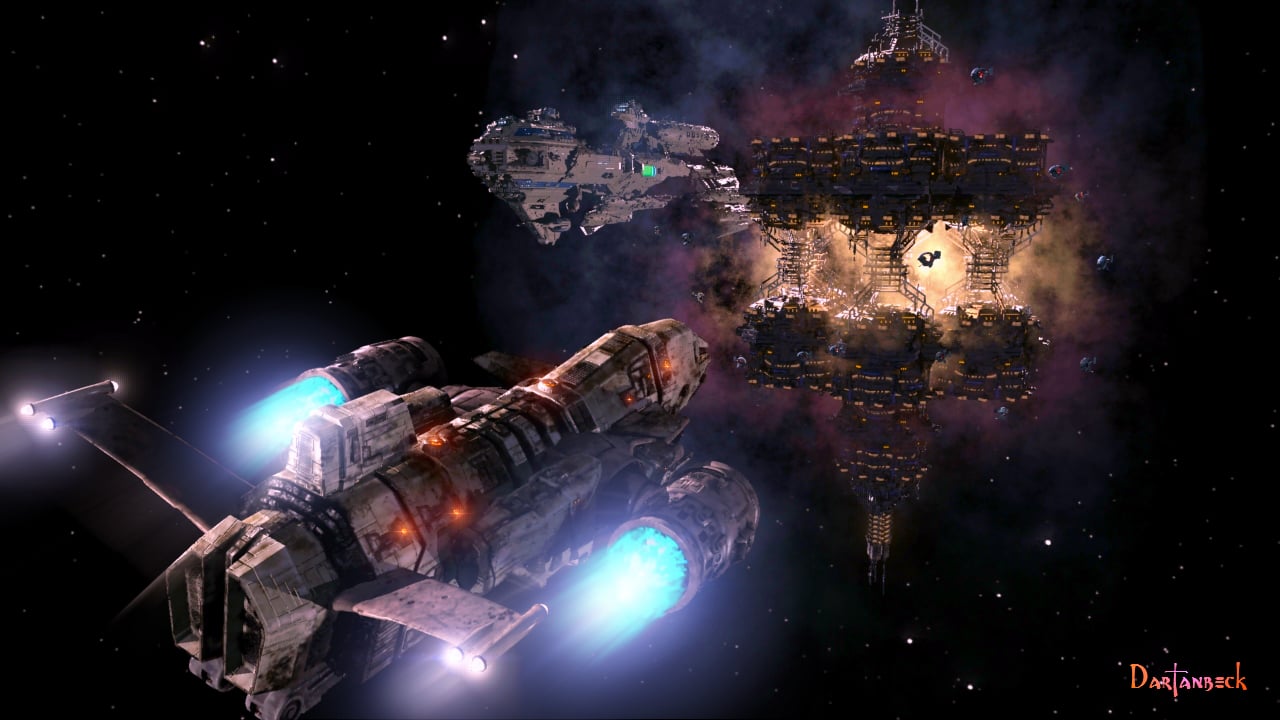
Carrara's Volumetric Clouds - (below)
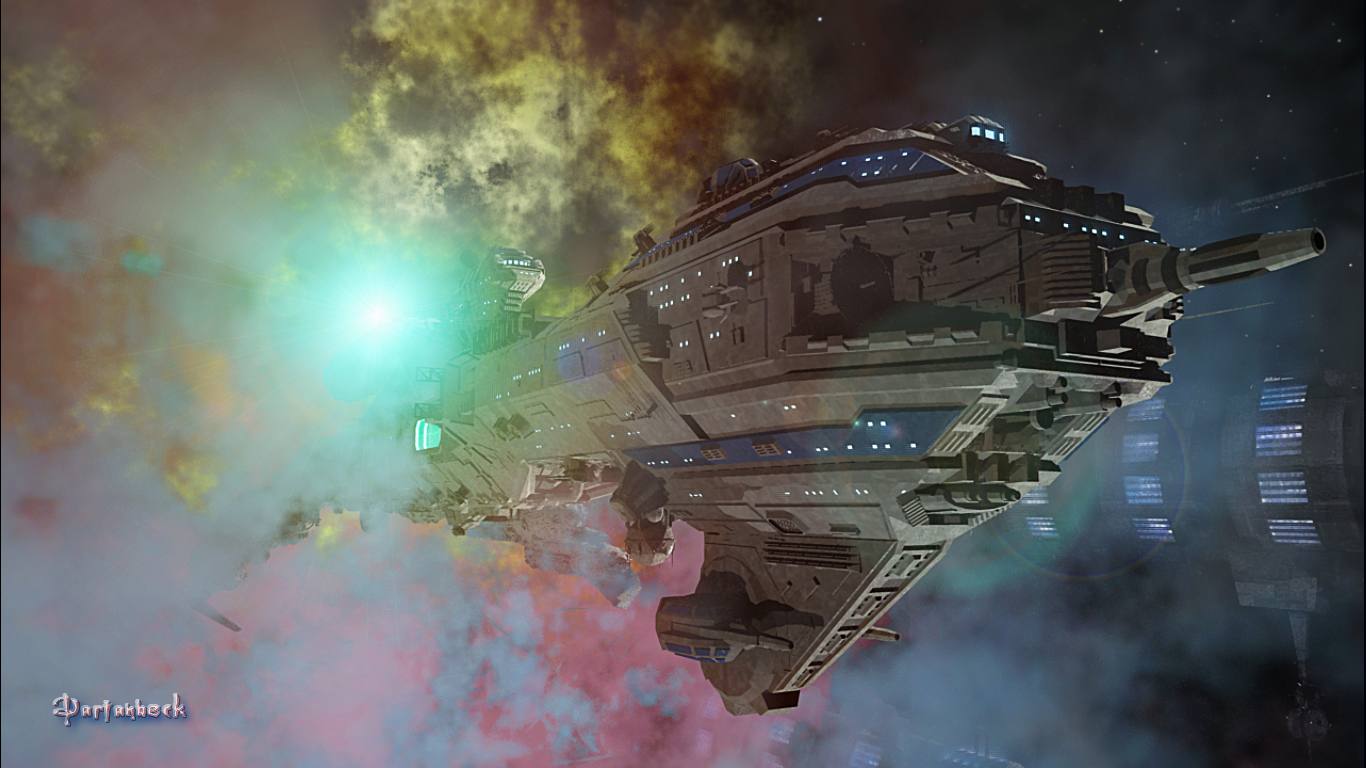
Carrara's Fog Primitive - (below)
Carrara's Realistic Sky Atmosphere - (below)
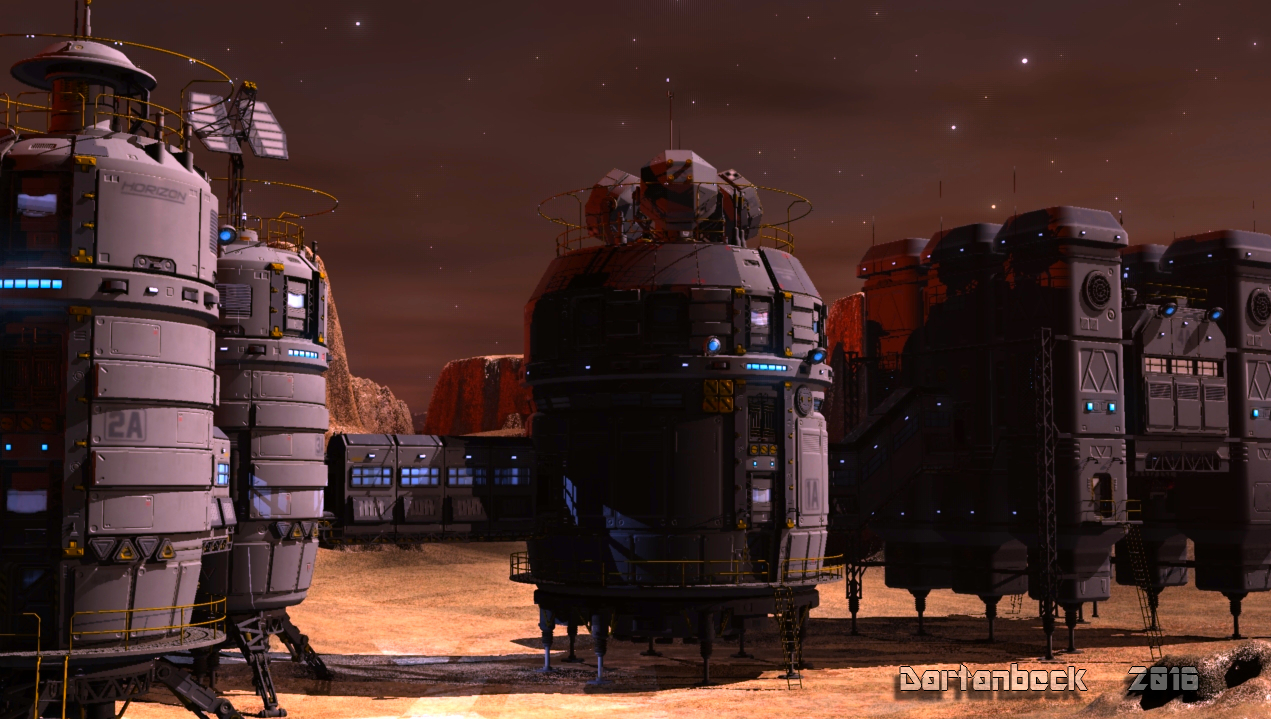
In Iray, I really love how I can use the HRDI dome (often hidden from view) to light the ships, station or whatever scene I'm using, and just add stars to it - which also has a refractive outer space sphere that we can use to add darkness, and ghost lights we can add for hero definition - all individually so each scene can be considered independently - which is really nice!
Most of the animations I've done with it for watching a star ship travel through space, I leave the ship in place - rotating it a bit here and there for navigation, and animate Starry Sky around the ship - either moving it across the scene or, more often, just rotating it along the vertical axis.
Being 3D, we can also get clever and create our own inventive ways to represent FTL travel - how that might look. Star Trek style? Star Wars style? or maybe we have our own vision in mind - perhaps based on String Theory ideas? The sky is no longer a limit!!!
Here's the crazy User's Guide for Starry Sky for Carrara. I love this! At that time we still had The Art Zone, and Howie Farkes, Mike Moir, and others had a Wealth of cool notes about their products - suggestions for different ways to use the product. I totally loved that! I'm glad that I made mine into a PDF so it didn't get lost in the digital archives when The Art Zone went down!
For the page backgrounds I printed up a viewing star map - just like the ones I use when I observe, and whited out the center. I still love the effect!
This one has some cool shots of Starry Sky Iray in its early stages as well. Just FYI, it's basically Starry Sky for Carrara for Iray - which took a Lot of work. The original was made when I was pretty young at working with 3D, and this is a culmination of years of experience to make an Iray version of it.
Since taking these renders, I've had epiphany after epiphany as I optimized it to a point where it's a Really Cool Iray product - for those of you who go both ways! ;)
There are five different material zones for each star field of stars. Adjust one of the materials changes the appearance of many stars. In the original Starry Sky for Carrara, I took great care - spent many Many hours working out the distribution of these, so that changing one material zone's shader makes sense in the appearance of the sky. Those material zones have been translated to Iray surfaces:
Constellation and Extra-Solar Patterns Star Fields
- Star 5 - Set to be the Brightest
- Star B - Blue Hue
- Star R - Red Hue
- Star Y - Yellow Hue
- Star Dim - Less Bright White
The Inner and Outer Star Fields
- Star B - Blue Hue
- Star R - Red Hue
- Star Y - Yellow Hue
- Star Dim - Less Bright White
So there are only Five material zones for all of the stars, but since they're each individual star fields, we can alter them individual if we want.
The placement of the stars took a l o n g time for me to get to what I thought looked right - being an avid galaxy hunter at the time of making it. The manual does a better job, I think, of explaining what it is and how it works. But in a nutshell - we load it and render.
Star Trek Builders Unite 8: THE REBOOTI've been really getting back into those fully animated (using Poser) Star Trek fanfilms by user tnpir4002 as of late.
AIUTO...CHI CONOSCE L’ITALIANO? PARTE QUATTORDICICrios said:
Hanno scoperto che esiste la scelta dei colori
Si avvicina il mese del Pride...
PS ma per il 4 Maggio (girono di Star Wars) sapete se DAZ fa qualcosa ? Già hanno copiato Star Trek..Render your buys! Use buys from the current month and the previous month of sales"HORSIN' AROUND"
I picked up more than I expected to during March Madness, mostly due to that wonderful St. Patrick's Day coupon, and am just starting to put them through their paces. I'd been interested in Predatron's https://www.daz3d.com/lorez-horse-2, to see how it compares with Daz Horse 2, since I never got into Horse 3 for various reasons. This isn't just a low resolution horse figure, in spite of the name - you get both standard resolution and LoREZ horses and textures, plus Western tack and a nice set of poses. I do like the set and & wishlisted the texture expansion. On 4/1 I finally got https://www.daz3d.com/aureska-hol-hd-for-zelara-8, a long-wishlisted character, for $2 in a lucky combo of Lightning Deal and some promo I don't recall.
On a whim, I decided to try out Aureska and show off my horses together, hence the name. I decide to add a couple of old 3D friends to the scene, for more fun. The human couple star in some of my superhero pictures, so hanging out with aliens isn't unusual for them. Aureska is on the Daz Horse and https://www.daz3d.com/nylyssa-for-genesis-3-and-8-female is riding the standard resolution LoREZ. The lo-res LoREZ is standing in the background.
I still have a bit of detail work to do, mainly on stirrup/boot and reins/hands posing. I'm also going to do some simple side by side pictures of just the horses to get a better idea of how their looks compare. The environment is a Rendo freebie, Valentine's Picnic by Genejoke and I do recommend it, even though it's 5 years old. It's large, has props, and is Iray. I use it a lot when I need a park, yard, or castle grounds.
Shows That Inspire AnimationsDartanbeck said:
My daughter got Paramount + for me so I could watch all of the Star Trek that's on there and, since I've had it I find myself watching all sorts of cool, fun things as I render, simulate or wait for some other lengthy compute.
Well, I've been avoiding this one because I didn't think I'd really care for it. Why? I have no idea.
Watching another show, I saw a trailer for Season 2 and... well lets just say that it turned my head - I had to check out the pilot.
Since then I've watched through both seasons twice and have begun my third run through yesterday - it's So Good!!!
But moreso, it Totally inspires me to animate!
Impressive. We just finished Season 1 of "3 Body Problem" on Netflix, also had impressive CGI. 7.7 at IMDB, with a second season rumored for 2026.
Daz 3D is part of

Connect
DAZ Productions, Inc.
7533 S Center View Ct #4664
West Jordan, UT 84084Licensing Agreement | Terms of Service | Privacy Policy | EULA
© 2026 Daz Productions Inc. All Rights Reserved.