-
How to create a 3D character from scratch
The morph packages in the Daz3d store are powerful tools for creating custom characters, and with a bit of practice easy to use as they work within Daz Studio itself. As much as I enjoy using morphs I also find them a bit frustrating. Every character was a compromise, because the morph did not shape things the way I wanted. If you sculpt or model your own morphs you don't have those limitations.
If that interests you, take a look at these.https://www.versluis.com/2018/01/how-to-create-daz-character-morphs-with-blender/
https://www.versluis.com/2019/01/how-to-create-daz-studio-morphs-with-zbrush/
How to create a 3D character from scratchluan.yang said:
on YouTube, but what I found was some people teaching how to customize a ready-made character
It would be the same process.
Load a base figue, for example, 'Genesis 9' and then apply or dial in morphs and materials that you have purchased.
Some morph packages for daz studio will allow you to have quite granular control. For example, they will give you ability to tweak the Philtrum or some very small anatomical detail. Other morphs will be more broad, like making a character thin or muscular
You will be limited by the morphs you have access to.
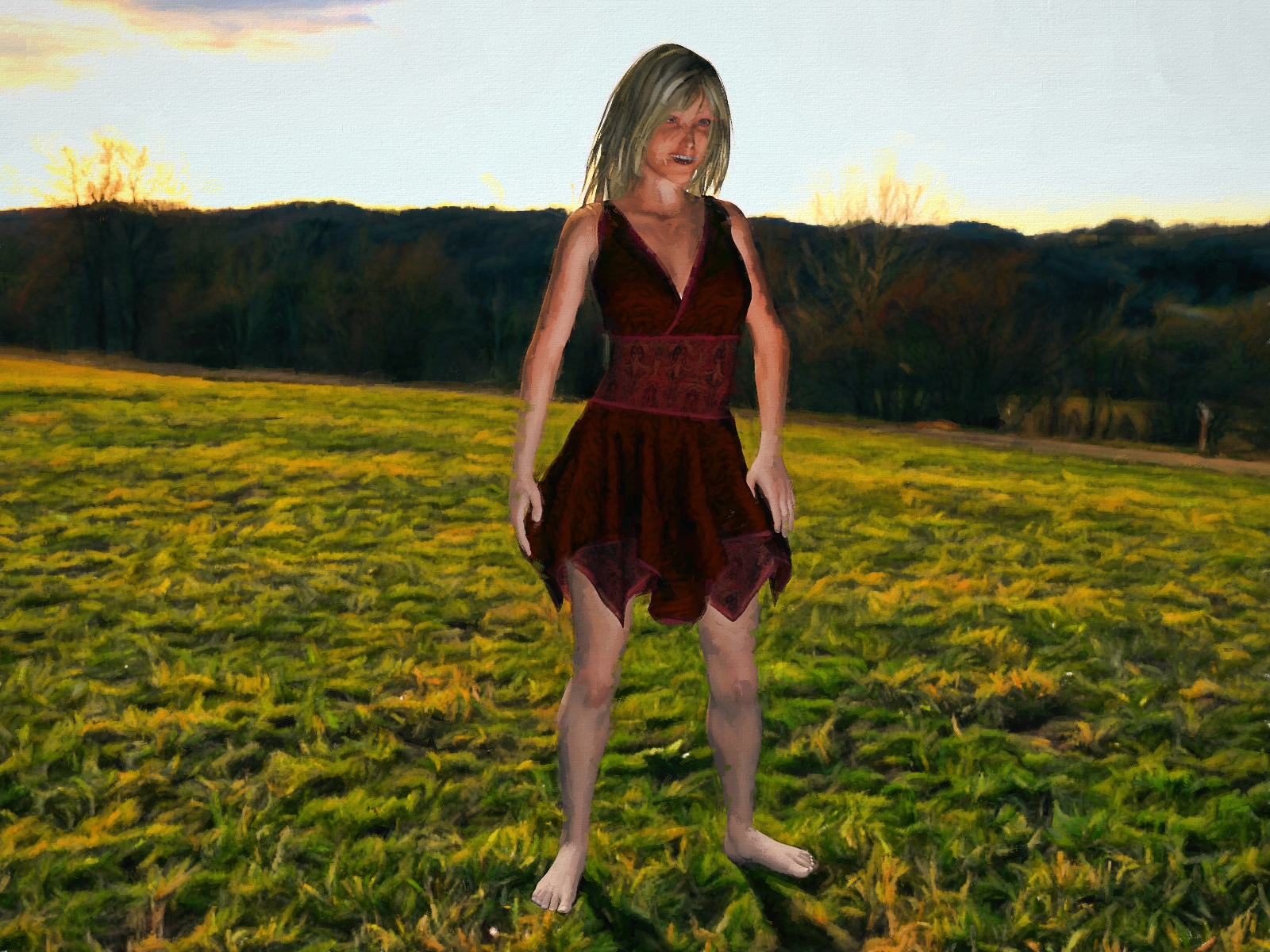
Carrara Non Photo Realistic Works 2G9F with Aiko 8 morph
 FAQ: DAZ Zip Files & Poser Figures/Props in DS
DAZ English Composition, Word Choice, and Grammer Police-- Part One.
"Thou Shalt Not Use 'title says it all' As a Saluation Before Numbered Questions in Specific Paragraphs."
c.f.
Garner, B. (2016.) Garner's Modern English Usage. (Fourth Edition.) Oxford University Press.
Editors. (2010.) The Chicago Manual of Style. (Sixteenth Edition.) The University of Chicago Press.
Ritter, R. M. (2002.) Oxford Guide to Style (Second Edition.) Oxford University Press.
1.)
I'd like to install contents from the DAZ Content .zip files found in my products page. Save time, resources, and morph bloat if only install what I want. As long as I know where content is, would that mess up postgreSQL? Not sure if that's only for smart content (seldom used) or anti-piracy. App does need to have some way of knowing I've paid for product. Didn't have any luck folowing step by step article that might be out of date.
More recently, they seem to want to make more work forbthemselves.
https://bugs.daz3d.com/hc/en-us/articles/360057610432-How-Do-I-Manually-Install-Daz3D-Content-
----
2.)
Came across a nice set that will come in handy on a project am working on. It's meant for Poser though. Unzip to My Library, "Poser Content" or would morphs be mixed up if parts of 'figure' have rigged doors?
New figure and materialcrosswind said:
As the best practice, if you create new character with Blender, pls use Genesis X figure as the base for sculpting, then you import the character's morph back to DS. In this way, you'll have a fully-rigged new character and you may load texture maps from other character on it or create new materials..
As for MakeHuman character that you wanna bring into Daz, one of the good ways is to use Wrap3D/4D, i.e. use Genesis base figure to wrap MakeHuman figure and import back to DS.
There're quite a few tutorials on Daz3D channel of youtube, you may take a look first.
Hi I am realizing I dindn't see your answer, thank you very much!
 I don't know Wrap3D at all; if I understand well, it's software different from Daz, is it that? I don't find how to download it...
Thank you in advance for your answer!
Upgrading poly count of figure permanentlyTutorial here:
Essentially you set the sub-d level of the character as you prefer in Studio, export that character as an .obj, import and sculpt in blender, export back to Studio as an .obj. Transfer the rigging of a base G8 character onto your new high-res model and finally adjust the rigging to fit. Follow the video through - it's a very straightforward process.
Subsequently, all poses and clothing will load/fit. No morphs.. not a single one... will be available on your new character so make sure you export your character with all the morphs you may want to use dialled in first.
You're basically creating a new base character with the skeleton of a G8.
Upgrading poly count of figure permanentlyHi,
to make art I use a combination of DAZ and Blender to do some sculpting to my characters. Problem is, base plygon count of gen 8 characters is usually too low to do anything creative with sculpting.
Of course morph loader pro won't let me apply morphs if I export a subD-ed character into Blender and back, so I wanna know: how do I apply subD to a gen 8 character, save it as "CharX - High res" or something and use
it as a regular gen 8 character but with more polygons to play with?
Thanks
Need help editing a .dsf filecrosswind said:
vakhtangabzianidze said:
Thank you for the detailed info crosswind now I know it's not really possible without editing the .dsf file. I just searched my .dsf file but couldn't find any sections with the word "graft", it is possible that some clothing items don't include that section and still do geografting? Hope it's not against the rules, but I upload the .dsf in question, so maybe you check it out as well and let me know if there's anything I can do.
https://drive.google.com/file/d/1vOdMSSGnyU1skLFJvqJ04jjAUKmgZcwv/view?usp=sharing
This is a morph dsf file of Woody... you should've searched for the geometry dsf file of his Outfit which uses Auto-Hide...
It is! the only file I can find that is related to his outfit is a .duf file, there isn't any other dsf file at all! I uncompressed and searched the .duf file as well but still there wasn't any sections with the word "graft"
Any ideas on how can I disable the auto hide for the outfit?
Need help editing a .dsf filevakhtangabzianidze said:
Thank you for the detailed info crosswind now I know it's not really possible without editing the .dsf file. I just searched my .dsf file but couldn't find any sections with the word "graft", it is possible that some clothing items don't include that section and still do geografting? Hope it's not against the rules, but I upload the .dsf in question, so maybe you check it out as well and let me know if there's anything I can do.
This is a morph dsf file of Woody... you should've searched for the geometry dsf file of his Outfit which uses Auto-Hide...
Rib Morph for G9 Female?This one also has some rib definition as part of the full body morph:
Rib Morph for G9 Female?Thank all for the inputs.
Sid,
I have that last product, and for some reason I could not find the "rib enhancement" morph under "shaping" but did find it under "parameters" which seems unusual. At 300%, it does show some results. I think what you're showing si better, so I'll experimment a little more.
Thanks.
There's Always Another Sale Thread -- Discussions Only Pt 2joanna said:
The price for the pro bundle is great even without the tokens, but there's almost nothing in the bundle that I really want. Calypso herself is cute and all, but there's little personality to her (to me, the mermaid head morphs make it even more apparent), especially in comparison to Kiri which I just got (personal preference, I suppose), and the hair and two of the outfits are also not something I'd use. Then there is make-up, expression, and poses.
While the price is awesome, it feels like the "pro bundle" lacks in this case, at least for me. Some other people might be happy with causal outfits and so on.
Same here.
Also, the mermaid morph looks like a mermaid suit than an actual mermaid tail–you can see the outline of her legs and it bends like legs, not like a fish tail. Odd choice.
I got a glimpse at the pack when it first went up and it had images of a nude prepubescent Calypso. Makes me wonder about target audience.
Fixing hip distortion on pelvis / thigh bendscrosswind said:
Masterstroke said:
crosswind said:
Actually that's 'normal' ... especially when you bend figure's Pelvis + Abdomen Lower to an extreme extent (and thighs bend + side-side make it worse...), while default pJCMs cannot well fix the partial morphs, even if you use Bend Control. So ~
- try to avoid bending those joints together with high degrees..
- try not to make your figure too thin. The more it's thinner, the more 'distorted' it's gonna be...
- zev0 developed another product to fix similar issues on the abdomen to some extent, you may take a look at: https://www.daz3d.com/body-mixer-for-genesis-3-and-8-female.. (but it's not all mighty.)
- check if you use some unique partial body morph or character... some will aggravate the issue..
- the best way is to fix them with scultping software, e.g. Blender or ZB... (so far I've not seen a product can 100% fix such an issue 'cause that really depends on your figure's shape and poses...)As this is exactly true, it's even worse than that. Every character needs its own individual additional set of JCMs, in order to avoid those unwanted distortions.
Yes, as an imperfection, it's worse on G8/G3 while better on G9. There should be some 'combo pJCMs / cbs' on Base figures when multiple joints rotate around that area at the same time...
In general, you will run into problems with unwanted thigh bend distortions, when you inflate your character's volume, or shorten the thighs.
Left To right:
JCMs ON_01, JCMs OFF_01, JCMs OFF_02, JCMs ON_02Carrara Non Photo Realistic Works 2waxfin_c9ea3eab69 said:
Bunyip02 said:
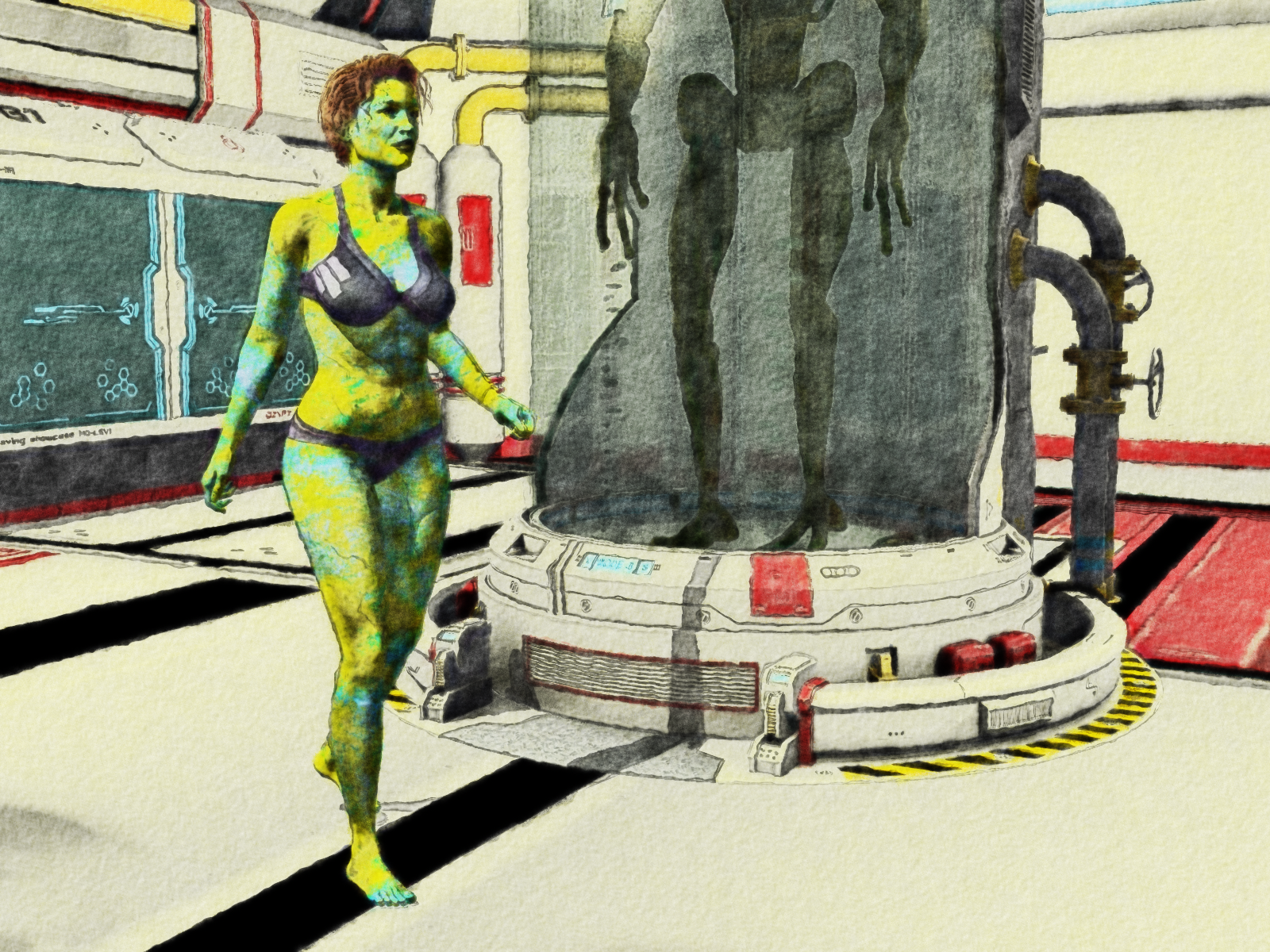
that's a terrific effect on this one :)
G9F with Olympia G8F morph and V3 skin
Thanks !!!
Rib Morph for G9 Female?I've purchased a number of morph packages for the G9 female, but none seem to accentuate the individual ribs. There are some morphs that reference ribs (rib cage, rib definition, etc.) but none of these seem to make the individual ribs stand out. Does anyone know of such a morph? I made one years ago for V4 but my talents have been lost in that area.
Thanks
Natural Movements Pack for Genesis 9barbult said:
Timbales said:
Bunyip02 said:
Timbales said:
I'd be interested in a JCM set for G9 Masculine. This one says it's for Feminine, I assume that it works only on feminine shapes and isn't a universal product.
Works on male as well.
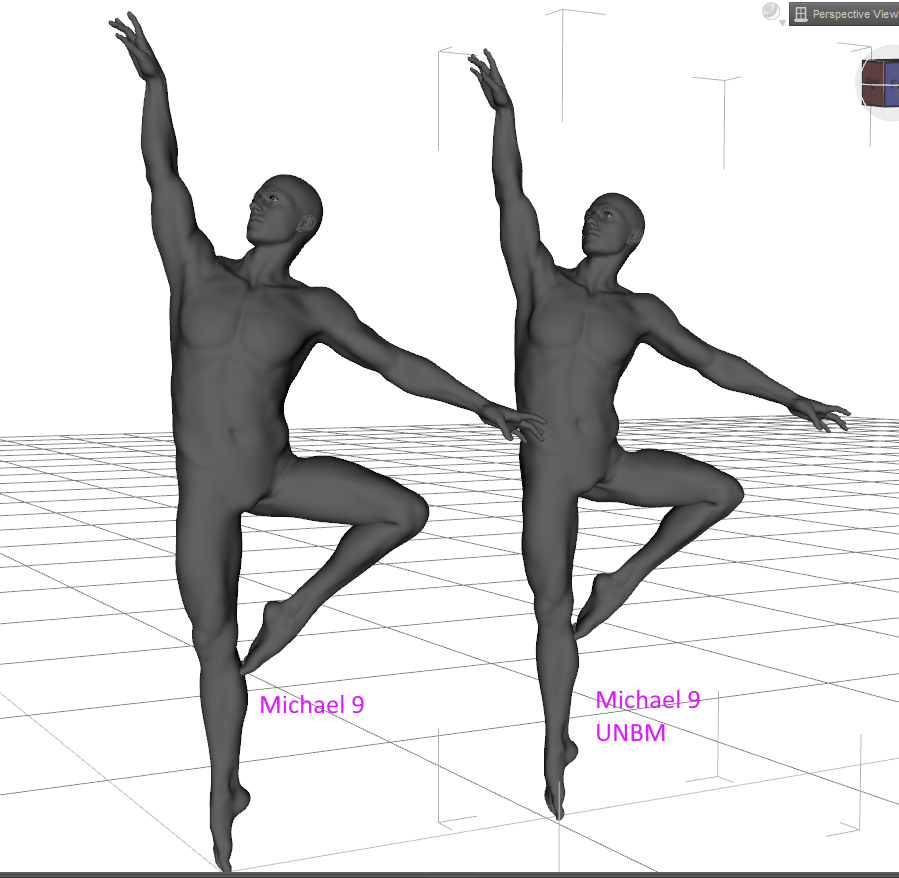
Screenshot does not show them very well, but noticeable changes in the armpit & thighs
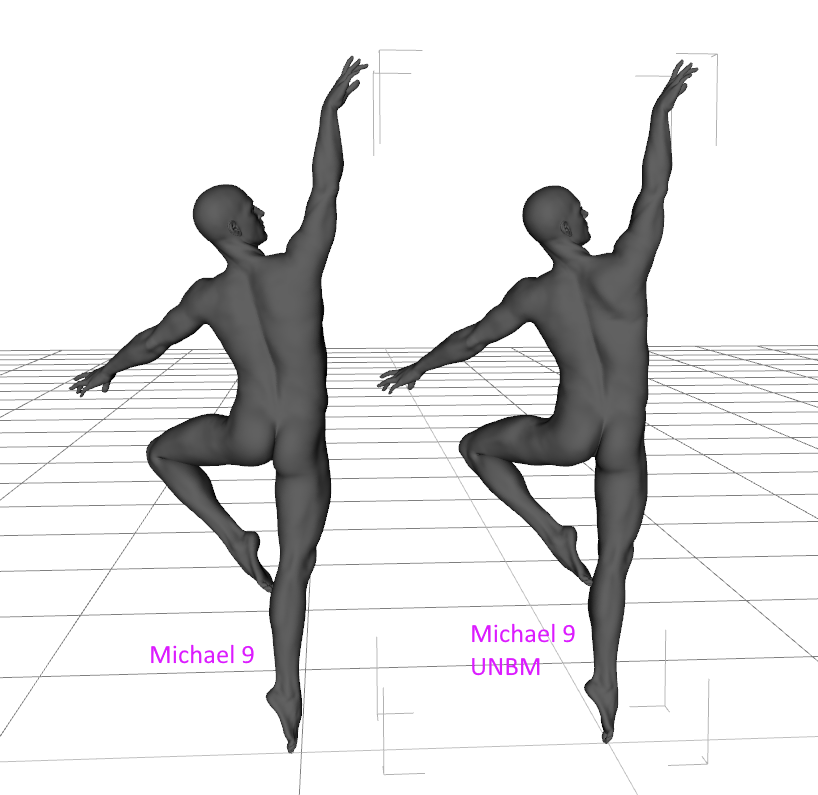
Noticeable changes in shoulder blade, also changes to thigh.
Based on the hip with it applied, I'd say it doesn'tIt "works" in the sense that the morphs can be dialed in, but whether they look good when dialed in on characters they were not designed for is another thing. In this case, I agree that the hip does not look right with this morph combination.
That is the point of Genesis 9. Pointing out that something made for Genesis 9 is technically compatible for Genesis 9 adds no value.
Simple way of fixing snaggy teeth in G8 import results from HeadShop?Inspired by the Zero figure suggestion by Catherine3678ab (paraphrased by me as "zero-ed figures don't have wonky eyelashes"), I started to wonder if the most simple solution could be the mere saving of the HeadShop head morph as a shaping preset? Why don't I just export (i.e. "save as") the head morph as a shaping preset and apply that preset on a "healthy" figure (say "Genesis 8 Basic Female"). Initially I unchecked too many options in the "Shaping Preset Save Options" trying to be clever and just focus on the head but that didn't quite work, but by simply including plenty of options that are already there I finally got the HeadShop morph to be a shape preset ready to be unleashed on a "healthy" Genesis 8 Basic Female without (it would seem) the nasty problem of the floating eyelashes. It kind of makes sense in the end, that HeadShop thing is just a head morph, the odd eyelashes are apparently not an intrinsic part of this shape (or any shape?) [I still remove them before I make the shape preset just to make sure].
It is not the ideal workflow but as you get quite nifty working with DS it is a mere 90 second hold-up/workaround when you are as determined/desperate as I am to get your money's worth out of that fateful HeadShop purchase ....
UPDATE: What I just described: It won't work. Unfortunately you can't save head shapes this way. Such a shape preset will apply some sliders + parameters which you used after the initial HeadShop morph right before you saved the "shaping preset" (and those were the changes that fooled me into thinking I was applying a bona fide HS head shape). So it's back to the drawing board: how do you save head shapes?
Simple way of fixing snaggy teeth in G8 import results from HeadShop?Catherine3678ab said:
As I recall, working from G8 with no eyebrows, make the HS morph. After polishing and saving it, zero the figure, figure is selected, add a fresh pair of the default eyebrows.
Thx Catherine, "Zero figure" also resets the head morph and "Zero shape" and "Zero pose" aren't of much use in the contex of this problem; maybe I don't understand you correctly? You made me think though because zero-ed figures don't have wonky eyelashes. See my next post in this thread.
Carrara Non Photo Realistic Works 2Bunyip02 said:
Diomede said:
Bunyip02 said:
Stezza said:
great stuff...


Thanks !!!
Update on updates - got a bit more than 100 figure textures to still convert via Ultimate Unwrap. Got some more Genesis 3 morphs to convert to Genesis 9. Then big eye conversion morphs....
Keep up the great work (and try to persevere through the conversions, ugh. G9 compatibility should simplify use in Carrara.).
Thanks !!!
Woohoo - 645 skin conversions done - time for some renders !!!
that's a terrific effect on this one :)
G9F with Olympia G8F morph and V3 skin
Natural Movements Pack for Genesis 9Elor said:
outrider42 said:
I have seen Genesis 9. Genesis 9 has World Devouring Thighs. Actual promo pic for a G9 product in this store:

It's not the base Genesis 9 figure and in a direct comparison, with Genesis 9 (with Victoria 9 mats) and Genesis 8.1 (with Victoria 8.1 mats), the difference isn't that big (I tried to reduce G8.1's height a bit but I don't know what percentage I needed to remove):

I don't get why the existence of products like Natural Movements or UNBM for Genesis 9 is seen as a defect of G9 when similar products are also available for previous generations too.
outrider42 said:
I've got Victoria 9 converted to G8 and she looks amazing...because her textures are amazing.
I didn't know it was possible and looking for it, I'm mostly finding videos and articles about the reverse process (using previous generations textures on G9).
Is it an easy process and do you have a tutorial / video explaining how to do it ?
The point being G9 is suposed to be BETTER. Why create a version 9 that can at best match what the previous version did? What is the purpose here? And if applying a fairly basic morph results in the image above, that still is not a good thing. We have a lot of examples in the forum of very funky G9 poses. Again...G9 is supposed to be better. Not equal.
Doesn't anybody get this?
I used a mesh wrapping software to match the shapes. From there the software can create new textures. The first thing to do is to use DS Texture Atlas to create a giant texture map. Sadly Texture Atlas does not recognise Iray materials beside color, bump and normal. You can convert the surfaces to DS Default and place the textures in slots that make sense.
You also save your G9 model as OBJ for the software. It is best to match the pose and morph. G9 has a legacy morph that matches G8M or F, so use it, and match the pose. It is best to have the exported models match as close as possible. It makes the resulting textures better. You can do the shapes later.
You need a default G8 for OBJ as well. This one does not need to be base, because you only doing textures. When you start converting morphs you do need base res. So you will have two different saves in this software, one for textures, one for morphs.
From there the software is reasonably easy to use. You'll want to check tutorials on it. There are different ways to do it, too. My way is probably outdated as I have been using the software for a while.
The software is expensive, but it has a 30 trial period. The trial has no limits on its feature set. That is enough time to figure it out and get some sets done. If all you want is a certain model or two, you can get them done in the trial period. If you want more, and if you have the cash, it could be worth buying. I have used it to convert other Genesis generations to G8. Once you figure it out, you can get a lot of mileage out of it, and now that Blacksmith3D Texture Transfer has seemingly closed up, IMO this is the best all round method. You can convert morphs and textures with one tool.
I also use Hexagon to help fix the eyes and teeth. That is its one weakness, the eyeballs and inner mouth can be funky. But that is not unusual for any of these converters.
This sounds pretty complicated, and it sort of is when you set it up. But once you have it set up, you can have save files all set up for the process. You get faster at it. It is possible to do a character in just a few minutes.
The software also opens up all kinds of awesome possibilities. Now that we make a 3D model of things by using something as simple as a phone's camera, you can create a 3D model of yourself or friends and use this to get your head shape on Genesis. How cool is that?
**It completely slipped my mind that Jay has covered this software in Daz's own training video series, and shows a good portion of the workflow. That is a good video to look up.
Daz 3D is part of

Connect
DAZ Productions, Inc.
7533 S Center View Ct #4664
West Jordan, UT 84084Licensing Agreement | Terms of Service | Privacy Policy | EULA
© 2026 Daz Productions Inc. All Rights Reserved.