-
Rib Morph for G9 Female?
sazzyazzca said:
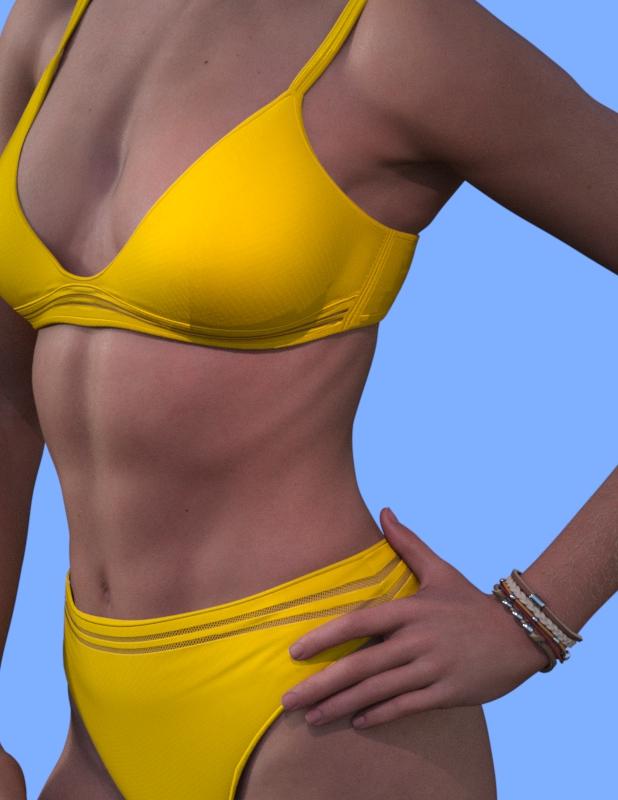
This one also has some rib definition as part of the full body morph:
Here I created a Negative (-100%) low definition Belle body morph. This allows me to access the full HD of the product on any character without changing the overall shape of the character. It will however bring in the significant Joint Control Morphs the creator includes with the character, these may or may not be desired. I increased the limits to overdrive just to see the results.This can easily be done with any of the HD character add-ons. TD
How to create a 3D character from scratchlilweep disse:
luan.yang disse:
no YouTube, mas o que encontrei foi algumas pessoas ensinando como customizar um personagem pronto
Seria o mesmo processo.
Carregue uma figura base, por exemplo, 'Genesis 9' e depois aplique ou disque morfos e materiais que você comprou.
Alguns pacotes de morph para o daz studio permitirão que você tenha um controle bastante granular. Por exemplo, eles permitirão ajustar o Philtrum ou algum pequeno detalhe anatômico. Outras formas serão mais amplas, como tornar um personagem magro ou musculoso
Você será limitado pelas formas às quais tem acesso.
I understood. I had this doubt because I watched a tutorial where a guy used a ready-made model and just changed the hair color and added new clothes and applied a pose but he hadn't explained about these sliders and morphs. Sorry for my ignorance, but would these morphs and sliders be something equivalent to what you do in Metahuman? It's because before venturing into Daz3D, I used and still use Metahuman Creator because it's a little easier to create ultra-realistic 3D characters.
How to create a 3D character from scratchhansolocambo said:
To start "from scratch" you'd have to use the default's avatar shape. Or you could also start from a face/body shape that you already like coming from whatever male/female bundle, and from there you can move all vertices and shape the Genesis as you want using : morphs bundles. They'll add sliders to your Genesis and enable you some level of creative flexibility.
A few examples of those morphs bundles in the list below (often you'll find 2 bundles, male and female) :
Body Mixer Bundle for Genesis 3 and 8 Male and Female
Genesis 8 Male Body Morphs
Genesis 8 Male Head Morphs
People of Earth Faces (Africa, Asia, Europe, etc.)
RareStone's Face Morphs Collection (an excellent one with mostly well made morphs)
Shape Shift for Genesis 8 Male(s)
SY Unusual Features for Genesis 8
etc, etc.
P.S : You could also of course use Blender or ZBrush to make your own morphs.
Cheers.
Thank you for your answer! I thought you wouldn't be able to create your own character from scratch, but now I see new possibilities! Are these morph bundles and sliders paid or available for free within Daz? By chance, can I use a default model (male or female) Genesis 8/8.1/9 and create my own character from scratch by tweaking morph options to change the character's face and body?
How are PA's creations created?Cris Palomino said:
They're called characters. They are created by modifying the base mesh figure. This means the mesh is modified by moving it around to reshape it so that new mesh is created in so doing. The resultant reshaped mesh is a morph. These morphs can be as simple as changing a nose or lip shape or have changes over the whole head and/or body.
The Genesis 9 figure is a base mesh figure. Victoria 9 and Michael 9 are morphs that change base mesh to look like a different figure or character. The reason for only reshaping the base mesh and not adding mesh (as when the mesh is subdivided or extruded) is so it will work with clothing, hair and other types of meshes that work with Genesis 9 (in this example).
These morphs are created mostly in external programs (Blender, ZBrush and others) but can be made within Daz Studio as well. There are tutorials in the Daz Store and some are on the Daz Forums, YouTube and other places. I'm sure others will chime in with links. Will list some later if they haven't.
Ah, ok! I thought the morphs were the cursors used in Daz to modify a character, have I misunderstood?
Thank you in advance for your answder!
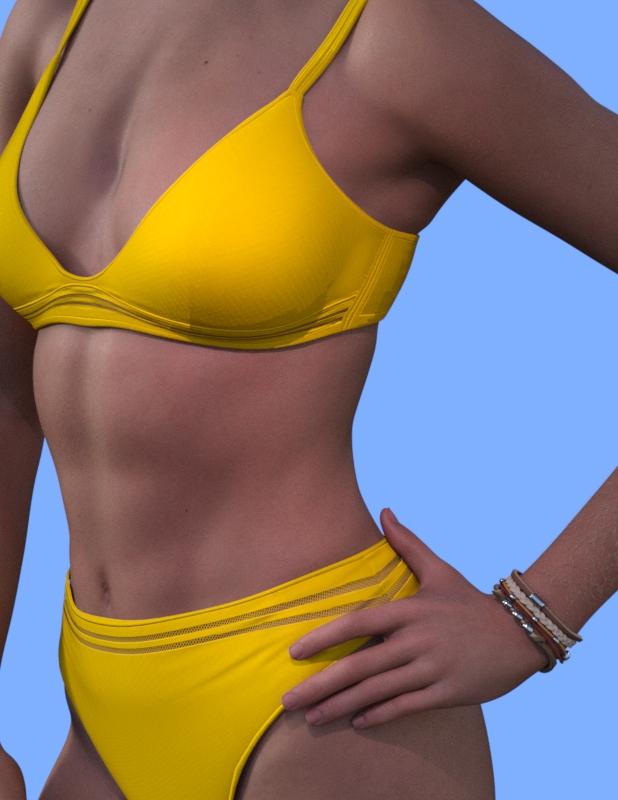
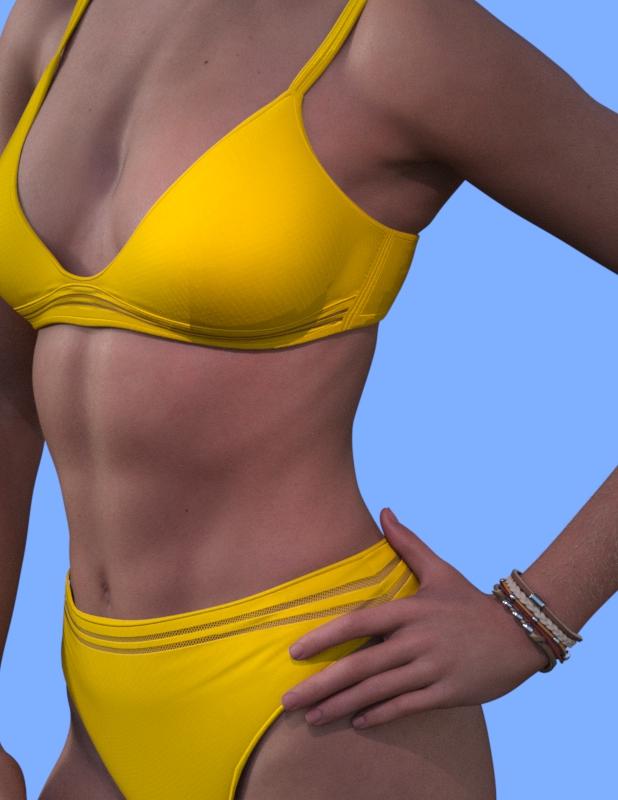
Rib Morph for G9 Female?I have Twizted Body Morphs for Genesis 9; the "TM Ribs Define" also thins out the character's belly a good bit.
Here's a small set of 2 pairs of pictures, each with morph at 0% and 100%.


 How are PA's creations created?
They're called characters. They are created by modifying the base mesh figure. This means the mesh is modified by moving it around to reshape it so that new mesh is created in so doing. The resultant reshaped mesh is a morph. These morphs can be as simple as changing a nose or lip shape or have changes over the whole head and/or body.
The Genesis 9 figure is a base mesh figure. Victoria 9 and Michael 9 are morphs that change base mesh to look like a different figure or character. The reason for only reshaping the base mesh and not adding mesh (as when the mesh is subdivided or extruded) is so it will work with clothing, hair and other types of meshes that work with Genesis 9 (in this example).
These morphs are created mostly in external programs (Blender, ZBrush and others) but can be made within Daz Studio as well. There are tutorials in the Daz Store and some are on the Daz Forums, YouTube and other places. I'm sure others will chime in with links. Will list some later if they haven't.
Hadrosaurs!I'd love a high quality parasaur and more herbivore variety! I think I have around a 2 to 1 ratio of carnivores to herbivores. Not a balanced ecosystem there.
I'd also love a newer ankylosaur, especially one with morph variety for the osteoderm armor and tail club.
// edit: I got this newer HH ankylosaur bundle (and extra poses set) a while ago when they released and just remembered posting about wishing for this here.
https://www.daz3d.com/ankylosaurus-jurassic-bundle
https://www.daz3d.com/ankylo-poses-for-hh-ankylosaurus
I figured I'd update this with links in case anyone stumbles across this, feels the same, yet doesn't know that these released. It even has a few spike morphs! //
Receding Hairline Styles for Male CharactersI've been looking and looking for a G3/G8 'receding hairline' hairstyle similar to that of actor Ken Watanabe.
Although there are some excellent thinning hair sets in the Daz Shop, like Mr. Banks Hair Layers and Big Boss Hair for Underbelly, those products better capture late-stage male-pattern baldness, when pretty much all of the front and top hair has thinned and/or fallen out. What I'm looking for is something from the early stages of M-P-B, where the man's hairstyle is not that different in thickness and shape aside from being set further back and higher up on the head than previously.
It might be possible to use a forehead/bangs morph of some kind, I suppose, but I've never seen one of those on a hair made for G3M/G8M, only on a few G3F/G8F hairs.
Any ideas? Possible products?
Characters appearing at wrong coordinatesYep, appart from the "scale" value, that I left at 96% for one character, and at 101% for the other.
Changing this value does displace my characters by the way, but not nearly to the extent transfering the "figure values" to the "hip bone values" does.
I also tried zeroing this value before making the transfer, but this didn't seem to make any difference.
Simple way of fixing snaggy teeth in G8 import results from HeadShop?.... after applying a fresh set of eyelashes to the default figure, I rather assumed that one would then dial back in the desired HS morph. And the lashes would then follow the morph ;-)
To save "any" morph, one sets the morph to "0" - File > Save as> ... Morph Asset. When the options box appears, select "only" the one new morph. D/S will auto-fill the rest.
eta: One cannot save a shape preset before the shaping morph has been saved.
Make Human and Daz Studioyuyu.atem said:
WendyLuvsCatz said:
don't fit (or fit to none if it tries)
under the stripe/hamburger menu in the corner of the scene outliner with the wings selected
choose edit scene identification
scroll through the options under compatibility base (far right 3 dots) and choose genesis 8 the gender of the figure
accept and fit
Thank you very much for your answer ! so, you don't recommand me to buy it if I want use Genesis 8, do you?
I have two other questions:
- I saw the height of Yuzuru 8 (https://www.daz3d.com/yuzuru-8) is 172.3 cm; is there a way to bring it up to 180 cm?
- Is there also an equivalent to Yuzuru 8 for Genesis 8 female?Thank you in advance!
Adjusting height in Daz Studio is easy if you have this morph pack: https://www.daz3d.com/genesis-8-male-body-morphs (or the female equivalent).
An equivalent for Yuzuru for G8F is hard to say. I am no expert on the anime/stylized figures so you have to judge for yourself which figure goes with which. Aiko 8 (https://www.daz3d.com/aiko-8) may be a good place to start looking.
I would recommend using Genesis 8 (or Genesis 9 if you want something very new), as 8 has a huge amount of assets available for it.
I know it might start to look expensive to buy everything recommended to you, but most of what has been mentioned are Daz Originals and can be bought at a huge discount at times. You just have to be patient and grab stuff when they are cheap.
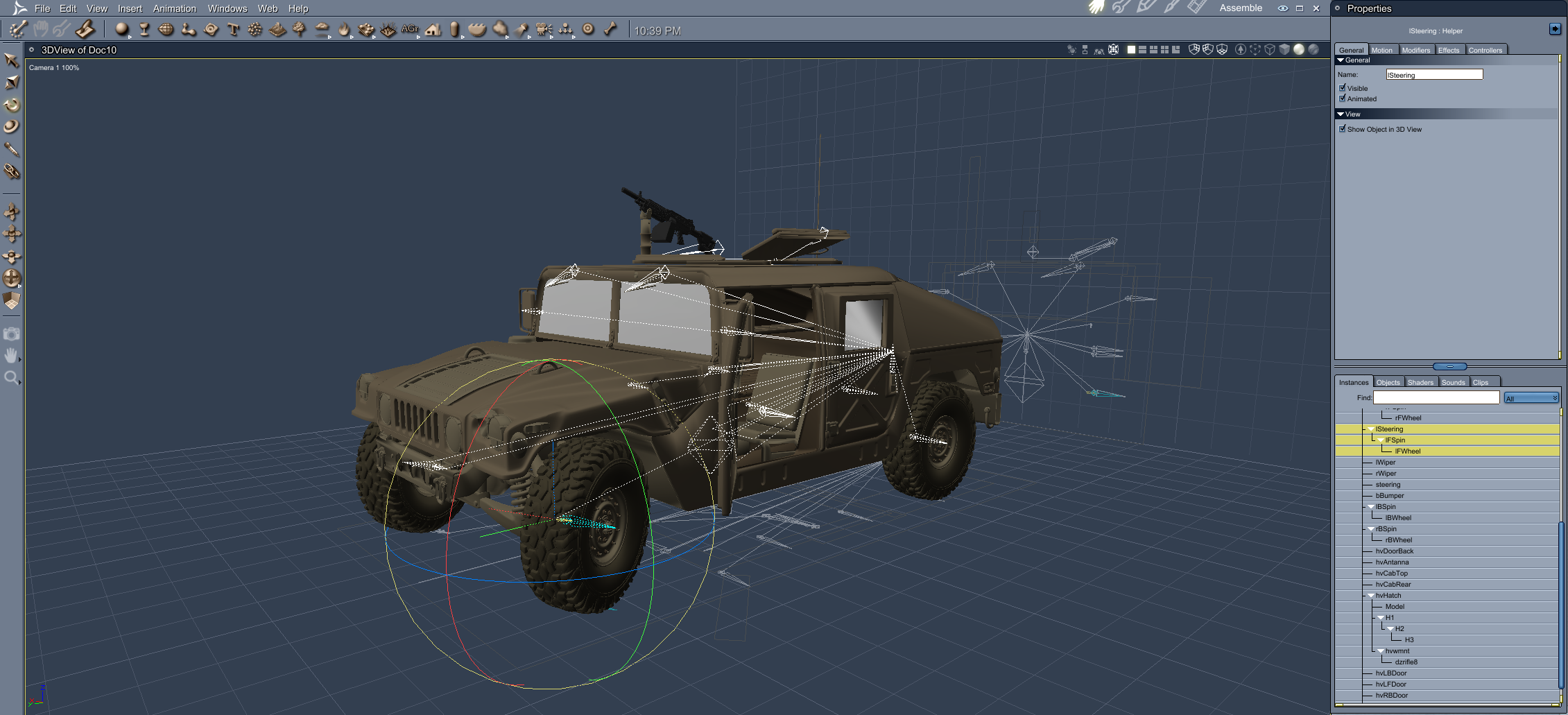
Buy Something That Doesn't Work in Carrara? Post your Questions and Workarounds here. (please)M-998 - https://www.daz3d.com/m-998
Front steering morph does not work, even when converted to blended weight.
Can manually rotate various items though.
 Large breast texture
I think I saw a product that allowed you to tile the breast textures if using a large breast morph over a year ago. Didn't think of it at the time because "who would need that". Well now I do and have tried multiple times to find it to no avail. Any ideas?
diffeomorphic 1.7.1 and b-tacular 9 HD exports [SOLVED]Hi,
has anyone been able to get b-tacular for genesis 9 to work with HD exports using the diffeomorphic 1.7.1 version?
it works for regular exports and HD exports (without B-tacular) but as soon as i exports as HD morph with B-tacular on, the UV tiles get all messed up and i havent found a way to fix it...
Does anyone know?
EDIT: i've resolved this issue. for anyone trying to solve a similar issue. refer to this [https://diffeomorphic.blogspot.com/2020/09/hd-meshes-and-geografts-revisited.html ]. follow the steps and it will solve this problem.
New figure and materialyuyu.atem said:
crosswind said:
As the best practice, if you create new character with Blender, pls use Genesis X figure as the base for sculpting, then you import the character's morph back to DS. In this way, you'll have a fully-rigged new character and you may load texture maps from other character on it or create new materials..
As for MakeHuman character that you wanna bring into Daz, one of the good ways is to use Wrap3D/4D, i.e. use Genesis base figure to wrap MakeHuman figure and import back to DS.
There're quite a few tutorials on Daz3D channel of youtube, you may take a look first.
Hi I am realizing I dindn't see your answer, thank you very much!
 I don't know Wrap3D at all; if I understand well, it's software different from Daz, is it that? I don't find how to download it...
Thank you in advance for your answer!
That's right, but it's not a freeware, and not cheap. It used to be R3DS Wrap (3D/4D)...now it's Wrap in here -: https://faceform.com/ ;
Well, since there's a MPFB 2.0 from MakeHuman, I suggest you try that first...
Rib Morph for G9 Female?sazzyazzca said:
This one also has some rib definition as part of the full body morph:
Wow, another PA to follow, I don't care for her facial features, though they're still masterfully sculpted, but her physique and anatomical sculpting are incredible! (Wishlisted his store!) I usually sculpt my own ribs and the like, yet I'm not nearly as masterful as some of the PAs here!
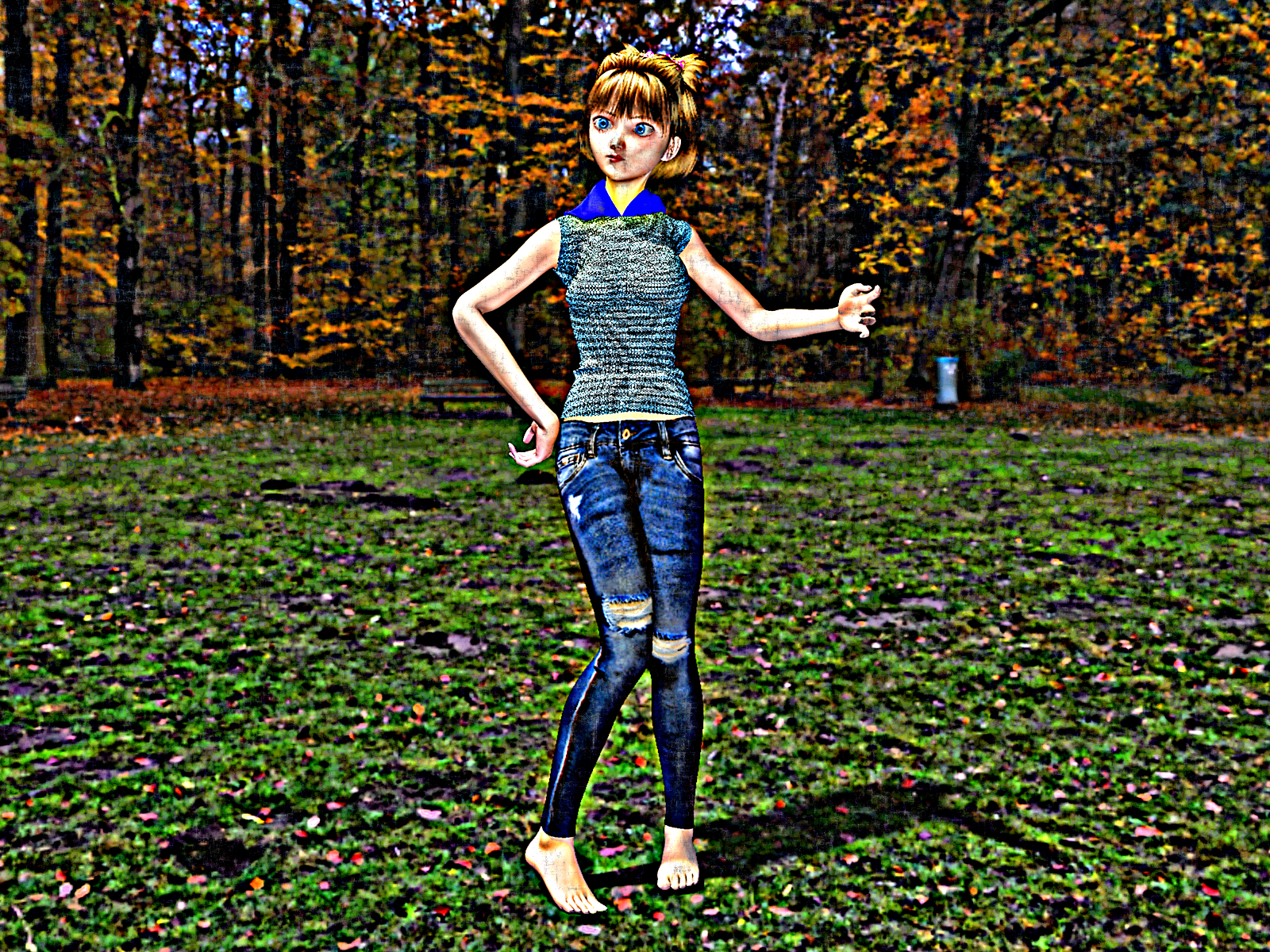
Carrara Non Photo Realistic Works 2G9F with Aiko 3 morph
 Make Human and Daz Studio
The face you posted does not look that distintive to me, so you should be able to get something fairly similar using one of the DAZ Genesis figures, and some morph packs. I agree with FirstBastion that Yuzuru is a good start for a base, though I think these two characters based off Yuzuru are maybe a bit closer.
https://www.daz3d.com/dd-keita-for-yuzuru-8
https://www.daz3d.com/jace-for-yuzuru-8
As for the hair, these two might be close to the one you have. They are certainly more realistic. A lot of hairs contain morphs so you can change then to get closer to what you want.
https://www.daz3d.com/blair-hair-for-genesis-8-males-and-females
https://www.daz3d.com/fe-short-hair-vol-1-for-genesis-8-male-and-female
How to create a 3D character from scratchThe morph packages in the Daz3d store are powerful tools for creating custom characters, and with a bit of practice easy to use as they work within Daz Studio itself. As much as I enjoy using morphs I also find them a bit frustrating. Every character was a compromise, because the morph did not shape things the way I wanted. If you sculpt or model your own morphs you don't have those limitations.
If that interests you, take a look at these.https://www.versluis.com/2018/01/how-to-create-daz-character-morphs-with-blender/
https://www.versluis.com/2019/01/how-to-create-daz-studio-morphs-with-zbrush/
How to create a 3D character from scratchluan.yang said:
on YouTube, but what I found was some people teaching how to customize a ready-made character
It would be the same process.
Load a base figue, for example, 'Genesis 9' and then apply or dial in morphs and materials that you have purchased.
Some morph packages for daz studio will allow you to have quite granular control. For example, they will give you ability to tweak the Philtrum or some very small anatomical detail. Other morphs will be more broad, like making a character thin or muscular
You will be limited by the morphs you have access to.
Daz 3D is part of

Connect
DAZ Productions, Inc.
7533 S Center View Ct #4664
West Jordan, UT 84084Licensing Agreement | Terms of Service | Privacy Policy | EULA
© 2026 Daz Productions Inc. All Rights Reserved.