-
Cant find various V4 materials and Exp Pack
Catherine3678ab said:
I do recall from the days long ago [D/S3] that for some products we had to be careful that they were installed to the same folder structure as the one holding the main figure. [Some would have multiple Runtimes; but only one has the actual V4 geometry, etc.] {I don't think this factors in here though}You recall correctly, V4 base and all her morph packs which use Exp technology need to be installed in the same content library (that's the main reason you can't install V4 and her morphs with Connect which installs each product to a separate directory structure), and the base V4 should be installed in only one content library. Otherwise you might end up which morphs not detected or not working properly.
Shape Rigger Plus G9 Edition (Commercial)
Yes, that is the core method we use, of focusing the adjustments on the localized areas to get best results. When we originally set out to build this tool our main goal was to automate that process because it is so tedious to do repeatedly. We ended up going way beyond that, though. The artists at Daz have a much longer list of requirements they follow to get the best results so we built it to meet those requirements. Also, we didn't like how adjust rigging to shape moves all selected bones, even if they don't need to move, so we built a filtering system that evaluates whether each bone should move and cleans things up before it ERC Freezes the bone movementsbarbult said:ChangelingChick providfed these instructions here for adjusting G9 rigging to shape and adjusting the eyes. This technique works very well. Does Shape Rigger Plus G9 edition follow the same strategy?
- Make your head shape
- Use the Adjust Rigging to Shape. For a head, ONLY select the Neck 1 and Children bones to adjust and ONLY select the Head as Influencing. Be sure that the *only* active morph is the one you've made. If you intend to have the Base Feminine or Masculine heads ERC'd in, do NOT have those active. They already have rigging in them. Uncheck the following bones:
- Right Eye
- Left Eye
- Left Eyelid Upper
- Left Eyelid Lower
- Right Eye
- Right Eyelid Upper
- Right Eyelid Lower
- Put your parameters in Edit mode,
AIUTO...CHI CONOSCE L’ITALIANO? PARTE QUATTORDICIMuscleman said:
Io non concordo in queste repliche. IMO.
Vale dire?
Non vuoi i morph Mufasa, Draco e Giovane?
 is it possible to insert an image and use it as an help?
yuyu.atem said:
Thank you very much, I will try!

crosswind said:
My method is to use Face Transfer plugin
Do you recommand to buy one of the versions on the shop (https://www.daz3d.com/face-transfer-unlimited or https://www.daz3d.com/face-transfer-shapes-for-genesis-8), or can the free version be enough?
Thank you in advance!
If it's only for being used as a reference image, free version is just enough.
is it possible to insert an image and use it as an help?Thank you very much, I will try!
crosswind said:
My method is to use Face Transfer plugin
Do you recommand to buy one of the versions on the shop (https://www.daz3d.com/face-transfer-unlimited or https://www.daz3d.com/face-transfer-shapes-for-genesis-8), or can the free version be enough?
Thank you in advance!
Genesis 9 male charactersYou are welcome. One warning though. We found during Genesis 8/8.1 the more characters/morph packs you owned, the more your load times slowed down. So be selective and make careful choices now. As Genesis 9 grows, the PAs become more comfortable with it and even better characters are released.
Mary
Desperately Seeking V4-G8 Equivalent of Face Morphs for G9With some of the pose convertors from G8 to G9 the facial bone poses are replicated in G9, so if you have a G8 pose you think appropriate it may be transferrable to G9. I suspect it's a bit hit & miss though. (and I really can't remember back a year now to say if my own G8 to G9 pose transfer script does it!).
Edited to add: I read up my own writeup on my G8toG9 pose convertor and it can transfer the facial bone poses as much as is possible - G9 has fewer facial bones than G8 so there is a bit of an approximation going on.
Regards,
Richard.
[Released] ROG Fantasy Home: Entrance + Furniture Set Products [Commercial]I love the sets and will gladly buy more. Only thing I'm sorely missing is a version or morph with 'normal', rectangular doors, because the hobbit doors limit the use considerably (I usually try to just keep them out of the shot, but it's a pity for all the otherwise lovely angles I'm missing this way). Maybe there's a way to do this somehow, and then the sets would probably appeal to a wider audience as well?
 Genesis 9 male characters
Thank you for taking your time to research it for me. I look at them all one by one, I add to my favorites the ones that inspire me the most for my ideas.

memcneil70 said:
There are more characters than just these, I have been careful not to buy too many early on. And some I have don't meet your criteria.
Male characters:
https://www.daz3d.com/redz-kaz-for-genesis-9
https://www.daz3d.com/nabi-and-minjun-hd-for-genesis-9 - this is a male and female set together.
https://www.daz3d.com/e3d-aroon-hd-for-genesis-9
https://www.daz3d.com/ivar-9-hd - almost too old, but you can age him down a bit. He has an alternate shape pack as well who might give you some morphs to work with: https://www.daz3d.com/ivar-9-kinship-alternate-face-morphs
https://www.daz3d.com/casey-hd-for-genesis-9
https://www.daz3d.com/lawrence-9-hd
https://www.daz3d.com/ab-dokkalfar-for-genesis-9 - another male/female set and one that is fantasy dark elves. But the skin materials give you some options. The sculpt is close to the men you showed too.
https://www.daz3d.com/nathan-9-hd
https://www.daz3d.com/albane-and-albana-for-genesis-9 - another male/female set and one with very pale skin.
https://www.daz3d.com/tma-kaya-for-genesis-9
https://www.daz3d.com/e3d-twins-kaitlin-and-nathaniel-hd-for-genesis-9 - another male/female set.
https://www.daz3d.com/koo-hector-hd-for-genesis-9
https://www.daz3d.com/cairo-hd-for-genesis-9
https://www.daz3d.com/michael-9-hd - the first official DO male this generation, so he does need morph help.
https://www.daz3d.com/mm3d-holden-hd-shapes-for-genesis-9-masculine - these are characters and morphs, but do not come with skin materials. You can use other character skins on them.
https://www.daz3d.com/jack-hd-for-genesis-9
https://www.daz3d.com/julius-9-hd - he is a little older, but that nose is great and he mixes well. Age him down a bit.
https://www.daz3d.com/e3d-charlie-hd-for-genesis-9
https://www.daz3d.com/ab-desert-halflings-for-genesis-9 - fantasy characters for all sexes in G9, but the facial sculpt is great, I haven't played with them yet.
https://www.daz3d.com/rogues-hd-for-genesis-9 - Character/Morph set with skin, hair and dirt. A lot in this package. These are not pretty boys but hard muscular men.
https://www.daz3d.com/cc-jynksie-for-genesis-9 - While the front promo shows a normal female and a goblin, further down are pictures of the included male character.
Female packs with male options included:
https://www.daz3d.com/angela-9-hd
https://www.daz3d.com/freja-9-hd
https://www.daz3d.com/hid-lana-for-genesis-9
https://www.daz3d.com/julia-9-hd
https://www.daz3d.com/kala-9-hd
https://www.daz3d.com/olympia-9-hd
https://www.daz3d.com/olivia-9-hd
https://www.daz3d.com/victoria-9-hd
https://www.daz3d.com/joan-9-hd
https://www.daz3d.com/van-helsing-9-hd
https://www.daz3d.com/xiu-lin-9-hd
Morph Packs or Other Odd Packages That Will Help:
https://www.daz3d.com/ultimate-natural-bend-morphs-for-genesis-9-female-base
https://www.daz3d.com/natural-movements-pack-for-genesis-9
https://www.daz3d.com/200-plus-genesis-9-edition
https://www.daz3d.com/genesis-9-essential-shapes-bundle - You can buy the individual items but these are almost critical for what you want to do.
https://www.daz3d.com/sy-hero-bodies-for-genesis-9
https://www.daz3d.com/muscularity-morphs-for-genesis-9
https://www.daz3d.com/twizted-body-morphs-for-genesis-9
https://www.daz3d.com/musculature-morphs-merchant-resource-for-genesis-9
https://www.daz3d.com/jepes-masculine-body-hair-project-for-genesis-9
There are a lot more morph packs out there that will help you out. Search the store and look at the comments in the forums about them and in the gallery.
There is one PA, https://www.daz3d.com/mal3imagery whom I recommend for masculine clothing. I have found his clothing for G8M and G8.1M work fine on G9M with autofit. And you may like his characters he has done too. (They are not for sale, but you can see what someone has done.)
This was a fast and dirty search for your requirements, so I suggest you check out these characters, morph packs... and look at the PA's stores and see what else they have to offer.
Mary
Shape Rigger Plus G9 Edition (Commercial)ChangelingChick providfed these instructions here for adjusting G9 rigging to shape and adjusting the eyes. This technique works very well. Does Shape Rigger Plus G9 edition follow the same strategy?
- Make your head shape
- Use the Adjust Rigging to Shape. For a head, ONLY select the Neck 1 and Children bones to adjust and ONLY select the Head as Influencing. Be sure that the *only* active morph is the one you've made. If you intend to have the Base Feminine or Masculine heads ERC'd in, do NOT have those active. They already have rigging in them. Uncheck the following bones:
- Right Eye
- Left Eye
- Left Eyelid Upper
- Left Eyelid Lower
- Right Eye
- Right Eyelid Upper
- Right Eyelid Lower
- Put your parameters in Edit mode, and select your morph.
- Use Adjust Eye Rigging
[Released] Thickener plugin [commercial]Loony said:
barbult said:
It appears that you don't understand how the product is intended to work. It is not designed to change your thin rigged clothing into thick rigged clothing. The thickened object is also not something that you should apply dForce to.
The easiest way to use it is to not apply it until your scene is done and you are ready to render the final pose and morph of the character. Then apply a static thickener to the clothing and leave it alone. Render. If you need to change something later, delete the thickened object, change the scene and apply the static thickener again at the very end.
If that workflow doesn't satisfy you. you can try the dynamic thickener, but you need to understand that the dynamic thickener is not itself intended to be simulated with dForce. You simulate the original item and synchronize the dynamic thickened object with the original. If you resimulate the original, you have to resynchronize the dynamic thickened object with it. You will need to read up on it in the manual.
That is confusing... I tried to parent the object to the original clothe but it didn't fit correct and I thought it's made for dforce? O_o
Take a look at the attached .duf file. It contains the Genesis figure with cloth included in the Started Essentials. The Dynamic thickened object uses the TShirt as its model (in its Geometric node property).
If you are creating a static scene only, and want to change the pose of the Genesis figure, you have to re-synchronize the Dynamic thickened object by disabling and then re-enabling it (clicking on the Enable property) after finishing the new new pose. Try some poses to see the effect.
The procedure is the same if you want to use dForce in a proper cloth: only apply dForce to the original cloth, then re-synchronize the Dynamic object.
You can see nothing is parented.
Desperately Seeking V4-G8 Equivalent of Face Morphs for G9I have got to find a way to extend G9's facial expressions that allows granual control over every element. The default figure is too limiting and the Expressions pack I bought last week doesn't include anything I need for my work.
Has Daz ever released a face morph pack for G9? If so, what's it called, and where is it?
is it possible to insert an image and use it as an help?My method is to use Face Transfer plugin... Add it to the panes group on the left, et voila... Or use sth. like puref - https://www.pureref.com/
Trying to use a G8toG9 converter for custom characters isn't working.I'm trying to use RSSY Character Converter (https://www.daz3d.com/rssy-character-and-material-conversion-genesis-8-to-genesis-9-bundle) to move characters I've made using morphs made with Dial Fusion (https://www.daz3d.com/dial-fusion-for-genesis-2-to-81) over to Genesis9. Dial Fusion save as a dsf that RSSY won't read and duf files made by saving them as
SaveAs-Support Asset-Morphs
SaveAs-Shaping
SaveAs-Character
doesn't work either. I forget what methods, but one says something like "Successfully converted 0 of 0 characters" and the others doesn't register them as a good morph. I don't know any other way of saving characters and would like not have to convert every little morph. Especially as some of them use Mesh Grabber that doesn't have a file to load from.Genesis 9 male charactersThere are more characters than just these, I have been careful not to buy too many early on. And some I have don't meet your criteria.
Male characters:
https://www.daz3d.com/redz-kaz-for-genesis-9
https://www.daz3d.com/nabi-and-minjun-hd-for-genesis-9 - this is a male and female set together.
https://www.daz3d.com/e3d-aroon-hd-for-genesis-9
https://www.daz3d.com/ivar-9-hd - almost too old, but you can age him down a bit. He has an alternate shape pack as well who might give you some morphs to work with: https://www.daz3d.com/ivar-9-kinship-alternate-face-morphs
https://www.daz3d.com/casey-hd-for-genesis-9
https://www.daz3d.com/lawrence-9-hd
https://www.daz3d.com/ab-dokkalfar-for-genesis-9 - another male/female set and one that is fantasy dark elves. But the skin materials give you some options. The sculpt is close to the men you showed too.
https://www.daz3d.com/nathan-9-hd
https://www.daz3d.com/albane-and-albana-for-genesis-9 - another male/female set and one with very pale skin.
https://www.daz3d.com/tma-kaya-for-genesis-9
https://www.daz3d.com/e3d-twins-kaitlin-and-nathaniel-hd-for-genesis-9 - another male/female set.
https://www.daz3d.com/koo-hector-hd-for-genesis-9
https://www.daz3d.com/cairo-hd-for-genesis-9
https://www.daz3d.com/michael-9-hd - the first official DO male this generation, so he does need morph help.
https://www.daz3d.com/mm3d-holden-hd-shapes-for-genesis-9-masculine - these are characters and morphs, but do not come with skin materials. You can use other character skins on them.
https://www.daz3d.com/jack-hd-for-genesis-9
https://www.daz3d.com/julius-9-hd - he is a little older, but that nose is great and he mixes well. Age him down a bit.
https://www.daz3d.com/e3d-charlie-hd-for-genesis-9
https://www.daz3d.com/ab-desert-halflings-for-genesis-9 - fantasy characters for all sexes in G9, but the facial sculpt is great, I haven't played with them yet.
https://www.daz3d.com/rogues-hd-for-genesis-9 - Character/Morph set with skin, hair and dirt. A lot in this package. These are not pretty boys but hard muscular men.
https://www.daz3d.com/cc-jynksie-for-genesis-9 - While the front promo shows a normal female and a goblin, further down are pictures of the included male character.
Female packs with male options included:
https://www.daz3d.com/angela-9-hd
https://www.daz3d.com/freja-9-hd
https://www.daz3d.com/hid-lana-for-genesis-9
https://www.daz3d.com/julia-9-hd
https://www.daz3d.com/kala-9-hd
https://www.daz3d.com/olympia-9-hd
https://www.daz3d.com/olivia-9-hd
https://www.daz3d.com/victoria-9-hd
https://www.daz3d.com/joan-9-hd
https://www.daz3d.com/van-helsing-9-hd
https://www.daz3d.com/xiu-lin-9-hd
Morph Packs or Other Odd Packages That Will Help:
https://www.daz3d.com/ultimate-natural-bend-morphs-for-genesis-9-female-base
https://www.daz3d.com/natural-movements-pack-for-genesis-9
https://www.daz3d.com/200-plus-genesis-9-edition
https://www.daz3d.com/genesis-9-essential-shapes-bundle - You can buy the individual items but these are almost critical for what you want to do.
https://www.daz3d.com/sy-hero-bodies-for-genesis-9
https://www.daz3d.com/muscularity-morphs-for-genesis-9
https://www.daz3d.com/twizted-body-morphs-for-genesis-9
https://www.daz3d.com/musculature-morphs-merchant-resource-for-genesis-9
https://www.daz3d.com/jepes-masculine-body-hair-project-for-genesis-9
There are a lot more morph packs out there that will help you out. Search the store and look at the comments in the forums about them and in the gallery.
There is one PA, https://www.daz3d.com/mal3imagery whom I recommend for masculine clothing. I have found his clothing for G8M and G8.1M work fine on G9M with autofit. And you may like his characters he has done too. (They are not for sale, but you can see what someone has done.)
This was a fast and dirty search for your requirements, so I suggest you check out these characters, morph packs... and look at the PA's stores and see what else they have to offer.
Mary
[Released] Thickener plugin [commercial]barbult said:
It appears that you don't understand how the product is intended to work. It is not designed to change your thin rigged clothing into thick rigged clothing. The thickened object is also not something that you should apply dForce to.
The easiest way to use it is to not apply it until your scene is done and you are ready to render the final pose and morph of the character. Then apply a static thickener to the clothing and leave it alone. Render. If you need to change something later, delete the thickened object, change the scene and apply the static thickener again at the very end.
If that workflow doesn't satisfy you. you can try the dynamic thickener, but you need to understand that the dynamic thickener is not itself intended to be simulated with dForce. You simulate the original item and synchronize the dynamic thickened object with the original. If you resimulate the original, you have to resynchronize the dynamic thickened object with it. You will need to read up on it in the manual.
That is confusing... I tried to parent the object to the original clothe but it didn't fit correct and I thought it's made for dforce? O_o
[Released] Thickener plugin [commercial]It appears that you don't understand how the product is intended to work. It is not designed to change your thin rigged clothing into thick rigged clothing. The thickened object is also not something that you should apply dForce to.
The easiest way to use it is to not apply it until your scene is done and you are ready to render the final pose and morph of the character. Then apply a static thickener to the clothing and leave it alone. Render. If you need to change something later, delete the thickened object, change the scene and apply the static thickener again at the very end.
If that workflow doesn't satisfy you. you can try the dynamic thickener, but you need to understand that the dynamic thickener is not itself intended to be simulated with dForce. You simulate the original item and synchronize the dynamic thickened object with the original. If you resimulate the original, you have to resynchronize the dynamic thickened object with it. You will need to read up on it in the manual.
Genesis 9 male charactersdannagiusy64 said:
I purchased clothes for genesis 9 male but I don't have a character in my gallery yet. I have only purchased several female characters and I have many in my favorites
Then just create one with the various morphs at the various stores (and free). With the morph packs, any user has the ability to create almost any character they want without having to wait for a PA to create something they might like
How to crush a propYou don't always need dForce-ready items to use dForce. It's just that some things just don't work well with it, without making some parts either not visible in the simulation (the rest of the item will completely ignore it, which may have horrible effects) or just lower the Dynamic Strength, where 0.00 means no dynamics at all, but it will follow the rest of the model, still attached to it.
I will often just use the Geometry Editor to select by surface, select the surfaces I don't want, then edit > delete selected.
Other options I use most often is to try a different product altogether.
I shop the store with projects in mind in a 'thinking outside the box' mentality. I just bought a product simply because the top it includes is exactly what I've been looking for. The rest of the product is Amazing, but all I needed was the tiny tank top!
I have a bazillion tank tops because of this search for the right one. I'd morph them to try and make them like this and I got really close on two of them. This one was perfect right out of the box, and it's normally mostly hidden in the oufit it comes with.
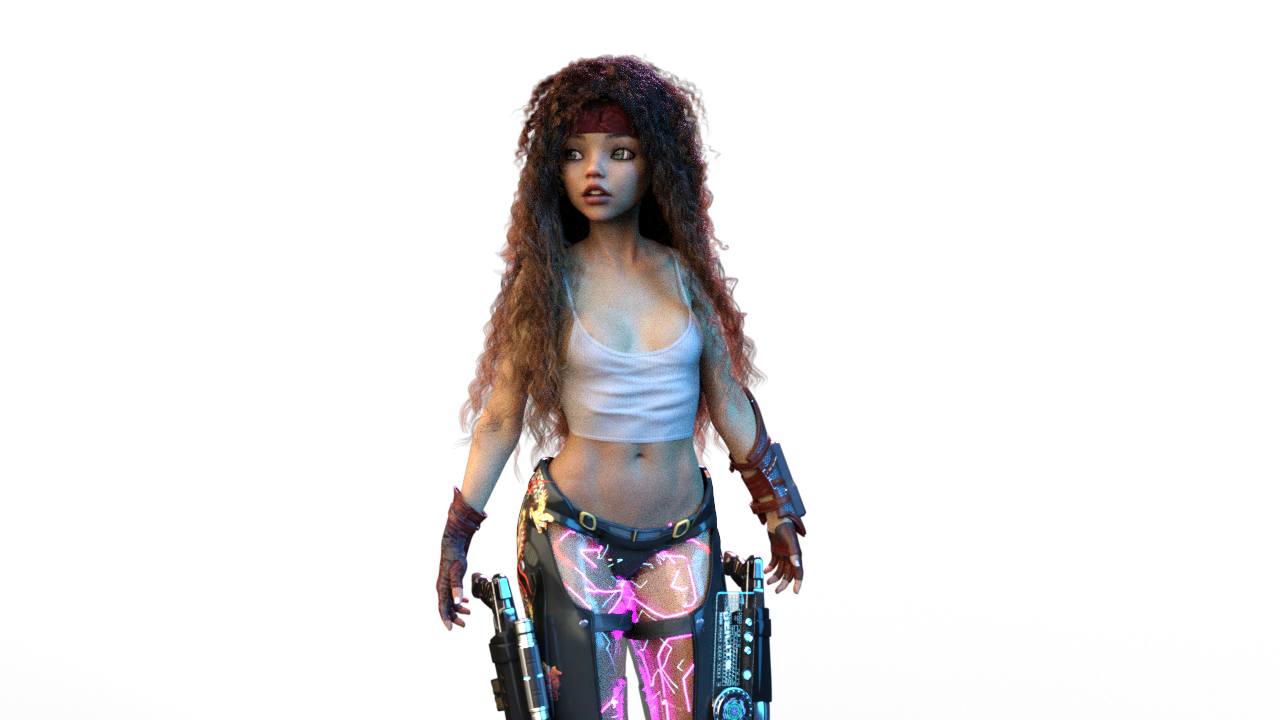 I bought two veins morph and need help :)
Hello
I bought this two vein morphs for genesis 8 female : Add Some Veins HD for Genesis 8 | Daz 3D
Vascularity HD for Genesis 8 Female and Male | Daz 3D
For the first one for some reason I see only head veins and back vein as in the pictures below , not like the other one when he have legs arms belly and more.
And for the second one I dont find where can I use it , I put it on my character but nothing happen
I work with genesis 8 female and I bought this veins more to the belly
Thanks :)Daz 3D is part of

Connect
DAZ Productions, Inc.
7533 S Center View Ct #4664
West Jordan, UT 84084Licensing Agreement | Terms of Service | Privacy Policy | EULA
© 2026 Daz Productions Inc. All Rights Reserved.