-
UltraScatterPro - v1.0.1 released [commercial]
So, does this combine the stuff in UltraScatter (original) with new Pro features into one product, or is it a set of new tools/options altogether (i.e. you would still need the original for those original features) Based on the higher price, I was thinking this "replaces" the original?
UltraScatterPro does contain (and enhances) all of the original script's features.
With the end of the Holiday sale I went ahead and picked up Ultrascatter Pro, even though I already have Ultrascatter. Do I need to uninstall UltraScatter before installing Ultrascatter Pro; or will UltraScatter Pro simply overwrite UltraScatter?
They are separate products. You do not have to uninstall UltraScatter and UltraScatterPro will not overwrite it. (It is just like Victoria 8 doesn't overwtite Victoria 7.)
Thanks. It is nice to know you can have both installed simultaneously; but would there be any reason to keep Ultrascatter when Ultrascatter Pro is supposed to do everything (and more) UltraScatter does?
Is there a way to tell which base figure a character goes with?Mostly the product name will list the base required, eg SuchAndSo for Victoria 8. That may not happen 100% of the time, but normally the vast majority of time. A character based off the base Genesis figure, will say something like SuchAndSo for Genesis 8 Female.
UltraScatterPro - v1.0.1 released [commercial]So, does this combine the stuff in UltraScatter (original) with new Pro features into one product, or is it a set of new tools/options altogether (i.e. you would still need the original for those original features) Based on the higher price, I was thinking this "replaces" the original?
UltraScatterPro does contain (and enhances) all of the original script's features.
With the end of the Holiday sale I went ahead and picked up Ultrascatter Pro, even though I already have Ultrascatter. Do I need to uninstall UltraScatter before installing Ultrascatter Pro; or will UltraScatter Pro simply overwrite UltraScatter?
They are separate products. You do not have to uninstall UltraScatter and UltraScatterPro will not overwrite it. (It is just like Victoria 8 doesn't overwtite Victoria 7.)
Unsure how to use this productThe product page describes it. Just load the materials from one of the named G3F characters, like Victoria 7, on G8F and the correct UV will be loaded.
From Video File to AniblockThat would be a very cool idea! Especially when it comes to replicating dance moves and other full body movements. I would gladly buy such product if it's compatible with Genesis 3 Male and Female.
In fact I'm thinking for all the figures, since Victoria/Michael 3, 4, Kids 4, Aiko, Hiro 4, Genesis, G2FM, G3FM, G8FM, etc. Of course it has to be a very accurate product in order to movements can be extracted very well and being loaded in all the Figures. That way I could save my own movements with a simple camera, convert them into an Aniblock and load them so easy in any of the Daz Figures. I hope someone can make this dream true!
[Released] Hair Converter from Genesis 3 Female to Genesis 8 Female [Commercial]I had luck converting a few G3F hairs. Two of the OOT hairs (top model and super sleeky) wouldn't conform to Victoria 8.. I realize this is for G8F, but just noting. Also batch directory conversions don't work.. one by one is just fine and I can deal with that.
For what it's worth I also have the G3F-> G8F clothing conversion tool. I'll try removing it and see what happens.
That is very strange about V8 conforming. You are talking about using the hairs after conversion, correct? That should not happen. I know this is obvious, but make sure V8 is selected before loading hair (I was trying to recreate your issue and accidentally deselected it when I deleted a hair and then the next hair didn't conform and I panicked
 )
)What is happening with your batch conversions? Can you post a log of trying to convert 2 at once?
I will be away for a few days but will try converting two.
As for V8 .. the four SWAM pieces I tried all worked incluing a long hair (Jerry Hair). The two OOTs (Top Model and Super Sleeky) both failed talling above the head by about as much as their bottom most extension. Goldtassel Krayon failed. Emma and Jordi Avelyn failed. April YSH Chace failed, Dax worked. I haven't tried any others.
By failed I mean it converted, but did't position properly.
When I tried adding the converted Super Sleeky without selecting V8 and then positioned by hand and parented the long bones seemed to work ok.
I haven't tried taking off the G3F->G8F clothing files and reintalling just the hair conversion.
Very strange. I don't have the two OOTs, but I have Krayon, Chace and Avelyn which all worked (see images). Please restart Daz and reconvert them using the plain G8F figure (making sure Overwrite option is on).
I had at least two problems..
The ability to do a batch was fixed by reinstalling all of my Riversoft Art scripts... for whatever reason ...
The V8 fitting prolbem turned out ot be a non problem. I was trying it on a Victoria 7 for Victoria 8 figure. That doesn't work.
Well awesome! I am glad it is working now.
[Released] Hair Converter from Genesis 3 Female to Genesis 8 Female [Commercial]I had luck converting a few G3F hairs. Two of the OOT hairs (top model and super sleeky) wouldn't conform to Victoria 8.. I realize this is for G8F, but just noting. Also batch directory conversions don't work.. one by one is just fine and I can deal with that.
For what it's worth I also have the G3F-> G8F clothing conversion tool. I'll try removing it and see what happens.
That is very strange about V8 conforming. You are talking about using the hairs after conversion, correct? That should not happen. I know this is obvious, but make sure V8 is selected before loading hair (I was trying to recreate your issue and accidentally deselected it when I deleted a hair and then the next hair didn't conform and I panicked
)What is happening with your batch conversions? Can you post a log of trying to convert 2 at once?
I will be away for a few days but will try converting two.
As for V8 .. the four SWAM pieces I tried all worked incluing a long hair (Jerry Hair). The two OOTs (Top Model and Super Sleeky) both failed talling above the head by about as much as their bottom most extension. Goldtassel Krayon failed. Emma and Jordi Avelyn failed. April YSH Chace failed, Dax worked. I haven't tried any others.
By failed I mean it converted, but did't position properly.
When I tried adding the converted Super Sleeky without selecting V8 and then positioned by hand and parented the long bones seemed to work ok.
I haven't tried taking off the G3F->G8F clothing files and reintalling just the hair conversion.
Very strange. I don't have the two OOTs, but I have Krayon, Chace and Avelyn which all worked (see images). Please restart Daz and reconvert them using the plain G8F figure (making sure Overwrite option is on).
I had at least two problems..
The ability to do a batch was fixed by reinstalling all of my Riversoft Art scripts... for whatever reason ...
The V8 fitting prolbem turned out ot be a non problem. I was trying it on a Victoria 7 for Victoria 8 figure. That doesn't work.
[Released] Hair Converter from Genesis 3 Female to Genesis 8 Female [Commercial]Awesome product - still hope for the hair converter from V4 to G8F.
Below is Bridget hair on BD Corsen for Victoria 8
https://www.daz3d.com/bridget-hair-for-genesis-3-female-s
https://www.daz3d.com/bd-corsen-for-victoria-8
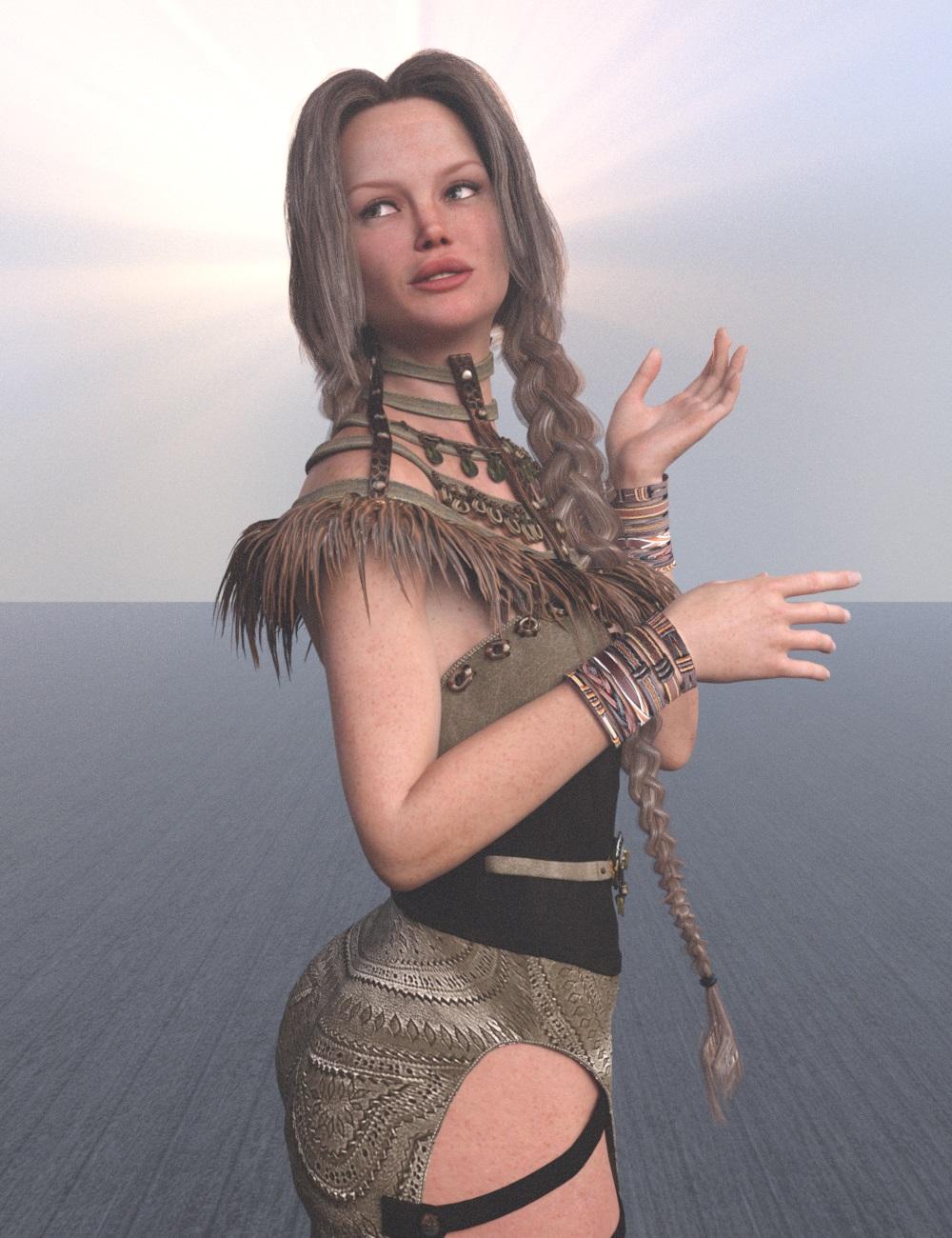
Looks great! Thanks for posting!
[Released] Hair Converter from Genesis 3 Female to Genesis 8 Female [Commercial]I had luck converting a few G3F hairs. Two of the OOT hairs (top model and super sleeky) wouldn't conform to Victoria 8.. I realize this is for G8F, but just noting. Also batch directory conversions don't work.. one by one is just fine and I can deal with that.
For what it's worth I also have the G3F-> G8F clothing conversion tool. I'll try removing it and see what happens.
That is very strange about V8 conforming. You are talking about using the hairs after conversion, correct? That should not happen. I know this is obvious, but make sure V8 is selected before loading hair (I was trying to recreate your issue and accidentally deselected it when I deleted a hair and then the next hair didn't conform and I panicked
)What is happening with your batch conversions? Can you post a log of trying to convert 2 at once?
I will be away for a few days but will try converting two.
As for V8 .. the four SWAM pieces I tried all worked incluing a long hair (Jerry Hair). The two OOTs (Top Model and Super Sleeky) both failed talling above the head by about as much as their bottom most extension. Goldtassel Krayon failed. Emma and Jordi Avelyn failed. April YSH Chace failed, Dax worked. I haven't tried any others.
By failed I mean it converted, but did't position properly.
When I tried adding the converted Super Sleeky without selecting V8 and then positioned by hand and parented the long bones seemed to work ok.
I haven't tried taking off the G3F->G8F clothing files and reintalling just the hair conversion.
Very strange. I don't have the two OOTs, but I have Krayon, Chace and Avelyn which all worked (see images). Please restart Daz and reconvert them using the plain G8F figure (making sure Overwrite option is on).
[Released] Hair Converter from Genesis 3 Female to Genesis 8 Female [Commercial]I had luck converting a few G3F hairs. Two of the OOT hairs (top model and super sleeky) wouldn't conform to Victoria 8.. I realize this is for G8F, but just noting. Also batch directory conversions don't work.. one by one is just fine and I can deal with that.
For what it's worth I also have the G3F-> G8F clothing conversion tool. I'll try removing it and see what happens.
That is very strange about V8 conforming. You are talking about using the hairs after conversion, correct? That should not happen. I know this is obvious, but make sure V8 is selected before loading hair (I was trying to recreate your issue and accidentally deselected it when I deleted a hair and then the next hair didn't conform and I panicked
)What is happening with your batch conversions? Can you post a log of trying to convert 2 at once?
I will be away for a few days but will try converting two.
As for V8 .. the four SWAM pieces I tried all worked incluing a long hair (Jerry Hair). The two OOTs (Top Model and Super Sleeky) both failed talling above the head by about as much as their bottom most extension. Goldtassel Krayon failed. Emma and Jordi Avelyn failed. April YSH Chace failed, Dax worked. I haven't tried any others.
By failed I mean it converted, but did't position properly.
When I tried adding the converted Super Sleeky without selecting V8 and then positioned by hand and parented the long bones seemed to work ok.
I haven't tried taking off the G3F->G8F clothing files and reintalling just the hair conversion.
[Released] Hair Converter from Genesis 3 Female to Genesis 8 Female [Commercial]I had luck converting a few G3F hairs. Two of the OOT hairs (top model and super sleeky) wouldn't conform to Victoria 8.. I realize this is for G8F, but just noting. Also batch directory conversions don't work.. one by one is just fine and I can deal with that.
For what it's worth I also have the G3F-> G8F clothing conversion tool. I'll try removing it and see what happens.
That is very strange about V8 conforming. You are talking about using the hairs after conversion, correct? That should not happen. I know this is obvious, but make sure V8 is selected before loading hair (I was trying to recreate your issue and accidentally deselected it when I deleted a hair and then the next hair didn't conform and I panicked
)What is happening with your batch conversions? Can you post a log of trying to convert 2 at once?
[Released] Hair Converter from Genesis 3 Female to Genesis 8 Female [Commercial]Awesome product - still hope for the hair converter from V4 to G8F.
Below is Bridget hair on BD Corsen for Victoria 8
https://www.daz3d.com/bridget-hair-for-genesis-3-female-s
https://www.daz3d.com/bd-corsen-for-victoria-8
[Released] Hair Converter from Genesis 3 Female to Genesis 8 Female [Commercial]I had luck converting a few G3F hairs. Two of the OOT hairs (top model and super sleeky) wouldn't conform to Victoria 8.. I realize this is for G8F, but just noting. Also batch directory conversions don't work.. one by one is just fine and I can deal with that.
For what it's worth I also have the G3F-> G8F clothing conversion tool. I'll try removing it and see what happens.
Elements missing for the "interactive lessons"?I was going through the basic interactive lessons, and I noticed I couldn't make some of them work, because there were "missing files".
Didn't work :
-"Slaying the drgon" : since I had moved files around to reorganize them, I assumed that maybe the software couldn't find the files. So, I uninstalled and reinstalled the "slaying the dragon" bundle. No dice, I'm still told that files are missing.
-"Using autofit : M4 to G2M" . I'm told that files from "Michael 4 for Genesis 2 male" and "Basicwear for M4" are missing . The first is in fact a paying product, and I can't even find the second in the shop.
-"Using autofit : V4 to G2F . Same thing. I'm told that files from "Victoria 4 to Genesis 2 Female" are missing, and this is in fact a paying product.
I don't actually need to do these tutorials, but in case this wouldn't be an issue specific to me, maybe DAZ would want to fix that, so that the interactive lessons proposed actually work.
Dust Rider's "almost art" stuffDiomede's post, and his new "expanded" user name helped me remember that Carrara was what actually started off my serious addiction.... ummm..... I mean journey here at DAZ.
I got Poser many years ago (have every version from 2 to PP 2014), but the render engine in Poser 3 was dreadfully inadequate. Back when you could actually easily transfer software licenses, I got a used version of Cinema 4D (version 6) off of Ebay, and Carrara Studio 2 off Ebay as well (along with Carrara 1, and RayDream 5.5 IIRC). I needed an application to model with, and hopefully render Poser figures. I loved modeling in C4D, it just worked well for me, and the render in was better than Carrara too, but just slightly. C4D 7 had been out for about 8 months, and I was just about ready to upgrade it when Carrara Studio 3 came out. After a lot of consideration, I decided to upgrade to Carrara 3, because it had some amazing improvements to the renderer, and it had Transposer which gave you the ability to directly import Poser scenes into Carrara (C4D 7 already had this, but the upgrade to Carrara 3 was about $200 dollars less).
So fast forward a few years .... DAZ 3D bought Carrara and Hexagon (which I also owned) from Eovia. I had messed around with the free beta version of DS, but never got "serious" with any DAZ 3D products until DAZ released the upgrade for Carrara 6 IIRC. Well, to get the best "deal" on it, I joined the PC, and bought a few things I'd wanted for a while along with my Carrara upgrade, and I'm still here. I started using DS with version 3, and now use DS a lot. But I still enjoy Carrara for some of the amazing things it can do. though DS has come a long way. Since now I can easily get the results I want with DAZ content, I don't use Carrara as much as I used to
 .
.Anyway, I thought I'd repost a few images from my Gallery that were done with Carrara, since that is what really got me started with DAZ 3D.
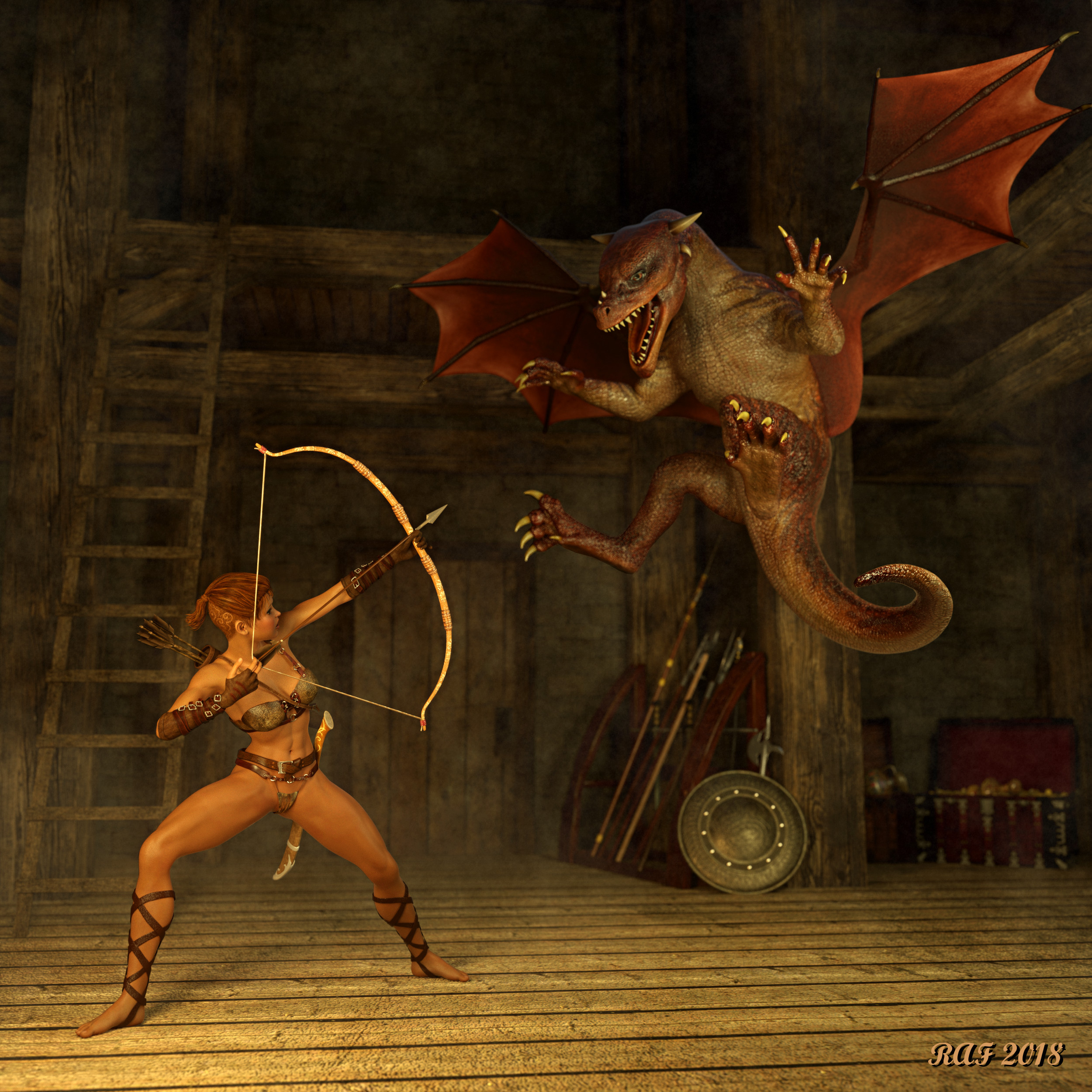
This image was done for one of the Carrara challenges (there is almost always an active Carrara Challenge in the Carrara forum ... they are great fun, and also have great prizes). It was completely set up in Carrara except for the Dragon. I had to apply the textures to the Dragon in DS, save the scene, then open the dragon in Carrara. The scene was rendered using the Octane Render plugin for Carrara. I modified/set up almost every shader for every object in the scene (something you get used to doing with Carrara). The female figure is custom Genesis 2 figure, and the Dragon is the DAZ Dragon 3. The fog or dust haze was added using Gimp, and levels were slightly adjusted in gimp, and the sig added in gimp as well. Otherwise, the image is just like it came out of Octane. I really like the way the Dragon's skin, horns, claws, and teeth tuned out (need to zoom to full resolution to really see it). More information on the image can be found in my gallery here.
Image title: Treasure Guardian
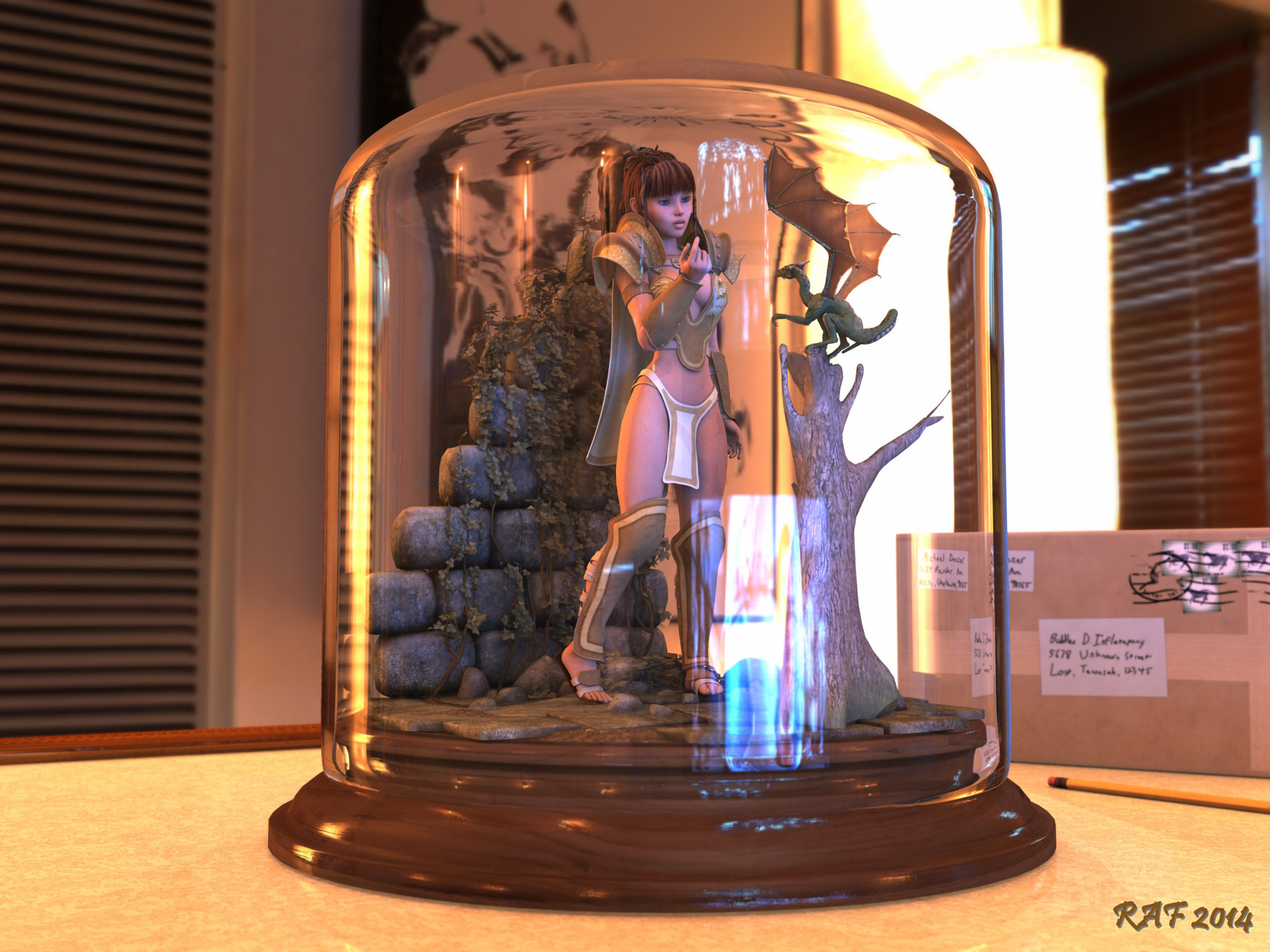
This image was also done for one of the Carrara Challenges rendered using Carrara's internal renderer. I think it's a great example of the quality you can get directly from Carrara. For this image I used the Millennium Dragon and a custom V4 (Victoria 4) character. Again, I modified virtually every shader to get just the tight look. I had to add the reflections on the front of the glass in post because IIRC adding DOF caused some weird effects .... I think it made everything inside the glass blurry (rendered two images, one with DOF and one without). Please zoom to full resolution to see all the details.
Image Title: A Moment Frozen in Time (galley link)
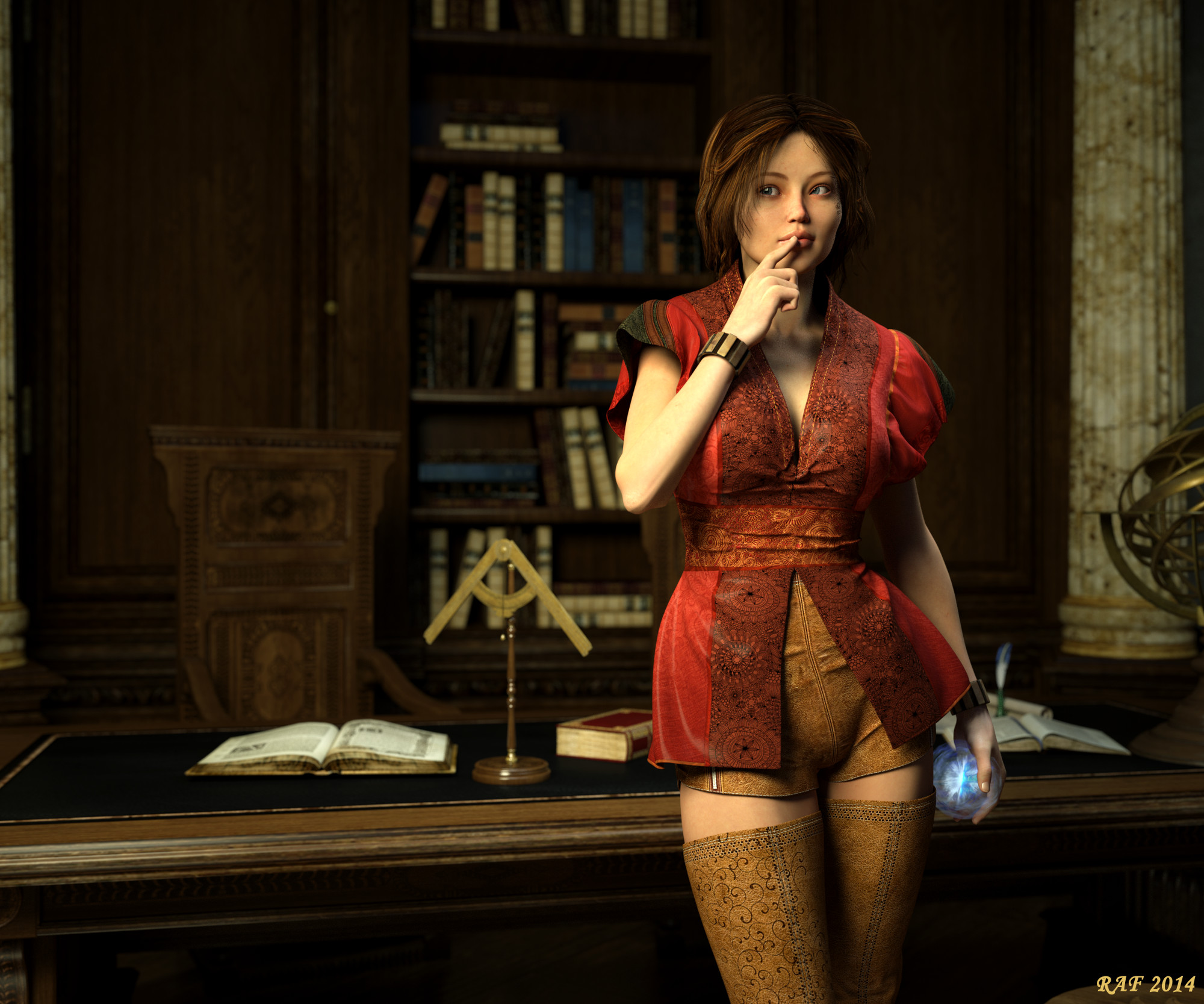
On last render done with the Octane Render plugin for Carrara. Completely set up in Carrara with another custom Genesis 2 figure, lit with mesh lights and an HDRI (outside the building, so it doesn't add a lot to the lighting). As usual, please zoom to full resolution to see the details.
Image Title: Now ... what should I do with this... (gallery link)
Thanks for stopping by!!
Gothic Rebel Outfit for Genesis 8 Female [Commercial]P3D Imogen for Victoria 8 at renderosity and the hair is correct.
How to get four Genesis 8 figures (with hair) IRAY rendered on a GTX 980 with only 4gb of vram?I managed to render 20 Genesis 3 figures in 4GB of VRAM. I used Generation 3 skins (ie V3, M3 etc) in combination with this product: https://www.daz3d.com/legacy-uvs-for-genesis-3-special-edition-victoria-3, and these low resolution skins saved a lot of memory. However using Scene Optimizer to reduce skin resolutions of Genesis 3 or 8 figures will have the same effect. As others have said you need to strip out the unneeded specular etc maps, and switch figures to base resolution if they are not fully in the foreground.
Lost and FoundThis is the first time I had this "Lost and Found" show up in my Smart Content. It started after I had installed some content through DIM, particularly Victoria 7 stuff. The one thing I made sure I did before installing any other V7-dependent content was that I installed the Victoria 7 Starter Bundle(Victoria 7 first in particular) and then installed the rest. Its the FWSA Grace HD for Victoria 7 that appears in the Lost and Found, yet the actor is also found where it should be. Is there any explanation for this? There was also another item that appears there, but haven't seen it lately. The odd thing about it is that to the right of the "Enter Text" box on the top, the file count is 0 when Lost and Found is highlighted, which to me indicates that the file isn't "lost" yet it shows up in the Lost and Found. And yes, the actor loads as it should. Screenshot below.
Genesis 8 to Michael 4, because M4 base will not installHello everyone. It's been 4+ years since I have played around with DAZ Studio and any other graphics programs. I'm very pleased with the improvements in the software and the new products.
Most of my products are around the Michael / Victoria 4 era.
I've been looking for body morphs to allow Genesis 8 to match Michael 4, but have not found what I'm seeking.
My goal is to conform my existing Michael / Victoria 4 skeletons to Genesis 8 as it seems I am unable to install the Michael 4 base (it's in my Content Library window, but will not install).
Thanks
How to reduce Genesis file sizes in Carrara?That's exactly my workflow, but sometimes the parameter tab is empty for the Actor, and non-existant for the Figure, sending it through DAZ Studio fixes the problem. If you really want a small file what I sometimes do is to remove all runtimes and content folders from DAZ, reset the database, then add to the content folder just the figure I want to use say for example Riley for Stephany 5. Try to load the Actor in DAZ and an error pops up, not really an error, but it's telling you all the files it did not find but needs to load that figure. Make a note of all those needed files, and then add those to the data folder for Riley. After the figure loads, inspect all the parameter dials available, and just add the Genesis morphs, or Stephany or Victoria morphs that you may want or need in order to complet the figure the way you want.
Then I load that figure into Carrara, and save it as a .car file for future use.
So, the resulting file size of S5_Riley = 6,618 KB. That's no hair , no clothes, just the base Genesis figure with the required morphs
Daz 3D is part of

Connect
DAZ Productions, Inc.
7533 S Center View Ct #4664
West Jordan, UT 84084Licensing Agreement | Terms of Service | Privacy Policy | EULA
© 2026 Daz Productions Inc. All Rights Reserved.