-
Add bones to non-Genesis figure and use Genesis clothes on non-Genesis figures
As for import, OBJ works best for me. I find FBX import to not work at all. As for adding bones, I have never added them, just adjusted, so I assume you will need to use the joint editor tool in Daz Studio. There are tutorials you can get in the store that focus on rigging (adding bones), There is also a way to transfer the rigging from DAZ figures, but this can only be used for personal use and not shared or sold since the rigging belongs to DAZ.
Unless the rigging you create matches the rigging of the DAZ figures, you won't be able to use any DAZ clothing , hair or shoes on your new figure. You can try creating a clone for your new figure that might help with fitting clothing, but I doubt it.
[Released] RSSY Hair Converter from Genesis 8 to Genesis 9 [Commercial]SickleYield said:
I went and got the Mermaid hair to try it, but I can't get it to work manually/with Transfer Utility either. With Neroli it worked correctly for me both manually and with the script; with Side Part and Mermaid it just didn't work any way that I tried it. The skull cap fitted with mermaid but the dForce hair would not.
Thanks for trying Neroli. Did you save the scene and reopen it? That is when the problem happens for me.
[Released] RSSY Hair Converter from Genesis 8 to Genesis 9 [Commercial]SickleYield said:
barbult said:
Here's a new problem. I converted dForce Neroli Hair from G8F to G9. The conversion looked good. I saved a scene with the hair on a character When I reopened the saved scene, the hair was above the character's head. The hair cap no longer had the Converter Morph G8F in it. Huh? How did a morph disappear from an item in a saved scene? The Converter Morph G8M is still there and has a value of zero.
The Converter Morph G8D is still in the data folder, and if I reload the converted G9 hair, the morph is present and dialed to -100. The problem occurs when the scene is saved and reopened.
Did you save the scene with hair that had been saved, deleted from the scene, and reloaded from the library? It's almost always going to cause problems if you don't.
With the Classic Side Part problem, if it has bad results of some kind with all of the conformers, my inclination is to say that it's just that this one doesn't work. It's breaking when I try to do it with AutoFit without Riversoft's scripts, and when I try it with Transfer Utility by itself, too. Occasionally this does happen with our converters, where we run into a specific item that for reasons we can't figure out just doesn't work.
RE: Neroli, Yes, I closed DS and restarted it, loaded G9 dev and the hair. saved the scene file, and reopened the scene. The hair floats above the head as shown in the screenshot above.
[Released] RSSY Hair Converter from Genesis 8 to Genesis 9 [Commercial]I went and got the Mermaid hair to try it, but I can't get it to work manually/with Transfer Utility either. With Neroli it worked correctly for me both manually and with the script; with Side Part and Mermaid it just didn't work any way that I tried it. The skull cap fitted with mermaid but the dForce hair would not.
[Released] RSSY Hair Converter from Genesis 8 to Genesis 9 [Commercial]barbult said:
Here's a new problem. I converted dForce Neroli Hair from G8F to G9. The conversion looked good. I saved a scene with the hair on a character When I reopened the saved scene, the hair was above the character's head. The hair cap no longer had the Converter Morph G8F in it. Huh? How did a morph disappear from an item in a saved scene? The Converter Morph G8M is still there and has a value of zero.
The Converter Morph G8D is still in the data folder, and if I reload the converted G9 hair, the morph is present and dialed to -100. The problem occurs when the scene is saved and reopened.
Did you save the scene with hair that had been saved, deleted from the scene, and reloaded from the library? It's almost always going to cause problems if you don't.
With the Classic Side Part problem, if it has bad results of some kind with all of the conformers, my inclination is to say that it's just that this one doesn't work. It's breaking when I try to do it with AutoFit without Riversoft's scripts, and when I try it with Transfer Utility by itself, too. Occasionally this does happen with our converters, where we run into a specific item that for reasons we can't figure out just doesn't work.
Need help for hair : ColorWerks 3 and scalp problemsI dont know, it's true that this hair and this head morph aren't the best friends ever, but when trying other hair shaders like OOT, the weird color tbug doesn't appear :/
Also removing the smoothing modifier will not resolve the glitch...
G9 females all look depressednemesis10 said:
I guess I have to ask the question? Let's say you see a 3d model that you like with an ugly or off putting smile. How do you decide if the problem is a great product with an bad pose or a bad product with a great pose?
A smile is just a morph that you can dial out in most cases. Personally I purchase any character based on the face morph or the skin. Besides, anything you purchase at DAZ can be returned easily if you don't like it.
Half my "wish list" is gone... anyone else???Llola Lane said:
Cybersox said:
Llola Lane said:
Cybersox said:
I've nearly cleaned out a couple of entire sections of the store now... not sure there'll be anything left by the time the next sale starts.
LOL... which sections? I'm curious... ;)
Quite a few, actually, but the most gutted out are DAZ+ (5502 items currently in the store total, Items that I DON'T own: 334, most of which are ancient texture sets, "fits", expressions, and products for the V1 & V2 generations), Environments (6481 items currently in the store, I own all but 204), Props (5507 in store/465 left unpurchased) and Hair (3460 total/501 not owned, most of which are color/texture sets)
WOW... you must have a GIANT hard drive!!!!! I find myself moving things around so I can buy more stuff and not have to buy ANOTHER hard drive... lol. That's an impressive list. I've not figured out mine.. I'm too scared to know the outcome... lol
Multiple large hard drives, including a big stack of externals, a couple of multi-lot toasters, and some large 4TB pocket drives. But hard drives are really cheap these days if you shop around, and I've found that the inexpensive 6-8TB 5400RPM external drives from Western Digital and Seagate work fine for most DAZ/Poser products (though the program itself will be running on a much faster 2TB SSD.) You can find the 6-8TB externals in the $129 range pretty much all the time, and it's a good idea to be switching to new hard drives on a regular basis anyway. All that said, I don't install everything I own on every computer, especially characters, morph packs, and expressions for the various Genesis series, as having a lot of those will slow DS down to a crawl when loading figures.
Problem with exporting animations (DAZ to Blender, FBX) when using morphs that scale down the figureEdit>Figure>Rigging>Adjust Rigging To Shape may help, if the scaling is done by a morph. If it does you want to link the chnages to the morph, rather than leave them in place as direct chnages 9as those would then remian if you removed the morph, giving exactly the same kind of issue with the base shape).
[Released] RSSY Hair Converter from Genesis 8 to Genesis 9 [Commercial]Here's a new problem. I converted dForce Neroli Hair from G8F to G9. The conversion looked good. I saved a scene with the hair on a character When I reopened the saved scene, the hair was above the character's head. The hair cap no longer had the Converter Morph G8F in it. Huh? How did a morph disappear from an item in a saved scene? The Converter Morph G8M is still there and has a value of zero.
The Converter Morph G8D is still in the data folder, and if I reload the converted G9 hair, the morph is present and dialed to -100. The problem occurs when the scene is saved and reopened.
Face Transfer on Genesis 9nikhil.saxena29 said:
So is there any technique to sculpt daz genesis 9 face with photo / image that I have or we have to manually create morphs editing each and every part?? I tried to tweak genesis 9 developer character face manually with all options and tweak provided in essential tools...i was nowhere near to my original image ..if there is any parameter or tool where we can actually compare image to face of genesis character, that would be really helpful.
The upshot of this and some related threads is that you can get Face Transfer to Genesis 9 via either manually converting or by using a commercial solution. I started off doing it manually, based on instructions I found from a thread here on the Daz forum but have switched to the ManFriday product ( Figure Converter for Genesis 9 | Daz 3D ) . The newest FaceGen and HeadShop versions both can directly create G9 figures from a photo source.
Fit Control Genesis 9 Male & Female Edition (Commercial)Hi. I think you can actually use projection morph manager for that or manually find the hidden leg bend dial on the underwear and set it to zero.
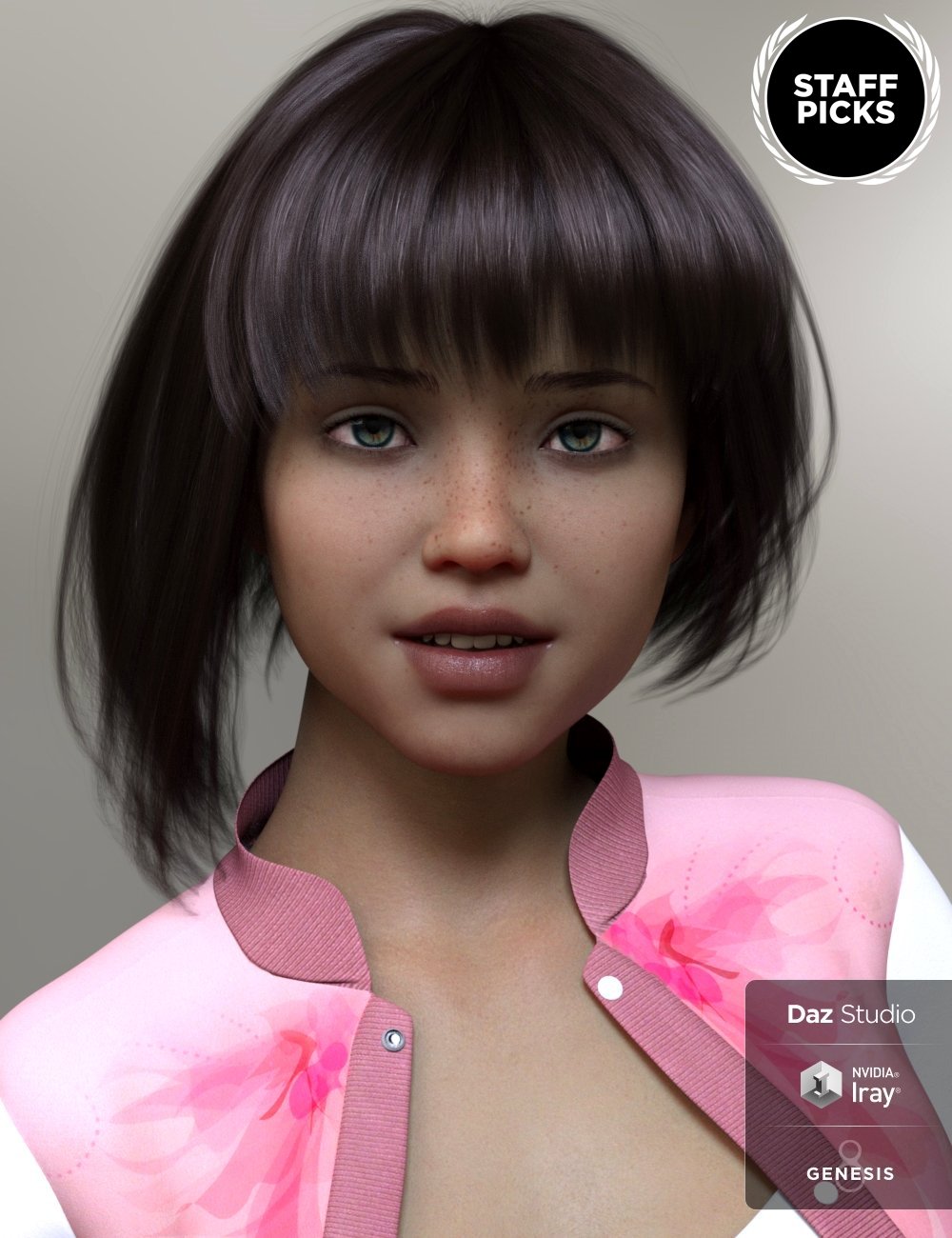
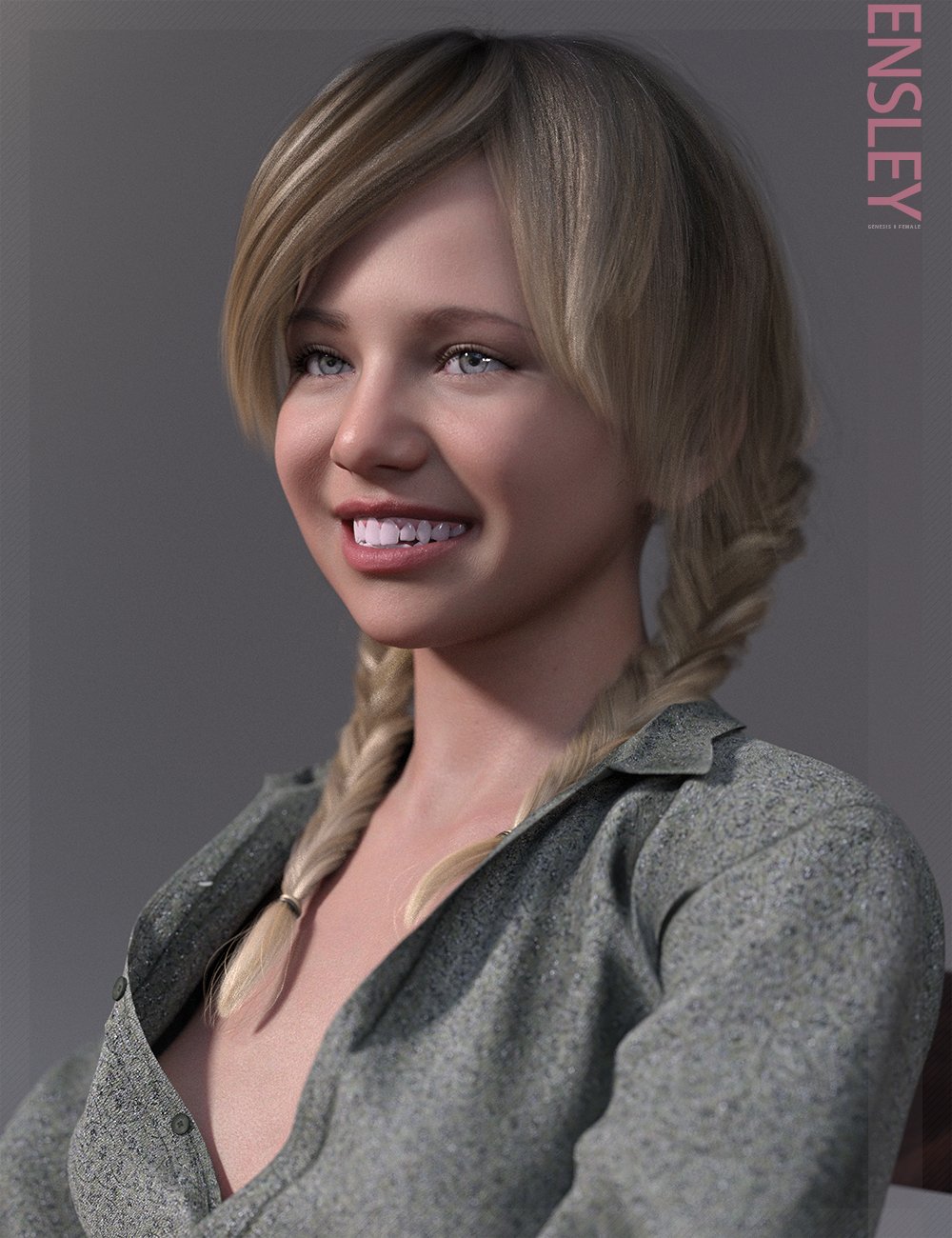
Dartanbeck's Journey - CG FilmmakingEnsley's (Genesis 8F) face is fairly similar in shape to Sol's, so when I recently bought Ensley, I craked her head morph up to get that wonderful inner mouth. I really like those teeth!
I really like Ensley's materials too. But in the end, Sol's incredible materials won the day for me. I'm really happy with Rosie 8.23
Below is Sol (Left) and Ensley (Right)
 G9 females all look depressed
Maybe Joe Quick could do a Joker morph for G9 ?
 ulimate shapes like product for G9
I would really like to recreate some alien characters I made for G8 on G9. I liked the leg morphs that made the legs look animal like and the foot morph with the big toe on the upper side of the foot.
The older generation: Victoria 2/3, Michael 2/3 and their children rendersrichardandtracy said:
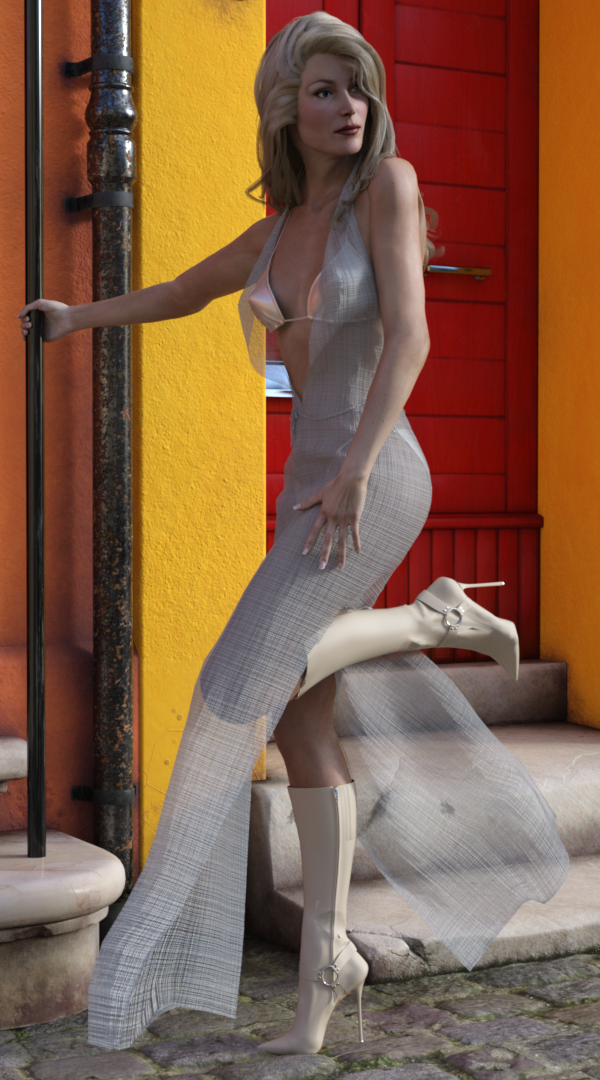
I have been using the PA sale to get the remaining Glamerous Vicky stuff I haven't got at a price I can at last afford.
I've been trying to use Poser Dynamic fabric. It was quite hard to get it to work. In the end I had to convert GV3 to Triax Weight mapping, export the dress as an obj, import, make into a figure & transfer the rigging before then simulating from the default pose. Due to the size of the facets around the neck it exploded every time I tried until I realised scaling the character to 500% would give the required clearances. It was a lot more long winded than I had expected. However.. The result doesn't look much like I have resurrected a 20yo character.
Regards,
Richard
Nice!
RRRR "Behind the scenes" Render Contest *CLOSED *f.boschanski said:
...Mercenary Knight
Face Morph Collection for The Girl 8
Stefon HD for Silas 8
Fashion Basics: Ear Cuffs for Genesis 8 Female...Jippy Goes Nuts
When Gal Gadot was asked how she came to be an action hero actress, she replied:
"Even in my childhood,
ya know...
when all the other girls wanted to be the princess,
...
I always chose to be the knight.My name was Jippy A.J.,
And i was the toughest gal in town.".
________________________________________________________________________
I might play around a bit with postwork. To make it look like a page of a magazine article..
However, i am not sure yet. I really should do other things than playing with renders.
And then there are a few little details i would like to fix.
I know this contest is not about the best render, but about story telling and the like.
Its more about myself, knowing about these little things.. wanting to do it properly.
But these renders always take several hours, blocking my system almost entirely.
Really wish i would have a decent backup system for renders.
anyways.... this derived far from my initial idea and one might consider the nutcracker suit on Stefon as kinda cheating..
But when i put it on, i thought it would retain the face shape. and it removed the head somehow..
Decided to fix this towards the end.
However, I liked it that much, i couldn`t let go of it.
___________
i would appreciate if people could tell me, how the picture shows on their screen.
On my secondary monitor i think its very bright - almost daylight. On my working monitor it is evening room light.
I don´t know which monitor is (most) falsly calibrated and therefore have to aim for the middleground.
DAZ and MyFavorite Artists GenorosityThe sales this year were amazing. I bought a lot and hope that I can use it soon.
I also liked that some older stuff was not only available in Daz format but Blender and C4D as well. I really like it, when I do not have to transfer them myself.
Trouble with GenX 2 / Help with ReturningToday I got the Genesis Generation X2 and it doesn't seem to do what I need it to do.
I want to specify that on the product page (https://www.daz3d.com/genesis-generation-x2) is says: "Genesis Generation X2 (short GenX2 or just GenX) transfers morphs from legacy Poser figures to Genesis figures and between different versions of Genesis" AND "The new version has a large number of new features and improvements. It is now also possible to transfer morphs between different versions of Genesis."
But, I can't seem to do it. I'm trying to transfer morphs from Genesis 1 to Genesis 3. However, in the Target menu, *only* Genesis itself is listed. Why isn't Genesis 3 showing up?
Also, please (I hope!) don't tell me I have to buy the add-ons to do this. The description for this specific product says "transfer morphs between different versions of Genesis". If it can't do that without me buying other things (because the Generation 3 says you need Generation 2 as well to make it work...no thanks, I don't need that either >_> ) , then the description is misleading at best and and I rather just return it. But if I'm just missing something obvious I really hope that that is the case (without having to spend more money).
XTransfer Module 1- Genesis 3 to Genesis 8 Morph Converter (Commercial)...one more silly question, will it transfer Shape Shift morphs for G3 to G8?
Daz 3D is part of

Connect
DAZ Productions, Inc.
7533 S Center View Ct #4664
West Jordan, UT 84084Licensing Agreement | Terms of Service | Privacy Policy | EULA
© 2026 Daz Productions Inc. All Rights Reserved.