-
Help: Genesis 9 Morph Packages Ethnicity etc.
If you want to create your own custom morphs, be sure to grab Genesis 9 Essential Shapes Bundle. Vinme Morphs for Genesis 9 also adds a lot of dials. It's not as simple as dialing an Ethnicity dial, but you can do quite a bit with G9.
Check out the thread called head games for some of the potential on what you can create with just the basic morph packages or dialing in a mix of different characters. AllenArt posted a bunch of great characters in that thread!
Missing productEdit: never mind, seams the searched function in daz studio 4.15 at least if f..ked up, I searched for the names directly under the general and actor, in parameters, pretty sure I searched in shaping also, but now all of a sudden it's all under shaping, but searching under general, the top which has shaping under it, it finds NOTHING. Tried as few lip morphs and the lips goes pitch black, not the look I was looking for, wonder what I'm doing wrong? using geoshells, could that be it?
Deleted one of the geoshells fixed it, no idea what the issue was.
Bought this https://www.daz3d.com/porefectionist-hd-skin-details-for-genesis-8-females a while ago and wanted to test now and it's no where to be found, installed first through dim and now I just tried to manually install and nope, I search for the morph names that I looked up in the files and nope. Please, if someone knows where it is or what's wrong then I would appreciate some help. I'm using G8.1 but G8 morphs should work on G8.1 also, right? I want this to work, not my money back, so I would appreciate some help w this, thanks in advance!
 The only file I get searching daz studio for it, , is the help file script, that is of no use finding the morphs. So it seams something is wrong w the files.
Edit: Tried loading G8 and find it, incase it only works on G8 and NOPE, no morphs to be found!! So something's wrong here. I searched for the morph names from the download and nope, not on G8, not on G8.1. I have thousands of morphs, I need to the names to be correct or I'm totally f..g lost.
Help: Genesis 9 Morph Packages Ethnicity etc.Hi Rashad! Sorry, I don't have anything to add, I don't know of any ethnicity morph sets for G9. Just wanted to say "Hi', haven't seen any post from you in quite a while (might be I'm just haning out in the wrong places).
[SOLVED] How to change the colors of the pupils on Genesis 9 models?I've been playing with Photoshop and L.I.E. for the eyes for 12 hours, and I just can't get it right. I've changed the sclera and iris multiple times, but I'm having trouble figuring out how to change the color and emission of the pupils on G9. I've created various masks with different colors and varieties, but I keep getting lost in all the different combinations of Diffuse, Translucency, L.I.E. Blending Options, etc.
I can make a glossy black sclera, which is what I want. I bought the CGI Pupil Utilities for Genesis 9, so I already have the heart-shaped pupil morph.
Now, I want to make a pink emissive heart-shaped pupil in the middle of the black void sclera.
I must have already made the correct masks at this point, but applying the right texture images with the appropriate blending is what I'm wasting way too much time on.
I THINK?! IDK!
Someone save me! Haha.
Thank you for any advice.
How can I replace fitted clothing geometry?Thanks so much, Mada.
Yes, so now I need to learn how to use the transfer utility. Happen to know any links to any totorials on that?
How can I replace fitted clothing geometry?I have a quick walk through on updating assets in DS - however if the vertex order changed when you connected seams and fixed the geo then it won't work. In that case the best option is to import the obj and use the transfer utility to transfer the rigging from the old item to your fixed item. It will require resaving with a completely new name so you don't over write original in the data folder.
https://pixeldustvr.com/DazTutorials/2021/01/26/fixing-geometry-after-rigging/
How to not Automatically Triangulate imported OBJ on Marvelous Designer?How to not automatically triangulate imported OBJ on Marvelous Designer?
So I have a quad skirt.
When exported from Daz and imported to MD, it automatically triangulated.
This is a problem, cos I can't use it back for a morph.Saving a character morph as a dial presetRichard Haseltine said:
stripe6499_9253833ae8 said:
Lyrra Madril said:
Okay I've helped three differrent people untangle their G8 installion after they followed this tutorial and made a couple innocuous changes which set off landslides.
Richard, you left out two important notes, things that new users stumble over.
Revised version:
- Make sure that everything but your moprh is zeroed - that includes the navel and mouth realism morphs
- Right-click on the Parameters pane and select Edit Mode, assuming it isn't already selected
- Right-click on the Parameters pane and select Create New Property - name it as you want your morph dial, set its path to where you want it to appear, change limits if desired
- Set your new property to 1 (or 100%, depending on display settings)
- Right-click on your new property and select ERC Freeze. Your new property shold be listed as the controller in the dialogue that opens, all th shapes you used to make the morph (and nothing else) should be listed as Sub Components. Assuming that is so, click Accept.
- Make sure the new morph is working. Then set it and all other morphs to 0
- Then File>Save as>Support Assets>Morph Asset to save it. Save ONLY the controller dial and NOTHING else should be checked.
If you do not set it to 0 before saved it will load every single time turned on. This can be annoying and in commercial products it is not allowed.
If you save over other morph assets, especially if they are not set to 0, you can reset the start position for those morphs and make a giant mess of your G8 installtion. Avoid doing this.
Also if you have two copies of the genesis8 figure morphs installed in content folders hooked up to your DS, it can lead to weird results (doubledialing, dials not deactivating when set to 0) Don't do this. One copy, thats it.
Lyrra
I've tried following this, and it makes sense, except for when I apply the ERC Freeze to the morph dial. When I try setting it to zero, the figure changes pose from the base pose to another pose. Any clues why it might be doing this?
That sounds as if there was a pose applied already, when you did the ERC Freeze. Click the gear icon on the morph's slider, select Parameter Settings, then look in the Sub-components tab - what is listed?
I'll let you know when I have Daz fixed. Trying to follow the incomplete instructions from Richard, and my own cluelessness, I manages to bake in the morphs to all my G8F. I've had to uninstall Dazz, delete the data, and am reinstalling as I type. I'll let you know when I have it fixed... Next year maybe? I have a lot of 3rd party products :-p
Help: Genesis 9 Morph Packages Ethnicity etc.So its been a while since I jumped onto a new figure bandwagon. So far I am loving a lot of things about Genesis 9. My question is, does anyone know of a set of morphs for G9 that include ethnicity, monsters, etc? I had become somewhat dependent on the ability to create faces from different races, but when I search the store I don't find any means aside from individual characters, which isnt as useful to me as generalized ethnic and creature morphs. I am also hoping that maybe I could find a way to convert Genesis 1 morphs to Genesis 9, as this would provide me with the much needed ethnicity and creature morphs I seek. All feedback is greatly appreciated. Thanks!
mcjSqueeze - Script to create constricting morphs ( ex: tight stockings )Found it out at last. It works well, the result will be a morph visible in the Parameters tab of your figure (f.i. Genesis 8 Female) under Morphs. What I did not realise is that the morph is NOT applied so you will not see the result; you have to browse to the morph and use the slider to see the effect. I also found out that using a cylinder with smaller length (y) may give nasty results; give it a length as shown in the example. You can find an explanation of how to save the morph with your figure in the manual of Meshgrabber. Succes !
Custom (non-Daz) character Mixamo animation import into Daz3d?ggrancharov said:
FSMCDesigns said:
This is why DAZ needs to put more work into their "import" functions. Not everyone wants to use DAZ content outside of DS
to the OP, I have never been able to import a functioning rigged FBX figure into DS, the FBX import option just doesn't work for me. Even if you did, mixamo rigging and DS rigging are very different, so you would probably have to rerig it anyway. Your best bet is to import your OBJ, line it up with a DAZ figure and transfer the rigging
Is there any GOOD tutorial on how to do that? I wasted most likely 2 days already tried to find some good information on that but to no avail. I would gladlyt even pay someone to do it, I really hope DAZ finally introduces a "paid request" type of sub forum. People on upwork or fiverr have no clue about daz.
That will never happen as it is bascially illegal (against the EULA/license) to share DAZ files and rigging from a DAZ figure is considered a deritivitive work. I don't know any any tutorials, but it is has been discussed in the forums often. try searching the forums for transfer rigging or transfer utility
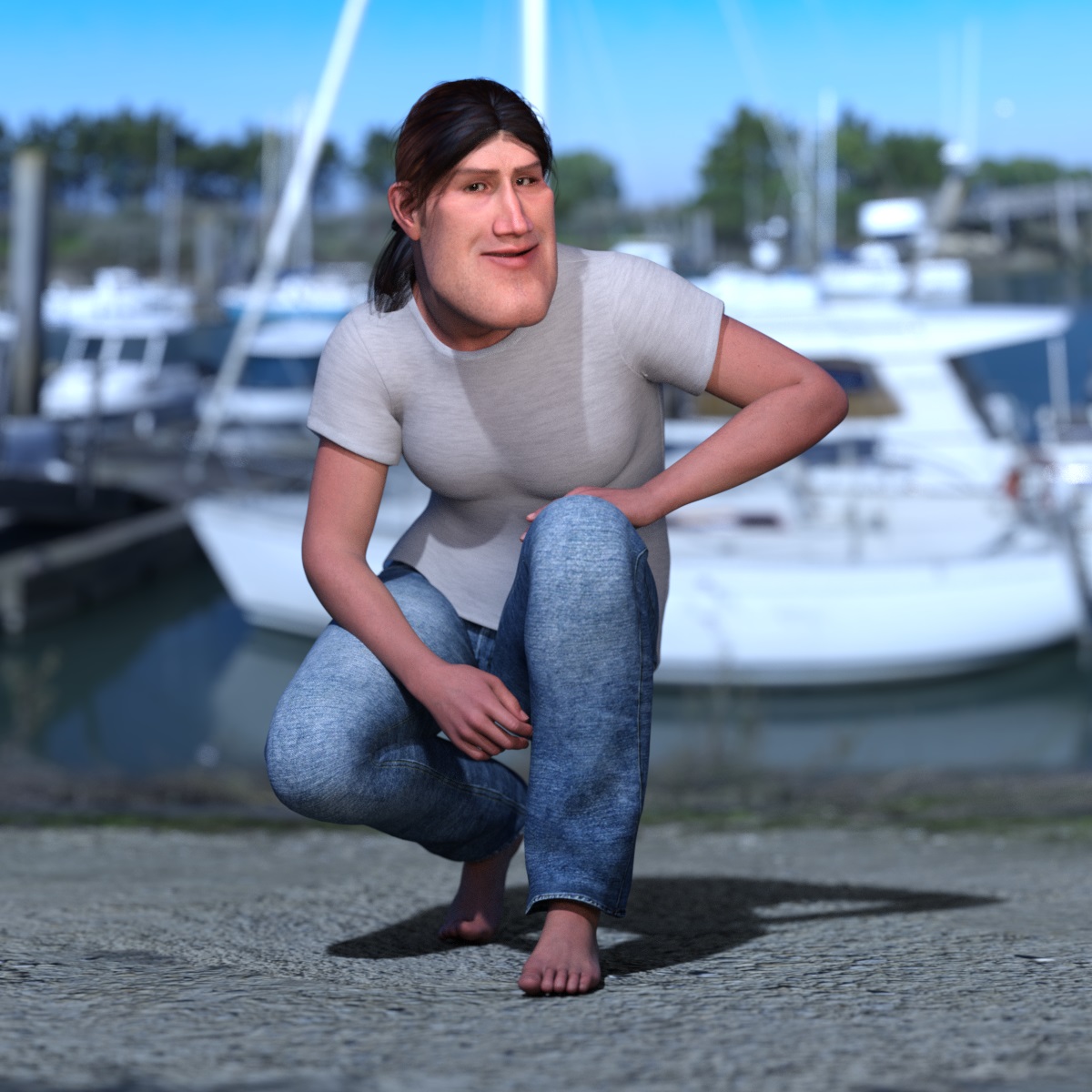
[Released] ManFriday’s Figure Converter for Genesis 9 [Commercial]One more render of the above character (only head morph applied) with the converted hair and the converted clothes.
For my hobby renders, this converter provides enough functionality to keep me busy for some time.
 [Released] ManFriday’s Figure Converter for Genesis 9 [Commercial]
Just used Head morph and applied some morphs for Genesis 9, that I have already purchased.
So it is not 1 click solution, but head shape is nicely converted, so I will explore more possibilities of this converter.
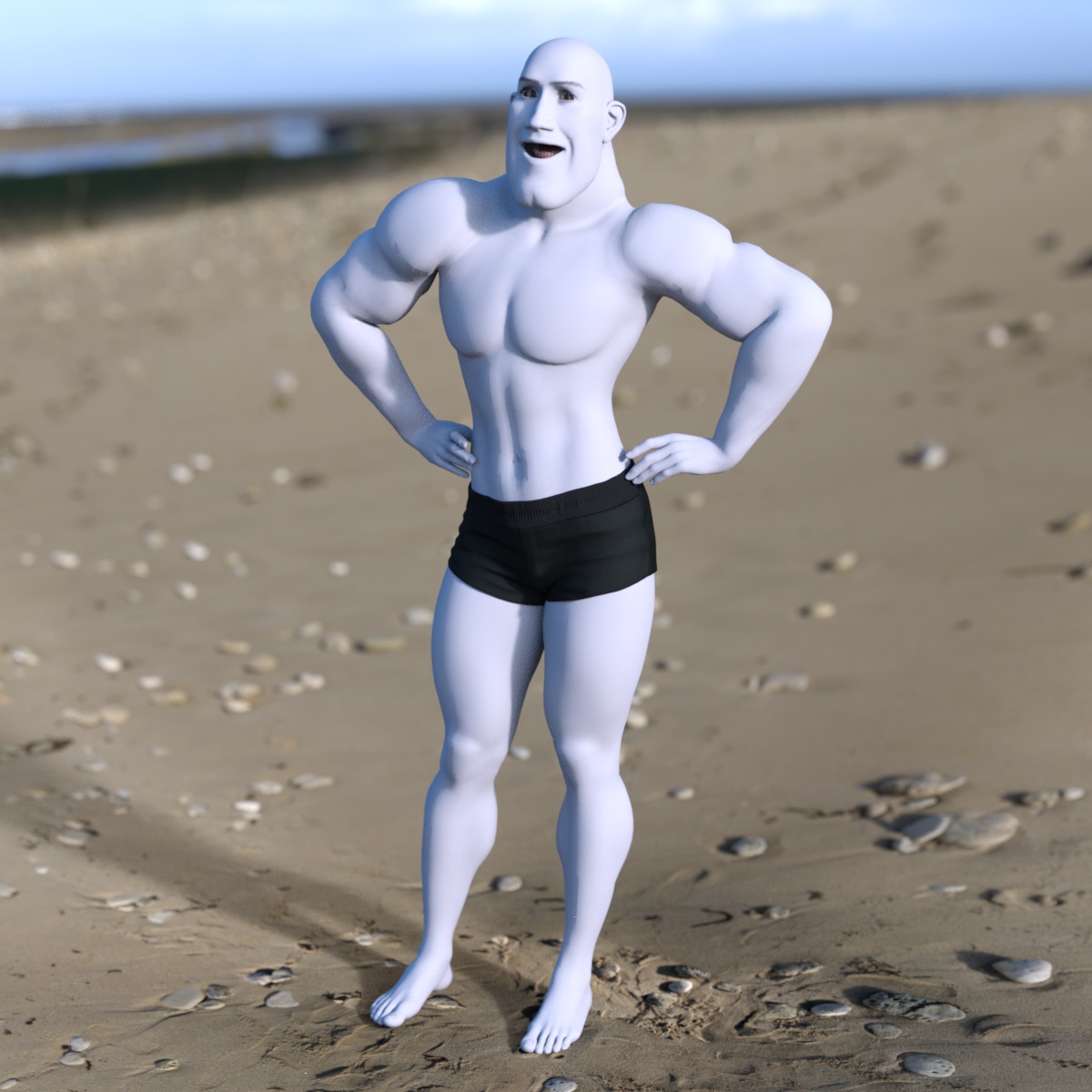 Rigging and Weight Map Troubleshooting
Yep, had weight maps in place with Smoothing 9% and 8 Iterations. Tested them for nice bend shape and for 'sticking' to the mesh. They did it all properly (thanks to everyone's help, a lot of progress from the start of this post, thanks all!).
Then I did the Transfer Rigging Figure Space to 'Graft' the tail on. Same Face Group issue. I tried a few times with various check boxes unchecked. I even attempted to try and see if it was that Dstudio thought the tail bones were unused, so I unchecked "Remove Unused Bones" during TU in case that was the issue. It wasn't.
I'll test Transfer Utility without hiding the bones... it didn't work. I do note that TU made its own surface groups. I think I'll use those surface groups and will try redoing the bones again :)
Ok, so I did all that and all the bones for the tail are gone. It did give me a complete G9 Ghost skeleton though. So, where did my bones all go? And why? I'm pretty certain I Memorised Figure Rigging too. But will retry that too.
[Released] dForce2Morph [Commercial]Praxis said:
WendyLuvsCatz said:
I believe I tried Casual's script already but it didn't work on the Sagan obj sequence but I will revisit it in case I am mistaken
there is more than one script out there and I hadn't gotten any to work
I've just done a quick test of Casual's script I referenced in my post above, and it worked as expected: (using DS v4.15.0.30)
1) New Scene: Loaded G8F, in default pose and position, Base resolution, deleted EyeLashes wearable.
File > Export to 000.obj
Copied 000.obj to 002.obj and 004.obj
In an external 3d App I created 2 simple quick mods from 000.obj:
001.obj = "Belly in"
003.obj = "Belly Out"
2) New Scene: Timeline = 31 frames, File > Import 000.obj, selected it.
Loaded Casual's mcjAnimObjsToMorphs.dsa into the Script IDE Pane (to see if it threw any errors when I ran it - it did not).
(mcjAnimObjsToMorphs.dsa has file date 2012-06-01 17:32)
Ran the script:
[Browse...] - selected 000.obj
obj import scale = DAZ Studio (1:1)
[Objs to Morph] ...(Took about 5 secs per Frame)
[Animate Morphs] ...NB: Casual's instructions seem to omit saying you must do this. If you don't then the Morphs and sliders will exist but will not be animated.
[Exit]
That created a new "Morphs" section in the Parameters Pane, containing 4 sliders named fr_1, fr_2, fr_3, fr_4, corresponding to Morphs 001.obj, 002.obj, 003.obj, 004.obj - In the Parameter Settings dialog of each one you can see the KeyFrame values in the Keys sub-Page. Because the Frame Range was 31 frames, the 5-Frame .obj sequence is repeated (30/5) = 6 times.
When I Play the Timeline, the G8F belly snaps In/Out as expected.
Of course, the result is not an animated morph of G8F - its an animated morph of a G8F-shaped Prop, but the script can easily be changed to create morphs of G8F, e.g. using Casual's technique per https://sites.google.com/site/mcasualsdazscripts4/mcjaddstretchmorph - see https://www.daz3d.com/forums/discussion/47183/mcjaddstretchmorph-add-stretcher-morph-to-usually-a-prop
Interesting.
Rigging and Weight Map TroubleshootingI have seen the video now..
Did you generally follow the steps? I.e. you had your weights in place before using transfer utility?
Rigging and Weight Map TroubleshootingHello Felis. I ended up following that tutorial you mentioned that's by Sickleyield. It works up until the Geograft stage. When I follow the step for Transfer Utility, all the Face Group polys end up on Pelvis. Which is the step I ran into last time I tried to do this same project. I'll show what I'm doing. The first pic is the pre-TU poly count with Geometry Editor. The second is the options as per the tutorial (though there's now extra checkboxes since the tute was made). And then the last part, the part that makes me Reeeee. Just, why?
Last time I thought I could fix it by carefully reselecting every poly and putting it back. It failed.
Although I do note I may need to add another ghost bone for Spine.
Custom (non-Daz) character Mixamo animation import into Daz3d?FSMCDesigns said:
This is why DAZ needs to put more work into their "import" functions. Not everyone wants to use DAZ content outside of DS
to the OP, I have never been able to import a functioning rigged FBX figure into DS, the FBX import option just doesn't work for me. Even if you did, mixamo rigging and DS rigging are very different, so you would probably have to rerig it anyway. Your best bet is to import your OBJ, line it up with a DAZ figure and transfer the rigging
Is there any GOOD tutorial on how to do that? I wasted most likely 2 days already tried to find some good information on that but to no avail. I would gladlyt even pay someone to do it, I really hope DAZ finally introduces a "paid request" type of sub forum. People on upwork or fiverr have no clue about daz.
AIUTO...CHI CONOSCE L’ITALIANO? PARTE QUATTORDICILo potrei fare io... ma sarebbe una cosa "manuale" perchè purtroppo non ho dimestichezza con gli script (dovresti usare un Esporta, un Morph Loader e poi salvare manualmente il morph).
Ovviamente i morph HD non sarebbero esportati correttamente
Freebie Challenge JUN/JUL 2023 - Holes, Gaps, Caves, Tunnels - Main ThreadHere's my second entry, but I can't seem to get the files to upload even though it's late at night. Does anyone have any suggestions as to how to show the before and after postwork files?
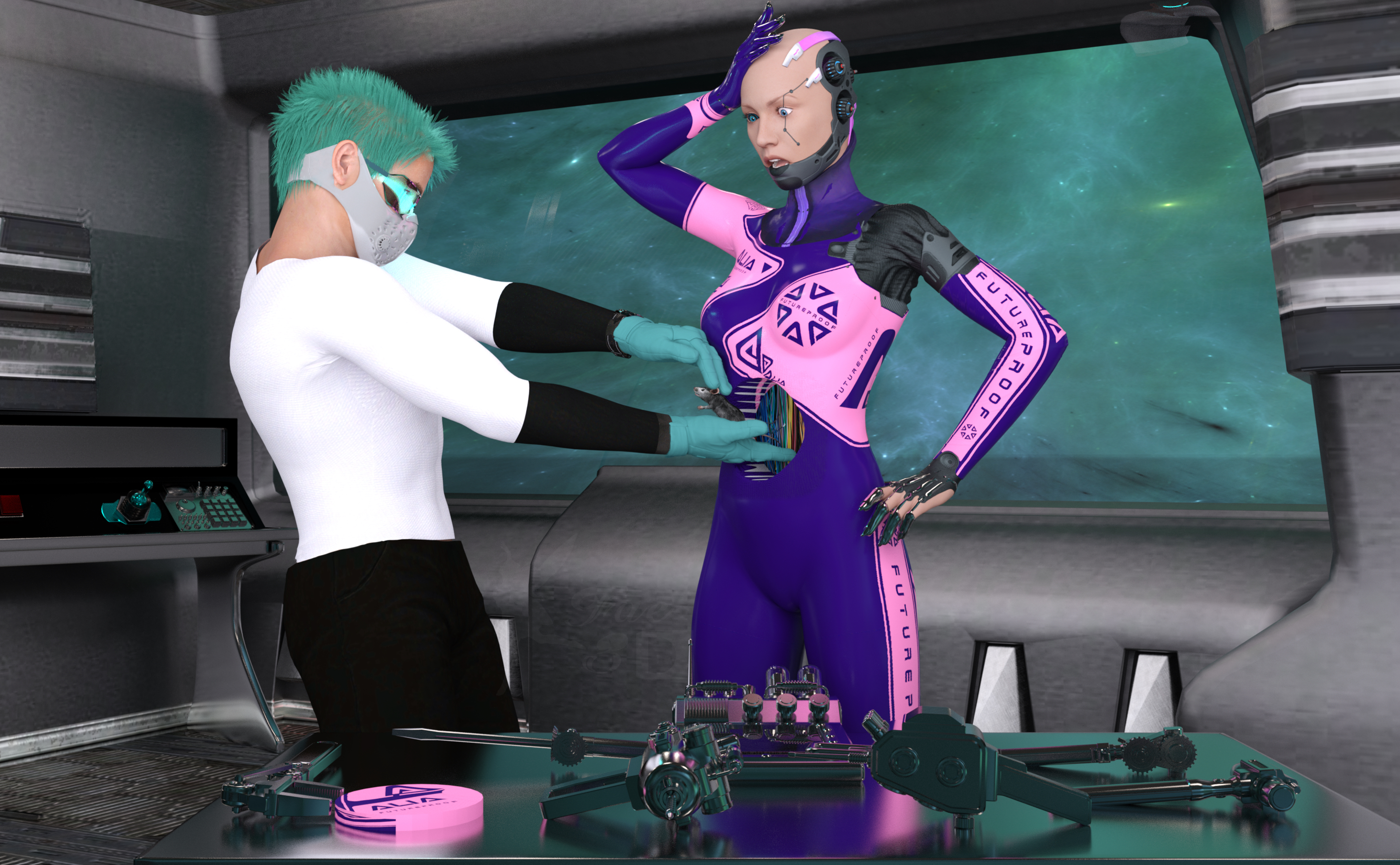
Routine Repairs
The android was so embarrassed, how had THAT gotten in there?!
Freebies:
Lea for G8F (humanlike skin) - https://www.renderosity.com/mod/freestuff/lea-for-genesis-8-corrected-version/82570
B. Larson Head Morph (50%) - https://www.deviantart.com/magnus1781/art/B-Larson-895220652
C. Smulders Head Morph (50%) - https://www.deviantart.com/magnus1781/art/C-Smulders-895419428
Holey Moley for Genesis 8 - https://www.renderosity.com/freestuff/items/91063/holey-moley-for-genesis-8
Hacker for G8F (headgear) - https://www.renderosity.com/freestuff/items/81206/clothing-and-hair-hacker-for-g8f
Wires Image (inside the android) - https://unsplash.com/photos/9vQG6v1md1s
Metal Claws - https://www.renderosity.com/freestuff/items/89228/metal-claws
Genesis 9 & Victoria 9 Posing for Picture poses 1 - 4 (arm poses) - https://www.renderosity.com/freestuff/items/93215/genesis-9-victoria-9-posing-for-picture-poses-1-4
Walther G8M (materials) - https://sharecg.com/v/92848/favorite/21/DAZ-Studio/G8M-Walther
"STRONG" for G8M Character Morph (morph) - https://www.renderosity.com/freestuff/items/82833/strong-for-g8m-character-morph-amp-pose
Star Trek TNG Uniform for Genesis 8 Male (pants) - https://www.deviantart.com/amyaimei/art/Star-Trek-TNG-Uniform-for-Genesis-8-Male-777947971
Panther Gloves G8M - https://www.sdebstore.com/collections/free-stuff/products/panther-gloves-g8m-free
SuitWell Watch G8M - https://www.sdebstore.com/collections/free-stuff/products/suitwell-watch-g8m-free
WorkOut Mask G8M - https://www.sdebstore.com/collections/free-stuff/products/workout-mask-g8m-free
Charming for G8M (shirt) - https://www.renderosity.com/mod/freestuff/charming-for-g8m/83939
Cyber Glasses 2 - https://www.renderhub.com/mbit/cyberglasses-2
Bad Hair Day GM8 (hair) - https://www.deviantart.com/mysticartdesign/art/Bad-Hair-Day-GM8-878464528
El Mariachi Poses and Guitar Case (pose) - https://www.renderosity.com/freestuff/items/88318/el-mariachi-poses-and-guitar-case-g8mg8f
Ghastly's Sci-Fi Sets - https://sharecg.com/v/93518/gallery/21/DAZ-Studio/Ghastlys-Sci-Fi-Sets
AllanArt Jewelry Shaders - https://sharecg.com/v/95893/favorite/21/DAZ-Studio/Iray-Jewelry-Shaders
Steampunk Tools and Machinery (bi-weekly freebie) - https://www.daz3d.com/steampunk-tools-and-machinery
No Count:
Space Station Window - Can’t find anymore, was free when I got it
Space HDRI II - Can’t find anymore, was free when I got it
Paid:
Alia Lvl 4 HD Morphs for Genesis 8 Female - https://www.daz3d.com/alia-lvl-4-hd-morphs-for-genesis-8-female
SY InvisiLights Iray - https://www.daz3d.com/sy-invisilights-iray
Mouse by AM - https://www.daz3d.com/mouse-by-am
I tweaked the materials, the lights and the poses. Set up and rendered within Daz Studio Iray. Postwork in Pixelmator.
I’ve attached the before post render (the one that says Render) and the finished image file (or I will if I can figure it out)
Daz 3D is part of

Connect
DAZ Productions, Inc.
7533 S Center View Ct #4664
West Jordan, UT 84084Licensing Agreement | Terms of Service | Privacy Policy | EULA
© 2026 Daz Productions Inc. All Rights Reserved.