-
Growing Up Genesis 9 Issue
von Hobo said:
I purchased Growing Up for Genesis 9 but can't seem to get it to work.
I also own the Genesis 8 version of this product. It works fine. You select a G8 figure and click one of the G8 morphs. It changes the figure. Easy!
However, in the Genesis 9 version, I tried the same thing... I select a G9 figure and click one of the G9 morphs. Nothing happens.
Am I missing something?
IIRC, for G9, you need to apply the "GU youth base morph", even if it's at only 1%, in order for the other sliders to do anything. That's different from G8. Be prepared for many morphs for G9 not working at all like the ones from previous versions.
Feet thru floorIf just with feet pose, Ctrl + D plus some tweaking to make the figure with high heels right on the floor, then export to Blender. No issue with DTB bridge or Diffeomorphic Daz Importer...
If with feet morph esp. toe morph, only Diffeomorphic works well...Import the toe morph(s) and dial it.
Daz to Unity 2019/2020+ Standard Shaders are brokenI am still using Daz Studio 4.21.0.5 and after Daz bridge transfer to Unity with built-in pipeline
the materials are not showing properly.
I remember, that this issue started to appear after last update to Daz to Unity bridge.
[Fisio SB addOn released] Fisio: Physics SimulatorHi Alberto, hey finally made time to try this SoftBody toolset.
Bought way back when you released as support, but summer was busy so left this to now.Objective was a hand on a breast. And breast was a geograft.
Followed your Ollie-nose example to start.
Ended up shell did not work for hand. Deforms were just wrong for a hand. Used springs, and then instant worked! Yay!
Took a few hours to figure out.
Before that had to test quite a few different settings.This will save me TONS of time now.
Takes like less than 10 seconds to sim on timeline a 22 frame collision.
To sculpt that would take forever for hands. Even arms will be so much faster etc.Made a hand-arm with changed origin for quicker easier posing to act as rigid node, so quite a few polygons. Changed timeline to Linear for O and finish positions for posed hand-arm.
And to finish using your create Morph function worked flawless!
So anyway, wanted to THANK YOU for this product!

Ps. should also mention. When did a quick rough test this summer, FisioSB worked.
Just knew it was too involved without spending lots of hours and focus.
So, today when I started to reproduce your Ollie-Nose tut, it said no FisioEngine.dll (see screenshot)
Yet had worked this summer.
Looked and there was no such file.
Manual DL'd the files and copy and pasted that file and sorta worked.
The selected facets kept falling to figure origin.
So copied and pasted the content and plugin files too, and now it all worked!
That was a new one and have seen some wierd ones.
Anyway just to let you know.Genesis 9 Mouth Figure refusing to auto-followCrosswind - not sure what ticked you off. I didn't mean any disrespect or argument with you. I know OPT 2 won't work because I'm not a newbie. I know how to make a modifier with auto-follow turned on. I don't need a tutorial on that particular topic - I've already tried that and as said - my G9 mouth doesn't seem to like morphs that make it open. Please re-read over my last two posts. As for OPT 1 - I'll definitely look over your workflow. Thank you for linking it. I think what you've misunderstood is that my auto-follow feature for G9 will move the mouth around a bit (XYZ) to make it stay in line with an auto-follow morph - but when I try to achieve a morph on my figure that opens the mouth - the mouth/teeth will not do anything and I suspect this is because of the jaw bones being locked. If you ever messed with G8 you know any head morphs would warp her teeth and inner mouth - sometimes beyond redemption and it was the same with her eyes - so I suspect this is one reason DAZ made G9 have separate eyes and mouth like this - to hinder that warping issue - and it does so kudos to them for that - but the auto-follow features is limited for the mouth and the eyes too somewhat...and I find that some morphs I make just won't have much effect on them. But I'm quite versed on auto-follow morphs enough to know how to make those. Sorry if I didn't clarify all of that previously.
I didn't say LILWEEP was wrong...didn't say you were wrong either. Sorry if I said something that was misconstrued. Thank you for your help and pointers. The work-around trick of idential naming is quick and effective, so it's what I'm running with till I can get something else to work. I posted my work-flow on it in case someone else is having similar issues.
Thanks again for posting the video...I'll watch it tonight when I get a moment. Much appreciated.
question for the Wrap app userscould you not just watch a video tutorial of someone wrapping to genesis figure before doing anything?
Obviously in your top post in this thread, the wrap with better resolution will give you better wrap, but alas you are stuck with base res when using genesis figures otherwise you cant import as morph. So increasing resolution is not helpful. Also there is a SubD setting within the Wrap node that you can change to improve the SubD used when wrapping.
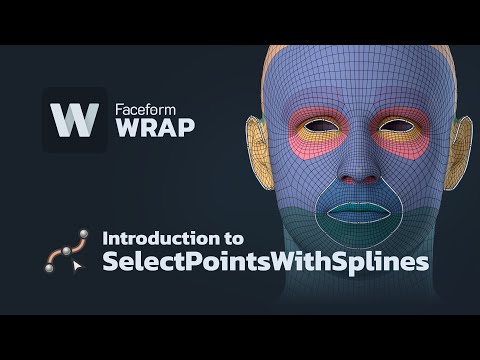
Anyway, before trying to implement anything you learn from tutorials forums, make sure to look at the updates to RDSWrap because there were MANY improvements in latest version including how to do wrapping (using the new splines instead of select points). Just saying!
 Opacity map weirdness
you could also have a morph to flatten/resize the existing toilet so it's near enough to invisible (squashed to a dot below the floor)
Transfer Utility never workspaid said:
To fit the garment to the figure I tried to use the bones in blender - I did know almost nothing about blender - but then after importing the asset I get only blocks
In the Transfer utility there is an option "Reverse source shape from target" but I cannot select it. Well, it looks as if I have to dive deeper into Blender ...
Thank you so far!
You need to 1st choose Current from Source - Item Shape dropdown list before ticking Reverse Src....
Yes , it's worth learning more about Blender.. free (mostly) but strong...
Transfer Utility never worksTo fit the garment to the figure I tried to use the bones in blender - I did know almost nothing about blender - but then after importing the asset I get only blocks
In the Transfer utility there is an option "Reverse source shape from target" but I cannot select it. Well, it looks as if I have to dive deeper into Blender ...
Thank you so far!
Transfer Utility never workslilweep said:
crosswind said:
The perfect way is always using Base figure + default A pose, and well fit the clothing on it before transfer rigging. Current Shape + Reverse Def. has flaws in term of Base Geometry no matter what templates you use...
That's true. Esha says this in her content creation videos. I dont want to spread disinformation, just thought it might be easier approach for people like the OP who seems to be struggling doing quite simple things
Agreed. If it's just for personal use, that'll be simpler and not a big deal.
Transfer Utility never workscrosswind said:
The perfect way is always using Base figure + default A pose, and well fit the clothing on it before transfer rigging. Current Shape + Reverse Def. has flaws in term of Base Geometry no matter what templates you use...
That's true. Esha says this in her content creation videos. I dont want to spread disinformation, just thought it might be easier approach for people like the OP who seems to be struggling doing quite simple things
Scroll to morphYeah that's still not ideal. If I just wanna get to where the expressions are, but not use a particular expression for example.
What are these morph dials anyway? DzFloatProperty? DzFloatPropertyWidget? Say a morph is called "morph 1", how would I get to that in script?
Transfer Utility never worksThe perfect way is always using Base figure + default A pose, and well fit the clothing on it before transfer rigging. Current Shape + Reverse Src. has flaws in term of Base Geometry no matter what templates you use...
Scroll to morphYou could add them to favourites (heart icon on the slider), as long as you don't need to use the Geometry Editor to remove vetices from a morph (which relies on favourites for targeting - though as long as you didn't save modified assets but only the morph being edited that wouldn't be too bad). You will need to save a character preset after setting favourites and use that to load the figure in future, if there is a persistent selection you want to have access to in all cases.
Transfer Utility never workspaid said:
Ex- and importing the obj changed not much.
Well the sleeves in your image dont match the figure at all before transfer utility so no wonder it fails. Earlier i said rigging is transferred by distance. Daz Studio is not psychic. It doesnt know where to put bones magically so the garment and figure need to be aligned so that transfer will work correctly, using the distance between the two models, hence why the garment was being posed with bones in the video you showed (which i now acknowledge makes sense in that context)
I think we actually have two options for aligning,either pose the sleeves of the garment to match the figure or pose the figure to match the garment. (And as mentioned much earlier in this thread, if using anything but default pose/shape, you need to click reverse source from target or whatever the option is called).
As your question about posing garments in Blender is a Blender-specific question, i guess it makes more sense to look into blender videos/forums about this aspect for more details if it's confusing.
huge disadvantage of the 4.22 Scene managementRichard Haseltine said:
Are you sure you don't have another content directory with an older copy of the morph, or saved in a different path in their common content directory?
Yes, absolutley sure. Checked it repeatedly.
huge disadvantage of the 4.22 Scene managementAre you sure you don't have another content directory with an older copy of the morph, or saved in a different path in their common content directory?
Transfer Utility never worksThe robe needs to fit on the figure ... Transfer rigging with Transfer Utility then fix pJCMs in Blender and import delta morph back to DS...
Transfer Utility never worksThe clothing has to fit (match) the source before doing transfer rigging.
And your issues with lifting the arm is not the rigging, it is the weightmaps. When doing transfer rigging there might be different templates, that will distribute the weights differently, but sleeves like these, have to be manually modifed afterwards.
Solved: Need help with Genesis 9 eyes issues - behaving wildly and out of syncOK, looks like I might have solved it.
I went in and removed every single morph and parameter one by one. No head morphs did anything.
Shockingly, a body morph from GC Natasha seemed to be the culprit.
I didn't use the head part of that morph, but 10% body was messing up the eyes.
Once I removed it, expressions were working as intended. Weird.
Thanks for tips and suggestions!Daz 3D is part of

Connect
DAZ Productions, Inc.
7533 S Center View Ct #4664
West Jordan, UT 84084Licensing Agreement | Terms of Service | Privacy Policy | EULA
© 2026 Daz Productions Inc. All Rights Reserved.