-
Clothing Stretching
Rev said:
crosswind said:
Rev said:
crosswind said:
If you used auto f-fit, the corrective morphs (cbs) on clothing for arm bend on G9 need to be fixed...
If it's with dforce, try a simulation first.
dforce sim doesn't do anything, just the point stays in place while the rest of the item moves as it should.
Which product?
If sim with dForce, turn on Start Bones From Memorized Pose first.
So I applied a G8 Veil and done the simulate from meorized poses and it seemed to work good. I tried simuating with memorized poses turned off and got the same stretching effect in the image. I don't want to have to simulate from memorzied poses every single time as it's very time consuming. The corrective morphs (CBS) is that a fix that could help with this problem?
Thank you very much for your help.
Thank you :)
Nope... especially after you auto-fitted this G8 Veil on G9...A couple of ways...you may try some tricks as below:
1. With "Simulate from Mem...", yes the simulation will turn slow especially when there're multi-pieces of garments on the figure with Smoothing Modifiers. You may multi select those garments and turn Enable Smoothing - Off. If the simulaton is fairly slow on your machine, you even can save a Wearabe Preset for them except for the Veil, then delete them before simulation, it'll be much faster. Then load Wearable preset back to the figure after simulation.
2. For some frquently used poses, like the pose in your screenshot, anothe trick is to save the dforced result as a morph (an interim shape...) for re-use as well as saving some time for a future simulation : a short video of showing you how to do that: https://mega.nz/file/2KYxjYja#U9ZEdxJdueQhQlMyUwOpNeqwKOd6wIg0vZxy3HwBPzQ
3. If you know a modeling / sculpting softwear like Hexagon or Blender, for instance...you can fix the distortion in Blender and import the morph back.
Ethin's Art and ... stuff.Ethin said:
Fae3D said:
Ah, I see. Very clever to use some of the different morphs from the separate characters! I just sort of assumed that they just had one "breed" type morph, instead of separate morphs for arms and such. I have mainly just tried using the basic morphs packs. Will wishlist those products, thank you!
I decided I should make sure I wasn't leading you astray, and I was. Sorry.
you are correct, those characters are just full body "breed" morphs.
The Wyverdreki does have one utility morph to "hide" the arms by shrinking them down to nothing, an effect that can be ruffly duplicated by manually selecting the arms from the collars down and scaling them, using the morph was just a quick short cut.
I also found the geo-graft that hides the wings comes with the base figure. Face meet palm.
No problem! I go through phases where I just really want to work on dragons, so the next time I do that I'll just go back and look at some of your pictures for inspiration. Playing around with the morphs is part of the fun, after all ^_^
Can a Wearable Preset's pose override limits?Sevrin said:
Most vendors just include a note to Turn Off Limits before applying poses to avoid complicating things unnecessarily. Some people either don't read or ignore this advice and things don't look right, but I've seen this with many pose products.
Not really true... less vendors from Daz3D store include such a note... even there's usually no such a note in pose products from Daz Originals.. There're a few but mostly from 3rd-parties... esp. in those special pose products ...
Besides, carefully use Turn Limits Off and meanwhile better control the extent of over-limits when rotating joints, because limits are just turned off on rotation properties but not on corrective morph properties, then in most of the "over-limits' cases, the shape around joints looks ugly... Most of the users don't know how to well fix them.
Star Trek Builders Unite 8: THE REBOOTRyselle-Ryssa said:
Hi!
A while ago I promised something next to cardassian starships and now I can proudly say I can deliver :-)
I begun to recreate clothing and props from the Game "Star Trek: Infinite" to supplement the Cardassians, but I also took a break in the Delta Quadrant to catch you a Hirogen Armor and Species 8472 (the latter standalone and rigged). Everything free to use and made for G8.
Since downloads on DeviantArt cannot be linked directly, I will just link to my Freebie gallery: https://www.deviantart.com/ryselle-chan/gallery/67668353/ressources-and-tutorials
PS: The Cardassian morph and much more is provided by TheFigureGuy: https://www.deviantart.com/thefigureguy/gallery
really nice work
Trying to identify a characterI have a feeling that it's either one of these, or one of these with morph adjustments
Characters not ported correctly shoulders and feet G8Hi I tried to port characters from DAZ to Blender using the plugin send to blender from daz / import from daz in blender, however when using a basic G8 or G8.1 with no morph or addition of any kind, as soon as the character is imported in blender the shoulders and feet are not in the correct position (causing problems later with IK). I attached a screenshot to show.
Can someone help me and tell me what I'm doing wrong? I tried the same with G9 and this issue doesn't happen.
Tutorial: Making TriAx Figures from Old Parametric CharactersTutorial about using Group Morph Dials by Dimension 3D
Recently RichardandTracy have published a tutorial about updating the classic Generation 3 parametric characters to use as Triax weight-mapped characters based on fan-favourite Aiko 3.
Unfortunately their way to bring the classic Aiko 3 morphs was tedious as hell. As an old grognard of Daz Studio, having started all the way back to one of the last Beta versions, I remembered an old Poser freebie that could help with the process.
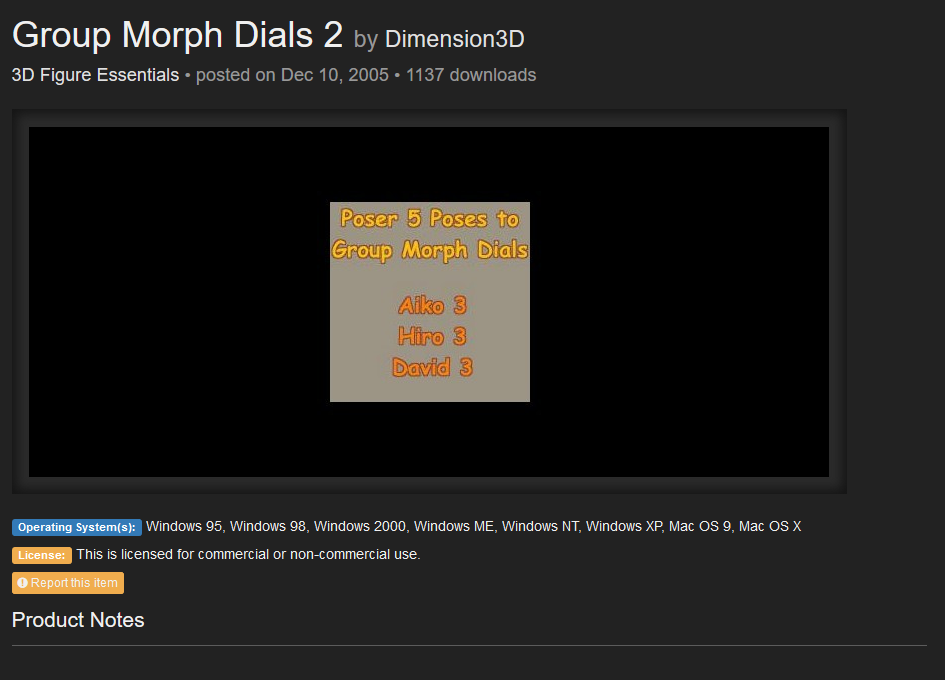
https://www.renderosity.com/freestuff/items/31148/group-morph-dials-2
Dimension3d Group Morph Dial 2, does exactly what it says, grouping the morph dials into groups similar to the ones in Victoria 4.
But let’s go step by step.
-
Download the zip file from R-osity.
-
Unzip it in a Poser directory, preferably in the one where you have Aiko 3 installed.
-
Run Daz Studio
-
Load Aiko 3
-
Zero the figure as seen in Richardandtracy tutorial
-
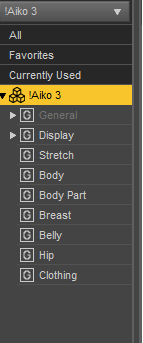
Go to parameters and highlight the Aiko 3 part of the figure. For some reason, that’s where the Aiko Morphs ended when we loaded the figure, it’s just to illustrate the mess we’re dealing with.
-
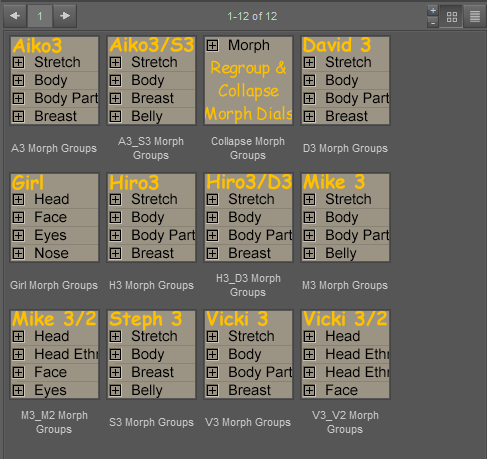
Now, go toward where the poses are installed, runtime/pose/Morph Dial Groups/. You should see something like this, just with less icons (I have installed the other Morph Dial Groups freebie, you don’t need that).
8)Keeping Aiko selected use A3 Morph groups on her, you should see that now the morphs are neatly grouped.
9)Now follow Richardandtracy tutorial for converting it to Triax, and the morphs should work now.
And this is the tutorial. If you have any problem understanding it, I’ll modify it or add further images.
I am about to go Unreal on you all!WendyLuvsCatz said:
geografts work for me in iClone 6 and subsquently FBX export from 3DX6 to Unreal but I do do it all manually no live links and use my own bone not morph based retargetting profiles
Thanks you very kindly for your help WendyLuvsCatz!

It is nice to hear that geographs work for you in Iclone 6! Hopeful! As for 3DX6 is that specifically for Genesis 2 characters or is it used to convert all Genesis characters? In other words, if I plan to bring in mostly Genesis 8 and 9 characters to Iclone 8 and Character Creator 4 do I need to buy this? And will I be able to apply Character creator skins and modifications to these imported characters?
..and, if I need to buy these to convert Gen8 and 9, do I need the full 3DXchange 6 Pipeline version or can I do the same with 3DXchange 6 PRO?
Now I am noticing a 3DX7 as well and something about it being discontinued and added directly into Iclone 8.
I am hoping if I wait on buying 3DX7(6) I will not regret it.
Also a question, Reallusion has a 50% off sale right now.
Anyone know if the sale may get any better than that on black Friday? (I am poor, and this endeavor is putting me into huge debt.)
Ethin's Art and ... stuff.Fae3D said:
Ah, I see. Very clever to use some of the different morphs from the separate characters! I just sort of assumed that they just had one "breed" type morph, instead of separate morphs for arms and such. I have mainly just tried using the basic morphs packs. Will wishlist those products, thank you!
I decided I should make sure I wasn't leading you astray, and I was. Sorry.
you are correct, those characters are just full body "breed" morphs.
The Wyverdreki does have one utility morph to "hide" the arms by shrinking them down to nothing, an effect that can be ruffly duplicated by manually selecting the arms from the collars down and scaling them, using the morph was just a quick short cut.
I also found the geo-graft that hides the wings comes with the base figure. Face meet palm.
more....Wacky Modelling ~ In Carrara ~Stezza said:
Added a wacky Bert morph to the wacky pumpkin and a morphing eyebrow which is attached but hidden for Ernie ( just unhide it for Bert )
the wacky morphing pumpkin head is in the zip file attached if you feel the urge to be wacktacula!


Thank you, thank you! Your newest models are wactacular, wactastic, and wackirific. Long live the cube!
Wha's the next Character PFAChoppski said:
He is pretty amazing. Looks great with the supplied texture, but as I like to mix and match, I have tried him with several others and wow. Even some of the female textures look great on him.I also picked up that age morph set, because I thought it was required, and the different characters you get by adjusting your skins and those morphs is just great. Thanks for this guy!
So I basically created "the age" to go alongside with all of my g9 character , The age has the general morphs that help characters look younger or older however with my characters like Alvaro I sculpted a specific youthfully morph for him so he looks the way I want when he is younger ... I hope I am making sense hahah it's a bit hard to explain but yeah , All my character like Alvaro will have additional designed morphs for the age .
Sub-D Back & Forth: DAZ & ZBrushGordig said:
Dartanbeck said:
Daz Premiere Artists are granted an "HD Morph" plugin for Studio, which is needed for this.
As far as I'm aware, it's not a plug-in per se: their version of Morph Loader Pro just lets them import subdivided meshes, while ours doesn't.
I've seen PAs' workflow. That IS a multi-resolution plug-in which can be loaded in Morph Loader Pro of the same version as ours...
Ethin's Art and ... stuff.Ethin said:
Fae3D said:
These look really amazing, and are such a creative use of morphs! Do you happen to remember how you made any of them? Especially the green aquatic one and the last one, those are super impressive. I have a bunch of morphs for the Dragon 3, but I've never had much luck with them myself.
Thanks. I guess doing stuff like this is just normal for me at this point.
Let see I have-
-DAZ Dragon 3 & Morphs
-Spectral Dragon
-Legendary Wings & Fins
-Crystal Dragon
-Zilladreki
-Wyverdreki
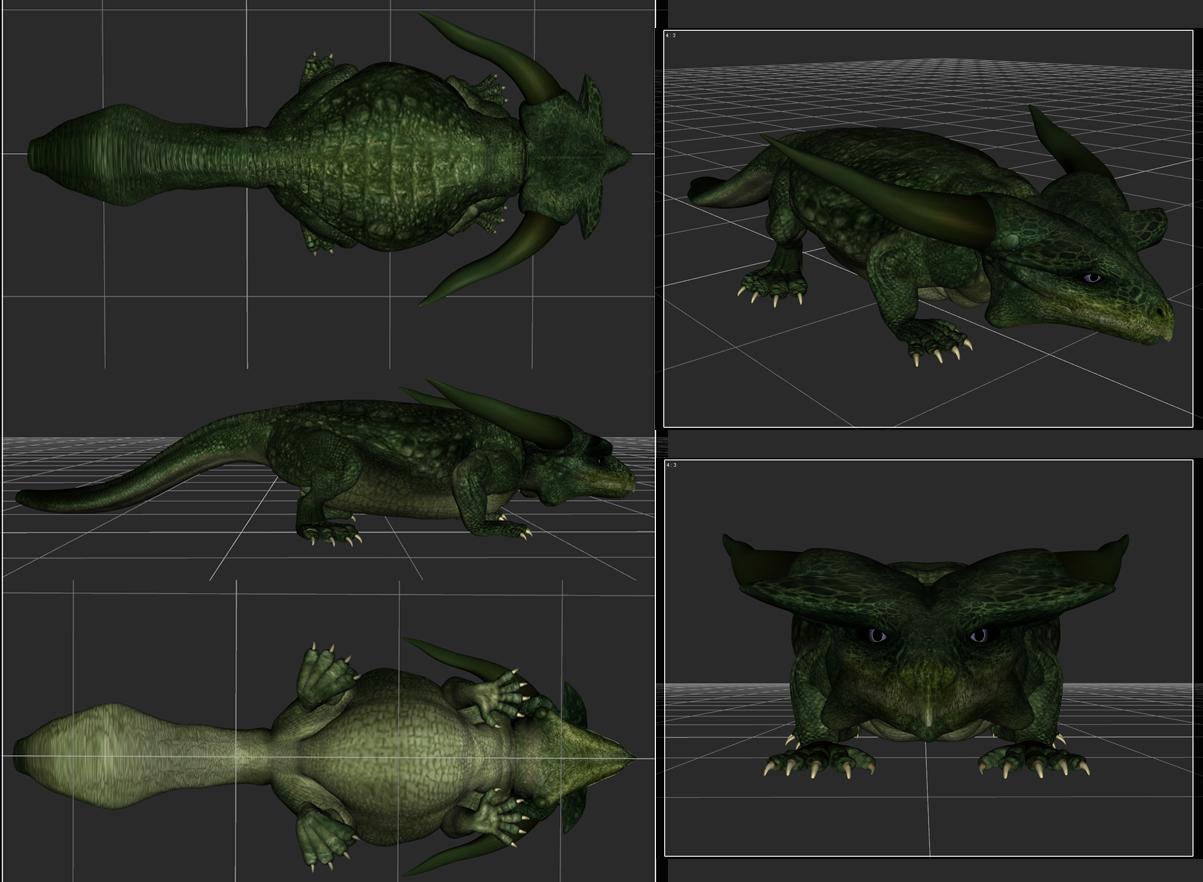
Mostly I just used the Dragon 3 Morphs and the wingless geo-graft from Zilladreki. I used the arm-less morph from Wyverdreki to shrink the arms on a few and a D-former here and there as well as the spike/plate/fin add-ons.
So mainly just lots of messing with morphs (with their limits turned off), scaling body parts and creative posing.
"... and that is how you make a baby dinosaur"
Ah, I see. Very clever to use some of the different morphs from the separate characters! I just sort of assumed that they just had one "breed" type morph, instead of separate morphs for arms and such. I have mainly just tried using the basic morphs packs. Will wishlist those products, thank you!
Ethin's Art and ... stuff.Fae3D said:
These look really amazing, and are such a creative use of morphs! Do you happen to remember how you made any of them? Especially the green aquatic one and the last one, those are super impressive. I have a bunch of morphs for the Dragon 3, but I've never had much luck with them myself.
Thanks. I guess doing stuff like this is just normal for me at this point.
Let see I have-
-DAZ Dragon 3 & Morphs
-Spectral Dragon
-Legendary Wings & Fins
-Crystal Dragon
-Zilladreki
-Wyverdreki
Mostly I just used the Dragon 3 Morphs and the wingless geo-graft from Zilladreki. I used the arm-less morph from Wyverdreki to shrink the arms on a few and a D-former here and there as well as the spike/plate/fin add-ons.
So mainly just lots of messing with morphs (with their limits turned off), scaling body parts and creative posing.
"... and that is how you make a baby dinosaur"
I am about to go Unreal on you all!geografts work for me in iClone 6 and subsquently FBX export from 3DX6 to Unreal but I do do it all manually no live links and use my own bone not morph based retargetting profiles
Sub-D Back & Forth: DAZ & ZBrushDartanbeck said:
Daz Premiere Artists are granted an "HD Morph" plugin for Studio, which is needed for this.
As far as I'm aware, it's not a plug-in per se: their version of Morph Loader Pro just lets them import subdivided meshes, while ours doesn't.
Sub-D Back & Forth: DAZ & ZBrushDartanbeck said:
crosswind said:
Dartanbeck said:
Daz Premiere Artists are granted an "HD Morph" plugin for Studio, which is needed for this.
Yep ~~ the only way that can create "genuine HD morphs"... BTW, Published Artists..
They changed it back again?
I was a Published Artist, then they changed it to Premiere Artist....
I've seen no change there: - https://www.daz3d.com/vendor
Ahh, got it ~ Starting from the 1st tuotrial product, that's the Premiere, then Published...then...
.Officially standing in line to buy this. Pops out lawn chair, hydration pack and empty 2 litre bottle, for, uh, you know. Have been doing a series of underwater dinosaur renders and would LOVE to get my opposable thumbs on your product! <rustle rustle> (That's the sound of my money eagerly waiting to transfer itself over to you!)
Wha's the next Character PFAHe is pretty amazing. Looks great with the supplied texture, but as I like to mix and match, I have tried him with several others and wow. Even some of the female textures look great on him.I also picked up that age morph set, because I thought it was required, and the different characters you get by adjusting your skins and those morphs is just great. Thanks for this guy!
POSES FOR G9 ON CUSTOM RIGGING@Richard Haseltine
I don't want a fitted item.. I want to create a standalone figure.
It's a robot with only leg, torso and arms joint: no fingers, no mouth, no expression. It's a mechanical figure so I only have rigid parts. I don't need all G9 joints but only some ones to be able to apply G9 poses. This figure has also different body proportion, so I should heavly morph a G9 to use Tarnsfer to.
I also tried to use a Fit to.. because it's an unknown figure DAZ destroys old rigging to project all G9 joints and create new weight mapsDaz 3D is part of

Connect
DAZ Productions, Inc.
7533 S Center View Ct #4664
West Jordan, UT 84084Licensing Agreement | Terms of Service | Privacy Policy | EULA
© 2026 Daz Productions Inc. All Rights Reserved.