-
Still looking for the solution to 'Duplicate Formulas'
This is the log file generated when I load Victoria 7 into a blank scene.
Apparently the file is too large for the forum to handle or something.
I get this (Many many more lines, obviously):
2019-06-15 23:17:49.878 WARNING: ..\..\..\..\..\src\sdksource\fileinput\dzassetdaz.cpp(5995): Duplicate formula found linking eCTRLLipTopUp-Down & DR Excited in /data/DAZ 3D/Genesis 3/Female/Morphs/Diane/Adorbs G3/DR Excited.dsf.
2019-06-15 23:17:49.884 WARNING: ..\..\..\..\..\src\sdksource\fileinput\dzassetdaz.cpp(5996): owner: Genesis3Female
2019-06-15 23:17:49.884 WARNING: ..\..\..\..\..\src\sdksource\fileinput\dzassetdaz.cpp(5997): output: Genesis3Female:/data/DAZ%203D/Genesis%203/Female/Morphs/DAZ%203D/Base%20Pose/eCTRLLipTopUp-Down.dsf#eCTRLLipTopUp-Down?value
2019-06-15 23:17:49.884 WARNING: ..\..\..\..\..\src\sdksource\fileinput\dzassetdaz.cpp(5998): input: Genesis3Female:/data/DAZ%203D/Genesis%203/Female/Morphs/Diane/Adorbs%20G3/DR%20Excited.dsf#Excited?value
2019-06-15 23:17:49.915 WARNING: ..\..\..\..\..\src\sdksource\fileinput\dzassetdaz.cpp(5995): Duplicate formula found linking eCTRLLipBottomUp-Down & DR Excited in /data/DAZ 3D/Genesis 3/Female/Morphs/Diane/Adorbs G3/DR Excited.dsf.
2019-06-15 23:17:49.915 WARNING: ..\..\..\..\..\src\sdksource\fileinput\dzassetdaz.cpp(5996): owner: Genesis3Female
2019-06-15 23:17:49.915 WARNING: ..\..\..\..\..\src\sdksource\fileinput\dzassetdaz.cpp(5997): output: Genesis3Female:/data/DAZ%203D/Genesis%203/Female/Morphs/DAZ%203D/Base%20Pose/eCTRLLipBottomUp-Down.dsf#eCTRLLipBottomUp-Down?value
2019-06-15 23:17:49.921 WARNING: ..\..\..\..\..\src\sdksource\fileinput\dzassetdaz.cpp(5998): input: Genesis3Female:/data/DAZ%203D/Genesis%203/Female/Morphs/Diane/Adorbs%20G3/DR%20Excited.dsf#Excited?value
So that would indicate the problem lies in /data/DAZ%203D/Genesis%203/Female/Morphs/Diane/Adorbs%20G3?
How would I fix the problem? Just delete the directory?
Still looking for the solution to 'Duplicate Formulas'Have you checked the log file after loading a Genesis 3 Female, as suggested in many threads on this topic? That should name one of the morphs involved. None of them should suggest redoing every single morph for the affected figure, let alone for all figures (Genesis 3 Female is a figure, Victoria 7, Gia 7 etc. are characters for that figure - duplicate formulas is something that affects all characters and scenes for the figure involved, unless it's for a custom morph not saved as an asset).
Daz 4.11 Iray Dark Eyes Bug ?After some fiddling around, I found that the problems start kicking in around X = 4000 and Z = 2100, showing up as concentric rings inside the sclera that get bigger the further out you go and tiny imperfections closer than that. The problem seems to take more distance to kick in if you use a G3 texture instead of a G8 one, and if you put the G8 texture on a G3 character, the problem remains (so its probably not geometry). Also, by the time you it X = 10000, Z = 10000, Victoria 8's skin is getting pretty red, plus an added hair model made a black blob appear on her forehead. Considering the problems aren't just related to the sclera, yeah, it looks like a problem with the rendering engine. Maybe it's Studio's implementation, but it looks like just weirdness with the way light is being modeled.
EJ Easy Face GeneratorThis is a great tool! And fun! Reminds me of my role-playing days when I would make characters for entertainment. Couple of comments and questions.
I find the default settings are fairly subtle and it can be a while before a characters looks different. Lots of them end up looking like the base character's sister. Not a complain, merely an observration (and handy for when you DO want a relative!).
Does the randomizer randomize off of the base character or off of the base plust the current set of morphs? Also, does it use your face morph product under the covers? Just curious.
I've found that dropping the Simplicity settings while keeping the strength settings the same leads to higher variability but not completely wacky faces that often seem to occur with higher Strength. Unfortunately, every time I exit the script, the settings revert to the default. Is there any way to change the defaults persistently?
Keep up the great work!
Yes the icons and the default settings are subtle. The reason is that if you find you moved the settings and get a too extreme face, you can always use the "reset to default" button to restore safe and not extreme settings.
The Generator doesn't remove morphs that you may have applied before running it. For example if you have Victoria 8, and run it, it will add the changes on top of her, withour removing Victoria 8. This is this way on purpose, because one of the uses of this tool is to customize or add a change to an already existing character.
The other way of using is using it over a Genesis 8 without any morphs. Then you can make a new face. Also, after running the Generator, you can also add other morphs you have and apply them on top of what the Generator did.
You're right, the use of Simplicity can do what you say, that is a good way of using it. In this moment it doesn't have the option to save persistently the settings.
How to Remove Dress HandlesIf you go to the first post, one of the creators made a script to hide pose handles. They made it for the RSSY clothing convertor. It's the last two things under all those pictures. I missed it the first few times. Just download it and put it in your script folder and then open Studio and it should be there. But the other thing is to make the surface invisible. This was in response to my question:
- You need to hide the surface handles from rendering. Usually, there is a surface called "Handles" or similar. Find it, and then set Cutout Opacity (Iray) or Opacity (3DL) to 0%. I've gotten annoyed hiding those things so I made up a couple scripts to hide/show any material with the word "handle" in it in the scene. You're welcome to use them. They are available at the top post of this thread.
So I used the surface tool and then rummaged around until I found some part that was the handle. Or pose control. Then I found the slider on the surface tab to make it disappear.
AIUTO...CHI CONOSCE L’ITALIANO? PARTE DODICIFammi capire, che sono vecchio, iperteso e pure un tantino arteriosclerotico...
Ma come li usi i morph? Non fai il classico Mix-n-Match come tutti i normali DAZzari? Voglio dire 20% Victoria, 32% Aiko e 22% Michael...
Una volta che hai trasferito i morph li puoi riutilizzare quante volte vuoi, no?
Uso Simtenero Randomizer, mettendo nell'equazione migliaia di morph, finché non arrivo a un risultato che mi soddisfi, così sono anche tutti molto diversi fra di loro.
Ogni personaggio quindi ha centinaia di morph attivi in "Currently Used". 20 secondi per 200 morph ci vorrebbe quindi un'ora, e non avrei sicurezza che completerebbe il processo anzichè lasciare tutto appeso.Passare la forma così com'è non mi serve a niente. A dire il vero, oggi riesco velocemente a passare forma e materiali da G8M a G8F e viceversa.
Il problema sta nella transizione!
Sarebbe molto bello poter andare da uno all'altro con un singolo slider.
Pensavo si potesse fare con GenMaster, ma non vedo come.AIUTO...CHI CONOSCE L’ITALIANO? PARTE DODICIFammi capire, che sono vecchio, iperteso e pure un tantino arteriosclerotico...
Ma come li usi i morph? Non fai il classico Mix-n-Match come tutti i normali DAZzari? Voglio dire 20% Victoria, 32% Aiko e 22% Michael...
Una volta che hai trasferito i morph li puoi riutilizzare quante volte vuoi, no?So when will we get Cat 8?I'd love to see a thorougly modernized cat, but it wouldn't be "Cat 8". Victoria/Michael/Genesis (meshes, rigging, maps, etc) are on generation 8, but the cat, dragon, dog, etc. have their own meshes, rigging, blah blah blah and much lower numbers.
I think we've had:
- Millenium Cat (around 2000)
- Big Cat (2008?)
- Big Cat 2 (2013)
And that's it.
The most recent dog is "Dog 8." The "8" suffix is as much about branding as anything, I think--it lets people know they're buying the most recent figures. So it'd likely be more confusing from a marketing standpoint to give animals a different number.
So when will we get Cat 8?I'd love to see a thorougly modernized cat, but it wouldn't be "Cat 8". Victoria/Michael/Genesis (meshes, rigging, maps, etc) are on generation 8, but the cat, dragon, dog, etc. have their own meshes, rigging, blah blah blah and much lower numbers.
I think we've had:
- Millenium Cat (around 2000)
- Big Cat (2008?)
- Big Cat 2 (2013)
And that's it.
[Released] RSSY Hair Converter from Victoria 4 to Genesis 8 Female [Commercial]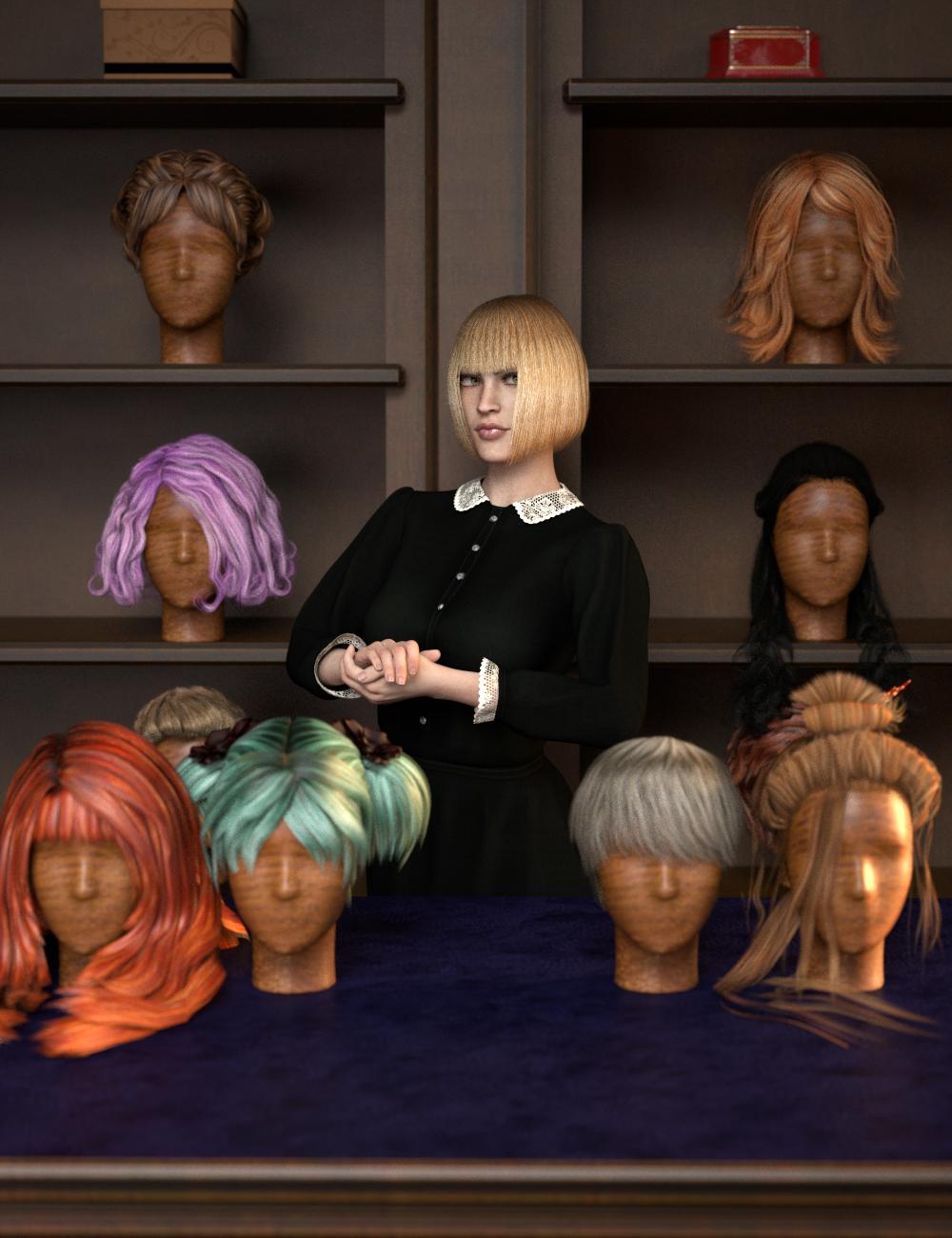 Use your favorite Victoria 4 hair on your Genesis 8 Females! Automatically convert almost your entire library of Hair items using the new RSSY Hair Converter from Victoria 4 to Genesis 8 Female! The Hair Converter scripts provide batch execution for automatically converting your Victoria 4 Hair to Genesis 8 Female. Easily select the hair items in your library, select an output directory, and execute the script. Even better, icons and categories (where present) are copied from your original Victoria 4 hair to the new Genesis 8 Female hair items.
Your new Genesis 8 Female hair is Smart Content aware! They will show up when you select a Genesis 8 Female. Plus, all materials shown in Smart Content for your Victoria 4 item will show for your converted Genesis 8 Female item.
Items without metadata can be converted but will not show up in Smart Content. They may also need to be converted using a Force Convert Item(s) button.- Convert Victoria 4 Hair for use by Genesis 8 characters.
- New rigs add even more functionality to most Victoria 4 hairs.
- Copies icons from Victoria 4 hair to Genesis 8 hair for a professional look.
- Converted Hair is Smart Content enabled! All materials shown in Smart Content for your Victoria 4 item will show for your converted Genesis 8 item.
- Automatically convert your entire library of hair with one operation!
- Low ponytails and braids are given new bone rigs that can be posed from your Scene tab. Long and Extra-Long hair options add new pose bones too!
- All of a hair's original morphs are retained.
TIP: When converting textures to Iray on older hairs, sometimes turning down Cutout Opacity in your Surfaces tab can help decrease the appearance of sharper strands!
Spell Checker for DIM searchMaybe smart content for DIM
if you enter a figure it can find its hairs clothes etc like DAZ studio does

That would be great. I want to download all Genesis 8 clothing and its matching textures! Or more difficult I want to download all my Aiko 3 content. Naming conventions has gotten better since then but a lot of clothes for Aiko 3 or Victoria 4 do not mention which figure the outfit was made for in its name.
How to export normal maps?Hello, i'm using victoria 7 and she have a normal maps, i've added her normal "ON", it's woking in rendering with IRAY but i would like to export it for using it with Unreal Engine
Can you give me a solution for my case please ?
Best regards
Izem.
allowed to export models i buy?Moved to Art Studio as it is a non-technical usage question rather than a Product Suggestion.
For your own use, just sharing 2D renders (still images or animations) you can do as you like with content from the Daz store (with a limited exception for the Anne Marie Goddard Digital Clone for Victoria 3, as noted on the product page). You could not, however, share the results as 3D data or 3d prints.
[Released] RSSY Clothing Converter from Victoria 4 to Genesis 8 Female [Commercial]Forgive me for not reading all 338 replies, but how to people figure out what your Victoria 4 content even is?
I have loads of old content, but a lot of it just is in a path like "runtime\figures\JoeVendor\LittleBlackDress" with no indication of whether it was Vicky 4 or Aiko 3 or The Girl 2. And since it's almost all in Poser format, installed without metadata, I just mostly end up giving up on figuring out what those outfits are. Sometimes even Google searches don't help if the name of the outfit is too generic.
I wish I knew
I am lucky in that I got into DS later and never bought any V3 or before items. At least for V4/M4 it is all under the Character folder. Unfortunately, unless someone else has a better idea, it will be a case of trial and error.I used a really laborious method: I went to DAZ Store, picked People and Wearables - Clothing and Accessories then from the "Figure" drop-down I picked V4/Aiko 4/ (all the 4's) then using Ati's add-on I did "Show owned only" then used copy/paste into a text file and with a text editor I removed all but the product name, printed out that list and I'm (still!) working through it. Of course anything removed from the store doesn't appear, nor does content from other sources.
That would help. Thanks for sharing.
Black spots on foreheadIf it is the hair cap, or not, sometimes you have to adjust the hair to the skull for the character you are applying it to. For instance, if you put the hair on Victoria 8's normal sized head and then try to put the same hair on The Girl 8, with that HUGE head of hers, there will be issues. Usually there is an 'expand' slider, sometimes even for the specific base character. I expand it until I see the skullcap sort of separate from the skull and then bring back in. Fine tuning the skullcap of the hair model should alleviate the smudges, AND it will make the hair look better by providing a better hairline.
[Released] RSSY Clothing Converter from Victoria 4 to Genesis 8 Female [Commercial]Forgive me for not reading all 338 replies, but how to people figure out what your Victoria 4 content even is?
I have loads of old content, but a lot of it just is in a path like "runtime\figures\JoeVendor\LittleBlackDress" with no indication of whether it was Vicky 4 or Aiko 3 or The Girl 2. And since it's almost all in Poser format, installed without metadata, I just mostly end up giving up on figuring out what those outfits are. Sometimes even Google searches don't help if the name of the outfit is too generic.
I wish I knew
I am lucky in that I got into DS later and never bought any V3 or before items. At least for V4/M4 it is all under the Character folder. Unfortunately, unless someone else has a better idea, it will be a case of trial and error.I used a really laborious method: I went to DAZ Store, picked People and Wearables - Clothing and Accessories then from the "Figure" drop-down I picked V4/Aiko 4/ (all the 4's) then using Ati's add-on I did "Show owned only" then used copy/paste into a text file and with a text editor I removed all but the product name, printed out that list and I'm (still!) working through it. Of course anything removed from the store doesn't appear, nor does content from other sources.
[Released] RSSY Clothing Converter from Victoria 4 to Genesis 8 Female [Commercial]Forgive me for not reading all 338 replies, but how to people figure out what your Victoria 4 content even is?
I have loads of old content, but a lot of it just is in a path like "runtime\figures\JoeVendor\LittleBlackDress" with no indication of whether it was Vicky 4 or Aiko 3 or The Girl 2. And since it's almost all in Poser format, installed without metadata, I just mostly end up giving up on figuring out what those outfits are. Sometimes even Google searches don't help if the name of the outfit is too generic.
I wish I knew
I am lucky in that I got into DS later and never bought any V3 or before items. At least for V4/M4 it is all under the Character folder. Unfortunately, unless someone else has a better idea, it will be a case of trial and error.That's what I kind of figured. I've been doing this since 2006; so I have things for LOTs of the older generation of characters. Not all from Daz's store either. Standards were something we dreamed of in the early days. :)
I also made things "worse" in this case because since I was only a Daz Studio user and didn't use Poser, I would move folders and files around in ways that made sense to me. Sometimes even renaming them. If I'd only known what an issue I was causing for myself down the road...
GENERAL FREEBIE REQUESTS part 3The clone of P4 for V2 is in this package - Victoria 2.0 Store #83 and in this package Victoria 2.0 Reduced Resolution Figure #659.
Just so newer users don't get mistaken, it's not a clone as in "autofit clone", it's an alternate figure based on V2, with the same body shape and rigging as P4 woman, and V2 head.
Autofit was introduced in DS4, figures before Genesis can't use it.Thanks, both!
Aiko 4 missingOnly if the Powerloader is set to load A4 when Victoria 4 is loaded, y3kman.
I can't help you with Smart Content, if that is where you are looking for A4, Imposer12, but if you look under the Content Library tab you can find it here:
Poser Formats > "your content library" > Figures > DAZ People > Aiko 4, if you want to load a new V4 with A4 already applied, or
Poser Formats > "your content library" > Pose > DAZ's Victoria 4 > Morph Injections > Aiko 4, if you want to add A4 to an already loaded V4 (you would then follow y3kman's instructions) Note: Unlike the Genesis series, V4 requires that that the Head be selected to access the head morph slider, rather than the root node.
[Released] RSSY Clothing Converter from Victoria 4 to Genesis 8 Female [Commercial]Forgive me for not reading all 338 replies, but how to people figure out what your Victoria 4 content even is?
I have loads of old content, but a lot of it just is in a path like "runtime\figures\JoeVendor\LittleBlackDress" with no indication of whether it was Vicky 4 or Aiko 3 or The Girl 2. And since it's almost all in Poser format, installed without metadata, I just mostly end up giving up on figuring out what those outfits are. Sometimes even Google searches don't help if the name of the outfit is too generic.
I wish I knew
I am lucky in that I got into DS later and never bought any V3 or before items. At least for V4/M4 it is all under the Character folder. Unfortunately, unless someone else has a better idea, it will be a case of trial and error.Daz 3D is part of

Connect
DAZ Productions, Inc.
7533 S Center View Ct #4664
West Jordan, UT 84084Licensing Agreement | Terms of Service | Privacy Policy | EULA
© 2026 Daz Productions Inc. All Rights Reserved.