-
Trouble with texture on clothing
Im using a edited version of a G8F Alicia. And i applied a skin mod (Altern8 skin shader). Since i did, the eyebrows are gone/changed to something more default/basic. And I have no idea how to get the original eyebrows back (there are no separate eyebrows in the Alicia pack) ...
When you used the Altern8 preset, did you use one of the "No Map" presets? Those will adjust the skin surface settings, but leave the underlying texture map files in place. If you use one that doesn't say "No Maps", it will load the figure's maps instead. For example, the "Victoria 8 Maps" preset will load Vicky 8's textures, overwriting Alicia's while the "Victoria 8 NoMaps" preset will just change things like the translucency and gloss settings without changing the textures.
What's the hair on the blonde FWSA Livia HD for Victoria 7?Been looking for quite a while for the blonde hair in the final picture here: https://www.daz3d.com/fwsa-livia-hd-for-victoria-7
I thought it was "Tempest" but seem to have been quite wrong. Anyone able to point me in the right direction?
Thanks,
N
How to Apply MDD Fire and Water Materials to G8 Male OrcSo yes now I loaded a Genesis 8 female, then clicked on 'Legacy UV's !Prepare Genesis 8 Female', but when I apply the Fire material in order to then apply ' Legacy UV's - Apply Victoria 4 UVs' to save the material, the Fire skin doesn't even appear on the figure, nothing happens, the skin remains the same, is it because I have something missing which should be installed?.... Why is this happening?
Once the UV Swap is installed, the process is pretty transparent. The two UV maps are available on the male and female, you don't actually have to change the gender of the figure. The material settings should automatically select which gets used. If not, the product has scripts to manually set and reset the UV map. You can filter the Surface settings with "UV" and cycle through the various surfaces to see what is set to what. Skin parts for sure, maybe eyes and nails, too, depending on the source.
You would load the Genesis 8 Male and apply your newly-converted (from the V4 materials) Genesis 8 Female materials. Now, the original material states that it will need some tweaking to work properly in DAZ Studio, so it probably used some Poser shaders which are not supported in DAZ Studio. You will also need to decide if you want 3DL or Iray. There are converters for that, too, or just trust the auto-conversion when applying the DAZ Iray Uber Base (built-in shader, select the figure, ctrl-double click, in the pop-up select Images: Ignore). You will probably have to change settings and bitmaps in either case to get what you want.
That's just the basics, there is a wealth of information out there on how to adjust the surface settings.
AIUTO...CHI CONOSCE L’ITALIANO? PARTE DODICILe vecchie cose funzionano correttamente, ovviamente quelle nuove no.
Certo che era davvero basilare, all'epoca! Le impostazioni di render avevo su per giù cinque parametri!
Quello che mi piace di più, però, è che nel disco sono presenti oltre ai primi Michael e Victoria anche parecchi prodotti completi. Ma purtroppo sono accompagnati da licenze "vecchio stile", con pagine e pagine di cavilli, norme e legalese americano... Per cui immagino che possano essere usati solo "in casa" senza altri usi... Peccato!

Anche io ho ancora DAZ Studio 2 e 3 nella mia libreria... Un giorno me li installo e ci gioco.
Tornando sui giusti binari: qualcuno ha idea di dove trovare il manuale degli Strand-Based? Frugo frogo dappertutto ma non lo trovo...
How to Apply MDD Fire and Water Materials to G8 Male OrcOk, I downloaded them both, but now I don't know how to turn G8 Male to G8 Female, can you please write me the steps?
MDD Fire & Water is a Victoria 4 material set. To get it onto Genesis 8 Male, there ae a few steps to take. You have four generations to jump, and a gender switch. Genesis 8 can swap male and female materials with Genesis 8 UV Swap: Male and Female Base. To get up to Genesis 8, you need Legacy UVs for Genesis 8: Victoria 4. Save that final product as a material preset that you would them apply to Genesis 8 Male. Simple, huh?
There are ways to do it outside of DAZ Studio using texture converters and other programs, but I am not familiar with those. Perhaps someone else can explain some of that.
AIUTO...CHI CONOSCE L’ITALIANO? PARTE DODICIOggi ho riscoperto un vecchio tesoro!
Stavo riordinando una vecchia scatola di roba ed è saltato fuori un disco di Art Special, una rivista per artisti niubbi che compravo.
E su quel disco ci sono Daz|Studio ( si, si scriveva così!) RC 0.9.28.4 e le prime versioni di Michael e Victoria ( senza numeri!)
Ora vedo di installare tutto e tuffarmi nei ricordi... *lacrimuccia*
Però mi domando che licenza possano avere!

...non so che salterà fuori...... nel vecchio PC avevo aperto il Daz studio 2.xxx con Victoria..1 ?, e molte texture apparivano grigio/bianche dando l'errore di incompatibilità Texture..
Flash Sale Alerts III accidentally closed my Victoria birthday code. Today is june17. Any help? I remember my percentage number at the end!
It should still be in your message box: https://www.daz3d.com/notifier/inbox/offers/
AIUTO...CHI CONOSCE L’ITALIANO? PARTE DODICIOggi ho riscoperto un vecchio tesoro!
Stavo riordinando una vecchia scatola di roba ed è saltato fuori un disco di Art Special, una rivista per artisti niubbi che compravo.
E su quel disco ci sono Daz|Studio ( si, si scriveva così!) RC 0.9.28.4 e le prime versioni di Michael e Victoria ( senza numeri!)
Ora vedo di installare tutto e tuffarmi nei ricordi... *lacrimuccia*
Però mi domando che licenza possano avere!
Flash Sale Alerts III accidentally closed my Victoria birthday code. Today is june17. Any help? I remember my percentage number at the end!
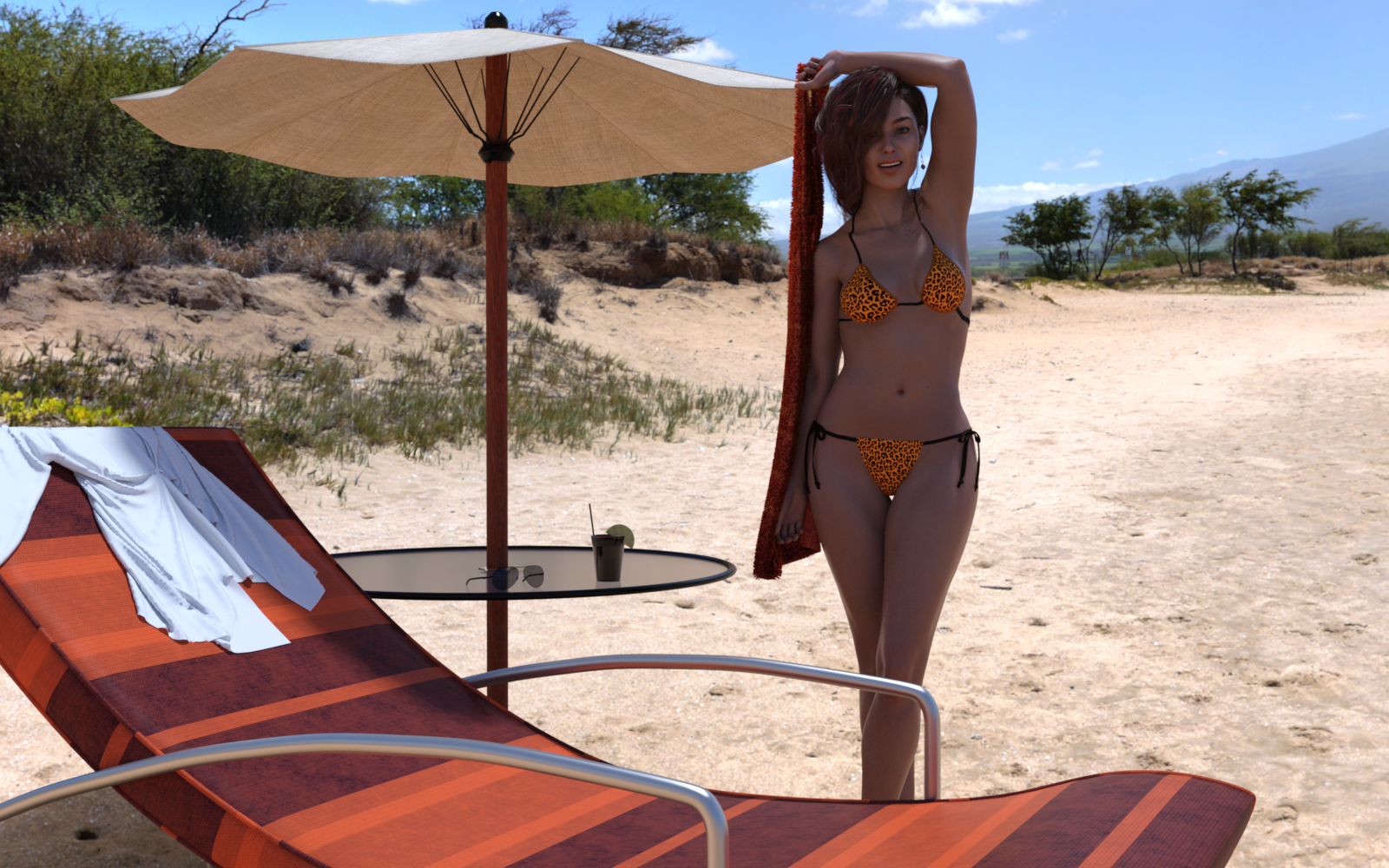
3D Art Freebie Challenge-June 2019-"Winners Announced Summertime Pin-Ups" -Entries Thread OnlyFirst time entering one of these.
Freebies:
Jewelry Set by Leilana : https://www.renderosity.com/mod/freestuff/jewelry-set/78314
Freebie: ED's Bends V8 Poses by Edheldil (used pose 07 mirror) : https://www.renderosity.com/mod/freestuff/freebie-eds-bends-v8-poses/79710
Side Swept ROse Hair for Genesis 3 & 8 Females by zoro_d : https://www.renderosity.com/mod/bcs/side-swept-rose-hair-for-genesis-3-8-females/126602
Airforce sunglasses by insane_machine : https://www.renderosity.com/mod/freestuff/?item_id=64123
Genesis 8 female dForce Shirt : https://www.most-digital-creations.com/g8f_shirt.php (requires newsletter email subscription)
11 Free High Resolution Fabric Textures (used fabric 1 for the towel) : http://www.premiumpixels.com/freebies/11-free-high-resolution-fabric-textures/
No Counts:
String Bikini for Victoria 6 (included with Studio 4.x) : https://www.daz3d.com/string-bikini-for-victoria-6
DAZ Studio Iray HDR Outdoor Environments (included with Studio 4.x) : https://www.daz3d.com/daz-studio-iray-hdr-outdoor-environments
Purchased Items:
P3D Mylou for Genesis 8 Female (used her skin) : https://www.daz3d.com/p3d-mylou-for-genesis-8-female
Constanza HD For Genesis 8 Female (used body and head morph) : https://www.daz3d.com/constanza-hd-for-genesis-8-female
Beach Props (was free at some point, used the deck chair and drink) : https://www.daz3d.com/beach-props
Deck Accessories (also got it free sometime, possibly christmas, I used the table with umbrella) : https://www.daz3d.com/deck-accessories
Title: Beach Visit
 How to Apply MDD Fire and Water Materials to G8 Male Orc
There are several Legacy UV products that allow for different paths. For example, Victoria 4 is suported by original Genesis directly, and somewhat indirectly by Genesis 2 Female. From Genesis you can use the Legacy UV for Genesis 8 Female: Victoria 5 (after converting in Studio from V4 to V5 with Map Transfer). A bit more work, but you would only need one new product. I'm sure you will have questions...
How to Apply MDD Fire and Water Materials to G8 Male OrcMDD Fire & Water is a Victoria 4 material set. To get it onto Genesis 8 Male, there ae a few steps to take. You have four generations to jump, and a gender switch. Genesis 8 can swap male and female materials with Genesis 8 UV Swap: Male and Female Base. To get up to Genesis 8, you need Legacy UVs for Genesis 8: Victoria 4. Save that final product as a material preset that you would them apply to Genesis 8 Male. Simple, huh?
There are ways to do it outside of DAZ Studio using texture converters and other programs, but I am not familiar with those. Perhaps someone else can explain some of that.
Novica & Forum Members Tips & Product Reviews Pt 12I used the Clothing Converter to fit the Domino and Latin Stage Outfits to Genesis 8 and used Legacy uvs for Genesis 8-victoria-4 to convert the Kenna textures to fit Genesis 8
Kenna is cute!
In the current Flash sale, here's a suggestion for a family friendly swimsuit- aka less bosom showing and slightly higher waisted bottom- combine the top of RW Triangle Bikini with the bottoms of the RealFit Ring Bikini and that also includes a wrap for the bottoms! Simply use a shader and get the textures to match. (The bottoms also have the wider crotch, unlike some of the other bikini bottoms.)
Novica & Forum Members Tips & Product Reviews Pt 12
I used the Clothing Converter to fit the Domino and Latin Stage Outfits to Genesis 8 and used Legacy uvs for Genesis 8-victoria-4 to convert the Kenna textures to fit Genesis 8
3D Art Freebie Challenge-June 2019-"Summertime Pin-Ups" -Main Thread OnlyFirst time entering one of these.
Freebies:
Jewelry Set by Leilana : https://www.renderosity.com/mod/freestuff/jewelry-set/78314
Freebie: ED's Bends V8 Poses by Edheldil (used pose 07 mirror) : https://www.renderosity.com/mod/freestuff/freebie-eds-bends-v8-poses/79710
Side Swept ROse Hair for Genesis 3 & 8 Females by zoro_d : https://www.renderosity.com/mod/bcs/side-swept-rose-hair-for-genesis-3-8-females/126602
Airforce sunglasses by insane_machine : https://www.renderosity.com/mod/freestuff/?item_id=64123
Genesis 8 female dForce Shirt : https://www.most-digital-creations.com/g8f_shirt.php (requires newsletter email subscription)
11 Free High Resolution Fabric Textures (used fabric 1 for the towel) : http://www.premiumpixels.com/freebies/11-free-high-resolution-fabric-textures/
No Counts:
String Bikini for Victoria 6 (included with Studio 4.x) : https://www.daz3d.com/string-bikini-for-victoria-6
DAZ Studio Iray HDR Outdoor Environments (included with Studio 4.x) : https://www.daz3d.com/daz-studio-iray-hdr-outdoor-environments
Purchased Items:
P3D Mylou for Genesis 8 Female (used her skin) : https://www.daz3d.com/p3d-mylou-for-genesis-8-female
Constanza HD For Genesis 8 Female (used body and head morph) : https://www.daz3d.com/constanza-hd-for-genesis-8-female
Beach Props (was free at some point, used the deck chair and drink) : https://www.daz3d.com/beach-props
Deck Accessories (also got it free sometime, possibly christmas, I used the table with umbrella) : https://www.daz3d.com/deck-accessories
All Links Check Out Plz Move To Entries Thread
I Forgot What My Complaint Was - Complaint ThreadI know that I can make fan art with various stuff but where can I post the fan art?
I have just the answer for you.

Sometimes we can render just for ourselves. I like rendering tentacoos scenes. Would never share them lol
These kind of tentacles?... I made him in Sculptura on the iPad as a dumb joke in that thread about the logo having changed again...
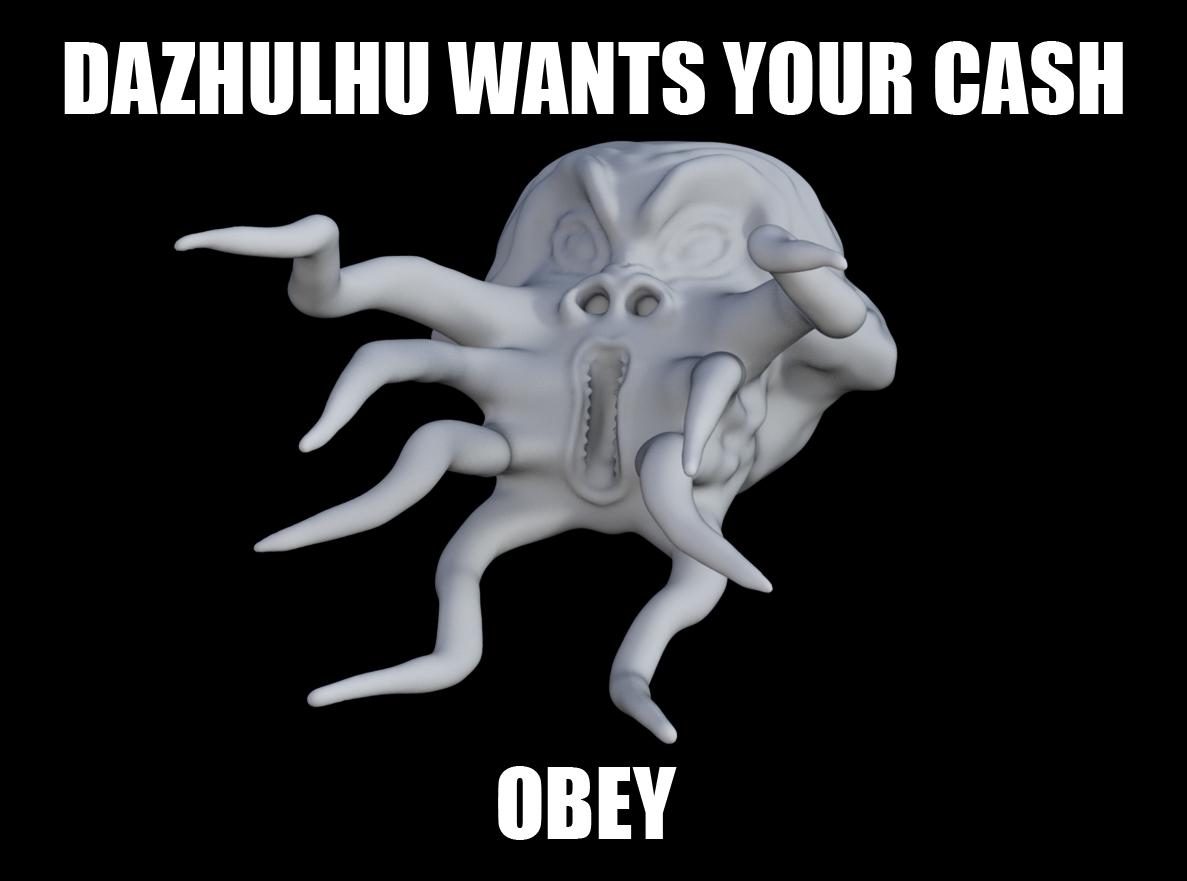
I painted him up like the DAZ logo (Victoria Tentacle Head) and faked a new DAZ banner... a very lame joke and a waste of an hour and a half.
all it needs is a mustash
I Forgot What My Complaint Was - Complaint ThreadI know that I can make fan art with various stuff but where can I post the fan art?
I have just the answer for you.
Sometimes we can render just for ourselves. I like rendering tentacoos scenes. Would never share them lol
These kind of tentacles?... I made him in Sculptura on the iPad as a dumb joke in that thread about the logo having changed again...
I painted him up like the DAZ logo (Victoria Tentacle Head) and faked a new DAZ banner... a very lame joke and a waste of an hour and a half.
3D Art Freebie Challenge-June 2019-"Summertime Pin-Ups" -Main Thread OnlyFirst time entering one of these.
Freebies:
Jewelry Set by Leilana : https://www.renderosity.com/mod/freestuff/jewelry-set/78314
Freebie: ED's Bends V8 Poses by Edheldil (used pose 07 mirror) : https://www.renderosity.com/mod/freestuff/freebie-eds-bends-v8-poses/79710
Side Swept ROse Hair for Genesis 3 & 8 Females by zoro_d : https://www.renderosity.com/mod/bcs/side-swept-rose-hair-for-genesis-3-8-females/126602
Airforce sunglasses by insane_machine : https://www.renderosity.com/mod/freestuff/?item_id=64123
Genesis 8 female dForce Shirt : https://www.most-digital-creations.com/g8f_shirt.php (requires newsletter email subscription)
11 Free High Resolution Fabric Textures (used fabric 1 for the towel) : http://www.premiumpixels.com/freebies/11-free-high-resolution-fabric-textures/
No Counts:
String Bikini for Victoria 6 (included with Studio 4.x) : https://www.daz3d.com/string-bikini-for-victoria-6
DAZ Studio Iray HDR Outdoor Environments (included with Studio 4.x) : https://www.daz3d.com/daz-studio-iray-hdr-outdoor-environments
Purchased Items:
P3D Mylou for Genesis 8 Female (used her skin) : https://www.daz3d.com/p3d-mylou-for-genesis-8-female
Constanza HD For Genesis 8 Female (used body and head morph) : https://www.daz3d.com/constanza-hd-for-genesis-8-female
Beach Props (was free at some point, used the deck chair and drink) : https://www.daz3d.com/beach-props
Deck Accessories (also got it free sometime, possibly christmas, I used the table with umbrella) : https://www.daz3d.com/deck-accessories
The logo, againI'm seeing the new one in both the forums and the store. Another thing I've noticed is that DAZ is not written as an acronym anymore (all caps), but it's now written as a word (capital first letter, lower case for the rest of the word).
They de-acronymed a little while ago. Maybe two logos ago? Some time after the company changed hands, and some time after the Artzone site itself went away. It doesn't stand for Digital Art Zone any more; it's just Daz.
I love the octopus DAZ 3D logo
Heaven knows, it's less conceptually icky than Victoria's exploding head.
MimicMolly's Renders & WIPsI've been wanting to do this for a while, but a sort-of side by side comparison of Tara 2 and Aurore by Kayleyss. No textures.
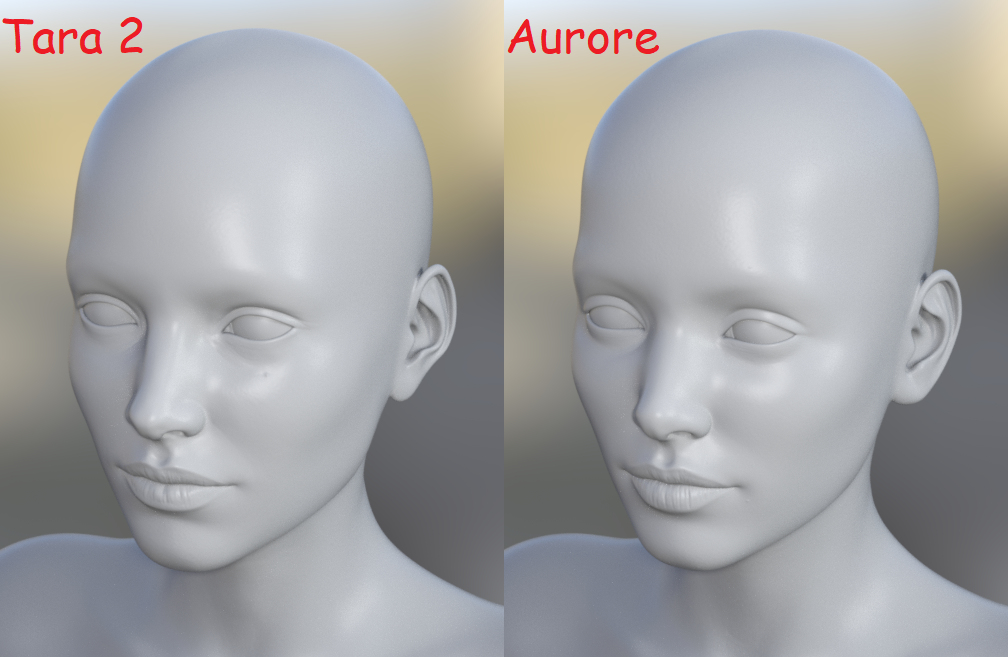
Skinless, they look very different. The promos made them look the same to me, so if I had one (Aurore) I didn't need the other (Tara 2). I like both.
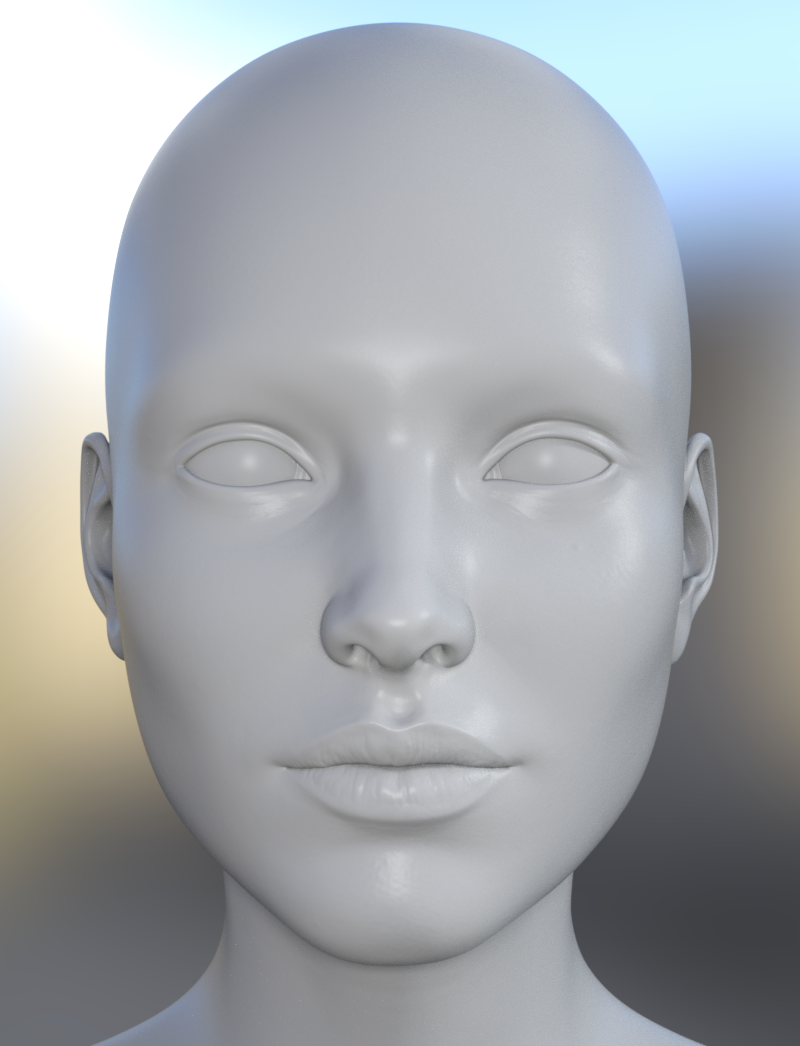
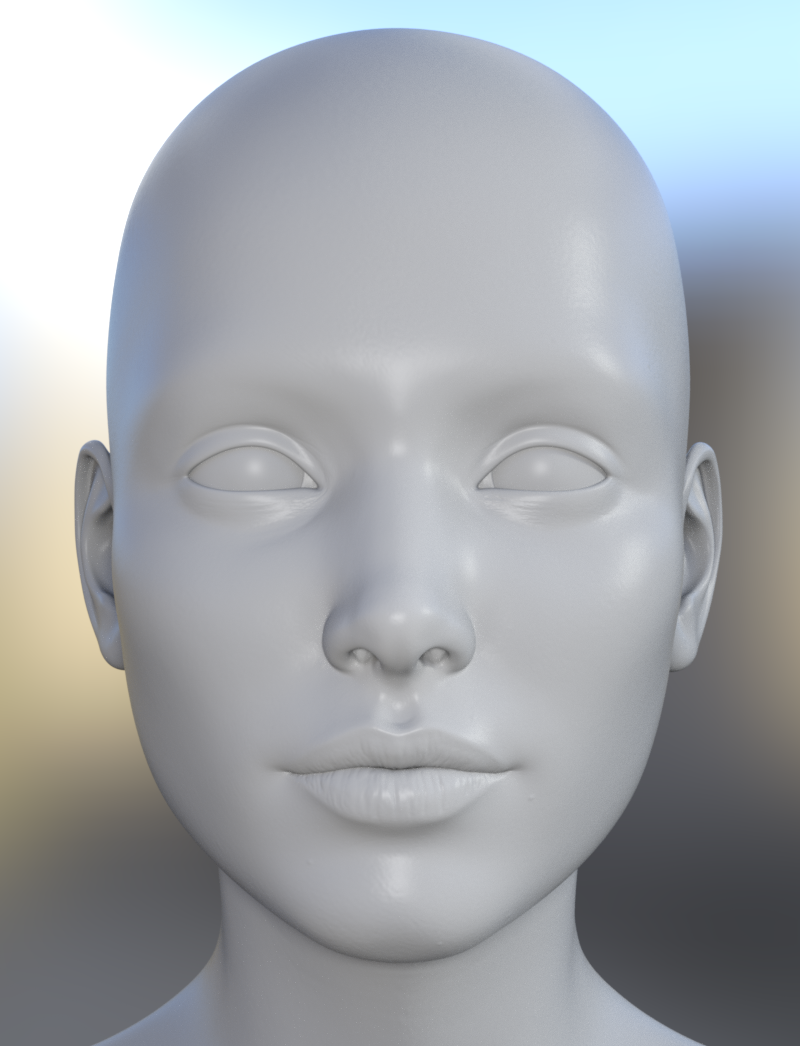
As for Tara 2, she is much better than the original Tara (who I only got because the character and outfit bundle was in the Fast Grab and I only wanted the outfit.) I didn't like the original Tara's shape at all, it didn't seem to mix well because she was too lean in a detailed way, for my tastes. But I did use her geografted horns and tail a lot. I also liked her red demon skin. So I don't feel I need to have her in my laptop now that I have Tara 2. Besides, now I can use her horns, tails, and wings on G3 and G8, males and females. I was going to render her wearing the outfit, which the wings and tail fit nicely with, but I ran out of time.
Still, all three characters are a little too big in size for my tastes. (Tara and Sachra zip size = 848.35 MB. Tara 2 zip size = 1.05 GB. Aurore zip size = 762.11 MB) But the Taras come with demon skins and stuff. Aurore is a normal human, though most other normal human characters (G3 & G8) I have, tend to be like 300 MB - 400 MB. Gwennili zip size is 531.96 MB.
If I had the room, I'd have all four on my laptop but that's not possible. It's also why I do a lot of portrait renders whereas before I did a lot of 3Delight renders with environments and props in the scenes.
Daz 3D is part of

Connect
DAZ Productions, Inc.
7533 S Center View Ct #4664
West Jordan, UT 84084Licensing Agreement | Terms of Service | Privacy Policy | EULA
© 2026 Daz Productions Inc. All Rights Reserved.