-
Released : "Drops Generator" (Commercial)Sorry guys I did not answer I had an emergency for my dog, and I could not be online... Well let's see what's new here ;)
Thanks for the feedback. Happy to see you like the morph stuff. Feel free to mix and combine for more variety :) Ah, and you should always find morphs to ajust size, thickness, width and length (for drops), I tried to make it as versatile as possible. Happy rendering :)Choppski said:
It's incredibly cool. So many potential uses, and somehow I had missed that the drops and drips had morphs, or that there were props. Really cool.
I hope you'll have fun with it, feel free to share images or ask questions if necessary :)MissLeah said:
It's in my cart right now! I can't wait to have some time to play!

Great ! I understand you used big drops, it goes well with the mood of the image :) And I'm delighted to know the shaders work for filament too... Gosh, if I had known I would have mentionned it in the description..... Thanks for the feedback. And yes, I agree, filament is wonderful for render times :)Artini said:
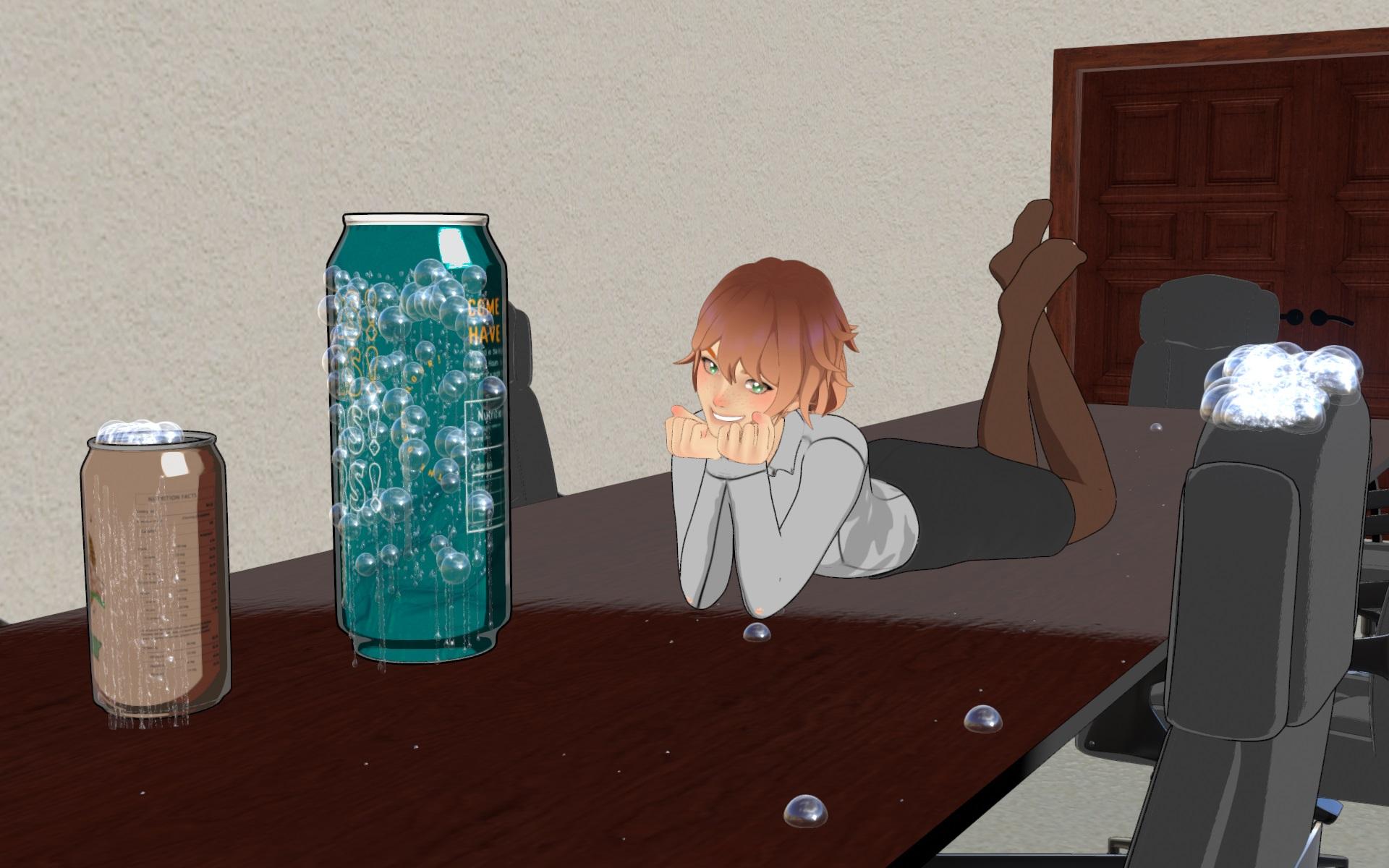
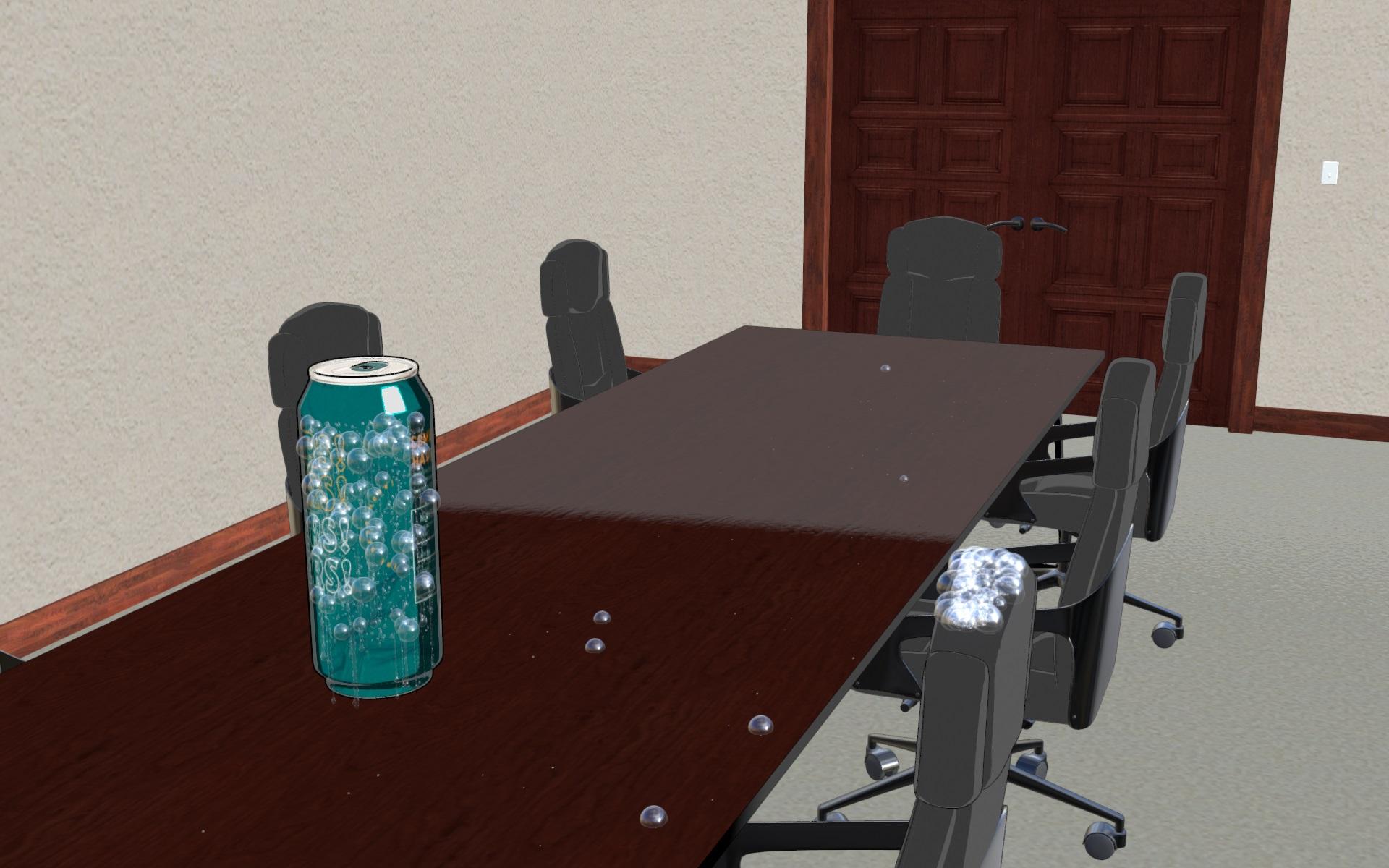
I have not changed the shader at all. For my purposes is ok.
The speed of rendering in Filament is unresistable and unbeatable (almost instant, max 2 seconds).
I have made such a big drops to see them better.
THANK YOU for your tests! Hurray for the Generators in 4.21. Normally they are the most complex scripts, the others should work too in 4.21, let me know if it is not the case.Elor said:
V3Digitimes said:
If anybody has a way to test it on 21 and it works - or not, feel free to let us know.
I was able to create drips and drops with the corresponding script with Daz 4.21, but didn't test the other scripts.
Released : "Drops Generator" (Commercial)I have not changed the shader at all. For my purposes is ok.
The speed of rendering in Filament is unresistable and unbeatable (almost instant, max 2 seconds).
I have made such a big drops to see them better.
Released : "Drops Generator" (Commercial)Thanks for testing Artini !!!! (your drops are a bit big, I think it is on purpose, otherwise you can change their size (1) in the generator tab before creation or (2) using morphs after creation).
Yes, there is no reason the drops generator should not work on other render engines (supporting instances if you have a lot of drops). The only thing is that the shaders I made were for Iray, but as I told you, you can use your own shaders or Iray or any other render engine :)
Did you change the shader or was it the default (I have not tested my shaders in Filament but they might work indeed)?
Released : "Drops Generator" (Commercial)Works great in Filament.
 Anime Toons and Filatoon Shader Q&A
SolitarySandpiper said:
Ghosty12 said:
Found a interesting thing with Filatoon, it is not easy to get a shaved head look with it. The image here is the best I could get and that was a trial of having to edit the scalps alpha texture for the opacity channel to have a transparent background. As not doing so would cause the entire hair cap to show.
As you can also see that the cap is not in shadow like the rest of that side of the hair, not sure how to get that to work, even with the ambient and rim colors set to black. I think the only option would be to have a completely shaved bald look to get around the issue with hair caps.

Dartanbeck said:
Artini said:
Great video and achievements with FilaToon, @Dartanbeck
Thanks Artini!
It's really cool that we can render these using Filament! So Fast!!!
And it also makes it really fun while in "working mode" because we're working while seeing the actual render! So Cool!
I find Filatoon awesome and can't wait to see what you have in store for us on how to get the ultimate out of Filatoon.
Not sure if this is the effect you're after but Bluejaunte has products that work.

Cool thank you I will try that as unfortunately the hair cap setup for MR's Gem hair, does not work well with Filatoon.
Anime Toons and Filatoon Shader Q&ASolitarySandpiper said:
GRFK DSGN Unlimited said:
SolitarySandpiper said:
I've got a couple of jepe's body hair products and they both seem to work with a little tweeking of the surfaces...

The beard is Jepe's Omni Body Hair for Gen 9, which needed the ouline turning off and the tessellation increasing to 5.
The body hair is Jepe's body hair project for Gen 9, thats a geoshell product that loads in glossy in filiment but just turn down the glossy in the surfaces and increase the roughness.
Is that a 2nd geoshell for the body hair or did you tweak the toon geoshell? I'm interested in the settings please. I used the geoshell for the body hair for one of my pre-filatoon characters. Filament wasn't friendly with it and caused the mesh's low res aspects to show up in the render where the hair wasn't. I would have these overlay squares show up in solid areas. Not great so I abandoned it. I'd like to go back to it, but I'm curious as to how you achieved it.
It's just the geoshell out of the box, no converting to filatoon... it loads in with an unwanted gloss that was easy to remove in the surfaces tab (lowering thing that said gloss and increasing things that said roughness until it went away, lol).
Trust me, if it was too technical i wouldn't have worked it out and there may well be more refined solutions out there but this is my quick and dirty solution.
So in essence you have 2 geoshells. One for the Filatoon and one for the Jepe product, correct? I think I have the Jepe product cause I believe I've edited the textures to suit my taste. I may go back to using it rather than having to add the hairs to the main texture map.
Anime Toons and Filatoon Shader Q&AGRFK DSGN Unlimited said:
SolitarySandpiper said:
I've got a couple of jepe's body hair products and they both seem to work with a little tweeking of the surfaces...
The beard is Jepe's Omni Body Hair for Gen 9, which needed the ouline turning off and the tessellation increasing to 5.
The body hair is Jepe's body hair project for Gen 9, thats a geoshell product that loads in glossy in filiment but just turn down the glossy in the surfaces and increase the roughness.
Is that a 2nd geoshell for the body hair or did you tweak the toon geoshell? I'm interested in the settings please. I used the geoshell for the body hair for one of my pre-filatoon characters. Filament wasn't friendly with it and caused the mesh's low res aspects to show up in the render where the hair wasn't. I would have these overlay squares show up in solid areas. Not great so I abandoned it. I'd like to go back to it, but I'm curious as to how you achieved it.
It's just the geoshell out of the box, no converting to filatoon... it loads in with an unwanted gloss that was easy to remove in the surfaces tab (lowering thing that said gloss and increasing things that said roughness until it went away, lol).
Trust me, if it was too technical i wouldn't have worked it out and there may well be more refined solutions out there but this is my quick and dirty solution.
Anime Toons and Filatoon Shader Q&AGhosty12 said:
Found a interesting thing with Filatoon, it is not easy to get a shaved head look with it. The image here is the best I could get and that was a trial of having to edit the scalps alpha texture for the opacity channel to have a transparent background. As not doing so would cause the entire hair cap to show.
As you can also see that the cap is not in shadow like the rest of that side of the hair, not sure how to get that to work, even with the ambient and rim colors set to black. I think the only option would be to have a completely shaved bald look to get around the issue with hair caps.
Dartanbeck said:
Artini said:
Great video and achievements with FilaToon, @Dartanbeck
Thanks Artini!
It's really cool that we can render these using Filament! So Fast!!!
And it also makes it really fun while in "working mode" because we're working while seeing the actual render! So Cool!
I find Filatoon awesome and can't wait to see what you have in store for us on how to get the ultimate out of Filatoon.
Not sure if this is the effect you're after but Bluejaunte has products that work.
Anime Toons and Filatoon Shader Q&ASolitarySandpiper said:
I've got a couple of jepe's body hair products and they both seem to work with a little tweeking of the surfaces...
The beard is Jepe's Omni Body Hair for Gen 9, which needed the ouline turning off and the tessellation increasing to 5.
The body hair is Jepe's body hair project for Gen 9, thats a geoshell product that loads in glossy in filiment but just turn down the glossy in the surfaces and increase the roughness.
Is that a 2nd geoshell for the body hair or did you tweak the toon geoshell? I'm interested in the settings please. I used the geoshell for the body hair for one of my pre-filatoon characters. Filament wasn't friendly with it and caused the mesh's low res aspects to show up in the render where the hair wasn't. I would have these overlay squares show up in solid areas. Not great so I abandoned it. I'd like to go back to it, but I'm curious as to how you achieved it.
Anime Toons and Filatoon Shader Q&AFound a interesting thing with Filatoon, it is not easy to get a shaved head look with it. The image here is the best I could get and that was a trial of having to edit the scalps alpha texture for the opacity channel to have a transparent background. As not doing so would cause the entire hair cap to show.
As you can also see that the cap is not in shadow like the rest of that side of the hair, not sure how to get that to work, even with the ambient and rim colors set to black. I think the only option would be to have a completely shaved bald look to get around the issue with hair caps.
Dartanbeck said:
Artini said:
Great video and achievements with FilaToon, @Dartanbeck
Thanks Artini!
It's really cool that we can render these using Filament! So Fast!!!
And it also makes it really fun while in "working mode" because we're working while seeing the actual render! So Cool!
I find Filatoon awesome and can't wait to see what you have in store for us on how to get the ultimate out of Filatoon.
Anime Toons and Filatoon Shader Q&AArtini said:
Great video and achievements with FilaToon, @Dartanbeck
Thanks Artini!
It's really cool that we can render these using Filament! So Fast!!!
And it also makes it really fun while in "working mode" because we're working while seeing the actual render! So Cool!
How to disable this Loading Bar?It usually happens on Filament. I don't use it, but when I accidentally activate it - the bar stays on forever. I have to restart DAZ to make it go away.
Filament must require some sort of continuous processing, even when not active.
Anime Toons and Filatoon Shader Q&AI haven't been using the SBH hair much - and not at all in Filament/FilaToon, but Oso has been getting Excellent success with it - I guess something with the Tessellation value in the parameters pane?
I wish I could tell you more, but I do know that it works. I think Gordig might have ot working in this or one of the other FilaToon threads.
As an aside, I use Linday's Mesh-based dForce hair, and it works Great in FilaToon!!!
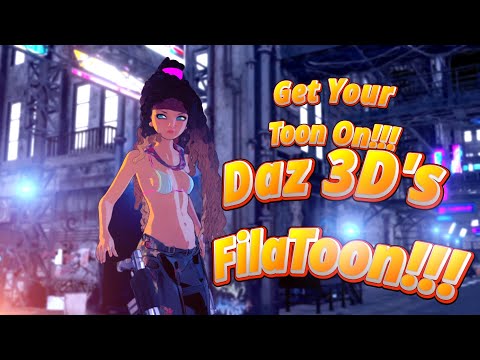 Anime Toons and Filatoon Shader Q&A
Back to strand-based hairs, has anyone managed to get any of HM's G8 hairs working at all? I've tried every combination of settings I can think of, they're all completely invisible under filament, regardless of whether I'm using the original shaders or filatoon. I have quite a few of their hairstyles and none of them show up in filament. They work fine in iray or texture shaded, but no matter what I haven't managed to get them to show up at all. I've managed to get Daz to crash a few times messing with settings, but more often than not it's just not doing anything. I know SBH is extremely hit and miss with filatoon to begin with, but so far it's the *only* thing holding me back from using it exclusively for my comics going forward (existing characters have to have *some* level of continuity, y'know?). If there could be a plugin or a blender script or something to convert SBH into solid geometric hair I'd be all over it in a millisecond. Might even be worth the monthly subscription, just sayin'.
October, 2024 - Daz 3D New User Challenge - Atmosphere, Ghosts and Special EffectsLeana dijo:
iaunpom dijo:
Alguien sabe hacer un mapa de profundidad de campo de las Cámaras, como el mapa de profundidad en blanco y negro, siendo por ejemplo el color más oscuro o más claro, la zona más enfocada.
Si he entendido bien, ¿quieres un mapa de "qué tan enfocado está" basado en la configuración de profundidad de campo de tu cámara? No estoy seguro de que sea posible hacer eso...
Las dos versiones de la foto dan una impresión bastante diferente: la primera era más uniforme y bastante tranquila, la segunda llama la atención sobre las plantas en primer plano y la niebla.
Yes, I am looking for how to make a depth map according to the DOF. As with the depth of field map you can edit some details depending on whether the elements are closer or farther away, think about editing some details of the most focused and least focused elements of the image. I don't know if there's a quick and directly to make a black and white DOF map to make it easier to edit those details later.
The first image is an experiment, mixing render image from Filament and Iray, to get an idea of how to make the final image.
The second is Iray only, trying to emphasize the difference between exterior and interior lighting.
The starting point was this image, but it had several difficulties. The figure was very much in semi-darkness, when adding a spotlight to illuminate the figure, the fog configured with anistropy in negative values to generate the effect inside the construction, it made the light from the spotlight revote towards the camera, with practically only the fog being seen in the image.How to disable this Loading Bar?GhostofMacbeth said:
I think you might have the iray view active in the viewport
No @GhostofMacbeth, This happen in filament, wire bounding and texture shaded mode also.
Anime Toons and Filatoon Shader Q&ACan someone check something for me? If I use the Basic Filatoon Environment in the G9 Starter Essentials, my Filament Draw Options has a lot of settings for Bloom at the bottom of the parameters. But if I use the Create Menu to add a Filament Draw Options node to a scene it only has the Bloom Strength option for Bloom. Is it the same for anyone else? I noticed this when I tried some Filatoon draw options from Dartanbeck and they removed the bloom section, and looking further it just seems there are two different versions of the node, one from the Basic Filatoon Environment, and one from the Create Menu. And while the menu won't allow you to overwrite an existing node, saved presets evidently will.
If this is the norm, then if we're interested in using Bloom effects, we should get the Filament Draw Options from the Basic Filatoon Environment rather than the Create menu.
Anime Toons and Filatoon Shader Q&Ado i set here distant and spotlights and adjust them manually or is it possible with a hdri too?
So far as I know, HDRIs don't cast shadows in Filament. You need at least one distant light, and you can set the shadow to deep shadow map to make that or a spotlight cast shadows.
Where do you set surfaces to receive shadows?
In the surfaces tab at the top of any filatoon surface are toggles for casting and receiving shadows. I believe they are on by default.
After learning how to light in Iray, it's weird dealing with light sources and materials that can selectively cast shadows again.
Anime Toons and Filatoon Shader Q&ATesseractSpace said:
Lonesome Cowboy said:
What about shadows in Filament? Don't manga have shadows?
I have a shadow tool from SY, but it only has primitives and a human figure in a standing pose. So it does not work in every case.
Have a look at the feet.Does anyone know anything about this?
You can have shadows in Filament now. The lights have to be set to cast shadows and surfaces set to receive them.
Where do you set surfaces to receive shadows?
Anime Toons and Filatoon Shader Q&ATesseractSpace said:
Lonesome Cowboy said:
What about shadows in Filament? Don't manga have shadows?
I have a shadow tool from SY, but it only has primitives and a human figure in a standing pose. So it does not work in every case.
Have a look at the feet.Does anyone know anything about this?
You can have shadows in Filament now. The lights have to be set to cast shadows and surfaces set to receive them.
do i set here distant and spotlights and adjust them manually or is it possible with a hdri too?
Daz 3D is part of

Connect
DAZ Productions, Inc.
7533 S Center View Ct #4664
West Jordan, UT 84084Licensing Agreement | Terms of Service | Privacy Policy | EULA
© 2026 Daz Productions Inc. All Rights Reserved.