-
pwToon
The problem with PWToon and most similar systems is that they rely on Normals to define an outline.
But if you have a very shallow or flat surface that’s angled almost perpendicular to the camera, this causes ‘bleed’ of the lines and the surface often fills in.
LineRender has the option to base drawing lines on an ID, which results in a much more reliable line.
I used the same idea in Oso Toon, though I used material ID and tricks to get around Iray’s normally realistic lighting system.
The other problem I sometimes run into is getting the line widths of pwtoon right can be finicky.
There is a setting to tweek the outline thinkness.
More Non-photorealisitic Renders (NPR II)Thank you @mmitchell_houston that's so kind of you. I'm so in awe of all the great renders on this thread. I've been following along for ages.
tkdrobert asked me on the pwToon thread how I mixed work with pwToon and Visual Shaders. I popped some details down but said I'd do something to show how I used shaders together. This is an unfinished piece. I have absolutely no idea about the detail behind lighting in 3Delight and the render settings. I use a set of lights offered for free on Deviantart and a scripted render setting from this forum. You'll see that I haven't got the lighting right on the main figure in the picture below. Normally I'd add some red reflected lighting to the figure in postwork, but this is a straight render with no postwork at all except for adding my signature.
Picture 1: This is what you see in the viewport. Just the figure holding a gun.

Picture 2: This is what renders. I have a plane behind figure with shadows and reflection enabled with pwToon. I couldn't work out how to make the plane a solid colour and still retain the shadow/reflection so so I added a second plane with a metal shader. I haven't got it lined up right and you can just make out a second reflection.
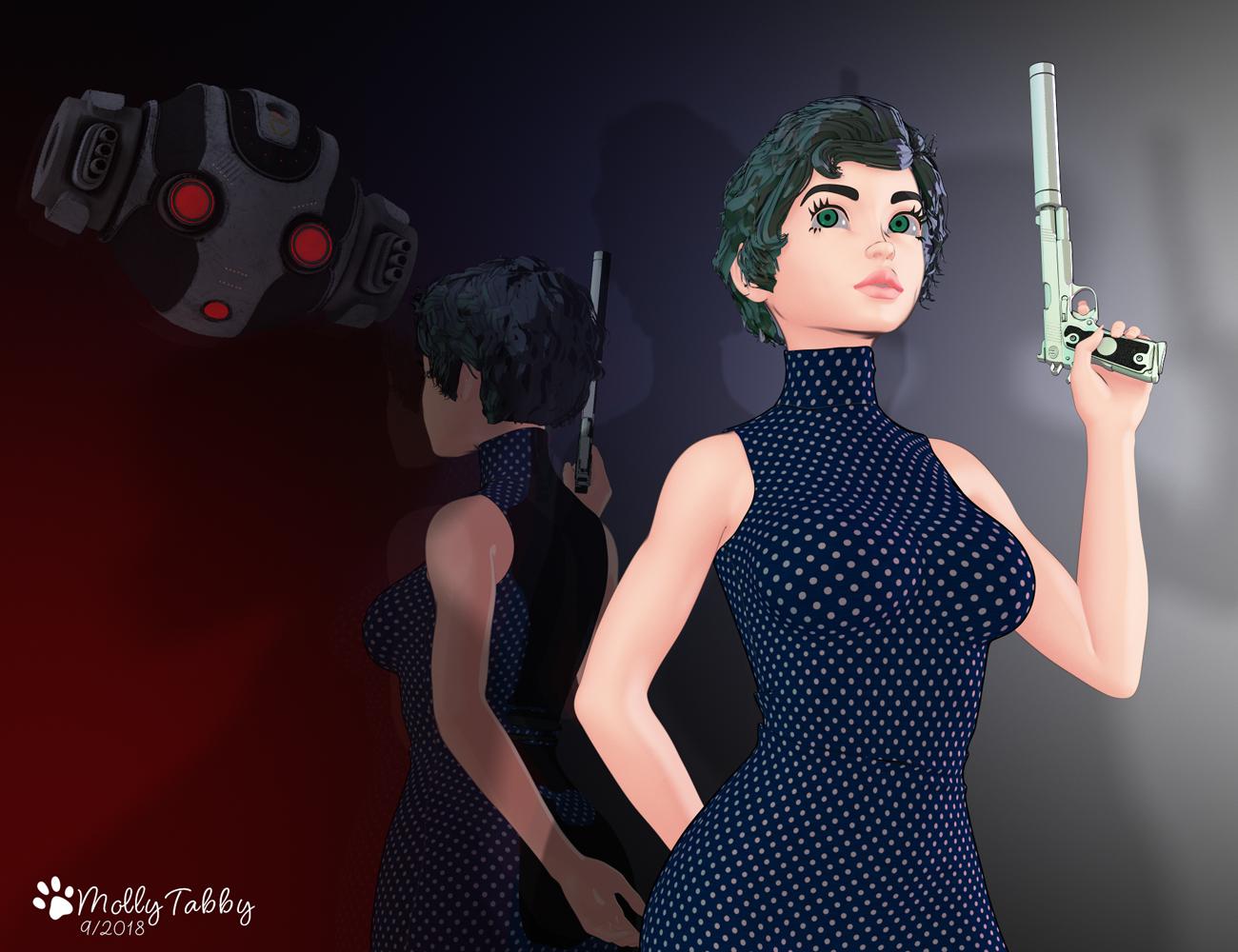
I used Visual Shaders on the hair and then appled PW Toon, tweaking the colour settings and the lines. Her skin is Visual Shader with the line option colours made darker. Her eyes are a mixture of pwToon (Irises) and Visual Shaders. The dress is pwToon but with the image maps retained and thicker lines applied. The Bot reflected in the wall is simply the 3Delight version out of the line of the camera.
I've spent hours on this today, tweaking and redoing sections when they went wrong, but I've learned a lot in the process. This is a just a test piece really and I probably won't take it any further but it has been fun to work with. It's given me lots of ideas for future images if I can ever get a grasp on how to use 3delight!
I'm still a little confused. You used VSS on the skin. Did you change any of the VSS numbers in the Surface tab? What pwToon presets are you using? I've been having trouble with any preset except Cresent's free shaders.
Mollytabby's Art WorkshopA test piece I did for the NPR II thread using Visual Shaders, pwToon and pwCatch. No postwork, just pure render, except for my signature. I had a lot of fun with this but it has made me realise how little I know about lighting and rendering in 3Delight.
 More Non-photorealisitic Renders (NPR II)
Thank you @mmitchell_houston that's so kind of you. I'm so in awe of all the great renders on this thread. I've been following along for ages.
tkdrobert asked me on the pwToon thread how I mixed work with pwToon and Visual Shaders. I popped some details down but said I'd do something to show how I used shaders together. This is an unfinished piece. I have absolutely no idea about the detail behind lighting in 3Delight and the render settings. I use a set of lights offered for free on Deviantart and a scripted render setting from this forum. You'll see that I haven't got the lighting right on the main figure in the picture below. Normally I'd add some red reflected lighting to the figure in postwork, but this is a straight render with no postwork at all except for adding my signature.
Picture 1: This is what you see in the viewport. Just the figure holding a gun.
Picture 2: This is what renders. I have a plane behind figure with shadows and reflection enabled with pwToon. I couldn't work out how to make the plane a solid colour and still retain the shadow/reflection so so I added a second plane with a metal shader. I haven't got it lined up right and you can just make out a second reflection.
I used Visual Shaders on the hair and then appled PW Toon, tweaking the colour settings and the lines. Her skin is Visual Shader with the line option colours made darker. Her eyes are a mixture of pwToon (Irises) and Visual Shaders. The dress is pwToon but with the image maps retained and thicker lines applied. The Bot reflected in the wall is simply the 3Delight version out of the line of the camera.
I've spent hours on this today, tweaking and redoing sections when they went wrong, but I've learned a lot in the process. This is a just a test piece really and I probably won't take it any further but it has been fun to work with. It's given me lots of ideas for future images if I can ever get a grasp on how to use 3delight!
More Non-photorealisitic Renders (NPR II)I've been following along for a while and love what everyone is doing. I picked up pwToon a little while ago and picked up Visual Style Shaders and Manga Style Shaders when they were in fast grab. I picked up pwCatch yesterday in the sale. Today I've been playing with the Visual Style Shaders and pwCatch. The only post work is to drop the green tint behind the png ((which to be honest I now realise I could have done with pwCatch) and add my signature.
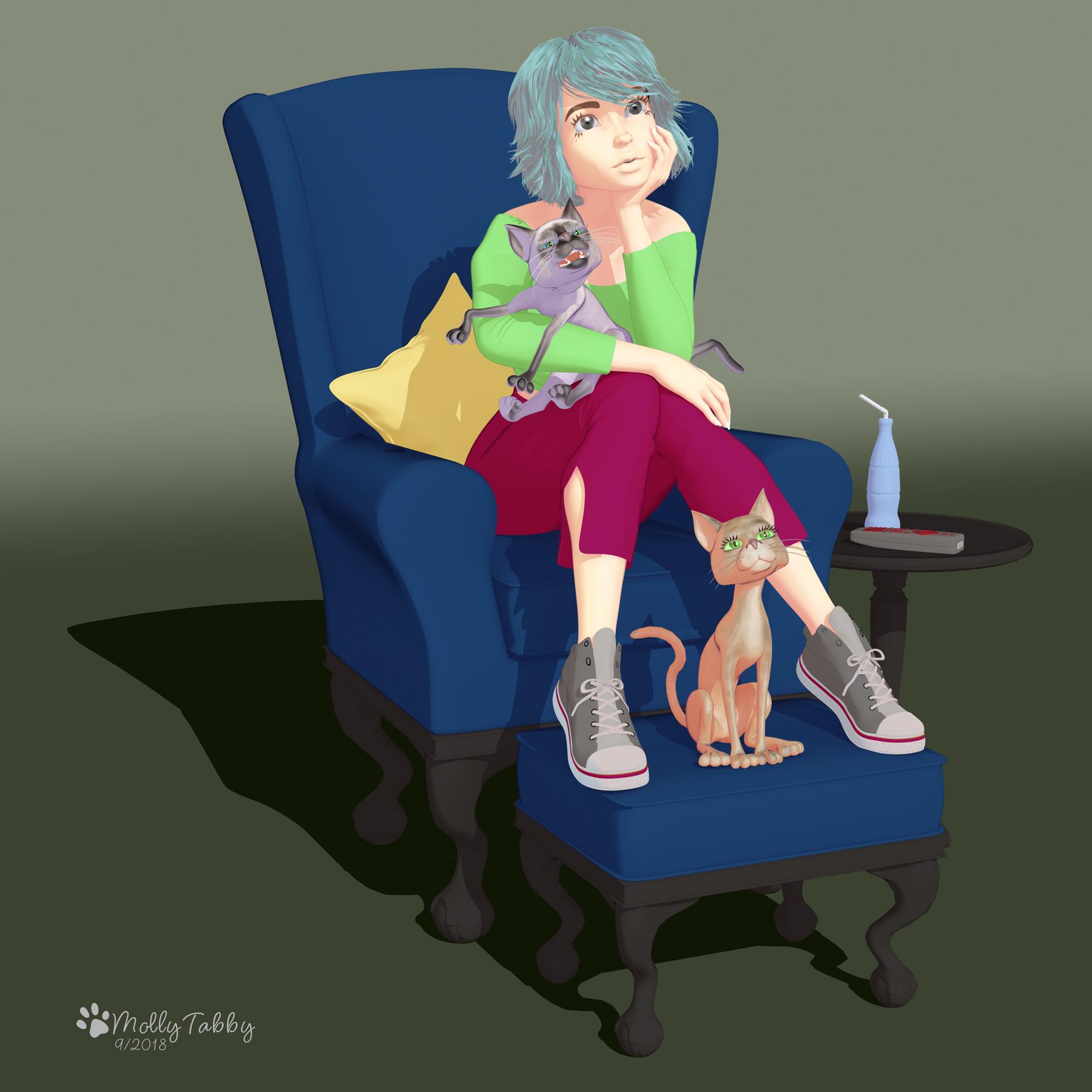
This has a VERY nice look to it. A nice, simple and clean character study. You've definitely achieved more with these tools than I have.
pwToonIf you are doing postwork, May I suggest you go over the lines in the area where there is shadow and make them thicken there. Also any item in the foreground should have a thicker line as well. Just notes from an Inker. :)
That's really useful, thank you :)
I have an image rendering at the moment. I've been fiddling and tweaking all day with pwToon and pwCatch. My main weakness is that I've barely got a clue about 3Delight and lighting, lol.
pwToon@tkdrobert it's early morning here and I've had a render running on my machine overnight (realistic one) which could take several more hours yet. When it's done, I'll try and quickly do something showing how I mix the shaders. I've found that I like the skin settings in Visual Shaders but prefer to use pwToons on the eyes. I've also taking to experimenting with using Visual Shaders on the hair and then applying pwToons shaders on the changed hair. Sometimes you get a good effect, sometimes you don't, lol.
Also with both sets you can keep the image textures by holding down Command while you click on the item. I think it may be Control on a PC? That can be really useful for clothing and metalwork.
I also play around with the line settings in pwToon and change the colours of the shaders in the surface tab. I find it be quite flexible for certain parts of render, for instance hair.
I know I'm probably not doing classic comic style but that's not what I really do. With line work, when I get the chance, I'm going to experiment with overlaying a second render with lines only in photoshop and screening out the white. I think the Manga Shaders might be useful for doing this.
Sakura 8Hey 3DOutlaw, could you tell me what hair you used on that swimsuit girl where you tested pwtoon shaders?
pwToonPwtoon is my favorite fast way to do Toon style.
LineRender9000 and my own Oso Toon are my other favorites; they take a bit more time and effort but get better results.
Line Render is on my wishlist.
Line Render is on my wishlist too :) Oso Toon is also there.
I think they are like any shader packs, in that you need to experiment to find out what works best for you. I find some of the fabric shader sets quite confusing but I do try and stick with them because I've seen what other people can do with them.
For me, a mix of pwToon and and Visual Shaders is working well. I haven't tried the Manga Shaders yet, but I have high hopes for them.
@Mollytabby,How are you combining them?
Another attempt:
 pwToon
The problem with PWToon and most similar systems is that they rely on Normals to define an outline.
But if you have a very shallow or flat surface that’s angled almost perpendicular to the camera, this causes ‘bleed’ of the lines and the surface often fills in.
LineRender has the option to base drawing lines on an ID, which results in a much more reliable line.
I used the same idea in Oso Toon, though I used material ID and tricks to get around Iray’s normally realistic lighting system.
The other problem I sometimes run into is getting the line widths of pwtoon right can be finicky.
pwToonPwtoon is my favorite fast way to do Toon style.
LineRender9000 and my own Oso Toon are my other favorites; they take a bit more time and effort but get better results.
Line Render is on my wishlist.
Line Render is on my wishlist too :) Oso Toon is also there.
I think they are like any shader packs, in that you need to experiment to find out what works best for you. I find some of the fabric shader sets quite confusing but I do try and stick with them because I've seen what other people can do with them.
For me, a mix of pwToon and and Visual Shaders is working well. I haven't tried the Manga Shaders yet, but I have high hopes for them.
pwToonPwtoon is my favorite fast way to do Toon style.
LineRender9000 and my own Oso Toon are my other favorites; they take a bit more time and effort but get better results.
Line Render is on my wishlist.
pwToontkdrobert, I decided it wasn't worth my effort or time. I shouldn't need to hunt for info I need on something I just bought. I returned pwtoon, and got a credit. I bought something else which was far more satisfying.
I understand.
pwToonPwtoon is my favorite fast way to do Toon style.
LineRender9000 and my own Oso Toon are my other favorites; they take a bit more time and effort but get better results.
pwToontkdrobert, I decided it wasn't worth my effort or time. I shouldn't need to hunt for info I need on something I just bought. I returned pwtoon, and got a credit. I bought something else which was far more satisfying.
pwToonI got rid of pwToon because it felt like an outdated, unsupported app. I was hoping for something that would give me a one-click way to "dummy down," or "toon" my artwork so it would be easier to render on my iMac.
I'm curious. I left this thread weeks or months ago. Most of my threads are either ignored or die quickly. That doesn't bother me. This one faded away for awhile, but now its back on a frequent basis. Did DAZ have a recent sale that offered pwToon? Maybe they should get smart and retire the thing. It seems to have long ago lost its appeal.
I've been thing about trying it out for awhile. They had a sale on it this week. There is a Non-PhotoRealistic thread and several people use pwtoon. I'm giving it a try.
https://www.daz3d.com/forums/discussion/227541/more-non-photorealisitic-renders-npr-ii#latest
pwToonI got rid of pwToon because it felt like an outdated, unsupported app. I was hoping for something that would give me a one-click way to "dummy down," or "toon" my artwork so it would be easier to render on my iMac.
I'm curious. I left this thread weeks or months ago. Most of my threads are either ignored or die quickly. That doesn't bother me. This one faded away for awhile, but now its back on a frequent basis. Did DAZ have a recent sale that offered pwToon? Maybe they should get smart and retire the thing. It seems to have long ago lost its appeal.
Superheroes Rebooted - Ready to Rrrrrender?Playing around with PWtoon. Still haven't decided if I like it or not,

I like it. How did you do the webs? Are they postworked?
Yes, the big web is a Photoshop brush. The web line is a Clip Paint Studio brush.
Superheroes Rebooted - Ready to Rrrrrender?Playing around with PWtoon. Still haven't decided if I like it or not,
I like it. How did you do the webs? Are they postworked?
Superheroes Rebooted - Ready to Rrrrrender?Playing around with PWtoon. Still haven't decided if I like it or not,
Daz 3D is part of

Connect
DAZ Productions, Inc.
7533 S Center View Ct #4664
West Jordan, UT 84084Licensing Agreement | Terms of Service | Privacy Policy | EULA
© 2026 Daz Productions Inc. All Rights Reserved.