-
Babina 8
She looks to me like Victoria 8's younger sister. I don't really have a use for her, but overall the clothing looks nice--a lot of contemporary stuff with kitbash potential.
This is super nitpicky, but I miss the collage-style main images for core character bundles. They made them easy to identify at a glance when browsing and set the characters apart a bit.
This jumped out at me too. The other change is now the character image is fairly close up instead of around a 3/4 shot. The latter gives the characters a little more personality.
Adobe creative products and Daz, looking for suggestions:Adobe creative products and Daz, looking for suggestions:
I am considering upgrading from Photoshop Elements to Adobe Photoshop and ran into a confusing array of options and apps on the Adobe site.
What do I actually need (if anything) beyond Photoshop itself?What I Do Now:
1. Still renders only, I have no interest in video, animation, or audio tasks.
2. Iray rendering only.
3. Character creation and modification: ie Turn Victoria # into fantasy muscle women to monsters to birds of prey or "whatever strikes my fancy". This includes shaping, kit bashing, and texturing.
4. Studio Glamor & Portraits - primarily female
What I Want to Do:
1.Create billboards and background mats (I have the billboard tools sold in the Daz store, but PSE does not have the necessary alpha channel tools)
2. Full outdoor or indoor scenes with multiple characters (my PC is fairly capable, but quickly bogs down in IRay when rendering a complete scene, so I have to render individual elements, and be able to create cut out masks for layering in PS) (PSE can do some, but not all of this)
3. create my own HDRI domes from my own photography.
All suggestions welcome.
Thank you for reading.
/s/LB
Babina 8I really like Babina, she looks like a good base with the HD addon for me to build on for new characters, kinda like how Victoria 8 is. Unfortunately there really isn't anything in any of the bundles that interests me, not that I ever really purchase a pro bundle.
if you got the 20% off purple banner and grab Babs and her HD it'll be about $23.78 US ($36.67 Australian for me) but if you did get the banner and get these two items like me don't wait too long as in the fine print that bonus is only good for one day expires before midnight your Thursday
Babina 8C'mon guys, you can't just dial in Victoria 8 and Olympia 8 both at 50% and then sell that as a new character!
Babina 8If you look on the left side of @TaoZ screenshot you will see <1>. This indicates that you are looking at the first page of your characters. Click the right arrow to go to subsequent pages.
Some of the items in Pro bundle looks nice, but since I am loosing access to the older characters in Daz Studio like Victoria 8
and the other with names starting with letters T, U, V and so on, there is no point for me to buy new Genesis 8 Female characters.By default there is a limit to how many product icons that are shown in a category, you can increase it by clicking the "+" button in the upper right corner of the window.

Oh, thanks. I did not know about that.
Babina 8I really like Babina, she looks like a good base with the HD addon for me to build on for new characters, kinda like how Victoria 8 is. Unfortunately there really isn't anything in any of the bundles that interests me, not that I ever really purchase a pro bundle.
Babina 8Some of the items in Pro bundle looks nice, but since I am loosing access to the older characters in Daz Studio like Victoria 8
and the other with names starting with letters T, U, V and so on, there is no point for me to buy new Genesis 8 Female characters.By default there is a limit to how many product icons that are shown in a category, you can increase it by clicking the "+" button in the upper right corner of the window.
Oh, thanks. I did not know about that.
And if you look to the top left of this screenshot where you see a "1" with arrows on either side you can click those arrows to show the next "page" of content as well.
Carrara Challenge 48 - transcendent or immanent WIP threadsorry about Not being more concise
_Well Thanks _besides "Skin Shaders" any shader in general_
_and Carrara 7 Pro_ just in case does matter in some way or another
_Like this _ done with Bryce 7
Not sure of the exact problem so I hope you don't mind if I go to the beginning if I was going to do a very quick image like the one posted. Will repeat some things you know but may be useful to others. In general, shaders can be adjusted in the texture room, which is accessed by clicking paintbrush icon in the upper right corner of the assembly room. Here, I started by inserting an infinite plane, selecting it in the lower right instances box, and clicking the upper right paintbrush icon to access the texture room. The default infinite plane only has one shader domain (the whole thing) so the shader room displays just one shader in its list on the right hand side. The individual shader channels appear on the left side, in this case the default gray. For the infinite plane, I changed the gray color to a mixture of green gradients, added spots to the bump channel, and reduced the highlight, shininess, etc.
To adjust the shader of a rigged figure such as Aiko 3, Victoria 4, or Genesis, select the "model" or "actor" level of the figure in the lower right instances box. This gives you access to the figure mesh if you wish to enter the modeling room (wrench) or texture room (paintbrush). I inserted a default Victoria 4. I selected the "model" level and entered the texture room. Unlike the infinite plane, Victoria 4 has many shader domains (torso, face, etc). A long list appears along the right side. For each shader domain listed along the right, there is a channel list (diffuse color, highlight, bump, etc) that appears on the left when selected. The default has an awful blue tint multiplied to the skin maps. For this example, I selected the "SkinHip" shader domain. Rather than edit each channel individually, I clicked the "wizard" icon to access the presets in my shader browser. I believe the "rocks and stones" set comes with the carrara 7 native content files. I chose granite from the rocks and stone presets. I then clicked and dragged the granite to each of the other channels. I believe there is a plugin that can reduce that repetition but I don't bother. Once you have a complete set of shaders for the domains of a figure, you can click the multicolored globe and drag to your shader browser to save a global shader for future use. Then you need only click and drag from your browser once to the globe to apply all the different shaders to all of the figure's shading domains.
For the lighting, I deleted the default distant light and inserted a distant sunlight. The sunlight icon in C7 looks the same as the default distant light. The sunlight icon in C8.5 has a sun attached to the distant light icon. Don't worry, sunlight works the same in C7.1 and C8.5. I then went to the ATMOSPHERE tab in the right side panel and chose "realistic sky." This links the sunlight icon in my scene to the sun in the realistic sky editor. I chose a realistic sky preset then rotated the sun icon to roughy match yours. I've posted the realistic sky menu so that you can see that you can adjust haze, intensity, sky color, clouds, etc. You can select the sunlight icon and use the rotate tools to change the camera angle.
!!! - Make sure to activate "sky light" for your realistic sky in the render room. There is a check box for sky lighting in the global illumination section of the rendering tab.
!!!!!! - In general, if you use the "sky light" make sure to check the "light through transparency" box or you will get black eye syndrome. Wouldn't matter for an all granite figure.
Here are two test renders with different realistic sky presets.
Babina 8She a new favorite DAZ Original core realistic female character toi me. In my eyes, this is the 'California Model Beach Babe Digital Barbie' that Victoria the flagship female should be.
I saw Charlotte 8 as what Victoria should have been. To me, Babina is the face of Lilith 8.
Babina 8She a new favorite DAZ Original core realistic female character to me. In my eyes, this is the 'California Model Beach Babe Digital Barbie' that Victoria the flagship female should be.
Babina 8Some of the items in Pro bundle looks nice, but since I am loosing access to the older characters in Daz Studio like Victoria 8
and the other with names starting with letters T, U, V and so on, there is no point for me to buy new Genesis 8 Female characters.By default there is a limit to how many product icons that are shown in a category, you can increase it by clicking the "+" button in the upper right corner of the window.
Oh, thanks. I did not know about that.
Actually it's per page I just realized - you can also just click to next page (arrow buttons in upper left corner).
Babina 8She looks to me like Victoria 8's younger sister. I don't really have a use for her, but overall the clothing looks nice--a lot of contemporary stuff with kitbash potential.
This is super nitpicky, but I miss the collage-style main images for core character bundles. They made them easy to identify at a glance when browsing and set the characters apart a bit.
Babina 8Some of the items in Pro bundle looks nice, but since I am loosing access to the older characters in Daz Studio like Victoria 8
and the other with names starting with letters T, U, V and so on, there is no point for me to buy new Genesis 8 Female characters.By default there is a limit to how many product icons that are shown in a category, you can increase it by clicking the "+" button in the upper right corner of the window.
Oh, thanks. I did not know about that.
Babina 8Some of the items in Pro bundle looks nice, but since I am loosing access to the older characters in Daz Studio like Victoria 8
and the other with names starting with letters T, U, V and so on, there is no point for me to buy new Genesis 8 Female characters.
By the way. Anybody knows, if it is possible to load Victoria 8 to the scene in Daz Studio
some other way, than by clicking on the icon (which I do not have any longer in Characters)?
Um should be able to just load A genesis 8 female and then look in the morps listed on the right side after you click on her, I know all of mine are, and why are you losing access to items with later letters in the alpahabet?
That is a really good question. I am a Daz shop customer since 2004, so maybe I have just hit the limit.
I wonder if Daz has some kind of limit of how many characters could be installed in each category.
I have not noticed any missing characters in Genesis 8 Male category, so I will continue to purchase them instead.
Babina 8Some of the items in Pro bundle looks nice, but since I am loosing access to the older characters in Daz Studio like Victoria 8
and the other with names starting with letters T, U, V and so on, there is no point for me to buy new Genesis 8 Female characters.By default there is a limit to how many product icons that are shown in a category, you can increase it by clicking the "+" button in the upper right corner of the window.
Babina 8Some of the items in Pro bundle looks nice, but since I am loosing access to the older characters in Daz Studio like Victoria 8
and the other with names starting with letters T, U, V and so on, there is no point for me to buy new Genesis 8 Female characters.
By the way. Anybody knows, if it is possible to load Victoria 8 to the scene in Daz Studio
some other way, than by clicking on the icon (which I do not have any longer in Characters)?
Um should be able to just load A genesis 8 female and then look in the morps listed on the right side after you click on her, I know all of mine are, and why are you losing access to items with later letters in the alpahabet?
Babina 8Some of the items in Pro bundle looks nice, but since I am loosing access to the older characters in Daz Studio like Victoria 8
and the other with names starting with letters T, U, V and so on, there is no point for me to buy new Genesis 8 Female characters.
By the way. Anybody knows, if it is possible to load Victoria 8 to the scene in Daz Studio
some other way, than by clicking on the icon (which I do not have any longer in Characters)?
Novica & Forum Members Tips & Product Reviews Pt 12I've not been purchasing much the past month or so and these are the last 3/4 :-) in order
Eryn for Genesis 8 Female https://www.daz3d.com/eryn-for-genesis-8-female (fiber mesh)
MRL Brienne for Victoria 8 https://www.daz3d.com/mrl-brienne-for-victoria-8 (fiber mesh)
Had a nice deal on this bundle for Tasha 8 https://www.daz3d.com/tasha-8-pro-bundle (fiber mesh)
VYK Sophie for Genesis 8 Female https://www.daz3d.com/vyk-sophie-for-genesis-8-female I liked the masks.
The figures look very realistic which is what I like.
Image is with Eryn and Tasha
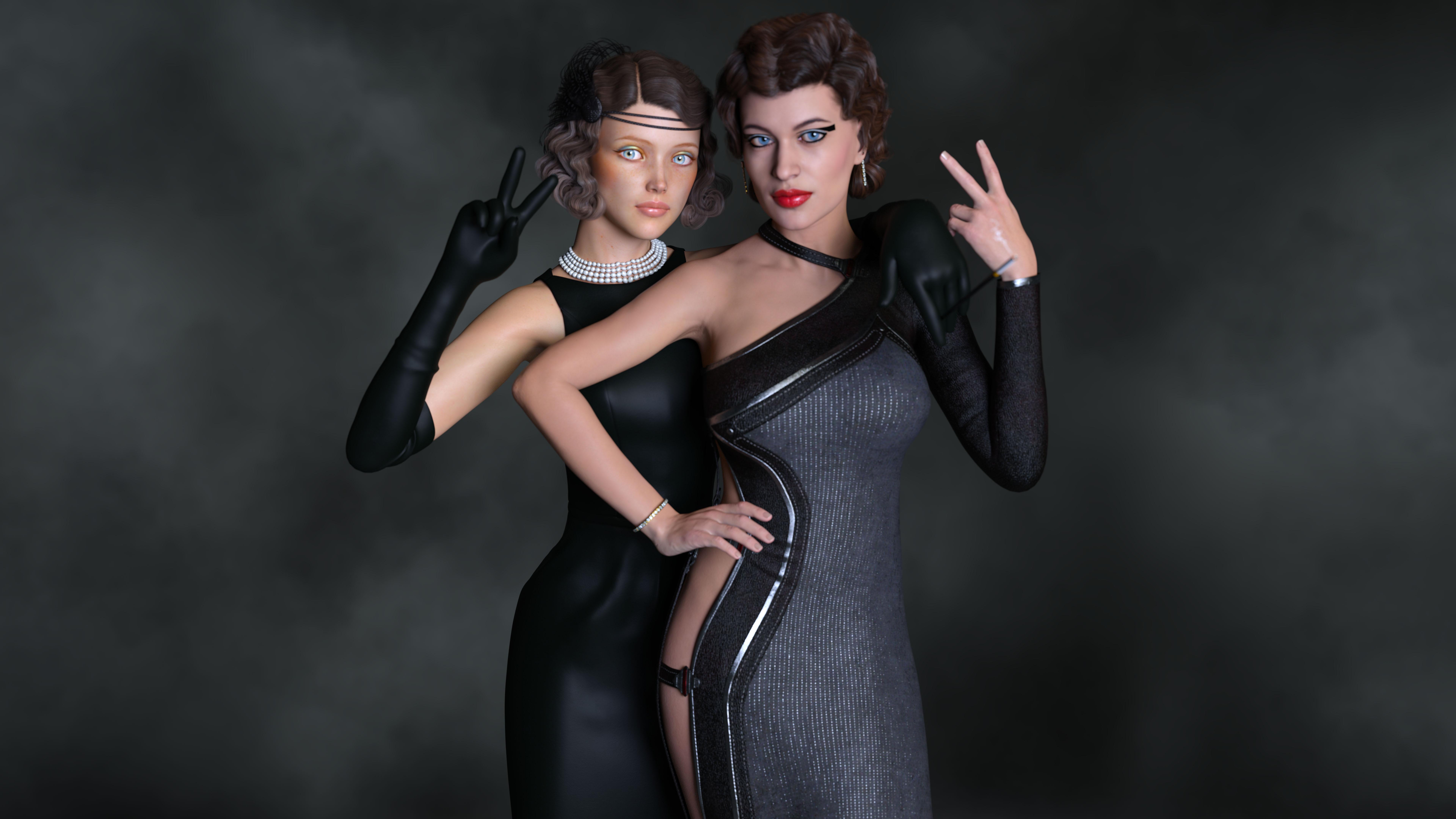 Novica & Forum Members Tips & Product Reviews Pt 12
My last female purchases, over the span of about 9 months were not female models but products to use with female models:
Autoface Enhance for Genesis 8 Female
Skin Builder 8 for Genesis 8 Female
Toon Generations Mega-Bundle for Genesis 8 Male(s) and Female(s)
That's all since January 1st so not much as you see. It's why I'm not longer getting banners on the release of new Pro Bundle. I've also either bought or got free Victoria 6 and a few other prior generation female characters but since I favor toons and cleaned house with the Edie 8 & Girl 8 Pro Bundles last year it's slim pickens for me. I instead have interest in products that lend customizability, uniqueness, and realism to my existing realistic G8F characters like Autoface Enhancer for G8F from D.Master and Skin Builder 8 for G8F.
Speaking of scandalous, I've actually spent about $100 on this PA sale but alas, I am spent out. I've bought (although I think technically the Roderick price is new product pricing not PA Sale pricing and the Crazy Chef Bundle pricing is Labor Day Sale pricing not PA Sale pricing):
The Harpwood Trail - Mallard Pond
So since the last pro bundle I bought in Aug 2018 I've mostly bought, at up to 90% of purchases, toons, sets and utilities like Skin Builder 8.
Finally, a heads up to a whole line of products I've been ignoring from Colm Jackson. Although I've spend a bit of money of lighting solutions in DAZ Studio for the iRay renderer those products are nice but still too limited. I was wanting atmospheric foggy and dusty lighting with many colors that is cinematic in appearance. That's what I was trying for in my renders of police at night with just average results instead of cinematic results. Anyway, I'll be buying these products in October if that's when the end of the PA Sale Catchup date falls. Check these out:
Render Studio 2.0 - Volumetric Plus
Render Studio 2.0 - Production Scenes
Cinematic Light FX plus Atmosphere
As you see, it you have the BOSS Professional Portrait Studio products, the Ultra Genesis products, and the now discontinued Painter's Lights products, with these added, you really ain't wanting for much in the way of just about any lighting look that you desire. You'll have to make up something weird on your own.

I still lack a good comprehensive rain product though.
Carrara Challenge 48 - Voting Thread - transcendent or immanent - Winners!Entry #15
Title: Immanence in Pearls
Artist: UnifiedBrain
WIP link: https://www.daz3d.com/forums/discussion/comment/4835691/#Comment_4835691
Comments/Credits: Victoria 1 in Carrara, Fotosketcher, and PSE. I don't remember all the props, but there aren't many anyway. The flowers were Travelers Naturals Jungle pack 2 (I think). Other items are Crossover bikini and Xanadu hair.

Daz 3D is part of

Connect
DAZ Productions, Inc.
7533 S Center View Ct #4664
West Jordan, UT 84084Licensing Agreement | Terms of Service | Privacy Policy | EULA
© 2026 Daz Productions Inc. All Rights Reserved.