-
Artwork from SpaceVagabond
Here i am
Content used:
Victoria 4.2 Base
Babydoll for Victoria 4
Amber Hair for V4
IDG Portrait Studio
 Using Renders in the 'real' World
Happy Saturday! A few years ago I had an email from a Indian artist who had a residency in Berlin. He wanted to make some monkey scupltures. He'd seen my work and wanted me to help. We would sculpt the monkeys in 3d then do cross sections of the 3d objects and use those to build the monkeys in real life. This is the first mockup I did for him.
After he'd seen the mockup he wrote back straight away. He needed to stand over my shoulder and direct the process. "What European country was I in?" and he would come over so we could meet up.
I explained I lived in Australia. So that was that. End of collaboration. I just googled him, he does amazing work .... http://www.victoria-miro.com/artists/36-ns-harsha/[Released] Clothing Converter from Genesis 3 Female to Genesis 8 Female [Commercial]As a suggestion for improving this, is it possible to add an option that will strip out the figure morphs for the DO base figures?
The FBMVictoria7.dsf morphs and the like that persist after conversion cause conflicts with things like the "Victoria 7 for Victoria 8" products; the latter uses exactly the same name for a morph that's very differently shaped, given it's now shaped as a derivative of the Genesis 8 base figure, so the clothing ends up the wrong shape*, meaning that it's better to just rely on auto-follow to do the job (unless you can contrive a better fix).
* Mendoman posted a picture example of the problem here, although he converted the item manually: https://www.daz3d.com/forums/discussion/352506/victoria7-for-victoria8-morph-problems-with-g3-items
I also discover from having gone through and deleted all of said G7 FBM morphs from my converted clothing that they were using up a good couple of gigabytes - given these are shapes that either won't be activated or are likely to cause problems when activated, being able to not convert them would be something of a boon to disk space.
Are you talking about the clothing converters or the character converters? The only morphs that should be transferred with clothing are the clothing morphs. Could you explain more please?
A lot of clothing has a FBMVictoria7 morph (or similar - FBMOlympia7, FBMEva7, etc) intended to improve the fit and reduce distortion when those base figures are dialled in (as compared to just relying on auto-follow). These exist as morph files for the clothing, and can be seen (as hidden morphs) on the clothing even when it is not fitted to these characters.
As they're morphs that belong to the clothing, they're getting transferred, leading to two main problems:
- these morphs don't match the identically named morphs used by the Gen 8 conversions of those characters (for example, Victoria 7 for Victoria 8). The G8 version of Victoria 7 now works as a derivative character of Victoria 8, so the actual shape of the morph called FBMVictoria7 is very different for G8F and G3F, so the clothing's original corrective morph now results in completely the wrong fit.
- Other than for the G7 for G8 characters (where it causes glitches), these morphs probably won't be activated anyway. Only those people who have converted the characters to G8F will use a corrective clothing morph such as FBMRune7 or the like. That makes quite a lot of difference to the disk space used by the conversions, as many clothes have these corrective morphs for several DO base shapes.
Basically, what I'm suggesting is an option the user can check to have the converter remove morphs called FBMVictoria7, FBMMika7, FBMOphelia7, etc, as it's processing. Presumably this would be done using some kind of "blacklist" of morph names (potentially even editable by the user, should they wish/need to add anything else?).
Obviously the ideal would be to find a way to "correct" these morphs to still have them retain the correct fit on their updated G8F versions, but removing these morphs and letting DS default to autofollow is better than transferring them verbatim.
Ah, I see. That makes sense. Ok, I will look into it. Thanks for the suggestion.
Who's Next to Join the G8 Family?Timeline
2017 2018 2019 January 01/09/18 - #11 Owen 8
01/23/18 - #12 Karyssa 801/02/19 - #34 Christian 8
01/15/19 - #35 Sydney 8February 02/13/18 - #13 Alexandra 8
02/22/18 - #14 Edward 802/05/19 - #36 Tasha 8
02/19/19 - #37 Landon 8March 03/13/18 - #15 Aiko 8
03/27/18 - #16 Ollie 803/05/19 - #38 Bridget 8
03/19/19 - #39 Mrs. Chow 8April 04/11/18 - #17 Penny 8
04/24/18 - #18 Edie 804/04/19 - #40 Mr. Woo 8
04/25/19 - #41 Tika 8May 05/09/18 - #19 Mika 8
05/22/18 - #20 Floyd 805/09/19 - #42 Sanjay 8
05/23/19 - #43 Kala 8June
06/15/17 - #01 Victoria 806/05/18 - #21 The Girl 8
06/19/18 - DAZ Dog 806/06/19 - #44 Elios 8
06/20/19 - #45 Ellithia 8July
07/25/17 - #02 Olympia 807/03/18 - #22 Teen Kaylee 8
07/17/18 - #23 Mabel 807/04/19 - #46 Teen Jane 8
07/17/19 - #47 Kanade 8August
08/22/17 - #03 Michael 808/10/18 - #24 Zelara 8
08/21/18 - #25 Toon Dwayne 808/08/19 - #48 Gabriela 8
08/22/19 - #49 Diego 8
08/29/19 - Centaur 8 (#50 Female and #51 Male)September
09/19/17 - #04 Teen Josie 809/04/18 - #26 Latonya 8
09/18/18 - #27 The Brute 809/05/19 - #52 Babina 8
09/19/19 - #53 Silas 8October 10/03/17 - #05 Stephanie 8
10/17/17 - #06 Lucas 810/02/18 - #28 Gia 8
10/18/18 - #29 Vladimir 810/03/19 - #54 Teen Raven 8
10/19/19 - #55 Yuzuru 8November 11/14/17 - #07 Monique 8
11/28/17 - #08 Darius 811/06/18 - #30 Mei Lin 8
11/22/18 - #31 Lee 811/05/19 - #56 Leisa 8
11/22/19 - #57 Jenni 8
11/28/19 - #58 Robyn 8December 12/12/17 - #09 Charlotte 8
12/26/17 - #10 Sakura 812/04/18 - #32 Eva 8
12/18/18 - #33 Nix 8I make a COMMISSION offer to any content artist seeing this post - details belowMorning everyone in this conversation and also you wonderful Daz Admins and content artists. First off i want to thank all of you profusely who gave me info and insight on the above. My problem is bc I am a non-professional niece artist and history buff, I often get frustrated in waiting for someone to create the kind of "toys" I like, ie WW1 uniforms, trucks planes etc. Having followed a number of not so fun conversations other folks have had with each other I realized I am also to blame, so I started to do research (which as ALL of you have pointed out is KEY and PARAMOUNT) if you want to get things you like. Recently I had a conversation with Turbosquid and asked them if I bought one of their VERY expensive models ie like a French Renault tank (that would be crewed by Victoria 8, and Lt. Parker heheheh) how the duce would I transfer the thing - They up front told me oh in most cases that won't work - OH GREAT I advised this person, so I buy an expensive British Tank pay on average 200 to 400 bucks then I can't even use it - Wonderful.
Needless to say I politely told him that if you are going to soak an artist for a fair bit of money - MAYBE you execs "In the High Castle" should start working on strategies whereby this product can be transfer (quickly, painlessly and easily) from TS to Daz or Blender or whatever), but I digress. So doing my reseach I of course saw pros and cons in any 3D product. So fair Blender 2.8 is starting to be my new "paramour". Doing simple projects like wells, Lighthouses and even Tanks (Yes there is a neat modern tank tutorial on it). The ease of use plus the HUGE community of support for this product (not to mention ENDLESS instructional vids is incredible) is the thing that clinched this for me, also since I do not at this point do animations, and only static DAZ displays - I am reasonable happy with this product.
Like basic art principles, a British Tank from WW1 is essentially squares and circles, cylinders and the like - RIGHT?! same as a Horse-Drawn Ambulance from that era. So this is my journey of discovery with 3D art. pretty good for a doddering bloke of 60 who roughly 7 years ago wanted to get into 3D, but was deathly terrified of it! I will of course keep you posted how I make out, but before I close I want to AGAIN profusely thank all the content artists who do their best to pitch our ideas to their respective teams and who create the amazing easy to use products of DAZ. Big thank you for those amazing WWII pilot uniforms. Cheers for now gang, and all the best in keeping the world positive with 3D art!
[Released] Clothing Converter from Genesis 3 Female to Genesis 8 Female [Commercial]As a suggestion for improving this, is it possible to add an option that will strip out the figure morphs for the DO base figures?
The FBMVictoria7.dsf morphs and the like that persist after conversion cause conflicts with things like the "Victoria 7 for Victoria 8" products; the latter uses exactly the same name for a morph that's very differently shaped, given it's now shaped as a derivative of the Genesis 8 base figure, so the clothing ends up the wrong shape*, meaning that it's better to just rely on auto-follow to do the job (unless you can contrive a better fix).
* Mendoman posted a picture example of the problem here, although he converted the item manually: https://www.daz3d.com/forums/discussion/352506/victoria7-for-victoria8-morph-problems-with-g3-items
I also discover from having gone through and deleted all of said G7 FBM morphs from my converted clothing that they were using up a good couple of gigabytes - given these are shapes that either won't be activated or are likely to cause problems when activated, being able to not convert them would be something of a boon to disk space.
Are you talking about the clothing converters or the character converters? The only morphs that should be transferred with clothing are the clothing morphs. Could you explain more please?
A lot of clothing has a FBMVictoria7 morph (or similar - FBMOlympia7, FBMEva7, etc) intended to improve the fit and reduce distortion when those base figures are dialled in (as compared to just relying on auto-follow). These exist as morph files for the clothing, and can be seen (as hidden morphs) on the clothing even when it is not fitted to these characters.
As they're morphs that belong to the clothing, they're getting transferred, leading to two main problems:
- these morphs don't match the identically named morphs used by the Gen 8 conversions of those characters (for example, Victoria 7 for Victoria 8). The G8 version of Victoria 7 now works as a derivative character of Victoria 8, so the actual shape of the morph called FBMVictoria7 is very different for G8F and G3F, so the clothing's original corrective morph now results in completely the wrong fit.
- Other than for the G7 for G8 characters (where it causes glitches), these morphs probably won't be activated anyway. Only those people who have converted the characters to G8F will use a corrective clothing morph such as FBMRune7 or the like. That makes quite a lot of difference to the disk space used by the conversions, as many clothes have these corrective morphs for several DO base shapes.
Basically, what I'm suggesting is an option the user can check to have the converter remove morphs called FBMVictoria7, FBMMika7, FBMOphelia7, etc, as it's processing. Presumably this would be done using some kind of "blacklist" of morph names (potentially even editable by the user, should they wish/need to add anything else?).
Obviously the ideal would be to find a way to "correct" these morphs to still have them retain the correct fit on their updated G8F versions, but removing these morphs and letting DS default to autofollow is better than transferring them verbatim.
duplicate formulars found in files1.I uninstall DAZ , and later install DAZ , but content is still there , problem is still .
2.I uninstall DAZ , and later install DAZ , go to content manager ,clear all ,creat a new blank content , problem solved.
3.After step 2 , everything is OK. And I copy a 【ContentDirectoryManager.dsx】back up into 【C:\Users\rika\AppData\Roaming\DAZ 3D\Studio4】, problem comes again !
4.I clear content ,load 【Genesis 8 Female Starter Essentials】into content,add G8F from it to scene, it's OK
but when I load my own document named【A】, add G8F from 【Genesis 8 Female Starter Essentials】 into scene ,problem comes.
So, I guess it's a bug of content structure
 , my 【A】is broken ,it will confuse everything about G8F , and nothing concern about victoria 8duplicate formulars found in files
The could not find messages mean just that - there's a link, in this case to Victoria 8, from the Smoother V8 20L ansd Smoother V8 20R morphs which cannot be resolved as you don't have Victoria 8 installed. Since it's a correction morph that is needed only when Victoria 8 is installed and applied that is harmless.
The messages have nothing to do with the Duplicate Formulas alert, you should be able to find log entries for those too.
It's so strange
I don't remember that I have changed my content...
And why do a base G8F needs victoria 8 ...?
It doesn't mean that Victoria 8 is needed - it means that if Victoria 8 were installed that product would have extra morphs already in place to make sure it worked properly with Victoria 8.
I can never understand this strange thing...
It never alert when I load a base G8F , but recently it alert
And today ,I add victoria 8 into my content , it still alert "duplicate formulas found in files" when I load any G8F characters ,even a base G8F
Even stranger,it's OK when I load G8M ,nothing wrong happened, and I'm quite sure I have not install any Michael 8 into my content, why...?
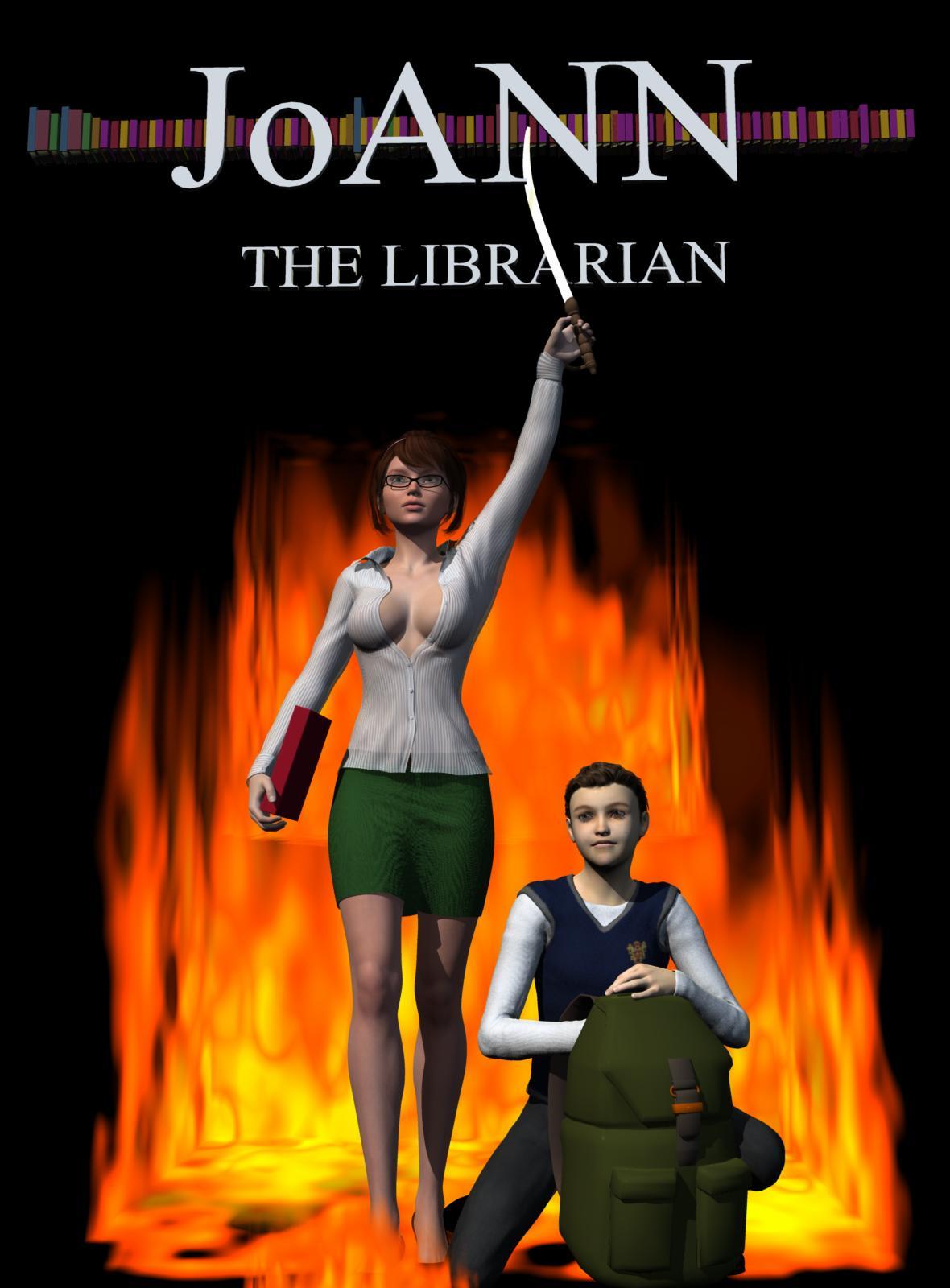
LilSideChallenge #08: theme - Babsarella vote starts the 21st oct !Yet another quick render by me using a bunch of Daz assets clogging up my disk space. I did model the books. Rest is Genesis 2 female and genesis teen justin.
Genesis 2 Victoria 6, Sexy Librarian for G2F, Jewell Hair for G2F, Genesis Teen Justin, B25 Preppy for Genesis
JoAnn the Librarian
not to be confused with
Conan the Barbarian
 [Released] Clothing Converter from Genesis 3 Female to Genesis 8 Female [Commercial]
As a suggestion for improving this, is it possible to add an option that will strip out the figure morphs for the DO base figures?
The FBMVictoria7.dsf morphs and the like that persist after conversion cause conflicts with things like the "Victoria 7 for Victoria 8" products; the latter uses exactly the same name for a morph that's very differently shaped, given it's now shaped as a derivative of the Genesis 8 base figure, so the clothing ends up the wrong shape*, meaning that it's better to just rely on auto-follow to do the job (unless you can contrive a better fix).
* Mendoman posted a picture example of the problem here, although he converted the item manually: https://www.daz3d.com/forums/discussion/352506/victoria7-for-victoria8-morph-problems-with-g3-items
I also discover from having gone through and deleted all of said G7 FBM morphs from my converted clothing that they were using up a good couple of gigabytes - given these are shapes that either won't be activated or are likely to cause problems when activated, being able to not convert them would be something of a boon to disk space.
Are you talking about the clothing converters or the character converters? The only morphs that should be transferred with clothing are the clothing morphs. Could you explain more please?
Daz Shop issue - Victoria 4 free with debut item not working?It is Victoria 8 that is free not Victoria 4.
I meant to say Victoria 8.. it didn't show up as free in the cart despite adding other items in the sale. (I already paid for 4 years ago - though I haven't had much time with Daz over the years...)
Was anyone able to get the sale to work?
How Many Pages in Your Product Library?75 pages since 2002, Products were on CDs before that.. yes, I have Victoria 1 on a CD
duplicate formulars found in filesThe could not find messages mean just that - there's a link, in this case to Victoria 8, from the Smoother V8 20L ansd Smoother V8 20R morphs which cannot be resolved as you don't have Victoria 8 installed. Since it's a correction morph that is needed only when Victoria 8 is installed and applied that is harmless.
The messages have nothing to do with the Duplicate Formulas alert, you should be able to find log entries for those too.
It's so strange
I don't remember that I have changed my content...
And why do a base G8F needs victoria 8 ...?
It doesn't mean that Victoria 8 is needed - it means that if Victoria 8 were installed that product would have extra morphs already in place to make sure it worked properly with Victoria 8.
[Released] Clothing Converter from Genesis 3 Female to Genesis 8 Female [Commercial]As a suggestion for improving this, is it possible to add an option that will strip out the figure morphs for the DO base figures?
The FBMVictoria7.dsf morphs and the like that persist after conversion cause conflicts with things like the "Victoria 7 for Victoria 8" products; the latter uses exactly the same name for a morph that's very differently shaped, given it's now shaped as a derivative of the Genesis 8 base figure, so the clothing ends up the wrong shape*, meaning that it's better to just rely on auto-follow to do the job (unless you can contrive a better fix).
* Mendoman posted a picture example of the problem here, although he converted the item manually: https://www.daz3d.com/forums/discussion/352506/victoria7-for-victoria8-morph-problems-with-g3-items
I also discover from having gone through and deleted all of said G7 FBM morphs from my converted clothing that they were using up a good couple of gigabytes - given these are shapes that either won't be activated or are likely to cause problems when activated, being able to not convert them would be something of a boon to disk space.
duplicate formulars found in filesThe could not find messages mean just that - there's a link, in this case to Victoria 8, from the Smoother V8 20L ansd Smoother V8 20R morphs which cannot be resolved as you don't have Victoria 8 installed. Since it's a correction morph that is needed only when Victoria 8 is installed and applied that is harmless.
The messages have nothing to do with the Duplicate Formulas alert, you should be able to find log entries for those too.
It's so strange
I don't remember that I have changed my content...
And why do a base G8F needs victoria 8 ...?
Novica & Forum Members Tips & Product Reviews Pt 12I have Genesis 8 Male, Michael 8, Marc for Michael 8, Tyrone for Darius 8, FWSA Gunner HD for Lucas 8, Lucas 8, Milo for Lucas 8, Giovanni for Genesis 3 and Genesis 8, Gades for Genesis 8 Male, Fiore for Genesis 8 Male, Pace for Genesis 8 Male, Ollie 8, Jonah HD for Ollie 8, Toon Dwayne 8, Brandon for Toon Dwayne 8, FWHP Boris HD for Toon Dwayne 8, The Brute 8, Mr Rubble HD for Brute 8, Toon Generations Essentials for Genesis 8 Male, Maxx HD Mega Pack for The Brute 8, Toon Boy, Toon Hero for Genesis 8 Male, Alistair HD for Genesis 8 Male, Toon Larry for Genesis 8 Male, Matias for Genesis 8 Male, Luke HD for Genesis 8 Male, Jepe's Roderick for Diego 8, Emil for Genesis 8 Male, and Gustave for Genesis 8 Male
So that makes 29 male characters if I count Mr Rubble for the Brute 8. 8 of them I've actually bought hugely discounted since this Aug 2019 and haven't even used. I tend to go with Genesis 8 Male when I need a generic face since he's used less frequently than the named characters.
I count Fiore Maxx HD, and Mr Rubble as toon characters so that makes 14 toons G8M toon characters I have. Arguably The Brute 8, Emil for G8M, and Gustave for G8M are borderline toon characters but pass also as realistic.
Of the realistic Genesis 8 characters I have bought, I am surprised, I like the Brute 8 best even though I typically only dial in his head and not his body.
You hoarders that aren't rendering to Cesar don't fret - I've rendered G8M, The Brute, Pace, Mr Rubble, Tyrone for Darius 8, Giovanni, Gades, Ollie, Jonah, Toon Dwayne 8, Boris, Brandon for Toon Dwayne 8, Toon Generations, Maxx HD, Toon Boy, and Roderick and some of those I only used partiel morphs and texture sets rather that 100% the complete character so that's only 16 of 29 characters I've bought that I've rendered so far. Truthfully I am likely to never render Lucas, Milo, Michael, Gunner, and so on as I don't do enough realistic renders.
I bought Michael 8 strictly for the eyebrows if you can believe it. Same with me buying Victoria 8 for the eyebrows only. So I sort of wasted money a little not knowing about this new way of doing eyebrow less characters until G8 came out. I would of liked G8M & G8F to have fibre eyebrows instead & saved me money. I've bought 4 G8 pro bundles: Lucas 8, Toon Dwayne 8 (which was the cheapest G8 pro bundle ever I think), Edie 8, and The Girl 8. Only one I'd change is I'd buy Floyd 8 instead of Lucas 8. And in addition to the 2 female pro bundles I'd add a third, Mabel 8. So not bad, I haven't been too wasteful. I'd buy the Mrs Chow & Mr Chung (I forget his name - the old Chinese guy) pro bundles too but now you are starting to talk quite a few pro bundles..
Now clothing is another matter : the Latin & Oriental themed pro bundles have a lot of clothing & hair I'd like to buy but will have to pick off one by one as I can afford them.
Victoria7 for Victoria8 morph problems with G3 itemsNevermind. I got this working by following Sickleyield's tutorial, and before saving the item as a support asset, I deleted all the Victoria 7 references ( JCMs etc.. ) and now items load correctly for my G8 figure.
Novica & Forum Members Tips & Product Reviews Pt 12Well, add two more G8F. I picked up Camila and Eryn at 73% off (with that 10% Victoria banner, and buying 3 things. I got the Ultra Scatter Pro, but talk about an awful description! I seriously didn't want to give the vendor my money! (And wouldn't have except it made the third product to get to the 70% off.) "Upgrade to UltraScatterPro and enjoy the extra functionality of the Pro product." Again, where was QUALITY CONTROL to say, "WHAT EXTRA FUNCTIONALITY???????"
By the way the two sales stack to create the three products. You can get two from one, and the third thing from the other. You have 15 minutes before the store turns over in case you didn't know this already.
My current running shopping list of boring thingsEDIT: Nevermind. I just did more perusal of Renderosity. Sheesh. I generally don't go there because I lurve the DAZ installer...but...dang...
A moderate car (think Honda Civic or Ford Fiesta) - Not a super car, not a collectable car...just...a car...like you gave a crayon to an 8 year old and said...draw me a car. That's what I want.
Paperback and hardcover books that have open/close morphs (along with the associated hand pose). I've made some but they're not like what a pro would do. Maybe a whole research set (notes/books/coffee cup/pens/pencils/erasers/etc.) There are ways to fake this but it'd be nice to have a set.
Bundles of boring clothes. Not sexy clothes. Just normal, boring, clothes. Slacks and a polo for men or just an average suit. For women, just some business casual options. Not going out for a hot party night. Just something plain. (I may just need to shop more for this).
Bundled collections. I'm looking at you Moonshine Drive in. Not even asking for a discount...just an option that says...would you like all the items that go with this? Obviously this wouldn't work for something like a Victoria but there places this would work.
Leather/hide armor (for my stone age D&D game).
I have others but this is my current go to list...
Yeah I would also like to see a bigger range of ordinary cars as well. There's too many exotic cars. I would like to see nornal sedans and station wagons as well. Even a sporty coupe (but not exotic).
My current running shopping list of boring thingsEDIT: Nevermind. I just did more perusal of Renderosity. Sheesh. I generally don't go there because I lurve the DAZ installer...but...dang...
A moderate car (think Honda Civic or Ford Fiesta) - Not a super car, not a collectable car...just...a car...like you gave a crayon to an 8 year old and said...draw me a car. That's what I want.
Lets check Renderosity...
Budget Small Cars
Low Poly Car 1
Everyday cars, 4 door sedan
Lil Raver Car
Maxda Car
Audi quattro
Vandura Family Sedan
Toyota Yaris for DAZ Studio
Romero GX-500
Volvo V40 - for DAZ Studio
Caravan Minivan (for DAZ Studio)
Volvo C70 for DAZ Studio
PT Cruiser for DAZ Studio
Volkwagen Golf I GTI (for Poser)
Family Minivan for DAZ Studio
I'd keep going on options but I gave up on page ten after searching "Car".
Paperback and hardcover books that have open/close morphs (along with the associated hand pose). I've made some but they're not like what a pro would do. Maybe a whole research set (notes/books/coffee cup/pens/pencils/erasers/etc.) There are ways to fake this but it'd be nice to have a set.
Rendo has most of this again. Maybe not the poses, but they have a good array of books.
Scholastic by Darkworld would be perfect, but you'd need to run the poses through several passes to update them... and you'll need to fix the mats.
https://www.daz3d.com/v4-pose-converter-for-genesis-and-genesis-2-female-s v4 to genesis 2 converter
https://www.daz3d.com/genesis-2-to-genesis-3-pose-converter Genesis 2 to 3
https://www.daz3d.com/genesis-3-to-genesis-8-pose-converter 3 to 8.
Z Fun ClassRoom! is Gen8 and has some stuff too though isn't quite as on the money.
Bundles of boring clothes. Not sexy clothes. Just normal, boring, clothes. Slacks and a polo for men or just an average suit. For women, just some business casual options. Not going out for a hot party night. Just something plain. (I may just need to shop more for this).
A lot of that is just shopping around. Though keep in mind, boring clothes tend to autofit reasonably well so don't be afraid to go back as far as genesis, or even Victoria 4 if you have the right clones.
Leather/hide armor (for my stone age D&D game).
Stoneage D&D? Tell me moar...
That said again, Rendo has some incredible stonage sets.
The Gladeling Outfits by sixus1 look cool in that very "1 Million Years BC" Kinda way.
The dForce Neolithic Outfits by Deacon215 are very awesome too if you want something more historically accurate.
The dForce Grass Cord Outfits and dForce Tropical Leaf Outfit less so... but still fit just fine.
most users here only do stills
Daz isn't very good for animaition... blocking off stuff like Hair physics to PA only kinda cements that.Daz 3D is part of

Connect
DAZ Productions, Inc.
7533 S Center View Ct #4664
West Jordan, UT 84084Licensing Agreement | Terms of Service | Privacy Policy | EULA
© 2026 Daz Productions Inc. All Rights Reserved.