-
In Search of a G9 Tuxedo
So, I own most of the suits in the store already, but I really need a nice tuxedo for G9. I really like and tried fitting the PRZ White Tie Outift to my G9 character, and of course, all the rigid node objects (buttons, cuff links, the bow of the bow tie) disappeared. Tried the clothing converter. No dice. There are some really nice suits for G9 already, but I think my groom needs something a little nicer for the wedding. Seriously. We got Brianna and all her wedding stuff, but nothing for her groom to wear? Sigh..... I want a nice tux with tails for my guy to wear.
So, if anyone has any suggestions, I'd love to hear them. Or if there are any lovely PAs out there who want to make some G9 male formalwear, my credit card is ready.
Thanks, everyone.
AIUTO...CHI CONOSCE L’ITALIANO? PARTE QUATTORDICITiziano said:
Chissà perchè mi ha scritto il testo con caratteri di altezza così diversa.
^_^;
E forse la AI del forum lo ha ritenuto molto importante. :P
Brians new GalleryShouldn't this be in the art studio section of the forum?
Hair ID and...Can anyone id the hair used on the main promo for HLM Kennerli?
Also, how do we get in touch with a vendor again? I forgot...
And finally, is this the right forum for this post? Missing content scroll buttons in Smart Content pane?Those are the top bar of the lists in the Content Library and the Smart Content panes, respectively. "Filter by Context" is checked. In "Smart Content," it shows 400+ items are in the list, but it only goes up to the middle of "L" in my particular installation, and I have numerous items with names that begin higher in the "L's" and up through the end of the alphabet, none of which show unlss I search for them by name.Lycan 9 Poses.
thanks - just what i wanted. i wonder why this didnt show up when i ran a search for Lycan products. something must be off with the filter.
Bought Nyla for Sadie16, but....Well, I mainly asked the later question because I'd seen other products where a character that needed another character to look right... could still be loaded, it just wouldn't look like in the product-page pictures... so it COULD be used to make a normal, usable character, just not the one in the product images.

As for Sadie 16... yeah, I've got that product pinned at the moment, to keep an eye on it for when it goes on a steaper sale at some point. It's just weird that the required-products-links didn't get inserted into the product page like normal. I wasn't paying close attention when picking a buncha ultra-cheap characters to grab (and so blinked and missed the "...for Sadie16" in the name) and was relying on the required-products links to be near the top of the product page. That said, it appears from a web-search that there DID used to be a specific, purchasable product called "Sadie - Morphs+" here at Daz3D... but its not showing up. Did it get temporarily pulled in order to fix something?
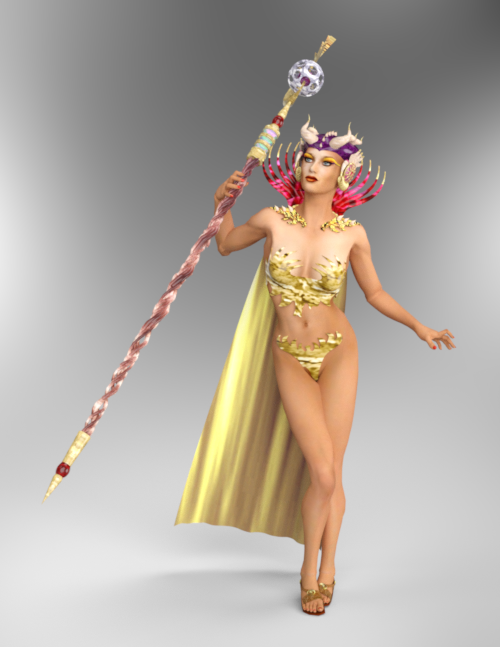
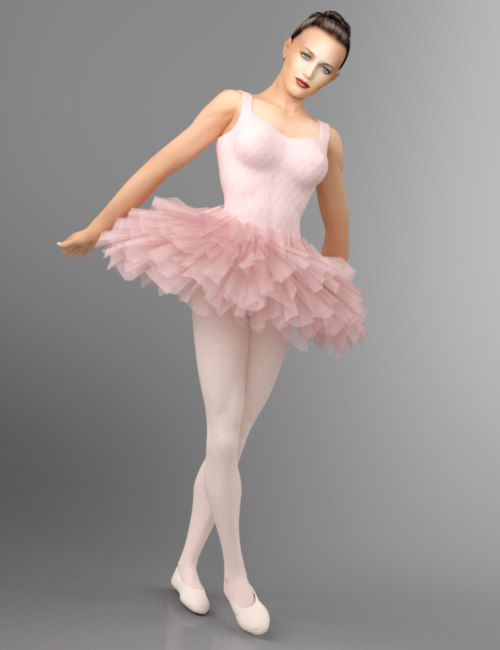
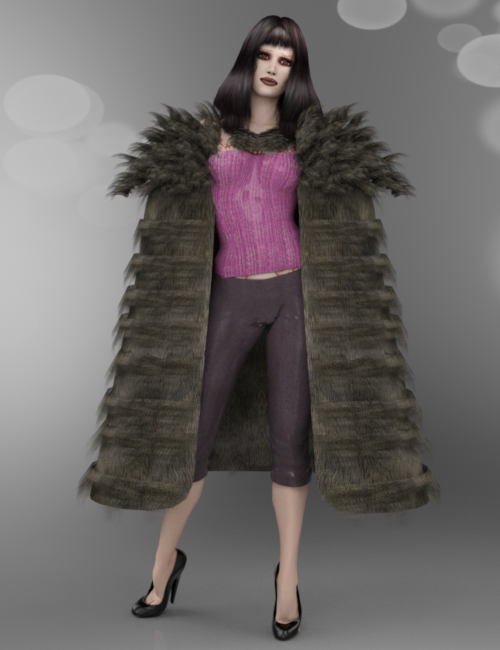
PoserDAZ Freebie SiteIt was Aiko 3 last time. This time it is Poser 4 Female or also known as Posette again. You may have seen her around. My search for her stuff indicates high activity from 2000 on. That is one old lady and for the most part she has only really shined for the most experienced 3D artists but no more. iRay seems to have taken a liking to her. I have done some work inside DAZ Studio and used iRay to render a few of her free content. There is a PoserDAZFreebie wiki page for each of the images, you can find the links to the items here. P4 Woman/Wardrobe - Poser and Daz Studio Free Resources Wiki. Name of the freebie can be seen when you hover over the attached files
 There's Always Another Sale Thread -- Discussions Only Pt 5
joanna said:
Richard Haseltine said:
All of the Daz+/Premier coupons seem to bve working now.
I know there are probably many people working on stuff continuously, but sometimes it feels like you are the only one who keeps Daz from completely collapsing (and the forum from imploding). Thank you for your hard work!
I am usually just the messenger - they really wouldn't want me poking around in the code.
There's Always Another Sale Thread -- Discussions Only Pt 5Richard Haseltine said:
All of the Daz+/Premier coupons seem to bve working now.
I know there are probably many people working on stuff continuously, but sometimes it feels like you are the only one who keeps Daz from completely collapsing (and the forum from imploding). Thank you for your hard work!
Freebie Challenge November 2025 - "The Winter Witch!" - Main Thread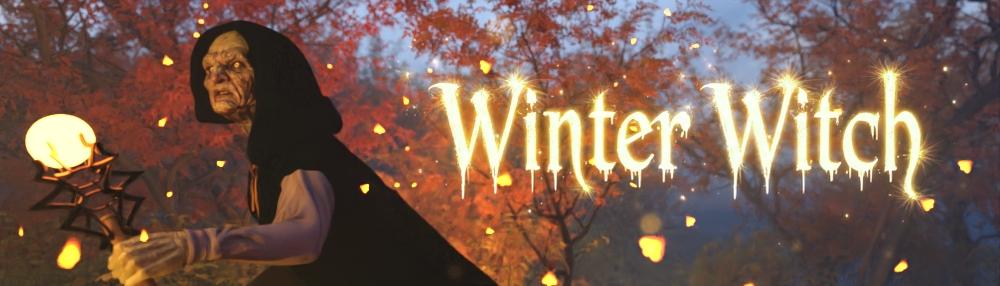
Freebie Challenge November 2025 - THE WINTER WITCH!
Denizens of the Daz3D forum freebie area - Perhaps you thought we were done with the spooks and the scares? Perhaps you thought that the artificial cobwebs and those LED pumpkin-shaped candles could be stowed under the stairs for another year? No. Keep those pumpkin candles out, and the caution tape on the front door, because the spooks are not over yet.
You see, denizens, it appears there's treachery afoot. Just this week alone, my speculative meme-stocks have gone to zero, the shoddy DIY repair to my sink i attempted has failed and flooded the bathroom, and my application to work as a therapist for anxious squirrels has been declined. Coincidence? I think not. No, i think we can all agree, there's only one explanation that makes any sense - Witchcraft. A filthy witch is on the loose, causing mayhem and misfortune wherever they raise their warty heads. Unfortunately, we can no longer plunge innocent people into icy rivers in order to test their witchy resolve, so i will require you to take on this investigative burden for me. Bring me evidence of witchcraft. I want rampant speculation, hearsay, gossip, poor quality polaroids, your aunts opinion and more. It's hard work denizens, but at least the pay is low.
TL;DR - Render witches. Or witchcraft. A winter themed render would be lovely too, you might even get more points that way.
Rules:
-
Minimum of 3 freebies.
-
A Maximum of 5 purchased items.
-
Genesis and its standard morphs are fine.
-
If you postwork your images, provide the base image.
-
You can use AI for post-work, upscaling, colour work etc, just go easy and stick with the spirit of the competition.
-
All Daz ecosystem programs are allowed – Bryce, carrara etc (Even poser, If you behave yourself)
-
Images pictures are subject to Daz TOS.
-
No max Entries on this one. I can't count. Do as many as you want.
This Freebie Challenge will end November 30th, 2025 @ 23:59 Daz time.
First Place: $15 store credit from KindredArts
Second Place: $10 store credit from KindredArts
Third Place: $5 store credit from KindredArtsPlease post your entries in the entries thread below...
ENTRIES THREAD
A LOVELY LIST OF FREEBIES YOU CAN USE!
Llola Lane’s RENDER A MONTH Challenge 2025 (ALL are welcome to join)It sure felt good creating art after being away so long. Still not signed up for Daz+... Please let everyone know over at the membership forum I said HI... I have been enjoying everyones artwork even if I don't have time to comment... THANK YOU all for keeping this thread alive!
===========================================================
Ok.. on to NOVEMBER... Post'em when it's Nov for you... NOV= 2020 (OPPOSITES ATTRACT)
https://www.daz3d.com/forums/discussion/375341
To help out.. Here's the list...
JANUARY = Hard & Soft
FEBRUARY = Hot & Cold
MARCH = Dark & Light
APRIL = Horizontal & Vertical
MAY = New & Old
JUNE = Dead & Alive
JULY = Happy & Sad
AUGUST = Wet & Dry
SEPTEMBER = Straight & Bent
OCTOBER = Open & Shut
NOVEMBER = Dirty & Clean
DECEMBER = Full & Empty153 material slots for a single figureI'm by no means an expert, but I have ported several Daz characters to UE and have some knowledge to share with you about optimization. I used G9, but it applies to G8 aswell.
A character with eyelashes and eyebrows shouldn’t have more than 10 materials. It’s not you, it’s Daz that doesn’t require the same level of optimization we do in UE. Everything has to be merged manually ,I do it in Blender.-Mouth & Teeth: Combine these into a single material, they use the same textures and have the same UV.
-Toenails & Fingernails: Use one shared material for both. Same case as Mouth and Teeth.
-Mouth Cavity: Merge this mesh with the Head.
-Head: Keep the Head as a standalone material, the head is the main feature, it needs it's own hi-res texture.
-Body, Arms & Legs: These can either share a single atlas or remain as separate materials, depending on your needs.
-Facial Hair: Fiber-based facial hair should only use one hair material. Add a second one only if you’re including peach fuzz.
-Eyes: Use the MetaHuman eye material. Prepare Daz eyes by deleting all unnecessary parts (e.g., Eyeball in G9, Sclera, Iris, etc. in G8), keeping only the Eye Moisture mesh. Adjust the UVs in UE or Blender to match MetaHuman’s UV layout.
For Clothes:
Clothing is often the most complex part. PA's don't mind having 10 different parts with it's own texture sets for a simple dress for Daz, which is normal as in Daz only looks matter, no Optimization. This is one of the main reasons game devs won't be willing to choose Daz, because after paying for the product and the license, you have to open the box and rebuild everything, or pay someone who knows how to do it efficiently.
Create texture atlases for outfits and check which textures each part of the clothing uses. You can manually adjust UVs and textures in Photoshop to pack everything into a single map. Typically, 4K textures for clothing are excessive, you can achieve great results using Master Material tricks like seamless roughness textures, cloth shaders, a single material for every metallic part...After optimizing you should have a material list like this:
-
Eyes
-
Eye Tear
-
Head + Mouth Cavity
-
Body (including all geografts like nipples or navels — remove any that don’t share the Body UVs)
-
Arms
-
Legs
-
Nails (Fingers + Toes), can even be merged with Arms or Legs if textures are adjusted; the visual quality loss is minimal.
-
Mouth + Teeth
-
Eyelashes, if using card-based lashes, reuse the same Master Material as the Eyebrows (create an ORM texture which uses RGB texture channels to layer the oppacity masks of both card-based meshes).
-
Eyebrows, same as Lashes.
> If converting fiber-based versions to Grooms, you can use a shared Hair Shader material for both, so wether you use card or fiber is your preference. This is the way I do it, this material can be used for Beards too.
Optional:
11. Peach Fuzz (fiber hair)As a final advice, don't use Daz's UE Bridge, search for other ways online. There is a great Houdini bridge (DaztoHue), but it's expensive and requires paying for a SideFX license. You can find other free options with tutorials on Youtube from people tired of the workarounds the "official Daz to UE bridge" has in modern Unreal Engine 5+ versions. And if you plan to purchase the products and Interactive Licenses you need for the game, I recommend creating a dedicated account solely for those purchases and not using that account for anything else like posting on the forums, especially from a Solodev/Studio standpoint.
And again I'm really noob with Unreal but any question you have I'll be very happy to answer it

 How do I uninstall EVERYTHING for a clean start?
No, it is by design - DIM may be installing for use in a future project using a differnt directory set up, so it should not make changes toi the DS settings.
Having to search for files implies that there was still soemthing wrong with the DS settings not matching those in DIM, even after running the script.
How do I uninstall EVERYTHING for a clean start?Right, I think I'm just about there.
After getting stuff to show in the smart content tab, but still missing in the content tab, I did some rummaging. I managed to fix it by right clicking the content tab, and telling it to search the drive where I had installed stuff. (Screenshot attached)
Big thanks Richard!
Is it just me though, or is it a rather serious big that the Install tool doesn't talk to stufio, so the DIM has no real idea if the install worked, and the Studio can't find the files without manual intervention?
Nick
Llamaghini Gallopngo How do I use this?Product Link: https://www.daz3d.com/llamaghini-gallopngo
That product was released in 2013-09-16 and so pre-dates iray - that is why you cannot find any such materials. That means the promo images would all have been done using the 3Delight - I haven't ever really done much with that so you'd need someone else to chip in on how easy it is to get reflections in that render engine.
It should be possible to make something similar with iray tho. If you select all the surfaces you can run the Iray Uber Shader on them to give you the parameters you expect. Then it should hopefully be down to adding appropriate lighting and camera angles to get the reflections. I don't have that product to test it out myself but if the converted glass doesn't play nice then you can replace the window surface with another glass iray shader.
EDIT: I have just seen that this question was asked a while back - see this forum post. However, the fix in that case was to replace the shaders with materials from sharecg which has since shut down. If you need there is a free car shader pack available via this DevantArt link.
Render older generationsHave you thought about creating billboards of your characters and using them in the background? A search on -creating your own billboards in DAZ3d- brought up a number of methods from assets you can buy to other methods.
LIVE! In the store NOW!! LowPi - the Low Poly Figure, and Crowd Creator Scriptsbutterflyfish said:
I found one at Renderosity that was free back in June. Maybe you have it?
I don't even remember getting it, but I have it.
Oh, I must have missed that one!
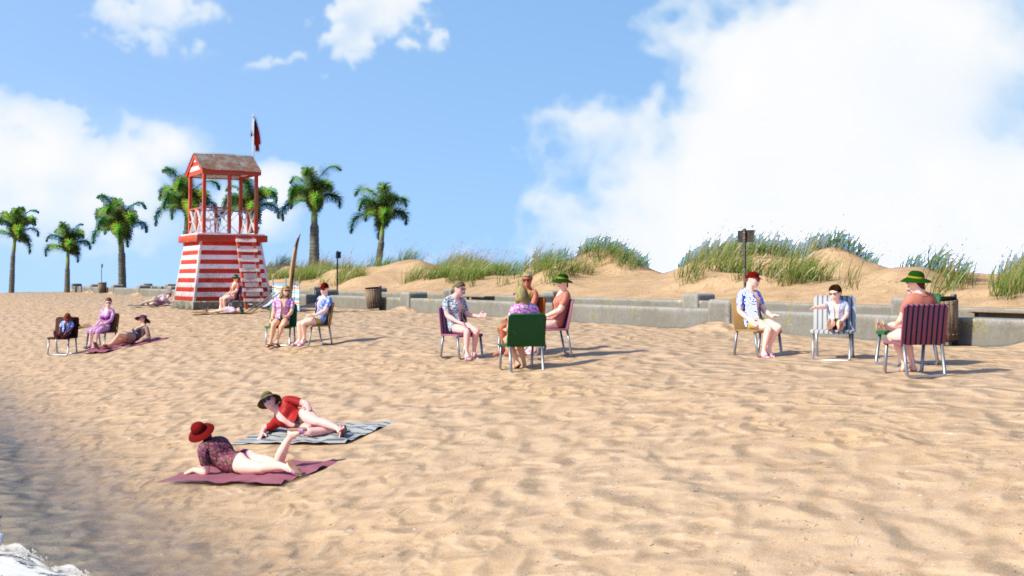
I did discover that I have a Predatron bundle called Seaside Walkway and Palm Tree Bundle, which I bought in a sale for the palm trees, but it has a beach scene in it which my search for "beach" failed to find. Here it is:
 In search for this dress...Solved
Does anyone know where I can find this dress?
https://www.daz3d.com/mb-cheche-for-genesis-9-feminine
I found it in a promo image for this product:
https://www.daz3d.com/mb-cheche-for-genesis-9-feminine
any help would be greatly appreciated,
Thank you!
OK so the link wont take you to the dress..it is the long black one with bows.
Thank you!
GNBD wingsThe [GNBD] wings are installed in props and anatomy but everytime I try to load them it says it can't find the files. I checked by having ds show me the files and they are there. I checked forum here so I unstalled the wings then reinstalled and they are in the ds my library folder and also in smart content but they don't load as they are not found. What should I do I need to use the wings.
Daz 3D is part of

Connect
DAZ Productions, Inc.
7533 S Center View Ct #4664
West Jordan, UT 84084Licensing Agreement | Terms of Service | Privacy Policy | EULA
© 2026 Daz Productions Inc. All Rights Reserved.