-
Face Transfer 2
Richard Haseltine said:
Artini said:
Thanks, Richard, for great tips.
I have updated the Nvidia drivers in hope that it can help,
but still got Daz Studio beta crash if I attempt to save Face Transfer 2 characters.
Have uninstalled this new version and go back to 4.22.0.7.
and no error messages or other information?
Hi Richard,
I got 3 crash reports and also saved error messages from the log,
that I have to analyze.
I was too tired yesterday and only want to confirm
that the previous version of Daz Studio beta still works on my computer.
Is there any thread in Daz 3D forums, that I can post my findings
about the crash of Daz Studio beta?
No Face Transfer PaneLong time since this thread started and last had copmmen ts - I purchased Face Transfer for DAZ Studio today but didnt realize it was only for a windows machine. Anyone know if it will ever work on Mac? Thanks
Daz Studio Pro BETA - version 4.22.0.15! (*UPDATED*)Since 4.22.0.10 everytime I try to save a generated Face Transfer Daz crash and shuts completely down. Anyone having the same issue? It does happen with both Face Transfer 1 & 2. But FT1 works fine on 4.16.
Face Transfer 2GRFK DSGN Unlimited said:
Question: When you guys do the transfer, is it on the Genesis 9 main version (eyes, mouth, eyelashes, etc) or on the Developer Kit version? I was playing around with the developer kit version and added the eyes after a transfer. I wasn't planning on keeping the transfer so I zeroed everything out and used a different image. Turned out better. Not as much wonkiness as before. Maybe I'm missing something here?
Out of habit, I load the stock figure (not the Dev load one), select it and apply FT to it - that's what I've been doing all this time to use FT1 with G8.1 instead of G8. For this last one I posted earlier today, I just let FT2 create a figure. (On initial glance, it appears that the main difference is that FT2 politely puts clothes on the figure when it adds a figure itself.) All that said, I had never tried applying a FT shape to the dev figure so I gave that a try. It appears that you get the shape and textures on a figure with no eyes, mouth, etc. What wonkiness are you seeing?
Face Transfer 2Question: When you guys do the transfer, is it on the Genesis 9 main version (eyes, mouth, eyelashes, etc) or on the Developer Kit version? I was playing around with the developer kit version and added the eyes after a transfer. I wasn't planning on keeping the transfer so I zeroed everything out and used a different image. Turned out better. Not as much wonkiness as before. Maybe I'm missing something here?
Face Transfer 2Artini said:
Thanks, Richard, for great tips.
I have updated the Nvidia drivers in hope that it can help,
but still got Daz Studio beta crash if I attempt to save Face Transfer 2 characters.
Have uninstalled this new version and go back to 4.22.0.7.
and no error messages or other information?
G8F natal cleft "bridging" for some reasonPlease redo your screenshots with Smooth Shaded Drawstyle, or rendered in clay mode.
I am not sure what you mean by the reference to the same model a few months ago - is this a morph you crated and cannot now clear?
Face Transfer 2Ok, I am back. I am glad that I have saved the previous version of Daz Studio beta.
Below is a render of Genesis 9 character created with Face Transfer 2.
I really like this plugin and I would miss it a lot, if I could not use it on my computer.
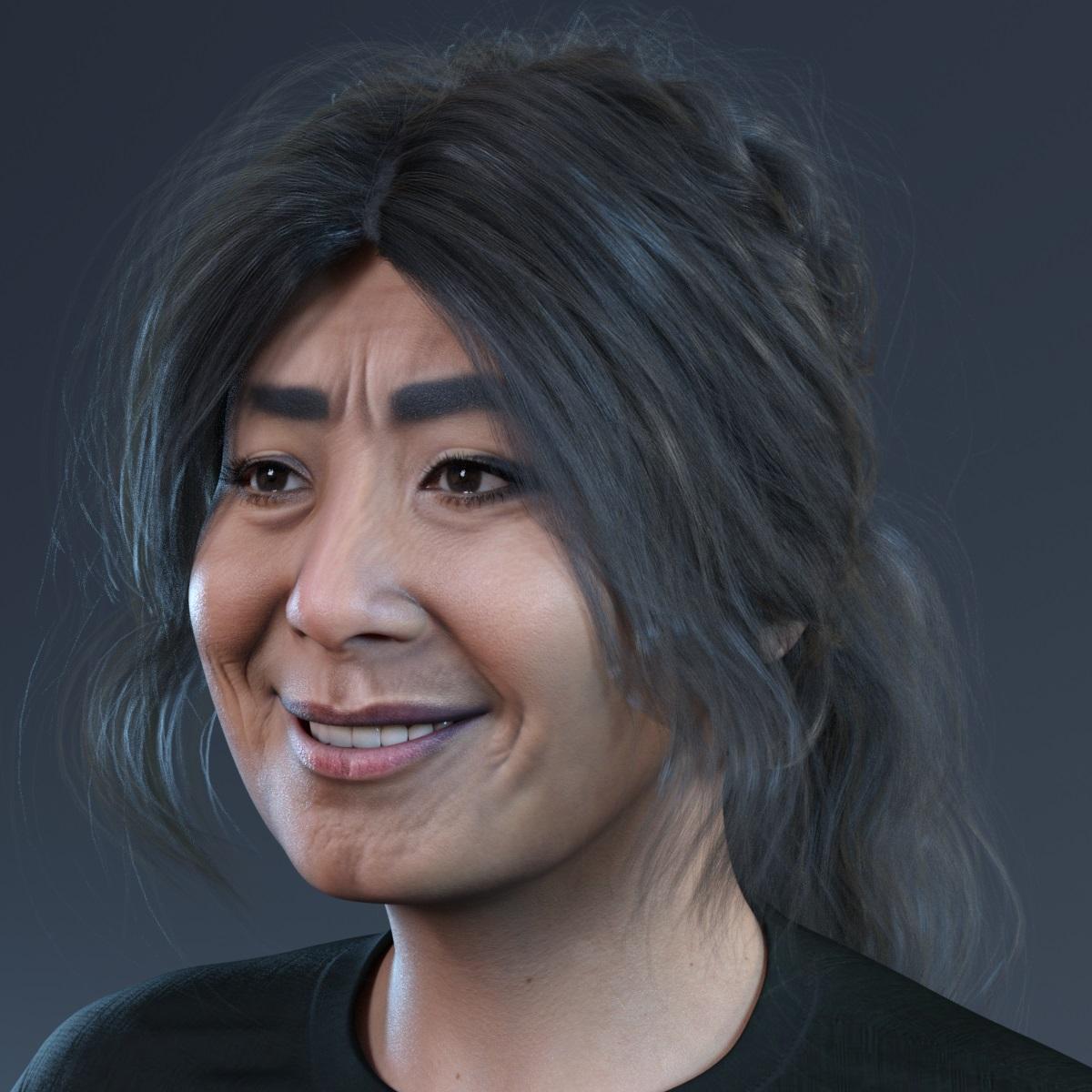 Face Transfer 2
Thanks, Richard, for great tips.
I have updated the Nvidia drivers in hope that it can help,
but still got Daz Studio beta crash if I attempt to save Face Transfer 2 characters.
Have uninstalled this new version and go back to 4.22.0.7.
Face Transfer 2Artini said:
I have noticed, that there is some update to Daz Studio Beta in DIM.
I am a bit afraid, if that update does not make something worse with Face Transfer 2.
Probably curiosity will make me push to install it anyway.
Back up the isntallers, but if you don't try the new beta you won't be able to find any issues thata ffect you - and that others might miss.
Face Transfer 2Artini said:
I have updated Daz Studio beta on my computer and now it crashes every time
I want to save Face Transfer 2 character, so bye bye to new characters.
Have fun, I am out, until maybe next version will fix the crashes.
On launch, or at a later point? Any errors or crash reports? Anything in the log?
Natural Movements Pack for Genesis 9My favorite part of this pack is the hands, which are so good that they may fully convert me from a G8 user to a G9 user, except for this weird problem with the first knuckles of both ring fingers.
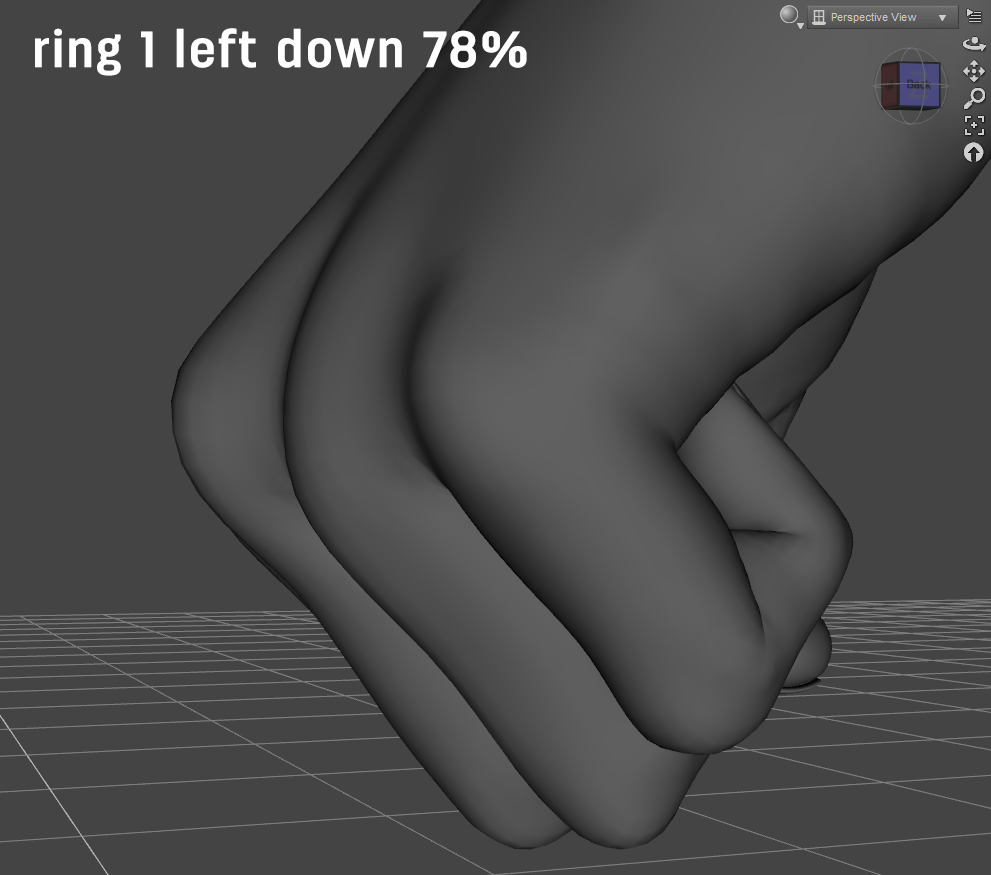
This just looks like a mistake to me. This JCM clearly doesn't match the ones for the JCMs on the fingers to either side of it. It looks fine from the top, though:
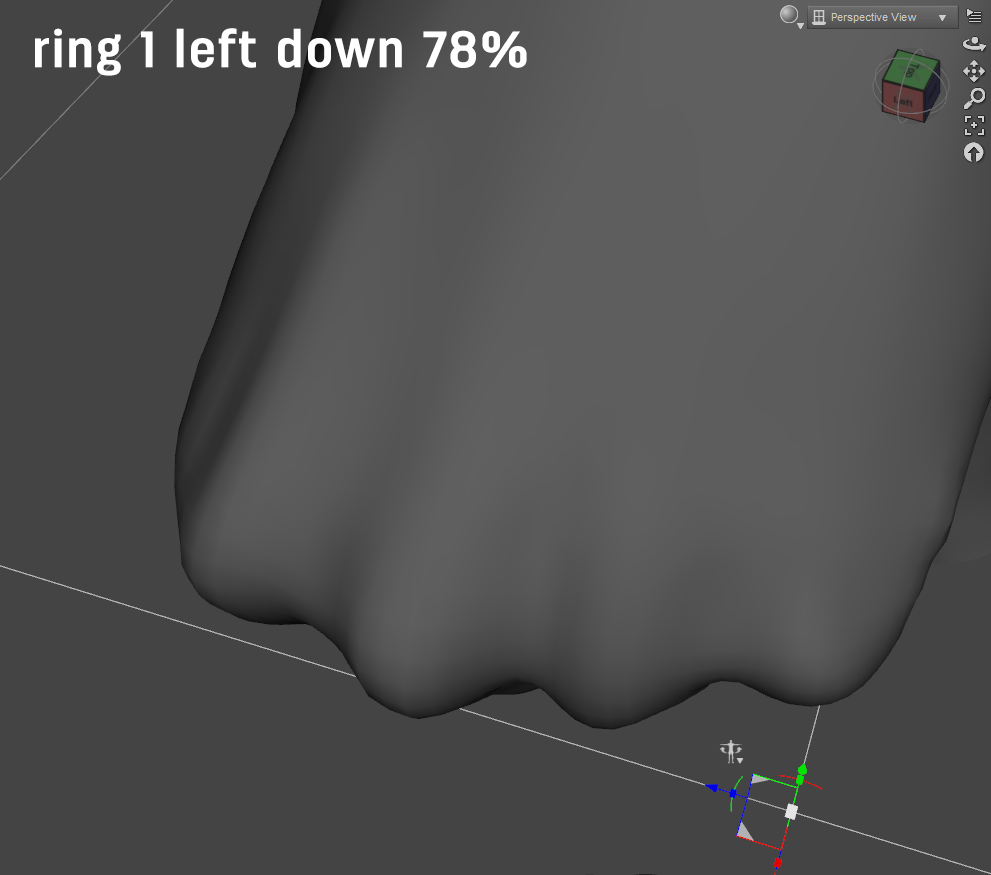
Zeroing it makes it look better from the side and worse from the top:
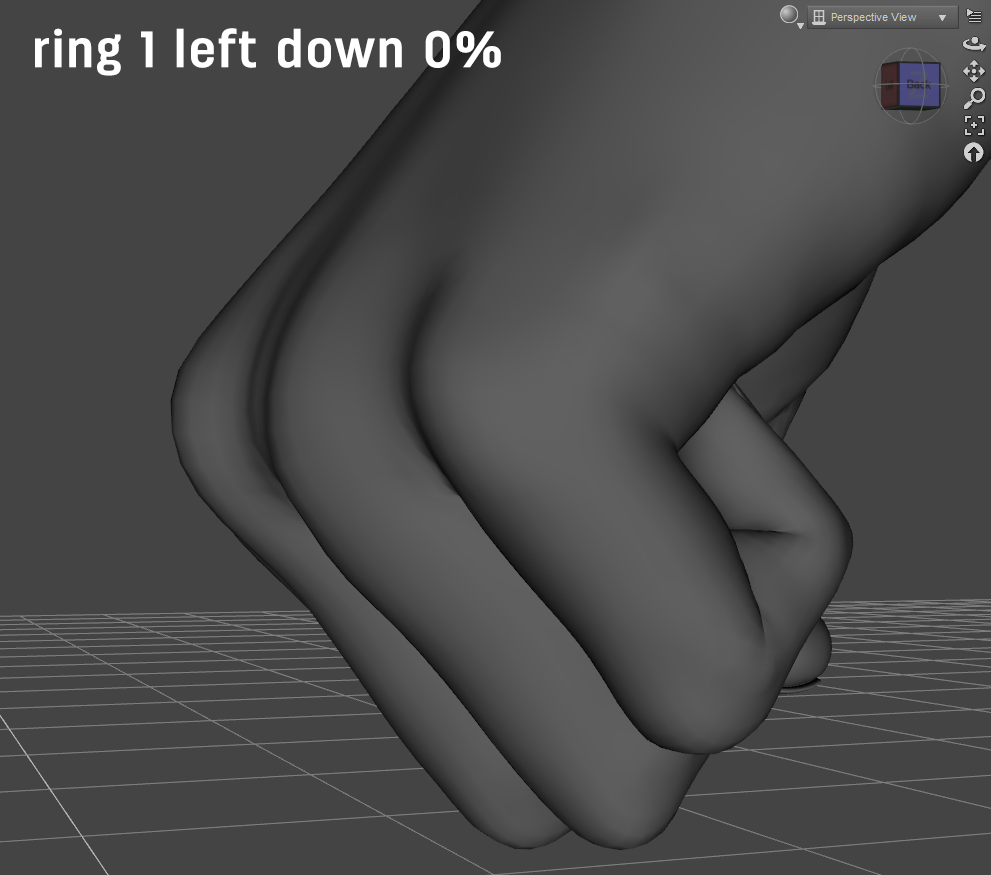
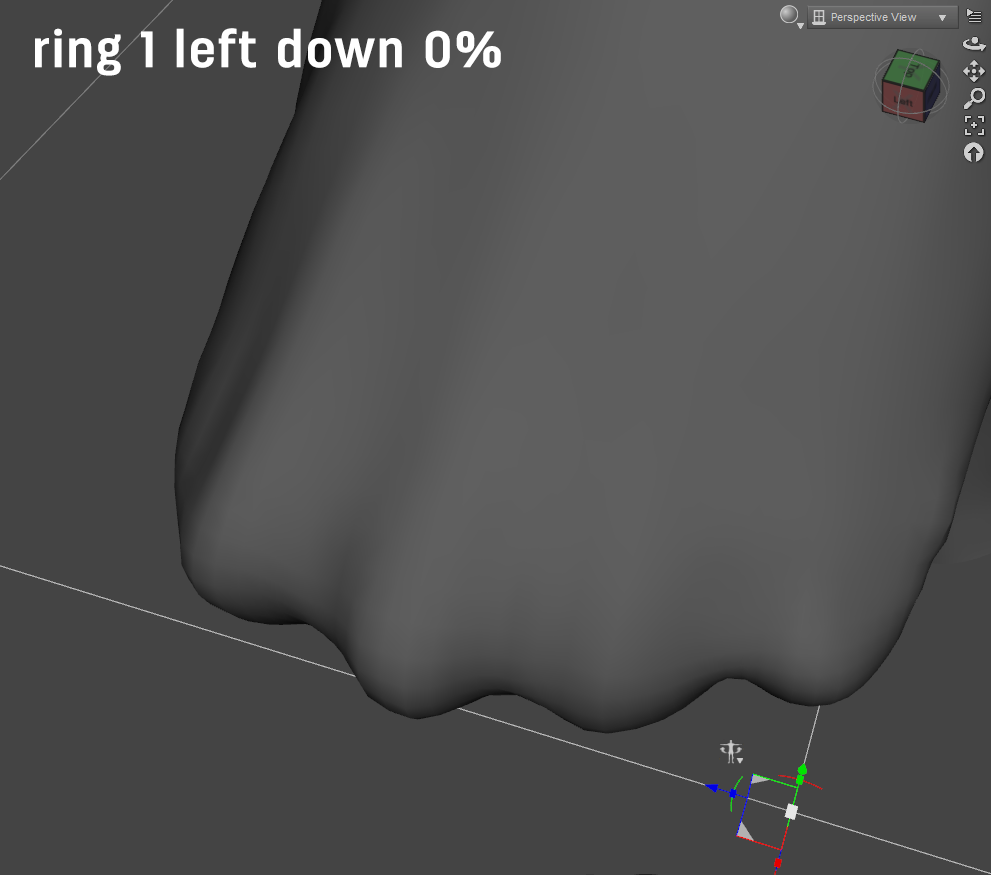
On a hunch, I tried just making the value negative, which looks even better from the side (though you can tell something is going wrong between the middle and ring knuckles) and even worse from the top:
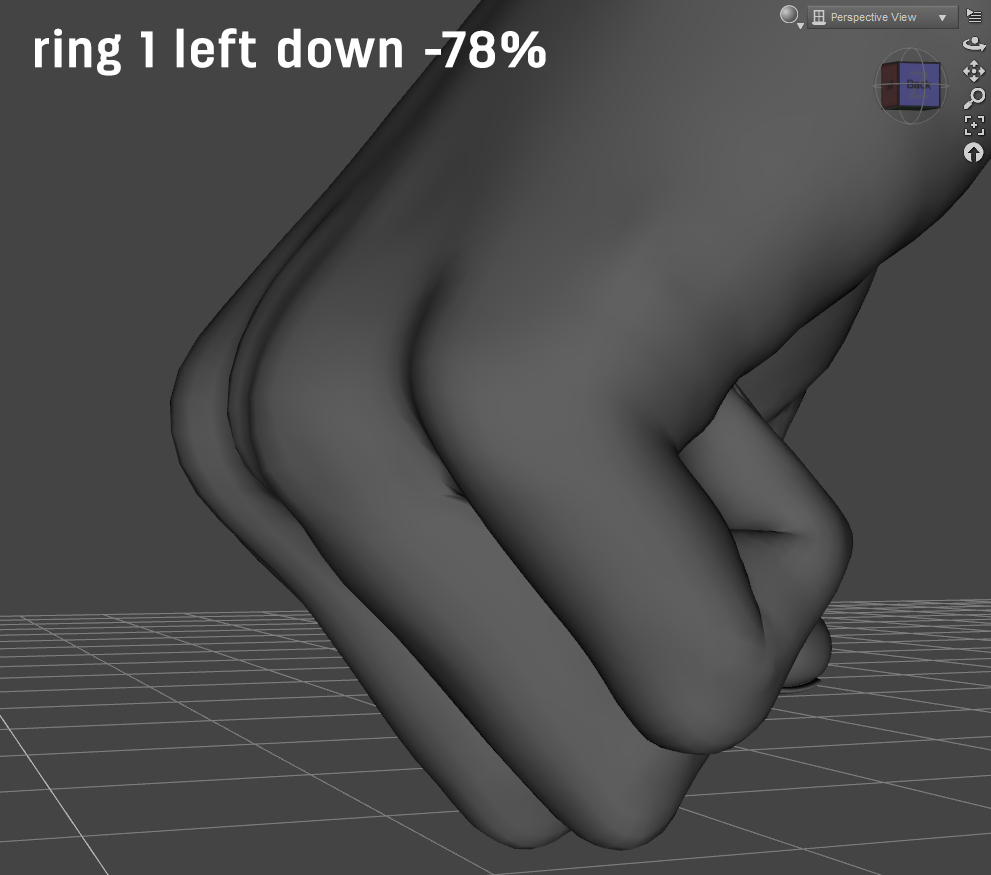
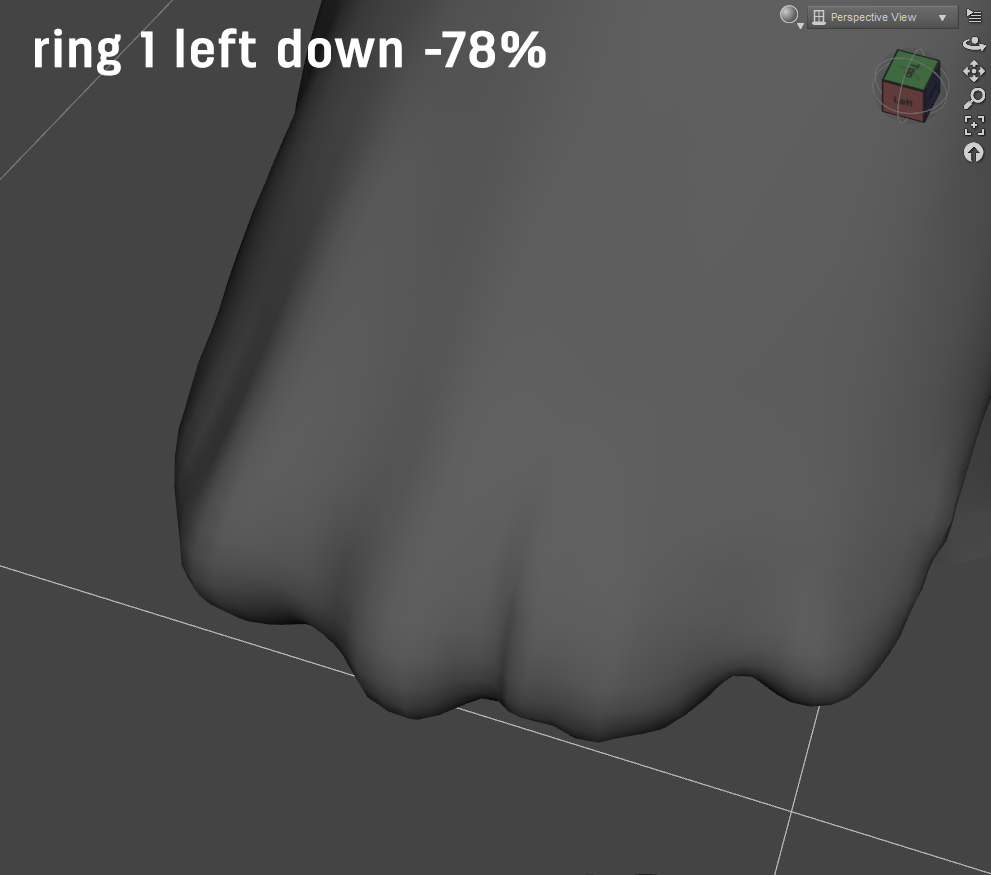
It sort of looks like this morph was constituted from two other morphs, and one of them was dialed in the wrong amount (perhaps a negative number) when the final morph was created. Because it is a single morph, though, the end user can't fix this problem by fiddling around with dials. I would love to have an official fix for this. It's the only thing that's stopping me from using this product absolutely all the time.
Face Transfer 2I have updated Daz Studio beta on my computer and now it crashes every time
I want to save Face Transfer 2 character, so bye bye to new characters.
Have fun, I am out, until maybe next version will fix the crashes.
Face Transfer FREE?Leana said:
It seems that they forgot to change the tags on those boxes when updating the page for today's sale, they correspond to yesterday's offers. Face transfer box has been updated but the other ones still have the wrong tags.
Flagged that up, thank you.
Dartanbeck's Journey - CG Filmmaking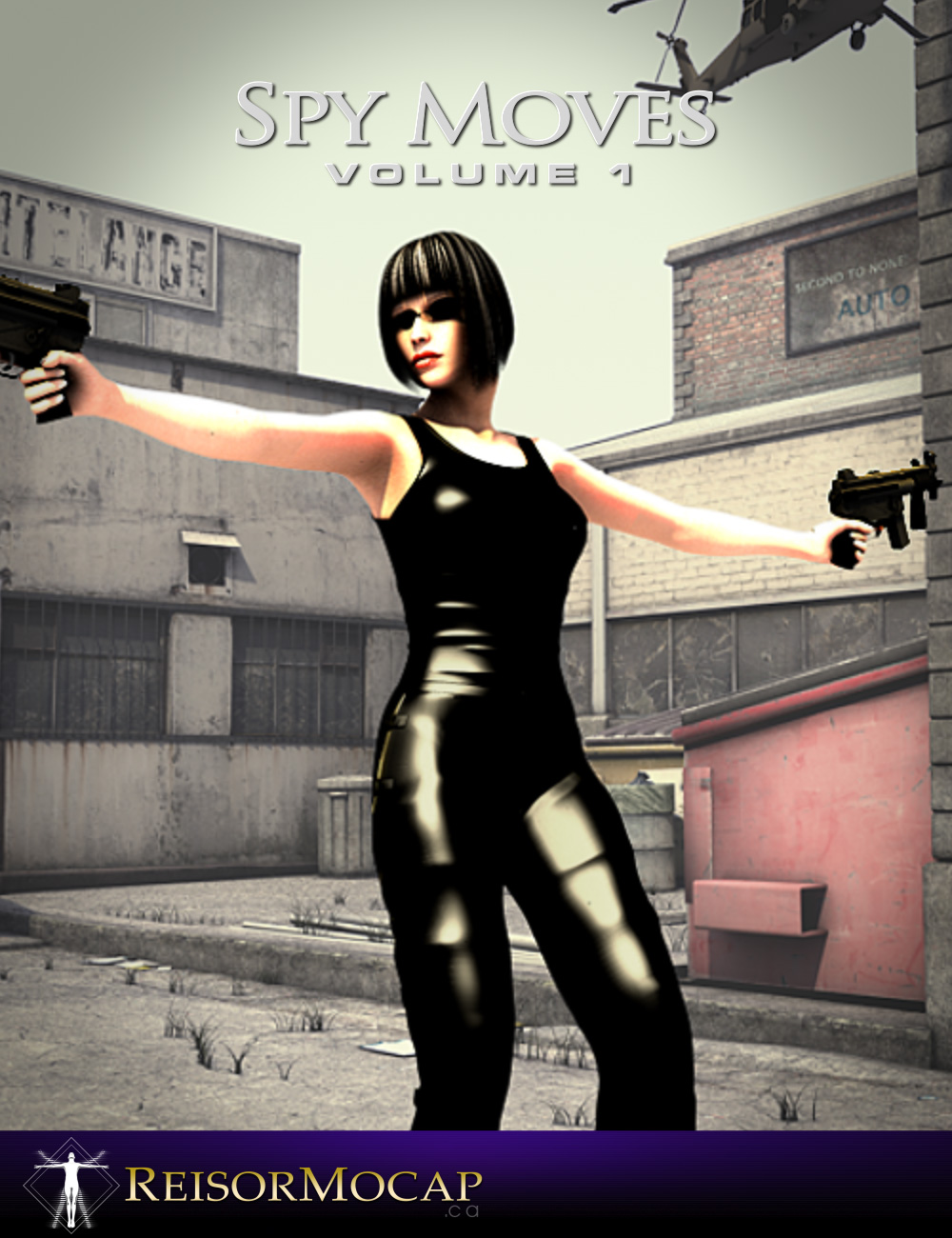 These older Reisormocap (previously "Posermocap") animations are really, really good!
 The older ones are animated PZ2 (Poser) pose files. Bone Minion for Generation 4 poses transfers them beautifully to whatever generation of Genesis we're using. Since I use all generations of Genesis except for 9, the Generation 4 Pose Bone Minion Bundle is a real gem!
When I'm in this phase of "Converting", I'm only doing the generation of figure that Rosie is currently using. Dart is always the same generation figure for such reasons.
I use this new structure of saved aniBlocks for previewing, so when I need them for another character of another generation, then I simply use Bone Minion as Riversoft Art suggests - don't take up a bunch of space "Converting", just do the transfer and be done with it. Works really, Really well!
"Kids at Play" is a Reisormocap pack for Kids 4. I converted that under the idea that I'll one day do some flashbacks into Rosie's childhood.
Other legacy Reisormocap packs which have been updated to newer generations - some have other motions that are not in the newer ones, and some of the newer oneds have motions not in the legacy. Even if the differences are few, I like having the extra variety and, since these kits are on sale throughout the year, I feel it's perfectly acceptable to give a little more to the artists that are doing me all of these favors - so I don't even wait for them to go on sale part of the time. But for packs that I never felt I'd 'really need', I'll have those in my wish list and wait.
Face Transfer FREE?It seems that they forgot to change the tags on those boxes when updating the page for today's sale, they correspond to yesterday's offers. Face transfer box has been updated but the other ones still have the wrong tags.
Face Transfer 2GRFK DSGN Unlimited said:
Yes, it corrected some of the issues I was having from the 12/3 version. I haven't tried it on Genesis 8 yet. For me the 12/3 version had asymmetrical issues for the left and right sides of the face. The left side seemed to rotate on the Z axis no matter what face I was doing. The 12/8 version fixed that. Now we just need to fix the head scrunching, the ears, and under the jaw. I may have to go back to Genesis 8 and then transfer to Genesis 9.
Thanks for the explanation. Now I am even more tempted to upgrade Daz Studio beta on my computer.
I have a question that arose while using facegen.Did you also apply your photograph as a texture to the morphed Genesis # in Daz Studio?
Which # of Genesis did you apply the morph to?
{by the by, there are no images appearing on your post. ? if you posted any or it's the infamous forum glitch?}
Dartanbeck's Journey - CG FilmmakingI've always loved the legacy animation collections of Reisormocap and GoFigure. There were a few that I didn't think I'd need, so now I'm happily buying those up as well, as I can, to complete my already massive collection.
Bone Minion is a real blessing! Conversions always worked fine for me, but Bone Minion odes such a great job with these more modern rigs with separate bend and twist bones... along with the brilliant job it does with Mixamo downloads after running 3D Universe's Body2Hip script... I'm just overjoyed with the professional motion capture results I'm getting with my new tools!!!
My webinar attendees were so awesome during the first session, and in the Digital Art Live Studio forum afterward, that I made a couple of Bonus Video Tutorials to send home with them for the second session - which was a lot of fun to do for them - even though it took the whole week to do! LOL
One of them is using the Generation 4 Pose Bone Minion to transfer the entire V4 Walk Construction Kit by GoFigure - start to finish, and the other was then to use MikeD's Icon Creator Pro to make thumbnails and tip icons for the whole collection. What a Blast!
This was my homework I did between the two session of my own webinar LOL
And then, during that next session, I dug deep into it and showed how the whole thing was made.
 Hot New (Northern) Season, New Sales Thread: Report Issues Here "Reporting Only"
The face transfer one was fixed, maybe you still have it in cache.
But yes, the other two are wrong. Basically it seems that they forgot to change the tags and kept those from yesterday's banners.
Daz 3D is part of

Connect
DAZ Productions, Inc.
7533 S Center View Ct #4664
West Jordan, UT 84084Licensing Agreement | Terms of Service | Privacy Policy | EULA
© 2026 Daz Productions Inc. All Rights Reserved.