-
will daz come up with alternative tools like 3dxchange? anyone use akeytsu?
3D File Formats
Description Extension Import Export Alias Wavefront OBJ yes yes 3D Studio 3DS yes yes 3D Studio ASCII ASC yes yes 3D Studio Max ASCII ASE yes yes AutoCAD DXF yes yes Cinema4D C4D yes yes Collada DAE yes yes Google Earth KMZ kmz Truespace COB yes yes Autodesk FBX FBX yes yes Lightwave LWO yes yes Lightwave Scene LWS yes Luxology Modo LXO yes Sketchup SKP yes yes Microsoft DirectX X yes yes Microsoft XAML XAML yes SoftImage|XSI XSI yes yes AC3D AC yes yes Anim8or AN8 yes Artlantis Studio AOF,ATL yes Away3D AWD yes yes Blender XML yes Blitz3D B3D yes yes BioVision Hierarchy BVH yes yes Celestia Space Simulator CMOD yes yes Cartography Shop CSM yes yes DarkBASIC DBO yes yes 3D GameStudio MDL yes yes Genesis3D ACT, BDY yes Goo Create zip,bundle yes Leadwerks Engine GMF,MDL yes Metasequoia MQO yes yes MilkShape3D MS3D yes yes Nichimen Nendo NDO yes Ogre 3D Engine MESH, XML yes yes OpenGL CPP CPP yes POV-Ray RAW RAW yes yes POV-Ray POV POV yes Rhino 3D 3DM yes yes SpaceEngine Space Simulator SM yes Torchlight - Runic Games MESH yes Torque Game Engine DTS, DSQ yes yes Unity Javascript JS yes Apple Quickdraw 3D 3DMF yes Adobe Illustrator AI yes Hollywood FX HFO yes ATI NMF NMF yes yes Stanford Polygon File Format PLY yes yes Stereo Lithography STL yes yes Object File Format OFF yes yes VRML 1.0, 2.0 WRL yes Extensible 3D X3D yes Battlefield 2 staticmesh yes Battlefield 1942 SM, RS yes yes Black & White L3D yes Call of Duty 1/2/4 xmodel yes yes Command & Conquer: Renegade W3D yes Descent 3 OOF yes Delta Force 5: Black Hawk Down
Delta Force 4: Task Force Dagger
Delta Force 3: Land Warrior
Delta Force 2
Delta Force3DI yes Diablo 3 APP, ANI yes FarCry, Crysis CGF, CAF yes Freespace 1/2 POF yes Half-Life: Opposing Force
Half-Life 2
Team Fortress 2MDL yes Half-Life: Opposing Force
Half-Life 2
Team Fortress 2SMD yes yes Homeworld PEO, GEO yes Homeworld 2 HOD yes MikuMiku Dance PMD,PMX,VMD,VPD yes MotorRacer 3 F3D yes Mount & Blade: Warband BRF yes NetImmerse Format/Gamebryo
Dark Age of Camelot
Freedom Force
The Elder Scrolls V: Skyrim
The Elder Scrolls IV: Oblivion
The Elder Scrolls III: Morrowind
Sid Meier's Civilization IVNIF yes yes Neverwinter Nights MDL yes yes Quake 1 MDL yes Quake 2 MD2 yes yes Quake 3 Arena MD3 yes yes Return to Castle Wolfenstein MDC yes Kingpin: Life of Crime MDX yes Quake 1/2/3, Half-Life BSP yes Doom 3 md5mesh, md5anim yes yes Wolfenstein: The New Order bmd6model yes Heavy Metal: FAKK2
Medal of Honor: Allied Assault
Medal of Honor: Allied Assault Spearhead
Medal of Honor: Allied Assault BreakthroughSKB,SKD yes Shogo: Mobile Armor Division
Blood 2: The Chosen
Aliens vs. Predator 2
The Operative: No One Lives Forever
Global OperationsABC yes League of Legends SCO,SKN,ANM yes Lula 3D
PsychotoxicV3O, VMO yes Orbiter Space Flight Simulator MSH yes yes 4x4 Evolution SMF yes Rainbow Six Rogue Spear QOB, ROB yes Rome: Total War CAS yes yes Empire: Total War
Napoleon: Total Warvariant,rigid yes yes Runescape DAT yes Sonalysts Combat Simulations
Jane's Fleet Command
Sub Command
Dangerous WatersJ3D yes Strike Fighters 1/2
First Eagles 1/2LOD yes SWAT 3: Close Quarters Battle GSM yes Tread Marks LUV yes yes Re-Volt PRM yes yes Serious Sam MDL yes The Sims SKN, BMF yes yes Second Life BMP yes yes Birth of the Federation HOB yes Star Fleet Command 1/2 MOD yes Star Trek Armada 1/2 SOD yes yes Star Trek Legacy M3D yes Star Trek: Voyager - Elite Force MDR yes Jedi Knight: Dark Forces 2 3DO yes Jedi Knight 2: Jedi Outcast GLM yes Star Wars: Empire At War ALO yes Star Wars Battlefront 1/2 MSH yes Star Wars Battlefront 3 (pre-alpha) RAX yes Star Wars Battlefront 2015 meshSet yes Star Wars Galaxies MSH, MGN yes Star Wars: Starfighter MSH, MDL yes Supreme Commander 1/2 SCM, SCA yes yes Unreal Tournament 3D 3D yes yes Unreal Tournament PSK/PSA PSK, PSA yes yes Vampire: The Masquerade - Redemption NOD yes Watch Dogs XBG yes World of Tanks
World of Warplanes
World of Warshipsprimitives
primitives_processedyes StarCraft 2: Wings Of Liberty
StarCraft 2: Heart of the Swarm
StarCraft 2: Legacy of the VoidM3 yes Warcraft 3: Reign of Chaos MDX yes World of Warcraft
WoW: The Burning Crusade
WoW: Wrath of the Lich King
WoW: Cataclysm
WoW: Mists of Pandaria
WoW: Warlords of DraenorM2, WMO yes Worldcraft MAP, RMF yes
2D Graphics File Formats
Description Extension Windows Bitmap BMP Truevision Targa TGA Microsoft DirectDrawSurface DDS JPEG 2000 JP2,J2K Joint Photographic Experts Group JPG Portable Network Graphics PNG Zsoft Paintbrush PCX Adobe Photoshop PSD Adobe TIFF TIF Pixar Image Format PXR Portable Pixel Format PPM Portable Grayscale Format PGM Portable Bitmap Format PBM Radiance High-Dynamic Range Format HDR Diablo 3 TEX Serious Sam TEX Descent 3 OGF Homeworld LIF Call of Duty 1/2/4 IWI Jedi Knight: Dark Forces 2 MAT Rainbow Six Rogue Spear RSB LithTech Shogo/Blood2/AvP2/NOLF/GOps DTX Warcraft 3/World of Warcraft BLP Show Us Your Bryce Renders! Part 9@ Hansmar and Mermaid : thank you both. If you like this model, you can find it at 3d warehouse.com but you've got to convert it to use it in Bryce because it's natively a sketchup file. So, here it is, decide to place it in a country side to make a big contrast between nature and modernism. I'm really proud of the result because I find it photoreal for bryce. Dandelions are coming from Vizpark product and they're very nice and suitable for some closed up because of there high resolution. There're all instanced manually and there's about 2 thousand species. Other plants and trees are coming from xfrog bundles.Irays most compute intensive surface options?One interesting thing to note is that including a physically huge set, even if it's low poly, increases render times. If the set covers five hundred by five hundred meters, it will take much longer to render than if the set covers twenty by twenty meters, even if the polycount is the same.
I've rendered a full Dubai Yas Marina imported from Sketchup and no problems with slower render times.
It seems that depending on any PC configuration it takes more o less time to rendering in different aspects of the scene, the only issue that covers all pc systems is using Caustics and Architectural, that options are longer in any PC configuration.
Looking for a typical car ...like a Toyota CamryHere's the same free SketchUp Toyota in front of a restaurant, also from 3dWarehouse and also for free, made by Vitor Bandeira.
Please note that other than the (free) HDR image for lighting and background, not a single texture map was used for this render!
Cheers!
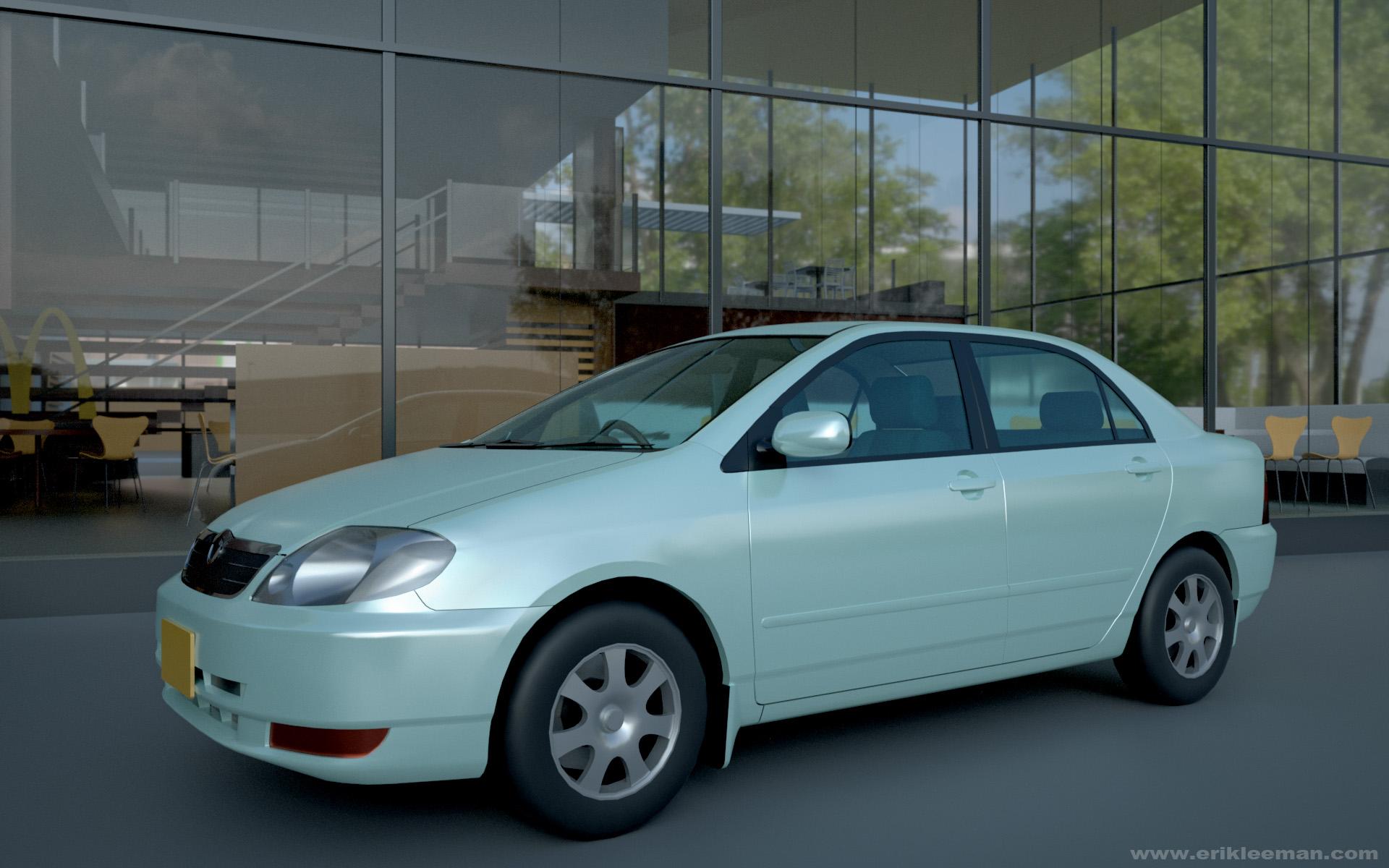 Looking for a typical car ...like a Toyota Camry
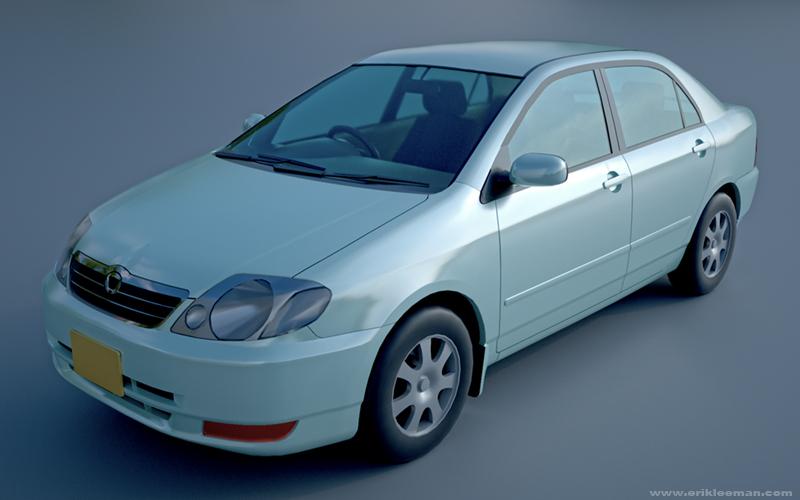
Here's a free Toyota Corolla from 3dWarehouse by someone named 'Import Guy', rendered in Octane for DAZ Studio.
There's always a bit (and sometimes a lot) of work involved in making SketchUp models fit for DAZ Studio, but the amount of free models there is simply staggering!
Cheers!
Oh, I forgot to mention: as an OBJ this great looking car is only 4.25 MB in size!
 Show Us Your Bryce Renders! Part 9Working on another landscape project, I have decide to put a house in the center of this next scene and I would like to share the subject with you. It's a modern and autonome house that can be built easily and everywhere. I've find the model on 3d warehouse and have convert it from sketchup.Delete old forum posts with the click on one button?
I never really need to remove a post after I make one for two reasons... One- I usually forget them after I post them, two- if it's a controversial comment, it will be removed for me and three- (did I mention it's actually three reasons), nobody cares what I say unless it strikes them as funny.
But I do agree, it might be a useful feature to have... Perhaps for forum members after they make X number of posts... But I could also see where it could be abused. Isn't there some issue with threads going wonky if too many posts get removed? I can't remember what it was, but the old forums (back in the Draper UT days) I remember when post would get removed there were slight problems.
Personally, as far as I can remember only once removed a bunch of posts... Someone had asked about how to import and fix SketchUp models and after going back and forth I offered post a quick but detailed tutorial... The person said that would be great, and after I posted it someone else who had like ten posts butted in and said it was all wrong, which it was not and the OP started thanking them and asking them for more info... The process the other poster was describing results in crappy imports and if that's what the OP wanted then fine, so I removed every post I made in that thread and replaced it with "Never mind"... It was childish of me but, it was just one of those days. Besides nobody gives a rats poop chute about SketchUp anyway.
I agree with the idea of editing old and obsolete information... CGI land is too full of it and it is overly confusing at times.
OBJ/MTL import to Daz Studio - revisted questionsketchup exports often have opacity at zero too.
what frustrates me is I can usually import obj textured from most apps but cannot export and reimport from DS itself without altering mtl files
OBJ/MTL import to Daz Studio - revisted questionI'm having similiar issues. (Textures not being imported into DAZ). I'm trying to import OBJ files exported from SketchUp 2016.
Some tests I performed yeilded promising results. For example I exported an OBJ file from DAZ, imported into SU using a plugin called Fluidimporter, then re-exported it from SU and re-imported it into DAZ again. The file imported with the textures (albeit, the clothing on my test figure was darker).
Also, files exported from DAZ then reimported all import textures as expected.
It's the OBJ files exported from SU native files (skp) that won't behave. Structuraly all is fine .... but no textures.
Ideas anyone?
Spline modelerIn defense of the Spline modeler, there are some things it does extremely well, and it does some things that the vertex modeler wishes it could do but can't. ;-)
One thing the VM can't do, that the spline modeler can, is the ability to keyframe the curves, sweep paths, etc. on the fly, without having to piss around with morphs.
There are some very real limitations to the Spline modeler, which is why Carrara is so great! For things that the Spline Modeler can't do, there is the VM, Metaball modeler, terrain editor, etc. etc.
I remember having started with Spline Modeller some years ago, and honestly got lost, and I lost also some interest in do my 3D models in Carrar, I have stuck with SketchUp, but then some years ago tried up the Autodesk Maya, and AutoStudio software, and I have to say that both are superb, but for my needing SketchUp had always an advantage over these, but my renders were done always in Carrara. So one day I discovered the Vertex Room, and since then I am kind of in love with that kind of modeling, and being similar as the process learned in Maya the beginning wasn't so hard.
And I am with you also Evil, is just that I need what to do in the spline modeler, since I abandon it long ago...
Cheers everyone.
Which programs are best for getting obj props?there's no one site, you just have to go out there. Some sites with OBJ's are clearly giving away (or charging for) pirated content from games and other artists, but I can't name names. Some free obj sites demand something in return in the form of money, models or other in return for points to allow you to download an allotment of models per day. I use Blender as hex was very limiting and unstable on many of my computers and it's years behind the curve but it will allow you to make obj's to import to studio. I post my stuff on ShareCG and often I include the blender source if someone with the desire to DL one of my models can tweak what I do provided they know their way around blender. There is also a blender exchange for that where molders post their scenes and other blender users can tweak the models or just look at how they approached the modeling and leaned new techniques.
Sketchup is probity the most used free 3D package out there but it does have a pro version with all the bells and whistles for $659.00 US whereas Blender has many of the same tools as Maya, Sculptris, After Effects (to name but a few) and no cost involved with the core application. There is also no shortage of tutorials and content; most but not all are free and range from being taught by a kid home from school who nipped a little too much cough medicine to very professional and polished. Blender has become my one stop for all modeling and tweaking but as it is an extremely versatile program the interface should not be approached without several tutorials to take some of the mystery out of it's UI. Some will argue the UI is a disaster but the more I use Blender the more I have come across it is actually very thought out for what it needs to do overall , still others are put off by it and entitled to their feelings.
Which programs are best for getting obj props?Hello everyone! I am learning Hexagon and would like to know where I can get obj props besides sketchup? Does anyone have any good sites that have free obj models?
I have sketchup make and it wont export obj so I guess I need to find a new program. I will build the sets in hexagon and import obj props.
Thank you for your ideas and help
Danny Bright
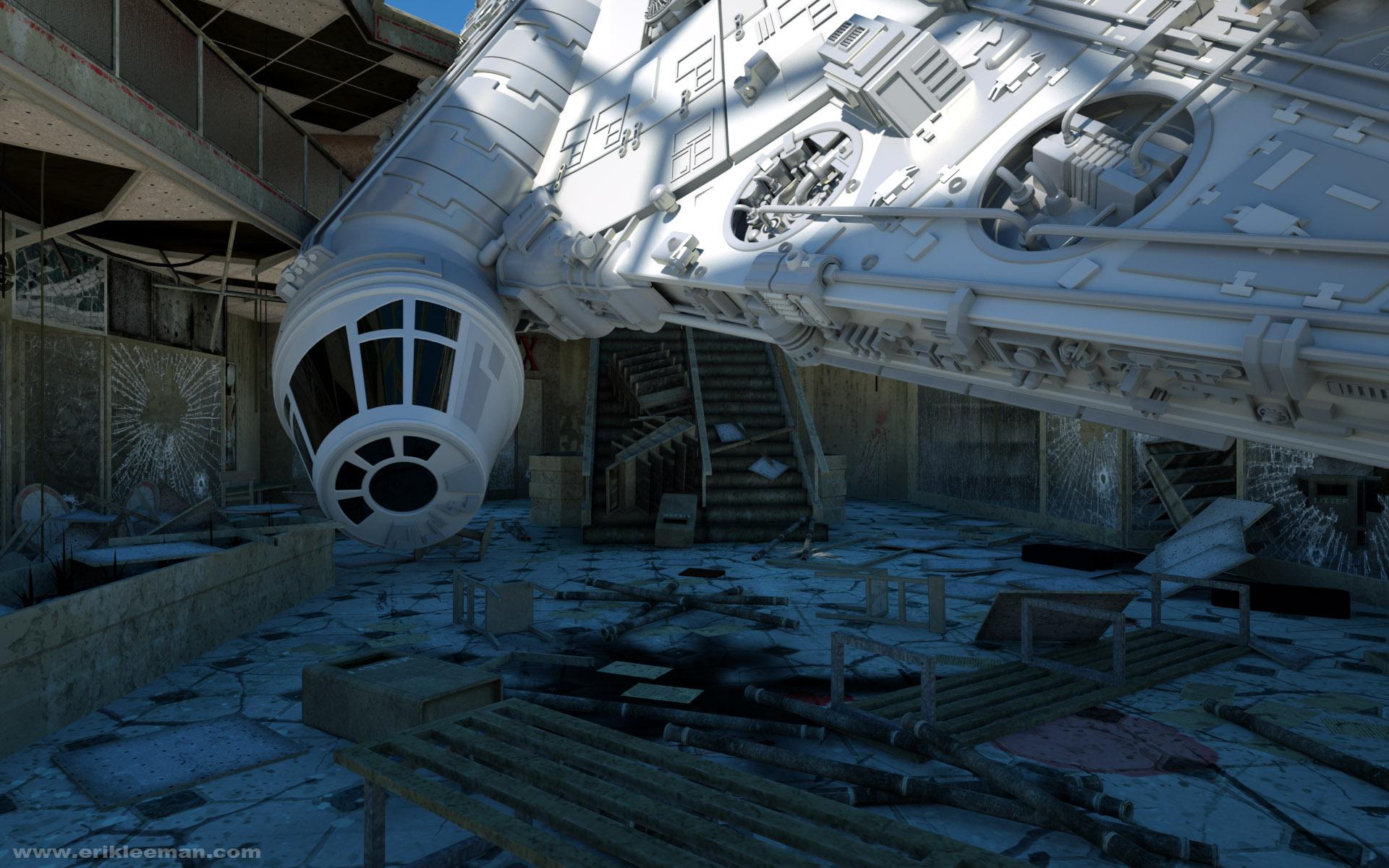
Un-Biased Reneder Thread - Post Your Renders!! (Reality/Lux, Luxus/Lux, Octane Render, and others?)A very early WIP, just to keep the thread alive : )
The ship is from 3D Warehouse (SketchUp) by Mandun.
 Show Us Your Bryce Renders! Part 9
@David Brinnen...Thanks for the info. I will look into it. I have done some meshing using sketchup 7 & 8. I have done some stuff in blender. I get stuck in the uvmap part, after working in sketchup for another 3D platform. I got spoiled on how to do texturing. It is easier to 'pin' stuff than make uv maps. lol I loke to make things in real life and in 3D, so I will look up Wings for sure. I like to have options. :)
UV mapping can be a bit tricky, I have learned (the hard way) that if you intend to UV your object you can make your life very difficult if you don't model with that process in mind. I have UV mapped in Wings, but it is a bit clunky. For my UV mapping now I use UV layout - but this is not a free product. To make life easier for myself I try as much as possible to use only quads and avoid tryangles in the mesh, the reason for this being that tryangles put an end to edge loops which are very useful for cutting up large meshes into managable flattenable chunks. The other thing to do is to make your model from as many discreet components as is practical - copy the construction of the real world object if that is appropriate. Since it us usually easer to UV map 10 objects than it is to unwrap one big complex object. If you go about things the right way, UV mapping can be a pleasant challenge, the wrong way and you will end up pulling your hair out in bloody clumps.
@sriesch, thank you for the tip.
@Horo, it is easier for me to know, because there is no soft shadow setting in this render, so with little deduction that leaves only the clouds as being responsible.
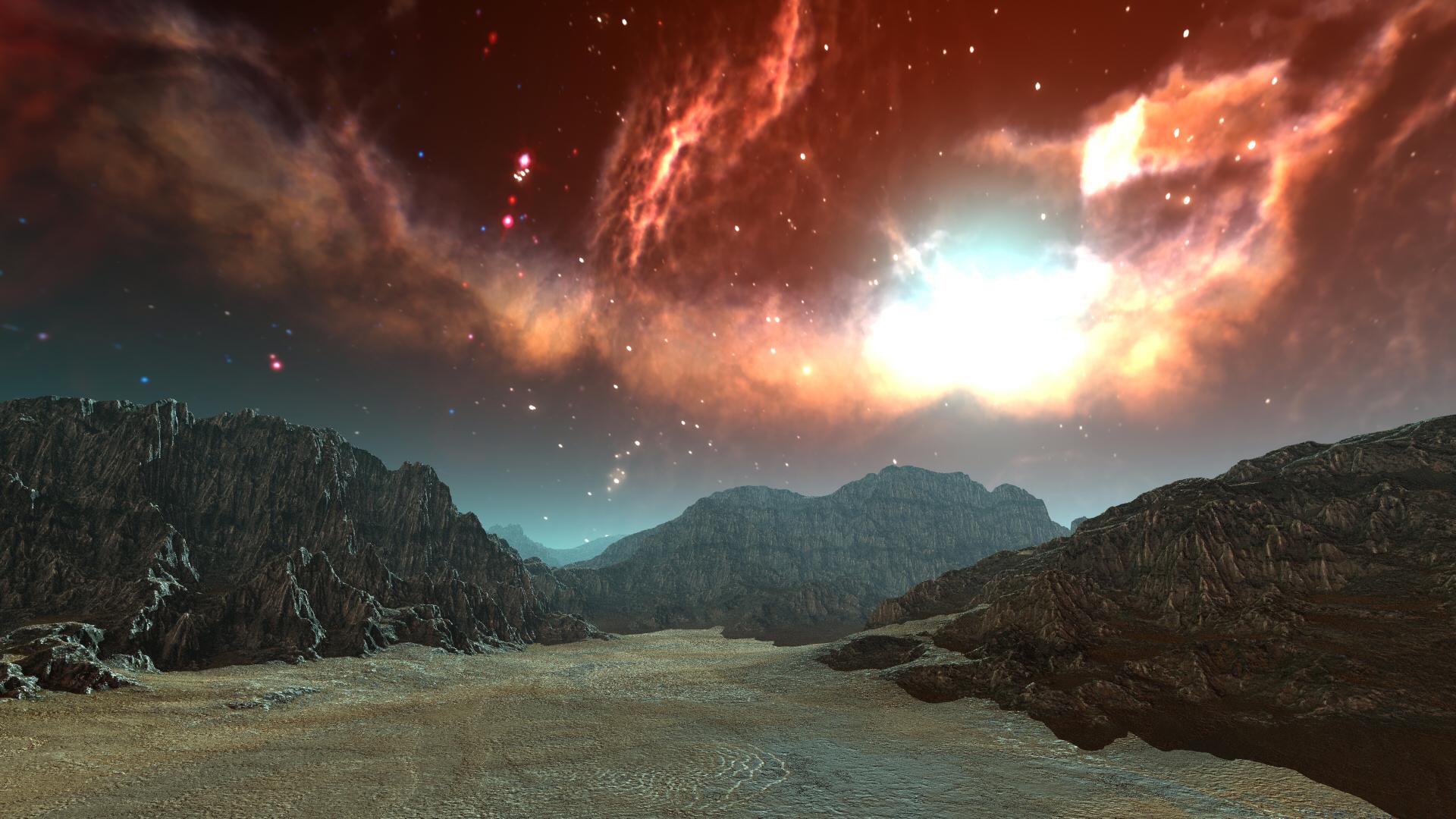
Here's another Blake's 7 inspired "quarry" landscape this time under a sky from the deep space HDRI 1
 Show Us Your Bryce Renders! Part 9
@David Brinnen...Thanks for the info. I will look into it. I have done some meshing using sketchup 7 & 8. I have done some stuff in blender. I get stuck in the uvmap part, after working in sketchup for another 3D platform. I got spoiled on how to do texturing. It is easier to 'pin' stuff than make uv maps. lol I loke to make things in real life and in 3D, so I will look up Wings for sure. I like to have options. :)
Enjoying vertex modelling in DAZ CarraraYes, and the SubD rules appear to be the same as what is used in the DAZ Studio newer figures as well, making it a really sweet workflow for those looking to make content. For example, if we make an item in Carrara using SubD, but not ever 'converting' the SubD result into actual vertices, and then we export that .obj and bring it into D|S, if we then apply SubD in D|S we get the same result as we had in Carrara's SubD. I'm not sure if this isn't true from other modelers (since I don't use any others), but it surely does make it convenient for adding the new content creation tools of the latest D|S as part of our workflow for using the new Genesis figures in Carrara. Genesis 3 isn't compatible (yet), so I haven't been working with that one, but the others are happy to recieve my models as conforming clothing items!
Also, I just seem to enjoy modeling in Carrara.
Some folks and friends tell me to try Modo or LightWave for modeling. So in all seriousness I go looking into them and, yes, I agree that they look like fantastic tools to use. So then I search for tutorials about people whom are making models that I might make, or doing projects that I might do, and in the end I find myself feeling that I'm just as happy using only Carrara for all of this stuff, rather than having to add yet another type of having to transfer back and forth via conversions or whatever. Carrara handles my needs just fine and then has the multitudes of tools for me to proceed to the next step, and the next, and so on.
I am not familiar with the use of human characters, I am very tempted to do it I hope to have the time soon. But I can't imagine how SubD can work on the use of Genesis, it intrigues me :)
Oh yes I have received the same suggestions in to use other software, and I have tested and learned two great programs, one is Maya, I love it, but at the time of work with logos and rendering is not what I need, I feel more comfrotable in Carrara, the other great program is Alias AutoStudio, its a fascinating software that creates surface models based in vectors, its cool but again, to my professional purpouses I'm still with the blend of SU+Carrara.
The following are some professional works made in SketchUp and Carrara, to illustrate of what I have talking about, and why I prefer by much to these as my usual modelling software:
 Enjoying vertex modelling in DAZ Carrara
Thank you Dart, I've started to model in Carrara because I found that the rendering room in this program is so versatile and so useful, unless to my needings, I regularly model in SketchUp and once the models are done there I go to Carrara to get the renders, in my day by day job I work with logos and this software combination is really good to me, but as I said before at the time to UV map the models made in SU some mess always happened, it was the case of a metal texture I needed to model, but couldn't add the texture properly, that opens to me the way of the vertex room, and the possibilties are endless.
Here a sample of the work made in the metal textures:


In this previous case I wanted to have the texture as a real thing and be able to UV map correctly, I was very happy with the results.
Here a couple of more samples:


Later will try some other samples.
And thanks again!
Show Us Your Bryce Renders! Part 9@Fencepost52: Wonderful mountain scene. Looks very realistic. And the others are great too, specifically the terrain with the river. The balloons in this one are a bit distorted.
@launok: Nice city scenes. I like the version with the mountain more. Disadvantage of those Sketchup models is their plastic look. I think with Bryce textures you can get even better results.
@David Brinnen: Nice objects you have made, interesting workflow. I really like the colours of the ‘wheels’. Lovely clouds in your ‘Dreamworks’ render. Nice eye in the sky too.
@Rembrandt: Very interesting ‘Dutch seapainting’. I like the white waves. The waves up front look a bit sharp and glassy. The sky is wonderful storm. You may want to increase the quality of the sky or lower the thickness to get rid of the banding effect (top right). Last sky-scape is really, really good!
@dHandle: Wonderful looking abstract! The lens flare does add some spice.
@vivien: Very good looking terrain scene. And the bridge works very well too.
@Dave Savage: Wonderful New Year’s card; thanks a lot and best wishes for you too! And, I really like your Bryce farm.
@Jamahoney: You should be more careful with this dangerous stuff (Mercury, not Bryce, of course).
@Electro-Elvis: Nice portrait.
@orbital: Beautiful sci-fi render. Wonderful colours!
@Horo: Bad-ass machine and nice terrain. Why throw away a terrain? You can always find some use, I think.
@Ati: Welcome to the forum. Nice start of your render carreer!
@Atlantis: Somehow very alien and dangerous, your render.
Sorry, no renders myself, just now.
Anyone use 3D coat? Holiday sale is tempting...You guys just used a term I never heard of before... Winding Order... So I had to look it up... That lead to so many other interesting topics and articles ranging from quantum physics to data storage... So now I just spent an hour and a half reading things that have caused several hundred neurons to actually implode... But at least I now know it probably is possible to make an object (in real life) 100% invisible... Though, currently only if it's a super cold sodium atom... But anyway, all that interestingness did not yield an actual definition for Winding Order... But by reading through a bunch of threads and posts at various CGI and coding forums, I am lead to believe that...Winding Order is the process by which a program determines which direction the normals face for rendering? That sound right?... So that leads to a different question... Aside from SketchUp which is terrible at that, isn't that pretty much automatic in most modeling programs and only needs fiddling with if something horrible occurs?... How is one adjusting the normals to affect how the model responds to light?... Does that mean reversing the normals, specifying that back faces are rendered, or adjusting the smoothing angle? Or is that so other option? I'm really curious about this because from what I picked up, it seems pretty important and not something one wants to mess with if its not reversed normals, rendering back faces or smoothing.
Show Us Your Bryce Renders! Part 9@Jamahoney: Thank you for your comment. Althought it has an I7-4600m processor, 16 GB ram and a SSD harddrive, I was a little disappointed myself with my new computer. But now, I have solved the problem. It was the eco mode and the power management that build a team against me. First it had rendered very swiftly but after a half an hour it slowed down dramatically. I found out, that the eco mode reduced the number of cores from 2 to 1. I could see in the task manager that the percentage of the used CPU decreased from over 80% to 12%. Therefore it is no surprise, that the estimation of render time, which after the first pass with both cores was around 2 hours 45 minutes, increased due to eco mode to a amazing 20 hours :-D Now I do switch off the eco mode, when I am using Bryce. In the end I am fairly happy. My new computer is nearly twice as fast as my old one. A bit of disappointment remains because of the SSD harddrive. Word or Excel documents are stored lightning-fast, but large bryce scenes... You can nearly watch how the system writes bit by bit on the hard drive. But to be fair it was a scene, that needed more than 2 GB main storage. Maybe it has something to do with LAA? But I can live with it quite well. BTW your metaballs mercury blobs came out very nice.
@Fencepost: Lovely scene. I guess the trees are the reason for the long render time? Maybe the waves could be a bit smaller, though they look great in the foreground, but in the background in comparison to the mountains they look a little too big.
@launok: Good to know, that a lot of good-looking Sketchup models can be put into a Bryce scene. With Genesis 2 characters I have learnt, more than 7 let Bryce crash.
@Rembrandt: Great scene. That I call a storm.
@dHandel: The glare is a nice addition to your abstract.
@Vivien: A good start into the new 2016!
@David Brinnen: I had quite a similar experience like you with Hexagon and Wings3d. I few features in Wings3d are really handy. I like the materials of your objects.
@Dave Savage: Great fun! And lovely grass!
@Horo: Interesting picture with the skull. Maybe you could bring it on a blake T-Shirt? I also like your previous scene with the tree structure. Your island scene with the lighting experiment I like the second one best.
@Orbital: Simply perfect. Tremendous work as usual.
Daz 3D is part of

Connect
DAZ Productions, Inc.
7533 S Center View Ct #4664
West Jordan, UT 84084Licensing Agreement | Terms of Service | Privacy Policy | EULA
© 2026 Daz Productions Inc. All Rights Reserved.