-
More Non-photorealisitic Renders (NPR II)
Sometimes the simplest solutions are the most elegant.vrba79: My #1 tip for using PWToon or any other toon renderers, is to turn off all bump maps in your scene. You get a much cleaner look.
Thanks for this! As soon as I read this, I was amazed that I hadn't thought of this in the last fwe years. Simple, yet elegant!
-- Walt Sterdan
More Non-photorealisitic Renders (NPR II)vrba79: My #1 tip for using PWToon or any other toon renderers, is to turn off all bump maps in your scene. You get a much cleaner look.
Thanks for this! As soon as I read this, I was amazed that I hadn't thought of this over the last few years. Simple, yet elegant!
-- Walt Sterdan
More Non-photorealisitic Renders (NPR II)question what can we do when rendering enviroments with pwtoon, vSS, and toon shaders? i notice that flat surfaces end up with huge black spaces.
Depending on what exactly you are seeing, I can tell you that with pwToon (and anything that has outlines based on normals rather than material IDs), what you describe sounds like when happens when the whole surface is considered an outline. You can tell if this is the problem if you move your camera so you are looking right at the surface, and it renders as you would expect (if it is still too dark, then it could be the other issues mentioned, like excessive bump/displacement, not enough light, etc.)
What I do for that is just select the surface that went dark and turn off outlines (and sometimes inlines for pwToon, but that doesn't always have the same problem). Since it is often only one or two surfaces that are at too far of an angle to the camera, the other surfaces make up for it. So for instance, turning off outlines on the floor doesn't look out of place if the walls still have outlines. If the environment doesn't have enough surfaces (everything is one surface) this can be an issue. I am aware there are tools in DS that can help with material zones, but I haven't used them myself so I can't offer much guidance there.
More Non-photorealisitic Renders (NPR II)Looks great, vrba79. You've really mastered that technique.
Thank you! ^_^ There's a reason PWToon remains my favorite toon shader.
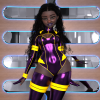
More Non-photorealisitic Renders (NPR II)Here's another pic of my exotic cutie, Joy using a combination of PWtoon with UE lighting and some lite Photoshop postwork.
 More Non-photorealisitic Renders (NPR II)
i started tooling around with pwtoon. I like it. i think this one is with the daz toon shaders.
My #1 tip for using PWToon or any other toon renderers, is to turn off all bump maps in your scene. You get a much cleaner look.
More Non-photorealisitic Renders (NPR II)question what can we do when rendering enviroments with pwtoon, vSS, and toon shaders? i notice that flat surfaces end up with huge black spaces.
My guess would be not enough light. The downside of 3delight is the lighting. You need multible spot lights or distant lights. That's why you will see me do images in IRAY, then use topaz filters to make it look painted (i,e. my Batman Beyond image)
More Non-photorealisitic Renders (NPR II)question what can we do when rendering enviroments with pwtoon, vSS, and toon shaders? i notice that flat surfaces end up with huge black spaces.
For Backgrounds I've started using the D|S's default toon shader, with the outline setting switched off, which I replace with the geometry shell line shader freebie.
More Non-photorealisitic Renders (NPR II)question what can we do when rendering enviroments with pwtoon, vSS, and toon shaders? i notice that flat surfaces end up with huge black spaces.
More Non-photorealisitic Renders (NPR II)i started tooling around with pwtoon. I like it. i think this one is with the daz toon shaders.
More Non-photorealisitic Renders (NPR II)[...]
The long answer: You can apply pwtoon shaders to a figure and maintain the textures. That will give it a cartoon look. Unfortunately, the method (Ctrl + click on the toon shader) didn’t work, so I had to replay all the textures to the diffuse setting in the Surface tab.
[...]
For whatever it's worth, using ctrl+double click on a shader preset should still be bringing up the window that lets you tell it to ignore maps. Did that dialogue not pop up? Otherwise what can happen is if the surface had a custom shader (like, for instance, the iray uber shader), channel names change so maps don't transfer over. There is a freebie iray to 3delight script that at least keeps most maps in their proper channels if that is what happened, I usually use that first and then apply the pwtoon preset if I'm starting with something that has iray shaders applied.
The model is made for Poser. The texture loads with 3Delight properties. On the main mech, the box did pop up, but the textures did not stay. On the armor (legs, arms, back), however, it worked properly. The armor is a newer product. Every other model I've used so far has coorperated. Next time, I'll try the converter, then apply the toon shaders and see what happens. That, of course, is if I remember LOL. I'm not getting any younger and I get easily side trackered on other projects.
More Non-photorealisitic Renders (NPR II)[...]
The long answer: You can apply pwtoon shaders to a figure and maintain the textures. That will give it a cartoon look. Unfortunately, the method (Ctrl + click on the toon shader) didn’t work, so I had to replay all the textures to the diffuse setting in the Surface tab.
[...]
For whatever it's worth, using ctrl+double click on a shader preset should still be bringing up the window that lets you tell it to ignore maps. Did that dialogue not pop up? Otherwise what can happen is if the surface had a custom shader (like, for instance, the iray uber shader), channel names change so maps don't transfer over. There is a freebie iray to 3delight script that at least keeps most maps in their proper channels if that is what happened, I usually use that first and then apply the pwtoon preset if I'm starting with something that has iray shaders applied.
More Non-photorealisitic Renders (NPR II)In this illustration. I used different VSS setting that work better with Anime style . If I went back and used the VSS settings that I normally use for Western style comics (like most of my graphic novel concepts, superhero stuff, and my profile pic), then the darker shadows might work a lot better. I'll expiriment with that. I think you are right; with LineRender9000 and pwToon, I think I'm very close to getting the style I need/want to start my graphic novel in earnest.
Edit: The other thing to note is that I only used 1 light.
The little bit of work I did with LineRender9000 was also with a single light (that was back when I was really trying to get my noir look down). Now that I'm in Poser, I almost always use two lights: one as a Key Light, and the other for directional lighting to cast the shadows where I want them.
Another reason I stopped using LineRender9000 is that it is a scripted camera: I can only see the results after it is rendered. Poser does it live, making it very easy and fast for me to make tiny adjustments to see where the shadows fall on the face and body. But there are some neat models and figures in DazStudio that I would really like to use... so I may go back to it.
Yeah, I had to render my mech 3 times before I was satisfied. I do like that feature in Poser. I wish they would find a way to incorporate that function into DAZ. I'd prefer it was a free feature, but I'd pay for it.
More Non-photorealisitic Renders (NPR II)In this illustration. I used different VSS setting that work better with Anime style . If I went back and used the VSS settings that I normally use for Western style comics (like most of my graphic novel concepts, superhero stuff, and my profile pic), then the darker shadows might work a lot better. I'll expiriment with that. I think you are right; with LineRender9000 and pwToon, I think I'm very close to getting the style I need/want to start my graphic novel in earnest.
Edit: The other thing to note is that I only used 1 light.
The little bit of work I did with LineRender9000 was also with a single light (that was back when I was really trying to get my noir look down). Now that I'm in Poser, I almost always use two lights: one as a Key Light, and the other for directional lighting to cast the shadows where I want them.
Another reason I stopped using LineRender9000 is that it is a scripted camera: I can only see the results after it is rendered. Poser does it live, making it very easy and fast for me to make tiny adjustments to see where the shadows fall on the face and body. But there are some neat models and figures in DazStudio that I would really like to use... so I may go back to it.
More Non-photorealisitic Renders (NPR II)This is the image that I originally tried using LineRender on the other day. This time I was sucessful. I used pwtoon on the mecha, but kept the textures. LineRender worked really well although not perfect. I did several passes and tried different setting, but I still needed to touch up the lines in Clip Paint Studio (Manga Studio 5). However, had I done this using my old method alone, it would've taken me days instead of a few hours. It's not perfect but I think it turned out pretty well. Lots of post-work.

VERY nice! I do see speckling on some of the lines, but this is a huge step forward (you gonna write up a tutorial for us, someday, bud?). What resolution are you rendering at? I'm wondering if going bigger would help hide the noise? That's the principle behind Dolby Noise Reduction. To eleminate the background hiss off the audio tape, he double the input channels and then, when it was reduced back to normal, the background hiss was cut in half. Using that principle, if you go really big on your renders then maybe the artifacts (visible along the leg outlines) might shrink to nothing when you downsample the image.
Or it might make them twice as big. I dunno.
Anyway, this is really good! I'm seeing improvement in leaps and bounds lately. You are definitely on to something.
The image size was pretty big. I noticed the speckling, but I thought maybe it made it look more hand drawn? I'm probably going to be tweaking the settings a lot over the next week or 2, to get the best settings. When I nail down a consistent workflow, I'll write something up for you all. So many people have helped me, I don't have a problem giving back.
More Non-photorealisitic Renders (NPR II)Oh yeah, robotech! i mean.. Macross! Love mechas.
So, how do you combine all those npr shaders together?The short answer, Photoshop (or any graphic program that handles layers).
The long answer: You can apply pwtoon shaders to a figure and maintain the textures. That will give it a cartoon look. Unfortunately, the method (Ctrl + click on the toon shader) didn’t work, so I had to replay all the textures to the diffuse setting in the Surface tab.
LineRender will create transparent ink and shadow layers that you can composite over your regular 3Delight render (color layer) in Photoshop, Clip Paint Studio, or GIMP (free). What I like about Photoshop, is I can load the main image (color layer), then copy and paste the ink and shadow layers right over it. If you use the “paste in place” option, they are lined up perfect. Once I get the line and shadows the way I like them, I'll merge them, however I do not merge the ink and shadows to the color render until I get it the way I want as well. With the color layer, I might adjust the brightness, contrast, vibrance, and/or saturation. I may also use a Topaz filter or two.
More Non-photorealisitic Renders (NPR II)This is the image that I originally tried using LineRender on the other day. This time I was sucessful. I used pwtoon on the mecha, but kept the textures. LineRender worked really well although not perfect. I did several passes and tried different setting, but I still needed to touch up the lines in Clip Paint Studio (Manga Studio 5). However, had I done this using my old method alone, it would've taken me days instead of a few hours. It's not perfect but I think it turned out pretty well. Lots of post-work.
VERY nice! I do see speckling on some of the lines, but this is a huge step forward (you gonna write up a tutorial for us, someday, bud?). What resolution are you rendering at? I'm wondering if going bigger would help hide the noise? That's the principle behind Dolby Noise Reduction. To eleminate the background hiss off the audio tape, he double the input channels and then, when it was reduced back to normal, the background hiss was cut in half. Using that principle, if you go really big on your renders then maybe the artifacts (visible along the leg outlines) might shrink to nothing when you downsample the image.
Or it might make them twice as big. I dunno.
Anyway, this is really good! I'm seeing improvement in leaps and bounds lately. You are definitely on to something.
3Delight - The slowest rendering engine.Oh, interesting. I only ever used pwtoon and manga shaders, and knew about linerender 9k, so seeing npr for ireay is news for me.
The Girl 8@VincentXyooj Vanille is one of my favourite models! I used her on these:
https://www.daz3d.com/gallery/#images/646456
https://www.daz3d.com/gallery/#images/643821
I love that she has a toon eye selection and separate toon eyebrows which I need for using with pwToon and Visual Style Shaders. She also has a beautiful and expressive face. I wish there was a male version of her with these really useful extras.
Thank you for creating her

@tcassat you can dilate the pupils using the add on Genesis 8 head morph set. Also Cartoonize for Genesis 8 females gives you some morphs to adjust eye shapes, which help towards getting the the look you want. I used them on this render (the model is The Girl 8)
https://www.daz3d.com/gallery/#images/648401
More Non-photorealisitic Renders (NPR II)This is the image that I originally tried using LineRender on the other day. This time I was sucessful. I used pwtoon on the mecha, but kept the textures. LineRender worked really well although not perfect. I did several passes and tried different setting, but I still needed to touch up the lines in Clip Paint Studio (Manga Studio 5). However, had I done this using my old method alone, it would've taken me days instead of a few hours. It's not perfect but I think it turned out pretty well. Lots of post-work.
Daz 3D is part of

Connect
DAZ Productions, Inc.
7533 S Center View Ct #4664
West Jordan, UT 84084Licensing Agreement | Terms of Service | Privacy Policy | EULA
© 2026 Daz Productions Inc. All Rights Reserved.