-
FilaToon / Cell shaded rendering with Filament
Boy, with all that filament/filatoon stuff coming in I really feel left out as a Mac user. And all I know is that I'll probably have to wait until Studio 5 (whenever that thing might surface) to run filament on Mac. Bummer, especially since even the naughty bits from a site I cannot mention are now featuring an addon with filament support.
FilaToon / Cell shaded rendering with FilamentFilament/Filatoon continues to be everything I'm wanting it to.
 Anime Toons and Filatoon Shader Q&A
vrba79 said:
SapphireBlue said:
vrba79 said:
Earlier in the thread someone mentioned how to fake Depth of Field effects with camera dependant planes. Or at least I think they did. If so, can someone run that by me again?
Just to add to what TheNathanParable said, I've also used Atmosphere for Filament and also SY Atmospheric Blur Filament as an alternative for DOF with Filament renders to soften the background details.
The third option I tried was to parent two or three planes to the camera at various distances for outside scenes, with bluish base colors and low opacity to simulate atmopsheric perspective/haze and DOF. I add a light smudgy texture to the planes to create a bit of blur (like some of the glass textures in Glass for Filament or fog textures). For indoors, you can just use a single plane parented to the camera behind your main object(s) of interest, with a base color that matches the scene and/or a light texture, and low opacity.
I don't suppose you've got a tutorial laying around for this method. It intrigues me.
I'm guessing you mean the third option I mentioned? It's probably easy to show in a few images. I'm using the blue tinged planes for outdoor shots in this example, but you can have them white for a neutral approach or in a color that matches the scene, especially for indoor scenes. In the first image, I've got a sphere as my main subject in front of the camera, some cylinders at mid distance, and some more larger cylinders further back. They're all the same color.
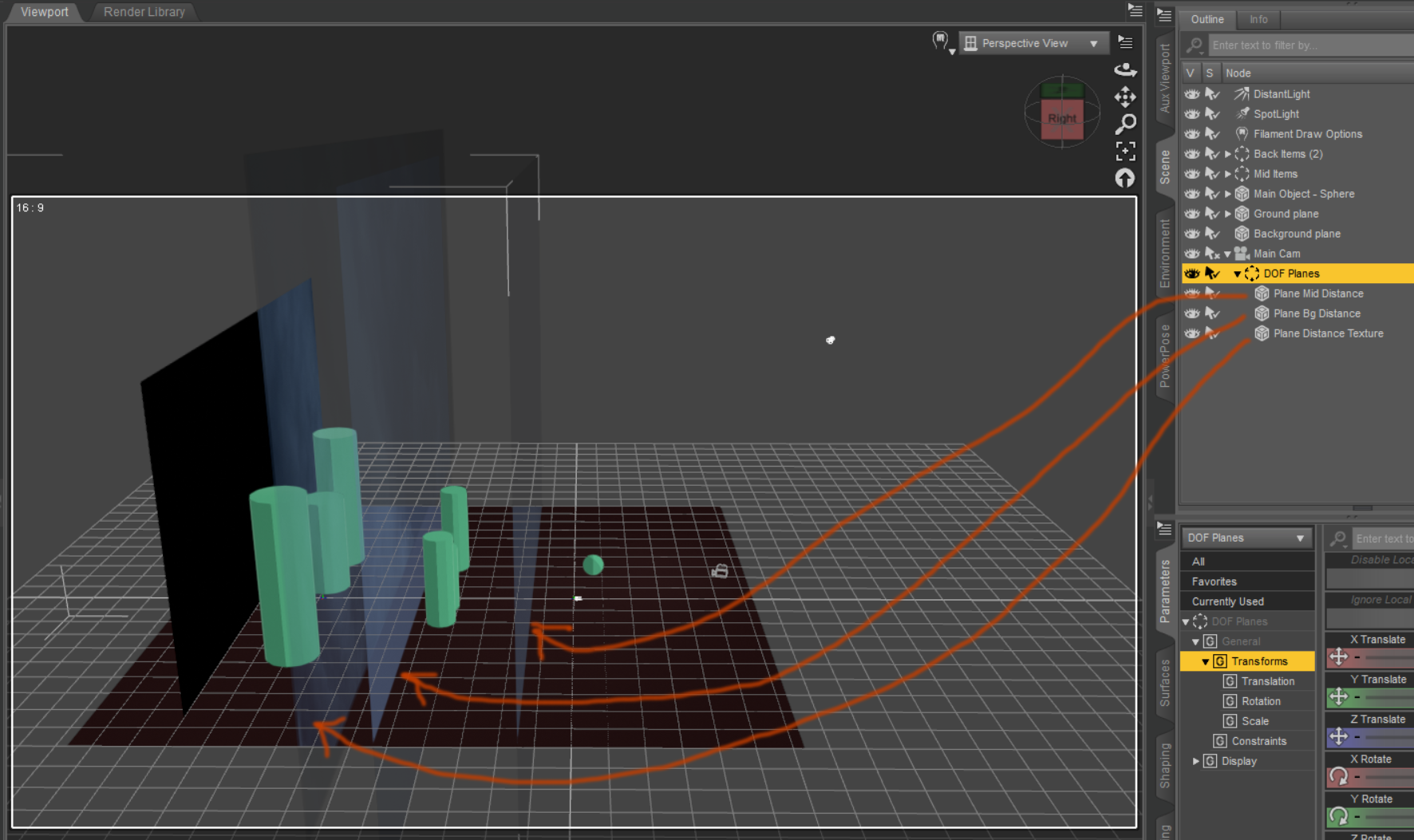
I've got three planes. The Mid and Bg distance are just base color blue with low opacity. The third plane has an image of clouds from pexels with low opacity, to create a subtle texture for this example. Using any fog textures from SY's packs work for these textured planes well - just keep the opacity low. The mid plane is behind the main object, and the other two are behind the mid objects (you can just use one of these planes - either plain or with texture). I would use plain ones for simpler toon styles and for indoors. A fog/smoke texture works for outdoors and sky, an even glass texture at low opacity or something like that can be used anywhere for a blur feel.
These planes are fine for still images, but not for animations, as items will just move through planes and that won't work. The atmo grids in Atmosphere for Filament are better suited for animation, but they do mess with shadows when working with FilaToon I think unless you tweak things more. (Someone else mentioned what to do for that and SY's atmospheric blur domes).
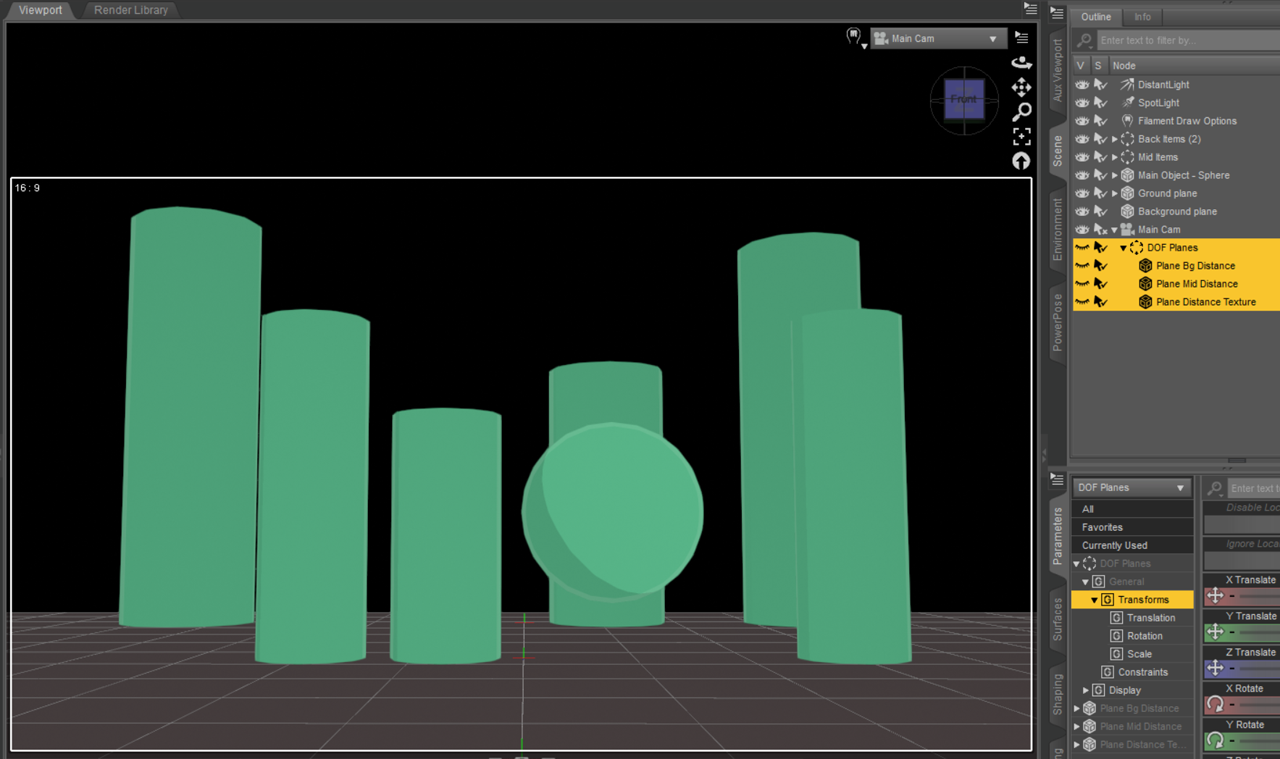
Without the planes, we get this:
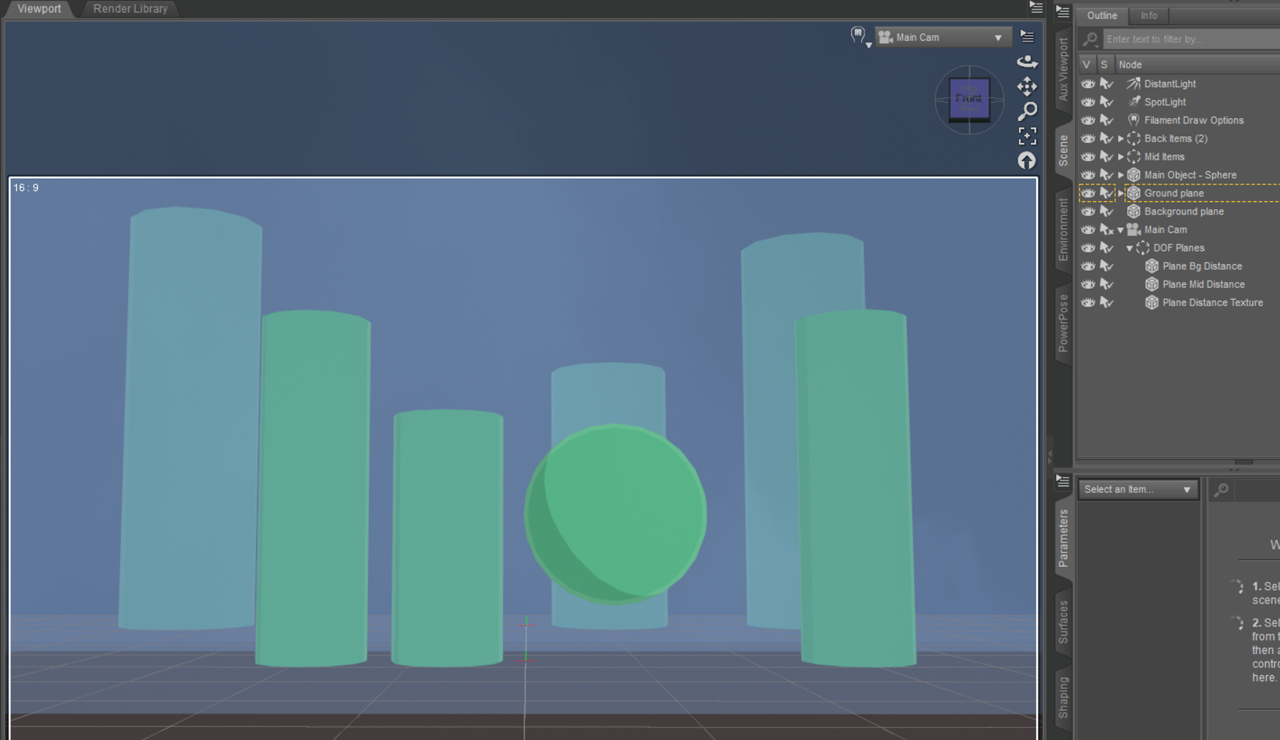
With the planes, we get the following, where we have more focus on the main subject and the background elements recede well, into the background. You can play with the opacity to see what works for your scenes.
 FilaToon / Cell shaded rendering with Filament
vrba79 said:
I think you can increase the shadow resolutions in the Filament options node.
Like I said, the quality of the shadows cast from spotlights don't seem to be affected by that.
FilaToon / Cell shaded rendering with FilamentI think you can increase the shadow resolutions in the Filament options node.
Fila Toon skin white linesYou may try: with Filament Drawstyle, from DS menu : Create > New Filament Draw Options Node..., in Scene pane, select the Filament Draw Options node, turn off Generate Texture Mipmaps property, or increase value in MSAA Sample Count, see if the issue is gone.
Fila Toon skin white linesI changed the settings but the problem still exists. Also: If I use the original figure (Kima from Renderosity) with their original skin it is okay in Textrure shaded but these white lines show in filament, too. This seems to be a problem of the figure/skin combination.
Any ideas?
(The same is true for the Keme figure from the same author)
Anime Toons and Filatoon Shader Q&ASapphireBlue said:
vrba79 said:
Earlier in the thread someone mentioned how to fake Depth of Field effects with camera dependant planes. Or at least I think they did. If so, can someone run that by me again?
Just to add to what TheNathanParable said, I've also used Atmosphere for Filament and also SY Atmospheric Blur Filament as an alternative for DOF with Filament renders to soften the background details.
The third option I tried was to parent two or three planes to the camera at various distances for outside scenes, with bluish base colors and low opacity to simulate atmopsheric perspective/haze and DOF. I add a light smudgy texture to the planes to create a bit of blur (like some of the glass textures in Glass for Filament or fog textures). For indoors, you can just use a single plane parented to the camera behind your main object(s) of interest, with a base color that matches the scene and/or a light texture, and low opacity.
I don't suppose you've got a tutorial laying around for this method. It intrigues me.
Fila Toon skin white linesPadone said:
Since filament is a viewport engine, this may depend on the texture settings in the preferences, you may try to set the textures toward "quality" rather than "peformance".
edit > preferences > interface
Yes, also the Display Performance setting in the same place.
Fila Toon skin white linesSince filament is a viewport engine, this may depend on the texture settings in the preferences, you may try to set the textures toward "quality" rather than "peformance".
edit > preferences > interface
Anime Toons and Filatoon Shader Q&Avrba79 said:
Earlier in the thread someone mentioned how to fake Depth of Field effects with camera dependant planes. Or at least I think they did. If so, can someone run that by me again?
Just to add to what TheNathanParable said, I've also used Atmosphere for Filament and also SY Atmospheric Blur Filament as an alternative for DOF with Filament renders to soften the background details.
The third option I tried was to parent two or three planes to the camera at various distances for outside scenes, with bluish base colors and low opacity to simulate atmopsheric perspective/haze and DOF. I add a light smudgy texture to the planes to create a bit of blur (like some of the glass textures in Glass for Filament or fog textures). For indoors, you can just use a single plane parented to the camera behind your main object(s) of interest, with a base color that matches the scene and/or a light texture, and low opacity.
Anime Toons and Filatoon Shader Q&A
I think they meant something like Atmospheres for Filament, where you have a bunch of partially transparent planes facing the camera to fake distance fog.vrba79 said:Earlier in the thread someone mentioned how to fake Depth of Field effects with camera dependant planes. Or at least I think they did. If so, can someone run that by me again?
Not quite the same as actual depth of field, for that you'd need to blur the background in an image editor (highly recommend looking into depth maps for that, 3DU has a good looking tool for that which I have yet to try).
That said, multiple renders of mine in the gallery use products like Atmospheres for Filament and Plane Ready Atmospheres for Iray (also works in Filament with some tweaking, albeit looking much more simplified). They're a really good way of adding some additional effects and ambience to a scene without postwork, especially if you want the foreground to pop more.
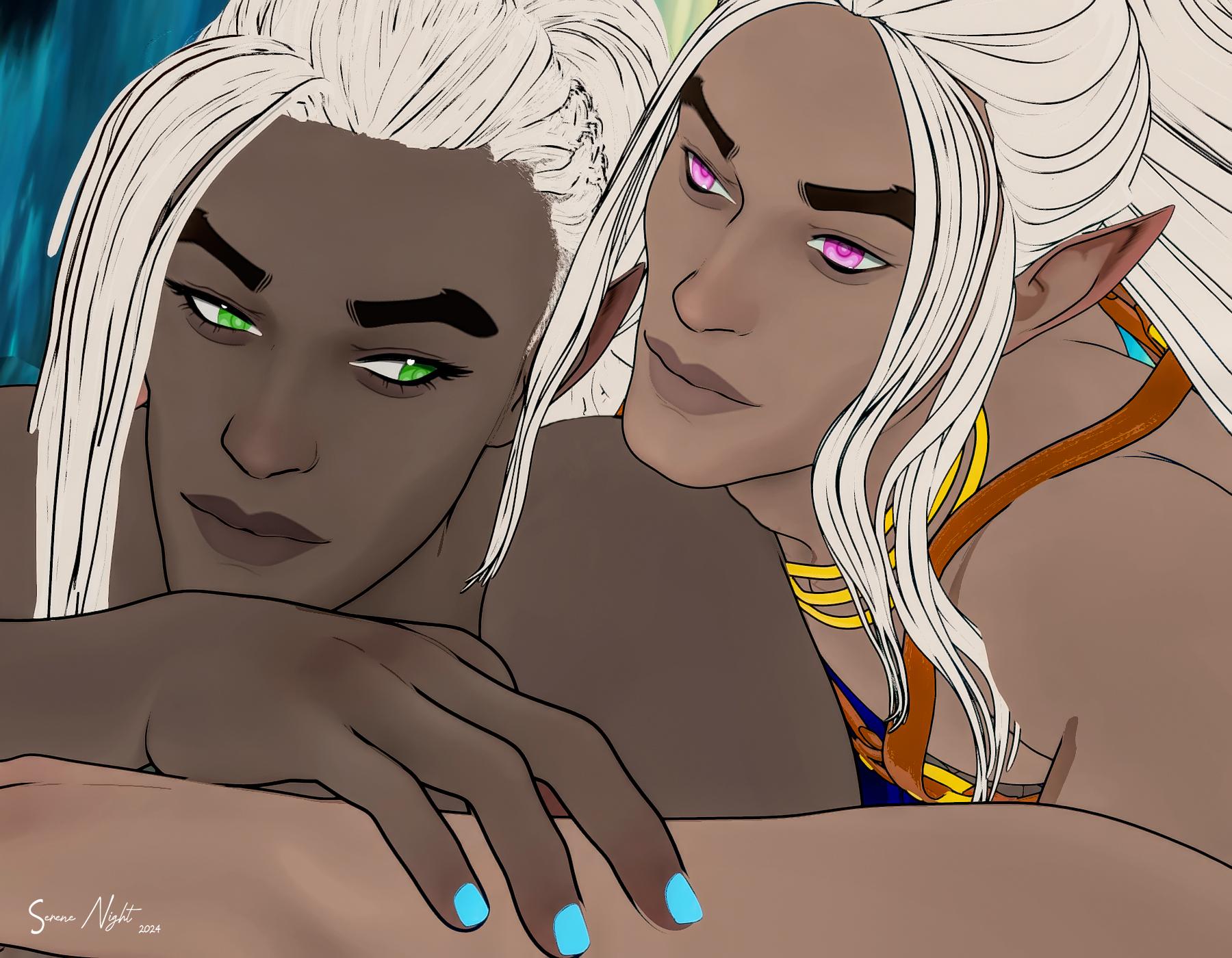
SereneNight’s Sci-Fi Fun Thread 3So, a couple of things I have learned. Cycloramas are you friends in Filament... Use them! why bog your render down with more stuff you won't use. Hopefully, some enterprising pa will make some decent ones for the toons.
The other thing is that if you have Topaz Labs, the 'basic correction' option adds some interesting depth to the toons.
 The Mac FAQ
algovincian said:
inquire said:
Of course, with the M4 Chip DAZ Studio Is rendering in emulation. I expect that it would be faster if it were running natively on the macOS. In that case, might the difference in speed be less than nine times faster on a Windows machine?
I don't think so. I think Iray in DS has had native Arm code for macOS since January of 2022:
https://www.daz3d.com/forums/discussion/comment/7616791/#Comment_7616791
- Greg
I don't think we'd see any evidence of that until there's a native Mac version of DAZ Studio.
Over the last few years, it looks like the average difference between native and emulated applications seems to be clocking in between 15 and 25%. I'd be surprised if a native version of D|S bumped the rendering speed up more than 25%, still very low compared to high-end NVidia cards. That said, a Mac-native D|S on an M4 Pro Mac Mini with 64 GB of RAM would run Filament faster than I'd ever need. Hopefully we'll see that in my lifetime.
SereneNight’s Sci-Fi Fun Thread 3Serene Night said:
Here are more elves. I have trouble with filatoon simply because I can't get two hairs or two styles of hair to match. Even with reshading older hairs it just looks off. So the other elf has no hair, until I can find him some comparatively nice hair.
I think I read somewhere in the forum that Filament has real issues with transparency maps, that they just don't work correctly. That may be part of the issue with older hairs, at least.
[Released] Anilip3 [Commercial]Dobit said:
Peter Wade said:
Dobit said:
Peter Wade said:
Watching the promo I wasn't sure it this generates the sythensised voice sounds or if it just animates figures to look as if they are talking a seperatley generated soubndtrack. Doe this product include voice sounds?
Voice over is used in the promo video. Otherwise, Anilip3 offers a large selection of TTS voices. Windows SAPI and neural voices.
I think the Windows SAPI voices run locally on the PC but TTS voices need a connection to an online server, is this correct? And do the neural voices run locally or do they need a connection to a server?
All voices run locally.
Thank you for that clarification. it makes the package a lot more attractive (I don't trust cloud based stuff in the long term).
I haven't done any animations so far but Filament should make animation practical on my not very powerful computer and this looks really good.
Kindred Arts Oakview Highschool for Iray![Kindred Arts Oakview Highschool for Iray!] The perfect highschool but sadly it was made for filament.
Limited Time Freebies Discussion ThreadSilverGirl said:
miladyderyni_173d399f47 said:
SilverGirl said:
Just a quick note to folks that although the Supersuit Troopers free this week is a texture add-on, there are some straight-up shaders included in there. So even if you have no interest in the product itself, you might want to pick it up for those.
Those shaders will be for 3DL, not Iray or Filament, since Supersuit is a G1 product. That said, I do have Supersuit and several add-ons (not Troopers) and they do have very nice shaders if you want to convert/tweak.
Thanks for the warning.
I find the shaders in the sets I have look good with just a base Iray shader applied, so I expect this will be the same. Troopers also includes a helmet that can probably be autofitted. And bein Genesis, it will work in DS.
FilaToon / Cell shaded rendering with FilamentCan confirm ordinary LIE works just fine with Filament/Filatoon as well.
 FilaToon / Cell shaded rendering with Filament
SapphireBlue said:
Artini and vrba79 Thank you both!

3Diva Thank you very much!
I shifted the texture colors more to greens that would work for the scene, then tweaked Draw Settings to create a more uniform feel. It's really good for that and flexible for creating a more custom color look. Love that aspect! 
3Diva said:
I've been experimenting with shadows and you can get interesting hatching-like effects with Shadow Type PCSS by lowering the Shadow Polygon Offset Slope to negative values.
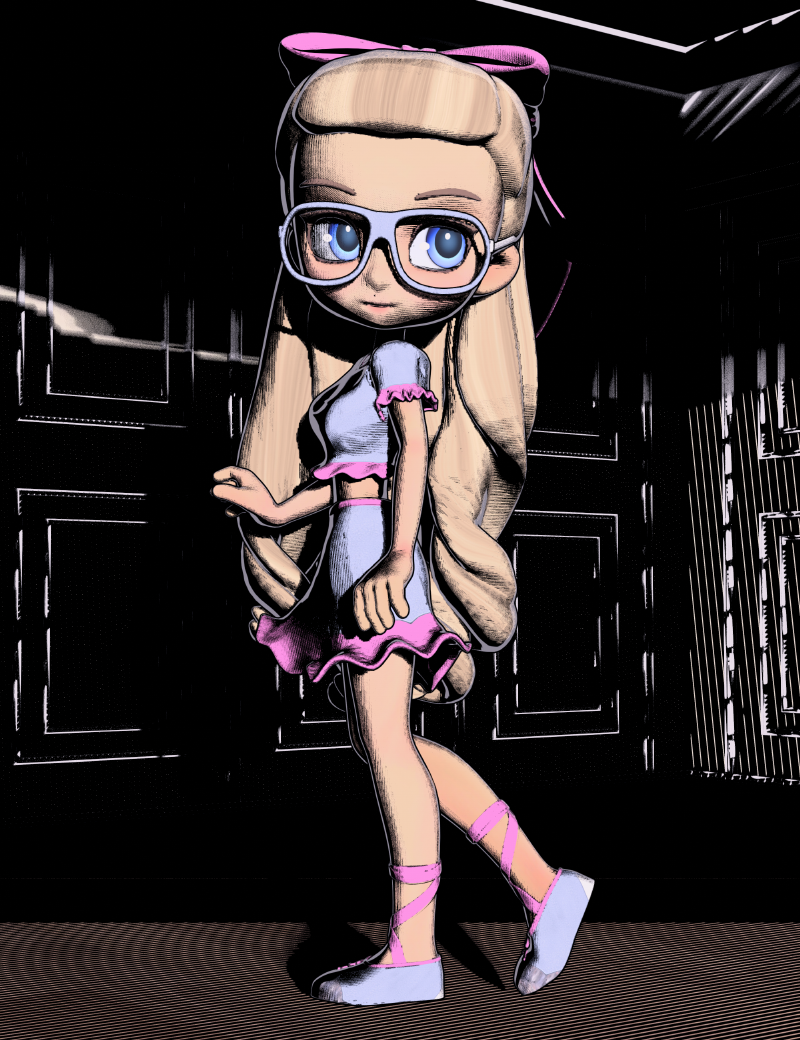
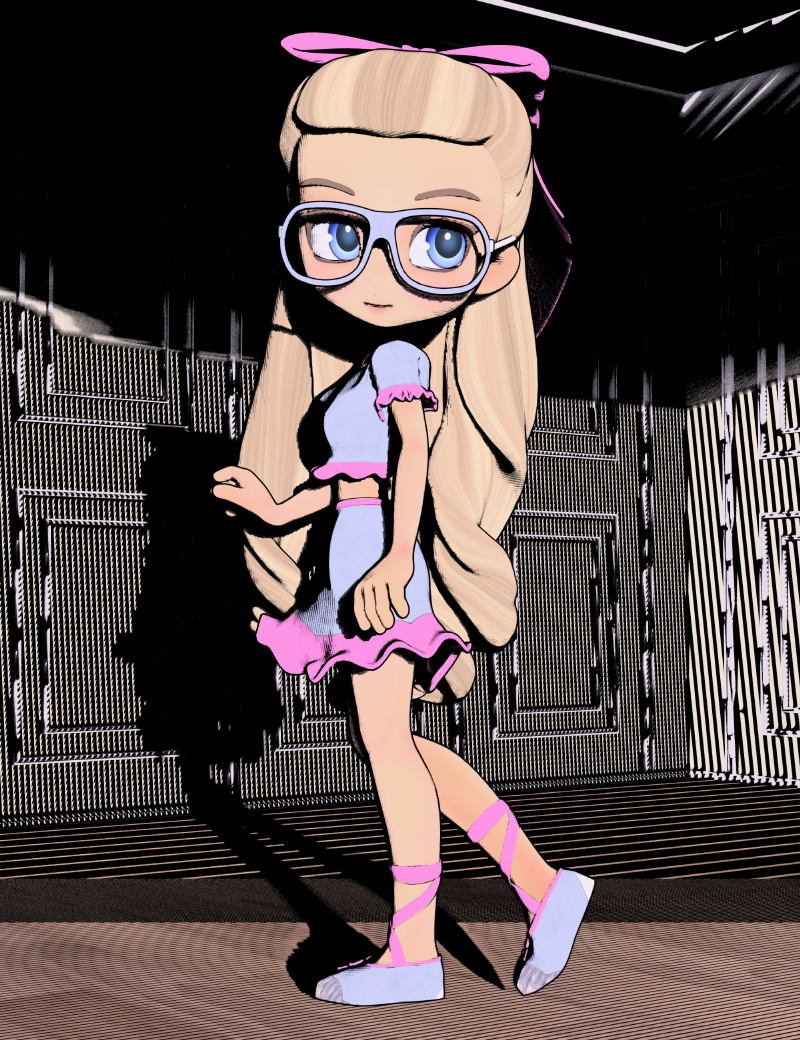
That's a great discovery and experimentation!
 I had noticed before that Shadow Type VSM gives a more smudged textured look suited to certain styles, but hadn't explored it further. Just had to try out your PCSS tips - and wow, some really crazy effects happen! Very cool!
It was a fun discovery for sure! The only thing is you need to render pretty large and then scale the image back down - otherwise, it's just a mess. lol Thankfully, though, rendering with filament takes just a second or two, even if the render is huge. That's one of my favorite parts I think - that it's nearly instant rendering! :D
Daz 3D is part of

Connect
DAZ Productions, Inc.
7533 S Center View Ct #4664
West Jordan, UT 84084Licensing Agreement | Terms of Service | Privacy Policy | EULA
© 2026 Daz Productions Inc. All Rights Reserved.














