-
Face Transfer 2
I have a couple of questions regarding Face Transfer 2.
1. Does Face Transfer 2 require Daz Studio 4.22 or will it work in 4.21?
2. In the description, it is unclear if it works on Genesis 8 and 8.1. It says Face Transfer Unlimited does but that is a different product. I know it only says it is compatible with Genesis 9 but I just wanted to ask about the others.
Face Transfer 2d characteriwearonlyvans said:
Hi I am new here, just downloaded daz3d. (not sure if this is the right place to post). I am trying to make a 3d character, but it is a drawn one. Therefore face transfer ain't working well on it. Is there anyway to make my OG character without sculpting it from scratch??
AI can convert any drawing to a color photo if you want to go that route. Use the ControlNet extension to extract the features of the drawing, and then AI can use that to recolor the picture. It probably won't be perfect, but you won't know unless you try.
Face Transfer 2Lev_c said:
I see that Face Transfer 2 is now 'officially released' and have a question.
In the product description it says the following:
The trial version allows you to create three saved figure shapes without the watermark, while the unlimited version lets you save as many figure shapes without watermarks as you like
Will I be paying $35 for a trial version?
No, the trial version is free with DS 4.22.0.15
Face Transfer 2I see that Face Transfer 2 is now 'officially released' and have a question.
In the product description it says the following:
The trial version allows you to create three saved figure shapes without the watermark, while the unlimited version lets you save as many figure shapes without watermarks as you like
Will I be paying $35 for a trial version?
[Released] RSSY Character And Material Conversion Bundle Genesis 8 to Genesis 9 [Commercial]bfarber2011 said:
Tried today for the first time with various degree of errors and disappointment RSSY Character Converter Genesis 8 and 8.1 Female to Genesis 9. Exemples of which I am attaching below to see.
It went as follows
Attempt #1 Created a character preset of G8F figure I have already used in a scene a while ago, it had a lot of dialed up morphs such as body parts sizes and shapes including HD Morphs. Ran a script and got completely distorted shape results illustrated in the first attached image.
Atempt #2 Deleted and Created again a character preset of the same figure, this time unchecked "Save Materials" before saving. This time I used " Convert CUSTOM Character G8F to G9" script seance the character I'm using has dialed up morph values , thought that would be a solution. But again same results as Attempt # 1.
Attempt # 3 Created a character preset of Leisa 8 Alt Leisa #6 without playing with any morph values nothing modified. Ran the same original default script as in Attempt # 1. This time there was no distortion But G9 character did not really convert as illustrated in second attachment where the gray character is converted G9 and textured character is Original Leisa 8 Alt # 6 I put in the scene for your comparison. Obviously it did not convert to the intended shape.
So once again what Im i doing wrong? What am i missing here. Thank you in advance for trying to help.
From the manual:
The Converted Character’s Body is wrinkled. Because of the way that morphs must be converted, a morph that on Genesis 8 appears to only touch a small part of the head can affect the whole body on Genesis 9. You need to show Currently Used parameters to show all morphs on the converted character. Then, one by one, dial in the morphs to find the offending morph(s). Once you find them, delete the morphs from your HD (click the Gear icon, Parameter Settings, and look at File Path for the asset to figure out where the morph is and what it is called). You should also resave the character with the offending morph(s) dialed out (set to 0)
The other thing you could try is taking the G8 figure, exporting with all morphs to OBJ as just one morph, and then converting that.
Face Transfer 2 elusiveSo both Face transfer for 8 and 9 is the same pane. So if i want a G8 i have to load it, otherwise G9 is the default!
[Released] RSSY Character And Material Conversion Bundle Genesis 8 to Genesis 9 [Commercial]Crescent said:
I'm having problems getting the converter to work in DAZ 4.22.0.1. The figures are crumbly with only bits of the morphs applied. I still have 4.20.0.2 installed and the converter works fine using that version, using the same directories I used with 4.22. (I lost my 4.21 zip so I can't reinstall that version to check if things work properly in that version.) I reinstalled 4.22.0.1 and the converters (female and male) and I'm still getting bad conversions in 4.22.0.1. I wiped the bad results, went into 4.20.0.2 and got the expected conversion results yet again. I don't know if there's something weird about my installation or if there's a version issue in general. If it's just me, no biggie. I can keep 2 versions of DAZ Studio on my PC. Attached is what Aiko8->9 looked like in 4.22.0.1 for me.
From the manual:
The Converted Character’s Body is wrinkled. Because of the way that morphs must be converted, a morph that on Genesis 8 appears to only touch a small part of the head can affect the whole body on Genesis 9. You need to show Currently Used parameters to show all morphs on the converted character. Then, one by one, dial in the morphs to find the offending morph(s). Once you find them, delete the morphs from your HD (click the Gear icon, Parameter Settings, and look at File Path for the asset to figure out where the morph is and what it is called). You should also resave the character with the offending morph(s) dialed out (set to 0)
The other thing you could try is taking the G8 figure, exporting with all morphs to OBJ as just one morph, and then converting that.
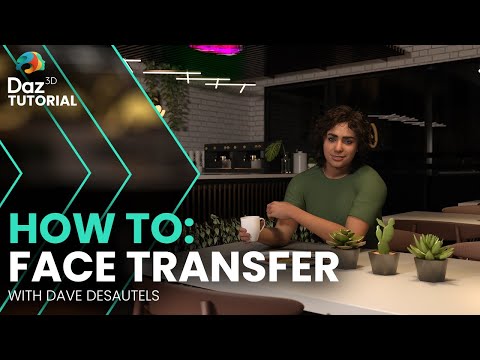
Face Transfer 2There is another tutorial about Face Transfer 2:
How to Use Face Transfer 2 - Tutorial with Dave
 Face Transfer 2 elusive
I bought Face Transfer 2 a month ago and it still not avilable in my DIM. DAZ is announcing its arrival everywhere! but still havent made it avalable to
us who preordered it.Hot New (Northern) Season, New Sales Thread: Report Issues Here "Reporting Only"barbult said:
The Face Transfer 2 release message doesn't show up with the orange banner or in the account messages.
Have reported the onsite is empty.
Hot New (Northern) Season, New Sales Thread: Report Issues Here "Reporting Only"The Face Transfer 2 release message doesn't show up with the orange banner or in the account messages.
[Released] RSSY Character And Material Conversion Bundle Genesis 8 to Genesis 9 [Commercial]Tried today for the first time with various degree of errors and disappointment RSSY Character Converter Genesis 8 and 8.1 Female to Genesis 9. Exemples of which I am attaching below to see.
It went as follows
Attempt #1 Created a character preset of G8F figure I have already used in a scene a while ago, it had a lot of dialed up morphs such as body parts sizes and shapes including HD Morphs. Ran a script and got completely distorted shape results illustrated in the first attached image.
Atempt #2 Deleted and Created again a character preset of the same figure, this time unchecked "Save Materials" before saving. This time I used " Convert CUSTOM Character G8F to G9" script seance the character I'm using has dialed up morph values , thought that would be a solution. But again same results as Attempt # 1.
Attempt # 3 Created a character preset of Leisa 8 Alt Leisa #6 without playing with any morph values nothing modified. Ran the same original default script as in Attempt # 1. This time there was no distortion But G9 character did not really convert as illustrated in second attachment where the gray character is converted G9 and textured character is Original Leisa 8 Alt # 6 I put in the scene for your comparison. Obviously it did not convert to the intended shape.
So once again what Im i doing wrong? What am i missing here. Thank you in advance for trying to help.
Tomcat For Genesis 8 Male, editing the fur/Hair too be shorterHello guys! I recently bought https://www.daz3d.com/tomcat-for-genesis-8-male
And I love it! But one thing I found is that the fur on the calf goes wild on my tiger character morph, because the fur is usually fluffy in that part than the rest, and it leaves something as the example shown, is there a way to edit the hair to be shorter? Like the rest of the fur?
I've never used hair before so I don't know how to do it, but any help is highly appreciated :)
Saving headspliter morphs to a character presetAs Richard says, you need to save Morph Assets first before saving Character Presets... Better reload your characters after saving morph assets.
Please let me see your most photorealistic render using only the sun-sky system or default hdri
Thanks lilweep!lilweep said:I wouldn't put much stock in their observations, since they are either plainly obvious or debatable/personal preference.
Diffuse lighting isn't inherently more unrealistic than side-lighting/intense shadows. There is nothing unrealistic with diffuse "flat" lighting. That is artistic preference, not a question of realistic/unrealistic. Maybe you can argue that having indirect shadows makes it easier to fake photorealism from a practical standpoint, because it emphasises a good quality spec map, and good quality normal/HD details, but as a mandate it's kind of debatable.
Also there is nothing unrealistic with red eyes. The sclera should have redness at the corners because there are more blood vessels there, especially when they are looking sideways. Redness makes eyes look more realistic, not less.
I dont want to make this another Iray Photorealism thread, but if we are weighing in or critiquring, in your case, the issue is more with the quality of the sclera texture for the eyes, in the sense that the redness is too blurry. The redness isnt colocalised to the blood vessels as you would expect. Additionally, the carbuncle area needs to have a pinker texture as currently too pale, and should have high specular/glossy quality that blends almost contiguously with the sclera/eye moisture of the eyeball, which also needs to be more moist-looking.
Gen 8.1 and Gen 9 have the fitted Tear figure for the eyes, which is important because the refraction of the tear line helps to break up/blend some of the harsh interface around eyes, e.g., the whole interface around the eye between eyeball and eyelid. I think in general, the eye textures you are using are not the best. Chevybabe has some good ones (at least i think so, from memory). Also fixing the gap between eyeball and eye would help if the tear doesnt help with that.
Lips could benefit from HD morph/normal map that is cognate with the wrinkles on the base color texture. In general, looks like the diffuse/base color map is doing all the heavy lifting and there is not enough HD detail (from either HD morph or Normal map).
Could also use vellus.
Please let me see your most photorealistic render using only the sun-sky system or default hdriI wouldn't put much stock in their observations, since they are either plainly obvious or debatable/personal preference.
Diffuse lighting isn't inherently more unrealistic than side-lighting/intense shadows. There is nothing unrealistic with diffuse "flat" lighting. That is artistic preference, not a question of realistic/unrealistic. Maybe you can argue that having indirect shadows makes it easier to fake photorealism from a practical standpoint, because it emphasises a good quality spec map, and good quality normal/HD details, but as a mandate it's kind of debatable.
Also there is nothing unrealistic with red eyes. The sclera should have redness at the corners because there are more blood vessels there, especially when they are looking sideways. Redness makes eyes look more realistic, not less.
I dont want to make this another Iray Photorealism thread, but if we are weighing in or critiquring, in your case, the issue is more with the quality of the sclera texture for the eyes, in the sense that the redness is too blurry. The redness isnt colocalised to the blood vessels as you would expect. Additionally, the carbuncle area needs to have a pinker texture as currently too pale, and should have high specular/glossy quality that blends almost contiguously with the sclera/eye moisture of the eyeball, which also needs to be more moist-looking.
Gen 8.1 and Gen 9 have the fitted Tear figure for the eyes, which is important because the refraction of the tear line helps to break up/blend some of the harsh interface around eyes, e.g., the whole interface around the eye between eyeball and eyelid. I think in general, the eye textures you are using are not the best. Chevybabe has some good ones (at least i think so, from memory). Also fixing the gap between eyeball and eye would help if the tear doesnt help with that.
Lips could benefit from HD morph/normal map that is cognate with the wrinkles on the base color texture. In general, looks like the diffuse/base color map is doing all the heavy lifting and there is not enough HD detail (from either HD morph or Normal map).
Could also use vellus.
Need help with RSSY Character Converter Genesis 8 and 8.1 Female to Genesis 9Tried today for the first time with various degree of errors and disappointment RSSY Character Converter Genesis 8 and 8.1 Female to Genesis 9. Exemples of which I am attaching below to see.
It went as follows
Attempt #1 Created a character preset of G8F figure I have already used in a scene a while ago, it had a lot of dialed up morphs such as body parts sizes and shapes including HD Morphs. Ran a script and got completely distorted shape results illustrated in the first attached image.
Atempt #2 Deleted and Created again a character preset of the same figure, this time unchecked "Save Materials" before saving. This time I used " Convert CUSTOM Character G8F to G9" script seance the character I'm using has dialed up morph values , thought that would be a solution. But again same results as Attempt # 1.
Attempt # 3 Created a character preset of Leisa 8 Alt Leisa #6 without playing with any morph values nothing modified. Ran the same original default script as in Attempt # 1. This time there was no distortion But G9 character did not really convert as illustrated in second attachment where the gray character is converted G9 and textured character is Original Leisa 8 Alt # 6 I put in the scene for your comparison. Obviously it did not convert to the intended shape.
So once again what Im i doing wrong? What am i missing here. Thank you in advance for trying to help.
Saving headspliter morphs to a character presetRichard Haseltine said:
Make sure that the moprh is zeroed (and has a zero default value) the use File>Save As>Support Assets>Morph Asset to save it/them so that it will be available on all figures of that base.
Oaky I'll give that a try.
Or just save a character perset but use that to load a new figure, not to modify an existing figure.
That I tried but couldn't find the morph available in any shaping menu. So I must not have done something right.
Why did G9 Starter Essentials pop to top of Product Library?carrie58 said:
Just noticed that The G9 Starter Essentials is back to the top of my Product Library, I'm assuming there was an up date to the package ,but where can I find out ,Why ? What ? those are the questions .......
Resolved Issues
-
2023-12-15:
-
Added Face Transfer 2 support files
-
Updated metadata
-
http://docs.daz3d.com/doku.php/public/read_me/index/86958/start
Why did G9 Starter Essentials pop to top of Product Library?Updates to support Face Transfer 2
Daz 3D is part of

Connect
DAZ Productions, Inc.
7533 S Center View Ct #4664
West Jordan, UT 84084Licensing Agreement | Terms of Service | Privacy Policy | EULA
© 2026 Daz Productions Inc. All Rights Reserved.