-
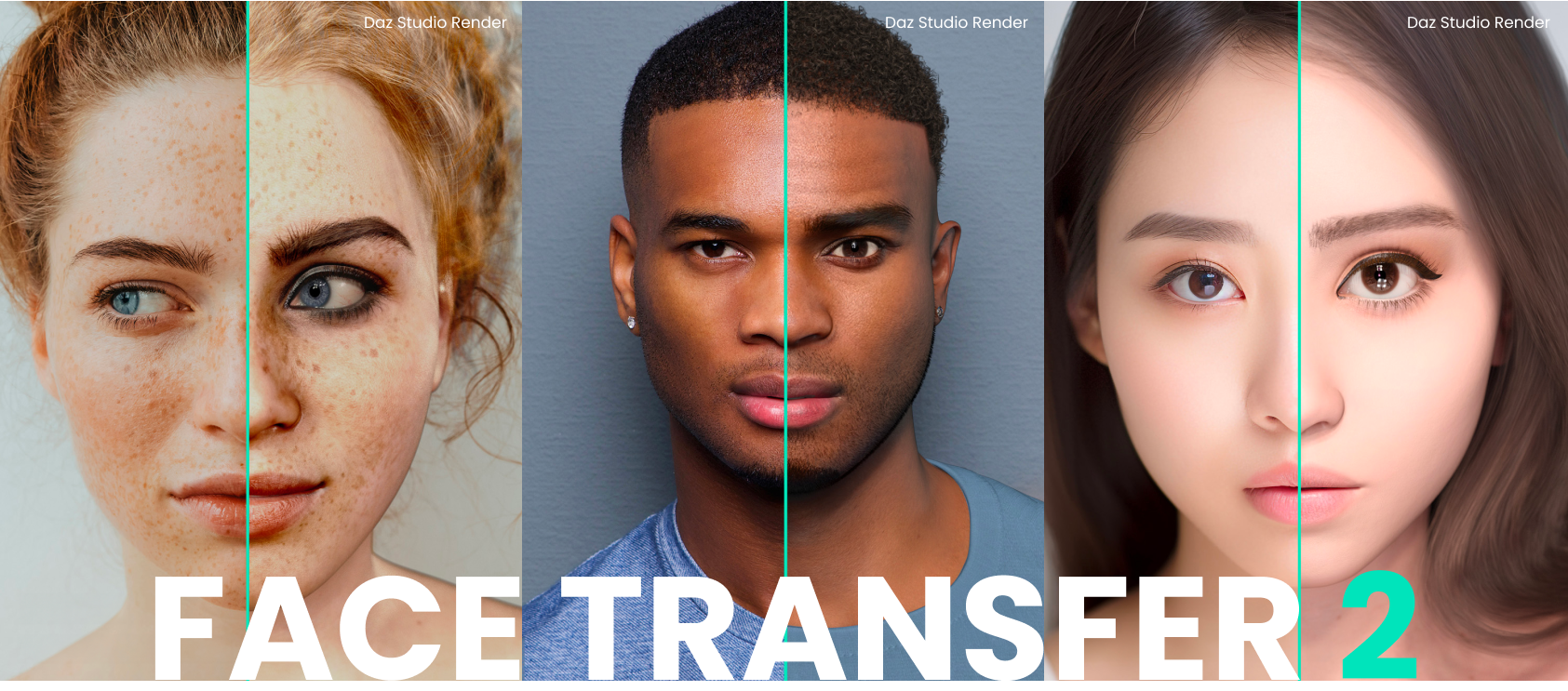
Face Transfer 2
Thanks for the comments, CHWT.
I agree, it would be great to get some morphs to fix the buccal area and weaker chin/neck definition.
There was an addon for the first version of the Face Transfer, so maybe some brave PA will create a new one.
Maryam 9tsroemi said:
Thorne said:
rcourtri_789f4b1c6b said:
Really puzzling. So, Daz bought the rights to the character model from the PA, then radically changed the head and/or face?
I'd love to read the reasoning behind this, but I suspect Daz's general opacity (and maybe an NDA) will keep this weirdly mysterious.
Actually they included all the original parts as I understand it. The original face is included after all, they just added extra stuff to create a fuller package which is pretty cool.
Huh? But to me, your Maryam morph looks totally different from the one in the store. Am I getting this wrong somehow?
Oh, and thank you for including the info on the eyebrows!
You're welcome! I think the texture map maybe makes a big difference. Besides the Helena map, I also used the Nala map with a slightly darker translucency colour, and the G9 Essentials materials
A dress...I don't think that's the same shirt. (sorry) The one in the store is buttoned all the way and doesn't appear to have a morph to "open" it. The sleeves are also different. (just trying to help)
Particle efx?LOL!!! "And finally, Morph - Sci Fi 20/Texture Preset - 20" Kills me every time that comes up! LOL!!!
Face Transfer 2
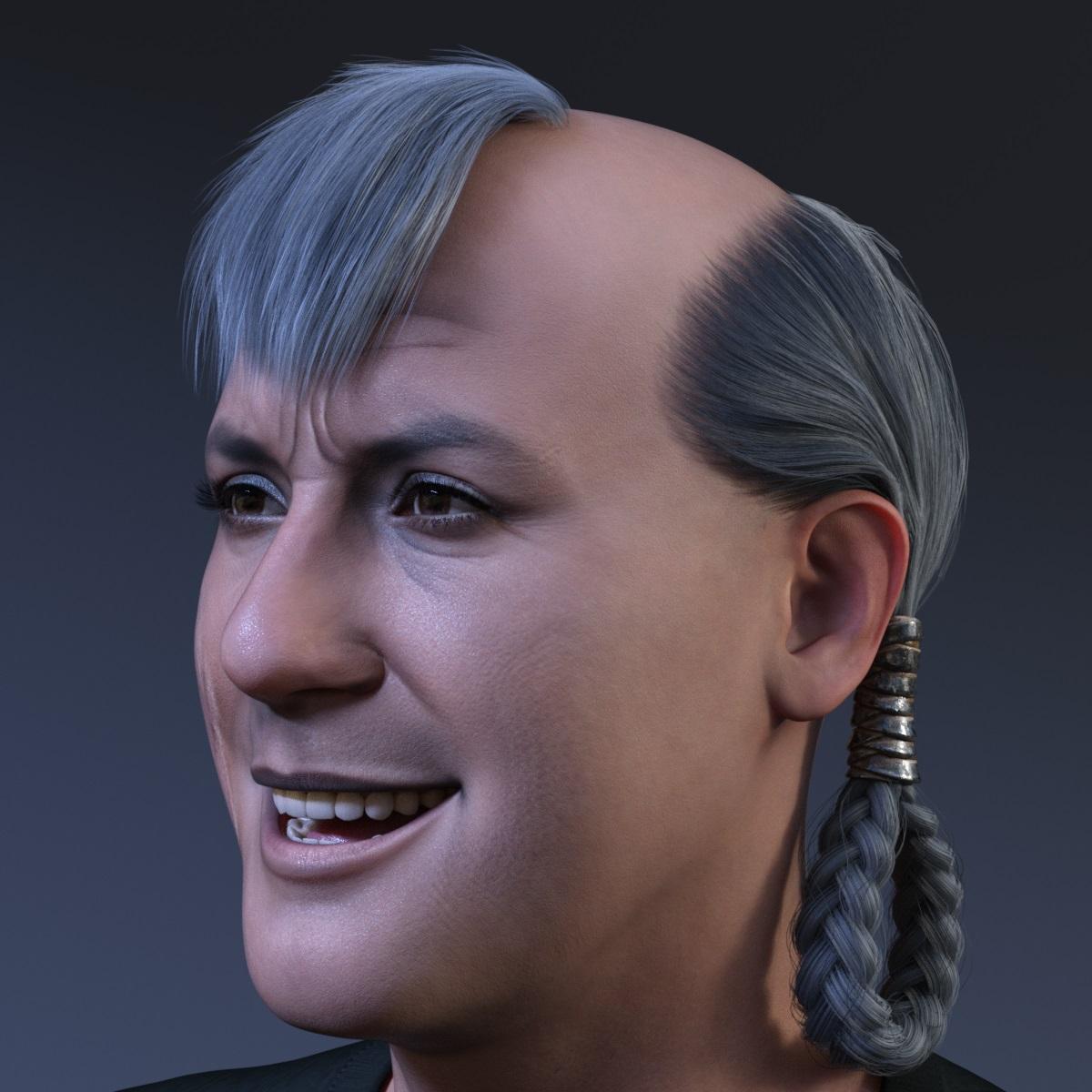
Not bad for a one click solution. I hope there will be a add-on for fixing the buccal area and weaker chin/neck definition.Artini said:Below are 2 examples of Genesis 9 female heads created with Face Transfer 2

Mihrelle Casual BobYes, parenting is better and faster, otherwise you have to tweak Sayble's FHM (Full Head Morph) on the hair. As below attached...
Morphs Not LoadingRichard Haseltine said:
Dowfex said:
Richard Haseltine said:
According to the readme the morph is in /data/Daz 3D/Genesis 8/Female/Morphs/Zeddicuss/Z Beach Beauty/Z BEACH Beach Beauty Shape.dsf so it should work on 8 abd 8.1 - it may be an instalaltion issue, excatly where is that folder on your system and what are your content directories?
Yeah the file in is the same path you put here. My Daz 3D Library is located on my D drive. I've had zero problems with any other morphs before apart from these Z's morphs just now. I have some of G9 and they work fine.
What is the full path, starting at D: and ending with Z Beach Beauty/?
D:\Daz 3D\Applications\Data\DAZ 3D\My DAZ 3D Library\data\DAZ 3D\Genesis 8\Female\Morphs\Zeddicuss\Z Beach Beauty\Z BEACH Beach Beauty Shape.dsf
Morphs Not LoadingDowfex said:
Richard Haseltine said:
According to the readme the morph is in /data/Daz 3D/Genesis 8/Female/Morphs/Zeddicuss/Z Beach Beauty/Z BEACH Beach Beauty Shape.dsf so it should work on 8 abd 8.1 - it may be an instalaltion issue, excatly where is that folder on your system and what are your content directories?
Yeah the file in is the same path you put here. My Daz 3D Library is located on my D drive. I've had zero problems with any other morphs before apart from these Z's morphs just now. I have some of G9 and they work fine.
What is the full path, starting at D: and ending with Z Beach Beauty/?
Genesis 9 Leg Bend Deforming OddlyThat looks like a corrective bend shape or joint adjustment, one that is meant to improve the bends when a particular morph is applied, kicking in when it isn't needed. If it's a morph it will be hidden but should show in Currently Used with Preferences>Show Hidden Properties on in the parameters pane option menu.
Daz Studio Pro BETA - version 4.22.0.15! (*UPDATED*)outrider42 said:
Richard Haseltine said:
outrider42 said:
frank0314 said:
Daz refuses to let us even BETA test it in their BETA
Where in the world was that ever said besides now? If you are using the Beta you have to report those issues the proper way by submitting a ticket and not here in the forums, to be fixed. They are released as Beta's for people to find those issues because it's physically impossible to test every single function and system configuration for the Alpha team. If people don't want to participate in testing it then you just don't download it. If you do want to test the new features and see if it will hold up to how you use it then install it and do as with any Beta version anywhere and report the issues so they can be looked at.
I am talking about the Iray plugin. Your response explains the logical way a beta works, which yes, I agree with completely...that is why I am so frustrated.
But you see, the DS beta is not being used to test Iray. The Iray plugin inside Daz Studio has not changed in a very, very, long time. The Iray plugin in Daz Studio is Iray 2022.1.7, which Daz released on April 24.
This beta is testing updates to 4.22.0.1. There is a 4.22.1.x branch in the private beta, which on the last few versions may well be 4.23.0.x on general reelase, and that presumably wil have an Iray update. Face Transfer 2 is low risk, Iray update is not. You may not agree with the team's approach to risk management, but their actions are considered and taken in the light of past experience and (general) user reactions
When did the Iray 2022.1.7 SDK release? It released on April 21. So Daz released the plugin to the public beta just 3 days after the Iray dev team released it. It would appear that with 3 days, they skipped the private build completely. Hmm.
Then...silence. The Iray dev team continued to release nearly monthly updates all year long, including Iray 2023, which contains many improvements and bug fixes. Iray 2023.0.0 released in JUNE. We heard nothing from Daz. Hmm.
Iray 2023 has received monthly updates ever since, jumping to 2023.0.6.
It goes deeper. The problems that people have been having with Iray predate this version of Iray. Just as one example, Ghost Lights were already dead, and had been dead since the first DS 4.20 released with a much earlier build of Iray. So Daz just suddenly stopped putting new Iray updates into DS...for some reason. Hmm.
or for one or more resons, such as breaking other things?
Yet the reason given, now on at least two separate occassions by Richard is that the Daz team wants to make sure the new Iray doesn't break anything. "based on their comments for this round, appear when Daz is confident that it will not cause new issues" This statement says a couple things, including the fact that Daz is indeed holding Iray 2023 back. But that really doesn't make sense. After all, just use some logic. The things Iray broke all happened long before Iray 2022.1.7 released. The problems all began way back in Feb 2022. Yet Daz continued releasing updates to Iray for more than an ENTIRE YEAR before suddenly deciding to stop? So why the sudden change in release schedule?
Moreover, Iray 2023 never appeared anywhere in the beta builds, not even private builds. It wasn't until very recently that Iray 2023 showed up in a beta, a private one. Funny enough, Iray 2023.0.6 popped up in the private beta channel at nearly the same time Face Transfer 2 did. Isn't that interesting.
Yet...only Face Transfer 2 has released to the public. And boy, did it sure come out fast. I don't think we need to ask why. But you know, I will anyway. Why was Face Transfer 2 pushed to the public build so fast? I mean, come on, they even put it on pre order, and the first place to actually use it is in the beta of all things. A preorder for a beta??? And yes, I have to ask, because that is extremely strange. If Face Transfer 2 is fine, why isn't it in the full build? What is going on?
So this all brings up some questions. If Daz is waiting to make sure the new Iray doesn't break anything...why hasn't it showed up in the beta before now? When was Daz supposedly testing this? Was it in a secret lab somewhere? How are we the customers supposed to interpret this? Going back to your own description of how a beta works, how are customers supposed to file reports when they don't even have the plugin to test? Thus my frustrated plea to put the plugin in the beta.
Why, if Daz wanted to avoid Iray breaking things, why did they wait an entire year AFTER THOSE THINGS WERE ALREADY BROKEN before deciding to stop updating Iray? How does that make sense? Why didn't they stop at Iray 2022.0.0? Or hell...why didn't they just revert back to Iray 2021??? Oh wait...VDBs were in the store, huh.
And...again, if Daz is playing it safe, how can they claim that when they keep breaking their own stuff with DS itself?
There seem to be a lot of "funnily enough" and "intersting" bits dotted in there - what exactly are you imaging daz is conspiring to do, and what possible beenfit could they derive from it?
None of this answers my question. Now keep in mind you actually just asked me to explain what I am imagining Daz is conspiring to do. So please remember you literally asked for this. <.<
You continue to suggest that Daz is holding back Iray 2023 because it might break something. But there is no proof this is actually why, because there is no indication anyone has been testing Iray. Iray 2023 only showed up very recently in the private beta channel, we are talking NOVEMBER. Iray 2023 released in June. The beta for it was available before that.
---SO HOW DOES DAZ TEST IRAY 2023 IF THEY DON'T EVEN PUT IT IN THEIR PRIVATE BUILD FOR MONTHS?
At the very least, please answer this one question. I would really like to know.
Who is testing Iray around here? And what if, just what if Iray 2023 actually fixes some of the things that Iray 2022 broke? (Spoiler, it does fix at least one, keep reading.)
But there is more. What if Iray 2023 indeed breaks more things? What, is Daz going to cut ties with Nvidia over that? Oh please.
I said that daz was not updating iray mid-version because of the assessed risk, not because of actual issues. Though they may well have internal development versions on which they test things without those chnages making into the publicly known, if not publicly avaialble, beta channels (after all, they are descibed as betas not alphas)
There is no conspiracy. It is about money, Richard. It is always about money. Face Transfer 2 is a paid product, so rushing it out the door first is going to generate some money. It has nothing to do with risk, stop pretending it does. If risk was a factor, history would be different. When Iray ships a new feature that Daz can monetize, they jump on that, too, whether or not Iray breaks something in the process.
Remember when VDB released? Daz celebrated VDB and made huge deal out of it, selling numerous products for Iray. That just so happened to require an update to Iray. Oh, and wasn't this when the problems began?
and the VDB versions were tested, judging by the logs - and erhaps the consequencs are what sparked the caution now.
Or how about dforce strand based hair? That was also a celebrated release. That required an update to Iray.
and, like VDBs, this was not a within-version update. Although I think a lot of the change logs on that, as on the original integration of Iray, were not made publicly available (as may well be the case for whatever new features are being worked on for DS 5).
These updates also broke things in the process. Did that stop Daz from pushing the updates out? Of course not. They went full steam ahead.
There is no product you can tie to Iray 2023. So there is no rush to get Iray 2023 into Daz like other times. Playing it safe is just an excuse. Again, if you were playing safe, Iray 2023 would have shown up somewhere in a build for people to actually test. The excuse of playing it safe just doesn't fly if you have nobody testing it.
You have users wanting an Iray update. Begging for an update. The beta exists for a reason. Maybe let users test it. You guys have said it yourself, customers don't have to download the beta. It is entirely optional. Like a beta should be.
But the curent beta cycle has fixes that need testing, Daz wants them tested so it isn't going to risk cinfouding the issue with what theya ssess to be a potentially risky Iray update.
And versions are just a number. There is no meaning behind 4.22 and however many digits you want to put after it. You can call it anything, just like Genesis skipped from 3 to 8. The names have no meaning. You can give them names like Google used to do. Like Daz Studio Donut. Daz Studio Eclair. It doesn't matter. Any release can be considered major or minor, it is symantics. Frankly there is no point to whether Iray gets updated in a major or minor version of DS. That is purely a management decision, and if Iray breaks stuff, it only delays what would happen anyway.
Version numbers are intended to reflect a hierarchy of degrees of change - the further to the left the number changes, the bigger the change.
And hey, who knows, maybe Iray 2023 actually fixes some issues, like the OOT texture bug. But how would they know? Have they even tried it? Has anybody using the private beta for a few days tried to render OOT hair without an update to the hair product? Maybe Iray 2023 fixes the purple render issue seen a few posts back? Maybe Iray 2023 makes it easier to add ghost lights back? Wait...actually I can answer that one, because this is in the doc now.
It might make the handling more graceful, but as I understand it the sahder should not have been assigning a map to transmitted colour 9and was ignoring the map anyway) so I doubt any radical change would happen (but you can always check nVidia's change logs).
This comes from Iray's documentation:
4.5Ghost lights
Area light sources in Iray Photoreal are created via regular scene geometry. As such, these are typically always visible, both directly (from the camera) and indirectly, meaning in reflection or refraction, and do cast shadows. This may in some situations be undesirable, in particular if light sources are placed by artists to create a certain look or lighting mood: the intention may then be that lights should illuminate the scene (to a large extent), but also should otherwise not show up directly in the rendering. This creates a new type of problem for physically based rendering though: When is the contribution of a light source considered to be wanted, and when should it be omitted, without jeopardizing the rest of the light transport simulation?
To get started, the basic building blocks that control the visibility of lights are:
- For camera rays the visible attribute may be used to exclude directly visible geometry.
- A transparent MDL material (thin-walled, with only a specular transmission BSDF) can be used to make the non-emissive part of the light geometry disappear, including shadows.
- Light path expressions can be used to classify and (exclude) certain light contribution paths from the rendering.
Iray Photoreal further adds the concept of ghost lights to complement these basic concepts. Ghost lights allow for more fine-grained control on how light sources are visible in glossy interactions. Such lights feature an additional factor to enable a smooth blend between full and no contribution in glossy reflection and transmission. The factor can be set as an attribute on the IAttribute_set class and may affect both objects emitting and objects receiving light:
mi::Float32 ghostlight_factor = 1.0
Values greater than one turn an area source of light into a ghost light. This will immediatelly remove contributions of that light source from paths reaching the light via pure specular reflection and transmission. The larger the value, the more of the emission from that source will be removed from glossy interactions, i.e. glossy highlights and reflections from that source will smoothly be faded out. Increasing the factor by one will halve the peak brightness of glossy highlights. Thereby, surfaces with higher roughness are influenced less. In any case, diffuse materials are excluded from the factor and will always be lit from the light source the same way. Note that this factor can also be set on the receiving object side, where it acts as a multiplier to the light source factor (but only if there are ghost lights in the scene to begin with). This allows to fine-tune the behavior on a per object basis to achieve both a stronger removal of highlights or their recovery by using factors less than one.
In other words, instead of the new contrived method of creating a ghost light in Daz Studio 4.22 which requires the user to visit the forum to discover, you just use a simple slider. That's it. You type in a number in the "ghost light factor" box. Numbers above 1 make the source less visible, and the reflection power of the light cast. But it gets better, because this new feature allows you to add a ghost light property to other objects in the scene that are not lights! You can create sort of a "ghost light relay" with this new feature. Just think of the cool stuff that might be possible with this! This opens the door to some really wild and surreal imagery that was never possible in Iray before. This is huge.
Doesn't that sound easy? Doesn't it sound awesome? Am I missing something? Because it sure sounds easy to me. It sounds like an actual genuine improvement to the ghost lights we have right now. It sounds like an actual fix to the problem that Iray 2022 created. It not only fixes ghost lights, but adds an entirely new feature to ghost lights that most Daz users probably never thought of. They managed to improve ghost lights. I never expected this, but this concept blows me away. I am truly excited about the new possibilities, and I hope anybody reading this far (honestly, probably very few people) are as excited about this new ghost light feature as I am.
Err - that is the fix implemented in DS 4.22.0.1 - the Create Advanced Iray Node Properties can add the slider for you. As far as I am aware this is something Daz lobbied for, not soemthing nVida chose to add on a whim and Daz adopted to fix the old products that were broken.
See...I can say positive things sometimes.
So I would kind of like to have this feature, and it is very annoying that Daz decided to hold Iray 2023 back from its user base.
This is just one of the many fixes that Iray 2023 promises to deliver, along with real performance improvements to make rendering faster. This isn't just about speed. These are good things, Richard, not bad things. And think of it this way, Daz can sell a product of new ghost light presets that take advantage of this new feature. So Daz can make some money off this. Maybe that is how I should approach this.
Give us Iray 2023 so you sell new ghost light products.
Morphs Not LoadingRichard Haseltine said:
According to the readme the morph is in /data/Daz 3D/Genesis 8/Female/Morphs/Zeddicuss/Z Beach Beauty/Z BEACH Beach Beauty Shape.dsf so it should work on 8 abd 8.1 - it may be an instalaltion issue, excatly where is that folder on your system and what are your content directories?
Yeah the file in is the same path you put here. My Daz 3D Library is located on my D drive. I've had zero problems with any other morphs before apart from these Z's morphs just now. I have some of G9 and they work fine.
Daz Studio Pro BETA - version 4.22.0.15! (*UPDATED*)Richard Haseltine said:
outrider42 said:
frank0314 said:
Daz refuses to let us even BETA test it in their BETA
Where in the world was that ever said besides now? If you are using the Beta you have to report those issues the proper way by submitting a ticket and not here in the forums, to be fixed. They are released as Beta's for people to find those issues because it's physically impossible to test every single function and system configuration for the Alpha team. If people don't want to participate in testing it then you just don't download it. If you do want to test the new features and see if it will hold up to how you use it then install it and do as with any Beta version anywhere and report the issues so they can be looked at.
I am talking about the Iray plugin. Your response explains the logical way a beta works, which yes, I agree with completely...that is why I am so frustrated.
But you see, the DS beta is not being used to test Iray. The Iray plugin inside Daz Studio has not changed in a very, very, long time. The Iray plugin in Daz Studio is Iray 2022.1.7, which Daz released on April 24.
This beta is testing updates to 4.22.0.1. There is a 4.22.1.x branch in the private beta, which on the last few versions may well be 4.23.0.x on general reelase, and that presumably wil have an Iray update. Face Transfer 2 is low risk, Iray update is not. You may not agree with the team's approach to risk management, but their actions are considered and taken in the light of past experience and (general) user reactions
When did the Iray 2022.1.7 SDK release? It released on April 21. So Daz released the plugin to the public beta just 3 days after the Iray dev team released it. It would appear that with 3 days, they skipped the private build completely. Hmm.
Then...silence. The Iray dev team continued to release nearly monthly updates all year long, including Iray 2023, which contains many improvements and bug fixes. Iray 2023.0.0 released in JUNE. We heard nothing from Daz. Hmm.
Iray 2023 has received monthly updates ever since, jumping to 2023.0.6.
It goes deeper. The problems that people have been having with Iray predate this version of Iray. Just as one example, Ghost Lights were already dead, and had been dead since the first DS 4.20 released with a much earlier build of Iray. So Daz just suddenly stopped putting new Iray updates into DS...for some reason. Hmm.
or for one or more resons, such as breaking other things?
Yet the reason given, now on at least two separate occassions by Richard is that the Daz team wants to make sure the new Iray doesn't break anything. "based on their comments for this round, appear when Daz is confident that it will not cause new issues" This statement says a couple things, including the fact that Daz is indeed holding Iray 2023 back. But that really doesn't make sense. After all, just use some logic. The things Iray broke all happened long before Iray 2022.1.7 released. The problems all began way back in Feb 2022. Yet Daz continued releasing updates to Iray for more than an ENTIRE YEAR before suddenly deciding to stop? So why the sudden change in release schedule?
Moreover, Iray 2023 never appeared anywhere in the beta builds, not even private builds. It wasn't until very recently that Iray 2023 showed up in a beta, a private one. Funny enough, Iray 2023.0.6 popped up in the private beta channel at nearly the same time Face Transfer 2 did. Isn't that interesting.
Yet...only Face Transfer 2 has released to the public. And boy, did it sure come out fast. I don't think we need to ask why. But you know, I will anyway. Why was Face Transfer 2 pushed to the public build so fast? I mean, come on, they even put it on pre order, and the first place to actually use it is in the beta of all things. A preorder for a beta??? And yes, I have to ask, because that is extremely strange. If Face Transfer 2 is fine, why isn't it in the full build? What is going on?
So this all brings up some questions. If Daz is waiting to make sure the new Iray doesn't break anything...why hasn't it showed up in the beta before now? When was Daz supposedly testing this? Was it in a secret lab somewhere? How are we the customers supposed to interpret this? Going back to your own description of how a beta works, how are customers supposed to file reports when they don't even have the plugin to test? Thus my frustrated plea to put the plugin in the beta.
Why, if Daz wanted to avoid Iray breaking things, why did they wait an entire year AFTER THOSE THINGS WERE ALREADY BROKEN before deciding to stop updating Iray? How does that make sense? Why didn't they stop at Iray 2022.0.0? Or hell...why didn't they just revert back to Iray 2021??? Oh wait...VDBs were in the store, huh.
And...again, if Daz is playing it safe, how can they claim that when they keep breaking their own stuff with DS itself?
There seem to be a lot of "funnily enough" and "intersting" bits dotted in there - what exactly are you imaging daz is conspiring to do, and what possible beenfit could they derive from it?
None of this answers my question. Now keep in mind you actually just asked me to explain what I am imagining Daz is conspiring to do. So please remember you literally asked for this. <.<
You continue to suggest that Daz is holding back Iray 2023 because it might break something. But there is no proof this is actually why, because there is no indication anyone has been testing Iray. Iray 2023 only showed up very recently in the private beta channel, we are talking NOVEMBER. Iray 2023 released in June. The beta for it was available before that.
---SO HOW DOES DAZ TEST IRAY 2023 IF THEY DON'T EVEN PUT IT IN THEIR PRIVATE BUILD FOR MONTHS?
At the very least, please answer this one question. I would really like to know.
Who is testing Iray around here? And what if, just what if Iray 2023 actually fixes some of the things that Iray 2022 broke? (Spoiler, it does fix at least one, keep reading.)
But there is more. What if Iray 2023 indeed breaks more things? What, is Daz going to cut ties with Nvidia over that? Oh please.
There is no conspiracy. It is about money, Richard. It is always about money. Face Transfer 2 is a paid product, so rushing it out the door first is going to generate some money. It has nothing to do with risk, stop pretending it does. If risk was a factor, history would be different. When Iray ships a new feature that Daz can monetize, they jump on that, too, whether or not Iray breaks something in the process.
Remember when VDB released? Daz celebrated VDB and made huge deal out of it, selling numerous products for Iray. That just so happened to require an update to Iray. Oh, and wasn't this when the problems began?
Or how about dforce strand based hair? That was also a celebrated release. That required an update to Iray.
These updates also broke things in the process. Did that stop Daz from pushing the updates out? Of course not. They went full steam ahead.
There is no product you can tie to Iray 2023. So there is no rush to get Iray 2023 into Daz like other times. Playing it safe is just an excuse. Again, if you were playing safe, Iray 2023 would have shown up somewhere in a build for people to actually test. The excuse of playing it safe just doesn't fly if you have nobody testing it.
You have users wanting an Iray update. Begging for an update. The beta exists for a reason. Maybe let users test it. You guys have said it yourself, customers don't have to download the beta. It is entirely optional. Like a beta should be.
And versions are just a number. There is no meaning behind 4.22 and however many digits you want to put after it. You can call it anything, just like Genesis skipped from 3 to 8. The names have no meaning. You can give them names like Google used to do. Like Daz Studio Donut. Daz Studio Eclair. It doesn't matter. Any release can be considered major or minor, it is symantics. Frankly there is no point to whether Iray gets updated in a major or minor version of DS. That is purely a management decision, and if Iray breaks stuff, it only delays what would happen anyway.
And hey, who knows, maybe Iray 2023 actually fixes some issues, like the OOT texture bug. But how would they know? Have they even tried it? Has anybody using the private beta for a few days tried to render OOT hair without an update to the hair product? Maybe Iray 2023 fixes the purple render issue seen a few posts back? Maybe Iray 2023 makes it easier to add ghost lights back? Wait...actually I can answer that one, because this is in the doc now.
This comes from Iray's documentation:
4.5Ghost lights
Area light sources in Iray Photoreal are created via regular scene geometry. As such, these are typically always visible, both directly (from the camera) and indirectly, meaning in reflection or refraction, and do cast shadows. This may in some situations be undesirable, in particular if light sources are placed by artists to create a certain look or lighting mood: the intention may then be that lights should illuminate the scene (to a large extent), but also should otherwise not show up directly in the rendering. This creates a new type of problem for physically based rendering though: When is the contribution of a light source considered to be wanted, and when should it be omitted, without jeopardizing the rest of the light transport simulation?
To get started, the basic building blocks that control the visibility of lights are:
- For camera rays the visible attribute may be used to exclude directly visible geometry.
- A transparent MDL material (thin-walled, with only a specular transmission BSDF) can be used to make the non-emissive part of the light geometry disappear, including shadows.
- Light path expressions can be used to classify and (exclude) certain light contribution paths from the rendering.
Iray Photoreal further adds the concept of ghost lights to complement these basic concepts. Ghost lights allow for more fine-grained control on how light sources are visible in glossy interactions. Such lights feature an additional factor to enable a smooth blend between full and no contribution in glossy reflection and transmission. The factor can be set as an attribute on the IAttribute_set class and may affect both objects emitting and objects receiving light:
mi::Float32 ghostlight_factor = 1.0
Values greater than one turn an area source of light into a ghost light. This will immediatelly remove contributions of that light source from paths reaching the light via pure specular reflection and transmission. The larger the value, the more of the emission from that source will be removed from glossy interactions, i.e. glossy highlights and reflections from that source will smoothly be faded out. Increasing the factor by one will halve the peak brightness of glossy highlights. Thereby, surfaces with higher roughness are influenced less. In any case, diffuse materials are excluded from the factor and will always be lit from the light source the same way. Note that this factor can also be set on the receiving object side, where it acts as a multiplier to the light source factor (but only if there are ghost lights in the scene to begin with). This allows to fine-tune the behavior on a per object basis to achieve both a stronger removal of highlights or their recovery by using factors less than one.
In other words, instead of the new contrived method of creating a ghost light in Daz Studio 4.22 which requires the user to visit the forum to discover, you just use a simple slider. That's it. You type in a number in the "ghost light factor" box. Numbers above 1 make the source less visible, and the reflection power of the light cast. But it gets better, because this new feature allows you to add a ghost light property to other objects in the scene that are not lights! You can create sort of a "ghost light relay" with this new feature. Just think of the cool stuff that might be possible with this! This opens the door to some really wild and surreal imagery that was never possible in Iray before. This is huge.
Doesn't that sound easy? Doesn't it sound awesome? Am I missing something? Because it sure sounds easy to me. It sounds like an actual genuine improvement to the ghost lights we have right now. It sounds like an actual fix to the problem that Iray 2022 created. It not only fixes ghost lights, but adds an entirely new feature to ghost lights that most Daz users probably never thought of. They managed to improve ghost lights. I never expected this, but this concept blows me away. I am truly excited about the new possibilities, and I hope anybody reading this far (honestly, probably very few people) are as excited about this new ghost light feature as I am.
See...I can say positive things sometimes.
So I would kind of like to have this feature, and it is very annoying that Daz decided to hold Iray 2023 back from its user base.
This is just one of the many fixes that Iray 2023 promises to deliver, along with real performance improvements to make rendering faster. This isn't just about speed. These are good things, Richard, not bad things. And think of it this way, Daz can sell a product of new ghost light presets that take advantage of this new feature. So Daz can make some money off this. Maybe that is how I should approach this.
Give us Iray 2023 so you sell new ghost light products.
how to fix mouth after converting from g8 to g3?crosswind said:
Make which mouth disappear ? "Ferocious Beast HD Whip Mouth" or G8M's "mouth" after you zeroing "Ferocious Beast HD" morph dial?
thanks for replying
when the Ferocious Beast is at 100 there is no mouth so the g8m's mouth is the one that get out of place and thats what couses the issue
the Ferocious Beast HD Whip Mouth is seperated so it can not be converted if you use Ferocious Beast HD on a normal g8m you will notice the mouth is gone thats what i want to fix, i need the original g8m mouth teeth and tongue.
Morphs Not LoadingAccording to the readme the morph is in /data/Daz 3D/Genesis 8/Female/Morphs/Zeddicuss/Z Beach Beauty/Z BEACH Beach Beauty Shape.dsf so it should work on 8 abd 8.1 - it may be an instalaltion issue, excatly where is that folder on your system and what are your content directories?
Transfer Utility - Repositions Shoes IncorrectlyThank you all! @crosswind, the settings in your first screenshot ended up working for me with no additional modifications needed, but I am curious about what you meant by fixing in Blender - would this mean manually moving the vertices back into shape? Also, thanks for the workflow tips, I did sculp the boots on top of a custom morph I made, but it must have been close enough to the base figure to not cause any major distortion.
Face Transfer 2takezo_3001 said:
"Purchasing Face Transfer 2 in pre-release means you will get access to the unlimited version in the beta (Public Build) versions, as well as the General Release version which will both be launching in the coming weeks."
False, at least for me, as the "Face transfer unlimited" product is still asking for a serial number that does not exist in my account, so I only have access to Face Transfer 2, not both... IF however, the wording choice "Unlimited version" represents both FT 1 and FT 2, then the product page NEEDS more specificity in the description!
Purchasing FT2 gives, once th serial number is entered, an unlimited number of saves for FT2. The original FT is a sepaarte product, nothing granted by an FT2 license applies to it.
Morphs Not LoadingSo I'm trying to load Zeddicuss Z beach beauty shape onto my g8 model but when I apply it the models shape doesn't change.
Everything I buy is manually installed and I just drap and drop the files from the zip straight into my daz 3D Library. Other morphs work fine it just seems to only be this morph by Zeddicuss.
First image is with no morph applied.
Second image is with the morph applied.
Any and all help would be greatly appreciated thanks.
AIUTO...CHI CONOSCE L’ITALIANO? PARTE QUATTORDICIImago said:
Kainjy said:
Ma sei solo appassionato o lo pratichi anche ?
E comunque c'è di peggio.. hai mai visto Marisa di Street Fighter ? https://streetfighter.fandom.com/wiki/Marisa
Ecco come ci vedono i Jappi nel sol levante
Marisa è solo una ragazzona robusta e allenata, i morph per G8 è abuso di anabolizzanti. (⊙o⊙)
E forse anche un pò di Synthol. (⊙x⊙;)
Io ti consiglierei di cercare qualche immagine del modello 3D senza maglietta... tipo questa (occhio che è nuda) https://www.deviantart.com/kittykatye/art/xps-SF6-Nude-Natural-Marisa-999218431
E' un uomo con delle protesi al seno posticce...
[Released] RSSY Character And Material Conversion Bundle Genesis 8 to Genesis 9 [Commercial]Roobarb said:
I'm really not having much luck with conversions. I've tried through some batch conversions as wel as in scene from a G8 to G9 and the result vary from slightly deformed to wildly mangled. I'm not sure where I'm going wrong but I'm definitely not getting the results I see others getting. Screenshot attached from Agma 8 to Gen 9 (added some clothing for modesty).
I've tried answering the pop up question for zeroing as both Restore and Zero in case I'd picked the wrong option but this is generally what I'm getting.Any ideas on what's happening here?
It's a hit and miss for me as well. Daz core characters like Charlotte 8 and Victoria 8 transfer well, characters from other sites fail miserably.
Not sure if it's true, but I found this:
- characters installed through DIM seem to work better than those installed through DAZ connect
- dial out HD morphs
- 8.1 characters seem easier than 8 characters
how to fix mouth after converting from g8 to g3?Make which mouth disappear ? "Ferocious Beast HD Whip Mouth" or G8M's "mouth" after you zeroing "Ferocious Beast HD" morph dial?