-
Morph Posing Problem
Hi guys. I was working in Daz and Blender. I exported a genesis 8 character (not the original genesis 8 base) and made a sculpt in Blender.
Than I imported the morph
in Daz, and everything seemed fine until I started trying some pose.
Does anyone know how to fix it?
Remixing your art with AIThanks, Diomede.
No, the hand in the pocket was just a happy accident,
but it looks ok for me.
Now I spend more time exploring the new Face Transfer 2 using images generated by AI
as a reference photos.
What a huge area to explore...
Face Transfer 2CHWT said:
Artini said:
Below is another Genesis 9 Female generated by Face Transfer 2
 This character's cheeks, chin and jawline look smooth. What are the differences in its reference photo comparing with the reference photos of the two characters that have some indented areas around the mouth? You might have found the most important tip when it comes to choosing reference photos.
Hi, this was my other experiment with non photorealistic reference image.
It looks like, I need to share some of my reference images together with the renders,
to get more tips and thoughts about Face Transfer 2 conversions.
Is G8 being neglected?...whenever a new Genesis generation was released content for the previous one almost immediately disappeared. This was frustrating when the "shelf life was around 2 years and made me hesitant to dump hundreds into a new generation on a tight budget. to get the versatility I needed for character design. I will admit Genesis 8 sort of broke that mould, not only lasting more than twice as long as previous generations (not counting 8.1 which changed the UV map) meaning a larger selection of content, but also introduced a number of new and interesting characters aside from just another rehash of the same ones again.
As mentioned, G3 and G8 are probably the most cross compatible generations as they share the same basic body mesh and UV map. which makes fitting clothing and even mixing shapes between the two possible, the latter through Zev0's XTransfer. (it even accommodates transfer older Genesis morphs/shapes to G8, provided they were originally converted to G3 via GenX2). That makes for providing an extensive "gene pool" for custom character design (I basically have over a decade worth of material to work with).
The main reason I decided not to adopt G9 is that I no longer am in a financial position to drop a pile of zlotys into a entirely new generation to support the level of the character development I do. That said, I actually do like the fact that G9 returned to the androgynous base figure which makes cross fitting clothing and even mixing shapes/morphs between genders simple Also certain resource content (likeZev0's Skin Builder) now accommodates both genders.. The downside Is the single base figure limits cross compatibility with older generations. True, there are fit clones and a few conversion tools (primarily clothing and poses) but mixing shapes and morphs along with adapting skins based on the older UV maps is a more difficult process.
Save "as" Questions - Geometry EditorJasmineSkunk said:
Okay...
So, I want to make a freebie supporting someone else's product. I was discussing it first, in this thread:
https://www.daz3d.com/forums/discussion/663326/solved-what-s-up-with-noisy-uv-templates#latest
So, I wanted to hide a hat. But I was using the wrong UV to do it (cuz I'm kinda an airhead) Someone did help me with a proper UV map, but the map, though it did let me hide the hat with an opacity map, wouldn't let me hide the bow on top of the hat without also hiding all the other bows. So, I discovered I could hide "just" the hat bow by creating a new surface tab with the Geometry editor, but that I wouldn't be able to save it in a way that could be distributed because that also saves the geometry in the file, so...
I was told I could do it using conditional grafts, AND still be able to distribute it because it didn't need a separate asset to be saved, but I wasn't told how I could save it. Are you saying it gets saved as a morph?
Sorry for my ignorance... I did do some morphs years ago, but I used Poser, so I have no idea how to do it in DS. I'm trying to catch up with everything all at once! LOL
Oh, if so, it's just a task of hiding the cap (with more options by each part of hat...), if I understand correctly. You just create separate surfaces for what you wanna hide. Create conditional grafts and set them up correctly. Then save the hat as a Wearable Preset.
In this simple way, all Selection Sets, Surfaces, Conditoional Grafts are saved within this Wearable Presets. Then you share it with others who have this Zou Hair products... Done.
I roughly made it work as an example. I attached the scene file and werable preset down below. You may check them.
PS: Conditional Grafts are easy to use, however, if you don't want to make them, you may simply set Cutout Opacity of each Surface to 0, no mask is needed. It's up to you...
Face Transfer 2Hey, all. I know this question isn't about Face Transfer itself but maybe someone here can direct me elsewhere. While testing FT2 in the public build, I've noticed that my system is pegging 100% CPU shortly after I turn on Iray viewport while working with a G9 figure in an otherwise empty scene. This only happens when I'm testing in the 4.22 beta build. If I exit, and run the the 4.21.0.5 that I'm using for my main Daz instance, I can turn on Iray viewport for a similar exercise and it hovers around 5% CPU usage. I'm running an RTX 3090 with 64GB RAM. Sorry - hardware is not my speciality - not sure if this is a known thing with 4.22 or if there's some config setting i don't know about. Thanks, and sorry for the interruption ...
Save "as" Questions - Geometry EditorOkay...
So, I want to make a freebie supporting someone else's product. I was discussing it first, in this thread:
https://www.daz3d.com/forums/discussion/663326/solved-what-s-up-with-noisy-uv-templates#latest
So, I wanted to hide a hat. But I was using the wrong UV to do it (cuz I'm kinda an airhead) Someone did help me with a proper UV map, but the map, though it did let me hide the hat with an opacity map, wouldn't let me hide the bow on top of the hat without also hiding all the other bows. So, I discovered I could hide "just" the hat bow by creating a new surface tab with the Geometry editor, but that I wouldn't be able to save it in a way that could be distributed because that also saves the geometry in the file, so...
I was told I could do it using conditional grafts, AND still be able to distribute it because it didn't need a separate asset to be saved, but I wasn't told how I could save it. Are you saying it gets saved as a morph?
Sorry for my ignorance... I did do some morphs years ago, but I used Poser, so I have no idea how to do it in DS. I'm trying to catch up with everything all at once! LOL
Save "as" Questions - Geometry EditorJasmineSkunk said:
crosswind said:
JasmineSkunk said:
Hi again...

So, I learned how to add a surface tab using the geometry editor, but when I try to save it as a material preset, it doesn't recall the geometry edit I made ( I added a surface tab). Do I need to save this as a character, wearable, properties, pose or something else, in order to recall it and or apply it to my item in the future or be able to distribute it later for others to use?
Thank you!

As for "distribute it later for others to use"... others have mentioned about "not permitted" if you work on an existing product, however, you can always distribute "the delta morph files" you've created, as well as the scene file (*.duf) to others. Well, the recipients must own the related product before using what they're given from you.

Thanks, crosswind..
Someone else mentioned using conditional grafts in DS. And While I think I understand how to create them. (Not much different than creating a surface tab in the geometry edit thing) I still don't understand how I can distribute it. Does it get saved as a morph, then? Or something else? So, my question is, once I create it, how should I save it so I can share it?Let's 1st of all clarify one thing - are you working on an existing product item or creating this freebie from scratch by yourself ?
If it's the former, you could only import and create a "delta morph" on it with Morph Loader Pro (use option: Reverse Deformation + Delta Only), then save the morph assets with "your Vendor name". In this way, you can just distribute these "delta morphs" and Preset files that you saved.
If it's the latter, you just follow Mada's tutorial series: save Figure assets + Morph assets + all user-facing files + texture files etc. that you created for distribution. That'll be pretty straight-forward loh ~~
 Save "as" Questions - Geometry Editor
crosswind said:
JasmineSkunk said:
Hi again...
So, I learned how to add a surface tab using the geometry editor, but when I try to save it as a material preset, it doesn't recall the geometry edit I made ( I added a surface tab). Do I need to save this as a character, wearable, properties, pose or something else, in order to recall it and or apply it to my item in the future or be able to distribute it later for others to use?
Thank you!
As for "distribute it later for others to use"... others have mentioned about "not permitted" if you work on an existing product, however, you can always distribute "the delta morph files" you've created, as well as the scene file (*.duf) to others. Well, the recipients must own the related product before using what they're given from you.
Thanks, crosswind..
Someone else mentioned using conditional grafts in DS. And While I think I understand how to create them. (Not much different than creating a surface tab in the geometry edit thing) I still don't understand how I can distribute it. Does it get saved as a morph, then? Or something else? So, my question is, once I create it, how should I save it so I can share it?Face Transfer 2Perhaps an improvement over the original, but the original was also terrible without the fixing morphs. Now we are talking about fixing morphs for FT2. Fixing morphs, not to disrespect here, should never be necessary in the first place. Why not make some fixing morphs for Facegen?
I'd like to see some comparisons to the current version of Facegen, which, BTW, isn't limited to Genesis 9. All the comparisons are to the old Face Transfer.
Face Transfer 2
This character's cheeks, chin and jawline look smooth. What are the differences in its reference photo comparing with the reference photos of the two characters that have some indented areas around the mouth? You might have found the most important tip when it comes to choosing reference photos.Artini said:Below is another Genesis 9 Female generated by Face Transfer 2
Save "as" Questions - Geometry EditorJasmineSkunk said:
Hi again...
So, I learned how to add a surface tab using the geometry editor, but when I try to save it as a material preset, it doesn't recall the geometry edit I made ( I added a surface tab). Do I need to save this as a character, wearable, properties, pose or something else, in order to recall it and or apply it to my item in the future or be able to distribute it later for others to use?
Thank you!
As for "distribute it later for others to use"... others have mentioned about "not permitted" if you work on an existing product, however, you can always distribute "the delta morph files" you've created, as well as the scene file (*.duf) to others. Well, the recipients must own the related product before using what they're given from you.
Daz Studio Pro 4.22(.0.x) - Highlights4.22.0.9 (December 6, 2023)
- Face Transfer 2
- Fixed an issue where not all active shapes were being accounted for
- Fixed an issue where the "Face Transfer" property generated on a follower (e.g., eyes) was being targeted as the controller rather than the property on the follow target (e.g., figure)
- Fixed an issue where rigging properties (e.g., origin, endpoint) on a follower (e.g., eyes) were not being connected to the "Face Transfer" controller
- Gender detection of the selected figure now evaluates the accumulated weight of active gender related morph targets when primary evaluations are inconclusive
- Fixed an issue where the eye morph was being overdriven
- Made overriding of the Genesis 9 Scene Subset/Character Preset via application settings consistent - see the Change Log for details
- Made overriding of the Genesis 9 Material(s) Preset via application settings gender specific - see the Change Log for details
- Now creates a (temporary) data item on the figure during generate that holds information from the projection engine
- This data item is removed during the save process
- Added support for a post process application setting - see the Change Log for details
- Updated trial activation messaging
- Face Transfer (1)
- Fixed an issue where not all active shapes were being accounted for
- Made overriding of the Genesis 8 Scene Subset/Character Preset via application settings consistent - see the Change Log for details
- Made overriding of the Genesis 8 Material(s) Preset via application settings generation and gender specific - see the Change Log for details
- Added support for a post process application setting - see the Change Log for details
- Updated trial activation messaging
- Face Transfer pane (i.e., Face Transfer & Face Transfer 2)
- The prompt that offers choice for how to handle figure selection when "Generate" is clicked now uses the generation of the selected figure (if supported) when "New Figure" is chosen rather than being based on registration/trial save status
- Added a "Base" option that allows discrete selection of which base figure to load
- Auto (Windows only)
- Behaves as outlined in Trials/Registration Breakdown
- Genesis 9
- If a non-Genesis 9 figure is selected, a new Genesis 9 figure is loaded
- If a Genesis 9 figure is selected and the gender cannot be determined to be a match, the user is prompted
- If a Genesis 9 figure is selected and the gender is determined to be a match, that figure is modified
- Genesis 8 (Windows only)
- If a non-Genesis 8/8.1 figure is selected, a new Genesis 8 figure is loaded
- If a Genesis 8/8.1 figure of the opposite gender is selected, the user is prompted
- If a Genesis 8/8.1 figure of the same gender is selected, that figure is modified
- Auto (Windows only)
- Updated progress feedback to be more contextual
- Adjust Rigging to Shape
- Added an "Adjust Follow Target" option
- Causes rigging adjustments on a selected follower to be applied to the follow target rather than the follower itself
- Added an "Adjust Follow Target" option
- UI Styling
- Fixed a regression that affected images/icons displayed for Shader Builder, Strand Based Hair, IK, and Timeline/Animation
Save "as" Questions - Geometry EditorMatt_Castle said:
Geometry edits cannot currently be saved in a way that does not include the original mesh data, which would violate most content licences. (Morph files have to be a special format that works in a way that only works if the user already has the base asset )
Even if it's just a surface "hide"? Oh man! Oh well... I was going to make a freebie add-on! I can't understand why I can't just change what's called... *pouts*

Anyway... Thank you! At least I can save it for myself! Much appreciate the response!
Save "as" Questions - Geometry EditorSave As -> Support Asset -> Prop/Figure
While some people might recommend wearables, this doesn't create a proper library entry. As such, it will bloat save files. Create wearable presets after a proper prop/figure save by all means, but not as a way of saving something you intend on reusing.or be able to distribute it later for others to use?
Unfortunately, this will not be possible unless you have distribution permission for the model you are modifying.
Geometry edits cannot currently be saved in a way that does not include the original mesh data, which would violate most content licences. (Morph files have to be a special format that works in a way that only works if the user already has the base asset )
Face Transfer 2The example render of the above Genesis 8 Female shape
with the 100% fix from PhilW https://www.daz3d.com/face-transfer-shapes-for-genesis-8
and materials from https://www.daz3d.com/babina-8
and hair: https://www.daz3d.com/dforce-camira-hair-for-genesis-8-and-81-females
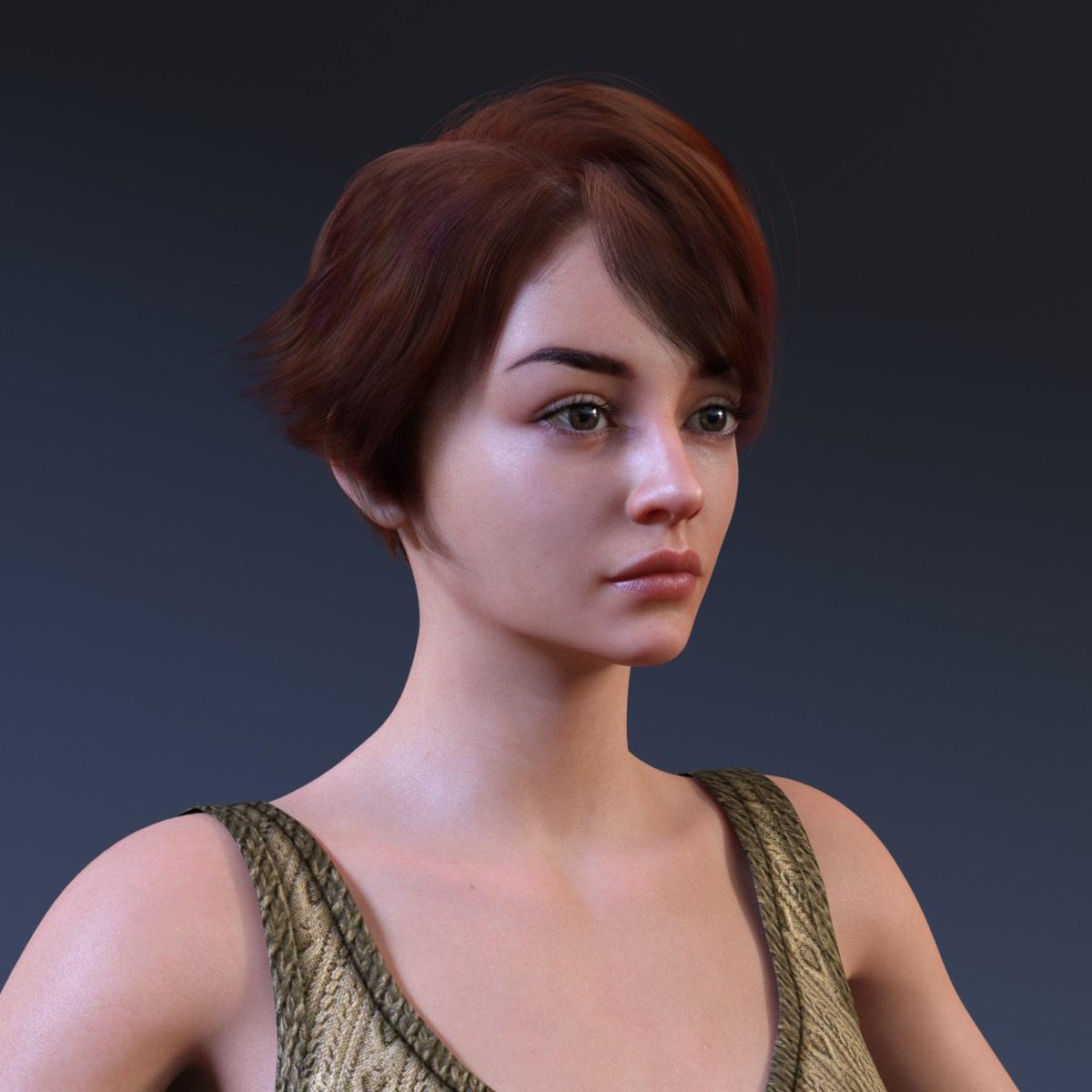 Face Transfer 2
Then I have used the same reference photo to generate Genesis 8 Female character with Face Transfer

and then I have used a fix from https://www.daz3d.com/face-transfer-shapes-for-genesis-8
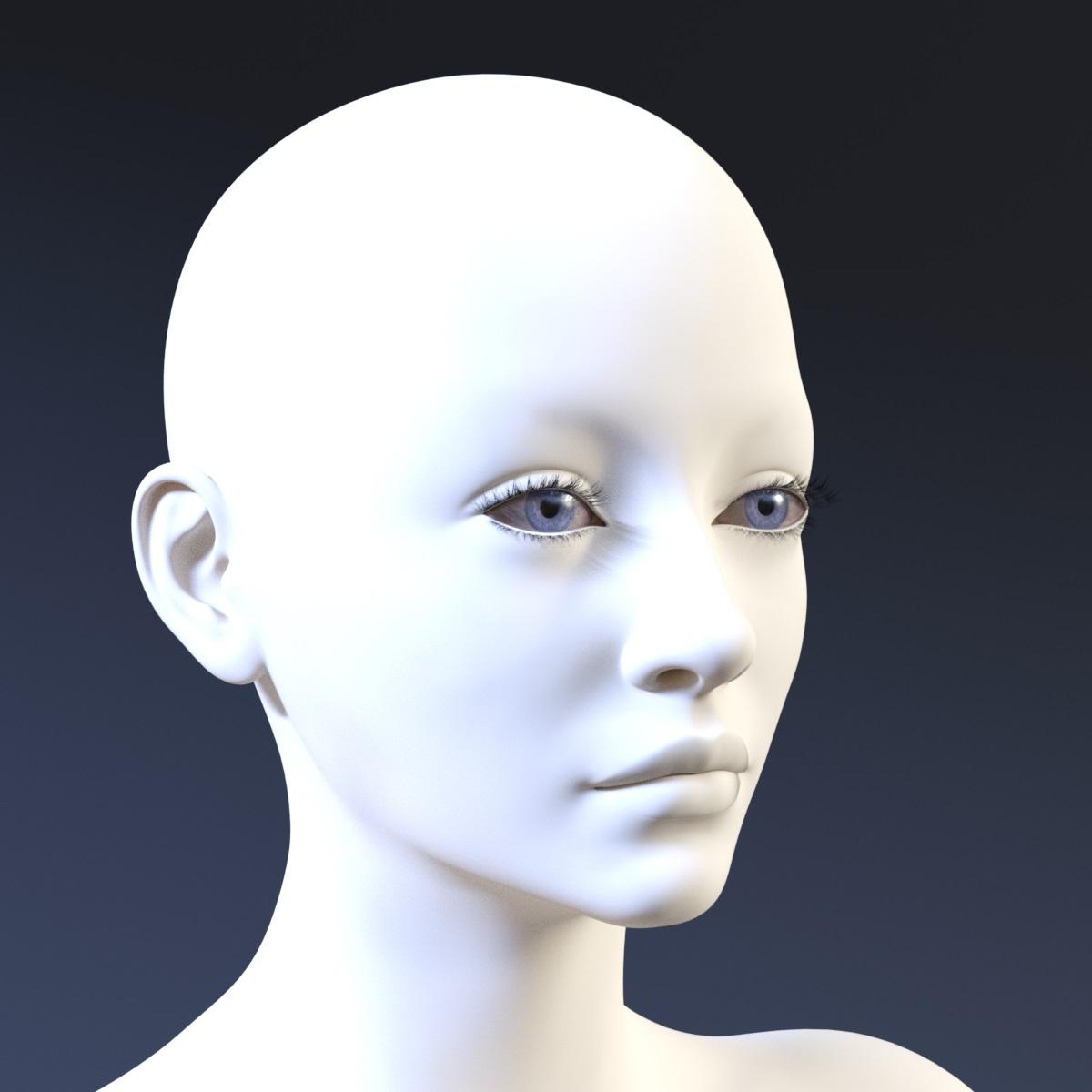
The improvement is clearly visible.
Face Transfer 2Below is another Genesis 9 Female generated by Face Transfer 2
how to fix mouth after converting from g8 to g3?Clear the delta
how do i use it? will this fix the mouth?
when i try to use it ,it just makes the space i mark so it wont move with the morph.
isn't there a way to remove that from the morph itself so that the mouth won't change?
what you showed me in the image what did you do so the mouth will look normal, do i need to use blender?
Face Transfer 2Artini said:
PhilW said:
Artini said:
Yes, I am using many of morph packages for Genesis 9 with Face Transfer 2,
but if it will appear specially designed morphs for improving FT2 conversion,
I would not mind.
I did the Face Transfer Shapes pack for Face Transfer, now looking into doing similar for Face Transfer 2.
Thanks, you did the splendid job for the Face Transfer.
Would be interesting to see, what you will come with for Face Transfer 2.
Thanks for the compliment!
Daz 3D is part of

Connect
DAZ Productions, Inc.
7533 S Center View Ct #4664
West Jordan, UT 84084Licensing Agreement | Terms of Service | Privacy Policy | EULA
© 2026 Daz Productions Inc. All Rights Reserved.