-
Modular Items
Yes, it'll be a bit cumbersome with a single rigged figure for such a modular case... it's one of the reasons that very very less PA chose to make a figure-based modular weapon other than multiple weapon Props.. That's why I always say "technically" it can be done but practically it'll really depend...
If you choose no-go for rigging as a single figure, the method is still the same. You scale down one of the "Designs" to tiny enough, import back as a morph and link it to a controller via ERC on another "Design", and vice versa.
Or, the simplest way : you just create a couple Bool properties and use "Visible in Viewport" to control Visible / Invisible from one another, just like a Conditional Graft...
Hey, adult outfits work for teen characters?crosswind said:
Certainly ~~ FBM will be projected on the clothing...even on a baby... I don't have a G9 teen but show you a Tobyn with them, haha ~~
But it'll depend on the teen morph you use. If the vendor didn't provide dedicated FBM for the teen char you use, you need to fix the distortion youself if there's any...
Thank you very much!!
ISO Newfie Dog FigureI'm looking for a big, fluffy Newfoundland dog for a book my cousin wants illustrated. I have Dog 8, but there's no Newfie morph that I could find.
Any help is appreciated.
Hey, adult outfits work for teen characters?Certainly ~~ FBM will be projected on the clothing...even on a baby... I don't have a G9 teen but show you a Tobyn with them, haha ~~
But it'll depend on the teen morph you use. If the vendor didn't provide dedicated FBM for the teen char you use, you need to fix the distortion youself if there's any...
Diomede's Notepad, Sketchpad, and Chilling PadAll awesome options.
...and for simply fixing pokethrough, I either use Mesh Grabber and make a morph for just that session, or I use the trusty Geometry Editior to select and hide the protruding polygons on the figure itself - whichever makes the most sense at the time.
Of course, I'm also a huge fan of Fit Control products, so I'll use that too.
When I auto-fit boots to Rosie, and the fit puts the feet outside the shoe and above it, but I can still get a decent pose, I select a portion of the shins and all of the feet and toenails using the marquee selection in the Geometry Editor, and create a new surface, which I make transparent - and then just save that version of her as a separate scene file within the Base Scene I use for her. Rocks!
Goz deformation's not transferring?So the mesh I'm working on was working fine, meaning I would send it from Daz to zbrush and sculpt on it in zbrush and send it back, get the "update existing object/create morph" and then for some reason it stopped working. It stopped working on all daz models I have, I'll send to zbrush, make an absurd deformation on the mesh for testing purposes, send back to daz and daz will go through the motoions with the message "update existing object/create morph" but when I click it nothing happens. I have no idea what happened, it was working fine before and then just stopped. Any help would be appreciated.
NVM Fugured it out. It's creating morph sliders in the parameters tab, though, still not sure why the deformations quit updating on the mesh live?
Diomede's Notepad, Sketchpad, and Chilling PadDiomede said:
Error Fatality, Error Fatality
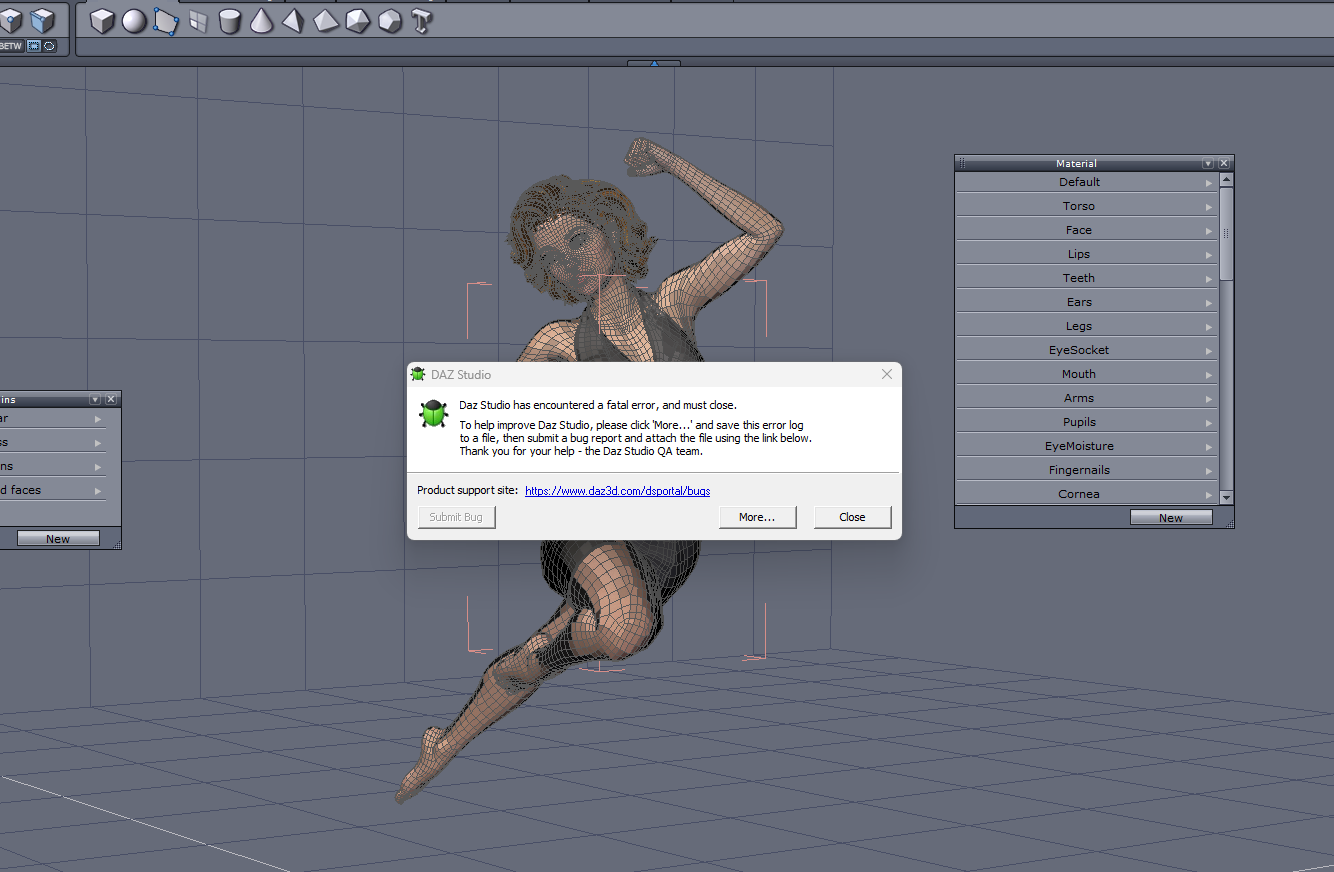
I am following along with Jay Versluis's Masterclass. I got an error following Part 37 for using the Hexagon Bridge. Jay sent the G8M George character with shorts and a tshirt through the bridge to Hexagon to fix some poke through. I sent G8F Janet with a dress through the bridge to Hexagon. Used an extreme pose to get some poke through for something to fix. While Hexgon did open, and the Daz figure and clothing item appeared, the running version of Daz Studio gave this fatal error, which I could see while in the Hexagon interface. I know it is not a general bridge error because I had successfully followed Jay's use of the Daz to hexagon bridge errlier in Part 37 for creating a morph for a primitive.
I get that error from time to time - especially if I've had DS open and busily working for long periods without closing it and restarting it.
So my new flow is to close DS after I'm done with an animation (saved), before moving on to the next.
Since the most recent update, DS starts back up again very quickly! I mean... I don't have to wait long before launching it again.
Diomede's Notepad, Sketchpad, and Chilling PadError Fatality, Error Fatality
I am following along with Jay Versluis's Masterclass. I got an error following Part 37 for using the Hexagon Bridge. Jay sent the G8M George character with shorts and a tshirt through the bridge to Hexagon to fix some poke through. I sent G8F Janet with a dress through the bridge to Hexagon. Used an extreme pose to get some poke through for something to fix. While Hexgon did open, and the Daz figure and clothing item appeared, the running version of Daz Studio gave this fatal error, which I could see while in the Hexagon interface. I know it is not a general bridge error because I had successfully followed Jay's use of the Daz to hexagon bridge errlier in Part 37 for creating a morph for a primitive.
 Celebrity Look-a-Likes for 3D figures Part 4
It's very frustrating that there's no way to transfer these characters to V8.
Sharing libraries between Mac and PCHello, DS community!
Suppose that my Daz library is (almost) entirely stored on an external ExFAT formatted drive. Are there any issues that would impede me from using that drive interchangeably on a Mac and a PC? Assume that I own and have exclusive control of both computers; I’m not talking about a shared workstation somewhere.
Alternately, or in addition, is there a way to “package” everything used in a scene and transfer it to the other computer? E.g., build the scene on Mac, package it up, and transfer it to the PC for rendering? Actually, is there any reason to do that? I am more familiar with Mac, but is(n’t) the DS interface basically idential on both platforms?
Gratefully,
Chris
I said I wouldn't but...kyoto kid said:
JasmineSkunk said:
kyoto kid said:
JasmineSkunk said:
Drip said:
I think you're missing out on some very nice and useful things by ignoring pre-Gen9 releases, though you are definitely saving some of your budget by that decision. But, there are converters in every direction nowadays, so what generation a product is doesn't mean too much. The only consideration is whether you like/need the product and think it's a reasonable price considering your budget.
yeah... That's kinda what I was thinking when I bought it.... Plus, she reminded me of Aiko 3 and I kinda missed her... LOL

...I still like working with Aiko3. In the last week of the Holiday Sale one of the clothing bundles for her (which I didn't have) was in the Lightning Deals (first time anything on that interested me since it started), so I picked it up for 1.65$.
Isn't that great!? I love those < $2 Lightening Deals!
 And yeah, Aiko is so cute. I have so much for her, but I still have to install all her stuff from my old hardrive... I feel like I'm never going to get everything reinstalled! It's so much sorting and deciding and figuring out if things still work... LOL
 ...I still have not reinstalled a good part of my older Poser runtime collection as I had a fatal HDD crash a few years ago and was looking at the mammoth job of reinstalling everything and rebuilding my custom Poser runtime. When find I need something that isn't there then I install it (however all my Aiko 3 and other Gen3 content that is cross compatible with her is installed).
I actually have the original GenX plugin as well as GenX2 and XTransfer so conceivably I could transfer her shape and morphs to G8 in steps). May have to try that some afternoon when I'm bored.
I have the original GenX plugin from back in the day... but, I've been trying to do things with weight maps and the transfer utility. Been poking around Blender... it's A LOT.!
I'm mostly "sampling" everything and telling myself, Okay, I'll come back to that. I haven't even actually "really" rendered anything yet since I've been back. Just been drunk stumbling through all the "NEW" that there is to get my head around. It's been fun!
I can't believe I didn't realize how much I missed this stuff tilI got back into it.Face Transfer 2Just playing with some new products and one of my random Face Transfer characters.
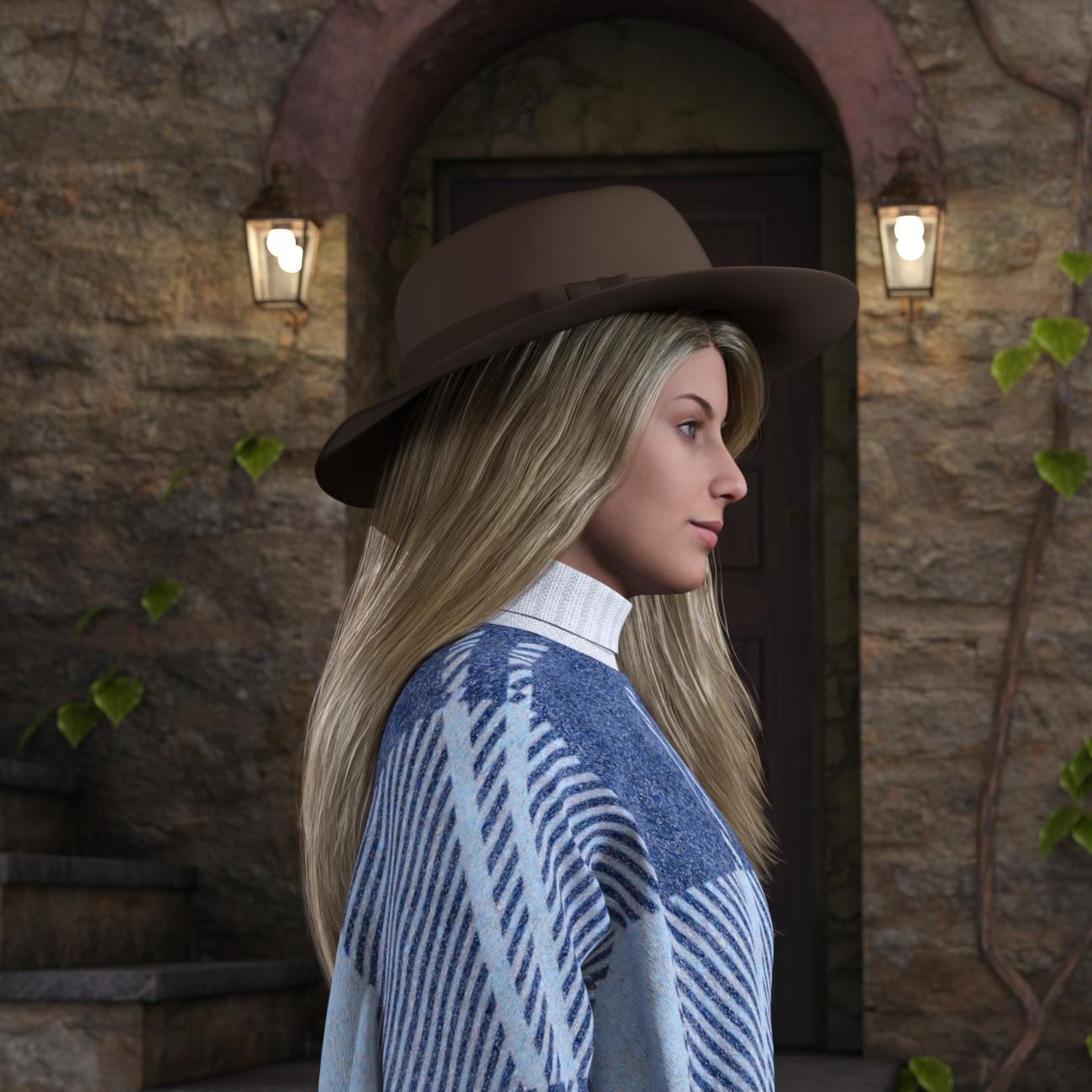 New Release: Bringing Daz figures To Life in UE5
The release date for both the final beta version of DTL and the release version have been pushed back due to unforseen circumstances. Life has thrown a few challenges at me over the last six weeks!
The final beta is to be renamed DTL Free, as the beta phase will end when it's released. I'm in the process of packaging up the Maya plugin and updating the docs right now.
The full version of DTL is still in development. This is the version with the 100% UE compatible skeleton, morph driven bone transform changes and G9 support. Being realistic, it may be another month or so before I get it released and up for sale on the Daz Marketplace.
I said I wouldn't but...JasmineSkunk said:
kyoto kid said:
JasmineSkunk said:
Drip said:
I think you're missing out on some very nice and useful things by ignoring pre-Gen9 releases, though you are definitely saving some of your budget by that decision. But, there are converters in every direction nowadays, so what generation a product is doesn't mean too much. The only consideration is whether you like/need the product and think it's a reasonable price considering your budget.
yeah... That's kinda what I was thinking when I bought it.... Plus, she reminded me of Aiko 3 and I kinda missed her... LOL
...I still like working with Aiko3. In the last week of the Holiday Sale one of the clothing bundles for her (which I didn't have) was in the Lightning Deals (first time anything on that interested me since it started), so I picked it up for 1.65$.
Isn't that great!? I love those < $2 Lightening Deals!
And yeah, Aiko is so cute. I have so much for her, but I still have to install all her stuff from my old hardrive... I feel like I'm never going to get everything reinstalled! It's so much sorting and deciding and figuring out if things still work... LOL ...I still have not reinstalled a good part of my older Poser runtime collection as I had a fatal HDD crash a few years ago and was looking at the mammoth job of reinstalling everything and rebuilding my custom Poser runtime. When find I need something that isn't there then I install it (however all my Aiko 3 and other Gen3 content that is cross compatible with her is installed).
I actually have the original GenX plugin as well as GenX2 and XTransfer so conceivably I could transfer her shape and morphs to G8 in steps). May have to try that some afternoon when I'm bored.
2024 RawArt Birthday Sale ..and Rammases [commercial]RawArt said:
nonesuch00 said:
Happy Birthday.
Nice product. Can the horns be used without the hair & body morphs? Can the head & body be morphed separately?
I assume you mean the Ram guy?
You can use them without the hair...but the morphs are all part of the character
Yes, Ram guy. OK, I wanted to morph the head & body separate, & the horns could be a geograph, that way, several historical myths would be possible. I will have to get other products in addition to this one then or maybe try that Morph Splitter product I bought.
Two Questions about Lahr the Lioncrosswind said:
First, a quick way is that you may increase Additional PR Hairs Density (cm^2) property on Fur surfaces, as well as PS / PR Hair Seed. As for the color, add some yellowish to Hair root... (screenshot 1 ~ 2)
Second, as he's a sort of lion-man, I presume the hands / feet are not that paw-like in the original design. I found no dedicated morph with the product either. However, if you know how to sculpt (in Blender , ZB...), you can make it yourself. If you own some characters from OSO, some toe/claw morphs could be also used on Lahr Lion. Well, a geoshell should not be related to this sort of paw morphs...
Bonus, Niketa is a Lioness with characteristics of "female" with its original design (head / face shape, hair, fur, skin texture... etc. ). Technically you certainly can do what you mentioned but it's just not a Niketa, IMO..So, it's up to you loh...

Oh, that looks much better in your screenshots! Thank you! Now I know which settings to play with. And I don't know why I typed geoshell, I meant geograph, lol! At least I think that's what I mean, where you add things like wings and tails and stuff to the figure (I have Covid brain right now, remembering things is really hard XD)
And I didn't notice that she had different materials, but that makes sense. And you are right, her head shape is a bit different. So I guess it would add some variety and individualization to the lion family to have both. I think I'll be alright for my needs, though.
Thank you so much for your help!!!
Two Questions about Lahr the LionFirst, a quick way is that you may increase Additional PR Hairs Density (cm^2) property on Fur surfaces, as well as PS / PR Hair Seed. As for the color, add some yellowish to Hair root... (screenshot 1 ~ 2)
Second, as he's a sort of lion-man, I presume the hands / feet are not that paw-like in the original design. I found no dedicated morph with the product either. However, if you know how to sculpt (in Blender , ZB...), you can make it yourself. If you own some characters from OSO, some toe/claw morphs could be also used on Lahr Lion. Well, a geoshell should not be related to this sort of paw morphs...
Bonus, Niketa is a Lioness with characteristics of "female" with its original design (head / face shape, hair, fur, skin texture... etc. ). Technically you certainly can do what you mentioned but it's just not a Niketa, IMO..So, it's up to you loh...
Two Questions about Lahr the LionI just picked up Lahr the Lion HD for Genesis 9 (on a really good sale!), and I have a couple of questions.
First, is there any way to change the opacity of the body fur? It's rather thin and transparent, I'd like to make it thicker/less see-through. Opacity slider is already at 100%, so that doesn't help.
Second, I would really like to make his hands and feet more paw-like. I don't see any morph packs yet that have creature morphs, but I'm wondering if I missed something. Are there any characters or packs that have geoshells geographs for that, or morphs? Either one would be fine.
Bonus question that isn't really that important, but I'm kind of curious: If I have him, is there really any reason to get Niketa the Lioness HD for Genesis 9? If I remove the mane, and dial the body to a female one, is there really any difference? I can't see any, but once again I may be missing something.
When try to loading any genesis 8 female model gives .duf file is missing errorBejaymac said:
If you want to keep the morph then you will have to change the "parent" line.
For G8F the line should read as "parent" : "/data/DAZ%203D/Genesis%208/Female/Genesis8Female.dsf#geometry",
and that includeds the , (comma) at the end
I even doubt if the data in that DSF is "correct".... and if there're ERC formula data, OP will have to check n replace as well.
Face Transfer skin locationcrosswind said:
What version are you using, Face Transfer or Face Transfer 2 ?
The generated texture maps can be found in Surface pane - Surfaces, as attached SS.
The texture maps locate in : %appdata%\DAZ 3D\Studio4\temp\Face Transfer\Generate\
Thanks. I found it!
Daz 3D is part of

Connect
DAZ Productions, Inc.
7533 S Center View Ct #4664
West Jordan, UT 84084Licensing Agreement | Terms of Service | Privacy Policy | EULA
© 2026 Daz Productions Inc. All Rights Reserved.