-
How to find misbehaving parameters on part of a figure
It turned out to be a parameter that was part of character morph, but the name of the feature seemed to have nothing to do with teeth. It was a facial feature that affected the jaw. And so messed up the teeth.
Still it would be useful to be able to get a list of all the parameters and morphs that have been set for a character.
ISO Newfie Dog Figureone advantage of Carrara converted fur is it keeps the same vertex count regardless of length
so morphloader works with it
but I have only done human wigs not animal furs as would not want to try rigging it
in theory it's possible as can use transfer utility on zero length then add a length morph but DAZ studio would likely crash at every stage trying
AIUTO...CHI CONOSCE L’ITALIANO? PARTE QUATTORDICIImago said:
Crios said:
Io al massimo la 3
Sbagliate entrambi: Usate Genesis 1.
Ci sono più poligoni, più morph, più abiti e più accessori. E meno pezzi sparsi in giro.
Sì.

Ma io uso molto anche quello.
AIUTO...CHI CONOSCE L’ITALIANO? PARTE QUATTORDICICrios said:
Io al massimo la 3
Sbagliate entrambi: Usate Genesis 1.
Ci sono più poligoni, più morph, più abiti e più accessori. E meno pezzi sparsi in giro.
Sì.
searching for a specific kind of hair (pigtails/twintails with bangs)SofaCitizen said:
SC dForce Pigtails for Genesis 9 is pretty close?
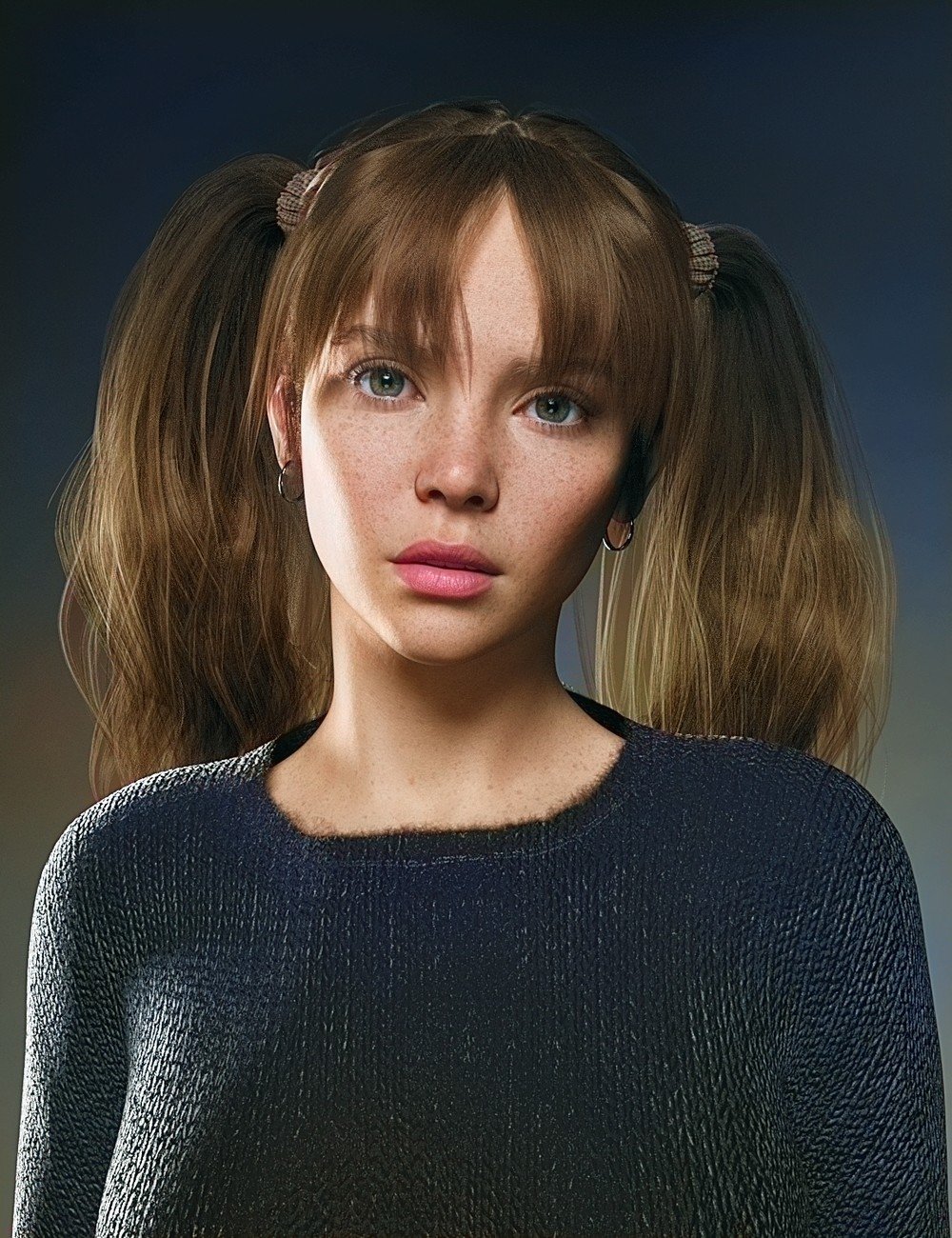
it is close but the issue i have with it is that the bangs dont cover the forehead completly and i dont see any morph options to change that
if there is no other option i would bite the bullet and make do but i would prefer if that wasnt the case
PROBLEM WITH GEOSHELLThe facetious but accurate answer to this is to simply remove the anatomical geograft from the figure.
Geoshell clothes are more or less "painted on", and while that kind of works for close fitting clothing if the figure doesn't have too many contours and details to their skin, trying to make it work over an anatomical geograft is just going to be - ahem - too close fitting!
In the event that you do want the clothes to look literally painted on, then unfortunately that's going to be a bit of a hassle, because Hameleon's geoshell clothing uses custom UV layouts for the figure that the anatomy will not have access to. (Which is not normally a problem, because it's not intended to be used over anatomy). There are ways to transfer UVs in Blender and the like, but it's a rather technical process.
ISO Newfie Dog FigureFaeryl Womyn said:
Where do I find this plugin that converts Carrara hair?
Also I have the Mil Dog and a Pupply LE which I believe is part of the Mil Dog. I have Dog 8, with the Dachshund, French Bulldog and Great Dane. I have no problem using Hexagon or Blender to morph either versions if I have to. And recently got Mesh Grabber bundle so that might do some morphs as well once I learn to use it.
the link in my post ^
ISO Newfie Dog FigureWhere do I find this plugin that converts Carrara hair?
Also I have the Mil Dog and a Pupply LE which I believe is part of the Mil Dog. I have Dog 8, with the Dachshund, French Bulldog and Great Dane. I have no problem using Hexagon or Blender to morph either versions if I have to. And recently got Mesh Grabber bundle so that might do some morphs as well once I learn to use it.
Daz Studio BETA - version 4.23.0.4! (*UPDATED*)OK, it is the 3rd party library used by Face Transfer - but it is still a mystery that it is creashing on your main system.
G8M base model loaded with wrong slides and featuresSofaCitizen said:
The morph(s) providing those "horn sockets" have been saved with a non-zero initial value. To fix this:
- Load your G8M dev load figure
- Set all morphs to zero (you may have to show hidden ones)
- Memorise the Figure
- Save Modified Asset
Thanks for your answer.
My problem was that I got the picture even if I tried to set all morphs to zero. Then I realized that "Currently Used" list does not include any morphs with 100% default value. So I had to review hundreds morphs if not thousands. Anyway, I eventually found the offending morph but wondered if this is a good time to abandon this software for Blender.
Someone, please make an advanced animation tutorial for DAZ Studio.benniewoodell said:
TheMysteryIsThePoint said:
Dartanbeck said:
The problem I'm referring to is that - when someone asks for Help "Animating in Daz Studio", they get hit with all of this crap that you cannot - Do This instead. It's Just Plain Wrong!
I don't think anyone is saying that you cannot. I think people are saying that you can, but shouldn't, as evidenced by the fact that few people do. Because there are much, much better tools that are free or cheap. There is nothing wrong with helping someone to a more informed decision... If someone is asking how to animate in DAZ Studio, they probably don't know what the options are, nor their costs and benefits. That's not wrong. Wrong would be saying something that is not true.
What would be the proper response if someone asked you "Hey, can I put my toaster right here next to the bathtub to more conveniently make toast while I take a bath?" Yes you can, but you probably shouldn't.
I agree here. For years I was a champion of animating in Daz as I was doing it, but I was only using premade aniblocks and the handkey animation I did was strictly arms and stuff like that, easy stuff. Then I started to take classes at animation mentor and told my teacher who is one of the leads on Fortnight that I learned to animate in Daz and he smirked and tried to hold in his laughter. I told him how I'd been getting actual work as a Daz animator and he was surprised and his tone changed. But then when I started to learn how to animate in Maya with an actual animation rig, I saw how animation was supposed to work and how that is nearly impossible in Daz to do. You can do it to an extent through needing various plugins and such, but what takes me ten minutes in Maya or Blender with an actual rig made for animation, would take me hours in Daz and it still won't be perfect. So my tune has changed about animating in Daz. I agree that you can because I was and still do, but it's not my first choice if I can avoid it because to do animation that is not based off of premade aniblocks is incredibly difficult. I remember for the one film I made in Daz before I ever got hired or started learning at AM, I spent five or six hours trying to get the character to step onto a ledge. The foot just kept sliding everywhere and I was putting planes around where the foot should be and painstakingly trying to keep it there frame by frame and I was like is it me or the program that's the problem? I went into blender and in two minutes had an animation of him stepping up onto a ledge and his foot stayed perfectly in place. That was actually the start of my hmmm, maybe I'm wrong on this. Now my biggest problem is getting animations back into Daz from Blender and Maya. Again, you can do that just fine, but some bones like the clavicle won't transfer and the feet slide in Daz still when they don't slide in Blender or Maya.
Believe me, I would love to animate in Daz if they fixed the rig to have proper IK like everybody else because I am so tired of trying to get hair and clothes to simulate in Blender better than they would through dForce in Daz, the characters look perfect because the materials are made for Daz, and I find too that what takes 3 minutes a frame to render in Blender with Cycles would take 45 seconds to a minute for me to render in Daz. But if someone asks me if they can animate in Daz, I tell them they absolutely can, but they have to plan their shots around premade animations as a base to build off of otherwise it will take them way longer than it should to do any personalized ideas for shots. That they're better off learning how to animate on a proper rig in a program like Maya or Blender, shoot reference of what they want to animate, and do it in one of those programs because their life will be so much easier in the long run. It's not ideal to learn on Daz and then have to unlearn it all to animate in a proper animation software. All the power to folks who love animating in Daz, I wish I was still there with ya, but once you learn how to work with a good rig, the problems that are inherent to Daz between the rig and the graph editor (the autoclamped thing as a tangent Dartenbeck found only being in animate2 is ridiculous), it's so hard to go back and animate in Daz.
I think people should put the most stock in emotion-free assessments from people who know both sides, like this one. Thanks BW.
G8M base model loaded with wrong slides and featuresThe morph(s) providing those "horn sockets" have been saved with a non-zero initial value. To fix this:
- Load your G8M dev load figure
- Set all morphs to zero (you may have to show hidden ones)
- Memorise the Figure
- Save Modified Asset
Someone, please make an advanced animation tutorial for DAZ Studio.I saw this video just around the time when Daz 3D was introducing their Millennium Dragon 2
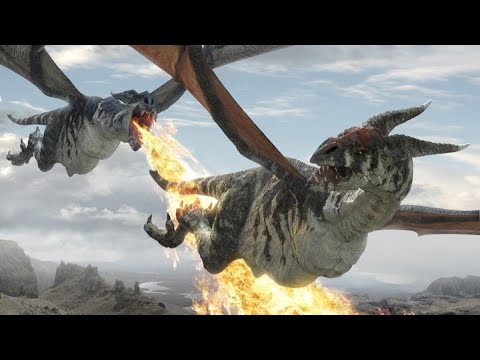
I got So excited!
Still a total noob with Carrara back then, I made this product promo (in Carrara)
As laughable as these old animations are, I still love keeping them around. It's fun to watch progress - and even digress. I might be embarrassed by some of my work, but I keep it up on my channel anyway. It's healthy to admit to one's failures.
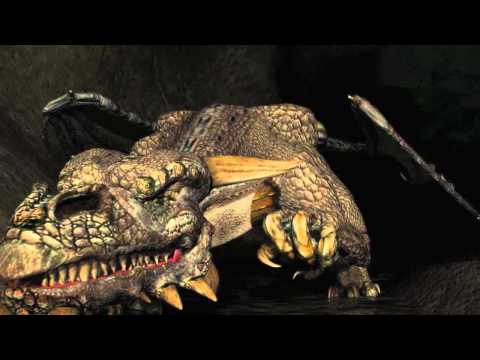
Alita Battle Angel hit my home TV screen along with all of the incredible bonus content videos. I decided to stop trying to animate Rosie's hair using custom morphs I'd make for the three, sometimes four instance of Andelina Hair, and try my hand at using Carrara's dynamic hair.
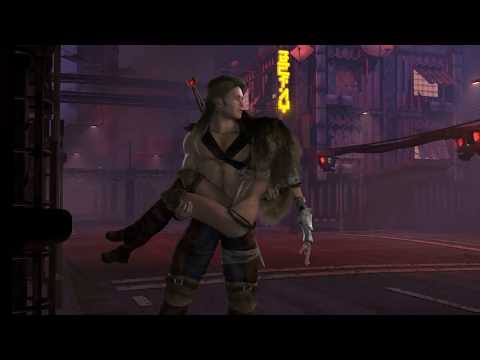
Along with the dynamic hair, I also replaced Rosie's eyes with Arki's EYEdeas 3+, bought GenX2 and brought a whole lot of my most-used Generation 4 morphs into Genesis. As horrible as that was, it started me on a path to try and improve. Those who followed my progress know that through all of these experiments, the look of my Rosie digressed immensely as my attention was drawn elsewhere.
Along comes Blackmagic Design - including Fusion and Fairlight Studio into DaVinci Resolve... oh my!
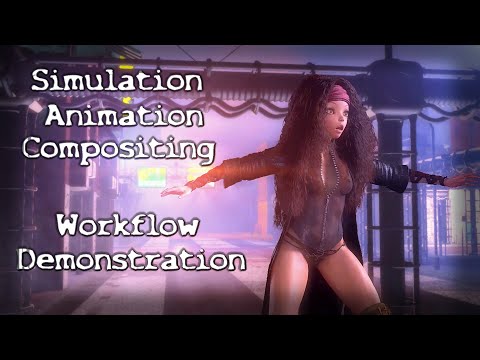
I'm still not sure how I got onto such an anorexic look for Rosie, but aside from the horrible job at shaping the character, I was also discovering AI voicing and messing with lip sync - also excercising more and more of Daz Studio's under-the-hood tools and features.

It was just around that time when I started trying Blender. I love Blender and all of the amazing capabilities it has. I really do. But now I'm at the point where "Fun" is more important to me that messing around with compatibility issues, doing all of my animations by hand, starting yet another l o n g search for adequate Rosie hair (and likely fail). I've been searching for yeard for Maya, C4D, Blender, etc., examples of hair that comes even the tiniest bit close to what Linday had done with this amazing dForce hair. The best example I've found is Merida's hair in Brave, which is vastly beyond anything I can do. That's a whole team of paid, skilled animators and simulators, writing custom code, manipulating with custom handles... it's beyond anything I can pull off for home project videos.
Coming back into Studio from my horrible headache of a Blender experience, I built a new Rosie using Genesis 3 Female and a plethora of morphs brought it from V4 and her whole family, Genesis 1 and 2 via GenX2, using some for shaping, others for making my own custom expression and life (breathing and such) morph dials that I put at the Actor level.
The design I started with Rosie 5 for making custom animation dials improved immensely through simplicity. I started with an elegantly simple collection of joint rotation dials at the Pose level on the base figure - so that I could change any limb's rotation values anywhere along the timeline as a completely separate key frame from the frame-after-frame motion capture data.
That was an Absolute Game Changer!
It boils down to this - Using simple dial adjustments as key frames in the timeline to make adjustments to the entire spline of that joint - just like using a graph editor, but without having to delete any keys. Interpolation is done with a single, well-placed change of that same dial. We've just completely altered the curve as if we'd have painstakingly edited each and every key along the spline in the graph! Bam!
What's much more is that we can do this quickly without opening any of the hierachy. So bends, twists, and side-to-sides can all be done simulataneously with very (Very) little effort.
But as I demonstrate in my course, I also made character-specific dilas for holding, aiming and shooting a bow. Breathing using many shaping morphs, but assigned to a single dial rather that having to dig through the Actor-level's hierarchy for each change. Making custom expressions suited for the specific character - even partial expression for mixing and matching with others...
It became animation MAGIC!!!
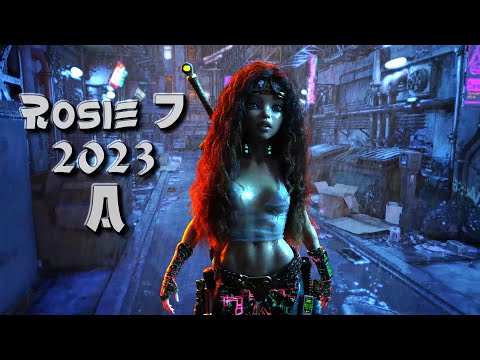 Someone, please make an advanced animation tutorial for DAZ Studio.
Now my biggest problem is getting animations back into Daz from Blender and Maya. Again, you can do that just fine, but some bones like the clavicle won't transfer and the feet slide in Daz still when they don't slide in Blender or Maya.
IK solving & constraining must happen locally (in app) to be truly effective, for the limbs especially.
you can export to Baked FK but the calculated position constraints get lost with most motions.In Endorphin I can pin a simulation Characters hand to a railing etc and change the direction of gravity to create a very realistic “struggling to avoid getting sucked out of a decompressing space ship” animation.
But when I export BVH/FBX to Blender or Maya that hand will fly all over the place unless it is re-constrained with a Blender or Maya native constraint.
FK exported constraints to other programs do seem to work better on torso and hips though
as in this Endorphin to Poser to Blender mayhem.
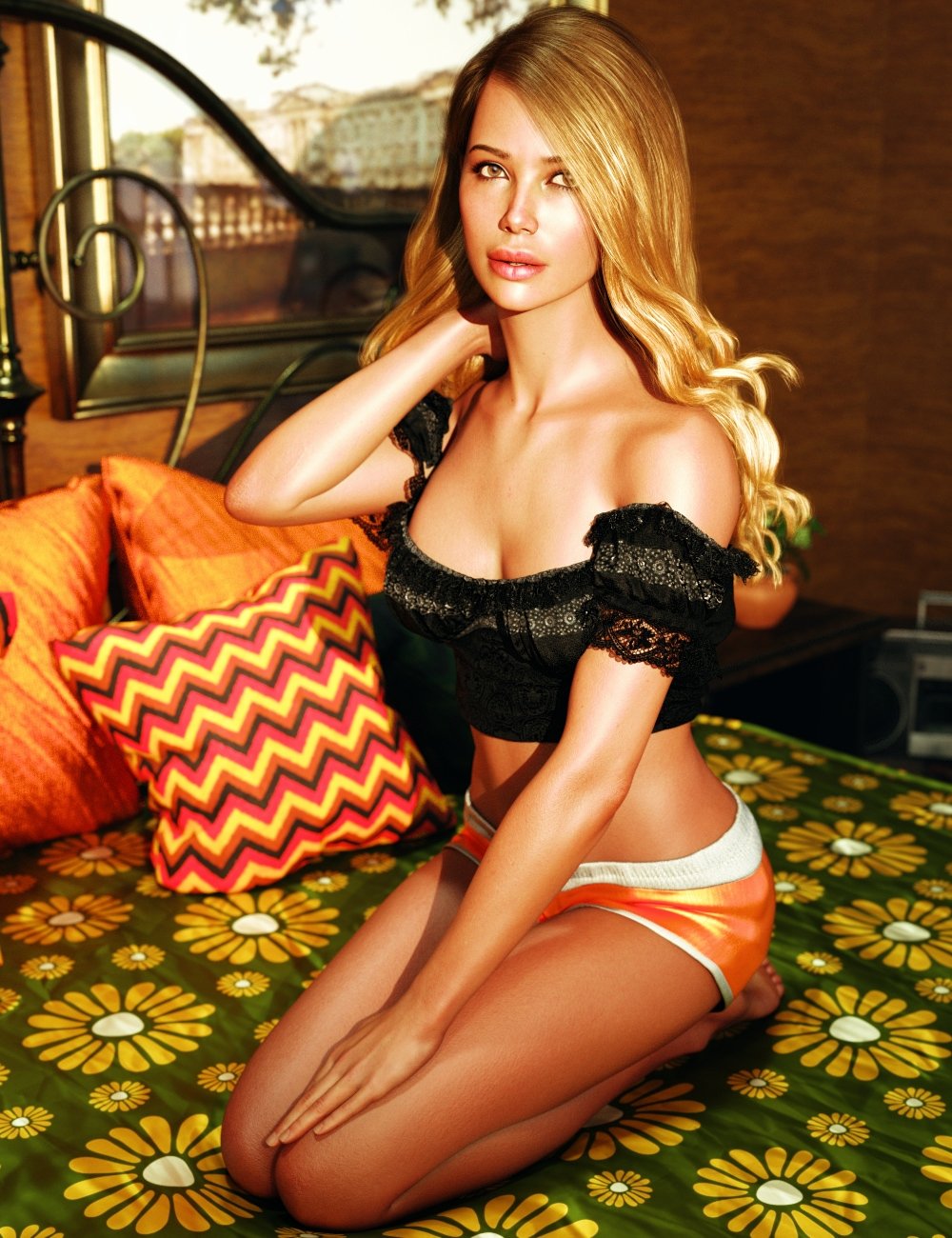
 Character in Linday's Classic Wavy Side Bangs Hair
Hi all,
Can someone please help me to identify the custom character morph settings and skin used here ?
https://www.daz3d.com/dforce-classic-wavy-side-bangs-hair-for-genesis-9-8-and-81-female
 Daz Studio BETA - version 4.23.0.4! (*UPDATED*)
Very odd, yes - it sounds like some highly system-specific quirk, though that isn't much comfort when it is the system you want to use that has the quirk. I am not sure what that .dll is for - it isn't in the plugins folder, where I would expect most add-on (and even core elements) to reside though it does sound related to Face Transfer. Are any of the core elements of the machine customised by/for Fujitsu, as far as you can tell?
Someone, please make an advanced animation tutorial for DAZ Studio.TheMysteryIsThePoint said:
Dartanbeck said:
The problem I'm referring to is that - when someone asks for Help "Animating in Daz Studio", they get hit with all of this crap that you cannot - Do This instead. It's Just Plain Wrong!
I don't think anyone is saying that you cannot. I think people are saying that you can, but shouldn't, as evidenced by the fact that few people do. Because there are much, much better tools that are free or cheap. There is nothing wrong with helping someone to a more informed decision... If someone is asking how to animate in DAZ Studio, they probably don't know what the options are, nor their costs and benefits. That's not wrong. Wrong would be saying something that is not true.
What would be the proper response if someone asked you "Hey, can I put my toaster right here next to the bathtub to more conveniently make toast while I take a bath?" Yes you can, but you probably shouldn't.
I agree here. For years I was a champion of animating in Daz as I was doing it, but I was only using premade aniblocks and the handkey animation I did was strictly arms and stuff like that, easy stuff. Then I started to take classes at animation mentor and told my teacher who is one of the leads on Fortnight that I learned to animate in Daz and he smirked and tried to hold in his laughter. I told him how I'd been getting actual work as a Daz animator and he was surprised and his tone changed. But then when I started to learn how to animate in Maya with an actual animation rig, I saw how animation was supposed to work and how that is nearly impossible in Daz to do. You can do it to an extent through needing various plugins and such, but what takes me ten minutes in Maya or Blender with an actual rig made for animation, would take me hours in Daz and it still won't be perfect. So my tune has changed about animating in Daz. I agree that you can because I was and still do, but it's not my first choice if I can avoid it because to do animation that is not based off of premade aniblocks is incredibly difficult. I remember for the one film I made in Daz before I ever got hired or started learning at AM, I spent five or six hours trying to get the character to step onto a ledge. The foot just kept sliding everywhere and I was putting planes around where the foot should be and painstakingly trying to keep it there frame by frame and I was like is it me or the program that's the problem? I went into blender and in two minutes had an animation of him stepping up onto a ledge and his foot stayed perfectly in place. That was actually the start of my hmmm, maybe I'm wrong on this. Now my biggest problem is getting animations back into Daz from Blender and Maya. Again, you can do that just fine, but some bones like the clavicle won't transfer and the feet slide in Daz still when they don't slide in Blender or Maya.
Believe me, I would love to animate in Daz if they fixed the rig to have proper IK like everybody else because I am so tired of trying to get hair and clothes to simulate in Blender better than they would through dForce in Daz, the characters look perfect because the materials are made for Daz, and I find too that what takes 3 minutes a frame to render in Blender with Cycles would take 45 seconds to a minute for me to render in Daz. But if someone asks me if they can animate in Daz, I tell them they absolutely can, but they have to plan their shots around premade animations as a base to build off of otherwise it will take them way longer than it should to do any personalized ideas for shots. That they're better off learning how to animate on a proper rig in a program like Maya or Blender, shoot reference of what they want to animate, and do it in one of those programs because their life will be so much easier in the long run. It's not ideal to learn on Daz and then have to unlearn it all to animate in a proper animation software. All the power to folks who love animating in Daz, I wish I was still there with ya, but once you learn how to work with a good rig, the problems that are inherent to Daz between the rig and the graph editor (the autoclamped thing as a tangent Dartenbeck found only being in animate2 is ridiculous), it's so hard to go back and animate in Daz.
Looking for this hair (used in promos for HID Carolina for Genesis 9)I searched through all the hair on Daz and I found a couple that this could be but I'm not sure. I am looking for the short hair in the main promo of HID Carolina for Genesis 9. I found one or two that are very close but did not have the behind the ear morph seen in the full body shots.
Can somone help with identification?
https://www.daz3d.com/hid-carolina-for-genesis-9
Let's appreciate/discuss today's new releases - ongoing threadCalliope23 said:
While I appreciate the attempt at realisim with this US Civil War uniform, I cannot figure out why in the promo images the human figure and the shirt seem to have the shape of female breasts. Weren't (most?) Civil War soldiers in uniform male?
https://www.daz3d.com/dforce-usa-civil-war-outfit-for-genesis-9
Because it's the base Genesis 9 shape, without any other morph dialed in.
I would not worry about that: the main render shows how the uniform look on a man, and 'Base Masculine' is among the supported shapes.
Let's appreciate/discuss today's new releases - ongoing threadCalliope23 said:
While I appreciate the attempt at realisim with this US Civil War uniform, I cannot figure out why in the promo images the human figure and the shirt seem to have the shape of female breasts.
Because all of the promos with the grey figure, or with the clothing in plain grey are clearly showing base shapes, or morphs from the base shape.
Even if the intention that an outfit is intended to specifically fit a specific final shape (we've seen a lot of clothing marketed as "For Victoria 7" or the like over the years), the way that morph following tech works means that by default clothes take the Genesis base's shape and are then morphed to fit. If a vendor shaped the clothing specifically for a male G9 shape, it *would not work* because that's not G9's standard shape.
Daz 3D is part of

Connect
DAZ Productions, Inc.
7533 S Center View Ct #4664
West Jordan, UT 84084Licensing Agreement | Terms of Service | Privacy Policy | EULA
© 2026 Daz Productions Inc. All Rights Reserved.