-
[CONTEST] RRRR - Things you have to do before you die *Tons of prizes*
Tag: Totte#3
Totte said:
#515 Sci-Fi Crates 'n Containers (#2684)
#2228 Foreign Kisses Central District Subway Station (#14247)
#3220 Michael 3.0 Base (#1558)
#1416 Clown Textures (#15693)
(LB) #3044 M3 Vampyre Texture (#1702)Also used:
Vampire: AoA SubSurface Scatter Shader + 19th Century Suit Pack for Michael 3.0
Clown: Genesis + Raw Clowns + Gen-X2 of Red and Raw Jester + M4 shape + Clown for Genesis
Subway Station + Subway car + Real Metals (shader) + Balloons from Carnival Midway FunPrank late evening commuters at the subway station
Handing out balloons filled with hydrogen sulphide, which when they go boom, not only makes a sound, but smells like something died nearby.Mei Lin 6?RCDeschene said:cecilia.robinson said:SereneNight said:I confess I really hope the next figure is male. I've been waiting for Freak 6 for some time. While I will most likely buy Mei Linn, assuming she is an adult female, we've had a run on female characters lately.I want Hiro 6... Desperately. Then David 6 and any kind of male they can come up with.
Honestly, I'm just surprised that after all this time, especially with almost a whopping 14 characters into this, that the ONLY reoccurring male we have is Michael. You would think we'd at the very least see either Freak or Hiro by now, especially where we need to start filling in the Fantasy/Sci-Fi and Stylized niches for G2M.Although, with the all the Real World characters dominating the runway this generation, I'm just as surprised that we're not seeing anything on David yet, as well. Enough time has certainly passed for another version of him, and this is especially so where the poor guy got screwed-over last time coming out last minute at the end of G1's reign.
Agreed, agreed. But the characters that got released for him were awesome. Neo took over Benjamin's place.
Novica said:Well, welcome to the new gal- she was posted at 1am Central time.I've just noticed her too. Didn't have time to see the items, I will now. It is kind of funny: I mean, no previous announcements. We usually got "Take part in this sale to get X off the upcoming John Doe 6". This time there was nothing.
WOW. This is it ? The all new female Asian character ? This just looks like any western face morph with a little dial spun on the eyes, not the cute and/or distinctive realistic asian female I was hoping for after the very nice Lee 6 release. Sorry to say, but disappointed by this base.
I predict she's going to be very popular.
But I'm not as happy with her look as I was with Lee's.
I am trying to decide if the things that bug me are just personal preferences or something else (for example I have a personal preference against lipstick and eyeshadow - which is in all the promo images of her, and so that is making my "eye" more critical of the rest of the figure...). I also personally wish for a wider nose...
That said I can't imagine NOT buying the figure.
You know... I've just seen the base figure and I'm not happy with Mei Lin. She resembles a mix between Lilith and Lee. The body is fine, but not something extraordinary. Just my opinion.
Well now, this is something we haven't seen in quite a while, a major character release on a Thursday! :ohh:
I'll admit, she's pretty much what I expected her to be: an A6 Realistic with significant hint of Asian-pop. Though, I'll also admit that I do like what I'm seeing of her smooth body shape, and I am impressed to see that she has some interesting Martial Arts posesthat finally puts the females up to par with Lee and Hiro a bit. Though, what does surprise me is the fact that not one of the hairs in her Pro Bundle is from Valea!
Valea's missing? What could have happened?
Mei Lin 6?Well, welcome to the new gal- she was posted at 1am Central time.
[CONTEST] RRRR - Things you have to do before you die *Tons of prizes*Dumorian #2 : What can I say, you are wacky master!
Morgan R. Lewis #1 : Nice one, she looks like she can bite ;-)Pull #4
#515 Sci-Fi Crates 'n Containers (#2684)
#2228 Foreign Kisses Central District Subway Station (#14247)
#3220 Michael 3.0 Base (#1558)
#1416 Clown Textures (#15693)
(LB) #3044 M3 Vampyre Texture (#1702)What are the odds of M3 Base and a M3 texture/morph? The rest, hmm. weird but doable,
October Carrara Challenge: VOTING ENDED... WINNERS ANNOUNCED!!!Entry # 3
Artist: Pimpy
Title: The incredible experiment
WIPs:
laboratory and control panel
http://www.daz3d.com/forums/discussion/47148/P75/#690300
http://www.daz3d.com/forums/discussion/47148/P75/#690301
elements for generate lightning and lightning shader
http://www.daz3d.com/forums/discussion/47148/P90/#690504
rust shader (procedural shader Carrara pro 8)
http://www.daz3d.com/forums/discussion/47148/P120/#691080
Text (Carrara text editor)
http://www.daz3d.com/forums/discussion/47148/P135/#691248
New items (control panel and walls)
http://www.daz3d.com/forums/discussion/47148/P135/#691889
Central scene - Gorilla and new texture
http://www.daz3d.com/forums/discussion/47148/P150/#692205
Postwork
http://www.daz3d.com/forums/discussion/47148/P180/#693165
http://www.daz3d.com/forums/discussion/47148/P285/#695830Content Used:
Michael 4 (Carrara)
Gorilla LE (Carrara)
ModaCuts AtoE (http://www.daz3d.com/hair/modacuts-atoe) -
Knight Champion for M4 (only Arming Doublet) (http://www.daz3d.com/knight-champion-for-m4)How challenge requirements met:
Mechanical Element: Control Panel and all the other items modeled in the Carrara vertex modeler.
Rusty Shader: Created in Carrara8 pro ( Carrara procedural shader) and applied to all the pipes of the scene
Two items (in addition to application of the rusty metal shader) must be either created in or significantly enhanced in Carrara:
Walls, floors and ceilings ( primitives - created material shaders)
Dividing wall (modeled in vertex modeler, created multi shader and material shaders)
Control Panel, buttons and levers (modeled in vertex modeler, created UV map and material shaders)
Electrical panels (modeled in vertex modeler, created multi shader and material shaders)
Tubes (primitives and created material shaders )
Elements for generate lightning and lightning (modeled in vertex modeler and and material shaders)
Arming Doublet (Knight Champion for M4) (edited collar shirt in vertex modeler)
ModaCuts AtoE ( edited original shader)
Gorilla skin ( edited original shader - http://carraracafe.com/tutorials/complex-lighting-tutorial-by-mark-bremmer/ )
Text (created in Carrara text editor - color edited in Gimp)Underused Carrra feature
It was the first time I used Carrara text editor to create complex texts.
My first step was to create the text on a different file, and then paste it on the image but when i made the final render the result gave me subdued colors. http://www.daz3d.com/forums/discussion/47148/P135/#691248 http://www.daz3d.com/forums/discussion/47148/P180/#693165
Then I created different layers using Carrara (alpha channel) and enhanced the color in post in Gimp I think that could be this the “Underuse of Carrara”. The first step, I'm sure was correct but the render I made was wrong... http://www.daz3d.com/forums/discussion/47148/P180/#693165Postwork:
I decided to enhance and change color to some components of my scene (only text and gorilla figure) using Gimp I rendered separate layers using the option in in the “Render Room” file format : Photoshop and “Render alpha Channel”
I created in this way some images of the text and the gorilla figure.
After that in Gimp I assembled all the transparent images, using as background image the scene with no text ( - comic effect – w.i.p http://www.daz3d.com/forums/discussion/47148/P180/#693165 ) and I changed to each layer, color, contrast and intensity.Comments:
My idea for the cover was to create a scene that reflected with objects, materials, and crazy ideas, the historical period in those years.
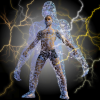
So I created the character of the mad scientist who uses electricity for an impossible experiment.
(The first Frankenstein movie's was in 1931)Shiny Metal Reflection...and it doesn't even need to be an HDRI, either. Any spherical background can help with this.
Here's an example of how to make your own spherical background using Carrara, fairly quickly:Create or load in one of the presets of a realistic sky. Play around with the cloud settings as they will provide excellent additions to your reflections. Alternately, Tim Payne has some excellent sky presets that include clouds.
Try to NOT use lens flares on a spherical background image. Effects like that belong in the final render, if used at all.It can often help to turn off ground in the realistic sky, perhaps even change the horizon elevation... that is left to each individual's tastes.
Pick a terrain preset and drag it into the scene. I prefer to simply make my own (Insert > Terrain)
Use a preset terrain shader, if you need something other than what's on there. These can be fun to tweak as well! ;)Pull that terrain away from the center of the scene and away from the camera. It is not a focal point, just some background information. We want the atmosphere of the Realistic Sky to add depth, so a hundred feet or so is nice.
Select the terrain and Ctrl + D to duplicate it.
Move and rotate the new duplicate to give a whole new look, then Ctrl + D again. The new duplicate will then move and rotate automatically, as long as Undo (Ctrl + z) was not used. This can quickly surround the scene with terrain all the way around.
Remember, we're not looking for anything special for our eyes to focus on, we're making a simply image that can be used to assist in our scene's reflections.
Rotate your main camera around. It can help to drop in a Target Helper Object for this, so that you have something in the scene center to select and rotate around. We're not looking for interest here, we're looking for gaps that can draw the eye away from whatever final object this BG image will be used behind.
Do a few low resolution test renders.
Once you're happy with the surroundings, drop in a spherical camera, Rotate it 90 degrees so that it faces the horizon rather than the ground. I often also lift the camera six feet or so off the ground, even if I'm not using a ground - but on that note, I almost always include some sort of ground plane, and lower it way down for this sort of spherical image, but this might not be necessary.
In the render room, set the Spherical camera as the film cam, and change the resolution to 8,000 x 4,000 for a start. Now just put a check in the 'retain aspect ratio' box, so that you can change resolution without changing our 2:1 ratio
Now switch it to something smaller, like 1000 x 500 and do a test render. You'll see a small version of your spherical map. Even at this low resolution, you can add this image into the "Background"> Image Map of Carrara, and Carrara will read the spherical information and give you a full surrounding of colors according to your image. It can take a while to render a higher resolution background image. In some cases, you may not even need it to be very high. 8,000 x 4,000 is not considered 'high' but it often provides plenty of surrounding detail to eliminate the need to go higher, unless you also want to rely on the central ground as part of the final render. Moral of the story... forget making spherical maps for the ground. It will be much more efficient and versatile to instead make a ground plane of some sort that matches your spherical background.Anyways... I gotta go.
October Carrara Challenge WIP Thread: Create a pulp magazine cover with Chills, Thrills, & Carrara Spimpy said:sukyL said:pimpy said:Easy tips for apply a single texture without export your model in obj format (in this way you can move and change pose at your model how do you prefere)Central scene – How I made it...
I added M4 in the center of my scene and Gorilla LE ( preset in Carrara)
Applied the same pose to each model ( M4 position works well with Gorilla) and adjust it to have one inside the other (M4 disappare into Gorilla)
Select the Gorilla and select on “model”.
In model room select your model and on “shading domain” create a new texture (see image 1 – I let the “texure 16” ). Now Gorilla have only one texture!Click on texture room ( now if you want is possible delete all the other Gorilla texture) and select “texture 16”. Apply the new texture and Gorilla appare with only one texture.
pimpy I'm losing sanity points on your shader it's so complex. I love it! Question, where do you apply the parametric mapping and what does it do?
Hi sukyl,
...exatly I don't know how it works but I love it too! Btw you dont must change parametric mapping. When you create a new texture in model room Carrara convert c all the old texture into the new one.
in this case I changed the original shader founded some times ago on CarraraCafe in the Mark Bremmer's tutorial. Here you can found the fantastic tutorial and the free scene .car file
http://carraracafe.com/tutorials/complex-lighting-tutorial-by-mark-bremmer/pimpy Thanks for the explanation and lighting tutorial link. That's a hugely informative tutorial!
October Carrara Challenge WIP Thread: Create a pulp magazine cover with Chills, Thrills, & Carrara SsukyL said:pimpy said:Easy tips for apply a single texture without export your model in obj format (in this way you can move and change pose at your model how do you prefere)Central scene – How I made it...
I added M4 in the center of my scene and Gorilla LE ( preset in Carrara)
Applied the same pose to each model ( M4 position works well with Gorilla) and adjust it to have one inside the other (M4 disappare into Gorilla)
Select the Gorilla and select on “model”.
In model room select your model and on “shading domain” create a new texture (see image 1 – I let the “texure 16” ). Now Gorilla have only one texture!Click on texture room ( now if you want is possible delete all the other Gorilla texture) and select “texture 16”. Apply the new texture and Gorilla appare with only one texture.
pimpy I'm losing sanity points on your shader it's so complex. I love it! Question, where do you apply the parametric mapping and what does it do?
Hi sukyl,
...exatly I don't know how it works but I love it too! Btw you dont must change parametric mapping. When you create a new texture in model room Carrara convert c all the old texture into the new one.
in this case I changed the original shader founded some times ago on CarraraCafe in the Mark Bremmer's tutorial. Here you can found the fantastic tutorial and the free scene .car file
http://carraracafe.com/tutorials/complex-lighting-tutorial-by-mark-bremmer/October Carrara Challenge WIP Thread: Create a pulp magazine cover with Chills, Thrills, & Carrara Spimpy said:Easy tips for apply a single texture without export your model in obj format (in this way you can move and change pose at your model how do you prefere)Central scene – How I made it...
I added M4 in the center of my scene and Gorilla LE ( preset in Carrara)
Applied the same pose to each model ( M4 position works well with Gorilla) and adjust it to have one inside the other (M4 disappare into Gorilla)
Select the Gorilla and select on “model”.
In model room select your model and on “shading domain” create a new texture (see image 1 – I let the “texure 16” ). Now Gorilla have only one texture!Click on texture room ( now if you want is possible delete all the other Gorilla texture) and select “texture 16”. Apply the new texture and Gorilla appare with only one texture.
pimpy I'm losing sanity points on your shader it's so complex. I love it! Question, where do you apply the parametric mapping and what does it do?
October Carrara Challenge WIP Thread: Create a pulp magazine cover with Chills, Thrills, & Carrara SEasy tips for apply a single texture without export your model in obj format (in this way you can move and change pose at your model how do you prefere)
Central scene – How I made it...
I added M4 in the center of my scene and Gorilla LE ( preset in Carrara)
Applied the same pose to each model ( M4 position works well with Gorilla) and adjust it to have one inside the other (M4 disappare into Gorilla)
Select the Gorilla and select on “model”.
In model room select your model and on “shading domain” create a new texture (see image 1 – I let the “texure 16” ). Now Gorilla have only one texture!Click on texture room ( now if you want is possible delete all the other Gorilla texture) and select “texture 16”. Apply the new texture and Gorilla appare with only one texture.
October Carrara Challenge WIP Thread: Create a pulp magazine cover with Chills, Thrills, & Carrara SNew items I added to my scene (created in Carrara 8 pro).
New scene setup (texture and ligths) and test render ....and I'm working on the central subject of the scene....:cheese:@ Diomede - I like it your idea!
@ booksbydavid - very cool!October Carrara Challenge WIP Thread: Create a pulp magazine cover with Chills, Thrills, & Carrara SCover Text preview ....
how I made it
( a little part of the text)
open Carrara text editor and choose your font
on the bar menu select “convert to other model” (in this way you can modify and alter the mesh text)
in the browser tab choose “misc” and apply “Y Bend 45” modify using rotate and scale for a better result
apply texture from the texture editor
for a central view of the camera select or create a new camera and in the assemble room select ”motion” (I changed the rotation parameter in : X = 90,0 Y = 0,0 Z = -180,0)
In the render room select “output” choose from file format “photoshop” and select “render alpha channel
render and save the image as psd (photoshop)
import the psd image in a graphic editor (Gimp, photoshop etc.) ( I used Gimp) and change the color of the text (see image 3)
merge this image on the cover image and save it! :-)The Unflatible Elephrhino Complaint Threadps1borg said:TroutFace said:Kyoto Kid said:...terrible Tuesday was an understatement for me today.Because of the poor schedule performance on the bus route I usually take, I have been leaving earlier to catch the bus before that one, taking about another 20 - 25 minutes out of my morning. Well this other bus is usually late, buy beteen 4 - 7 minutes but it still gets me to the transit station in well enough time to make my connection...
...until today. Before I left the house I dialed up the system's tracker line for the route and top I board at and everything looked to be on time. So I make it to the stop with more than enough time to spare and end up waiting, and waiting and waiting, past the time the bus was due. I called the tracker line again only to find out that in the short time since I left the house the bus now was going arrive thirteen minutes late. Well, fifteen minutes late, it finally shows up and things only became worse from there as now we are pulling into just about every stop picking up riders who are waiting for the next bus behind us (the one that I already wrote up last week for always being late). Soon we're eighteen minutes behind schedule and at one point we are passed up by the later bus which is, not surprisingly, empty. So we pull up behind that bus while it's at a red light and the driver tells us to get off a(nd get on it, she is going to turn around to try and get back on schedule. As we exit, the bus in front of us pulls away and heads off down the road, leaving several people who needed to go to the transit station stranded (and this Bushido CG really fuming, as I only had about nine minutes to make my connection with a bus that runs an hour and fifteen minutes apart).
Well seeing our frustration the drive of the bus we were originally on got on her radio phone again, then let us get back after having dispatch tell the other bus to pull over and wait for her to catch up. In the end I barely made my connection in time. Not a very good start to the day especially since for the type of work I do, one needs to have a calm, collected approach when dealing with customers irate that their phone isn't working right or their bill seems to high.
Going to write this incident and situation up tomorrow. As this appears to be a chronic case, the transit system's management needs to make the adjustment and get these buses running on time. Makes no sense as it is the middle of the day when there is little traffic and low passenger loads.
I've been a huge backer of transit over the years, but after seeing how service has deteriorated since I first moved here 25 years ago, I feel I need to find some way to afford a car and insurance. It should not take nearly to hours to travel the same distance that by car takes under 20 minutes, especially considering how high the fares have become. if anything, they should pay us the riders for all the inconvenience they put us through. >:(
That sucks beyond measure. :down: :long:
Mass transit here in Tulsa sounds better than yours, and we're waayyy behind the times. Even though there's no Sunday service (middle of the Bible Belt) the bus is typically no more than 5 minutes late, the stops are clean, and the major bus centers are all close to brand new (and have vending machines and 24/7 security). :blank:
Maybe it's time for a commuters revolution up there...
Lotsa grumbling about mass transit here as well, the roads are clogged and the trains are packed full twelve hours a day. Not so bad for me living central but crossing town is sloooow, needz more bridges or tunnels or something :)
the bridge system driving into Boston, absolutely totally terrifying. white knuckled it once. i'd have to be sedated to ride through it ever again.
Starion hasn't checked-in in a while, wonder how his(her?) travel plans are going.The Unflatible Elephrhino Complaint ThreadTroutFace said:Kyoto Kid said:...terrible Tuesday was an understatement for me today.Because of the poor schedule performance on the bus route I usually take, I have been leaving earlier to catch the bus before that one, taking about another 20 - 25 minutes out of my morning. Well this other bus is usually late, buy beteen 4 - 7 minutes but it still gets me to the transit station in well enough time to make my connection...
...until today. Before I left the house I dialed up the system's tracker line for the route and top I board at and everything looked to be on time. So I make it to the stop with more than enough time to spare and end up waiting, and waiting and waiting, past the time the bus was due. I called the tracker line again only to find out that in the short time since I left the house the bus now was going arrive thirteen minutes late. Well, fifteen minutes late, it finally shows up and things only became worse from there as now we are pulling into just about every stop picking up riders who are waiting for the next bus behind us (the one that I already wrote up last week for always being late). Soon we're eighteen minutes behind schedule and at one point we are passed up by the later bus which is, not surprisingly, empty. So we pull up behind that bus while it's at a red light and the driver tells us to get off a(nd get on it, she is going to turn around to try and get back on schedule. As we exit, the bus in front of us pulls away and heads off down the road, leaving several people who needed to go to the transit station stranded (and this Bushido CG really fuming, as I only had about nine minutes to make my connection with a bus that runs an hour and fifteen minutes apart).
Well seeing our frustration the drive of the bus we were originally on got on her radio phone again, then let us get back after having dispatch tell the other bus to pull over and wait for her to catch up. In the end I barely made my connection in time. Not a very good start to the day especially since for the type of work I do, one needs to have a calm, collected approach when dealing with customers irate that their phone isn't working right or their bill seems to high.
Going to write this incident and situation up tomorrow. As this appears to be a chronic case, the transit system's management needs to make the adjustment and get these buses running on time. Makes no sense as it is the middle of the day when there is little traffic and low passenger loads.
I've been a huge backer of transit over the years, but after seeing how service has deteriorated since I first moved here 25 years ago, I feel I need to find some way to afford a car and insurance. It should not take nearly to hours to travel the same distance that by car takes under 20 minutes, especially considering how high the fares have become. if anything, they should pay us the riders for all the inconvenience they put us through. >:(
That sucks beyond measure. :down: :long:
Mass transit here in Tulsa sounds better than yours, and we're waayyy behind the times. Even though there's no Sunday service (middle of the Bible Belt) the bus is typically no more than 5 minutes late, the stops are clean, and the major bus centers are all close to brand new (and have vending machines and 24/7 security). :blank:
Maybe it's time for a commuters revolution up there...
Lotsa grumbling about mass transit here as well, the roads are clogged and the trains are packed full twelve hours a day. Not so bad for me living central but crossing town is sloooow, needz more bridges or tunnels or something :)
The Unflatible Elephrhino Complaint ThreadMisty Whisky said:everbody haz plans for the weekend? :)
some drizzls tmorrow. Anne must be rain dancing again. :) hmm that would be a nice render
i picked up a new tub of color sprinkles, i'm all set. sublimeWe had just a smatter of rain last night, not even enough to wet all my backyard. There is none in the forecast for the week ahead. More would be nice, especially if it's slow and gentle.
My weekend plans don't include rain dancing. My 2 youngest grandsons will be here tomorrow. It's Boy Scout popcorn time and the older one has to call on his regular customers. I think the younger one and I will turn one of the rooms into Hot Cars Central. Lord knows I have plenty of tracks.
Create a movie in 3D (meaning stereoscopic)Birdie2 said:Great, thanks a lot.
Now I'm playing a little with a popout effect but I still get a lot of ghosting.
I guess I simply moved my popout too far to the camera, currently recalulating the streams again with much less "popout"...again: THANKS a lot
possibly. Basically ghosting (or a weird shimmering effect for my eyes :-) ) happens when something is in one eye's view but not the other. If you (or your software) is trimming the edges of the views (the "skewed frustum" mentioned before), then you get this if an object moves too close to the edges and gets trimmed out of one eye view. If you are NOT doing that frame trim, that can lead to some ghosting as well because the final frames don't completely overlap.
General guidelines I've heard from comments from 3D film groups (IMAX, etc.) is they will avoid objects coming too close to the camera (which was a cliché move in the 50's when 3D was popular for a while -- have those spears coming out into the audience so people would instinctively duck). If you do want something to stick out of the screen (into the audience?) then it should be in centre of the frame where the 3D effect is strongest. As it approaches the edges of the frame, it may start to ghost. They try to keep the action in the centre of the frame, and use directorial techniques to keep the audience's eyes on that central area. In a still scene, there's a natural tendency for the eye to want to wander around and out to edges where they will start to strain a bit (because the film's cameras aren't panning with your eyes to move the toe-in point) -- so they use action gimmicks to keep you focused on the center. If they do have wide pastoral/static scenes, then they actually diminish the 3D effect (take off the 3D glasses and you'll see there's almost no separation in the fields) either by putting the toe-in point near infinity, or greatly reducing the eye separation.
another graphic of my rig attached. This is an extreme setup I would never actually use - too much toe-in and too much eye separation, but the extremes show the areas that cause problems.
The composition camera's frame is outlined in cyan. The intersection of the sight lines of the eye cameras shows you where the toe-in point is. That will be what the audience views as the plane of the screen. The composition camera field of view I'm using to show the final frame we would get. If you just combine left and right eyes and align for 3D effect, you wind up with a frame that is bigger than the desired frame.. this is where the trimming comes in I mentioned in that last post. You trim the excess from each eye view that should not be in the final frame (because the other eye can't see it, so you get ghosting). Basically the outside of each eye camera's field of view forms the sides of the frames. The excess of each eye camera on the opposite side is trimmed (so red line shows the area trimmed from right eye's frames, the green line is trimmed from the left eye's frames.
If your toe-in is too strong (cameras turned inwards), you can again enter a situation where there are sections in each eye's view that can't be seen by the other eye, especially as objects approach the camera (think of the eye strain you get when you bring your fingertip towards your nose and you go cross-eyed trying to focus on it) This is especially strong if you've gone with a overly wide eye-separation (hyper-stereo).
So in that case you need to avoid the areas where the eye views are outside your compositions field of view: the shaded yellow areas in the diagram. Any objects that enter that space will also ghost in 3D.
Finally, in cases of strong toe-in -- watch your depth of field effects. Since the cameras are turned inwards, if you apply too shallow a DOF on the eye cameras, the film planes of the eye cameras are at an angle to each other. The edges might start to blur in the eye views. What's sharp on one side for one eye is blurred for the other. When viewed in 3D this causes eye strain and some halo'ing effects. So again you have to coordinate that between the two eye views. Turning on display persistence of the eye cameras in Daz and showing the DOF guides will help you make sure the important areas have similar focus.
If you went with no toe-in (parallel cameras), then you will still get ghosting around the edges and at the areas in-frame that aren't seen seen by both eyes.
Now I just wish I had the rendering power to do large film projects in 3D :-(
NEW! Novica & Invited Guest Contributors Tips & Product Reviews Pt 5In case you're confused about what time it is Central time, right now it is 6:50PM. Scot will be with us in 1:10 minutes.
Tonight's Book Night! Author's Chat Live- Other Authors InvitedAuthor R.Scot Johns will be on my art studio thread tonight at 8pm Central to answer questions and interact with us regarding ebook publishing. (He uses DAZ products (has over 10,000!) for his books and has a delightful animated trailer on YouTube. The link to it is already in my art studio thread.) I found his advice very helpful when I was trying to find specifications about publishing tools, image and file sizes- I spent weeks reading about conflicting information (outdated) on the web and Scot knows the latest guidelines. He is knowledgeable about fixed formatting and I found that very helpful.
He has posted an introduction on my thread and already answered a group of questions if you'd like to take a peek.
I'd love for any other published authors to join the thread tonight, mention your book(s), and share your experiences.
And I'd also like to thank Maraich for the advice and input on various resources.
You can see Maraich's cover in this thread:
http://www.daz3d.com/forums/discussion/44285/So if you'd like to read up on ebooks, there's already a lot of information posted. Scot will be on tonight at 8pm Central. You can post any questions or comments on what has already been posted now though. I'd like to have good participation because it really is nice of Scot to do this for us, he works for a book company and is a very busy man. :)
CathieThread posts started here:
http://www.daz3d.com/forums/discussion/44327/P300/#682919Will there be any Halloween-related celebrations in 3D community?diomede64 said:
Appears to be a very zombie Halloween contest
This year’s theme is zombies (and their hunters… think Rick, Daryl and Michonne). Make your image using any base figure either as a zombie or a zombie hunter. Show us your scariest zombies and their oh so brave hunters… girls or boys. All images must be original for the contest and not posted anywhere else (until the contest is over). Post your images here in the contest forum, each in a separate thread, with a title and if you feel creative, tell us a little story about your image. You may post up to 3 different images in the contest. Entry deadline is November 1 Midnight, U.S. Central Time Most of all, have fun! First Prize: 3 products of your choice from Mada or Thorne 1 product of your choice from Puntomaus $50 Gift Certificate from...That was 2013 ...
Will there be any Halloween-related celebrations in 3D community?robkelk said:cecilia.robinson said:Hi guys!Just a brainstorm. Do you think there will be any Halloween-related celebrations in 3D community? TheFantasieAttic is starting collecting gifts for theirs: http://www.daz3d.com/forums/discussion/46778/. Browsing the forum, I learned DAZ used to (or still does?) run giveaways for Halloween. I am European, so I don't celebrate, but would be glad to contribute something. However, there must be a giveaway to be able to do so first :)! So if you know anything about events during this Autumn months, please share.
I would be extremely surprised if the FaerieWylde forums at Faerie Dreams didn't do anything for Hallowe'en. Exactly what Mada, Sarsa, Thorne, and the other regulars do is a surprise, of course...
Appears to be a very zombie Halloween contest
This year’s theme is zombies (and their hunters… think Rick, Daryl and Michonne). Make your image using any base figure either as a zombie or a zombie hunter. Show us your scariest zombies and their oh so brave hunters… girls or boys. All images must be original for the contest and not posted anywhere else (until the contest is over). Post your images here in the contest forum, each in a separate thread, with a title and if you feel creative, tell us a little story about your image. You may post up to 3 different images in the contest. Entry deadline is November 1 Midnight, U.S. Central Time Most of all, have fun! First Prize: 3 products of your choice from Mada or Thorne 1 product of your choice from Puntomaus $50 Gift Certificate from...Daz 3D is part of

Connect
DAZ Productions, Inc.
7533 S Center View Ct #4664
West Jordan, UT 84084Licensing Agreement | Terms of Service | Privacy Policy | EULA
© 2026 Daz Productions Inc. All Rights Reserved.