-
Render your buys! Use buys from the current month and the previous month of sales
And here are a couple of other fairly hasty renders using recently acquired purchases.
Refreshment Stop
Using LOREZ Gazelle and Orestes Iray Environments - Autumn Creek
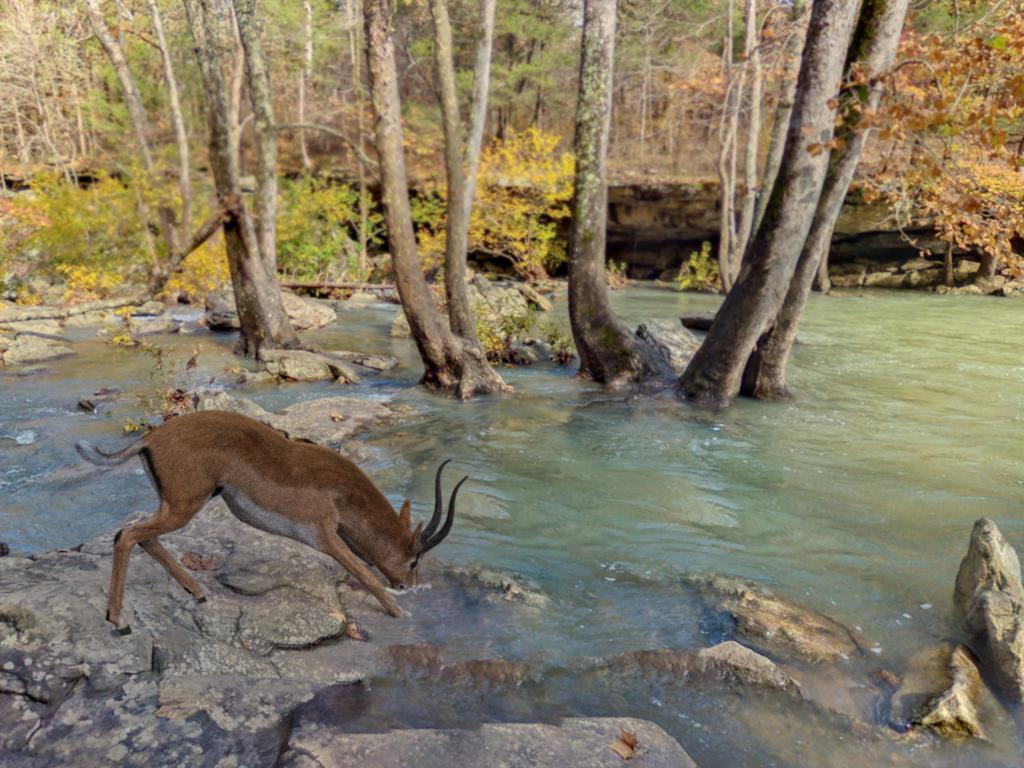
No Signal!
Using RY Brion, Sunny Road Outfit and Jungle Ruins Redux (from the Classic Barbarian Bundle)
 Autumn forest scene identify
The first image reminds me more of these:
https://www.renderosity.com/marketplace/products/117845/3d-scenery-autumn-path
https://www.renderosity.com/marketplace/products/117994/3d-scenery-autumn-road
maybe also using the orestes products mentioned in my first post.
Autumn forest scene identifyThe lower image seems to be from
https://www.daz3d.com/woods-modules
maybe using
https://www.daz3d.com/orestes-falling-leaves
and / or
https://www.daz3d.com/autumn-leaves
not sure with the tree stump
Carrara Non Photo Realistic Works 2Headwax said:
Bunyip02 said:
CHB Charlotte for Genesis 9 - https://www.daz3d.com/chb-charlotte-for-genesis-9
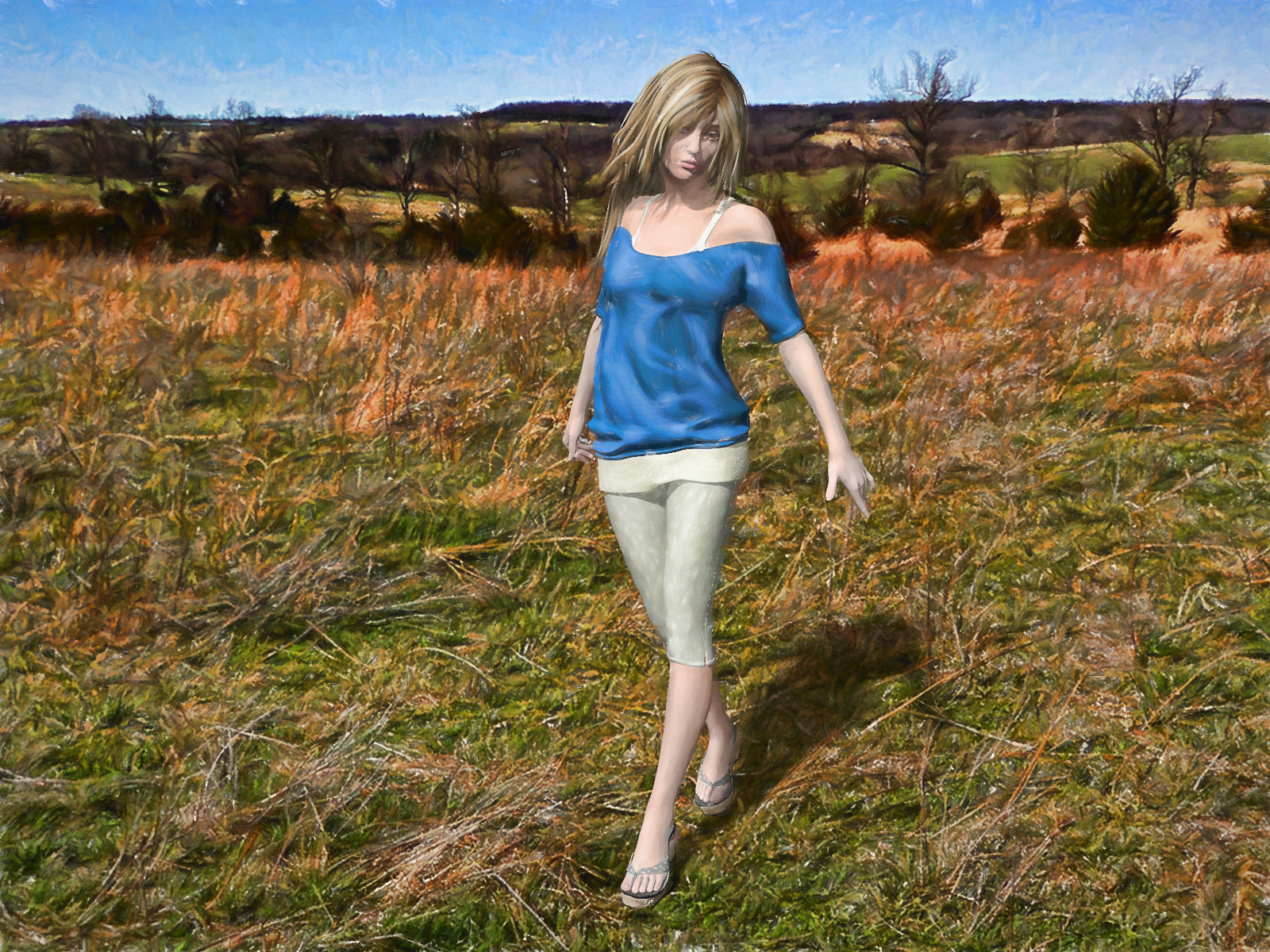
nice work, the grass and landscape look real
Thanks !!! Grass & landscape are from :- Orestes Iray HDRI Environment - Four Seasons Field - https://www.daz3d.com/orestes-iray-hdri-environment--four-seasons-field
I often use the HDRI's for a quickie render !
HDRI Issues?crosswind said:
Better post a screenshot, and which skydomes did you use... from Orestes' products or sth.?
I don't think a screenshot will help. The HDRI image/skydome shows up just fine. The problem is that it seems to continue processing the image at all times while it is open. Daz Studio never stops processing the skydome. I use a lot of Orestes' skydomes because they are beautiful but it has happened with others as well.
HDRI Issues?Better post a screenshot, and which skydomes did you use... from Orestes' products or sth.?
HDRI Issues?You all are so helpful... maybe you can help me with this.
I've been using skydomes with a lot of my images (a lot of Orestes but others too). When I add one of the skydomes to an image, a little progress meter starts at the bottom saying "Processing image [image name].hdr" and that keeps working even after the image is in the scene. It keeps going even when I save a scene and re-open it. It keeps going even when I hit "New" and wipe that existing scene away. It's like it never fully sets and just keeps processing forever.
And it seems to be (observationally) adding a lot to my render times.
Any ideas on if this is normal or how I can get it to stop, if not?
Thanks in advance.
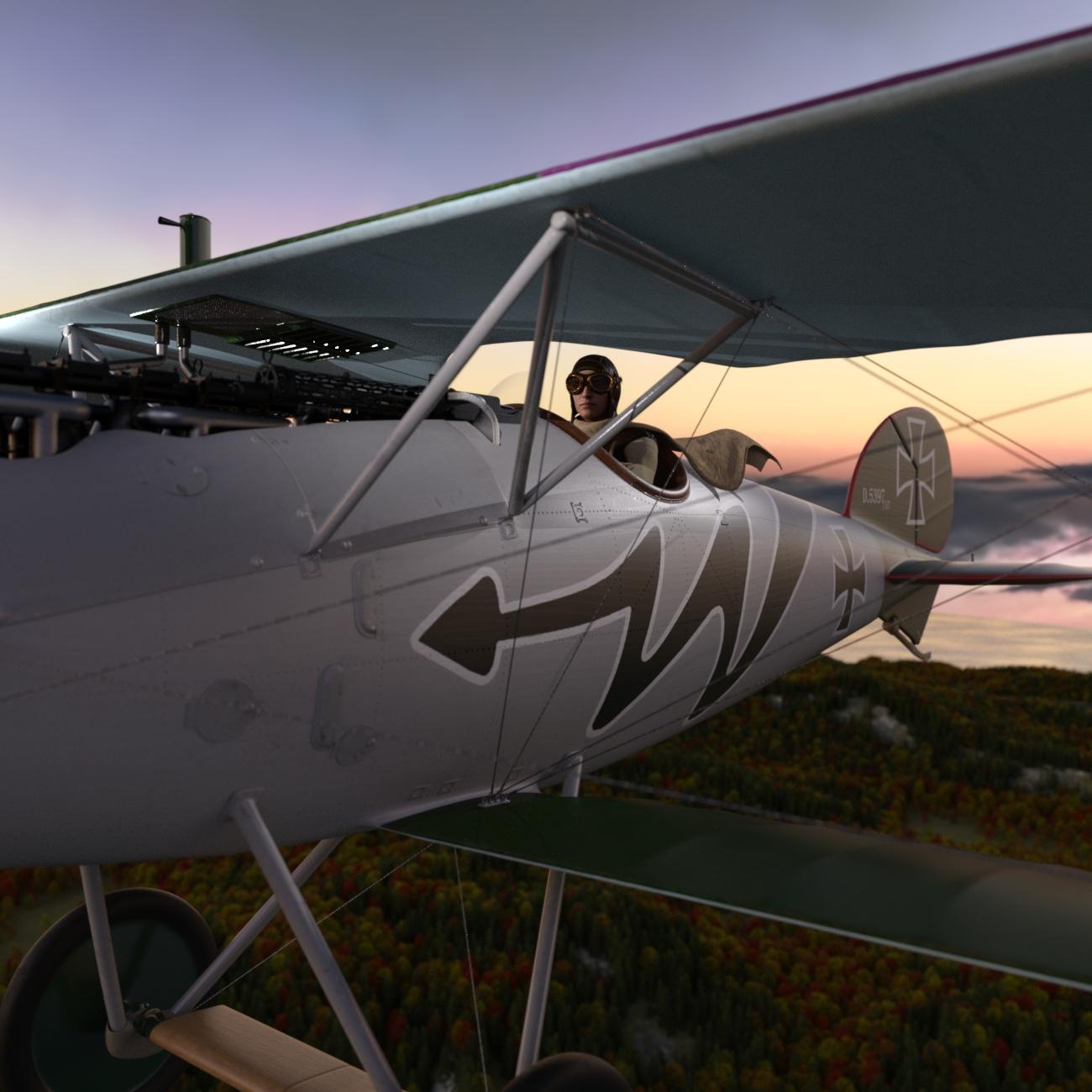
2023 Memorial Day Weekend Sales - Share Your Renders!And what better way to start the day than a nice flight at sunrise? This is the Albatros D.Va WWI Biplane - of Red Baron fame - and the squadron was called the "Flying Circus" in reference to the various, bright and wacky colors that the planes were painted. Our guy here is clad in the Pioneer Airman outfit and providing most of the moody lighting is another of the Orestes HDRIs I bought, this one coming from the Blue Hour set.
 2023 Memorial Day Weekend Sales - Share Your Renders!
@barbult Thanks for information on V3D HDR Creator! I had it in my wishlist - will have to keep an eye on it for a future purchase...
@Blando Calrissian That looks like a proper photo shoot alright! Very cool! Who's your male character in there?
Thanks @joanna! I've not tried out Sketchy much yet, but these Visual Style Shaders were really use to use. I have to find time too to experiment a little more with them.
Ah! That spider is back. Great use of those emissive lights in The Urban Crawl!
@paulawp (marahzen)You managed to try out a lot of things in one render! She's definitely living the high and nice life in Out on the Water!
I also got a lot of Noggin's old birds and things including those ducks! So many scenes that can be made just that tad better with a few of those. Nice render with the Orestes HDRI! And feel free to share more! We all may not have time to leave a comment on everything we showcase here, but it's always enjoyable to see everyone's renders!

I'm trying to get one of my animation related purchases working. May take me a minute. But if it wasn't for this thread, I might have put off trying that for a while, so I'm grateful!

Joanna and Paula, there's a lot of us writers in the DAZ community, which is really cool! I work on some kids picture books, but also the occasional YA fantasy. Mostly just for my own satisfaction. It's always nice to check out what everyone is working on. Interesting to read about what you two are working on! Thanks for sharing! But yes, I too suffer from totally being distracted by the DAZ store and sales from working on my projects. It's a little better this year thankfully!
 2023 Memorial Day Weekend Sales - Share Your Renders!
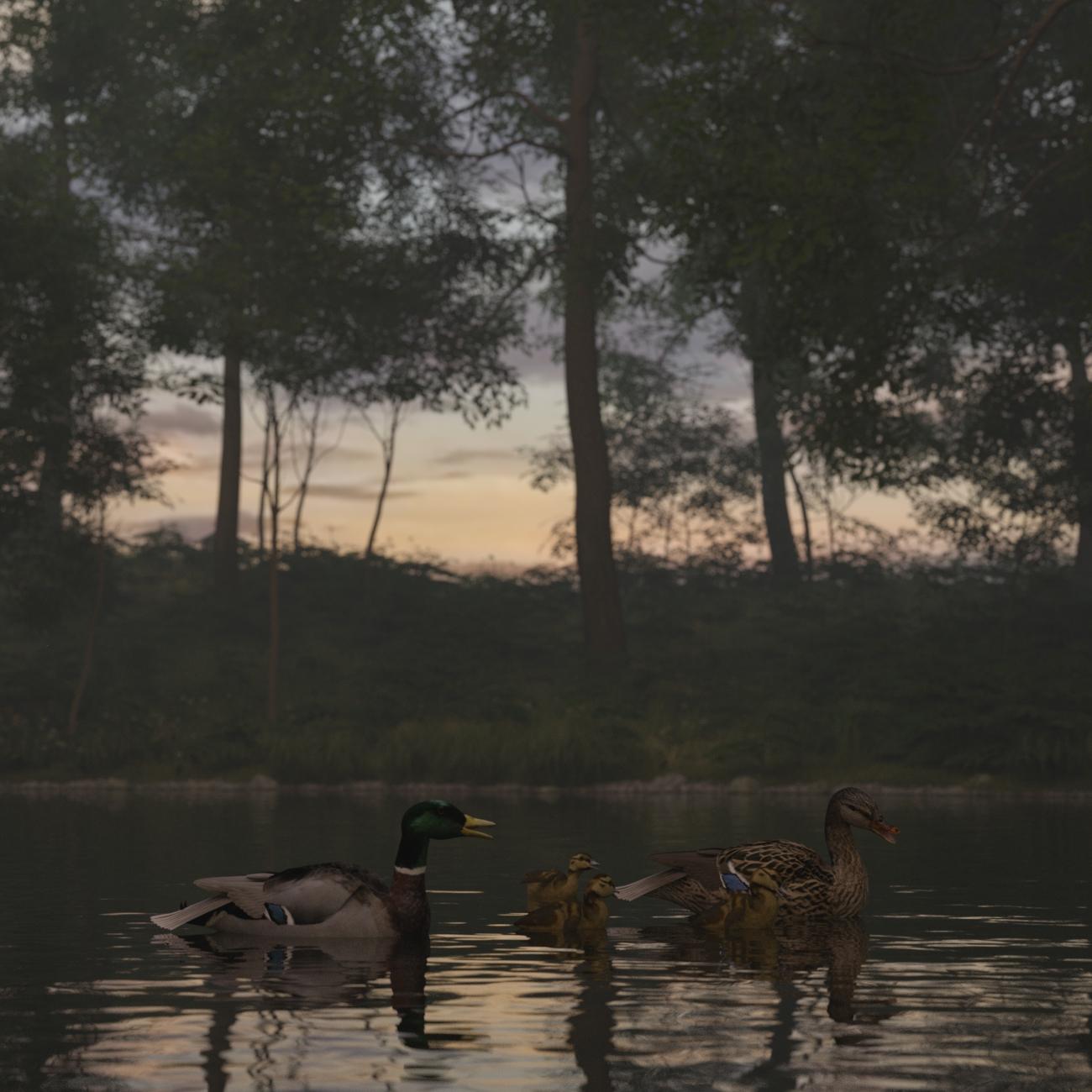
A cheap effort? Absolutely. But I was needing ducks for something recently and didn't have any on hand; so I finally picked up the ancient Noggins ducks during this sale. Also, this is one of my new Orestes HDRI sets. I rarely use HDRIs, but if I do, it's for nighttime or an early dawn/late twilight sort of setting, where sun-sky does not shine, figuratively and literally.
2023 Memorial Day Weekend Sales - Share Your Renders!Wooohooo, it attached!
Ladies, and gents, and otherwise, I present you
The Urban Crawl
I used Urban Sprawl and Orestes Iray HRDI Skydomes Vol 2 - Dreadful Clouds. No postwork except slight adjustment of levels for punchier shadows. Though, I think, it's worth noting that I used Emission Profile Master for the streetlamps (they don't seem to come with their own light, but I didn't check thoroughly: I wanted specific emission profile anyway).
Urban Sprawl was definitely worth the price (especially that it was a very good sale price): so many pre-made blocks to add variety or to build a massive city. And the skydomes are exactly what I was looking for, giving that dark moody atmosphere without drowning everything in darkness.
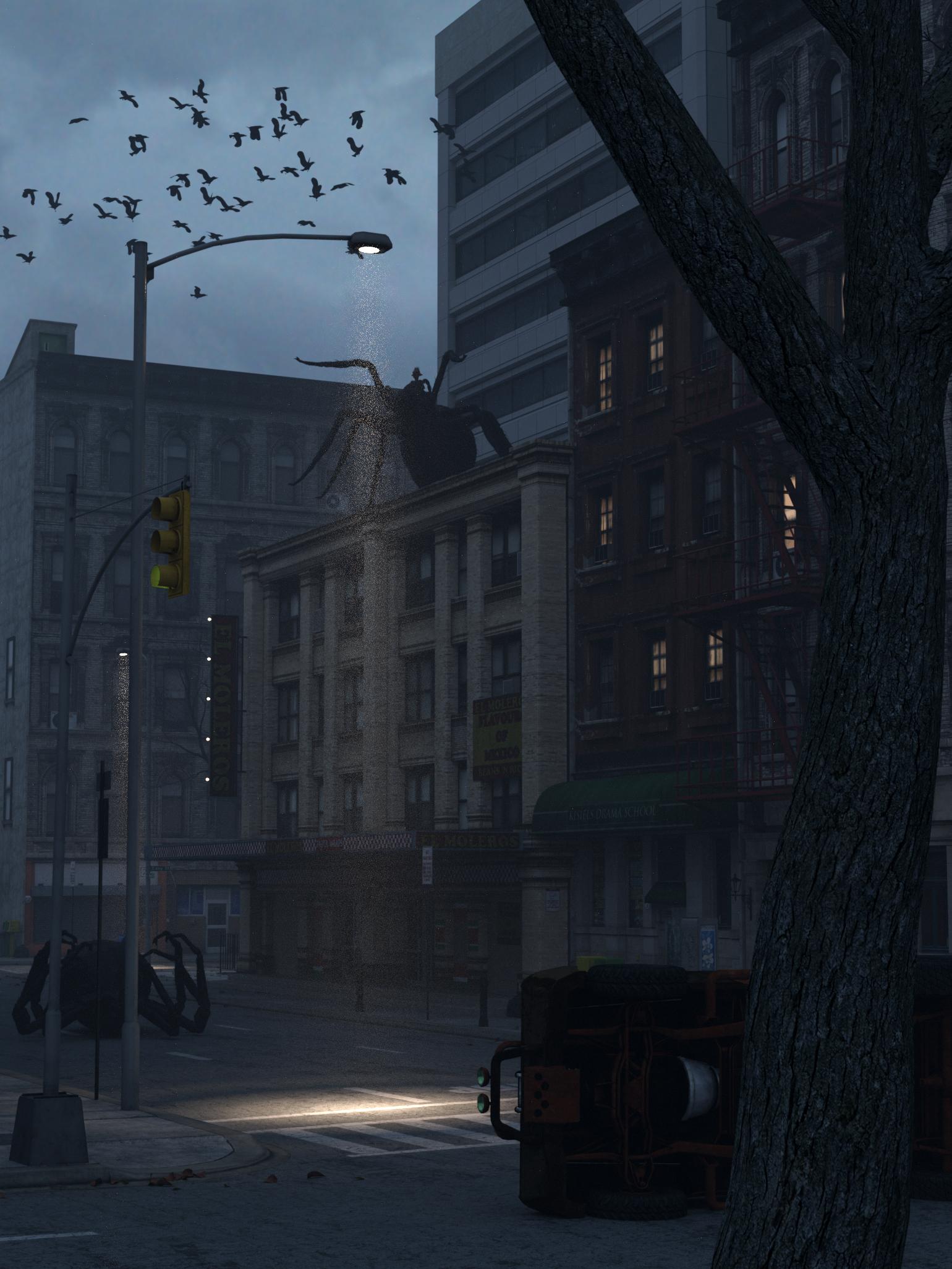 2023 Memorial Day Weekend Sales - Share Your Renders!
joanna said:
SapphireBlue said:
@joanna I used LineRender exactly like that in my quick experiment and layered it with the Iray render. It was just a quick test, so I need to read up on it.
Ah I see, well your book covers work great - yup, sometimes it's easier/more flexible to work with multiple separate renders and try and fit them together for the final composition. Well now you're using DAZ, you can have fun envisioning and creating your characters in DS, whether you make future covers yourself or get someone else for it!
I'm not sure I remember this right, but were you the one making character cards? That's something I enjoy doing as well. Yes, I can see DAZ having many applications in the future, but I still consider myself being in a learning stage. Yet already, making different renders brings up ideas for stories, so one could say I illustrate some stories before I write them :). And yes, you remember the cards right (unless there was someone else doing them too), and I have learned a lot since then, so they're just going to get better. :)
Uploads seem to be working now?! (For how long I don't know...)
Threads like these get me to at least try out some of my purchases before I forget I got them or put off learning about them to a later date... I got LineRender9000 and Visual Style Shaders and tried them together today. Someone mentioned in the NPR thread in Art Studio that the Visual Style Shaders worked with Iray too - that was what I needed to know to add it to my cart.
I layered the Iray render of a G2 character for Keiko with a few of the LineRender outputs (Two-tone and Lines are in the attachments. There was also an Outline one.). And I made use of the Visual Style Shaders for the hair and dress.
I was hoping outline renders would be a single clean and fast render, so I might try animating a sequence in that style. But no, sadly. Layering like this works for single images, but not practical for an animated sequence.
 Otherwise, I do like the style. Not too hard to achieve either. This was done with no reading up of how LineRender works - so I was pleasantly surprised. Visual Style Shaders were super easy to apply and a great simple solution for NPR style renders.
Ok, I LOVE (yes, I used caps, bold, and color, because!) what you managed to do with this render. It looks wonderful. I don't have Visual Style Shaders yet (they've been on my list forever), but I do have Sketchy - Toon Edge and Art Style Shaders, so I might check how they work with the line render... So much to do, so little time—unfortunately, I have a book to finish, so Daz comes second.
Uploading still doesn't seem to work for me, so I can't upload the picture featuring Urban Sprawl and Orestes HDRI Skydomes - Dreadful Skies. I'll try again tomorrow.
I'm working on some renders which I hope to get uploaded today, Daz foibles permitting.
I, too, have a book to finish but I have let this Daz diversion take over a lot of my free time. (Worse, I have let buying Daz stuff take center stage over - you know - using it; I spend so much time looking at items in the Daz store thinking, "I could totally use that for ...." and I need to spend more time using them for that use I had envisioned after I buy them. But that's a whole other topic.) What kind of book are you working on?
2023 Memorial Day Weekend Sales - Share Your Renders!SapphireBlue said:
@joanna I used LineRender exactly like that in my quick experiment and layered it with the Iray render. It was just a quick test, so I need to read up on it.
Ah I see, well your book covers work great - yup, sometimes it's easier/more flexible to work with multiple separate renders and try and fit them together for the final composition. Well now you're using DAZ, you can have fun envisioning and creating your characters in DS, whether you make future covers yourself or get someone else for it!
I'm not sure I remember this right, but were you the one making character cards? That's something I enjoy doing as well. Yes, I can see DAZ having many applications in the future, but I still consider myself being in a learning stage. Yet already, making different renders brings up ideas for stories, so one could say I illustrate some stories before I write them :). And yes, you remember the cards right (unless there was someone else doing them too), and I have learned a lot since then, so they're just going to get better. :)
Uploads seem to be working now?! (For how long I don't know...)
Threads like these get me to at least try out some of my purchases before I forget I got them or put off learning about them to a later date... I got LineRender9000 and Visual Style Shaders and tried them together today. Someone mentioned in the NPR thread in Art Studio that the Visual Style Shaders worked with Iray too - that was what I needed to know to add it to my cart.
I layered the Iray render of a G2 character for Keiko with a few of the LineRender outputs (Two-tone and Lines are in the attachments. There was also an Outline one.). And I made use of the Visual Style Shaders for the hair and dress.
I was hoping outline renders would be a single clean and fast render, so I might try animating a sequence in that style. But no, sadly. Layering like this works for single images, but not practical for an animated sequence.
Otherwise, I do like the style. Not too hard to achieve either. This was done with no reading up of how LineRender works - so I was pleasantly surprised. Visual Style Shaders were super easy to apply and a great simple solution for NPR style renders.Ok, I LOVE (yes, I used caps, bold, and color, because!) what you managed to do with this render. It looks wonderful. I don't have Visual Style Shaders yet (they've been on my list forever), but I do have Sketchy - Toon Edge and Art Style Shaders, so I might check how they work with the line render... So much to do, so little time—unfortunately, I have a book to finish, so Daz comes second.
Uploading still doesn't seem to work for me, so I can't upload the picture featuring Urban Sprawl and Orestes HDRI Skydomes - Dreadful Skies. I'll try again tomorrow.
There's Always Another Sale Thread -- Discussions OnlyPerttiA said:
paulawp (marahzen) said:
tsroemi said:
SapphireBlue said:
@tsroemi Ooh 4 carts! But fun to do a big purchase of all the things we've been wanting for a while when there's a sale!
Thanks @paulawp (marahzen) @PerttiA and @joanna for sharing what you three are getting!!

I'm also interested in transportation, sets and environments and other items for storytelling. Those are always useful!Yes, I know, I shouldn't have gone overboard like this, but it's the last two months of my full-time job right now, which has been really annoying right from the start, and I felt like I wanted to get something nice out of it today
 . Just did a last cart to spend some tokens already, and I can share pics of that at least. Ooooh, what a ride it was ...!
Edit: No, sorry, uploading doesn't work for me right now
 .
.Final tally for me: 169 items, at about 90% off for the cart. In terms of numbers, the majority of them were poses. After that, it would be the transportation items: some boats by PW and Faveral, and pretty much every pre-1950 plane that I didn't have. (The Faveral boats vastly pre-date my story - I mainly got them because I think they're cool and with this sale they were sooooo cheap I couldn't say no anymore. My official stated plan for them is to create wall art for rooms, so I don't even need to worry about retexturing them for that purpose.) I pretty much completed my era-appropriate DarkEdgeDesign collection. I ran across some older items by Sugatak that in whole or part look useful so I got several of those. Then there was an assortment of other environments, buildings and rooms by numerous PAs. (I would've gotten more Stonemason stuff, but as luck has it, I had just bought the last of the Stonemason stuff that fits my story and settings in a recent sale.) I usually use sun-sky, but for the price, I bought several Orestes HDRIs for night, sunset and dawn settings - not sun-sky's strength. It was a good time to fill out my collection of birds and animals. Then there were a variety of clothes and hair items, also from several different PAs. I usually use shaders, but at .36 each, I even bought a few textures that I particularly liked for things I have.
And there it is in a nutshell - my day of spending way too much on this sale.
Hope everyone else had as much fun as I did, and happy creating! Yeah... Now I need to figure out, what to do with 42 tokens...

Final tally was 131 items for $160 (MSRP $3210) for my second cart, the first one was just 11 items for $20.67 plus a $165 gift card for $132.
My product library here at the site got almost 5 pages bigger yesterday.I used my 50% extra off coupon to get the new dwarf 9 mega bundle for 79% off and just over $41 for 8 daz tokens. I then used those tokens to fill a new cart with 5 old items from the page and the 3 cheapest new release items for about $40 to trigger another 8 tokens and the 20% discount for a $200 gift card at 160. I then use the $150 of the gift card (I ran out of time picking stuff) to get a bunhc of items between 88-95% off. Happy to pick up the crow mega bundle, assasin bundle, elf mega bundle, and torian bundle for 95% off! I wish I had figured out the process sooner so I would have had time to put more stuff in my cart. I had literal seconds left when I clicked to complete my purchase.
There's Always Another Sale Thread -- Discussions Onlypaulawp (marahzen) said:
tsroemi said:
SapphireBlue said:
@tsroemi Ooh 4 carts! But fun to do a big purchase of all the things we've been wanting for a while when there's a sale!
Thanks @paulawp (marahzen) @PerttiA and @joanna for sharing what you three are getting!!
I'm also interested in transportation, sets and environments and other items for storytelling. Those are always useful!Yes, I know, I shouldn't have gone overboard like this, but it's the last two months of my full-time job right now, which has been really annoying right from the start, and I felt like I wanted to get something nice out of it today
. Just did a last cart to spend some tokens already, and I can share pics of that at least. Ooooh, what a ride it was ...!Edit: No, sorry, uploading doesn't work for me right now
.Final tally for me: 169 items, at about 90% off for the cart. In terms of numbers, the majority of them were poses. After that, it would be the transportation items: some boats by PW and Faveral, and pretty much every pre-1950 plane that I didn't have. (The Faveral boats vastly pre-date my story - I mainly got them because I think they're cool and with this sale they were sooooo cheap I couldn't say no anymore. My official stated plan for them is to create wall art for rooms, so I don't even need to worry about retexturing them for that purpose.) I pretty much completed my era-appropriate DarkEdgeDesign collection. I ran across some older items by Sugatak that in whole or part look useful so I got several of those. Then there was an assortment of other environments, buildings and rooms by numerous PAs. (I would've gotten more Stonemason stuff, but as luck has it, I had just bought the last of the Stonemason stuff that fits my story and settings in a recent sale.) I usually use sun-sky, but for the price, I bought several Orestes HDRIs for night, sunset and dawn settings - not sun-sky's strength. It was a good time to fill out my collection of birds and animals. Then there were a variety of clothes and hair items, also from several different PAs. I usually use shaders, but at .36 each, I even bought a few textures that I particularly liked for things I have.
And there it is in a nutshell - my day of spending way too much on this sale.
Hope everyone else had as much fun as I did, and happy creating! Yeah... Now I need to figure out, what to do with 42 tokens...
Final tally was 131 items for $160 (MSRP $3210) for my second cart, the first one was just 11 items for $20.67 plus a $165 gift card for $132.
My product library here at the site got almost 5 pages bigger yesterday.There's Always Another Sale Thread -- Discussions Onlytsroemi said:
SapphireBlue said:
@tsroemi Ooh 4 carts! But fun to do a big purchase of all the things we've been wanting for a while when there's a sale!
Thanks @paulawp (marahzen) @PerttiA and @joanna for sharing what you three are getting!!
I'm also interested in transportation, sets and environments and other items for storytelling. Those are always useful!Yes, I know, I shouldn't have gone overboard like this, but it's the last two months of my full-time job right now, which has been really annoying right from the start, and I felt like I wanted to get something nice out of it today
. Just did a last cart to spend some tokens already, and I can share pics of that at least. Ooooh, what a ride it was ...!Edit: No, sorry, uploading doesn't work for me right now
.Final tally for me: 169 items, at about 90% off for the cart. In terms of numbers, the majority of them were poses. After that, it would be the transportation items: some boats by PW and Faveral, and pretty much every pre-1950 plane that I didn't have. (The Faveral boats vastly pre-date my story - I mainly got them because I think they're cool and with this sale they were sooooo cheap I couldn't say no anymore. My official stated plan for them is to create wall art for rooms, so I don't even need to worry about retexturing them for that purpose.) I pretty much completed my era-appropriate DarkEdgeDesign collection. I ran across some older items by Sugatak that in whole or part look useful so I got several of those. Then there was an assortment of other environments, buildings and rooms by numerous PAs. (I would've gotten more Stonemason stuff, but as luck has it, I had just bought the last of the Stonemason stuff that fits my story and settings in a recent sale.) I usually use sun-sky, but for the price, I bought several Orestes HDRIs for night, sunset and dawn settings - not sun-sky's strength. It was a good time to fill out my collection of birds and animals. Then there were a variety of clothes and hair items, also from several different PAs. I usually use shaders, but at .36 each, I even bought a few textures that I particularly liked for things I have.
And there it is in a nutshell - my day of spending way too much on this sale.
Hope everyone else had as much fun as I did, and happy creating! There's Always Another Sale Thread -- Discussions OnlyToday was indeed a good day. Since the new releases didn't entice me enough (though the 50% off on today's ones is nice), I went for get +4 classic items to get 85% off all of them. With that, even without the new release discounts and tokens, $9 for Stonemanson's Urban Sprawl is a amazingly good deal. I also got plenty of shaders, because I have soft spot for them (Uber+ Iray armor and antique metals 1 & 2 and the easy liquid ones), some orestes HDRI (they always feel too expensive otherwise), and some of deviney's brushes, because I love them in post work. And LineRender9000 which I'm hoping is still working in the current DS version (and I'll be able to learn how to use it). Modest 12 items for just over $40, so it's going to be 8 tokens, and since I'm too lazy to split carts and do the math, I'm hoping there will be something I can spend them on in the upcoming days. (Daz+ sale could start tomorrow, lol)
Of course, I'm still browsing...
HDRI lighting goes dark when set to scene only in enviornments tabcrosswind said:
7starswingin said:
crosswind said:
HDRI environment will not work with the mode of 'Scene Only'. You may see that after choosing Scene Only in Environment Mode, the option of Environment Map is gone. So if you wanna use an HDRI map, pls use Dome and Scene or Dome Only.
I see, but is there a reason why the textures ive applied to my GEN 8 models appear so fuzzy when i set to either dome and scene or dome only when looking at the privew render or rendered image? Also ive applied wet textures to my models and the shell comes up as white all over the models skin.also im using Orestes Iray HDRI Skydomes and i also added a denoiser to the render, would the denoiser be interfering with the hdri?
You may check:
1) If you set Depth of Field in the currently-used Camera... if yes, finetune Focal Distance and F/Stop to make your figure well focused;
2) Go to Render Settings Pane - Filtering - Pixel Filter: Set value to mitchell, Pixel Filter Radius: Set value to 0.75 - 0.85And Orestes Iray HDRI Skydomes you used is a daytime or a night time HDR env.? Better post a screenshot if there's any issue.
i was running it as a daytime HDRI but had no luck, the donoiser still makes it look like a painting in some way here are the render settings as well as what i set the enviiornment intensity to be
HDRI lighting goes dark when set to scene only in enviornments tab7starswingin said:
crosswind said:
HDRI environment will not work with the mode of 'Scene Only'. You may see that after choosing Scene Only in Environment Mode, the option of Environment Map is gone. So if you wanna use an HDRI map, pls use Dome and Scene or Dome Only.
I see, but is there a reason why the textures ive applied to my GEN 8 models appear so fuzzy when i set to either dome and scene or dome only when looking at the privew render or rendered image? Also ive applied wet textures to my models and the shell comes up as white all over the models skin.also im using Orestes Iray HDRI Skydomes and i also added a denoiser to the render, would the denoiser be interfering with the hdri?
You may check:
1) If you set Depth of Field in the currently-used Camera... if yes, finetune Focal Distance and F/Stop to make your figure well focused;
2) Go to Render Settings Pane - Filtering - Pixel Filter: Set value to mitchell, Pixel Filter Radius: Set value to 0.75 - 0.85And Orestes Iray HDRI Skydomes you used is a daytime or a night time HDR env.? Better post a screenshot if there's any issue.
HDRI lighting goes dark when set to scene only in enviornments tabcrosswind said:
HDRI environment will not work with the mode of 'Scene Only'. You may see that after choosing Scene Only in Environment Mode, the option of Environment Map is gone. So if you wanna use an HDRI map, pls use Dome and Scene or Dome Only.
I see, but is there a reason why the textures ive applied to my GEN 8 models appear so fuzzy when i set to either dome and scene or dome only when looking at the privew render or rendered image? Also ive applied wet textures to my models and the shell comes up as white all over the models skin.also im using Orestes Iray HDRI Skydomes and i also added a denoiser to the render, would the denoiser be interfering with the hdri?
Daz 3D is part of

Connect
DAZ Productions, Inc.
7533 S Center View Ct #4664
West Jordan, UT 84084Licensing Agreement | Terms of Service | Privacy Policy | EULA
© 2026 Daz Productions Inc. All Rights Reserved.










