-
Headshop 14 error daz model not found
Artini said:
Does anyone has succeded with running Headshop 14?
Artini, only hundreds of users. (If you read the thread above, you can see how others did. "Setting the temp path to default fixed it for me in HS13."
Or why not just get Tech Support from us (it works 100%)? Abalone Tech support is at [email protected]
Or invite me on skype (lasloves). I am on California time and love to connect with you....
Headshop 14 error daz model not foundDoes anyone has succeded with running Headshop 14?
FaceTransfer 2 vs Headshop 2024
Thank you for the detailed comparison. I think you confirmed my instincts. You're right. Headshop does seems like a better choice overall outbox for morphs creation. Now I guess I've wait until it goes sale, lol. (Here's hoping that March madness sale delivers)FelixFFDS said:Both are good programs. In a head-to-head comparison, though, I give the nod to HeadShop2024.
FaceTransfer has a serious problem with the side profile. My opinion is that the resulting morph looks like an alien for G8 heads. G9 - from my tinkering with the trial version, is a bit better. In either case, you'd also need Face Transfer Shapes (3rd Party program) to flesh out the Face Transfer G8 profile.
In that sense, HeadShop2024 provides a overall better shape on the G8 model. Also, Headshop2024 allows you to create the morph without creating a corresponding texture.
Attached is a quick comparison of the two. I used a mugshot off the Internet and created the head morphs in both Face Transfer and Headshop2024. Since textures aren't the issue here, I used the default G8F base materials (Iray). There is no "post morph creation" tweaks done.Hope this helps.
Felix
FaceTransfer 2 vs Headshop 2024I am not sure which one is better. It seems like Headshop2024 has some obvious advantages but I am still on the fence over which one I should go with. I am still using G8 figures extensively but in terms of which software creates better morphs, that I am not so sure. They both are expensive softwares, so which one do you think is better? (I am more interested in creating realistic character morphs that works great out of box and needs little tweaking. Textures are not that important for me). Anyone used either of these, care to share your thoughts?
Headshop 14 error daz model not foundthe whole thing is not user friendly. Apparently the plugin cannot cope if - for whatever reason - a DAZ installation does not use the original paths. The fact that the developers have not found a way for the plugin to find the correct installation path for years is at least questionable and does not suggest that they have the users in mind. And I have never experienced with any other program that a program cannot cope if the path to a temporary directory is not exactly as the programmers expect. I've tried several versions over the years, but nothing has changed despite many chat entries from countless users. So if you haven't installed Daz3d with the specified paths, you should stay away from Headshop. I have given up hope that the programmers of this plugin will change anything at this point.
(Coming Soon) PoliceArtist submitted to DAZ, see preview (Commercial)Explore 3 new tools that will assist you to improve work with non-HeadShop photo-to-3D applications. During the 17 years of development of HeadShop we added some unique capabilities to HeadShop that we feel can benefit other applications as well. Try any of these tools to see if they work for you.
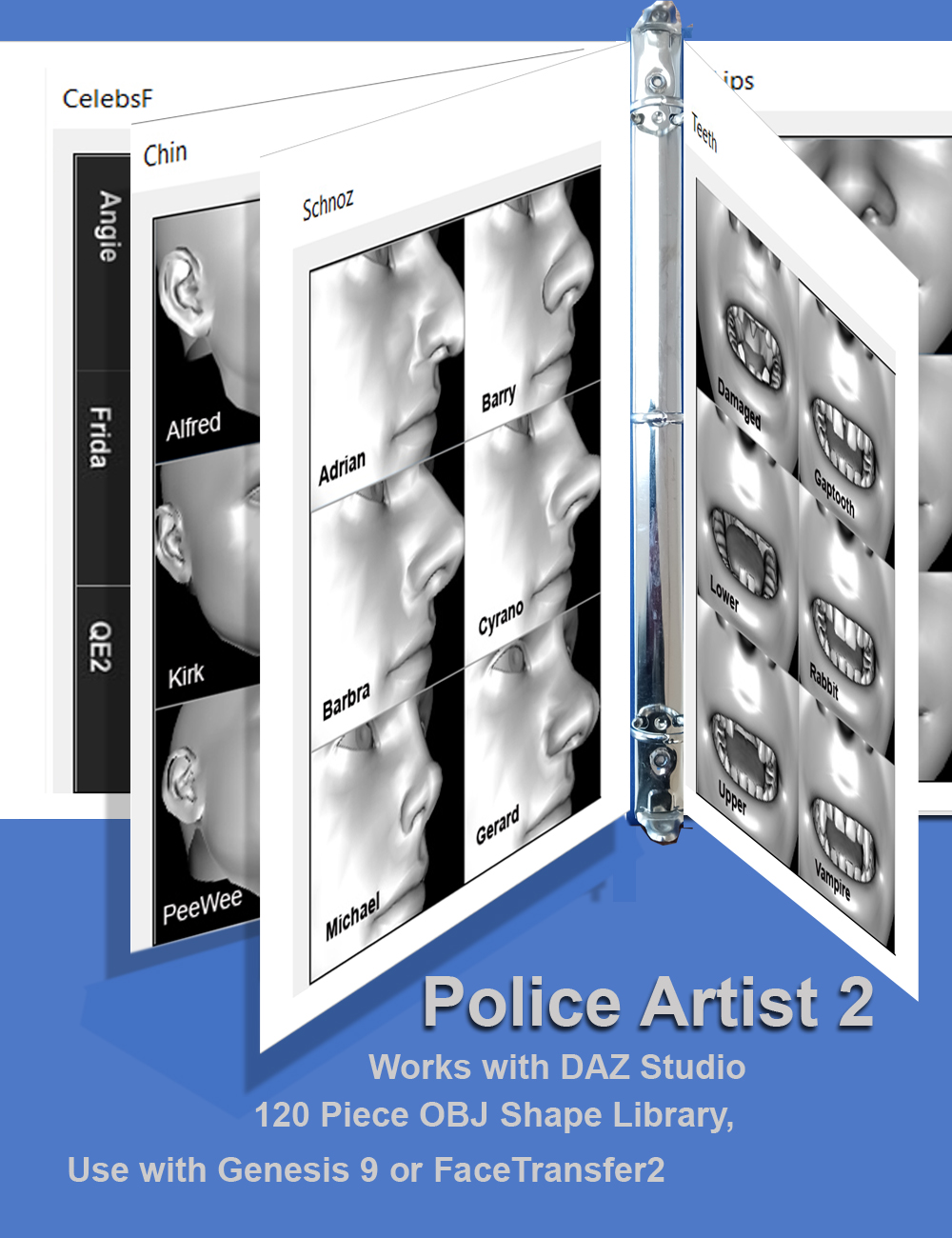
PoliceArtist for Genesis 9 is a library of 120 shapes (noses, chins, creases, etc) that can be loaded via DAZ Studio’s MorphLoader to add topographic details to any figure. It can also used in conjunction either with FaceTransfer2 or any other Genesis 9 figure for realistic shaping of features. PoliceArtist works like a police artist, choosing from a library of different shapes to get to the right end results.
PoliceArtist also comes with an on-screen guide that helps to select the right features.Watch How-to video here: https://youtu.be/GNkhoWQ1PHI
HeadShop 2024 beta testers needed
We are lookign for a few beta testers who can install/review product in 72 hrs.
WHAT IS HEADSHOP 2024?
HeadShop is a photo-to-3D plugin for DAZ Studio – works inside DAZ Studio. The first HeadShop was sold by DAZ in 2007 and we have created a new version every year since. The longevity of the product is a great part the result of listening to user input and adding features that our users suggested.
For example, two of the new additions to HeadShop 2024 came from user Ray H, who wanted sculpt support for older Genesis models and also a lower price. Congratulation Ray, you got it!
WHAT IS NEW IN 2024?
- Addition of 120 new Genesis 8 morphs for AutoSculpt
- Addition of wrinkle Bump maps for Genesis 8 and Genesis 9
- New, low price ($98.99 MSRP)
If interested, pls. email ASAP to [email protected], addressed "2024 beta test".
Thank You!
Laslo Vespremi, CEO, Abalone LLC
OT - New Computer WIN 11 Pro QuestionsCatherine3678ab said:
Pro has a few quirks Home didn't have. Look for the instructions for setting it up -- and to have the "Cloud" and "Document" folders NOT connected. [otherwise one [i.e. it happened here] one has everything being loaded on the computer in 2 places, removing files from one removes them from both ... and it's a nightmare!] So if not using "cloud" before uninstalling "cloud" find the disconnect instructions. [And it's a system folder so no we can't just delete the cloud folder, a few bits and pieces might still end up there but as long as my programs are working it doesn't matter.]
Also, for whatever reason -- on my rig D/S "had to" be installed outside of the official program folders. [otherwise some security thingie took a fit and wouldn't let D/S write files or whatever]. In not having D/S installed to the official program folders, so far the "only" plug-in for D/S that will not work, period, is HeadShop.
As for the Onedrive, you can always choose which folders you want to back up. See Attached.
Core Isolation is what is stopping Daz from Installing. See Attached. I always use custom install paths for just about everything.
OT - New Computer WIN 11 Pro QuestionsPro has a few quirks Home didn't have. Look for the instructions for setting it up -- and to have the "Cloud" and "Document" folders NOT connected. [otherwise one [i.e. it happened here] one has everything being loaded on the computer in 2 places, removing files from one removes them from both ... and it's a nightmare!] So if not using "cloud" before uninstalling "cloud" find the disconnect instructions. [And it's a system folder so no we can't just delete the cloud folder, a few bits and pieces might still end up there but as long as my programs are working it doesn't matter.]
Also, for whatever reason -- on my rig D/S "had to" be installed outside of the official program folders. [otherwise some security thingie took a fit and wouldn't let D/S write files or whatever]. In not having D/S installed to the official program folders, so far the "only" plug-in for D/S that will not work, period, is HeadShop.
Face Transfer 2 Trial VS HeadShop pro 23How did you compare of Face Transfer 2 Trial VS HeadShop pro 23 go? I only have testet the former and still have later on my wishlist.
I think Face-Transfer 2 has some potential but is still only "looks good from the front, but needs heavy ajustment from the side", because you only can give it one frontal image and no side view. If you could give it multible images from different angles (not only straight front and straight side) and with help from an AI, I think this would be the best photo to 3d head software you can get.
One downside of the AI (i presume) is, if your person have a exceptional eye shape like narrow or slanted eyelids, Face transfer always ignores this and "thinks" the person has just blink and generate not squinted and (Genesi 9) normal eye shapes. It always has done this on my tests anyway.
Help face tranfer 2Pls check this thread - https://www.daz3d.com/forums/discussion/665161/face-transfer-2-trial-vs-headshop-pro-23#latest
Face Transfer 2 Trial VS HeadShop pro 23I have head shop Pro 23 bud I'm interested in the new AI driven face transfer program. I'd like to be able to compare the output with the trial version before purchasing a lender program but I can't find a trial version of either ft one or two. Is the description of a trial version out of date?Face Transfer 2jbowler said:
Richard Haseltine said:
If you hav already entered the serial number the space will go - it doesn't stay around when it is no longer needed. Uninstalling DS doesn't remove settings, including serial numbers.
So the registration column is simply misleading; it does not show the registration. I think this is where the topic ended up last time. If I have multple licenses then I do want to change the license code. IRC this arose with FaceGen Pro, where I stopped purchasing through Tati and purchased direct from the author, maybe also headshop (or whatever it is called, the shellfish product; I've completely give up on that.)
A single user will usually have only a single license, and will get no benefit from having multiples. If someone does need to have separate sets of authoriaations use separate user accounts to run each.
Face Transfer 2Richard Haseltine said:
If you hav already entered the serial number the space will go - it doesn't stay around when it is no longer needed. Uninstalling DS doesn't remove settings, including serial numbers.
So the registration column is simply misleading; it does not show the registration. I think this is where the topic ended up last time. If I have multple licenses then I do want to change the license code. IRC this arose with FaceGen Pro, where I stopped purchasing through Tati and purchased direct from the author, maybe also headshop (or whatever it is called, the shellfish product; I've completely give up on that.)
Headshop Pro 2023 - How to fix italan.hanson said:
info_b3470fa520 said:
Alan, it seems that you are trying something that HeadShopPRO 2023 is NOT DESIGNED to do. The morphs only work with Genesis 9, not with Genesis 8 or 8.1.
Admittedly, the folder is mislabelled, which may have caused your confusion. To repeat: morphs in the folder \Headshop plugin\Models\Morphing\Genesis 8.1\ are working only with Genesis 9 figures. Sorry about the confusion.
Laslo
Ps. DO NOT RELABEL ANY FOLDERS. Use morphs with Genesis 9 ONLY.
"The morphs only work with Genesis 9" Really! The product was purchased from this page https://www.daz3d.com/headshoppro-2023-win which clearly states "Compatible Figures: Genesis 8.1 Female, Genesis 8.1 Male, Genesis 9, Genesis 3 Female, Genesis 3 Male, Genesis 8 Female, Genesis 8 Male".
Your Youtube video at
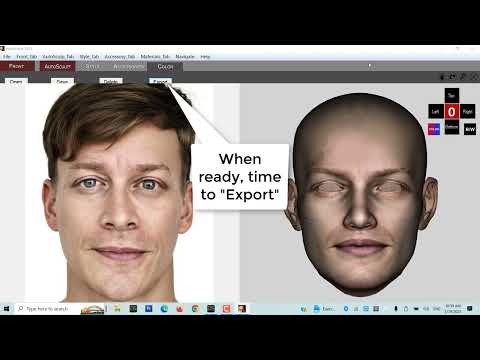 states "HeadShopPRO 2023 is a DAZ Studio plugin that converts photos into 3D heads inside DAZ Studio. It now supports the new Genesis 9 figure, as well as older Genesis 8 and Genesis 3"
I've just paid $119.99 for this product and would like it to work as advertise.
Let me be clear. Headshop Pro 2023 does not work with Genesis 8 or 8.1 unless the folder \Headshop plugin\Models\Morphing\Genesis 8\ and its sub-folders exist. If these folder are not present the program crashes when the "Apply" button is pressed.
Headshop Pro 2023 - How to fix itinfo_b3470fa520 said:
Alan, it seems that you are trying something that HeadShopPRO 2023 is NOT DESIGNED to do. The morphs only work with Genesis 9, not with Genesis 8 or 8.1.
Admittedly, the folder is mislabelled, which may have caused your confusion. To repeat: morphs in the folder \Headshop plugin\Models\Morphing\Genesis 8.1\ are working only with Genesis 9 figures. Sorry about the confusion.
Laslo
Ps. DO NOT RELABEL ANY FOLDERS. Use morphs with Genesis 9 ONLY.
"The morphs only work with Genesis 9" Really! The product was purchased from this page https://www.daz3d.com/headshoppro-2023-win which clearly states "Compatible Figures: Genesis 8.1 Female, Genesis 8.1 Male, Genesis 9, Genesis 3 Female, Genesis 3 Male, Genesis 8 Female, Genesis 8 Male".
Your Youtube video at
states "HeadShopPRO 2023 is a DAZ Studio plugin that converts photos into 3D heads inside DAZ Studio. It now supports the new Genesis 9 figure, as well as older Genesis 8 and Genesis 3"I've just paid $119.99 for this product and would like it to work as advertise.
Headshop Pro 2023 - How to fix itAlan, it seems that you are trying something that HeadShopPRO 2023 is NOT DESIGNED to do. The morphs only work with Genesis 9, not with Genesis 8 or 8.1.
Admittedly, the folder is mislabelled, which may have caused your confusion. To repeat: morphs in the folder \Headshop plugin\Models\Morphing\Genesis 8.1\ are working only with Genesis 9 figures. Sorry about the confusion.
Laslo
Ps. DO NOT RELABEL ANY FOLDERS. Use morphs with Genesis 9 ONLY.
Headshop Pro 2023 - How to fix itI have just purchased the Headshop Pro 2023 product and experienced the following error. 'Could not find a pert of the path 'D:\DAZ 3D\DAZ 3D\Headshop plugin\Models\Morphing\Genesis 8\Man' (I have DAZ installed on D: drive). I wrote to the vendor explaining that the missing folder was not in the zip file I downloaded. The vendor replied with a generic message pointing me to a pdf document on how to install. If the vendor had bothered to read my message it would have been clear that the issue is with the structure of the zip file and not the installation.
Given the poor response by the vendor I must assume that the error in the zip file will remain and other users will, therefore, experience the same issue so here is the fix. After installation locate this folder:
..\Headshop plugin\Models\Morphing\Genesis 8.1\
Rename it to:
..\Headshop plugin\Models\Morphing\Genesis 8\
It would appear that folder ..\Morphing\Genesis 8.1\ is not required and that Genesis 3, 8, 8.1 and 9 all use infor in ..\Morphing\Genesis 8\
Is AI killing the 3D star?RobotHeadArt said:
kyoto kid said:
...sounds easier (and more rewarding) to just develop a charater form scratch and save it as a character preset.
It depends. If you are trying to replicate a real person and you have a good set of source images, it is way easier than trying to create the skin textures, create the morphs, and then realize you can't get a good likeness because HD morph creation is PA only. Given the popularity of image to Daz character tools (Face Transfer, Headshop, Facegen, etc.) there is a high demand for this workflow. Also, for skin tones where there is little Daz representation, you are limited by what PAs have made available and how well you can edit them to match the right look.
It's not just people concepts you can do training on. For people who don't have great modeling skills it can be a great way to create clothing, props, hair, etc. I was able to take screenshots of an outfit from a cartoon, train a LORA, and then apply the LORA to a photorealistic model with about 45 minutes of prep work and 30 minutes of GPU training time. Stable Diffusion was able to take the cartoon outfit and transform it into a real, photoreal outfit. Creating the same outfit in Marvelous Designer, rigging it in Daz, UVing, texturing, etc. would have taken dozens of hours.
...for skin tones I've been working with Zev0's skin Builder since G2. Yes there was a learning curve at first, very new programme or process has one, but now it's pretty much my go to for skins that aren't commonly available (like very fair or albino both oaf which I have been very successful with). Many characters with HD morphs also have a separate "HD slider" I can ignore so they work better for combining with others, even older generations. Is I've mentioned elsewhere I rarely if ever use a character right out of the box, save for A3 and Gen4 (even then the V4/A4/S4/G4 "Unimesh" concept that preceded Genesis allowed for a bit more, albeit limited, custom work and clothing fits).
I tend to purchase more Merchant resource and utility content (such as morphing, shaping, and shaders) than characters. as I like developing my own My modelling skills are nothing to write home about and I am unable to use a tablet (which is pretty much essential for sculpting) due to severe arthritis, so I've taken to working totally with morph, shape, and expression controls to make up for that (even a small fraction of a slider input morph can make a difference).
Crikey I was creating teen and even child characters off V4 and later S4.(check out my "Leela" sub-gallery on DA) so I'm no stranger to putting in the time to learn how to push the Daz programme to and past its limits. I'm retired now, I have all the time I need on my hands to work with and perfect techniques using the tools I have and know.
Besides I find it rewarding and relaxing.
Again I feel AI could be useful to improve certain processes like rendering, noise reduction, animation, cloth simulation, and such, but that is as far as I would ever consider employing it.
Is AI killing the 3D star?background said:
RobotHeadArt said:
kyoto kid said:
...sounds easier (and more rewarding) to just develop a charater form scratch and save it as a character preset.
It depends. If you are trying to replicate a real person and you have a good set of source images, it is way easier than trying to create the skin textures, create the morphs, and then realize you can't get a good likeness because HD morph creation is PA only. Given the popularity of image to Daz character tools (Face Transfer, Headshop, Facegen, etc.) there is a high demand for this workflow. Also, for skin tones where there is little Daz representation, you are limited by what PAs have made available and how well you can edit them to match the right look.
It's not just people concepts you can do training on. For people who don't have great modeling skills it can be a great way to create clothing, props, hair, etc. I was able to take screenshots of an outfit from a cartoon, train a LORA, and then apply the LORA to a photorealistic model with about 45 minutes of prep work and 30 minutes of GPU training time. Stable Diffusion was able to take the cartoon outfit and transform it into a real, photoreal outfit. Creating the same outfit in Marvelous Designer, rigging it in Daz, UVing, texturing, etc. would have taken dozens of hours.
If you are going to use Ai to create a likeness of a real person, then you might as well use Photoshop ( or some other image editor ), to put the persons head on someone elses body, either way it's a fake.
Once you have a character LORA or Textual Inversion Embedding you can basically use it like a Daz character. Posing, setting clothes, accessories, hair, etc. This is way faster than creating a fake in Photoshop. A photoreal picture can be made literally in seconds. You can even take these trained characters and use style transfer so you could generate an image of that character as if they were in a Wes Anderson film, a character in Skyrim, a charater from a 90s cartoon series, and so on. This offers way more flexibility and power than just copy and pasting heads in an image editor. If you check civitai, you will see that creating people, characters from anime and cartoons are one of the most popular categories. There is no denying that there is strong interest in this functionality. Even in the Daz ecosystem, this demand is there. Check out how many posts and characters there are in https://www.daz3d.com/forums/discussion/638911/celebrity-look-a-likes-for-3d-figures-part-4 ;
Daz 3D is part of

Connect
DAZ Productions, Inc.
7533 S Center View Ct #4664
West Jordan, UT 84084Licensing Agreement | Terms of Service | Privacy Policy | EULA
© 2026 Daz Productions Inc. All Rights Reserved.