-
Legacy UVs for Genesis 8: Victoria 4 - Prepare doesn't work right?
Workflow:
Open Daz 4.12 on Mac (Mojave)
Load G8F Developer load
Verify that I have selected G8F
Run the Legacy UVs Prepare script from the tool bar.
I get an incomplete character (see attached)
When I apply a texture the missing items don't get skinned.
Any thoughts on what I've done/not done?
Victoria 8 EyeBrowsV8 loads with diffuse overlay eyebrows but also has mesh eyebrows.
The latter can be found at people/Genesis 8 Female/Anatomy/Victoria 8 Eyebrows
Thanks guys, but when I try to apply these in the picture doesn't work.
Thanks.
Victoria 8 EyeBrowsV8 loads with diffuse overlay eyebrows but also has mesh eyebrows.
The latter can be found at people/Genesis 8 Female/Anatomy/Victoria 8 Eyebrows
Victoria 8 EyeBrowsVictoria 8 has mesh eyebrows (I thnk they are in the Anatomy category if you are using a non-file based content view), I thought there were materials options with and without painted brows.
Victoria 8 EyeBrowsIs Victoria 8 without eyebrows? How can I add it?
Thanks.
How to delete "helpers" on the V4 SkeletonAre you using the skeletons alone, or with Victoria 4, or have yu used AutoFit in Daz Studo to make them fit another figure?
Hi Richard, Indeed I am attempting to fit the V4 skeleton to a Genesis 8 Female (Victoria 8 to be precise) By using some of the few instructions I was able to find searching various forums on the subject. The method that I am following is to first fit teh skeleton to the regular Genesis 1 figure and then fit to Genesis 8 (in may case Victoris 8 which I am hoping woudl have the same results as Genesis 8 but am not sure) the results are so so but these does seem to be substantial distortion when reshaping the character's shape. I am quite good with Zbrush so I will be attempting to bring the skeleton into Zbrush to edit and fix distortion but my first attempt to do so was not successful. so I shall keep hammering away to get it right. (Wish there was an updated anatomical character or set of character's ala Zygote's offerings. This would substantially increase Daz's value as a valuable tool for medical simulation and studies.
Are you using the skeletons alone, or with Victoria 4, or have yu used AutoFit in Daz Studo to make them fit another figure?
Hi Richard, Indeed I am attempting to fit the V4 skeleton to a Genesis 8 Female (Victoria 8 to be precise) By using some of the few instructions I was able to find searching various forums on the subject. The method that I am following is to first fit teh skeleton to the regular Genesis 1 figure and then fit to Genesis 8 (in may case Victoris 8 which I am hoping woudl have the same results as Genesis 8 but am not sure) the results are so so but these does seem to be substantial distortion when reshaping the character's shape. I am quite good with Zbrush so I will be attempting to bring the skeleton into Zbrush to edit and fix distortion but my first attempt to do so was not successful. so I shall keep hammering away to get it right. (Wish there was an updated anatomical character or set of character's ala Zygote's offerings. This would substantially increase Daz's value as a valuable tool for medical simulation and studies.
When you AutoFit the original bones are ignored, DS just projects the bones from the base figure into the model - as a result the helpers can no longer be switched off, and the bones cannot be posed individually. If your ZBrush skills are up to the job I'd just take the exported skeleton (hide the helprs and export as OBJ - then they will be gone), adjust it in ZBrush to fit inside the Genesis 8 figure, export the result as OBJ from ZBrush, import that into DS (making sure that you use the same preset in the options dialogue, so everything is scaled correctly) and then use Edit>Figure>Transfer Utility to rig the model (set the Source to Genesis 8 female, the target to your imported OBJ). It won't be perfect, and you may want to use the rigging tools in DS to enhance it, but it should be better than the AutoFit.
Thank you once again Richard (your suggestions are the most helpful) I will give your latest suggestion a try. I'm wondering if the Midnight Skeleton for G8M might be an easier route for fitting within G8F (or Victoria 8) via autofit perhaps or one of the utilities for swapping around character UV, attripbutes, Shapes and poses? I shall experiment a bit but you seem to know right away what would work.
Thanks in advance :)
Cheers
(and happy New Year BTW)Genesis 3 Female example and improvement discussionThis is Boopsie for Victoria 7
She also depends on Teen Josie 7, Genesis 3 Female Body Morphs and Genesis 3 Female Head Morphs
See the full resolution on DA: http://fav.me/ddojafm
Can't install characters for Genesis/V5Hi. I have DAZ Studio, Genesis, Evolution Body & Head Morphs, and Victoria 5 installed. I'm trying to install characters like Tori and Gabi for V5, but every time I try, I get the following:
"Tori for V5" is an add-on for "DAZ Studio 4 (Genesis), Genesis Evolution: Body Morphs, Genesis Evolution: Head Morphs, Victoria 5" and they must be installed in the same location.Please choose a different install location or install the required products first.
I install all of my stuff to C:\Users\Jimmy\Documents\DAZ 3D\Studio\My Library, which I believe is the default location.
I've tried installing/reinstalling all of the required products to this location, but it's the same result every time.
Is there something I'm doing wrong, or some other way around this or to `force' an install...?Any help would be appreciated. Thanks in advance.
Good day, the file that should be installed is named 13453_ToriV5_1.0_trx.exe. When we tried to run the aforementioned file, we got exactly the same message that reported by jammy. I have read the suggestions to Jammy. Apparently, there is no way to install Tori or Gabi for V5 using solutions listed above. Please advise accordingly.
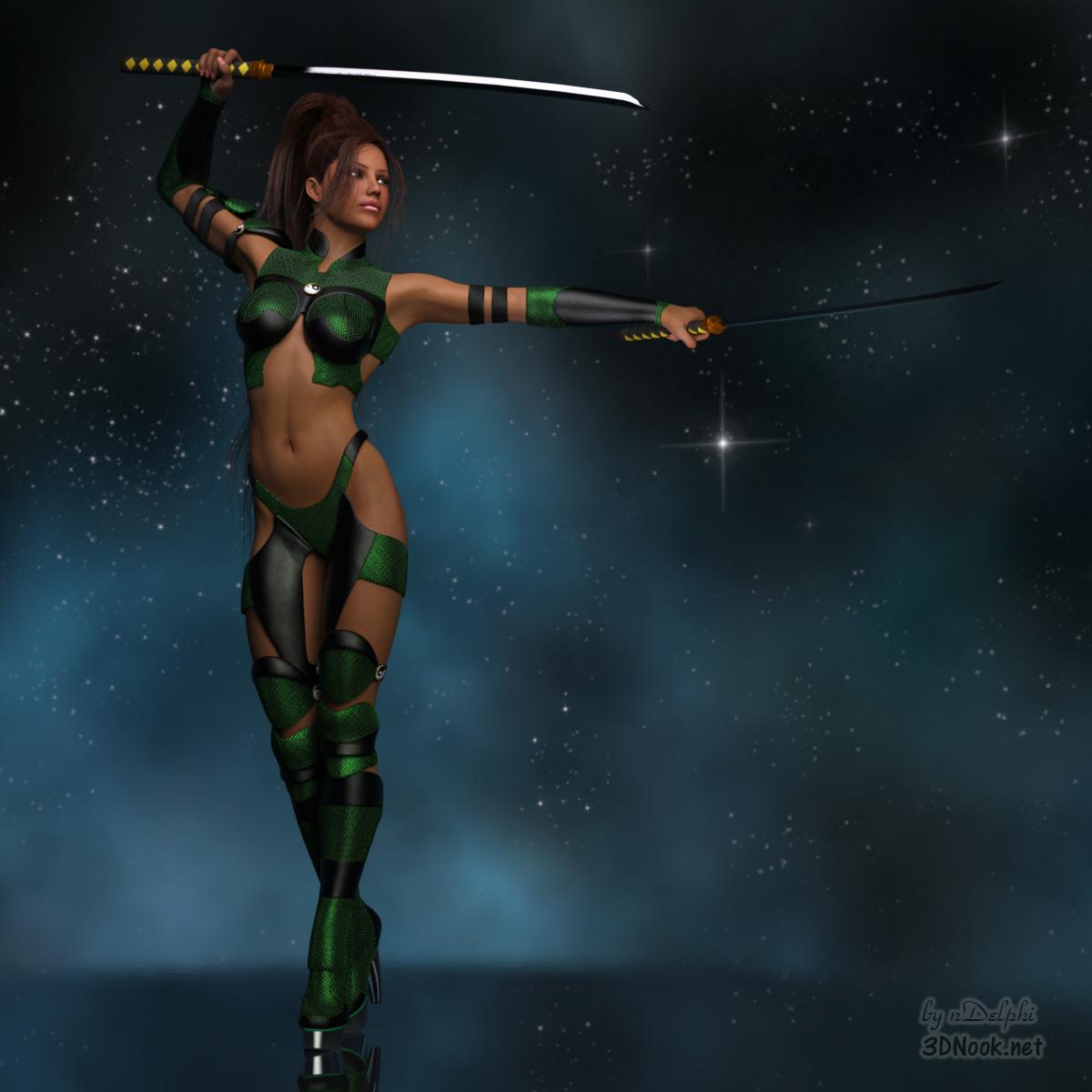
Show Us Your Iray Renders. Part VIIVictoria 4: Ninja Girl.
All pieces converted to Iray.
 Do I have to purchase an 'Interactive Licence' before exporting a 3d model?
well for my experience and what the support passed to me was which you only need to buy the "license" before you release the game for sell or public usage as long you are still in the "development" you can do whatever you are free to use any stuff, without have to worry about buy the licenses, i've only had bought some licenses during a "super license sales" where the licenses was like 70% less costing then during that time i bought some of the licenses i could but only due to the sales, otherwise you are free to use any daz asset outside daz and if is "for render" you can even sell, you only need the license if you are to distribut the stuff to others peoples have acess to the stuffs, but if you are just rendering or making animation outside daz you can do that but for game you just can free work and only buy the license when you are going to release the game or have "alpha or beta acesss to peoples" then is when you have to start to buy all licenses.
remember you must buy the license from the starter generation you are using, like if you are using the genesis 8 then before buy "any other license" you must buy the stater license product, while for render the product is 'free" to use any genesis character or morph you must purchase this interactive license first
https://www.daz3d.com/genesis-8-starter-essentials
then buy the licenses for each product you are buying, here a tip if you have bought any "bundle product" like victoria pro brundle 8 or michael pro bundle 8 or whatever other bundle, you only need to pay for the interactive license of the bundle it automatically make you don't need to pay for any mor for the licenses of the stuffs inside that bundle, for many bundles it can be a really price reduction, then when buy stuffs make sure to first pay attention to buy bundles firsts because it can reduce a lot the ammount of money you gonna pay for the licenses and only buy stuff you "really need".
here some tips from a fellow developer, becarefull with "cloths" and specially hairs, many really cool and awesome "outfits while looking awesome they are "too high poly to use in game unless you are going to have "few characters in the screen (like at best 3 to 4) at same time otherwise really try to find the "poly count of any outift you want to buy before".
the same goes specially for hairs, many daz hairs are "insane high poly" by insane i means 100+ vertices, specially "fibermesh" avoid it, any 'fibermesh" just forget, also the new "dforce hair and fur don't work outside daz then also avoid any dazforce hair or fur(outfits works fine), the most "low poly hairs" you can find more often in "old genesis" specially if they are from the "pure hair" series from genesis 1(generation 5), some "hairs from daz generation 6 pro bundles can be also "low poly" at last in a good number, some hairs from the generation 7 and genesis 8 can be low but are rare and most often if you look for "anime or cartoon style hairs, for "realistic hairs you need to dig a lot when using genesis 3 and 8, well the same can go for the others older generations but in they cases almost anything "outside" the generations bundles have a high chance to be high poly.
when comes to cloths i've ended found which the "best genesis to look for are", genesis 8 in general from the pro bundles, all pro bundles from old generations can be a "miss and hit", in the case of genesis 3(generation 7) they are most of the times miss and very high poly count.
but if you know how to do a proper retopology for the cloths and reduce the poly count and do the weight influence then you can use any cloth otherwise becarefull.
if you carefull look you can find some posts with "poly count" of some outfits and hairs, you can also ask the support for then pass the poly count but it can really take a lot of time, then maybe can be more fast looking here in the forum.
then my advices are :
avoid any dforce hair or fur based product
avoid any fibermesh based product
becarefull when buying outfits and specially hairs try to ask for the poly count before going buying stuffs here on forum or you can ending wuth some really amazing look stuffs but totally useless outside daz(if it's for game)
the most important license to buy first is the start license then the others you can buy later when you see a great deal
do not be like me and go in a "frenzy" buying stuffs because you can ending with a lot of disappointments and having to ask for a lot of refunds
daz have a police of refund if you buy anything you don't like or don't work for you, you have 30 days time to ask for a refund
some products come with a sor of "geoshell which outside daz is useless but in some cases they can give you a 'extra texture to work with" but in others they are useless, then any product purelly based on geoshell have a big chance to be useless for you, if the geoshell is just "part" of the product then it can be just a minor losing" but if it is the "main product itself" then becarefull and in any doubt don't buy it.
any other question i can help later.
RRRR - But You Promised - Render Contest *closed*tag: luci45 #3
The Newlyweds
Oriana married Roland with high expectations. They would be living in his family home, a very, very large castle and, just for her, Roland promised that a new spa would be built and waiting for her. Oriana was flabergasted to learn that not all castles were, well, grand and lovely... Perhaps when she sees the new spa she will feel better, or not.Used:
Medieval Small Castle (Rendo)
Dream Home: Master Bathroom Fixtures
Dark Shrine
Danyel HairAlso Used:
DAZ Pig
DAZ Piglet
Woodman House: The Bathroom chandelier
Medieval Prince Outfit
Colin Hair
Renaissance Dress
Victoria 8
Frawn Hair
Leo 7
Various morphs
Sighni Dress
Wolf King Outfit
Basic Hair
Medieval Fantasy Accessories for Genesis 2 Female(s)
Unshaven 2 GM2
Peasant Clothing
Stolz for M4 and Genesis M5
World Cruise
Skies of iRadiance - Sunny Sky HDRIs for Iray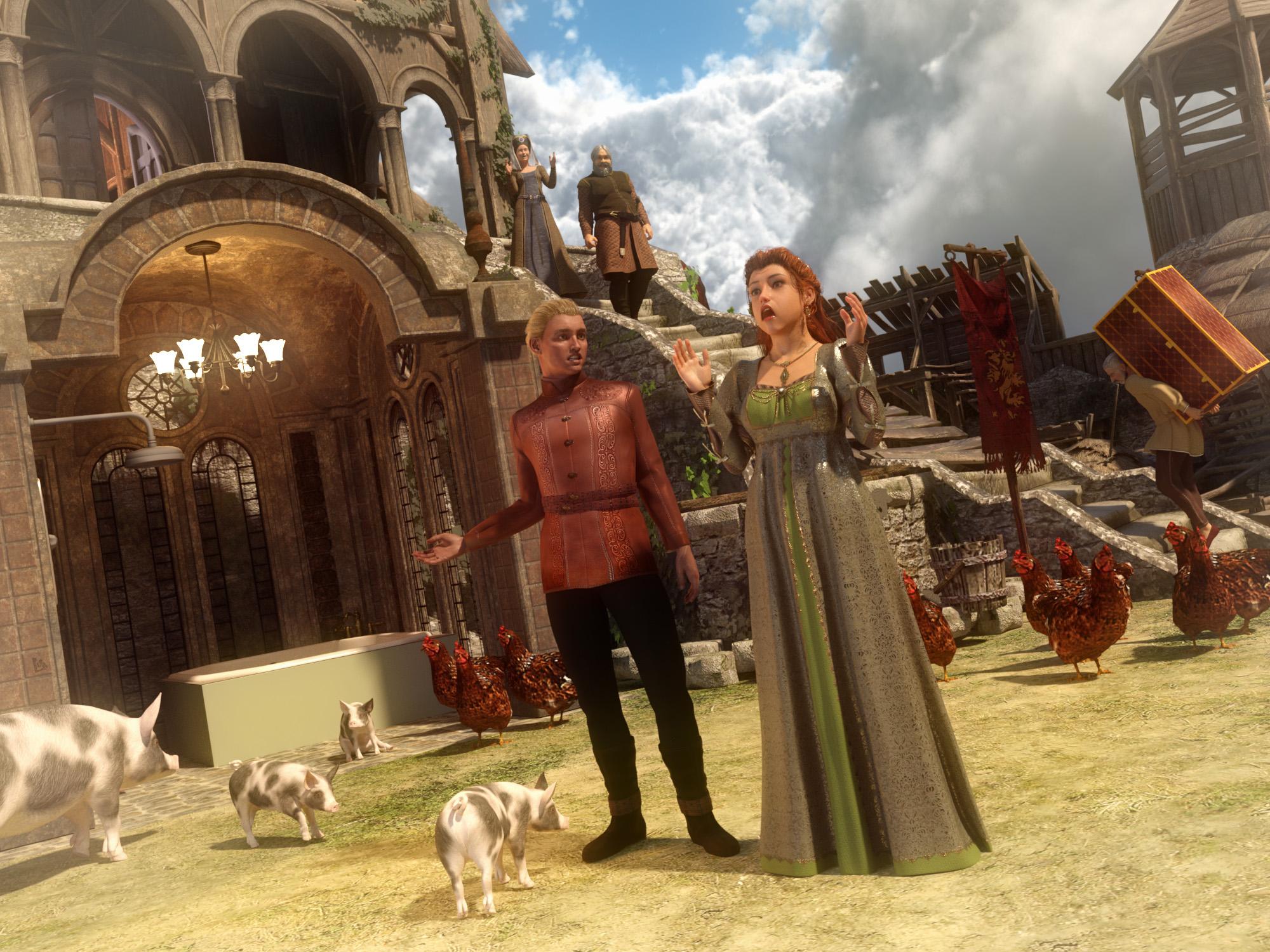 V4.2 Creature Creator Pack to Genesis 8 Female
Funny that you state you're using the Victoria 4.2 Creature Creator Pack, because the image you've posted is a set for the original Millennium 1 figures, when DAZ first split from Zygote.
Sincerely,
Bill
V4.2 Creature Creator Pack to Genesis 8 FemaleIs it possible to adapt/fit Victoria 4.2 Creature Creator Pack items onto Genesis 8 Female?
The pack in question has various wings (angel, insect, etc), mammal and insect type tails, aquatic/fish dorsal fins attachments, and more.
(Unable to locate the item/pack in the shop).
 Content not usable after reinstallation of DAZ Studio
A few days ago I installed DAZ Studio without the install manager on Windows 10. Everything worked fine. Then I found the Install Manager and wanted to give it a try. But install manager didn't find the installed stuff, including Studio. So I decided to uninstall all, Studio, Content, Install Manager and try a complete fresh install using Install Manager.
Everything looks fine. I can load my Victoria 4.2 into the scene. But when I try changing the material via the Smart Content tab it complains about not finding the file "/People/Genesis 3 Female/Materials/Jeane All MAT.duf". It looks like a Linux path with it's forward slashes, but that maybe normal.
So I looked at my Library directory which is configured to be in "D:/Home/Thorsten/DAZ 3D/Studio/My Library". The file is there. I tried several Skins, all the same problem.
Any idea?
Another strange thing: DAZ programs does not show up in Windows 10 start menu and also not under installed programs in control panel. And most of my DAZ assets apear double. One in "Daz Connect" and one in "My Library".
Reinstalled Items No Longer "New"I think if you want to have sort by isntall date work in DS you need to install via Connect - so I was told, anyway, but that was when it was a new feature.
That makes and doesn't at the same time. I will need to try it and see. I know it sorts by Install Date to the original Install Date. But that could just be an accident and not actually the DIM install date.
In any case, for my work flow, Connect won't work. I can't handle G8F taking over a minute to pop into a scene just because it has five million morph dials installed that I have no interest in using.
Connect lets you install what you want just as DIM does (as long as you aren't using Victoria/Michael/Kids 4, or one or two other legacy figures).
I know. But I would be endlessly downloading and redownloading. Right now I have everything downloaded and updated in DIM. So it's easy and quick to uninstall and install.
There are the Offline Installers, which could be kept backed up and copied to the install folder as needed, but that is gettng fiddly.
V4 props Autofit to G3F or G8FIt would probably help if we had a specific example of what you're trying to fit - I can't think of many examples of "full body props" that aren't effectively handled as clothing.
And this is even more versatile: https://www.daz3d.com/wear-them-all-autofit-clones-expansion-for-genesis-3-male-s-and-genesis-3-female-s meant for G3 not G8
I'm guessing that https://www.daz3d.com/wear-them-all-autofitting-clones-and-clothing-smoothers-for-genesis-3-female-s is more useful here (this covers Gen4, the version you've linked is the expansion that's mostly Gen3)
And while it's less extensive, as obviously Genesis 8 already comes with all the Genesis shapes, Sickleyield does have a product to add M4 and V4 clones to G8: https://www.daz3d.com/sy-victoria-4-and-michael-4-clones-for-genesis-8
@Polish Metro Police carThere is a police car at Renderosity that is a Crown Victoria. It costs $30. It's mostly being dropped now though for Dodge Challengers (or is it the Dodge Chargers they are using now?).
[Released] RSSY Clothing Converter from Generation 4 to Genesis 3 [Commercial] Finally, use your Victoria 4 (V4) or Michael 4 (M4) clothing with your Genesis 3 characters! Convert almost your entire wardrobe of clothes and many accessories using the new Clothing Converter from Generation 4 to Genesis 3! The Clothing Converter scripts provide batch execution for converting your V4/M4 clothing to Genesis 3 clothing in your library. Easily select the wardrobe items in your library, select an output directory, and execute the script. Even better, icons and categories are copied from your original V4/M4 clothing to the new Genesis 3 clothing items. IMPORTANT: Due to a limitation in the Daz Studio scripting interface, this script requires a manual step when converting each clothing item. A dialogue will pop up during conversion and it's as easy as two button clicks!
Your new Genesis 3 wardrobe is completely Smart Content aware! They will show up when you select a Genesis 3 Female or Genesis 3 Male. Plus, all materials shown in Smart Content for your V4/M4 item will show for your converted Genesis 3 item. Converted clothing, instead of using Auto-Fit, produces vastly less distorted results.
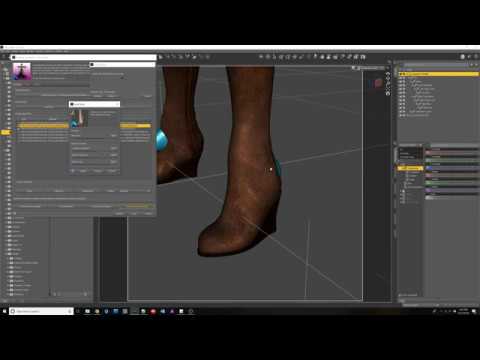
The Clothing Converter script does not work with props (e.g., swords, wands, etc) and wearables (e.g., outfits). Items without metadata can be converted but will not show up in Smart Content. They may also need to be converted using a Force Convert Item(s) button. It may also not work as well with high-heeled shoes because of problems with positioning the feet without turning on the Use Foot Dialog option during conversion.
The script may not be able to convert all clothing items without issues. Converted items may exhibit poke through. Usually, this can be fixed by adding a smoothing modifier.
Features
- Two powerful scripts! One for each gender!
- Convert V4/M4 Clothing items for use by Genesis 3 characters.
- Convert Dresses, Pants, Shirts, Skirts, Shoes, etc. Converted clothing, instead of using Auto-Fit to fit clothing to Genesis 3, produces vastly less distorted results.
- Convert Accessories: Hats, Belts, Glasses, Jewelry, etc.
- Copies icons from V4/M4 clothing to Genesis 3 clothing for a professional look
- Converted Clothing is Smart Content enabled! All materials shown in Smart Content for your V4/M4 item will show for your converted Genesis 3 item.
Promotional video describing all the options and features of the Clothing Converter line of products
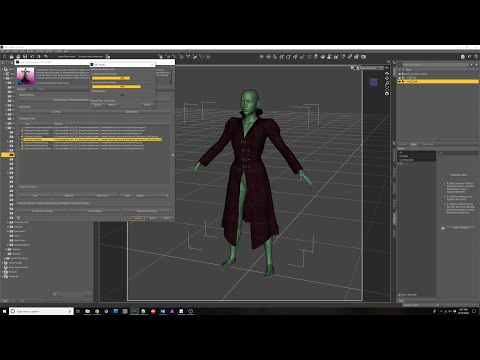
How to convert Footwear with Clothing Converter products
 V4 props Autofit to G3F or G8F
You probably need something like this.
Sheaths?OMG it came to me tonight and I tried it and works AWESOME! Victoria 4 univeral horns! they can scale, bend, twist and move side-to-side at 25 different joints. If you have a curved sword, These are amazing!. custom scabbards in any shader you have!
Daz 3D is part of

Connect
DAZ Productions, Inc.
7533 S Center View Ct #4664
West Jordan, UT 84084Licensing Agreement | Terms of Service | Privacy Policy | EULA
© 2026 Daz Productions Inc. All Rights Reserved.