-
IRAY Photorealism?
charles said:
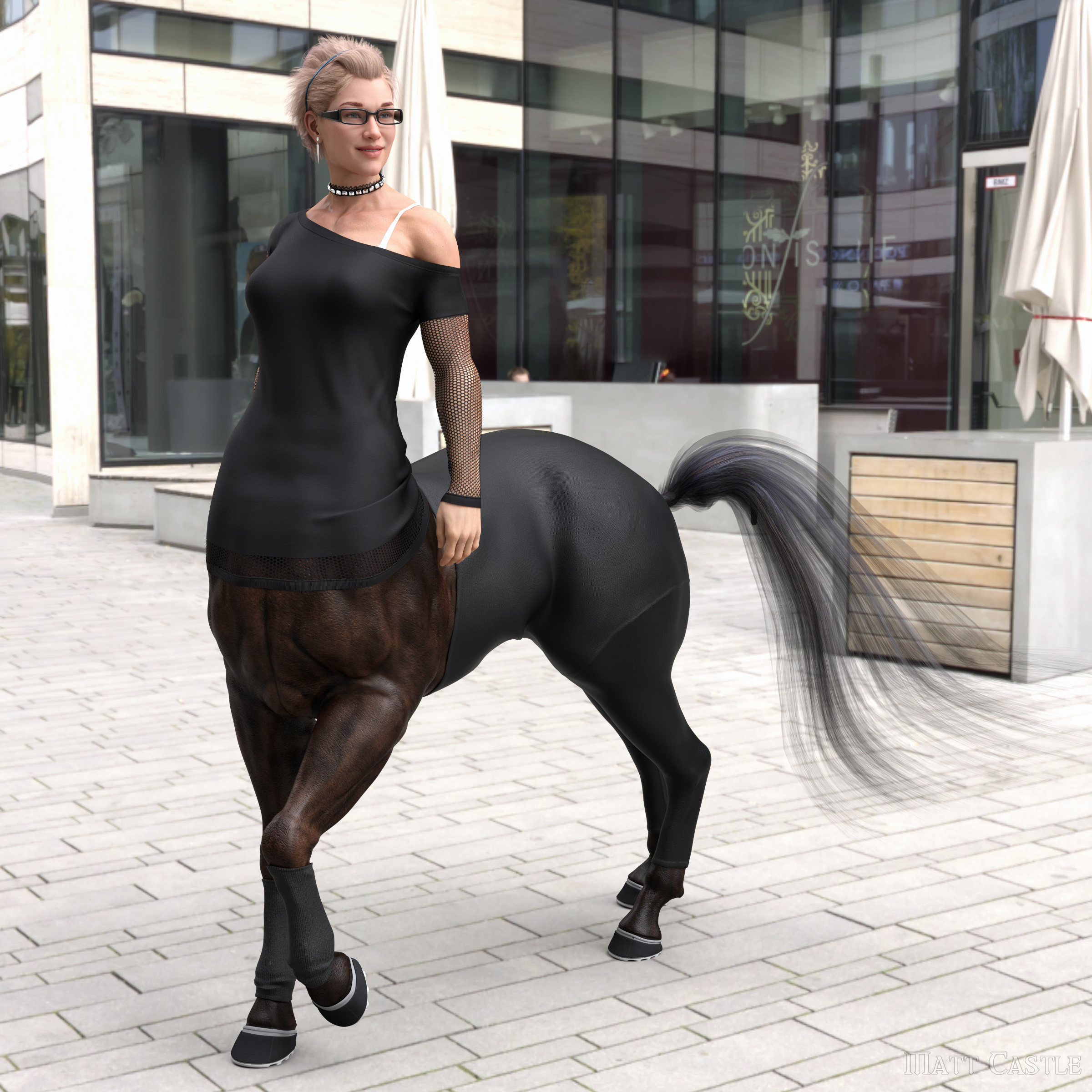
It's what I've come up with called AI bumping. Think of it as post work using certain Stable Diffusion models and loras to enhance it. Keep in mind the image requires your Daz image to be freaking good in the first place. It's all about adding in the extra details like skin, hair and clothing details. In that case it was also extra inpainting for the hot tub bubbles and other things.
It requires a lot of sampling, well for me anways. I do batches of 2-10 looking for the best parts of each with various low denoising, if any, and take the good ones into PS and blend those all together into the final image. In the exmaple posted I did not do my final lighting post work though, just to show the AI postwork stuff.
You can bump the denoising up, but when you do that's going to make the results drift more and more from your original Daz image. If you are working on something like graphic novels like I do, consistancy is key. So less drift the better. If you just want to do a one off image there is no limits, except the more you drift the image the more possibilites for AI weirdness to creep in.
I also use key models for the face for consistancy, where I have a large collection of EU models in different angles. But you only need one but needs to be good. People often gripe about this as too difficult right now, but using IPAdapter Control Nets you can get pretty good results. If you try and use Reactor or even worst Face Swap, you're going to get often a lot of junk, as it can't blend the face to the lighting in the scene as good. And that's kind of the key. If the lighting on the face can't match the scene it's going to look like a cheap PS image.
One of the key things is to have your Daz character as close to your control model as possible. Otherwise it's trying to fit too much. I will often reshape the daz characters face especially the nose to be as close to the control net models as possible for best fitting and least drift.
Also the best thing of this technique is it can totally correct poor daz anatomy and overblown skin specular and gloss to be realistic. As well as fix fake looking hair and make clothing really POP!
Finally, the best part is you remain in complete control, from your scene, lighting, framing, camera setup, posing, it's all you, not some random thing from AI. The AI is just used to help nudge the work to more realism and add details where there were none.
I have this template which if anyone else wants let me know I'll share it, but here is the test for consistancy results. Some of these angles are really hard for it to match (which was the point) and if it can't fit ALL of them, it's not necessarly a deal breaker. But it does give one an idea of what the limits of consistancy are going to be. It just depends on how much I want to use a certain character through my work.
Yeah, I have a hand in the beta testing of an AI-driven video upscaling and frame interpolating program, and they're using facial models to train their models... I'd like to see what's possible with AI, but that depends on how they're obtaining their input graphics to train their models with, if it's stock photos/art, then good on them; otherwise... But yeah, I'd be interested in seeing Daz take advantage of their own AI model integration into Daz studio in the future, hopefully...
I have my eyes open for offline/internet-independent downloaded programs that can convert 3D animation from any, and all sources of video, not just video shot by the end user, but found footage as well, and being able to transfer that to Genesis would be groundbreaking!
Mechasar's Characters Catalog: Who's next? (commercial)ioonrxoon said:
Mechasar said:
Hi! Sorry, there's no chance to shorten those nails. Or at least, anytingh ordinary you can try. But if you can wait, I'll show here an easy but quite long solution that it can be suitable for you :)
That would be great, thank you!
Thank YOU for your patience, here we go. First, Load 2 Divory characters in your scene. Let’s call Divory (A) the final character with the short nails you need, Divory (B) the temporary one. Divory body is based on Gladys body, therefore you can follow these steps:
- Select Divory B and set her Divory full character morph to 0 and her Gladys full character morph to 100%
- Now scale Divory B to 101%, then select her “Shoulder Bend” and “Forearm Bend” bones (left and right side both) and scale them to 112% on the X axis.
- Select her bones from “abdomen lower” to the hands and lock them (parameters/lock/lock selected nodes) in order to hold them down.
- Select the ActivePose tool, then move the fingers of Divory B until her nails position matches those of Divory A as accurate as possible (see figure 1).
- Use symmetry on the other hand to pose the fingers quickly.
- Delete divory A, set Divory B hd level to base (character and attachments), then export her as an obj file into a new folder you just created on your desktop.
- Go to the obj file then copy and paste it other 9 times (1 file for each finger) in the same folder.
- Rename each file with the name of a different finger (e.g. LeftIndex, RightThumb, etc.).
- Return to DAZ Studio and clear your scene, load a new Divory A and select her.
- Select the Morph Loader, set the “Load Morphs for:” option on “Primary Figure On Graft (Facet Order)”, then click on “Choose Morph Files”.
- Select all the obj files from the previous folder.
- Now, for each loaded morph, be sure to set its “Reverse Deformation” on “Yes” (right click on it, select “yes”), and the “Attenuate By” on the 3rd phalange bone corresponding to the name of your morph, i.e. “lIndex3” for LeftIndex, “rThumb3” for RightThumb, etc., (right click/Weight Maps/Bones/”finger3”/General Weights). (see figure 2).
- Click on “Accept”.
Now your Divory character should show a list of 10 new morphs in the Parameter pane, each of them with the name you assigned to the fingers. Set them to 100% and, if everything went well, you can see her nails getting shorter. Just remember to save this Divory into a new personal scene to keep these morphs available for a next time :)
Let's appreciate/discuss today's new releases - ongoing threadI'm seriously in love with the Kyrins (Kirins? I keep forgetting), what a fantastic pack that is! And they BOTH look unique and interesting, not as if one was just a spin-off of the other. Am really looking forward to playing with them. Glad I managed to get them now by combining various deals, otherwise I would have had to wait.
Also, CNB Dallas (https://www.daz3d.com/cnb-dallas-for-genesis-9) wows me, the morph is really spot-on for a middling teenager, in my experience at least. Will probably tone down the fairytale eyes a bit, but that's just Cinnabar for you, and easily done. Very nice item!
Does anyone happen to know the sleeveless flowers dress that Dallas is wearing in most of the promos, with the lacey collar? Would love to have that as well ...[SOLVED] Morph loader - partial morphTo split a FBM into a separate head and body morph, this is the best method (Quick note: It is best to shut down Daz Studio after each step, and be aware when exporting a model, it is always best to make sure 'Mouth realism' is set to 0%) :
1. Load the model you wish to split, alongside a standard version of the genesis figure it is based on. Make sure your model is as close to the standard Genesis figure size as possible (Shoulder and head position is most important, so pay most attention to these parts when resizing your figure). When you are done, export an obj of your figure, ofcause making sure that it is set to base resolution and there is nothing like eyebrows / eyelashes / clothes / hair etc being exported
2. Load in a Dev version of the Genesis figure, apply the Dformer Headsplit from the Smart content panel, under 'Utilities'.
3 Goto 'Edit' - 'Morphloader Pro' and click on 'Load Morph File'. Select your .obj file. Give the morph a suitable name such as 'VendorName-CharName Head', select a location for the morph to be accessible, select 'Yes' to create a control property, select 'Yes' to reverse deformations', then at the bottom where it shows 'Attenuate by', click it and select 'Dformer' then select 'Infuence weights', then click the arrow by the side to get extra drop-down options. You should see an option there called 'Strength'. If strength is set to 1 then it will create a morph dial that controls only the head. If the strength is set to -1 then it will instead create a morph dial that only controls the body.
4. Once you have created the first morph for the head, test it to make sure it works. If it does, then 'Save as' - 'Support asset' - 'Morph asset' and save it to a suitable location (Never make this the standard Daz library folder). Shut down Daz, and then repeat steps 2 and 3 to create the body morph remembering to change the strength to -1 to get the body morph.
5. So now you have a separate head and body morph, but they currently won`t be correctly rigged, or at the correct size. First lets setup the head morph. Load the standard Genesis figure (Whatever version your model is based on), and apply the head morph. Click the 'Tools' dropdown from the top of Daz and select 'Joint editor', right click the preview window and select 'Edit' - 'Adjust rigging to shape'. Leave the options as they come and click 'Okay'. You should see the control bones in the head move to match the new shape. Once you have done this, right click your newly created head morph dial and select 'Edit mode' to get extra options and when you next right click on your head morph dial you should now see an option called 'ERC Freeze'. Select this and then click okay to start the ERC freeze. The ERC freeze can take quite a long time to complete so don`t panic if it becomes unresponsive for 5 minutes. Once it has completed, then re-save the head morph naming everything the same as it was, so it just copies over the old one ('File' - 'Save as' - 'Support asset' - 'Morph asset'). The head morph is now complete!
6. Same as with step 5, only this time after loading the standard Genesis figure, apply the body morph instead of the head morph. Now load up a copy of your original FBM model, and resize Genesis figure (The one we just applied the body morph to) so the body matches the body size of your original model. Once you`re happy with the resize, you`ll need to export that figure back out as an obj, so just make sure to hide or delete eyelashes / eyebrows / hair / clothes (on G9 also the eyes and mouth need to be hidden / removed), and set to base resolution.
7. Final step. Load in a fresh Genesis figure, then goto 'Edit' - 'Figure' - 'Morphloader Pro' and make sure the settings are the same as when you first created the body morph so named something like 'VendorName-CharName Body', and make sure to load the newly created resized body morph obj. The only setting that needs to be different is the 'Attenuate by', which this time you can leave blank. Once the morph has been created, dial it in and if you`re not already in Joint editor mode, then swap to it in the 'Tools' dropdown, right click the preview window, 'Edit' - 'Adjust rigging to shape', and click 'Okay'. Once the rigging has completed, again we need to ERC freeze it, so right click the body morph dial and enter 'Edit mode', then right click again and select 'ERC Freeze', click 'Okay' and let it run its course. Once that has finished you just need to save the updated body morph as described above.
You should now have a fully working separate head and body morph, well unless you`re working on G9, and then you`ll still need to do endless more setting up to get the eyes and mouth in the correct location, and working correctly with separate head and body morphs, but that`s a story for another day ...
Issues after upgrading to 4.22ZBrush: I don't know why you would be having trouble, but this isn't a general issue. The scaling is because OBJ has no set size, so you have to tell DS how long its unit is - if the values of export (implicitly, via Bridge, or explicitly via OBJ export) and import as miorph do not match the result will be unwanted scaling - in this case, ZBrush seems to use the metre as its unit but the default DS scale is the cm - change the preset in the Morph Loader options (modo is a good basic choice for this scale) and it shoild match up.
On rendering, the new DS has a more recent version of iray which has a later minimum driver version - see https://www.daz3d.com/forums/discussion/comment/8513136/#Comment_8513136 - and I suspect your driver is too old.
Why don't 80% PAs update their gen8.0 geoshell products for 8.1?To combine 8.0 and 8.1 maps, I use Map Transfer tool to convert Torso map into Head map.
For example I always apply Ollie 8 normal maps to the G8.1 male characters.
About Geoshell, you can create a surface set "Torso" (Head + Body surfaces) like G8.1 does.
Shadow Dancer for Victoria 3 appears to have evaporated...yes I omitted a step, V3 would need a H3 or A3 morph or rather they would need a V3 morph created in morphloader to transfer active morphs
because DS4 does not have figure mixer
so yes would need to fit it on the required figure first with a morphloader morph dialed in
Character SplitterHi 3DmentiaNull, I can confirm that the script works for both 4.21 and 4.22.
For extreme creatures, especially "neckless", maybe we need some custom D-Formers with greater falloff, as regular D-Formers are designed for regular characters. For Abominable, which contains a full morph and a separate head morph, I've noticed that we can get good results by applying the full morph, then setting the head to -100% to offset the head morph and get back Genesis head (unmorphed). That way we have a realistic separate body morph.
Gone but Not Forgotten - SloshWerksI have many times praised Slosh's SPEX for Genesis as the best glasses product I've had the pleasure to use, and indeed it's the eyewear I've used for most of my bespectacled characters:
Despite its age - and indeed being Slosh's first product at Daz - it's got so many adjustment and shaping morphs that it's still fully usable on newer models with a little repositioning (and some fresh Iray shaders), and shouldn't be overlooked.
Things like the UV Swaps he made to transfer male and female skins between the gendered bases were also fantastically useful (e.g https://www.daz3d.com/genesis-8-uv-swap-male-and-female-base) - although very often for the less obvious functionality of transferring morphs between the base using UV reference, which was something I've often used to help get familial likenesses on the Genesis 8 figures without the temperamental vertex matching.
Shadow Dancer for Victoria 3 appears to have evaporated...a lot of older stuff was discontinued
you can still get it for V4
https://www.daz3d.com/shadow-dancer-for-v4
or you can try Aiko or Hiro 3
https://www.daz3d.com/shadow-dancer-for-aiko-3
https://www.daz3d.com/shadow-dancer-for-hiro-3-0
and run edit Figure transfer active morphs since V3,M3, A3, H3 and D3 are unimesh figures
Learning 3Delight AgainThink crash was probably random. Didn’t happen this time around anyway.
An improvement over black only, but still sort of looks like she’s wearing a shower cap. Having a bad hair day...
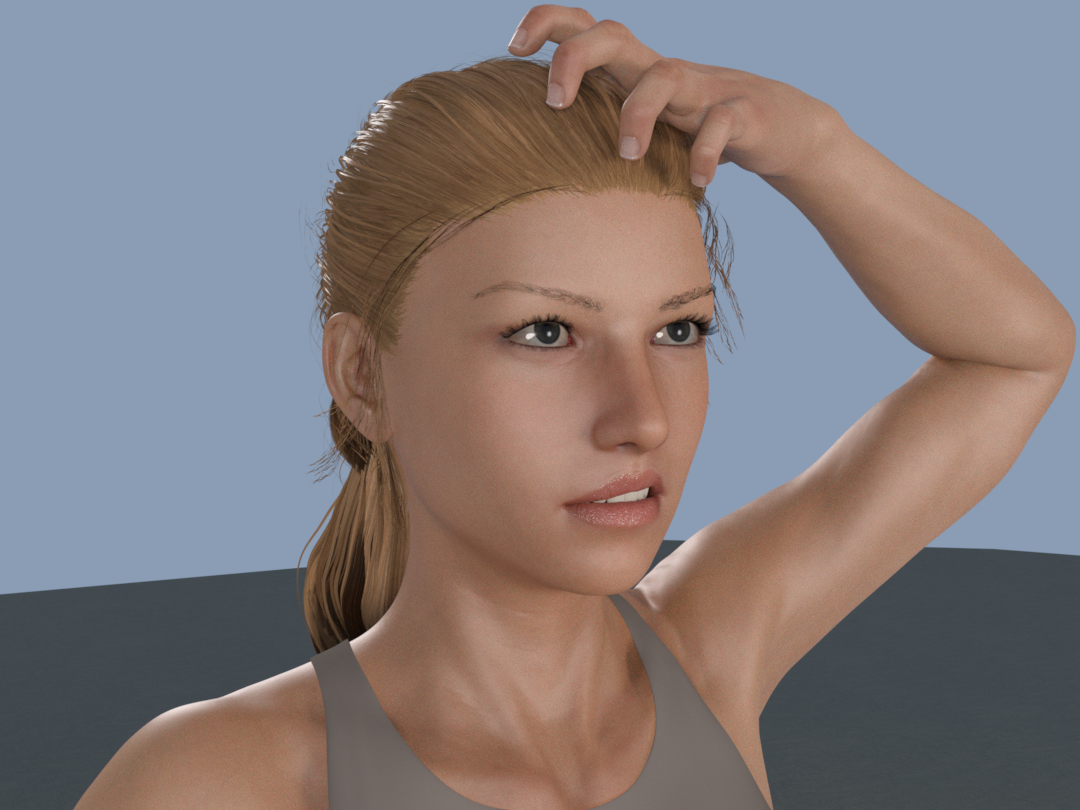
One final question. Had tried “Super Messy Updo” but unsuccessful so went with “Sporty Pony tail.”
Free conversion script (Iray to 3DL) might be better than nothing but ran into an error with Uber to Awe script.
Probably put it in wrong place
“My Library > Shader Presets > Wowie > AWE ShadingKit > Utility Presets & Scripts.”
Greek to me from the DAZ log file.
“2024-01-30 19:22:42.016 Loading script: D:/3D Stuff/TyknreDAZ_Library/Shader Presets/wowie/AWE ShadingKit/Utility Presets & Scripts/AWE Transfer Uber.dsa
2024-01-30 19:22:42.018 WARNING: Script Error: Line 25
2024-01-30 19:22:42.018 WARNING: TypeError: Result of expression ‘prop1’ [null] is not an object.
2024-01-30 19:22:42.018 WARNING: Stack Trace:
<anonymous>()@D:/3D Stuff/TyknreDAZ_Library/Shader Presets/wowie/AWE ShadingKit/Utility Presets & Scripts/AWE Transfer Uber.dsa:25
2024-01-30 19:22:42.019 Error in script execution: D:/3D Stuff/TyknreDAZ_Library/Shader Presets/wowie/AWE ShadingKit/Utility Presets & Scripts/AWE Transfer Uber.dsaAnyway, guess that’s about it. PDF walkthrough & maybe find some older hairs that don’t rely so much on transmapped hair cards.
Thanks again for all your help. If ever in Austin/San Antonio TX corridor, dinner & beverage of choice on me. : )
Two different hair simulations in 1 sceneSo you need two simulations on the same object? The only way to do that would be to export the first as OBJ, then import as a morph and have that applied at the beginning of the simulation - but if the hair is exploding I wouldn't expect that to help, more likely you need to adjust the Simulation Settings to allow itt o cope with the rapid movement (and then you can use the Timeline or initialisation time to allow the first simulation to drape the hair followed by the movement onto the ehad, being careful not to force the hair into existing geometry).
Slider to Go From One Set of Morphs to Another?Richard Haseltine said:
Do you have a master controller for each end state? It will be easier if you do, you can create one by putting the parameters pane in Edit mode via right-click, then right-click to Create New Property; name it, set its limits to 0 and 1. Set the rest of the morphs as required, set the new proeprty to 100%, right-click>ERC Freeze. Repeat for the other shape. Now add a third new property, which will be your fader. Set the fader proeprty and the 100% shape to 100% and do ERC Freeze on the fader control. Finally, for the 0% shape, set it to 100%, then right-click>Show In Property Hierarchy. Expand its entry there to see Controllers>1st Stage and drag the fader from the Parameters pane so that a line of highlight colour appears under 1stStage, then drop it. Now set the Scalar to 100%. Dragging the fader should now fade one shape out and the other in - you can get rid of the effect by zeroing both the fader and the 0% shape sliders. You can save these as morph assets, but I would be wary of saving the 0% shape at 100% since you would then never get the base shape of the character.
I've tried to create a master controller for each, but I don't have much experience with that, and every time I do, it messes with the overall scale of my character. But, I think with a little more experimenting, I can probably get it right, as I've been able to do it in the past. Once I get that right, I'll give this a shot.
Thanks!
XY Gens: How do i fix the ugly Ledge in the pelvic area?Iam using the XY Gens and i get an ugly ledge in the pelvic area. The picture should speak for itself.
Can't find a morph that fixes this
A dress similar to this one?Hi there!
If you don't mind KitBashing then this combo may work for you:
dForce Sofia Wedding Gown for Genesis 9
Underdress - Hide Spine 2-4 & Pectoral BonesdForce Highlands Gown Outfit
Top - Hide Sleeves and Frill SurfacesChoker is from BW dForce Moonlit Magic Outfit
Breast morph is from the SC Fantasy Armor Outfit
See attached image for completed look
ElliGENERAL FREEBIE REQUESTS part 3I really don't know about V4, but there is a G9 Ingrid Bergmann head morph by AOBB: https://www.daz3d.com/forums/discussion/667461/aobb-s-classic-hollywood-stars-g9-mega-bundle-19-head-morphs-no-materials-nor-textures/p1 Obviously only applicable if the project can cope with G9.
Regards,
Richard
Amelia 9 HDcarlosgimpera said:
-Young adult morph 100%, Amelia 100% 85mm, lip thin -10, Vellus hair.
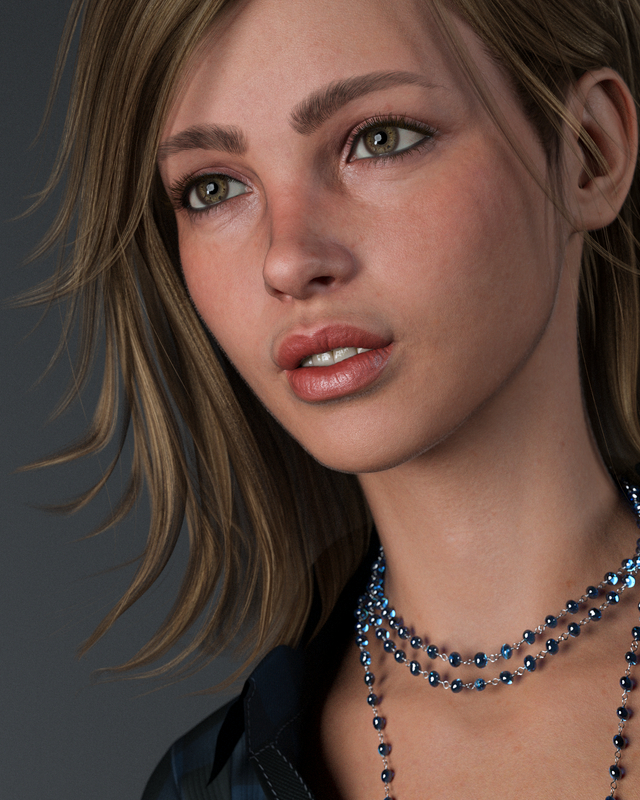
I know a bit late, but what Hair is used in this image? Is it the hair included in the Pro Bundle? Looks great.
what is teh head morph and eye texture of this model?TestUserForever said:
[what is teh head morph and eye texture of this model?] https://www.daz3d.com/young-expressive-for-genesis-8-females
See https://www.daz3d.com/forums/discussion/461971/
Neikidian said: "Hi all, She is a mix of Victoria (%40), Kanade 8 (%30) and Karyssa 8 (%30). I like to mix and create new looking..."
[Released] dForce2Morph [Commercial]FrankTheTank said:
@RiverSoftArt I'm having trouble getting this to work on a shorter than average figure. When I try to use the morph that I have created, the clothing basically slides down the torso rather than stays in place. When I run the simulation everything looks correct. I then create the morph for the sweater, fit the sweater to a new figure, and thats where I run into problems.
Bottom line: How would I go about using this to create a morph for a sweater to fit a large-breasted but short character? Also, how do I delete morphs that I don't want anymore? I have a bunch of failed attempts now.
From the manual: It is recommended to not use custom characters, but the generic Genesis 3 Female, Genesis 8 Female, etc. You are creating a morph the will make the sweater work on a large-breasted character. The short part really doesn't make a lot of sense to me; that changes the character and not the sweater in any way.
The morphs will be in the data folder. Look for the most updated file location after running the script.
[Released] dForce2Morph [Commercial]Blackgrimreaper753 said:
RiverSoftArt said:
sagoru said:
I've tried adding an image both as an attachment and integrating the image into the text, but to no avail. I try to share the image from Google Drive: https://drive.google.com/file/d/1Yy-DZpf_0xOAXqpB7XRtGfRD_2Uhsr_-/view?usp=sharing
Ok, this is how morphs work. You have the dress fitted to the figure. When the figure is posed, DS automatically makes the dress follow the figure and its pose. Then the morph ADDs to that and moves it. Unfit the dress to the figure and apply the morph. dForce2Morph is more about adding wind morphs and things like that.
I'm currently facing the same issue. Could you implement a checkbox feature that automatically adjusts the clothing before conversion and then reverts it back to its original state after the morph has been created? It's quite frustrating having to manually un-fit the clothing, generate the morph, and then re-fit the cloth again.
Unfortunately, the conversion process is destructive and cannot be reverted in that scene.
Daz 3D is part of

Connect
DAZ Productions, Inc.
7533 S Center View Ct #4664
West Jordan, UT 84084Licensing Agreement | Terms of Service | Privacy Policy | EULA
© 2026 Daz Productions Inc. All Rights Reserved.