-
[Released] dForce2Morph [Commercial]
RiverSoftArt said:
From the manual: It is recommended to not use custom characters, but the generic Genesis 3 Female, Genesis 8 Female, etc. You are creating a morph the will make the sweater work on a large-breasted character. The short part really doesn't make a lot of sense to me; that changes the character and not the sweater in any way.
The morphs will be in the data folder. Look for the most updated file location after running the script.
Hmmm, I'm wondering if it's possible to use custom poses/characters via the timeline, as in starting the process with the default figure/pose, (which practically no one uses) and having the last frame contain custom poses/characters?
calf colliding with thighs too early on Genesis 9That looks like a corrective morph, designed to improve the bends when another shape is applied, kicking in when it isn't needed. Apply the minimum pose needed to show the issue (e.g. bend the shin) and in the Parameters pane option menu (the lined button in the top corner or right-click the tab) and enable Preferences>Show Hidden Properties, then go to the Currently Used group and look for any greyed-ourt sliders (correctives ar usually hidden). With luck that slider will have a name that tells you which character it is from, check to see if that has any updates and if not report it.
calf colliding with thighs too early on Genesis 9This looks a lot like there's a JCM (or CBs as they became on Genesis 9) that is not correctly linked to its parent morph; are you *sure* you've checked all the morphs, including all hidden ones?
Clothing mesh messed up when posed on customized characterDissendior said:
Thank you again @crosswind - this was the solution: I exported the mesh of the character and re-imported it to Daz as a morph with Morph loader pro on the Genesis 8 base figure. Then I followed the mentioned tutorial: adjust rigging to shape and ERC freeze. Now the pants are deforming correctly when the figure is posed.
Man... this was a source of stress
Nice!It proved that one or some of the PBMs was the culprit.
Clothing mesh messed up when posed on customized characterThank you again @crosswind - this was the solution: I exported the mesh of the character and re-imported it to Daz as a morph with Morph loader pro on the Genesis 8 base figure. Then I followed the mentioned tutorial: adjust rigging to shape and ERC freeze. Now the pants are deforming correctly when the figure is posed.
Man... this was a source of stress
Clothing mesh messed up when posed on customized characterThe individual morphs should already have the necessary rigging adjustments set up, unless they are morph you created your self (in which case do the adjustment and ERC Freezing on those). Do the clothes work on a base figure, or are they broken there too?
Clothing mesh messed up when posed on customized characterI have added pants to a Genesis 8 character which I have heavily customized with many many morphs. The pants is from this product and I used the method to create a Genesis 9 clone for adding Genesis 9 clothing to Genesis 8 figures - this just as background. I am quite sure that it has nothing to do with the usage of a Genesis 9 cloth on a Genesis 8 character as I tested the same pants and the same pose on other Genesis 8 figures including the base figure without having the same problems.
So problem now appears with any pose with bending thighs bones. I've attached a screenshot showing the areas of the pants where the problems appear (there are torn areas on the pants which have no opacity so I marked the areas which should not show the underlying character mesh). I first thought some smooting would help or dforce but nothing helped. So I looked further and I found that the mesh is actually messing up - I think that the weight maps are not really fitting the figure any more?! I've attached another screenshot that shows you the inside of the pants when posed and a third screenshot with the pants on another Genesis 8 figure in the same pose. You may see that the mesh of the pants is deformed in another way here which looks much more correct.
I first remembered that on custom characters that you import by a single custom morph you need to "Adjust rigging to shape" and make an ERC freeze on the morph to avoid problems with the rigging. Following the tutorial at least I adjusted the rigging to the shape but I cannot do an ERC freeze if I have not a single morph for my character (yet - should I?). As I said, the character is build up by a bunch of dialed in characters and morphs. But this did not solve the problem - and I am not sure if this actually would be a solution as I have no problem with the character itself during posing... it's this pants which makes the trouble.
In Blender I adjusted the weight painting and I am quite sure that the weight panting is somehow misplaced... but I wonder why this is just the case for my character but not for other characters or the base figure? I have also tested some other pants on the same character and they are doing well. So I think that it might just be a problem of some pixels / vertices which do not have the correct weight painting for some bones due to the different influences (customized character, auto-fitted Genesis 9 cloth on Genesis 8 figure)?! Is there something that I need to keep in mind additionally?
XY Gens: How do i fix the ugly Ledge in the pelvic area?Richard Haseltine said:
You should probably raise this with the store selling the product or the artist who created it.
Probably. Chances of getting some sort of proper help/support for Daz seems to be zero no matter where i ask.
Solution:
The "FBMMichael" Morph/Parameter caused the issue.
SOLVED - Jada 8.1 - where is her face morph?Hello,
Strange, I just checked and I do have her head morph (Actor/Head/People/Real World) and the morph file is stored here:
/data/Daz 3D/Genesis 8/Female 8_1/Morphs/Daz 3D/Jada 8_1/FHMJada8_1.dsf
SOLVED - Jada 8.1 - where is her face morph?The problem described beneath is now solved - for whatever reason DAZ Studio has scattered the install in two places that I have now merged.
___________________
Hey there,
I recently re-installed Jada 8.1 along with some other characters like Noska, using DIM. Problem is: Her head morphs are missing, or DAZ (recently re-installed from scratch) doesn't find them. When loading her, I get the standard G8-face shape. Other characters work fine, and I've tried un- and re-installing her several times.
Does anyone have any ideas?
Daz Studio Animation Tools by 3D UniverseBody2Hip is a wonderful freaking tool!
I have my rundown on how I use it in my Mixamo Workflow article, and use it in action in my The Power of aniMate 2 course.
What does it do?
If the figure's translation/rotation in 3D space data is located at the Figure level rather than on the hip, running the Body2Hip script will transfer all of that data from the figure level to the hip.
Why is that important?
If we have the translation/rotation data (of the figure moving through 3D space) driven at the figure level, we can't easily use aniMate to match this data with other animations, extend or loop, reverse... all the wonders that aniMate 2 brings. It just looks wrong and we wonder why it isn't working.
After using Body2Hip, everything works as expected. It's part of my usual routine now.
It's in my Mixamo workflow article because Mixamo downloads are all translating/rotation the figure at the figure level. So if we make these into aniBlocks, they come out all funky.
Gone but Not Forgotten - SloshWerksOne of my favorite vendors, I will miss him. My condolences to family and friends.
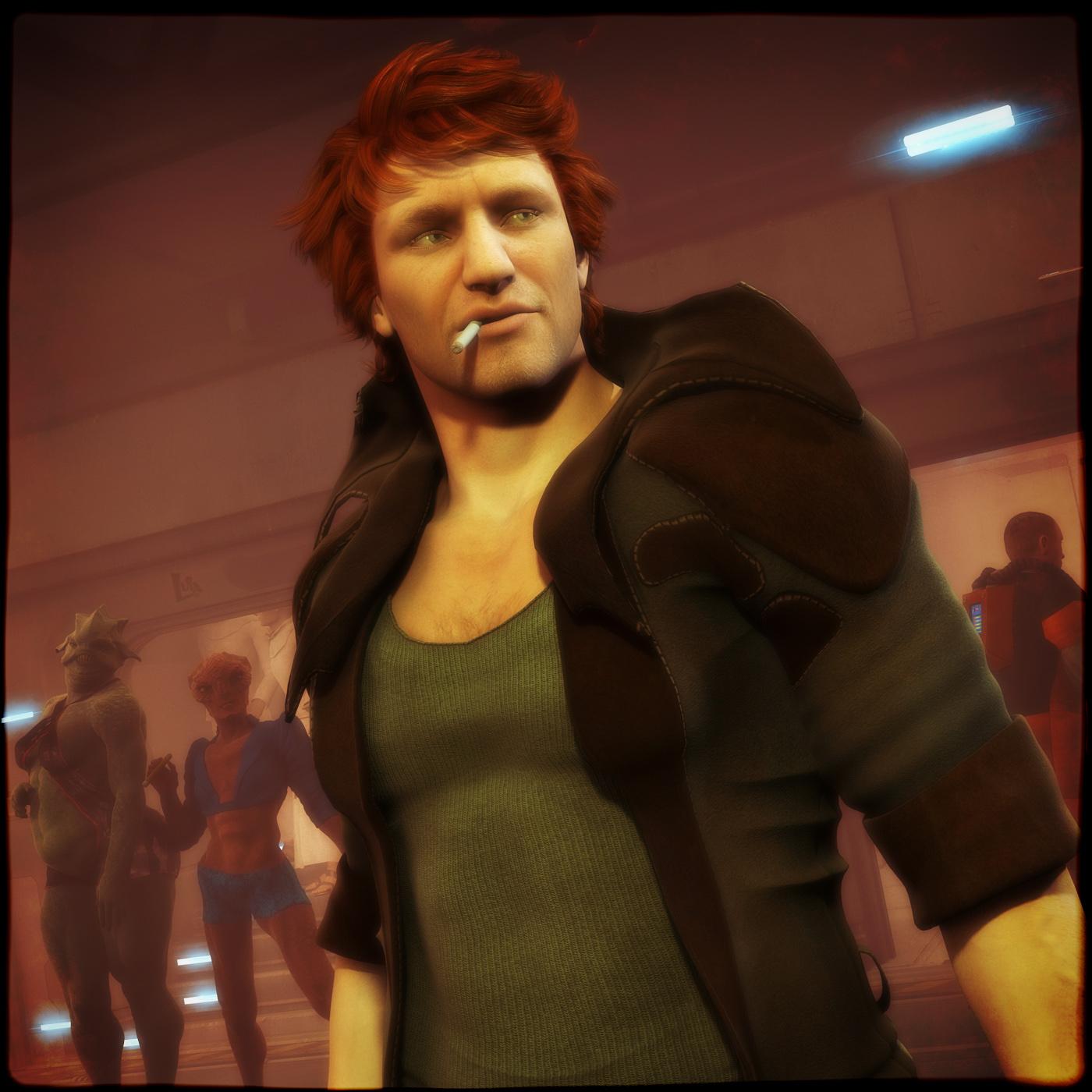
Here is a 2013 render of the first product of his I bought, the M4 morph for GM2.
 Character Splitter
Hey Mike3D, Thanks for the reply, I was gonna stay with 4.21 if there were any issues, this script is that important to me! And thanks for the info about setting the head to -100%. I'm not sure how to use that with a dial spun character that has too many morphs in the head to consider. But that's an interesting added approach. Maybe, if the dial spun head is mostly one PA character head morph ( that's bigger than normal, for instance ) dialing that -100% would help? I'm in awe of people, like yourself, that understand this stuff! Thanks again

 / peaceProblem with custom character eyelids / eyes
- Press Alt + Shift + G, then Ctrl + \
- Select the figure, go to Parameters pane, right click to turn on Edit mode. Then right click on XF Jane's body morph slider, near the bottom of the menu, click Select Morph Vertices.If you see some vertices are highlighted in yellowish color, esp. around the eyes or eyelids, that means the body morph was wrongly made or splitted... Just submit a ticket asking for a fix.
Then if the body morph doesn't change the character's height, you may fix it by referring to this tutorial - https://youtu.be/XuQwnTd4Fok?si=HH_vKMYv_wVr5U4v
Missing G9 morphs on custom character when testing on different machineIf you open the morph's Paramater Setings, from the gear icon, on the system wheer it works does it have an entry for File path - and if so, what is it?
Missing G9 morphs on custom character when testing on different machineI agree, There is only a single morph file in my data folder which is the FBM. I have tried saving it as a scene subset to load in, as well as saving it as a prop/asset. what could be causing this issue?
Missing G9 morphs on custom character when testing on different machineI recently created a custom G9 character and it works perfectly fine on my regular machine that I created it on. When I export and package everything out and test it on a different machine that I only use for testing new characters I get the following errors: /data/Daz3D/Genesis9/Base/Morphs/Author/head morphs/Developer Tools.dsf /data/Daz3D/Genesis9/Base/Morphs/Author/head morphs/LoadHeadSplit.dsf /data/Daz3D/Genesis9/Base/Morphs/Author/head morphs/LoadUVPrepPose.dsf /data/Daz3D/Genesis9/Base/Morphs/Author/head morphs/Preview Clothing Template.dsf After closing the error box the character loads without issue. It's a custom FBM Genesis 9 with a single morph file.AIUTO...CHI CONOSCE L’ITALIANO? PARTE QUATTORDICICome sai la DAZ da indicazioni agli artisti su cosa fare e che stile. Se proponi un prodotto fuori dal loro canone potrebbe non essere accettato.
Inoltre ora negli USA molti vestiti di manga/anime vengono visti male perchè lasciano troppa pelle visibile.. ad esempio sta succedendo un casino per Stellar Blade il nuovo gioco con uno stile "succinto". Questo scoraggia molti autori, infatti non ha senso lavorare per 1-2-3 settimane su un prodotto che poi ti viene bocciato.
Forse potresti trovare qualcosa ancora su Renderosity.. ma anche lì ci sono delle regole (meno ristrette a DAZ).Comunque molti vestitini di CardCaptor Sakura oggi non sarebbero accettati..sopratutto sapendo che lei è minorenne (e infatti mancano anche morph teen nelle ultime generazioni). Perchè non vuoi provare a farli da te ? Non so cosa usi per modellare ma magari potresti ottenere qualcosa di carino partendo da cose semplici (le bodysuit sono le più facili da fare - basta copiare la figura e poi iniziare a fare le dovute modifiche).
Inoltre online trovi molti autori tipo Shinteo che adattano i modelli dei videogiochi (https://www.deviantart.com/shinteo/gallery/all). Potresti scaricarne qualcuno per studiare come è fatto (molti sono fatti in live su youtube.. così vedi come li realizza)... lui fa ripping ma è interessante vedere come converte un oggetto solido in vestito per DAZ. Inoltre così vedi anche come nel mondo fuori da DAZ vengono fatte certe cose (es. UV), quante texture sono usate e capisci anche come molti dettagli minori sono simulati.
Le UV basta che non le fai distorte... per il resto falle come ti pare (anche automatiche). Le texture dei tessuti è tutta roba da libreria di Substance Painter.
Se vuoi fare vestiti da 0 ti consiglio di provare Marvelous Designer (tanto lo puoi usare demo per un po' di giorni), ti si aprirà un mondo.. segui qualche tutorial e poi potrai importare il tuo G9 e fargli i vestiti che vuoi in modo rapido.IRAY Photorealism?takezo_3001 said:
Yeah, I have a hand in the beta testing of an AI-driven video upscaling and frame interpolating program, and they're using facial models to train their models... I'd like to see what's possible with AI, but that depends on how they're obtaining their input graphics to train their models with, if it's stock photos/art, then good on them; otherwise... But yeah, I'd be interested in seeing Daz take advantage of their own AI model integration into Daz studio in the future, hopefully...
I have my eyes open for offline/internet-independent downloaded programs that can convert 3D animation from any, and all sources of video, not just video shot by the end user, but found footage as well, and being able to transfer that to Genesis would be groundbreaking!
It would be, and might be sooner than later. The problem currently as I see it is if you are wanting to animate inside Daz as the current system is would be grueling. Obtaining an openpose from a single frame or image then converting that to a Daz pose would not be difficult, and is on my list stuff to do. Then it's just a matter of extrapulating that from a video into a series of poses for animation, and there you go. Right now something like that would be even easier to just do in Blender or other systems or game engines, but yeah totally doable inside Daz too.
However one of the issues from earlier tests this year is that the openpose model's limb stick does not really match up with the bone structure of the Daz character that well. The training of an AI limbstick tailored to Genesis would be more ideal, but adds a lot more work and time to such a development then just using what's already availble.
Here is the test of openpose limbstick matched to a daz pose (I can't find the image it was matched to, but some woman holding a gun I think.) Notice how the limbs are distorted in ways they should not be. The conclusion from the test was that openpose is not a good tool for Genesis posing, something else is needed, maybe even some new type of rigging. There is still several angles one could tackle the solution, but it's probably wise to take time to figure out which has the best potential and weigh each and do more tests to help figure that out.
AIUTO...CHI CONOSCE L’ITALIANO? PARTE QUATTORDICIKainjy said:
Muscleman said:
Kainjy said:
@Muscleman
Tipo ? Ci sono diversi stile anime (quasi realistici, chibi, alla Toryama) e diciamo che le figure anime rendono bene se usi toon shader o similari... Se usi rese fotorealistiche hai effetti stranianti.
Comunque il problema di queste figure non sono le body shapes (che ci vuole poco a fare dei morph).. ma gli occhi e i capelli. Renderizzare una pettinatura alla Goku non è sempre credibile.
Creare un morph per gli occhi è complicato a causa del numero di joint che ci sono sulla faccia. Volevo farne uno ma poi ho dovuto lasciare per problemi di posa...Non ci sono ambienti, vestiti più adati, si va sempre troppo sul realistico o contemporaneo, per non parlare dei capelli, per dire
Mi fai un esempio di cosa vorresti ?
Ad esempio c'è lo stile Square-Enix che hanno applicato a Final Fantasy 7 Remake (i personaggi sembrano bambolotti.. proporzioni quasi anime ma materiali realistici). Della stessa software House c'è Kingdom Hearts 3 con uno stile più semplificato che poi a volte tenta di ricreare anche lo stile Disney di molti film (quando il personaggio va in un mondo Disney).C'è ad esempio il gioco Jump Force dove ci sono personaggi provenienti da diversi anime tutti però fatti con uno stile medio (Yu-Hi-Oh, Naruto, City Hunter, I Cavalieri dello Zodiaco, ...)
Poi ci sono giochi stile anime tipo Scarlet Nexus ,God Eater 3, Code Vein, Xenoblade 1-2-3 dove lì il grosso lo fa lo shader dei materiali
Ci sono anche altri ibridi tipo Star Ocean Last Hope.
Di ambienti ne puoi mettere uno qualsiasi.. basta usare un toon shader e ti diventa effetto disegnato. I capelli dipende invece dallo stile che vuoi avere.. vedi i videogichi che ti ho citato sopra.
@Imago
In moltissimi giochi di Dragon Ball i capelli sono piramidi solide piegate con un effetto di toon-shader a coprire. Vedi la serai Budokai o Xenoverse. Lì è la resa grafica a cartone che rende il gioco simil-anime.
Per gli occhi il problema non è dare la forma.. ma creare tutti i i morph correttivi per rendere ancora funzionanti le pose delle espressioni.
Se cambio forma all'occhio, poi quando applico la posa dell'occhiolino chiuso la palpebra si chiude male. I G8 hanno almeno 4 joint per controllare la posizione delle ciglia di un singolo occhio più un ulteriore joint per far ruotare l'occhio stesso.
Si può fare ma è un lavoraccio... e poi l'occhio deve essere sferico se vuoi mantenere le pose degli sguardi. In molti giochi 3D gli occhi sono dei piani 2D appiccicati alla faccia (vedi ad esempio Link in Zelda - Link’s Awakening o Pokemon su Switch).Bisognerebbe pertanto decidere uno stile e da quello stabilire delle "regole" per mantenerlo.. per questo è un discorso generico dire voglio cose anime.. e comunque se volete io moltissime cose so convertirle per DAZ senza problemi.
Dunque cosa vorrei? Vediamo...vestiti che mi ricodano gli anime o manga, tipo stile card capture sakura o lo stesso KH, con dettagli che me li ricordino, non smpre donne mezze nude o in solito vestitino jappo e farmelo passare per anime...ti metto degli esempi, anche lo stile di FF cambia da gioco a gioco, per dire ma hanno una coerenza. Come ambienti mangfa proprio l'idea della fantasia, dell'inventiva, come scenari. Io ho fatto qualcosa ma non so se sono all'altezza della DAZ e poi mi vengono le paranoie per il mapping e l'UV. Ormai si fanno le solite divise scolastiche e vestiti etnici fatti passare per manga e anime. C'era una volta in cui si facevano prodotti interesanti come quelli di LLF ma che oggi non produce praticamente più nulla o lo stesso 3duniverse che ormai si è dato ( purtrppo) troppo spesso al realistico.
Daz 3D is part of

Connect
DAZ Productions, Inc.
7533 S Center View Ct #4664
West Jordan, UT 84084Licensing Agreement | Terms of Service | Privacy Policy | EULA
© 2026 Daz Productions Inc. All Rights Reserved.