-
Makeup tips
Yeah, a make-up tutorial would be nice. I'm not a fan of some of the make-up supplied with characters, and I especially dislike full face masks like the one that comes with Victoria 8. For that reason, most of my renders don't include any make-up at all.
One tip that I got here on the forums is about reducing the opacity for LIE make-ups in the Lie Image Editor to tone them down, but that only works for LIE, obviously. There are some nice LIE make-up sets available here, but you have to tone some of the looks down a lot.
https://www.daz3d.com/lie-make-up-set-for-genesis-8-female
https://www.daz3d.com/lie-make-up-set-2-for-genesis-8-female
Any reason to bother with V4 any longer?V4 character textures can be used with Genesis and Genesis 2 without any conversion effort at all...That's true for G1, but for G2F you need to purchase the V4 UVs (they're part of this product).
Legacy T-poses for Genesis clones?Where can I find legacy T-poses for the hidden clone shapes listed under Genesis 2?
For example, if you enable "Show Hidden Parameters", and click on the Parameters tab, you can find clone shapes for various Genesis figures, like:
Genesis 2 Female -> Hidden -> Clones -> Genesis
Genesis 2 Female -> Hidden -> Clones -> Genesis 2 Male
Genesis 2 Female -> Hidden -> Clones -> Genesis 3 Female
Genesis 2 Female -> Hidden -> Clones -> Victoria 4
Genesis 2 Female -> Hidden -> Clones -> Victoria 4 Skirts
I can use this to morph my G2F figure into a legacy shape, like Victoria 4. However, it doesn't come with a legacy T-pose. Where can I find this legacy T-pose?I tried adjusting the pose myself, but the arms and legs don't match up perfectly. Any suggestions on getting a G2F figure into a V4 figure T-pose?
Celebrity Look-a-Likes for 3D figures Part 2Does anybody know what hair is used for the promos of CS18 (Kate Upton) by Most Digital Creations? - And if anybody might also be able to identify the used underwear of CS59, would be cool as well. Looks like a product from nirvy but not exactly.
CS59 underwear is a set by Hongyu:
Best way to build custom charactersQuite often you'll see that a commercial character morph will have a custom sculpted head (usually in ZBrush) and a dial-spun body. Typically the store page (any store) will come right out and tell you that it requires a given base morph (Victoria 8) or a specific morph package (the base head and/or body morphs for that generation of figure, usually) to get the same results. Quite often, for child characters there will be a stated need for something like Zev0's Growing Up morphs.
Back before the Genesis series launched if it sais you needed V4, it really meant it, because generation 4 female *was* V4. Aiko, Stephanie and The Girl were all morphs of V4.
With Genesis, each generation has its own base and *all* the morphs, including the Victoria for that generation, are basically add-ons. And *all* the dial-spins and add-ons are *optional*. The figure will typically work without any of them, although any custom sculpts will be automatically applied by loading the character.
Like in the Margot example. The body and head shapes are different. but I suspect the facial features are from a custom sculpt and have been applied with the character.
Of course, when you load a commercial character morph, any of the required morphs which you have installed are going to be applied automatically too. You might get an error notice if you're missing one, but just click on that to make it go away. It's fine. Once your character is loaded, then you will probably want to select it and go check the "Currently Used' tab and dial out all of the morphs which came in with it to see what it looks like on the Genesis base.
And then you start doing your own dial-spins and build your own character to order. You can modify the custom sculpt with dial-spins as well.
Everybody has their own preferred method of working. I do a lot of illustrations using dial-spun characters so I just save a dressed "finished" (they often get further modified or re-dressed in use) as a scene file in a library of characters, and merge them into whatever illustration scene I'm building later.
Thank you very much for the clarification!

 Genesis 9 delayed until at least 2020. Will you be buying it?
I know I am done once Genesis 9 hits. I've invested a lot in Millennium to Genesis 8 and honestly, I'm quite happy with Genesis 8 and all of the tools available to use G8 models with older stuff. (...)
I've been reading something like this since the release of Victoria 4 back in 2006.

As long as it wasn't me...lol.
I know I am done once Genesis 9 hits. I've invested a lot in Millennium to Genesis 8 and honestly, I'm quite happy with Genesis 8 and all of the tools available to use G8 models with older stuff. (...)
I've been reading something like this since the release of Victoria 4 back in 2006.
is there a way to use v4 clothes with a genesis 3 or 8 character ?There is some great old stuff, although the materials usually require some work.
I have those above as well as this. Didn't really work on the fit that much just applied uber shader for iray so this is pretty much no adjustments done. I love all the old stuff
https://www.daz3d.com/sy-victoria-4-and-michael-4-clones-for-genesis-8
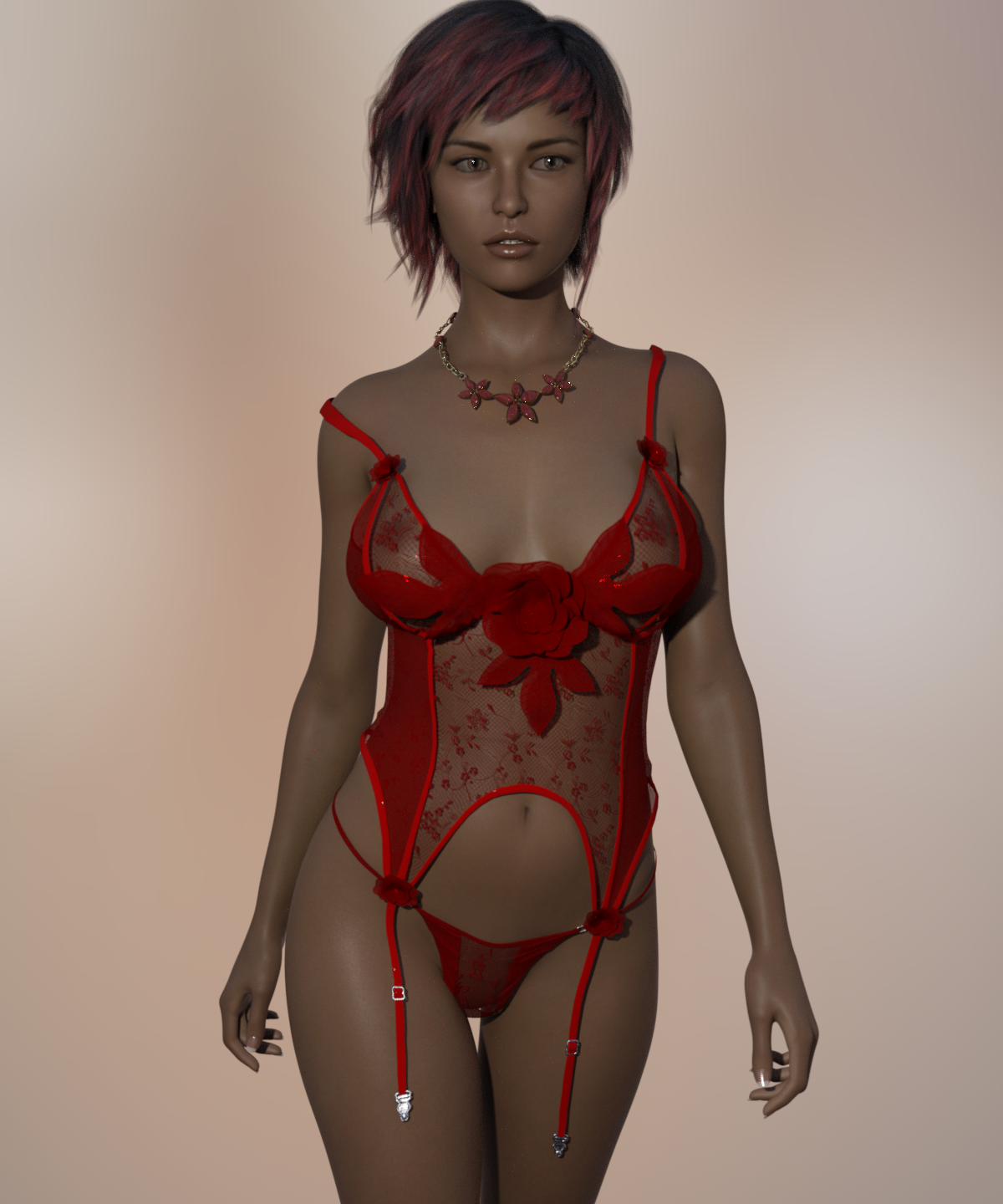 is there a way to use v4 clothes with a genesis 3 or 8 character ?
the "plugins or the tutorial told here fix the issue with some "outfits in the area around the neck which makes some outfits prts to "follow" the head??? something like this issue:


also in some outfits cases with a "loincloth it also bugs on the "legs spreading the loincloth to follow the leg if you spread it:
original v4 character

trying to fit it in g8

i had those issues trying to fit v4 in g8 even using this plugging don't worked well:
https://www.daz3d.com/rssy-clothing-converter-from-victoria-4-to-genesis-8-female
if those others 2 options don't have that issue then you also helped me a lot.
What templates are you selecting when you convert the clothing? Like for the loincloth are you choosing the Loincloth template when converting it?
is there a way to use v4 clothes with a genesis 3 or 8 character ?the "plugins or the tutorial told here fix the issue with some "outfits in the area around the neck which makes some outfits prts to "follow" the head??? something like this issue:
also in some outfits cases with a "loincloth it also bugs on the "legs spreading the loincloth to follow the leg if you spread it:
original v4 character
trying to fit it in g8
i had those issues trying to fit v4 in g8 even using this plugging don't worked well:
https://www.daz3d.com/rssy-clothing-converter-from-victoria-4-to-genesis-8-female
if those others 2 options don't have that issue then you also helped me a lot.
is there a way to use v4 clothes with a genesis 3 or 8 character ?I have those above as well as this. Didn't really work on the fit that much just applied uber shader for iray so this is pretty much no adjustments done. I love all the old stuff
https://www.daz3d.com/sy-victoria-4-and-michael-4-clones-for-genesis-8
How does one get that translucent glow on ears in Poser?I was able to get that effect with Victoria 4 figures using EZSkin 3 by Snarlygribbly. While it doesn't have (that I know of) built in support for L'Homme, you can create a new profile to support it.
Best way to build custom charactersQuite often you'll see that a commercial character morph will have a custom sculpted head (usually in ZBrush) and a dial-spun body. Typically the store page (any store) will come right out and tell you that it requires a given base morph (Victoria 8) or a specific morph package (the base head and/or body morphs for that generation of figure, usually) to get the same results. Quite often, for child characters there will be a stated need for something like Zev0's Growing Up morphs.
Back before the Genesis series launched if it sais you needed V4, it really meant it, because generation 4 female *was* V4. Aiko, Stephanie and The Girl were all morphs of V4.
With Genesis, each generation has its own base and *all* the morphs, including the Victoria for that generation, are basically add-ons. And *all* the dial-spins and add-ons are *optional*. The figure will typically work without any of them, although any custom sculpts will be automatically applied by loading the character.
Like in the Margot example. The body and head shapes are different. but I suspect the facial features are from a custom sculpt and have been applied with the character.
Of course, when you load a commercial character morph, any of the required morphs which you have installed are going to be applied automatically too. You might get an error notice if you're missing one, but just click on that to make it go away. It's fine. Once your character is loaded, then you will probably want to select it and go check the "Currently Used' tab and dial out all of the morphs which came in with it to see what it looks like on the Genesis base.
And then you start doing your own dial-spins and build your own character to order. You can modify the custom sculpt with dial-spins as well.
Everybody has their own preferred method of working. I do a lot of illustrations using dial-spun characters so I just save a dressed "finished" (they often get further modified or re-dressed in use) as a scene file in a library of characters, and merge them into whatever illustration scene I'm building later.
Best way to build custom charactersHere's Margot with (left) and without (right) Victoria 8. She uses 35% of V8's head, and 100% of her body.
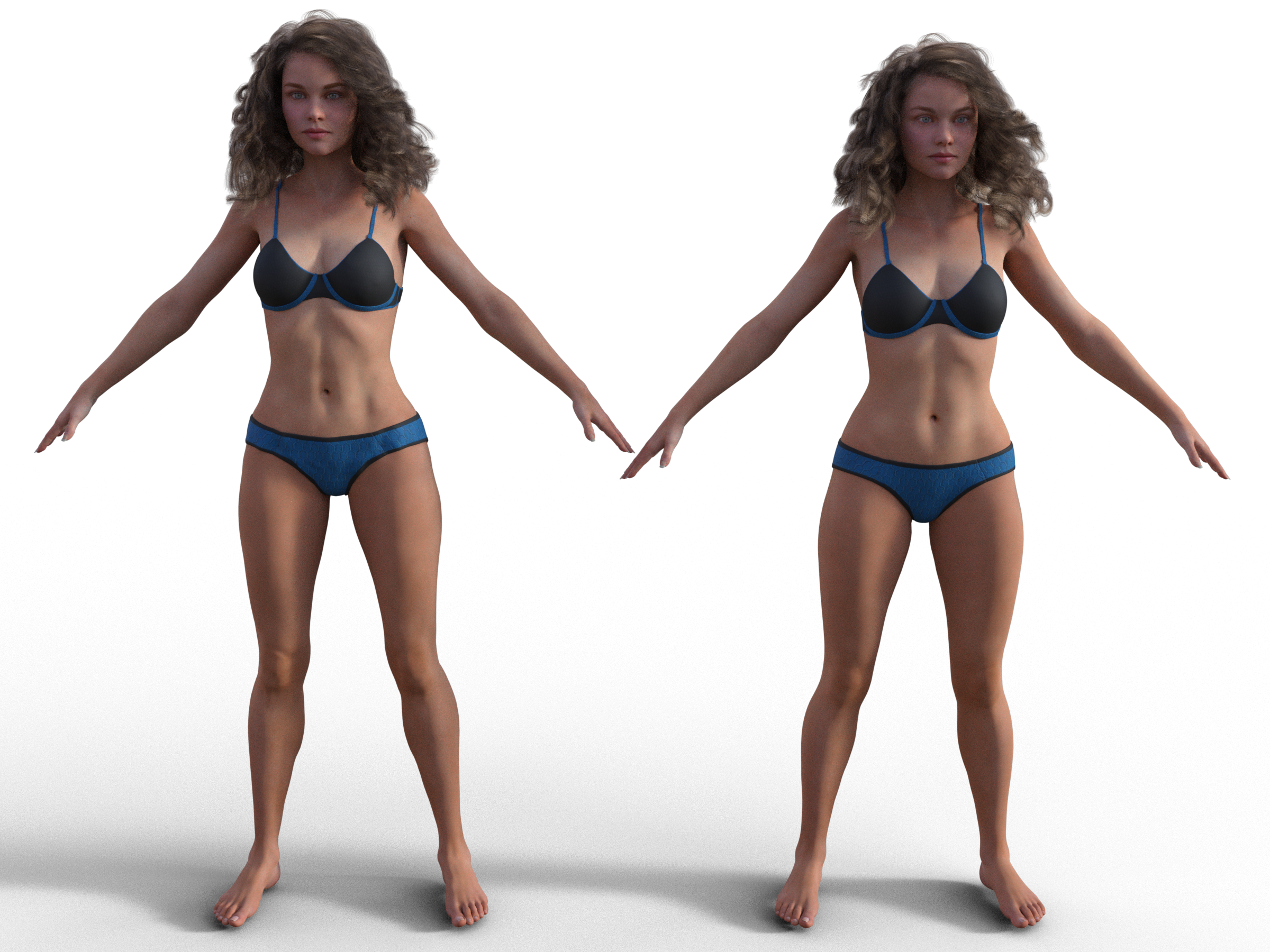
Wow! Thank you so much for this demonstration! They look similar yet the difference is striking.
The "Dial Them Out" ThreadJust did this for another thread: Margot for V8, with (left) and without (right) V8. Margot uses 35% V8 head and 100% V8 body.
Best way to build custom charactersHere's Margot with (left) and without (right) Victoria 8. She uses 35% of V8's head, and 100% of her body.
Any reason to bother with V4 any longer?I predominantly use Poser.
Victoria 4 is the figure with the most textures, hairdos and the biggest wardrobe on that platform.
New content for the character is still released in other webstores.
The Sasha-16 verion of V4 (utterly free) is fully weightmapped for Poser, does away with the ugly shoulders and armpits, and bends quite well.
Combined with the Poser Plugin Morphing Clothes, her clothes can be made to auto fit in Poser, like Genesis in Studio.
So yes, I still use the old gal.
Looking for a Fit girl daz figureNot sure, don't really use Gen 8. I use Gen 7, Shape Shift is a great product, and has fitness morphs for both generations like what you're looking for.
Looking at the fitness level of the first lady, pay attention to the hands and feet, some figures have more definition there (for a lower bodyfat level) than others.
Victoria 7 is good, and Vanessa HD is a fave of mine - great low bodyfat definition in the hands and feet.
https://www.daz3d.com/fwsa-vanessa-hd-for-victoria-7-and-her-jewelry
Looking for a Fit girl daz figureThis outfit comes pretty close;
https://www.daz3d.com/velocity-outfit-for-genesis-8-female-s
In regard to the body morph I suggest you take a look at TritiumCG's creations on deviantart.
For example the morph of Anna Nystrom might be what you are looking for.
The DAZ girls Victoria 8 and CJ-8 are pretty toned, too.
But I suggest to first get the body morphs for Genesis 8 - that way you customize the figure further to your liking.
Celebrity Look-a-Likes for 3D figures Part 2The new character, Daenestra for Angharad 8, looks quite a bit like the singer Rihanna:
I can't really see any resemblance except maybe for the skin colour...
ROTFL! You're Joking right?
BTW, does anyone know of a Daz Genesis 8 figure that resembles Angelina Jolie? I know there is a V4 figure, but I don't deal with V4.
Here you go bud
I seem to collect them so Angelina at various ages:
https://www.daz3d.com/lainey-for-victoria-8
https://www.daz3d.com/angel-for-v4
https://www.daz3d.com/fatal-stranger-hd-for-genesis-8-female
Any reason to bother with V4 any longer?I started on Poser about a decade ago, so I've obtained a lot of Generation 4 characters and wardrobe over the years. Recently, I've obtained more as either freebies or at huge discounts. I make selective purchases at chump-change prices.
Generation 4 wardrobe will usually autofit to Genesis and Genesis 2 characters pretty well.
It would help if Daz would give us a better way to reassign Lost and Found items to their proper categories. Plenty of Genesis 8 stuff ends up incorrectly assigned in Smart Content, so this isn't only a problem for old/obsolete items.
The OP complained about Victoria 4 armpits, which I interpret as just an extension of problems with the torso/trunk in general. The better Generation 4 character morphs look okay to me, so it isn't necessarily a problem with Generation 4 as a whole. The biggest issue I have is the distortion of the limbs once you get a Generation 4 character out of their T-pose. Each successive Genesis generation has posed more easily and realistically.
I've never tried to animate a figure from Generation 4 (or anything before Genesis 2).
If you only use IRAY to render, Generation 4 items will give results ranging from "just fine" to "completely unusable and requiring a different shader." You can't really guess from the promo renders. I still use 3Delight for a minority of renders, so I can live with this.
The usefulness of Generation 4 characters depends on your patience and willingness to recognize limits (and to tolerate them). For many, they are probably clutter and not worth obtaining, even for free. But, with the right user, great renders can still be made with them.
Daz 3D is part of

Connect
DAZ Productions, Inc.
7533 S Center View Ct #4664
West Jordan, UT 84084Licensing Agreement | Terms of Service | Privacy Policy | EULA
© 2026 Daz Productions Inc. All Rights Reserved.