-
FilaToon / Cell shaded rendering with Filament
Depending on the scene, I'll sometimes use "Glass for Filament" from the store for things like water droplets and such.rokkr said:How do you guys deal with glass, water, and that kinda stuff? Leave 'em as it is or manage to do some FilaToon shaders? If you're leaving 'em non-FilaToon, which is best: Iray or 3Delight?
Why PBR skins looks so ugly?@Masterstroke I haven't noticed IRAY skin to be especially dark. Quite the opposite - I find engaging IRAY usually makes everything look a bit brighter, crisper, more believable (or at least more appealing with almost no effort). It has the same sort of effect on a lot of 3DL materials. I haven't methodically examined it, though. Filament, of course, had a tendency to blow everything out. But that also seems better-behaved these days (4.22 build in use), and that makes it a go-to for setting up scenes, posing figures, and so forth. It could just be that DS scenes require more illumination than one might think - I've seen evidence of that! Admittedly, I haven't messed much with PBR shaders. You could be right that the PBR textures work better on export. Every renderer has its own lighting model and "look."
Anime Toons and Filatoon Shader Q&Aetaktrash_d29ae59121 said:
Hi,
Sorry if this has been answered before but there's like 30 pages in this thread! I'm having troube viewing Toon figures--they come out al black like a silhouette. The answer seems to be to change the viewport to Filatoon but I don't seem to have that option. I've just--like ten minutes ago--upgraded to Daz 4.23.0.1, and it still isn't there! (also the menu bar seems really tiny for some reason?). Is this a Mac issue?
Yes, it is a Mac issue. Daz Studio doesn't support Filament draw style on a Mac. That is why you don't see it in the drop down list.
Anime Toons and Filatoon Shader Q&Aetaktrash_d29ae59121 said:
Hi,
Sorry if this has been answered before but there's like 30 pages in this thread! I'm having troube viewing Toon figures--they come out al black like a silhouette. The answer seems to be to change the viewport to Filatoon but I don't seem to have that option. I've just--like ten minutes ago--upgraded to Daz 4.23.0.1, and it still isn't there! (also the menu bar seems really tiny for some reason?). Is this a Mac issue?
Unfortunately, Filament drawstyle doesn't support Mac ... by now.
[Released] Ultimate Tiling Control [Commercial]Silas3D said:
Ok that's weird as I definitely included them with the submission. The important thing is I know what needs to change - there are two functions that cause the drawstyle to change/update:
1. When the preview needs updating (ie when a value is changed)
2. When the Iray Preview checkbox is clicked.
If the script is launched when Iray isn't active (eg when filament or texture shaded is), then I can detect what the current drawstyle is in order to keep the drawstyle active when a value is changed or reinstate it when switching to and from Iray with the checkbox, which would include Filament.
However if Iray is active when the script is launched, then it has no awareness of any other drawstyle history but Iray. I don't think it's right to hide the checkbox in this scenario as someone may want to disable Iray but keep the dialog open (especially if the shader they're using is quite resource heavy like having displacement).
As such the script needs to be told which non Iray drawstyle to switch to should the checkbox be unchecked. In this case texture shaded makes the most sense because Mac users can't currently use Filament and I would prefer to maintain a consistent experience between platforms.
That sounds well thought out and makes sense to me. I look forward to it. I hope it isn't too time consuming.
[Released] Ultimate Tiling Control [Commercial]Ok that's weird as I definitely included them with the submission. The important thing is I know what needs to change - there are two functions that cause the drawstyle to change/update:
1. When the preview needs updating (ie when a value is changed)
2. When the Iray Preview checkbox is clicked.
If the script is launched when Iray isn't active (eg when filament or texture shaded is), then I can detect what the current drawstyle is in order to keep the drawstyle active when a value is changed or reinstate it when switching to and from Iray with the checkbox, which would include Filament.
However if Iray is active when the script is launched, then it has no awareness of any other drawstyle history but Iray. I don't think it's right to hide the checkbox in this scenario as someone may want to disable Iray but keep the dialog open (especially if the shader they're using is quite resource heavy like having displacement).
As such the script needs to be told which non Iray drawstyle to switch to should the checkbox be unchecked. In this case texture shaded makes the most sense because Mac users can't currently use Filament and I would prefer to maintain a consistent experience between platforms.
[Released] Ultimate Tiling Control [Commercial]Silas3D said:
I think it's because you're using filament. Because the script is for Iray Uber based shaders it assumes that the user would be going between texture shaded and Iray, but I may be able to add support for filament too - can you see instance tiling while filament is active? I thought it would only show up for Iray. I'd also suspect that a lot of Iray specific properties won't display in filament viewport either given that it's a different render style.
From the outside, looking in, I don't understand why you would change the draw style at all, just because someone hit the tab key or one of the buttons like default. Why not just leave it alone and only change it when someone checks the Iray Preview box? When unchecking the Iray Preview box, it should go back to what the user was using before checking the box. I think assuming a user is always going between Iray Uber and Texture Shaded means living in the past. Filament is now often superior to Texture Shaded as a non-Iray working draw style. Iray shaders look pretty good in Filament, with some exceptions. And yes, I can see Instance Tiling in Filament for at least Base Color and Normal Maps, probably bump, too, but I haven't checked it. Channels that aren't supported in Filament won't be visible, of course. If someone needs to change those, they better go into Iray Preview or just change them blindly to match some others.
As for dialog size, some people still use quite small screens/display resolution so I made a conscious decision to restrict the height to max 5 property rows and then a scrollbar would show. I can look at enabling resizing for those that have more screen real estate, I'll just need to make sure it doesn't screw up the function of the scroll bar.
Thanks for investigating.
[Released] Ultimate Tiling Control [Commercial]I think it's because you're using filament. Because the script is for Iray Uber based shaders [I believe] it assumes that the user would be going between texture shaded and Iray, but I may be able to add support for filament too - can you see instance tiling while filament is active? I thought it would only show up for Iray. I'd also suspect that a lot of Iray specific properties won't display in filament viewport either given that it's a different render style.
As for dialog size, some people still use quite small screens/display resolution so I made a conscious decision to restrict the height to max 5 property rows and then a scrollbar would show. I can look at enabling resizing for those that have more screen real estate, I'll just need to make sure it doesn't screw up the function of the scroll bar.
[Released] Ultimate Tiling Control [Commercial]OK, I have it now. When I change a value and hit the Tab key, it changes my draw style to Texture Shaded. Why doesn't it leave it the way I had it? (I don't have the Iray Preview box checked.) I was using the Filament draw style and changing the global Base Color tiling of an Iray Uber (MDL) shader. When I clicked Accept, it went back to the Filament draw style. But I couldn't see anything while changing the global Base Color tiling settngs, because the veiwport was almost black.
If I check Iray Preview and then uncheck it, it goes to Texture Shaded draw style. Why doesn't it return to the one I was using? (This results in the same issue as above.)
Clicking the Default button also changes it to Texture Shaded. I suppose the Restore button would do that, too.
V3D FilaToon Converter: Okay, What am I Doin' Wrong?You need to go the the Render Settings pane and change the render engine from NVIDIA Iray to Viewport. Then it will render the filament view you see in the viewport and you can save it as an image file.
V3D FilaToon Converter: Okay, What am I Doin' Wrong?It's no iray version but just filament. Its skin textures as well as SBH were not designed for being used with filatoon shader...
If you want to make a toon or anime lion, there'll be more work to do...and it's irrelevant to the converter.
Premier Character Bundles Feedbackthe only bundle that interests me at all is Tara, although its only her and the hair. No lyon, I have Nikolai from free last month, I had bought the Minerva character long time ago, dont need the rest. Sylvia, I bought her and the HD when she first came out. No need for the rest of the bundle. The rest I already grabbed. I dont do the toon shader filament thing, so thats out. I need something new.
Suggestions for "End of 2024" discount purchases for new users?Welcome to the Daz forum!
V3D Iray Light manager Pro and V3D Super Save are some of my most used utilities. They are in the Grab Bag Sale. They are probably not things that a brand new user is looking for, though. You are probably more interested in content that you can render in your scene. The advice to start out slow is good advice. Make sure you want to keep using Daz Studio, before making a huge investment in it.
Here I some things to consider before you jump in too deep:
In the "old days" I would have recommended joining Daz+ right away, to get 30% discount on all Daz Original items. There used to be occasional sales where you could get a whole year's membership for $35 or less. That isn't true anymore. Daz has raised the price to a non-discounted $9.99 per month subscription. That makes it less of a good deal. Daz has also created a higher tier subscription with more perks for $18.98 per month subscription. Think about how much you intend to buy each month and determine whether any of these benefits are economical for you. Still, starting slow is good advice. There is a saying (and even a forum thread) "There's always another sale". Don't let yourself be intimidated into buying too much too soon. Add things to buy later to your Wishlist.
The two main render engines currently used in Daz Studio are Iray and Filment. Iray is the more realistic render engine and Filament is more cartoon-like. Filament is only available on a PC at this time (not available on Mac platform). To get efficient use of Iray (avoiding many hour long renders) you need a fairly good NVIDIA graphics card. Only NVIDIA brand cards will accelerate Iray rendering, because Iray is an NVIDIA product incorporated into Daz Studio. An NVIDIA 12 GB RTX3060 is often recommended as a good entry level card for price vs. Performance. 32 GB of RAM on your PC motherboard is also a good starting point, although you may "limp along" with 16 GB on your motherboard. The Filament render engine uses the PC's CPU and renders almost instantly, but is generally not photo-realistic.
When you shop in the store, the product page should say whether the product contains Iray materials, Filament (FilaToon) materials, or the much older seldom used 3Delight materials, which will be listed as "Daz Studio Materials". Know what you are buying.
Daz has a 30 day return policy, which can get you a refund on something that you buy that doesn't work for you. The refund an item, you submit a help request to the Sales department.
Go right away to https://www.daz3d.com/free-3d-models and "purchase" the free content that interests you. Just put it in your cart and check out for $0. The free Genesis 9 items are a particularly good deal for a new user. The Daz Horse 2 Starter Content is also a good deal in that same section. Be aware that clothing and hair products for older character generations may "auto fit" to later generations, but the quality of the fit will vary. Clothing and hair for the character generation you are using will almost always be a better bet. Daz calls this page of free items "Weekly Freebies", but they only change them every two weeks.
When shopping in the Daz store, be aware that almost every day there are advertisement typos, unclear fine print, coupons and offers that don't work. If you find something that doesn't seem to work as advertised, it is par for the course. Report it in the forum thread https://www.daz3d.com/forums/discussion/685096/new-year-new-sales-thread-report-issues-here-reporting-only#latest and forum administrators may be able to get Daz to fix the error before the end of the day's sale. Keep an eye on that thread for reports from other people to alert you errors they have found.
Read the Forum Terms of Service so you follow the forum rules and don't get your posts deleted! Administrators are vigilant in enforcing the rules. Many of us have had a post or two (or more) deleted for statements that were deemed unacceptable or images with nudity. If you need to post a nude image to demonstrate some problem, it must be an untextured image (no skin, just gray for example).
What's the single most annoying issue about Daz prevent you from using it more often?Richard Haseltine said:
Alley Rat said:
There are no real showstoppers for me, but as well-documented as the 3DS and DXF file formats are, it is odd that you cannot import or export those. I work a lot with vintage computer graphics programs on the Amiga, and it would be cool to be able to render that stuff with Iray or even Filament.
The FBX Importer could be used - we are pointed to https://github.com/daz3d/StudioFbxImporter/blob/6bb9172dcc605d6ade1363e57946fc323d4154c2/FBX Importer/DzFbxImporter.cpp#L243 - though I think that is a some-assembly-required answer.
My confusion, sorry - this is in the current build, selecting FBX or all as the import format will also enable the import of the others.
What's the single most annoying issue about Daz prevent you from using it more often?Alley Rat said:
There are no real showstoppers for me, but as well-documented as the 3DS and DXF file formats are, it is odd that you cannot import or export those. I work a lot with vintage computer graphics programs on the Amiga, and it would be cool to be able to render that stuff with Iray or even Filament.
The FBX Importer could be used - we are pointed to https://github.com/daz3d/StudioFbxImporter/blob/6bb9172dcc605d6ade1363e57946fc323d4154c2/FBX Importer/DzFbxImporter.cpp#L243 - though I think that is a some-assembly-required answer.
[Released] Ultimate Tiling Control [Commercial]Happy New Year everyone!
One of the things I've wished was easier to do in Daz Studio is to change the tiling for individual texture maps when using a seamless/tileable shader. My latest product enables just that for any 'Iray Uber' based shader - most shaders available in the store use this.
Ultimate Tiling Control is an easy-to use, powerful script that will display tiling and offset options for the selected surfaces of a prop or figure that has the 'Iray Uber' shader applied.
When a texture map is detected, each property is output to its own clearly labelled group, with non-default values highlighted which is particularly useful for more complex shaders that have multiple maps.
Multiple applications for use, including fabric color scaling without changing bump/normal detail and simulated multi-layer effects. Global tiling and offset settings are also included.
Can even be used by shader creators to test scaling options or set instance tiling and offset for their own presets.
How to Use
-
Select one or more surfaces on a single prop or figure
-
Apply your desired 'Iray Uber' based tiling shader
-
Run the script
-
Change slider values as desired and press 'Accept' to close the dialog. You can also type values by clicking the current value - just make sure you click elsewhere or press Tab to commit new value as pressing Enter/Return will close the dialog.
Now available!
>>> https://www.daz3d.com/ultimate-tiling-control <<<
Update 16 Jan 2025
Following feedback, the product has been updated with the following bug fixes and features:
- [Bug] Global tiling and offset fields were not showing up when their default values were set.
- [Bug] Script was switching to texture shaded mode when a value was changed or Iray Preview checkbox unchecked, instead of respecting drawstyle on script launch eg Filament.
- [Feature] Dialog is now resizable to accommodate larger screens and sliders and buttons will stretch horizontally. Dialog will reset to default size on next launch.
- [Feature] Tiling increased from 50 to 100 as dialog is now resizable.
- [Feature] Additional 'Basic' version of script has been added that enables horizontal/vertical tiling and offset to be controlled together (see additional promo attached).
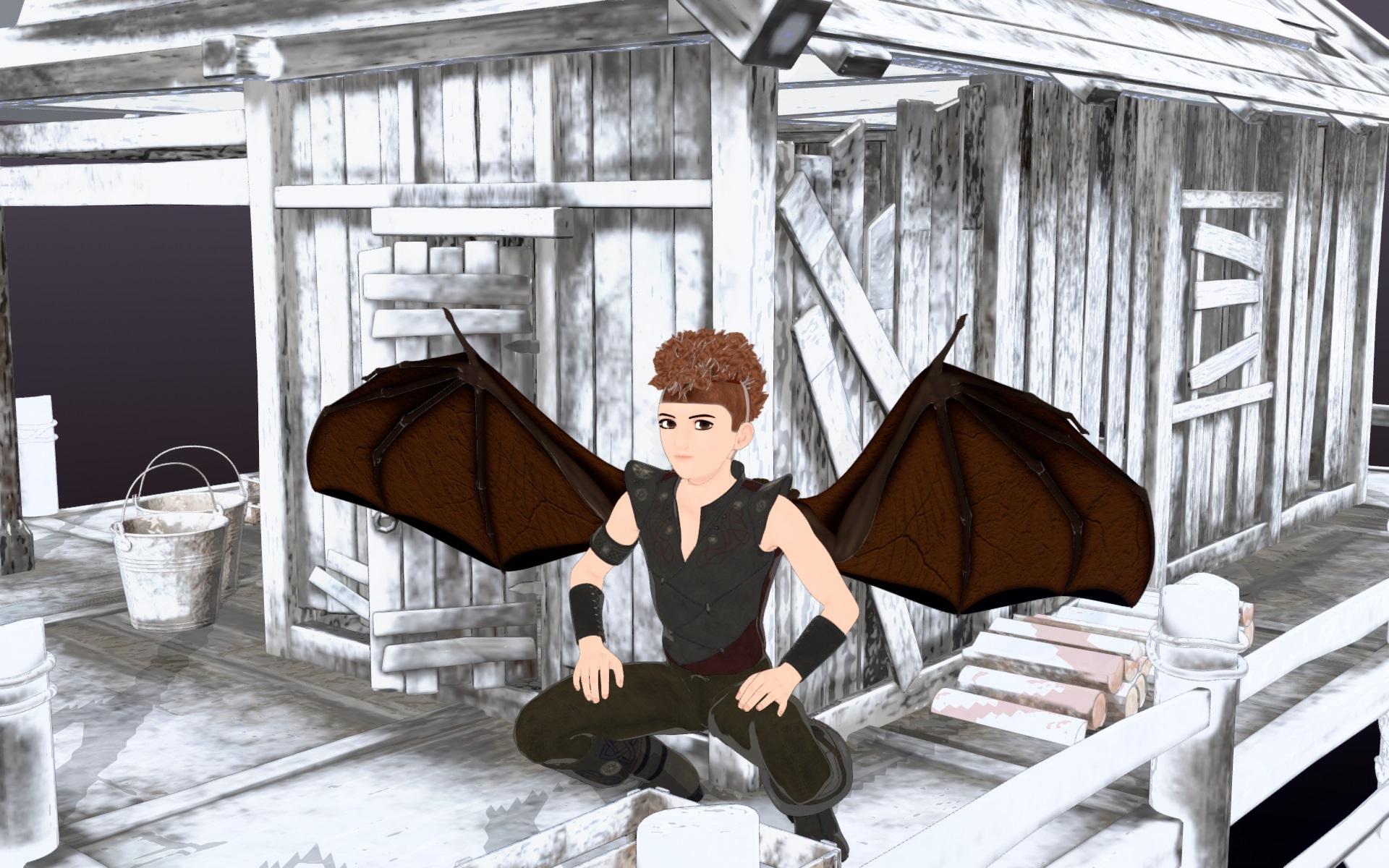
Released : V3D FilaToon Converter, Manager and Tools (Commercial)For the comparison FilaToon render just after the conversion
without any adjustments in the Filament Draw Options.
 What's the single most annoying issue about Daz prevent you from using it more often?
It used to be Iray products becoming increasingly demanding was slowing down me trying to do more with Daz|Studio, but now that Filament has become a good option that's no longer a problem.
Released : V3D FilaToon Converter, Manager and Tools (Commercial)Just play with the shadows settings in Filament Draw Options.
What's the single most annoying issue about Daz prevent you from using it more often?Alley Rat said:
There are no real showstoppers for me, but as well-documented as the 3DS and DXF file formats are, it is odd that you cannot import or export those. I work a lot with vintage computer graphics programs on the Amiga, and it would be cool to be able to render that stuff with Iray or even Filament.
there are plenty of other softwares that can convert them
Daz 3D is part of

Connect
DAZ Productions, Inc.
7533 S Center View Ct #4664
West Jordan, UT 84084Licensing Agreement | Terms of Service | Privacy Policy | EULA
© 2026 Daz Productions Inc. All Rights Reserved.