-
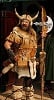
Remove Horns from Dragonivian
On the Dragonivian model, made by @Ensary it has horns, but no way to remove them. I want to use it as a lizardman instead of a dragon. Anyone happen to have morph for that, or @Ensary do you happen to have a morph for it?
ZBrush Morph Issue with Genesis 9: Trouble with Teeth and eyes.Oh... so if this auto rigging doesn't work for you, you have to tweak Eyes and Mouth in ZB, GoZ the morph back to DS to update the hidden Auto-Follow property on Eyes and Mouth. Taking Mouth as an example, in your case:
- Select Mouth Subtool, move the mouth cavity to the right position in ZB as screenshot 1
- Select Genesis 9 Mouth in DS, GoZ from ZBrush, to update the morph : "ZBrush Morph 1", by using the Option in screenshot 2
- Do the same steps for Eyes, with Symmetry. Then ERC Freeze the head morph.[Solved, Kinda] Eyelashes and Tears Won't Follow Morph on G8.1FHey Folks,
I'm trying to convert some expressions from G8F to G8.1F. I saved the expression on G8F as a .obj file, then used the morph loader to transfer it to G8.1F. Worked great, except I can't get the eyelashes or tears to follow they eyelids when the new expression is applied. I made sure that Auto Follow was active before saving the expression as a morph asset, but no luck. Strangely enough, I don't have that problem if I convert a G8F expression that already worked on G8.1F, but that really doesn't do me any good. Any thoughts as to what I may be doing wrong?
Thanks!
Change of only one eye?Change what with only one eye...? morph ? material ? or pose ?
Just Notice DazToUnity Latest does not Support Unity 2022I am using Daz Studio Beta: 4.22.1.88 with official Daz to Unity bridge and so far it works for me in Unity 2022 LTS (19).
There is still a bug with transferring characters into Built in pipeline - prefab has no materials applied,
but character itself has them in Unity.
I have updated my Unity 2022 LTS to 20th version yesterday and will test the transfer again.
ZBrush Morph Issue with Genesis 9: Trouble with Teeth and eyes.Thank you very much for the advice, but unfortunately it didn’t work.
What should I do, how can I fix my teeth and eyes?
I can’t continue working with morphs until I solve this problem.
Here I will attach screenshots of my morph import settings.ZBrush Morph Issue with Genesis 9: Trouble with Teeth and eyes.crosswind said:
As G9's Eyes and Mouth are separate attachements, you need to re-rig the eyes and mouth with G9's Dev Tool for the imported morph.
Select the morph property, then click Adjust Eye Rigging. It'll re-rig Eyes and Mouth. Then ERC Freeze the morph property and save morph asset.
Thanks a lot! but it didn’t help, nothing changed (it’s a disaster.
Just in case, I'll attach a screenshot of my import morph dialog.
Maybe there are some other recommendations. Model gen9 dev version.question about bump map and normal mapDraping a UV mapped primitive is fine, but one cannot then UV unwrap it or UV project it the way shown above (unless texturing a prop, where UV arrangement is not totally important since it doesnt have to function as a tileable map). For the purpose of making a shader, the UV should take up the whole UV square, perfectly fitted to the whole square. Then of course one can drape or morph however you want. (Side note: one thing that is not addressed in the methodology is avoiding seams when tiling. Probably there are blender plugins for this if not already part of blender.) OP should probably just watch a tutorial on making/exporting tileable textures for other software instead of one for making procedural shaders in blender for blender.AOBB's Classic Hollywood Stars G9 mega bundle. 19 head morphs. No materials nor textures.your elizabeth taylor morph is great!
What happened daz?!Nova said : "Working with Hexagon for 15 years "
To me, your shared renders look near first rate. Look like they should be in a futuristic game, with maybe 3b not far away. :)
A rushed comment from me, is they could be more relateable with more characters and story to attract more attention. But perhaps elsewhere or coming later or not part of plan?Nova said:
However, when things get tricky, you have to improvise a lot to get results.To be honest, i find that to be true with almost all DAZ store assets too.
They get you 80% of the way there?Not a fan at all of the ubiquitous statement "oh just use Blender" unless you add caveats "it's free" and you better like or get used to logic/ui or -too bad.
Find that there is no 3d app that does - everything well - for everyone.One project for a more extensive UV unwrap used Hex, 3dCoat and Blender (back when still pushing myself to try and find a way to agree with Blender UI/logic).
Each 3d app with their own strengths.So could you buy a 3d app, even if it's for finisishing the models, like model reflections and booleans? Or does Blender work for you 100%.
If was a 3d modeller like you, i would probably buy Modo.
Having a logic/ui i like would be instantly worth the cost.
Another person might get 3ds max.
But as don't do extensive 3d modelling like you have zero idea if that address your needs.As for Daz/Tafi modernizing Hex for that, would guess for reasons, which basically goes back to return on investment, they will not compete with the currently prevalent 3d apps.
Guessing even more common focuses like new Hair shader Omni for their SBH products and animations now (Heat) will not exactly be huge money-makers. Just a guess by me in these tougher market conditions. So improving 3d modelling that even way fewer users will do, is probably more than just risky in todays current 3d market. Any decision-maker who has to keep bottom-line in focus just wouldn't do it. Unless a hugely convincing case can be made.Hex is simply awesome for quick morph-making on my newer higher end PC system, -- BUT alot of users have said Hex doesn't work for them. Why? Don't know. Are they using 64 bit beta? Though it seems you are using 32 bit successfully? So it would seem if you could address this and get more users on board with using Hexagon that would actually help? That's not for me. But if you want to increase Hex adoption that seems like a course of action.
And many just want a quick Mesh-Grabber, though it's pretty "swiss-army knife"-like in result. Tried it once reading all the "happy user" testimonials on forums. For me, way too cumbersome and missing way too many features that Hex offers. Glad it works for them. Point is though that's the kind of environment that decision-makers are facing; 90%+ users want very easy results (my very debateable guess).Transfer Utility errorThe problem was Geografts. Had to Unfit them, Transfer Utility, and then Fit them back again.
Thanks for the responses.
Genesis Beard like morphoscarcasin_c905ee79d3 said:
Hi felist, thank you for your reply. So, with ZBrush, I have created and sculpted beards in the style of ancient Greek statues, and I would like to be able to manage them in Daz3d as a morph. If I directly intervene on the Genesis 8 mesh, I cannot because I would have to work on the base mesh, with low resolution.
Since you're a ZBrush user, I think the most straightforward solution to this is going to be sculpting a beard on a subdivided G8 mesh and baking out a displacement map.
ZBrush Morph Issue with Genesis 9: Trouble with Teeth and eyes.As G9's Eyes and Mouth are separate attachements, you need to re-rig the eyes and mouth with G9's Dev Tool for the imported morph.
Select the morph property, then click Adjust Eye Rigging. It'll re-rig Eyes and Mouth. Then ERC Freeze the morph property and save morph asset.
Genesis Beard like morphAs a user, you have no way to create a morph with HD mesh...
Another simple way could be ~ You just export the partial geometry of G8M's head + neck, with High Resolution of course, then sculpt it in ZB. Import to DS as an OBJ, then rig it to G8M with Transfer Utility. In this way, you'll have HD mesh of head + beard and even able to pose it, dial other body morph on G8M, or add materials, etc. Create a Selection Set for Head + Neck beforehand, then you can easily hide them or use Auto-Hide with the rigged one to hide G8M's Head + Neck.
I roughly did one with sculpting in Blender as the attached ss.
Genesis Beard like morphHi felist, thank you for your reply. So, with ZBrush, I have created and sculpted beards in the style of ancient Greek statues, and I would like to be able to manage them in Daz3d as a morph. If I directly intervene on the Genesis 8 mesh, I cannot because I would have to work on the base mesh, with low resolution.
ZBrush Morph Issue with Genesis 9: Trouble with Teeth and eyes.Hello everyone! I really need your advice.
I exported the base Genesis 9 model to ZBrush (tried both the Dev version and the regular one),
created my own shape in ZBrush, sent it back to Daz Studio via GoZ, created a morph, and the morph works fine,
but the teeth and eyes are unnaturally protruded forward! Please take a look, I'll attach screenshots.
Meanwhile, the eyebrows and eyelashes are in their normal positions.
Please help.Transfer Utility errorbluelight special said:
I know to click the Reverse. On both the Transfer Utility and for a Morph Target. I thought I'd be clever and just load a morph target of the pre-rigged OBJ, and that worked. Until i moved the model.
Make sure your transformations are baked before doing Transfer utility. (I.e., make sure your clothing transformation parameters are at X,Y,Z = 0,0,0)
If it's not at zero, you need to export and reimport the clothing.
Genesis Beard like morphMay I ask why you want to transfer it to G8M?
There is not enough geometry on G8M to make a beard. PAs can make a HD morph, but I doubt any PA would be interested in doing that?
So I would assume that a geograft is your best option.
Genesis Beard like morphThis is what I would like to transfer to Genesis 8 morph
Genesis Beard like morphGood morning everyone, I would like to ask for some help: the product "Classical Morphing Bust HD" allows you to apply a morph to create the beard and hair. I'm wondering if there's a similar product for figures, like Genesis Male 8. Or how can I transfer this morph to Genesis 8. Is it possible? Also, how could I create it with Zbrush? In other words, create a morph for Genesis 8 that adds the beard. Thank you all
Daz 3D is part of

Connect
DAZ Productions, Inc.
7533 S Center View Ct #4664
West Jordan, UT 84084Licensing Agreement | Terms of Service | Privacy Policy | EULA
© 2026 Daz Productions Inc. All Rights Reserved.