-
A new UHD line of characters with 800'000+ vertices at base resolution?
I was toying with another idea. Take a G3 and subdivide and export her as an .obj out of DAZ. Bring her back into DAZ and use the trasfer untility to "remake her" using a standard rez G3 as the donor. There are some problems....the bones from the G3 when transferred to the new subdivided G3 .obj does not bring all the bones over. You have to keep the standard G3 character invisible in the backround to keep decent bending. If you delete the regular rez G3 then you have to fix all the joints and bends since the new SubD G3 becomes like a rubberband. Seams look real bad with the new SubD G3. This all might be able to be fixed since I have limited knowledge about rigging in DAZ.
What if DAZ3D would sell a 4'357'308 vertices version of Genesis 3 female and male?
- the UV would be the same -> all G3 textures maps can be used
- the rigging and bones could be the same -> all G3 poses could be used
That way DAZ3D would not have to support two completely different lines of figures but two similar lines of figures that share some traits.
Maybe DAZ3D could even find a way that morphs of the 17'418 standard Genesis 3 female figure could be used on the 4'357'308 vertices version of Genesis 3?
Maybe it would even be possible to create a version of Genesis 3 at each subdivision level from 1-5 and sell them in a bundle.
- - -
This approach would solve three issues:
- The technology would not rely on sharing access to a HD morph tool.
-> The technology would only work with figures that share the Genesis 3 UV layout and bones.
- Published artists would not have to support a completly new line of figures
-> UV maps, pose products are shared between different subdivision level versions
- Users can use that version of Genesis 3 subdivision level to create their own morphs that their system can handle.
-> Users can create high resolution morphs at the subdivision level of their choice without loosing weight maps and rigging
Saving head morph made with dials and dformshow do i save a morph made from multiple dials and dforms? i want to save it so that its all on one character dial that i can turn up quickly
Inject PMD into character in Daz Studio 4.9The script still exists, but has never been updated to the 4.5 sdk.
http://www.4shared.com/dir/4851309/fc76215/DS_Plugins.html#dir=E03-3f7D
Really what it boils down to is differences between poser and daz studio.
Ostensibly daz studio has to have all the information in certain files to use them.
As an example, Victoria 4.
When ever you add in a new morph pack, Morphs++, elite, etc. that is not a PBMCC/DC injection, the CR2 has to be modified.
This is why you have to "initialize" the V4 when you add those packs.
What this does is add those channels into the CR2, and add references to the other parts that are stashed in the various folders.
If you turn "Show Hidden" properties on in parameters tab with a v4 loaded, any of the channels you didn't turn on at load, with power loader, are still there and still work, they are just "hidden" and have "empty" in the name line.
I've found three primary methods to add channels to older characters.
1. Use poser and just create a new cr2.
Back to victoria 4, i started with a base V4 with no additional channels added, just the base character, no morphs ++ etc. I actually deleted out, using edit mode in parameters to remove the base morph dials that come with v4.
Dropped in poser, 2012 version, then added in the morph packs i wanted, one set or one morph at a time, such as the i13 fantasy breasts.
Save as a new cr2, with binary morphs turned off(critical to keep from creating a new pmd file that we can't use).
open new cr2 in daz studio.
switch to Edit view in parameters, move all associated dials to a new path of your choosing, in all body parts that new channels were created in. Poser just dumps new channels into the "general" section by default. i think.
Create a new EXP file, i won't go into the insanities of that, but you wind up with a file that can add the parameters into any victoria 4 by using the Initialize script included in her installer.
The results can sometimes be hit or miss with powerloader throwing insane errors when you try to run remove scripts. Still havent' figured that one out.
2. Edit the cr2 manually. This one is a massive PIA as you'll have to scour through a few dozen tutorials, if you can find them, to learn where and what to edit and add.
I've had mixed results with this method with channels appearing and disappearing randomly on load and reload.
there when exported, not there on next load.
3. get a copy of Daz studio 3 and use the inject pmd script. The biggest problem with this, as well as the convert inject(for PBM channels) is that it just dumps the channels into a converted path, that you have to edit the paths to make sense, or you wind up with one insane path with hundreds of dials in it.
While i've used the various methods to create a massively insane victoria 4, currently at 2500 morph dials and still a stack to go. It starts to get as bad as genesis with higher load times, the massive amount of memory it uses(this v4 takes ove 1.5GB memory to load, with nothing applied) and the fact that clothes don't work with 99% of the custom morphs.
SO then you have to break out the deformers, use smoothing modifiers, and do some remodeling, weight mapping and rigging just to get clothes to fit.
i've probably spent the better part of 6 months off and on working on that V4, and at this point, i rarely use her.
She's just to heavy and too many options to be practical. Kinda like my G1, too many characters available, and too many convoluted dials.
I really need to start editing that monstrosity out.
Digital Art supporting Digital Music@fool: I'd recommend the producer edition of FL Studio which allows direct recording (though I haven't played with that yet, I do like all the filters it comes with which includes things for reducing feedback). I'm still new to the field so don't have any other programs I am really aware of yet. But as far as not being DAW savvy, if you take it piece by piece and really take the time to learn each window, it gets easy. I was overwhelmed when I first opened up the software, but now that I've created a glossary to keep track of all the new terminology, its becoming much smoother. The tutorials that Image-Line makes (the basic ones) are really helpful. I just pause it when they throw out a random term that doesn't make sense, go find out what it is, then write it down in my glossary and continue. That way confusion doesn't build up.
@Spit: The software I use is FL Studio which I recommend but the basic version (which is only $99 vs $199 for the producer edition) doesn't provide audio recording itself but you can get around that and record in audacity, then transfer the saved wave into FL studio to use as a sampled sound and arrange it in the notes entered. I found a simple tutorial on how to import the sounds: https://www.youtube.com/watch?v=gmg7-Ghz5mI but it doesn't mention how to make that into playable notes. To do that, you'd open another window called the piano roll and arrange your notes there with that channel you just imported. Then there's a mixer for adding any effects you want to that channel.
Thanks for responding. But I'm confused. Not having done anything on the PC beyond entering notes in Mozart, saving as a midi file, and using the wavetable on my soundcard for playback (and it was a long time ago) I'm totally unfamiliar with how things are being done today and what software....
Does audacity just record any output from another program (such as FL Studio) and does FL Studio let you create your own sounds?
I'm really looking for a program that does NOT use pre-recorded sounds but allows you to define them as you are entering notes. And then when you're finished doing the sounds and entering the notes you can play it and record it. In a sense like the old MOOG synthesizer.
Additional: Does producer edition of FL Studio do the recording itself?
Digital Art supporting Digital Music@fool: I'd recommend the producer edition of FL Studio which allows direct recording (though I haven't played with that yet, I do like all the filters it comes with which includes things for reducing feedback). I'm still new to the field so don't have any other programs I am really aware of yet. But as far as not being DAW savvy, if you take it piece by piece and really take the time to learn each window, it gets easy. I was overwhelmed when I first opened up the software, but now that I've created a glossary to keep track of all the new terminology, its becoming much smoother. The tutorials that Image-Line makes (the basic ones) are really helpful. I just pause it when they throw out a random term that doesn't make sense, go find out what it is, then write it down in my glossary and continue. That way confusion doesn't build up.
@Spit: The software I use is FL Studio which I recommend but the basic version (which is only $99 vs $199 for the producer edition) doesn't provide audio recording itself but you can get around that and record in audacity, then transfer the saved wave into FL studio to use as a sampled sound and arrange it in the notes entered. I found a simple tutorial on how to import the sounds: https://www.youtube.com/watch?v=gmg7-Ghz5mI but it doesn't mention how to make that into playable notes. To do that, you'd open another window called the piano roll and arrange your notes there with that channel you just imported. Then there's a mixer for adding any effects you want to that channel.
am I the only one having trouble exporting Genesis 3 with the animation?Since you mentioned morph, I tried to turn on and off everything with morph.
And seems like just turning off the morph(one on the left side) on the export option makes animation itself works, but I lost all of the morphs(obvisouly).
So it seems like it has something to do with morphs.
Auto-Fit Collisions - Hands on Hip Breaking MeshYeah, bodysuits are a great way around a lot of this.
('this' being autofit problems generally)
Another tip: if you add a tiny bit of a dial on the figure, the dial will appear on clothing (you will have to Show Hidden). Then you can dial it in MORE, to create a different effect.
This is one way I try to get around the 'shrink wrap boobs' effect -- put Flatten or Breast gone morph a tiny bit, do it more on the body suit, then scale the body suit as appropriate, then fit clothing to the body suit.
Widdershins The Tentacle [Commercial]Hi :)
I think some of them are possible, especially the skins, which I have been playing with today as well as some morph experiments. It seems displacement maps are the best solution.
Don't really think the eyes would work for the suckers, not sure if there would be enough polys there to make them globular. Will see. :)
Should be able to make some cyber like things too, what Will did was great and gave me fresh ideas. Smoothing out the suckers could be done with a morph, although texture-wise I think that would work best if the underbelly was a uniform colour as the suckers have their own material zone - so they would need to be changed to match whatever that is.
Here's an early attempt at adding bumpiness to the tentacle. It's not there yet, there are sharp edges, I'd aim to smooth those a bit more. I'm just playing at the moment.
Thanks for the ideas :)
Models lose morphs.Which figures? Scenes, scene subsets or character presets? We have seen a few people reporting issues with morph settings on load, though I don't think any clear pattern as to cause has emerged.
G2F Arched Eye Brows?Best source is free, which is nice!
http://www.sharecg.com/v/72792/gallery/21/DAZ-Studio/DieTryings-182-Morphs-for-Genesis-2-Female
(That's available for Genesis and G2M, too)
I like the core Morph packs, but strangely not much with eyebrows in them. ( http://www.daz3d.com/genesis-2-female-head-morphs )
"Another" :) Converting Victoria 4 Footwear to Genesis 2 "Maybe G3F" Small UpdateYea ghosty12 I ve been trying to fit V4 foorwear, mostly sandals and open toe high heels to G2 and G3. On both cases during the step described above the shoe gets messed up and it does not fit...
AlienRenders I appreciate the suggestion but it becomes a bit cumbersome if you want to repeat that for 10-12 pairs or more. If no other methods work I will try it! Thanks!
Oh not sure what could be going wrong with the Edit-Rigging-Transfer Rigging(Figure Space) part, though it could be that the particular shoe just does not want to play ball.. There are some that won't, I have had some act up while using this method and I usually just skip them..
G2F Arched Eye Brows?Unless I'm just looking for the wrong name, I don't seem to have any morphs for G2F to arch her eyebrows. I'm playing with a character I like a lot, but she has this somewhat angry look because her brows are very flat and close to her eyes. It's probably because I'm using a character morph with a different texture set. Anyway, I do have the expression morphs, but they just raise one side or the other (or both), but don't have anything specific to the center of the actual eyebrows, not that raising the middle of your eyebrow is something that people can do...
Anyway, is there a product anyone knows about that has an arched brow option? (free or not)
The I Wanted Mousse But Got A Moose Instead Complaint Thread.Well, Blak for G3M is out yet I just cannot stop wondering:
Why is it like every Daz male character has a thick thick thick lip?!
And when can I get a decent anime-styled spiky hair for males without loading tons of existing hairstyles and mixing them?
And manga -NOT-TOON- style male characters?
Thick lips are supposedly sexy and sex sells. Personally though, I don't see the attraction and find it hilarious when perfectly lovely women pay money to get fish lips that make them look like, well... fish.

But isn't there a DAZ morph to thin or thicken the lips?
My goldfish naturally have fish lips and their lips look great on them.
Transferring Morphs from Genesis to G2M/G2F and from G2M/G2F to Genesis (Now with Clones!)Thanks again, GRFK DSGN Unlimited, this product is really a nice decision, because facial features of its G3M clone were much more precise and smoother. So it allows to convert any distinct face morphs as Gianni 7 and P3D Dave for M7 (I haven't tried it yet on more subtle facial morphs) and all the morphs for G3M's body. All what I need is just to export this G3M clone as OBJ as Kattey wrote in her tutorial and to use it as a conformer clothing for the real G3M. After re-exporting this conformed clothing (G2M) as OBJ one can easily get the morphs for old Genesis 2 Male via Morph Loader. Just follow the main rules of Kattey's tut and don't forget to export all OBJs at base zero resolution. The results look rather good for me, the only problem is that Genesis 3 Male is taller than G2M and his head is a bit bigger, and after making a head morph for G2M it comes out as a FBM morph of, say, morphed G3M's head and his unmorphed body. But I found one possible way out - because G3M contains the native clone of G2M, I had to split manually this clone morph in Modo to Genesis 2 Male head and Genesis 2 Male body. So if I want to transfer just Gianni 7 head to G2M, I have to apply Gianni 7 Head to Genesis 3 Male, then apply Genesis 2 Male cloned Body and it makes my conformed G2M to take the necessary shape with the head morph only. The same is true for body morphs, but then I apply Genesis 2 Male cloned Head. So far I found only Modo as the only tool to split FBMs, but there may be some other software, able to to it. Maybe it's not the best way, but I like old Genesis 2 more than this new Genesis 3 figures - maybe G2 is not so flexible but compatible easily with all old stuff for Genesis and Gen4.
I haven't tried this workaround with females yet, but I hope it won't be harder for them too. Though I hope passionately some day we'll get a morph converter like GenX2 with ability of forward and backward conversions. It would save much time and nerves.
clear timeline to start againmm,, Select V4(with morphs) then top menu>edit>figure>clear animation>clear Figure (or pose or morph only)
not work for your puropose?
if you hope to delete all timeline key , you may need select all, then edit>Figure>clear Animation> clear selected items
though it can remove key which set for camera. (then turn default position)
Expressions Mangled!But some of product morphs which intend for "User making original character shape with mix ,as User like,,"
vendor not adjust rigs for each morph .. and it will not be up-dated even though there are some bug report about same product.
because vendor say,, they can not offer JCM which work for all morph combination include with other product,
then vendor offer just morph shape,, and user need to adjust rigs .
But I feel,, actually they can,,. (even though how user mix morphs with other product) about morphs in the product.
at least,, adjust bone for each morph 100% is useful. even though it is simple linea adustment)
then I hope,, when vendor offer morph, which need adjust rigs by user,,(that means make ERC (freeze) ,after make new shape with mix morphs)
clear discribe it, in shop guide of the product.
The I Wanted Mousse But Got A Moose Instead Complaint Thread.Well, Blak for G3M is out yet I just cannot stop wondering:
Why is it like every Daz male character has a thick thick thick lip?!
And when can I get a decent anime-styled spiky hair for males without loading tons of existing hairstyles and mixing them?
And manga -NOT-TOON- style male characters?
Thick lips are supposedly sexy and sex sells. Personally though, I don't see the attraction and find it hilarious when perfectly lovely women pay money to get fish lips that make them look like, well... fish.
But isn't there a DAZ morph to thin or thicken the lips?
Expressions Mangled!Do the expressions work on the base figure? If so I might suspect that the bones need adjusting to the morph in one of the morphs you used - try turning them on and off until you indentify the culprit, and if it's an item from the store (and there are no updates) report it as a bug.
A new UHD line of characters with 800'000+ vertices at base resolution?You say technology moves forward, which is of course true; however, the different meshes available are not really about advances in technology, specifically regarding the mesh density. How that mesh density is treated can be considered advances. And pearbear has brought V4 right up-to-date, so s/he isn't working with old technology, merely an old mesh:). After all, the mesh is just a collection of co-ordinates, and I've seen posts arguing how aspects of G3 are a step back; but they still works very well (I've bought enough G3, and can say on the whole I prefer the model to G2, although there are a couple of areas that irritate me.), and better in some areas than what has gone before. (When Daz get around to creating G4, they will no doubt take what they liked from G3, and leave out any aspects they didn't.)
The point is still workflow adjustments need to be made to make your morphs regardless of mesh density. It does need to be pointed out though that the morph that pearbear made for the polys available is not very detailed in the nose and cheek areas and most likely made using no brushes beyond the move brush, which is a common complaint among those that say they don't have enough polys to make a morph.. because they don't have enough to move using older workflows.
Here's my morph for Jesse G3M that's currently in the store. This morph was done at base resolution from the base genesis 3 male figure... using the clay, standard, inflate, dam_standard, move and move_topical brushes. This was not started from HD:
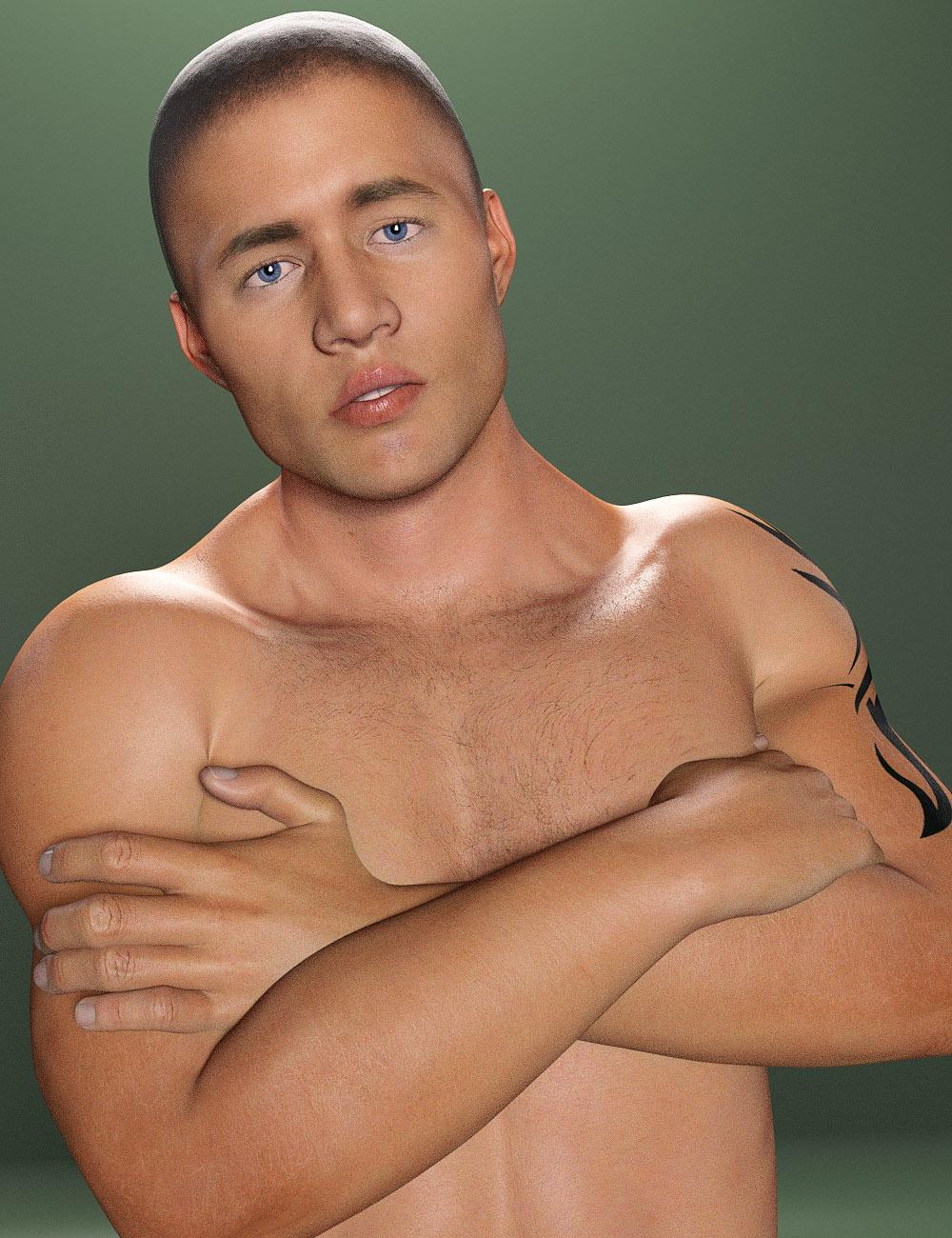
The HD version of this morph only adds more cheek creases, and flesh detail, but only added so that the detail isn't smoothed out when the subdivision level was raised. But the point is the base morph was already done before I exported a slightly higher version of the the morph to work on because I learned to morph the low poly cage. You can see the check crease detail on this right side, the side brow crease, the detail at the bridge of his nose. So basically I created something store-ready with over 50K less polys because I shifted my workflow to work with the technoloy and that's really what I'm suggesting others do because that's what using the figure actually requires.
NOTE: This was rendered without any HD morphs, and uses render subdivision of 2. Also before I started any HD tweaks, the head morph was made slightly asymmetrical.
Daz Studio Pro BETA - version 4.9.1.30! (HOTFIX - Release Candidate 3 - UPDATED)thanks AlianRenders,,your case is sitll complex for me,,but somehow I understand why it happend.
then the Key is not only use for timeframe animation, but also use to discribe ERC ,
eg,, morphA value which linked another morph B value,, then valueA is animated by Value B as key value,,, )
I feel it is not animation problem, but it show break ERC problem,, which caused wrong formulla in morph.dsf or the character.duf whid h
you get from rendo,,,
I make Root directories for Each shop proeducts,, , DIM, , DAZ connect, and MYdirectory (which stored my saved files and my handmade items,)
,after DAZ release DAZ connect thing,, then it may help, when I get problem,, to find which product (or my file ) cause it..
(though it may not work about plug-ins ^^;)
Daz 3D is part of

Connect
DAZ Productions, Inc.
7533 S Center View Ct #4664
West Jordan, UT 84084Licensing Agreement | Terms of Service | Privacy Policy | EULA
© 2026 Daz Productions Inc. All Rights Reserved.